


pictureToo many formats giving you a headache? Can’t tell the difference between PDF, JPG, PNG and HEIC? Don’t worry, there’s only one now App can help you get it done. “JPG Converter: PDF, PNG, HEIC” is now a conversion toolFree for a limited timeIt is open for download. It originally cost US$11.99 for the lifetime version, but now as long as you are quick, you can get it for free!
Whether you are a student who needs to submit homework, an office worker who needs to process graphics files, or a content creator who needs to organize materials efficiently, this app can help you save a lot of time. It not only supports the conversion of multiple image formats, but can also be used offline without logging in to an account, protecting your privacy and being fast and practical. Want to convert to PDF? Want to change it to JPG? Or a whole batch transfer? It can be completed in a few seconds, and now you can directly download it and have lifetime use rights. I really feel sorry for myself if I don’t pick it up!
Image format conversion app JPG Converter supports fast conversion of JPG, HEIF, PNG and PDF formats
In our daily life, we often need to convert photos, screenshots or files to other formats. In particular, iPhone users often encounter the problem that the HEIC format cannot be opened on other devices. At this time, a full-featured conversion app becomes a lifeline.
“JPG Converter: PDF, PNG, HEIC” is such an application tool that focuses on “easy conversion and quick start”. It focuses on converting between image formats, including:
- JPG ⇆ PNG
- JPG ⇆ HEIC
- JPG ⇆ PDF
- PNG ⇆ PDF
- HEIC ⇆ PDF
Common needs can be easily solved with just a few clicks, so you no longer need to run to a computer or upload to an unfamiliar website for processing.
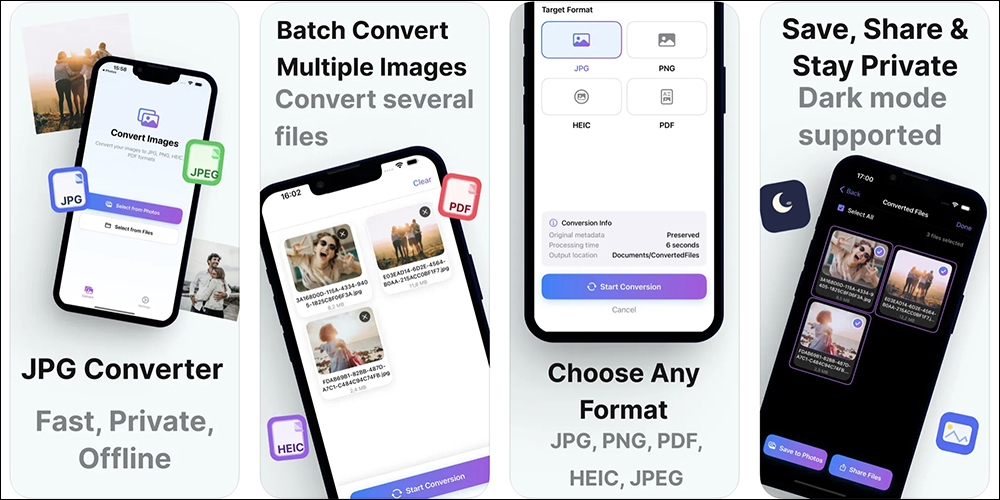
Unlike many online conversion websites that require uploading images, all conversion procedures of this app are completed locally, which means that it can be used without the need for an Internet connection! This design not only speeds up processing, but more importantly ensures the security of your data. After all, the image files we often transfer may contain personal photos, important documents or private information, and we are always uneasy when sending them to the Internet. “JPG Converter” completely solves this problem.
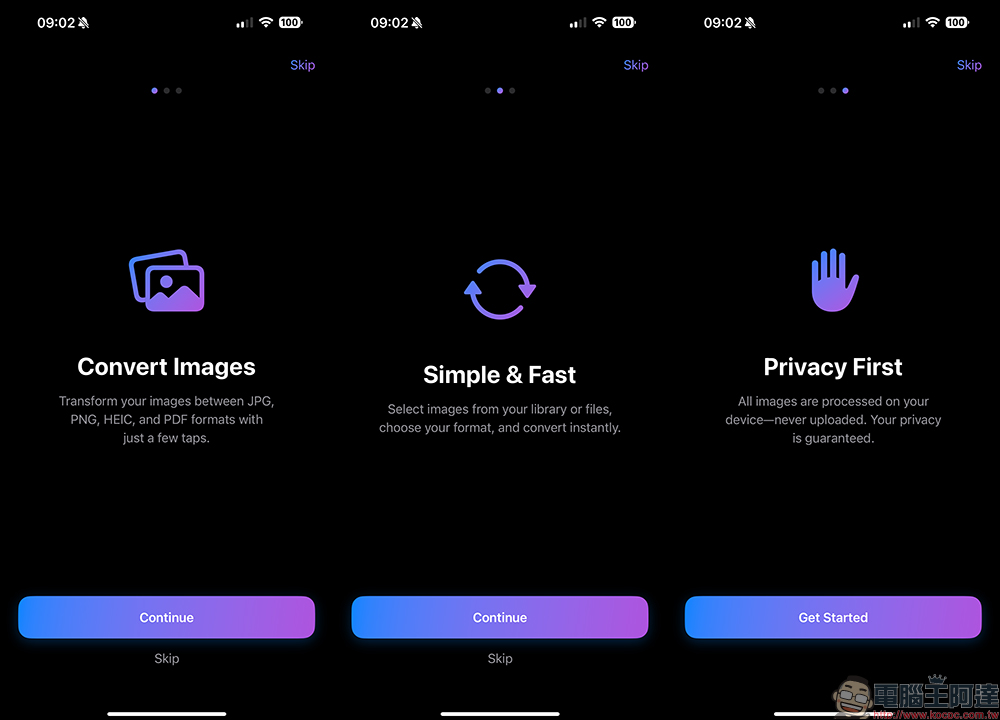
Many apps will require you to register an account and agree to a bunch of terms before you can start using it, but “JPG Converter” is not tedious at all. You download, open, select images, click on the format, and the conversion is completed in a few seconds. No login is required, and there are no advertisements. The entire user experience is so smooth that it is amazing.
If you often need to process a large number of pictures, you will love this app’s “batch conversion function”. Whether it’s 5 pictures, 10 pictures, or even dozens of pictures at once, it can help you convert them in a few seconds. You don’t have to take your time one by one, which is a great improvement in work efficiency. This is great news for content creators, designers, teachers, journalists, and bloggers. Packing a bunch of screenshots into PDF, or converting HEIC images into JPG to send to clients is no longer a chore.
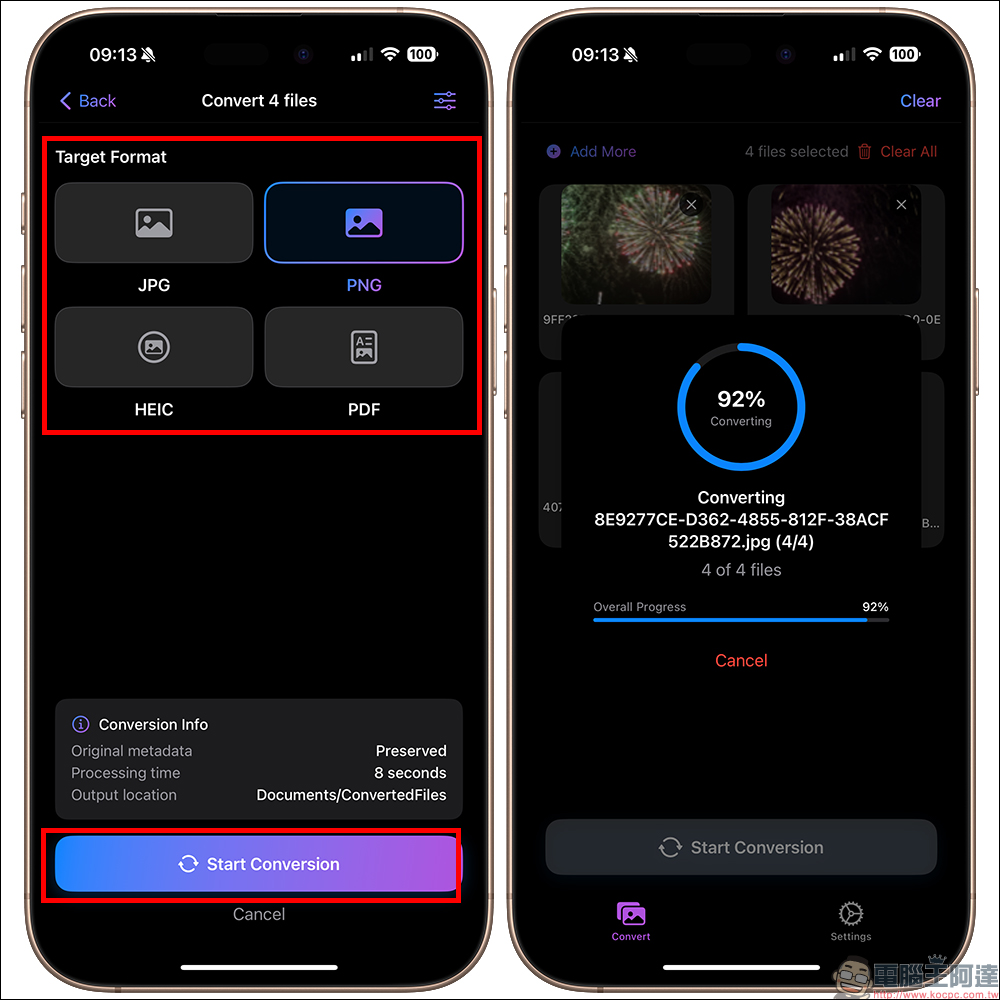
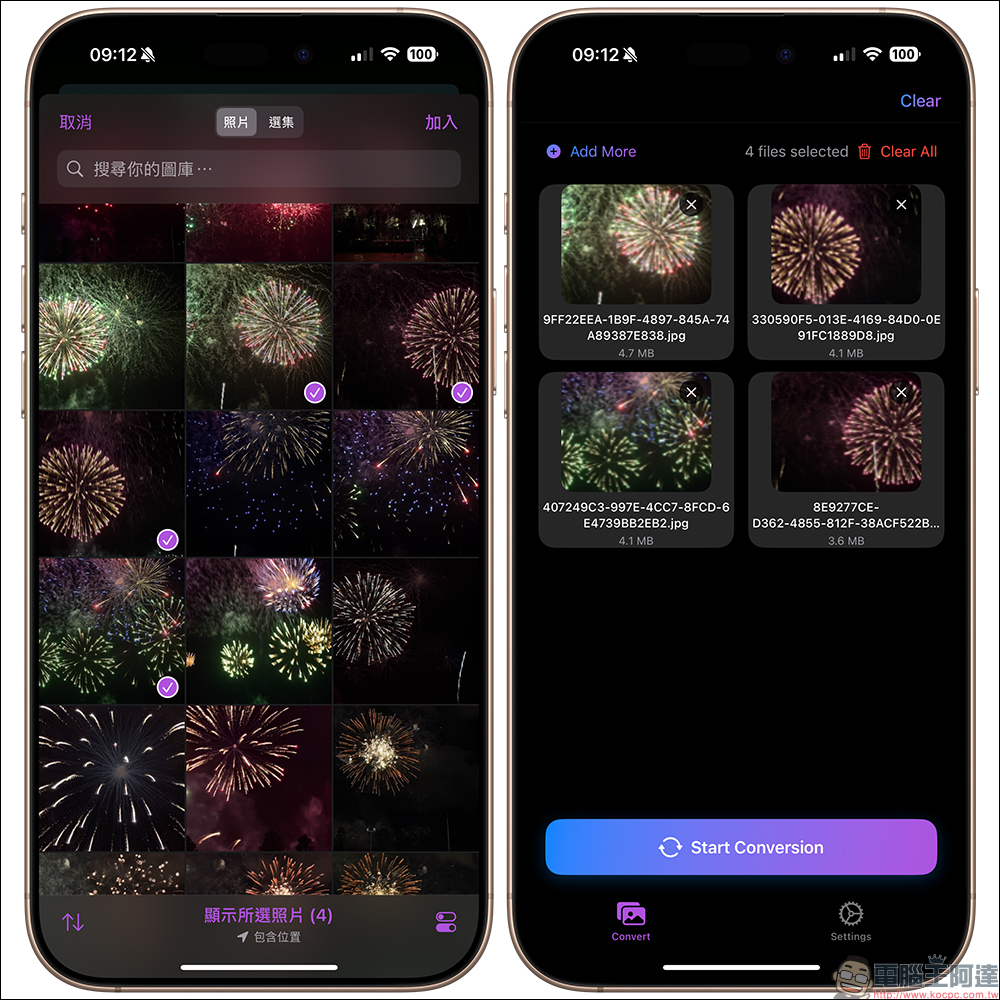
The converted files will be stored directly in the iPhone’s photo album or “File App” for easy subsequent editing, backup or sharing.
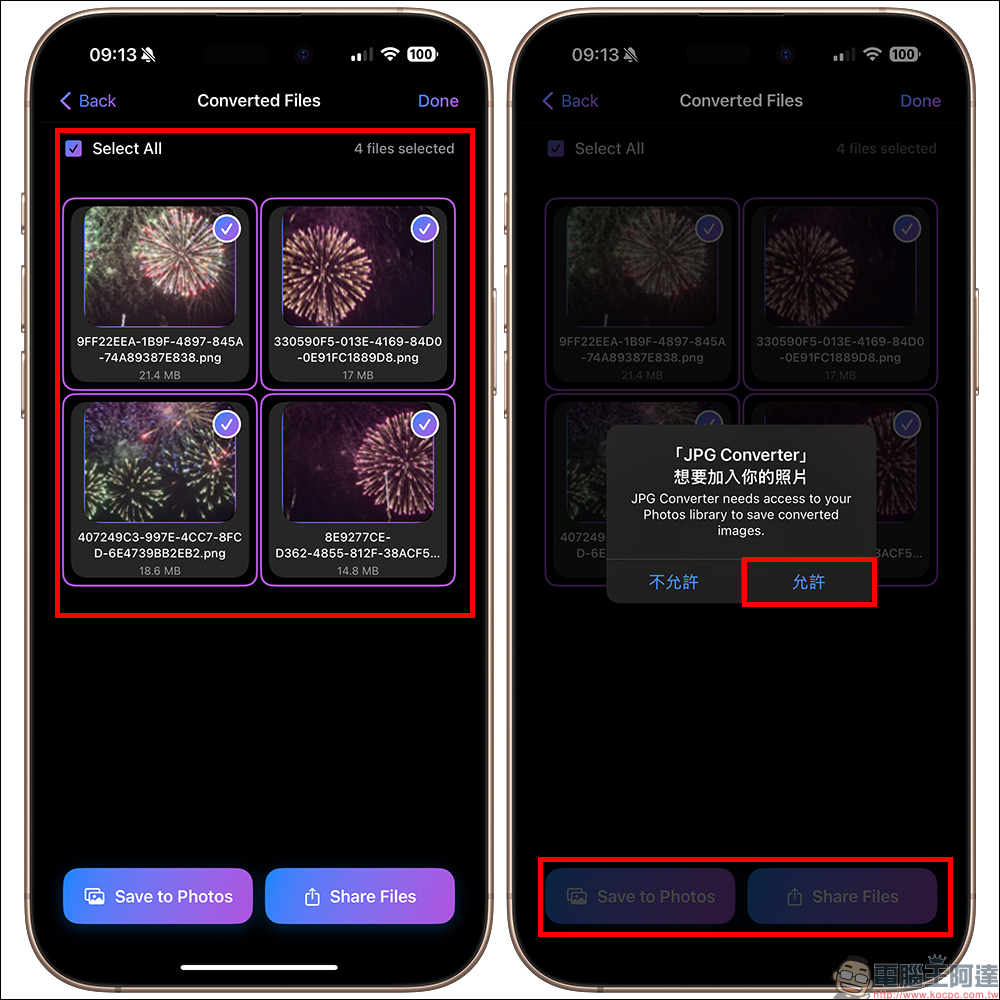
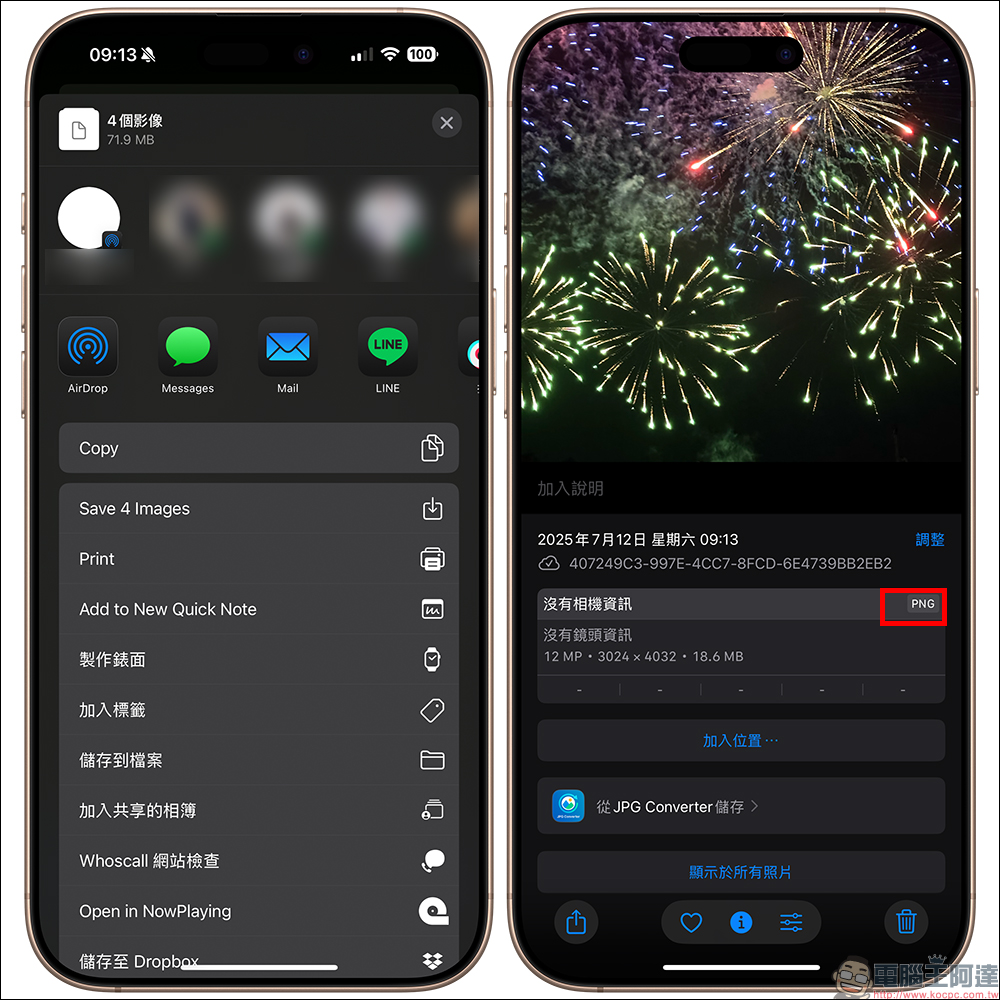
According to the author’s actual measurement, the image was converted to PNG format, and you can confirm that the conversion has been completed in the photo album.
Conclusion
Now that image formats are becoming more and more diverse, a tool that can handle conversion quickly, offline, and safely is really important. “JPG Converter: PDF, PNG, HEIC” not only solves the problem of format compatibility, but also allows you to get twice the result with half the effort when processing a large number of image files. Now it is “completely free” and provides lifetime use rights. Whether you are an iPhone veteran or a novice converter, you can easily get started and enjoy this high efficiency.
JPG Converter: PDF, PNG, HEIC APP Download (App Store)
Further reading:
2025 Apple BTS 台灣開跑!iPad、Mac 配件 AirPods、Apple Pencil 任選送,學生專屬優惠一次看懂
Source: KOCPC Chinese