


After using your computer for a period of time, you may feel that it runs a little slowly, or you may wish to run more smoothly. Wintoys, which I will introduce in this article, is a very good system performance optimization tool. It not only provides various settings that can quickly improve performance, but also can open God mode, developer mode, etc. with one click. You can also use it to remove or manage Windows installed applications and view system information. It is very powerful.
Introduction to Wintoys Free Windows System Performance Optimization Tool
Wintoys is a free and feature-rich Windows system performance optimization tool that allows you to easily adjust and optimize various hidden settings of the operating system, thereby improving performance. It is available on the Microsoft Store and you can start using it after downloading it. It’s a pity that the Chinese interface is not currently available.
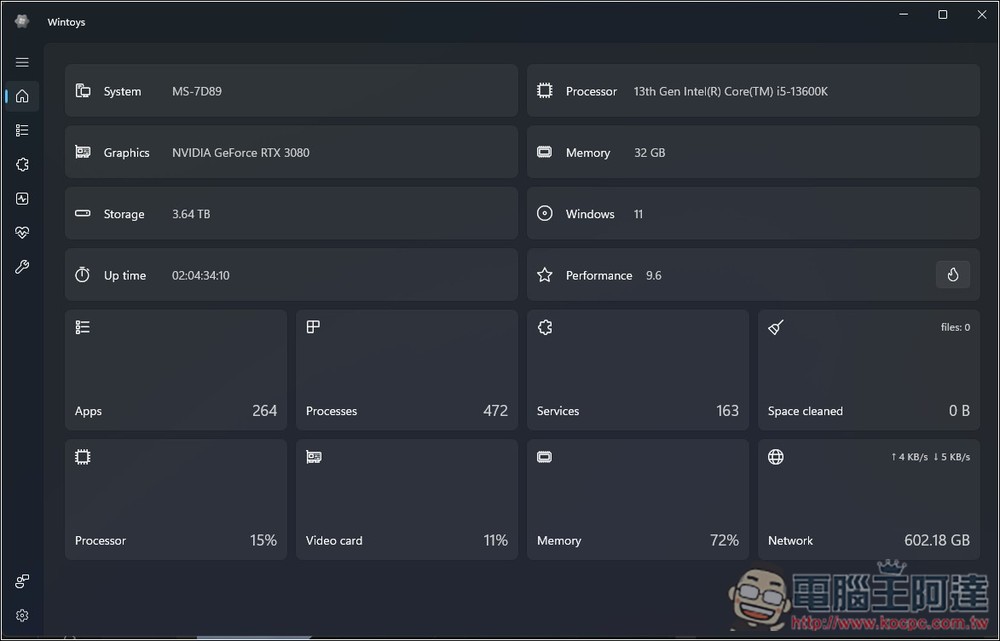
After opening Wintoys, the function selection is on the left. The first one is system information, which will display the hardware information of your computer, including processor, graphics card, memory, storage space, Windows version, how many Apps are installed, etc.:
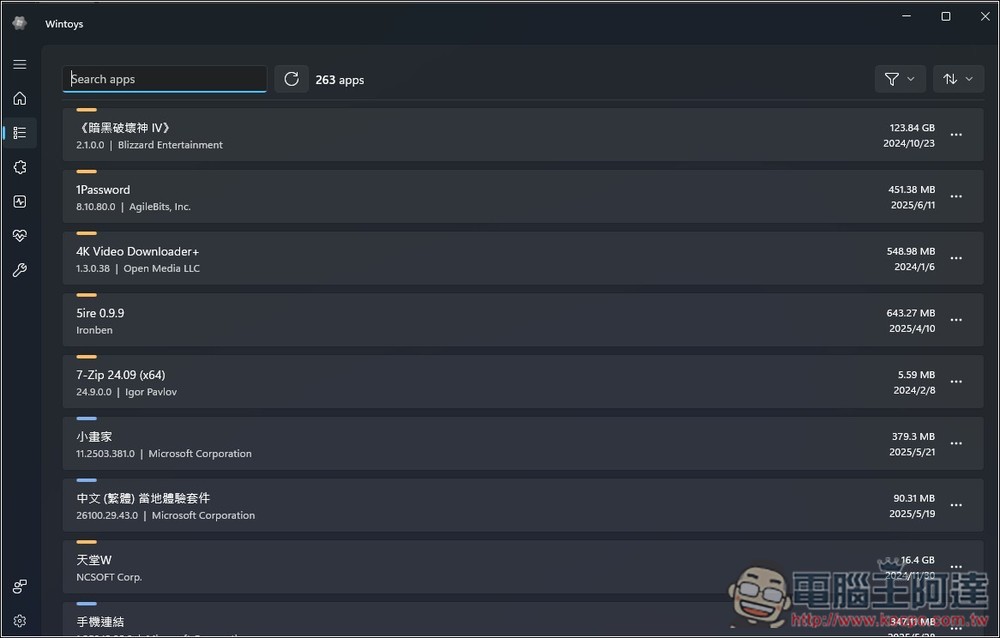
The second one will list the Apps installed on your computer, where you can quickly remove programs that are not in use:
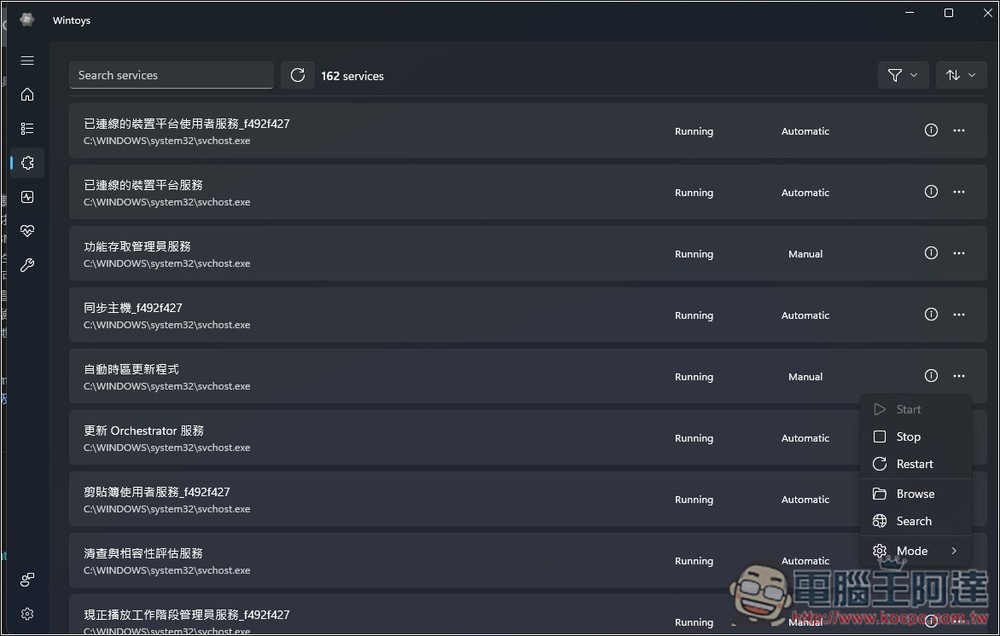
The third one is the service that is currently running. If you feel that the computer is a little strange, you can check it here. If you really find a problematic service, you can also stop it immediately:
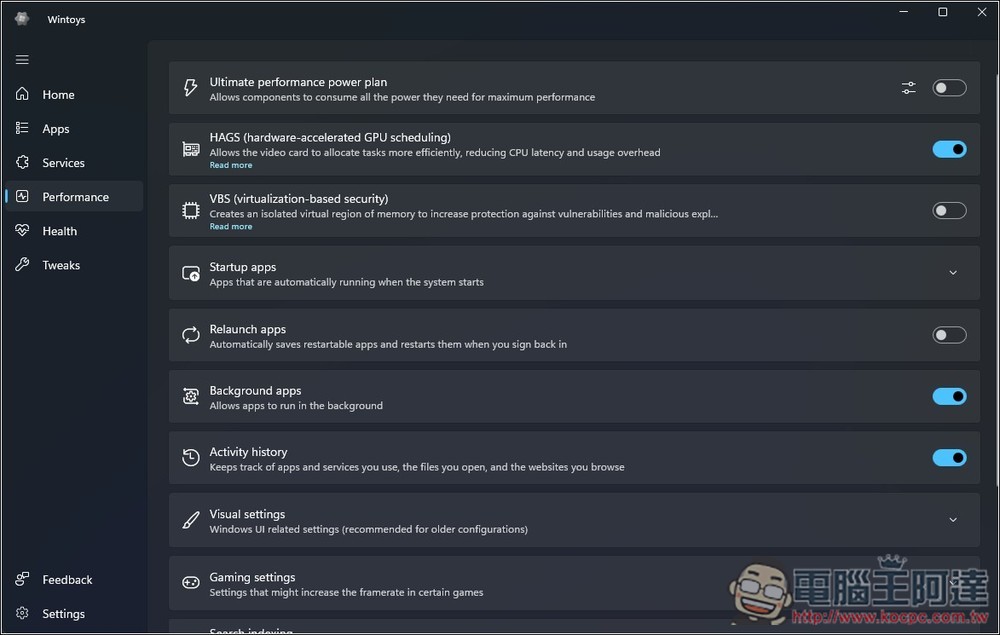
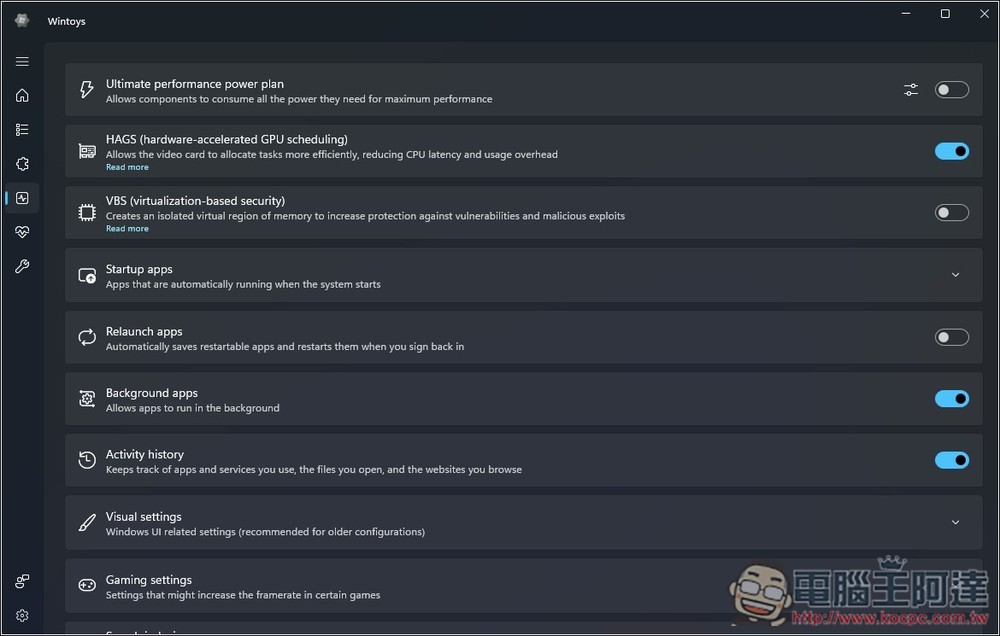
The fourth one is related to performance. Here are settings that can improve/optimize system performance. For example, the first one is “Ultimate Performance Mode”. When turned on, not only will the lowest state of the CPU be set to 100%, but it will also prevent hard drives, USB, etc. from entering power-saving mode. This means that the system will hardly cause any delay due to the need to wake up the hardware from a low-power state and maintain the highest performance at all times. “HAGS” is GPU hardware acceleration, and “background application” is whether to allow the app to run in the background:
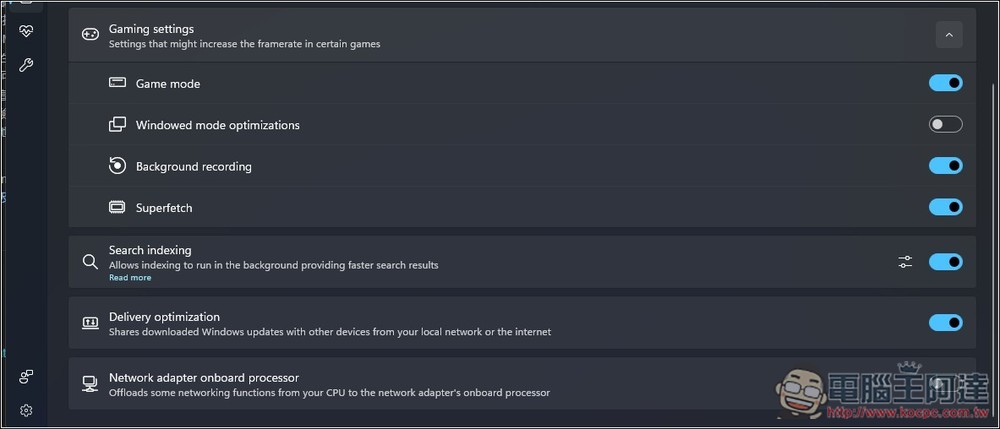
There are also game settings below. You can quickly open “Game Mode” from here, and whether to enable “Window Mode Optimization”. If you play games in window mode, it is highly recommended to turn it on, which can effectively reduce latency:
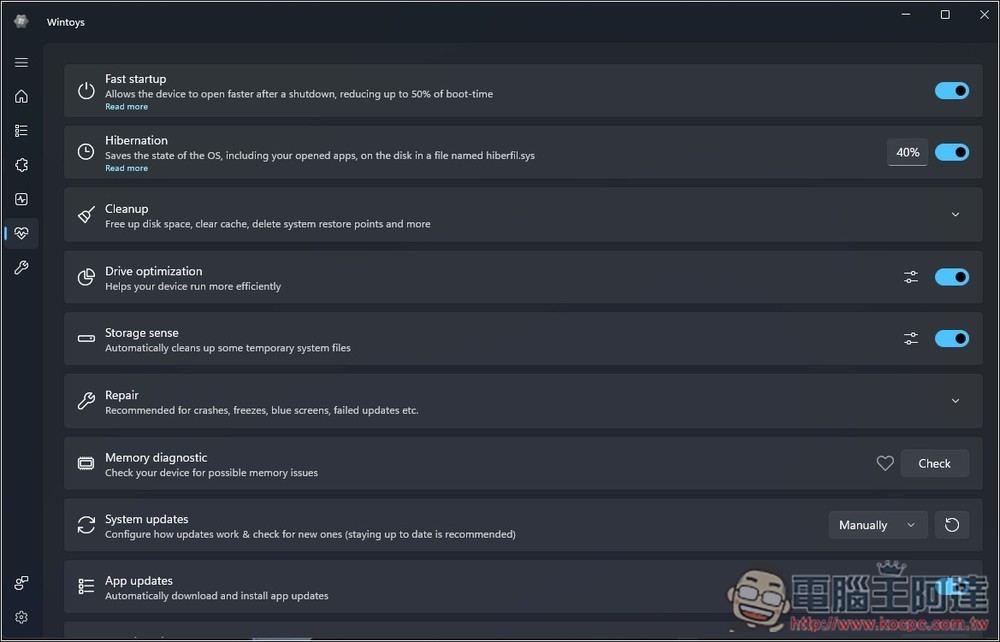
The fifth one is related to system health. If Fast startup is turned on, it can greatly shorten the time to enter the desktop after booting. Hibernation is the hibernation function, Drive optimization can help optimize the disk, Storage sense is the storage space sensor that many people know, etc.:
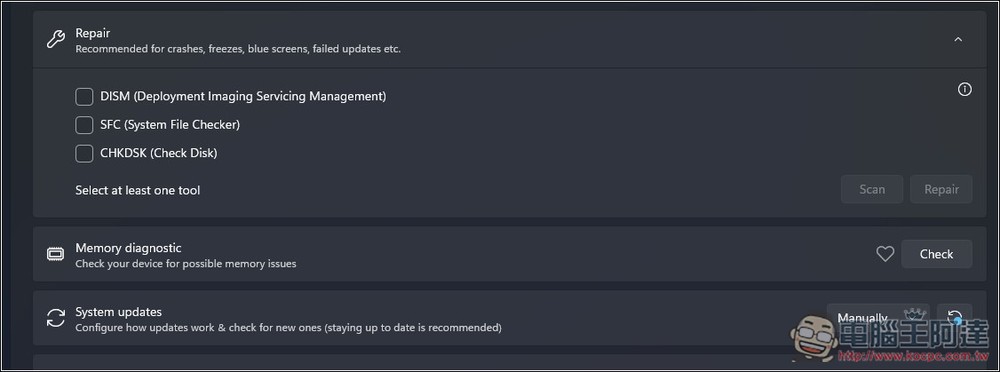
When you find that your system is unstable, you can try the tools in Repair. DISM is used to repair the “component storage area” of Windows. SFC scans all protected Windows system files to check if they are damaged or missing. CHKDSK is used to check your hard drive files and the disk itself for errors:
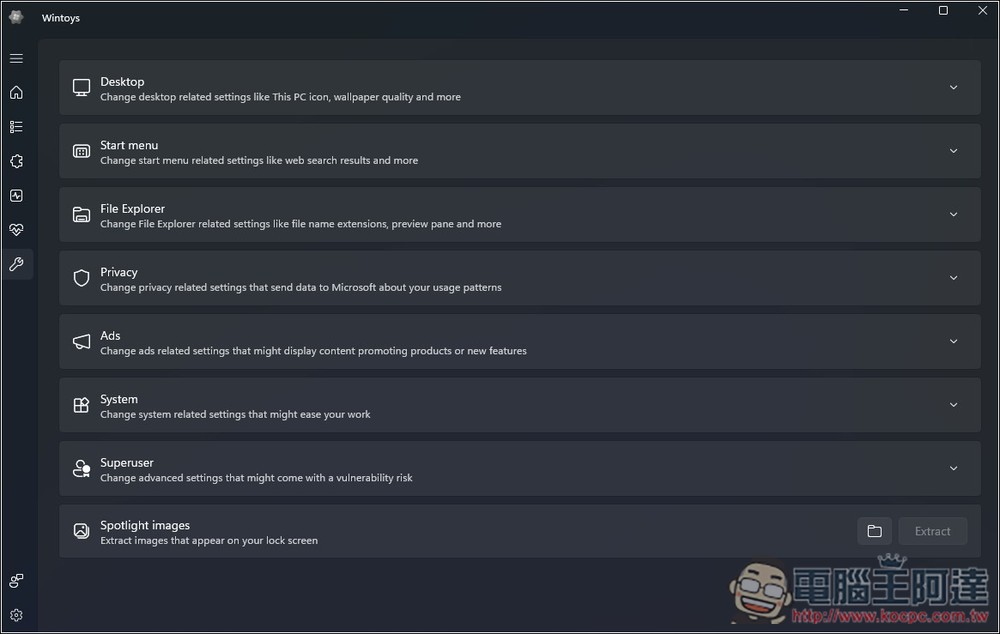
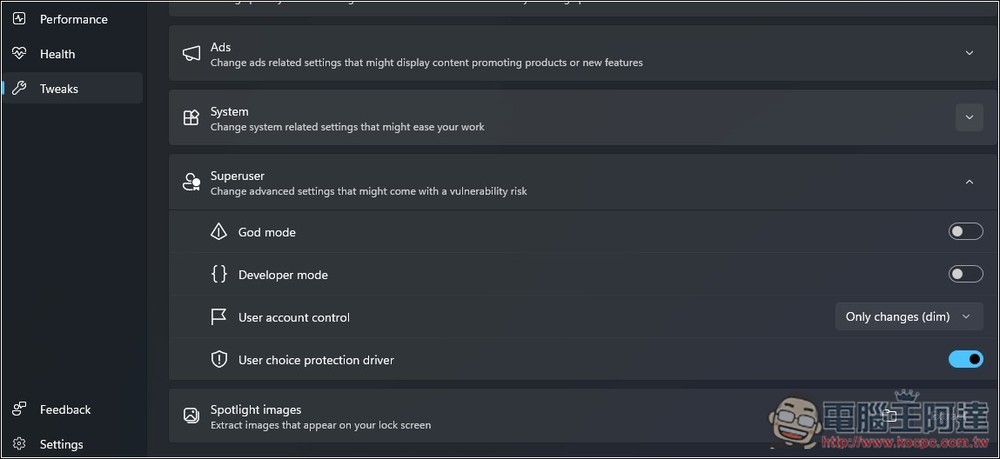
Finally, there are other tools, where you can adjust the desktop, start menu, file manager, security, advertising, etc. The most noteworthy one is Superuser:
Here you can turn on God mode and developer mode:
Source: KOCPC Chinese