


if you arehigh speed rail、Taiwan RailwayAs a frequent visitor, this “Railway Messenger” App is definitely worth installing! Not only can you check train status in real time and set arrival reminders, but it can also be integrated into Apple MapsYou can directly watch the train’s route inside, and with the iPhone’s dynamic island display, the overall experience is smooth and real-time. If you also like the feeling of being able to clearly control your itinerary, then you might as well download it and give it a try!
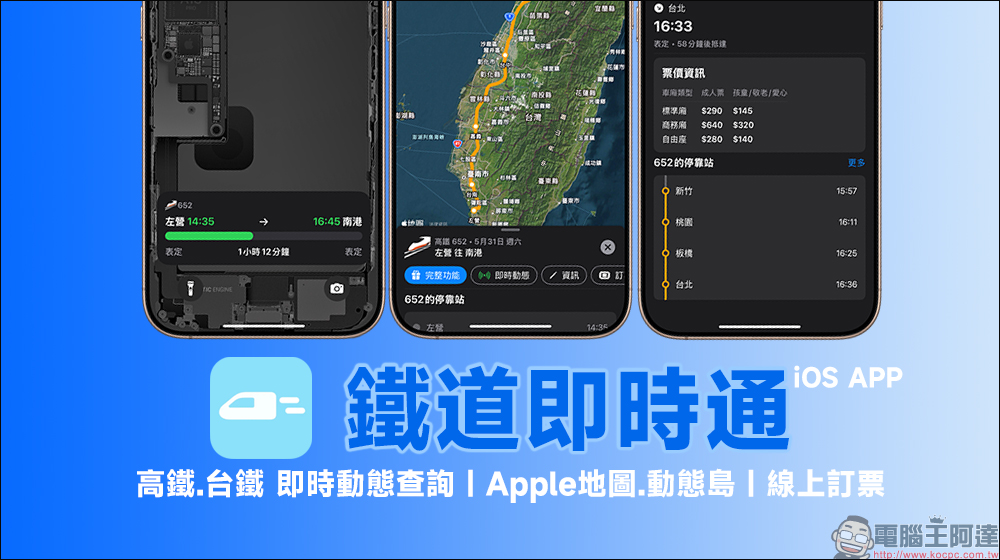
Railway Instant APP: Real-time dynamic inquiry of high-speed rail and Taiwan Railway, supporting dynamic island, Apple map and online ticket booking
If you often take the high-speed rail or Taiwan Railway and are looking for an app that can quickly check train schedules, view real-time updates, and book tickets, the recently updated “Railway Instant Pass” can be said to be a hidden masterpiece on the iPhone.
In addition to supporting “Live Dynamics” after iOS 16 and the “Dynamic Island” function only available on iPhone 14 Pro and later models, this app allows you to see train dynamics before unlocking the phone. The latest update also quietly added the “Apple Maps Route Tracking” function.
Although the overall interface color scheme, train data presentation logic, and even real-time dynamic details currently used in the “Railway Messenger” APP are reminiscent of another Flighty App, which is famous for flight tracking. So, how useful is this app? Just keep reading!
▲Picture source:Railway instant messaging
The name “Railway Instant Messenger” is actually not new. In the early days, it mainly provided real-time information on Taiwan Railways and high-speed rail. However, in recent years, the functions have become more and more complete, and updates have become more and more frequent, especially for iOS. User optimization is done very carefully. Several key updates this time include:
- Supports Apple’s dynamic island and real-time dynamic functions
- You can book high-speed rail and Taiwan Railway tickets directly through the app
- Train information can be synchronized and displayed in Apple Maps
- Provide instant notification reminders so you don’t have to worry about missing your shift
To sum it up in one sentence, it is “Let iPhone transform into your personal train butler”.
Real-time dynamic query of high-speed rail and Taiwan Railway is very simple
After opening the Railway Messenger APP, after using it as a whole, “Railway Messenger” feels really familiar, especially the moment you enter the “Shift Details” page, which reminds you of Flighty. The color tone, UI style, and even the arrangement of various information are highly consistent. Although the service objects of the two are completely different, one is airplanes and the other is trains, it is quite wonderful that there are so many coincidences in the interface design.
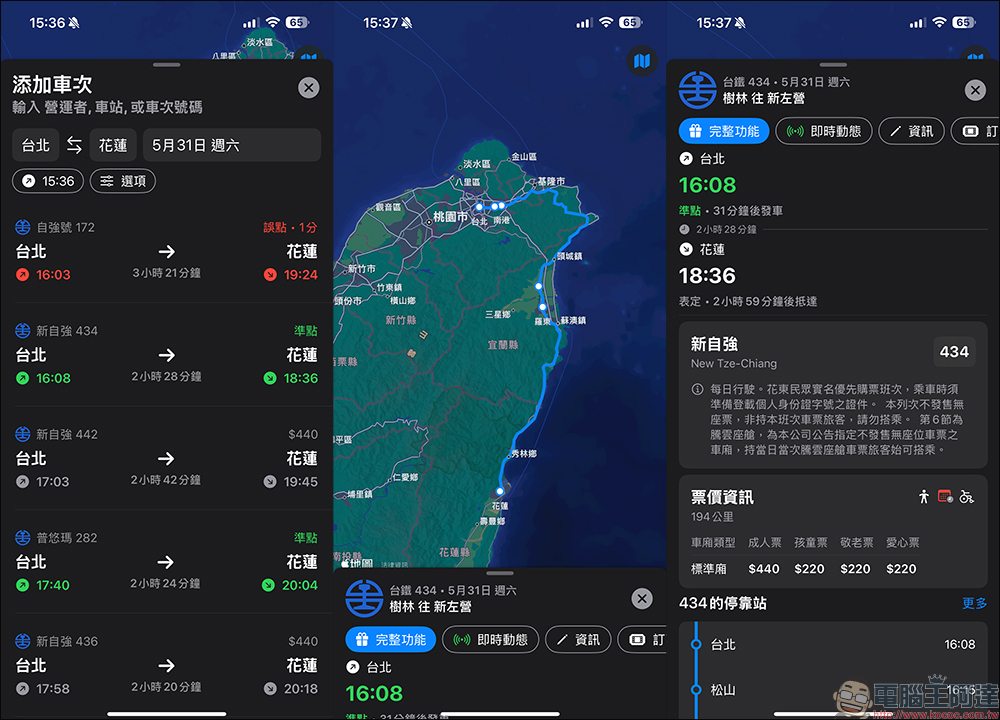
First add a train in the search field, then select the train you want to add:
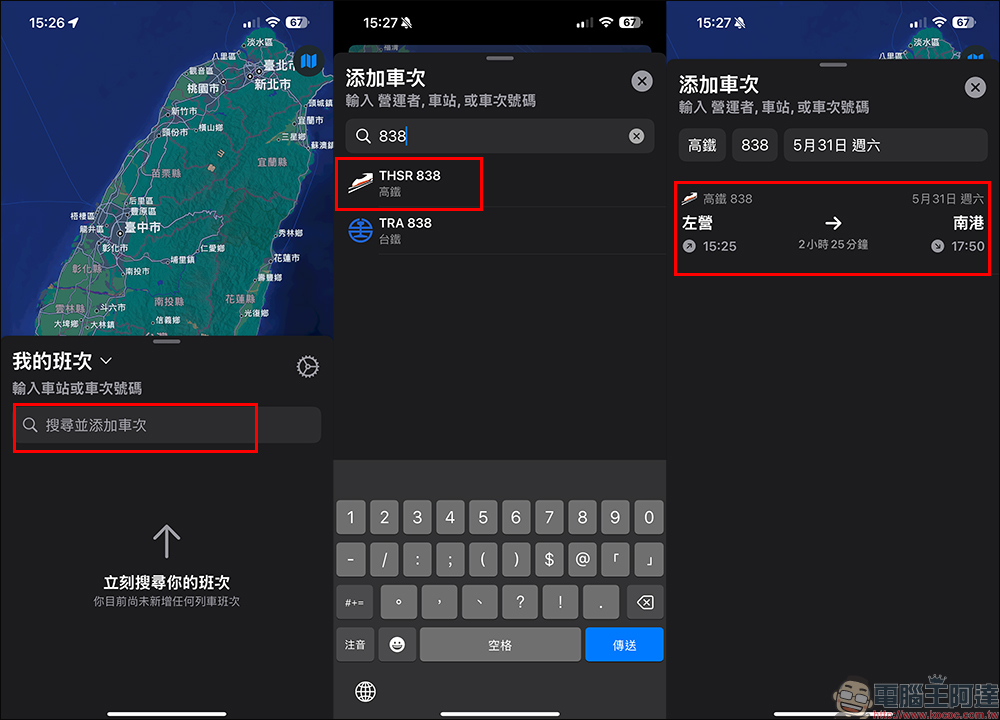
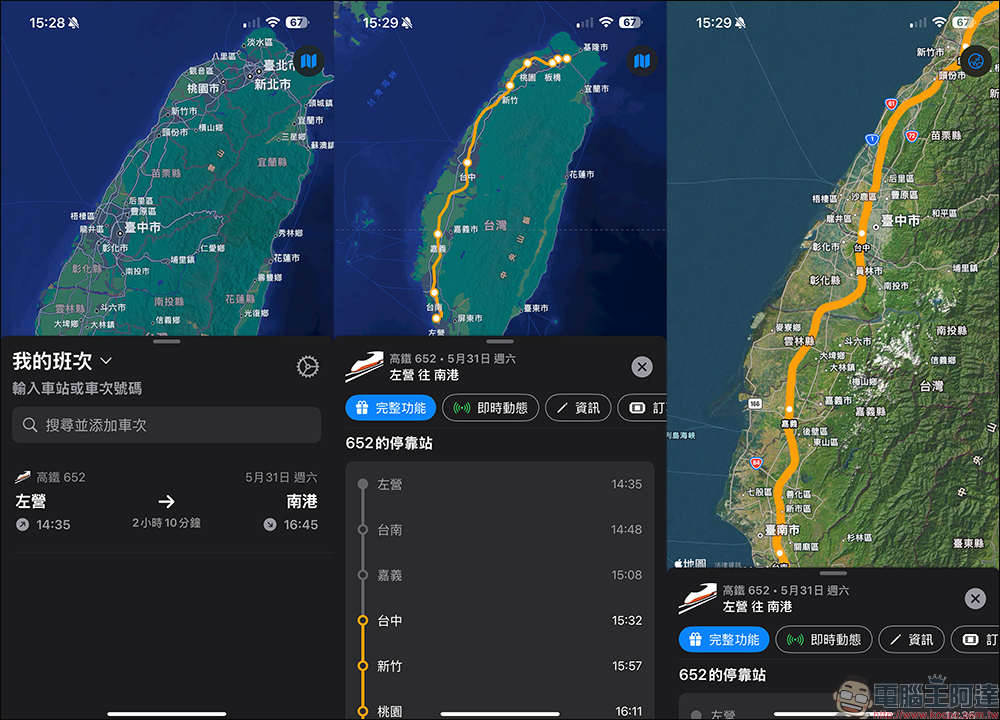
At this time, the entire journey of the train will be displayed by default:
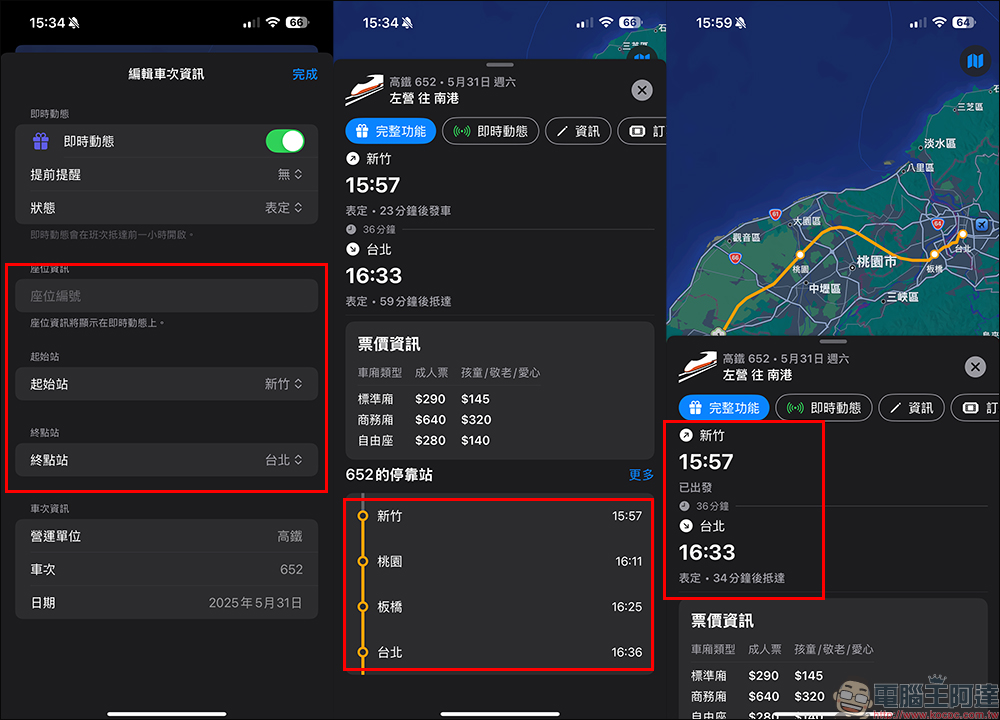
Users can further click “Information” to edit train information, such as setting the starting station, terminal station, and even seat number, and then view more detailed fare information and train arrival information.
In addition to high-speed rail, Taiwan Railway can also be queried in the same way:
Real-time dynamics and dynamic islands are supported
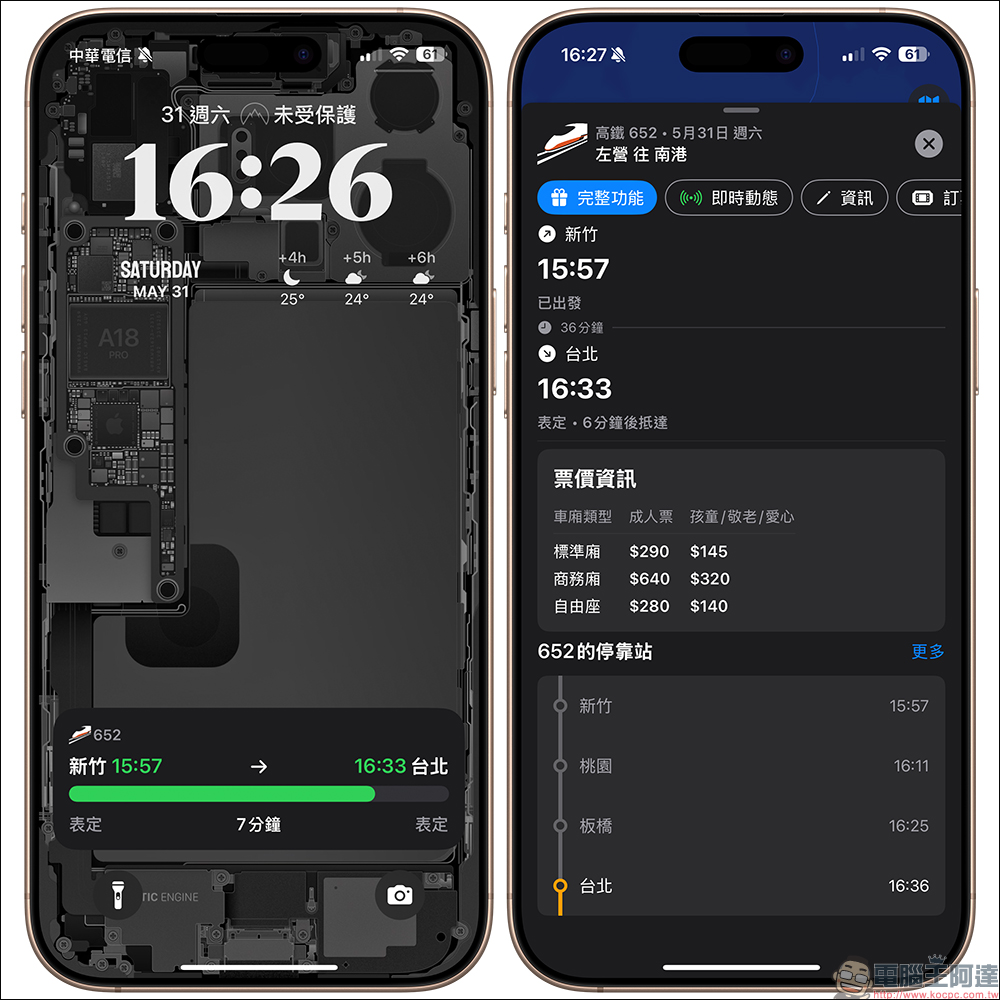
The “Live Dynamics” function after iOS 16 and the “Dynamic Island” function of the iPhone 14 Pro series are integrated. To put it simply, as long as you select a train in the app and turn on real-time animation, it will be displayed on the lock screen or as a thumbnail bar in the animation island at the top of the screen.

Information such as flight status, remaining time, punctuality, arrival information, etc. will be automatically updated in a dynamic manner. You can grasp train dynamics without opening an app. It is really like the real-time tracking of an airplane. However, there is one thing to note about the switch of this function! Only subscribed users can automatically enable it. If they are free users, they have to manually click on the “real-time updates” button for each shift to display it.
Viewing updates on Apple Maps is more intuitive
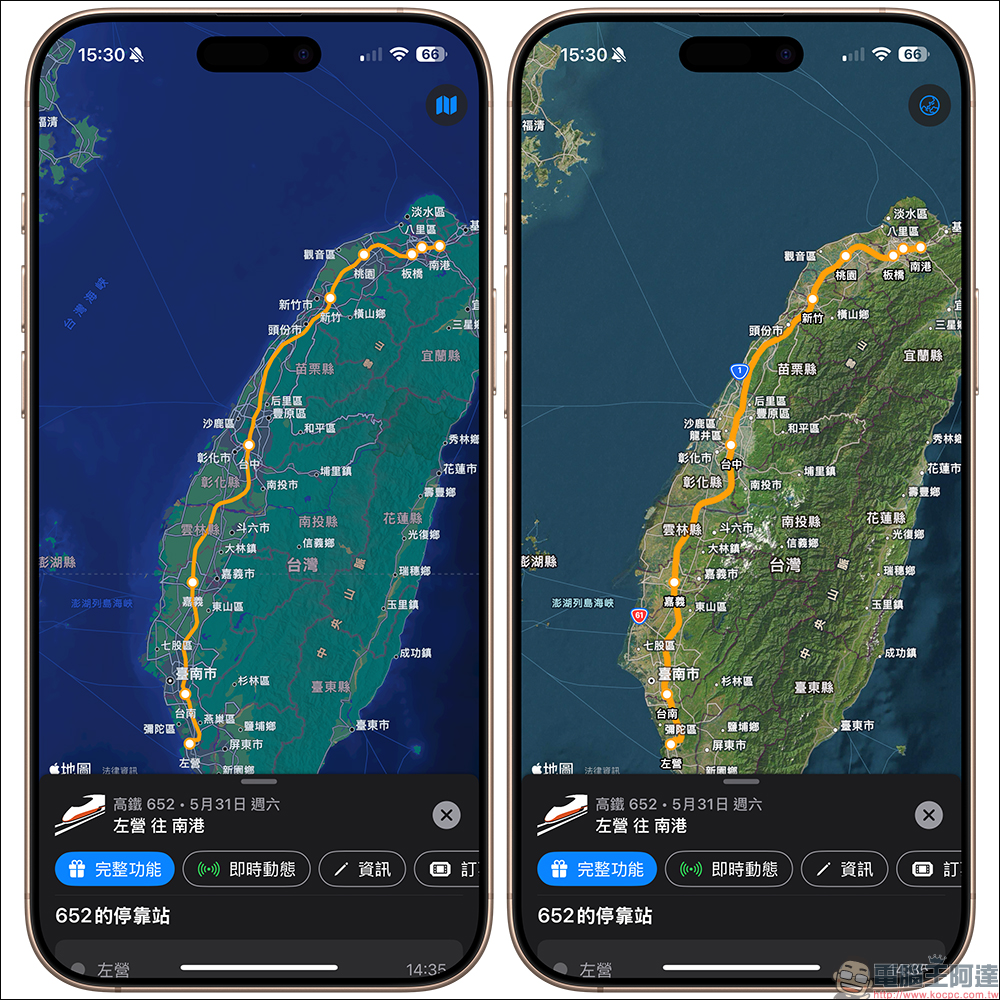
The newly added “Apple Maps” integration function this time is also worth mentioning. Now you can not only check the train schedule in the app, but also see the train movement route directly from Apple Maps. Even the station information and train number are clearly marked.
However, when you click on a specific flight, the overall visual design is almost the same as Flighty’s similar “flight details page”. Information from the train’s starting station, terminal station, stops along the line, station countdown, and even the station platform number is all available. The simple white background + blue-green color scheme also makes the screen very comfortable to read, and the information density is just right.
Online booking is also OK
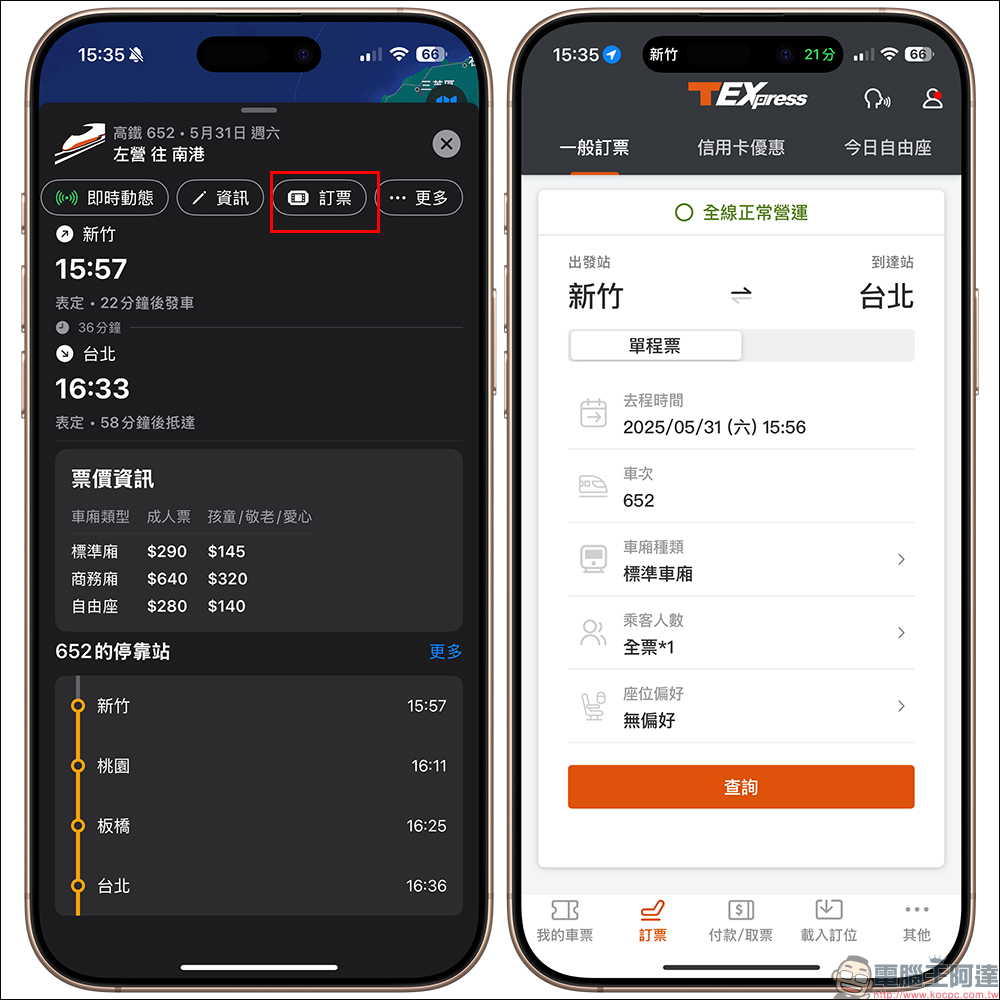
The Railway Instant APP also supports high-speed rail and Taiwan Railway online ticket booking. High-speed rail ticket booking will automatically jump to open the “T-EX Mobile Ticketing” APP, and Taiwan Railway ticket booking is the “Taiwan Railway e-booking” APP. Moreover, when you book a ticket through Railway Instant Messenger, the train number and departure and destination stations will be automatically displayed, saving a lot of the process of selecting train number information.
Railway Instant Messenger App download (App Store)
Further reading:
Source: KOCPC Chinese