


Every year when Mother’s Day comes, do you always feel like you can’t say the words “I love you”? In fact, it’s not just you, many people will be like this. I am very grateful to my mother in my heart, but I always end it by saying “Happy Mother’s Day” on LINE. However, this year LINE understands our embarrassing mood and has directly prepared a “Mother’s Day limited chat room special effect” for everyone. Just enter a few simple keywords and the bear will hold up a carnation and convey your heartfelt message to you on a pink background. It is romantic and not embarrassing! This feature is not only cute, but also very warm. For those children who are usually embarrassed to talk about love, this wave of LINE easter eggs is your savior.
▲Picture source:LINE
LINE launches Mother’s Day chat room special effects: Xiong Da sends flowers + pink background, a confession egg that will make your mother’s heart warm with one sentence
It is very simple to make this Mother’s Day-limited “Bear Send Flowers” screen appear in the chat room. Just enter any of the following keywords in the LINE chat:
- Mother
- Grandma
- Love you
The screen will immediately transform into a pink background, and the bear will stand up cutely, holding a carnation in his hand, making the whole thing very festive. If you still dare not say “I love you” to your mother face to face, then this trick is really worth trying. The effect is more heart-warming than you think.
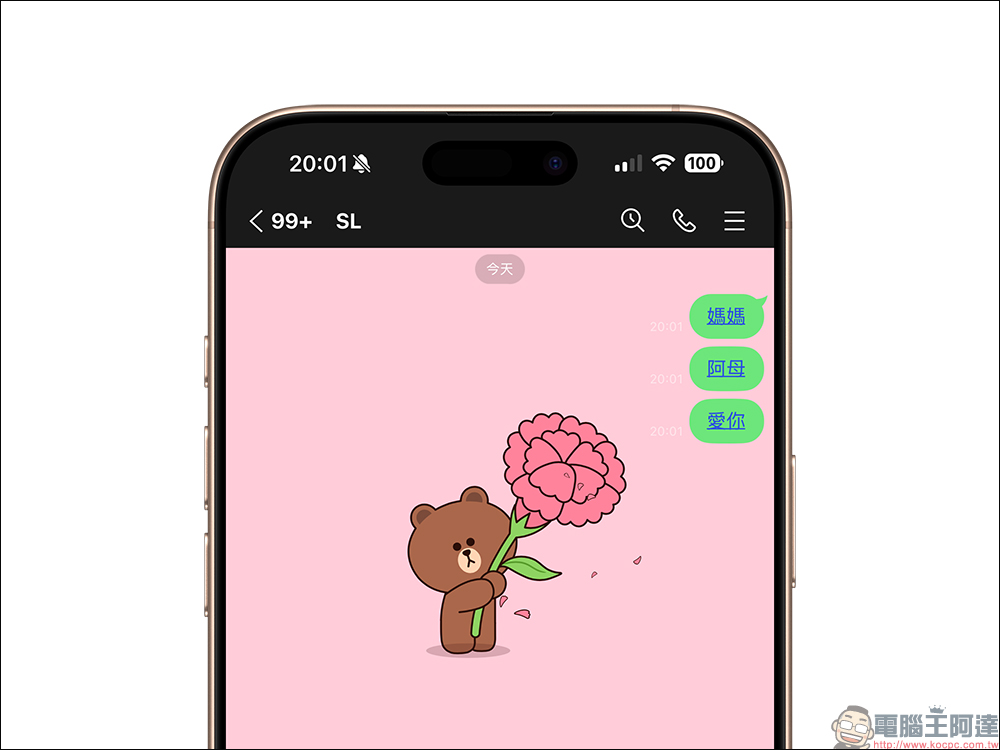
Chat room special effects are not available year-round, they are time-sensitive limited-time activities. This year’s Mother’s Day chat room easter eggs are only open during the following times: from the 6th to 10:00 on May 12, 2025 (Monday), the event only lasts for about a week. It is recommended that you prepare the message in advance and send it out on time on the morning of Mother’s Day, so that mothers can feel the thoughtfulness and love from their children early in the morning.
LINE Mother’s Day special effects supported version
In order to see the special effects smoothly, please first confirm that LINE on your mobile phone or computer has been updated to the following version or above:
- iOS: 9.15.0 (inclusive) and above
- Android: 10.2.0 (inclusive) or above, and the Android system needs to be 7.1 or above
- PC version: 8.7.0 (inclusive) or above
If your mobile phone’s LINE is a new version 12.0.0 (inclusive) or above, it will be even more convenient! Because when you enter a keyword, it will automatically turn into a link, and you can replay the special effects with one click. You don’t have to keep flooding the forums with comments, and your mother won’t think you’re messing around.
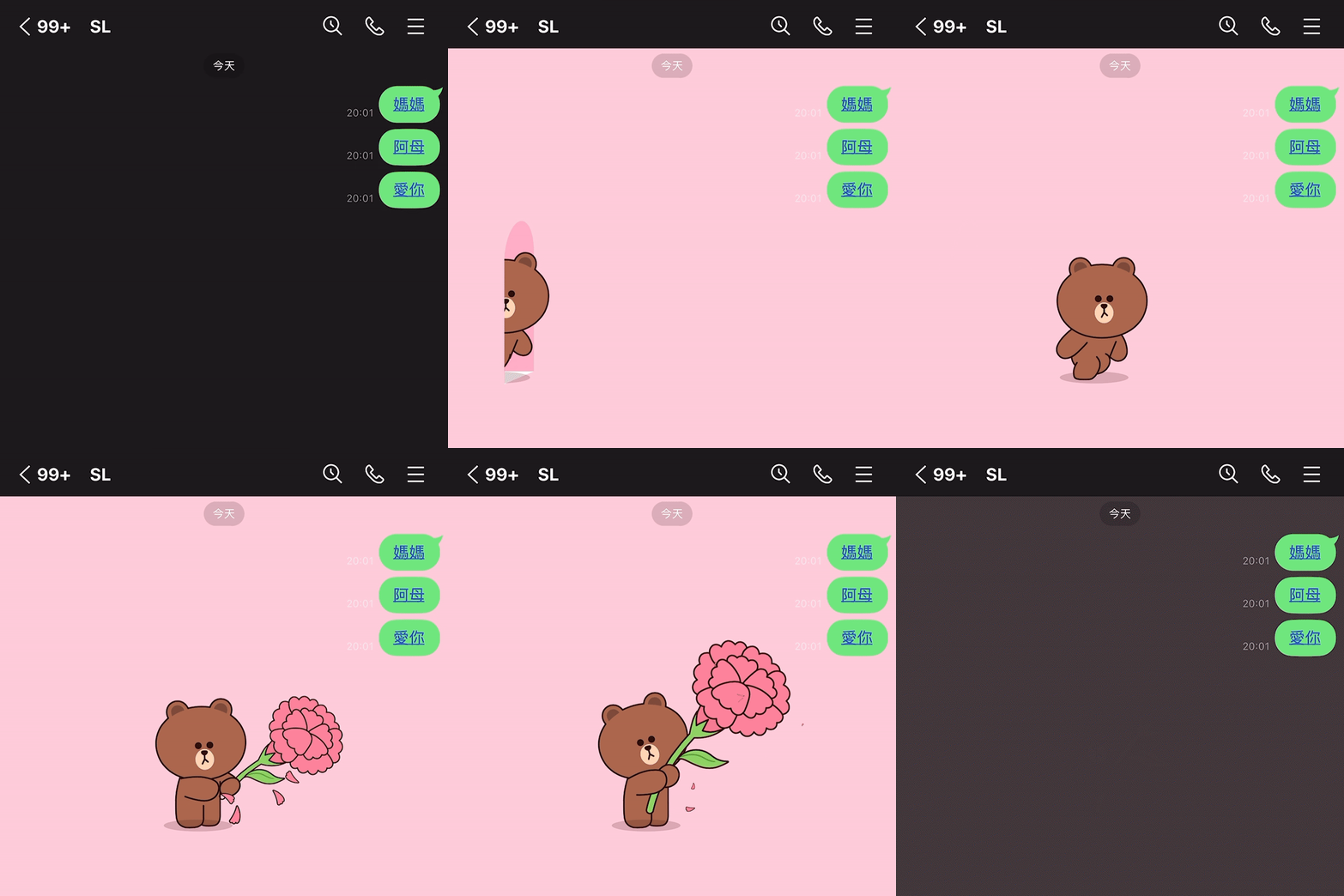
Mother’s Day chat room special effects did not appear? A few steps to teach you how to quickly troubleshoot the situation
If you have entered the correct keywords and the LINE version also matches, but the big bear or pink background still does not appear, you can try the following methods.
The first is to restart the LINE App: sometimes it just crashes temporarily or the material is not fully downloaded.
Next, check the “Chat Room Background Effects” setting: Go to LINE > Settings > Chat Room to confirm whether this feature is turned on. This function is turned on by default, but it may have been accidentally turned off before.
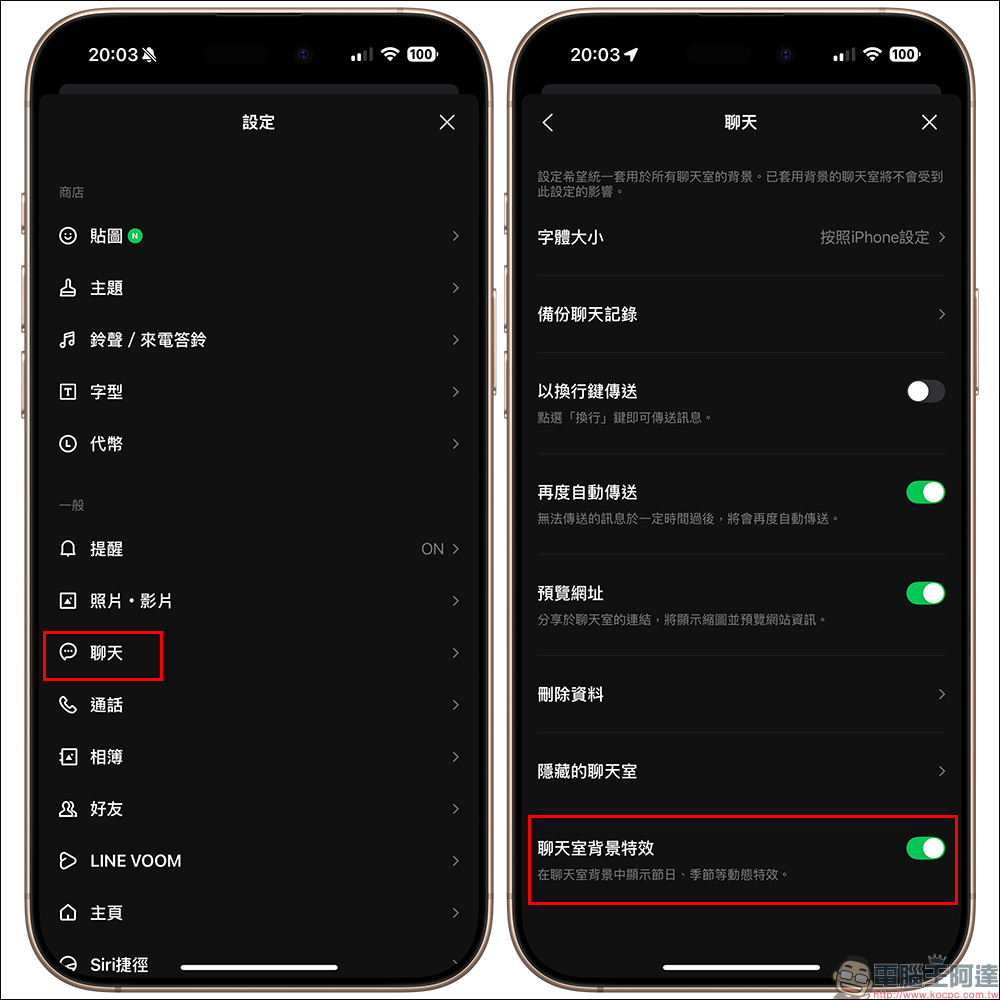
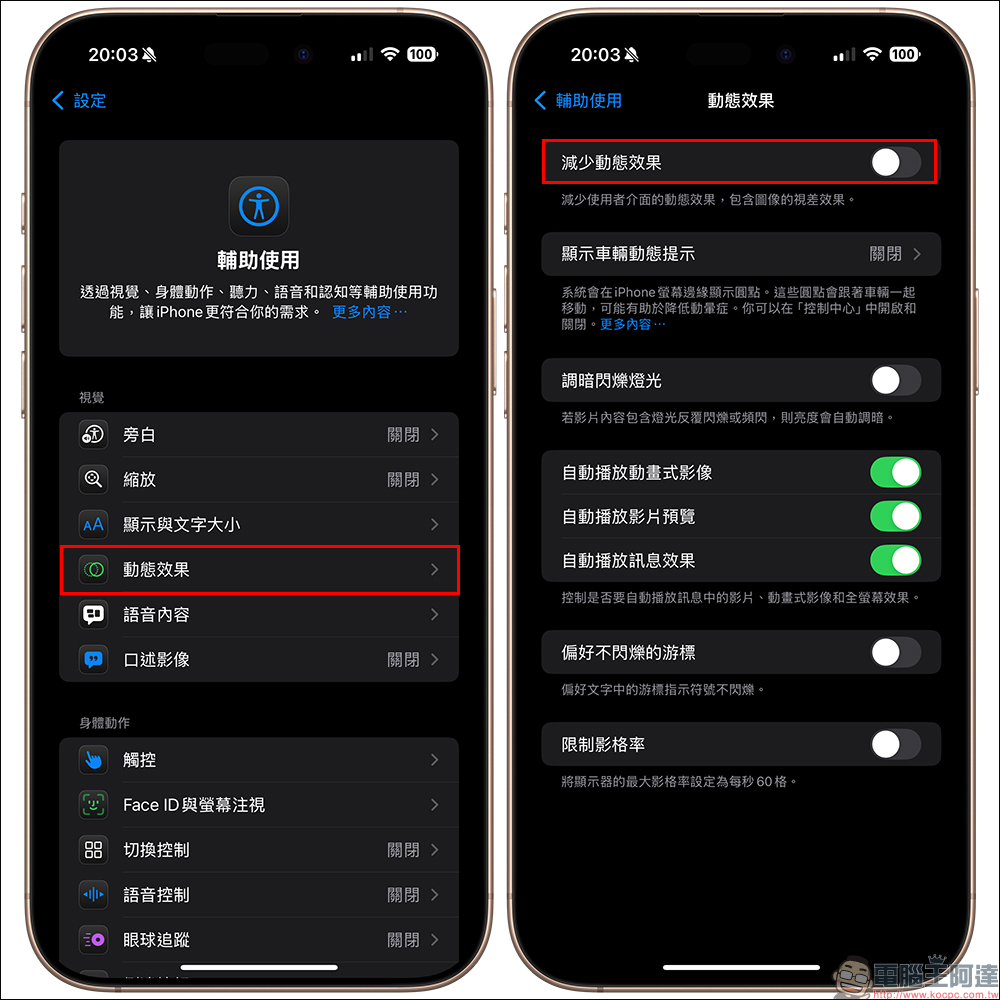
The last step is to confirm whether the mobile phone animation settings are turned off: both iOS and Android may block animation effects due to the system’s “Reduce Dynamic Effects” setting (the picture below is an iOS setting example).
There are Easter eggs on the homepage too! Don’t miss the double surprise of LINE special effects
In addition to the surprises in the chat room, LINE has actually secretly prepared another “Mother’s Day home page special effect” this time, a limited animation that can only be seen on the LINE home page. The homepage special effects are open from 00:00 on May 10, 2025 (Saturday) to 23:59 on May 11, 2025 (Sunday).

▲Picture source:LINE
Supported versions:
- iOS: 12.17.0 (inclusive) or above
- Android: 13.2.0 (inclusive) or above, Android needs to be 7.1 or above
This special effect will automatically appear when you enter the LINE homepage. There will be soft flower animations and warm designs on the screen, directly filling the entire Mother’s Day atmosphere.
Why don’t I see special effects on my homepage? You should pay attention to these situations!
If you clearly match the version but cannot see the special effects on the homepage, it may be due to the following reasons:
- It happens to be your birthday today: LINE will prioritize birthday effects.
- The playback effects setting is not turned on: Go to LINE Home > Settings > Home > Playback Effects and confirm that it is turned on.
- I just reinstalled the LINE App: it’s possible that the special effects materials haven’t been downloaded completely. Please try again later.
The mobile phone system has settings to turn off animations:
- iOS: Settings > Accessibility > Motion > Turn off “Reduce Motion”
- Android: Settings > Accessibility > Turn off “Remove animation”
Conclusion
Every Mother’s Day blessing does not require too many complicated rituals, but a word or an action is sometimes enough to warm a mother’s heart for a whole day. The wave of bear flowers, chat room easter eggs and homepage special effects launched by LINE this year are not only fun, but also full of heart. If you haven’t figured out how to say “I love you” to your mother yet, why not take advantage of this wave of limited Easter eggs and let Bear help you bravely say the most important words!
Further reading:
Whoscall launches “One-Click Check”, a super free new anti-fraud feature! Better at scamming than ChatGPT?

Source: KOCPC Chinese