


Want to be a video creator, but don’t want to jump around looking for tools? Instagram now gives you new options! This time they launched a dedicated video editing app – Edits, which is suitable whether you want to cut Reels, create YouTube Shorts, or share daily. This app is similar to TikTok’s CapCut, but it is mainly used by creators. The built-in functions not only support green screen, AI image animation, but can even do detailed timeline editing. The key point is that it is completely free to download and export, and there will be no watermark!
Edits can not only be used to manage projects, notes, and inspiration materials, but also has two major tabs, “Inspiration” and “Ideas”, to help you track popular content and creative ideas. Meta officially announced: “This is not only for IG, but will support creation on all platforms in the future!” This time Instagram seems to be fully challenging CapCut. Creators, it’s time to try new tools!
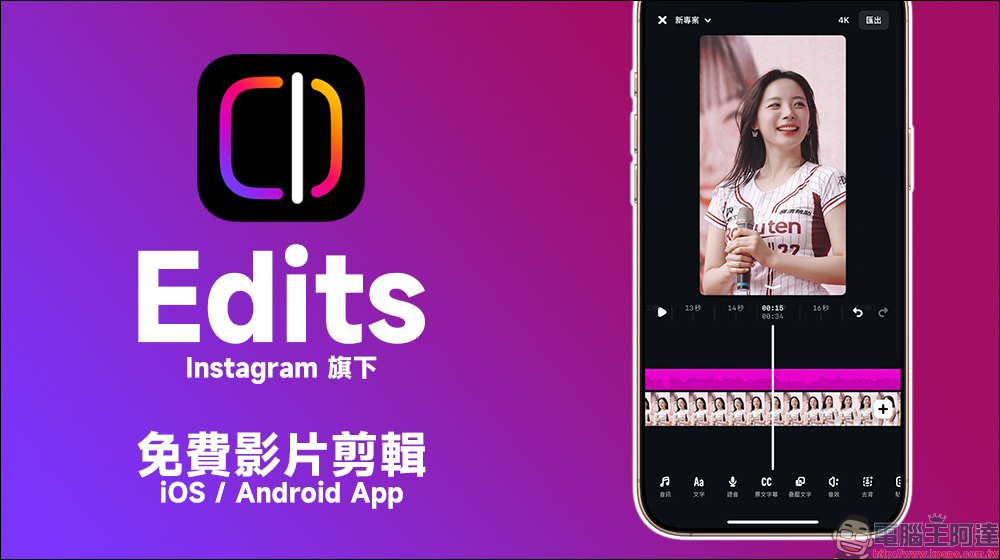
Edits, a free video editing app owned by Instagram, is officially launched, exporting without watermarks! Challenge CapCut, a must-have short video editing tool for creators.
The new video editing app “Edits” that Instagram announced at the beginning of this year has finally been launched globally on iOS and Android platforms earlier this year. The clear positioning of this app is to allow creators to easily complete video editing and production using their mobile phones. It is very suitable whether you want to upload it to IG Reels, YouTube Shorts, TikTok or other social platforms. Compared with the current mainstream short video editing apps such as CapCut and Screen Cutting, this app not only has higher integration and optimization with Instagram, but is also free to download and exports videos without watermarks!
Edits is a complete video creation tool with many advanced features, including:
- Precise timeline editing: supports frame-by-frame adjustment and editing, which is very useful for creators who need exquisite editing and rhythm control.
- Clip layered editing: Each video can be adjusted independently to facilitate adding special effects or processing audio.
- AI animation: Turn static images into animated images and add lively transitions to videos.
- Green screen function and subject background removal: It doesn’t matter if you don’t use a green screen when shooting. Edits can help you replace the background with one click to achieve a simple background removal effect.
- Watermark-free export: Unlike some free apps that force you to post a logo, or require a paid subscription to unlock watermark-free export, Edits directly exports clean images, giving your work a more professional feel.
- Project management function: Multiple video projects can be managed at the same time without worrying about data confusion.
- Sound enhancement tool: You can fine-tune the balance of background sounds and soundtracks for different clips to improve the overall sound quality.
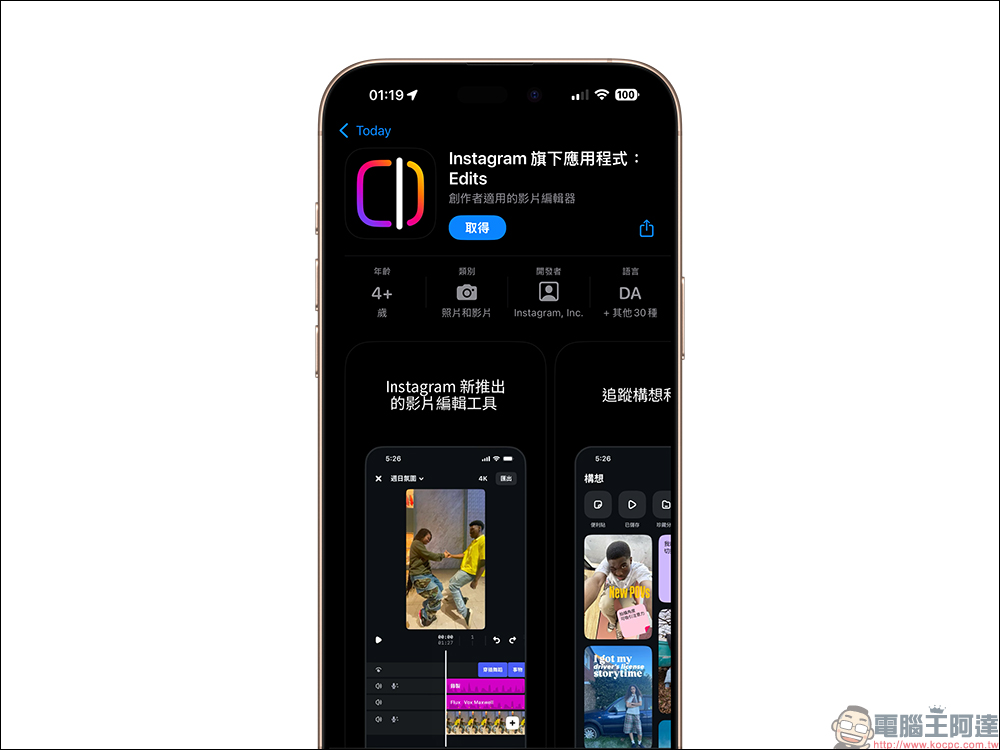
To open Edits App, you need to log in to your Instagram account:
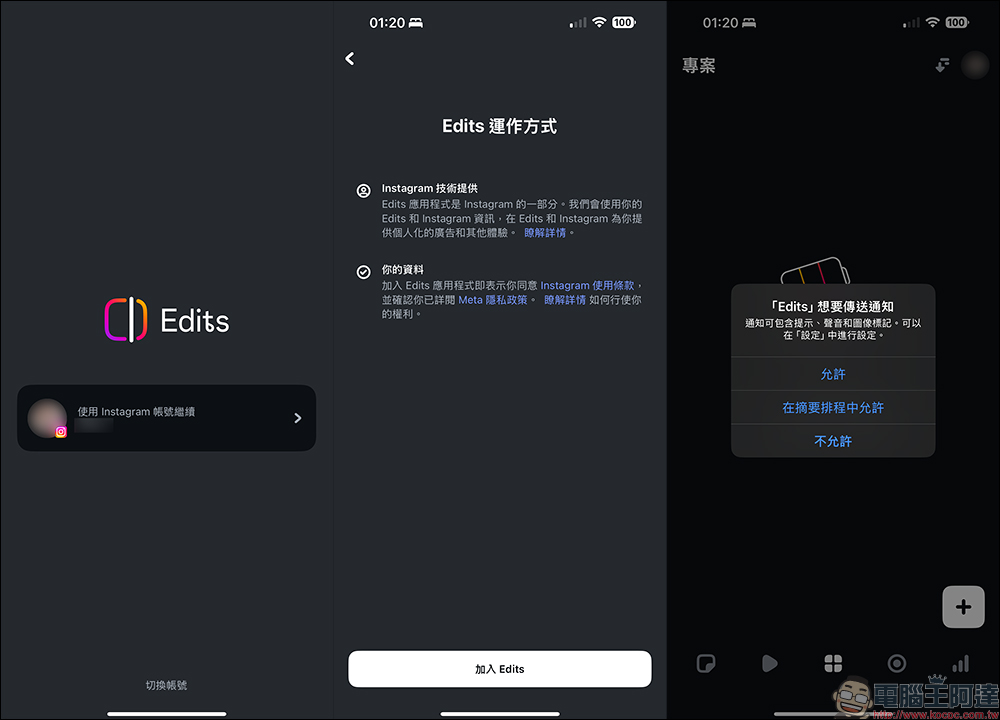
You can add videos to be edited in the “Projects” tab of the main screen, and select one or more files from the mobile phone album to import.
If you have used Cutting or CapCut, it may feel familiar. Although the functions look similar, Adam Mosseri of Instagram (current person in charge) once said publicly: “Edits is designed for creators, not for ordinary users to quickly cut and throw away tools.” He emphasized that Edits will have higher creative flexibility and is expected to attract a group of users who are willing to edit deeply and create high-quality works. Compared with CapCut, which focuses on “quick layout editing”, Edits is more like giving creators a clean canvas and professional toolbox, which naturally provides more creative space.
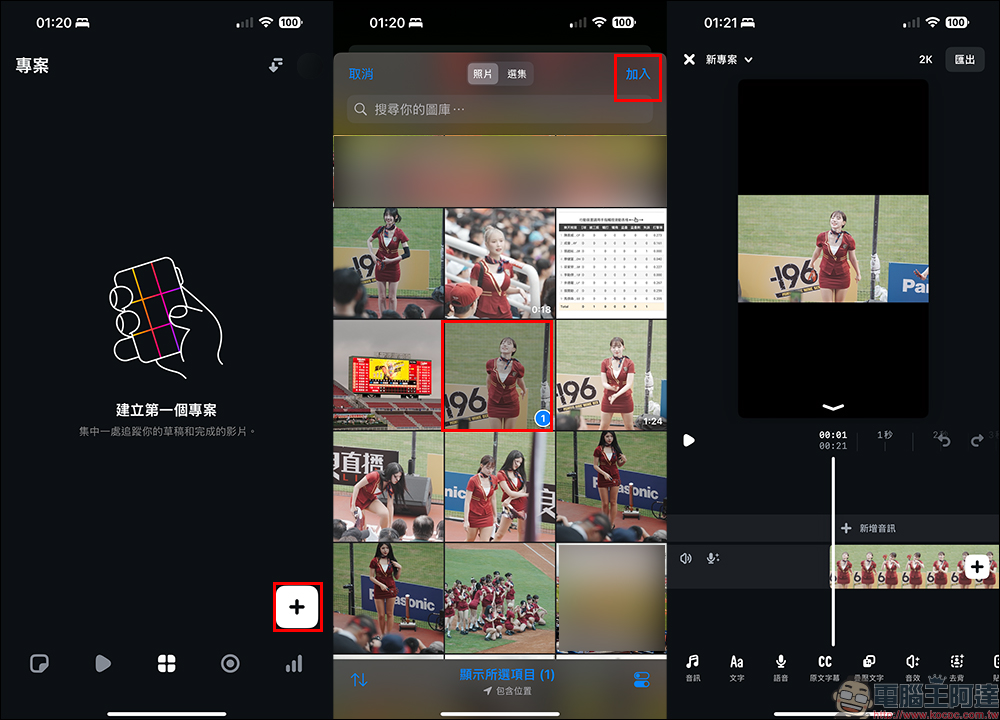
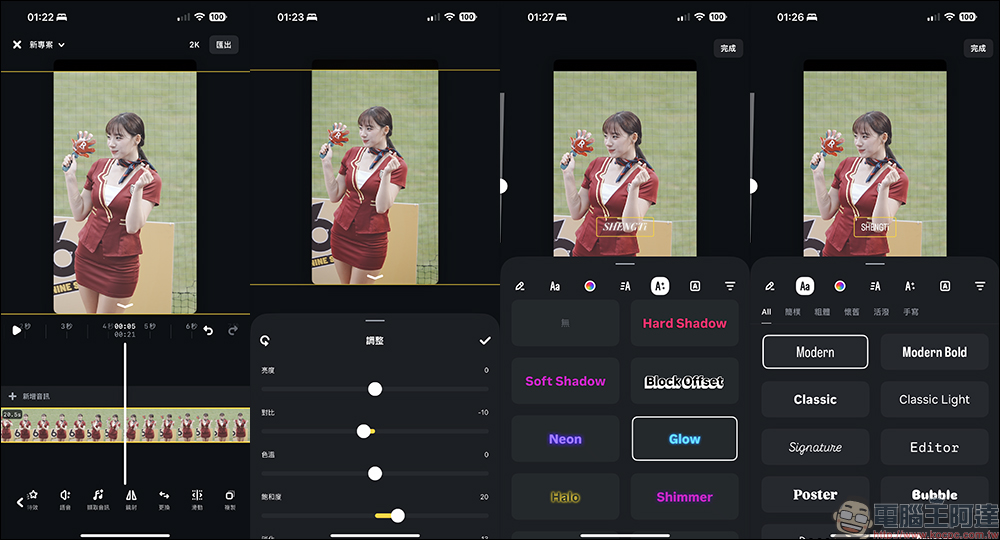
However, through actual experience, the author feels that Edits still has many basic functional shortcomings compared to CapCut or clipping. First of all, the most basic video color adjustment functions are relatively limited. There are only brightness, contrast, color temperature, saturation, fade, highlight, shadow, vignetting and sharpening to choose from. For those who want to perform a larger degree of color correction, the shortcomings of Edits will be relatively prominent. But assuming that the original video is already okay, it just needs some fine-tuning to make it still usable.
In addition, Edits has fewer built-in font options than CapCut, and there are relatively few detailed font settings. For example, the transparency adjustment, which I personally think is very basic, seems to have not been seen yet.
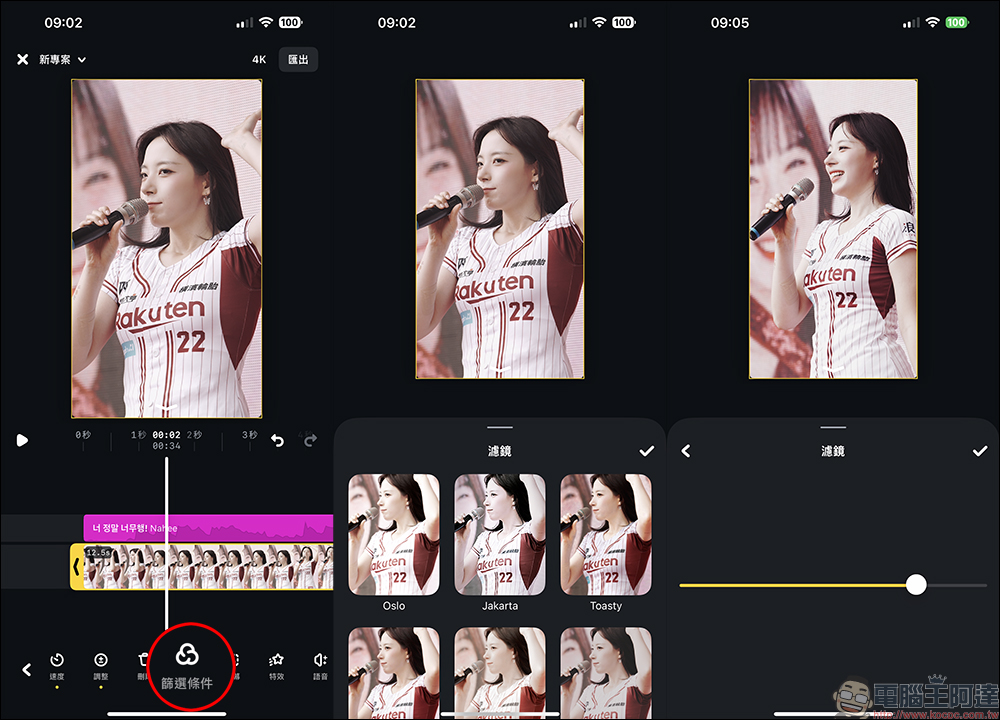
The built-in filters in the Edits App are very secretive (?), because the current name on the function menu is “Filter Conditions”, and “Filters” will be displayed only when you click on it. I am not sure whether the name will be adjusted in the future. Edits also has much fewer filter options than CapCut, roughly the same number as Instagram. Even though the intensity can be adjusted, it will inevitably feel inadequate. And unlike CapCut, Edits can stack multiple layers of different filters, and use the difference in intensity of each filter to make more precise color adjustments.
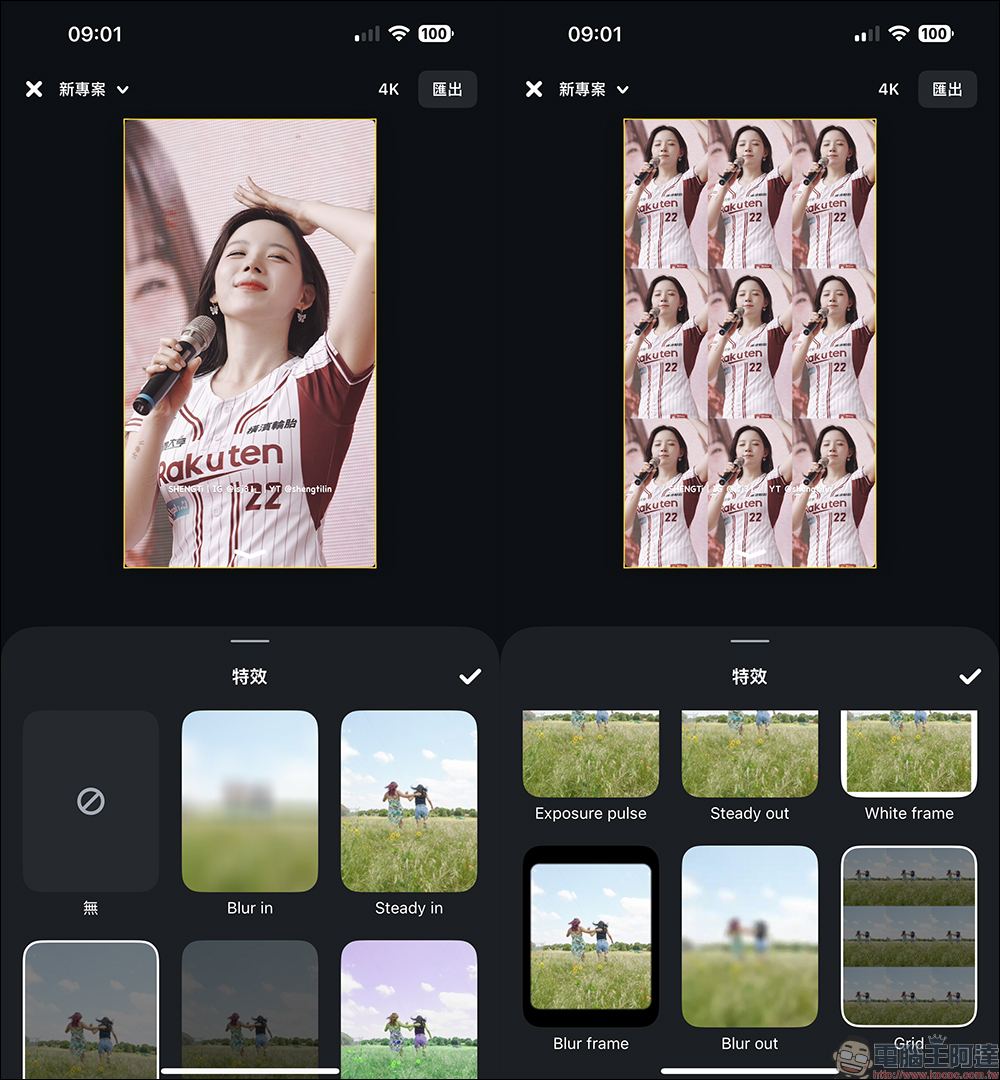
However, Edits still has some good features. For example, the overall operating experience is simpler and more intuitive, and it can meet basic short video editing purposes. It is very suitable for novices to practice using. The built-in video effects are also suitable for Instagram’s Reels, YouTube’s Shorts or Tiktok platforms.
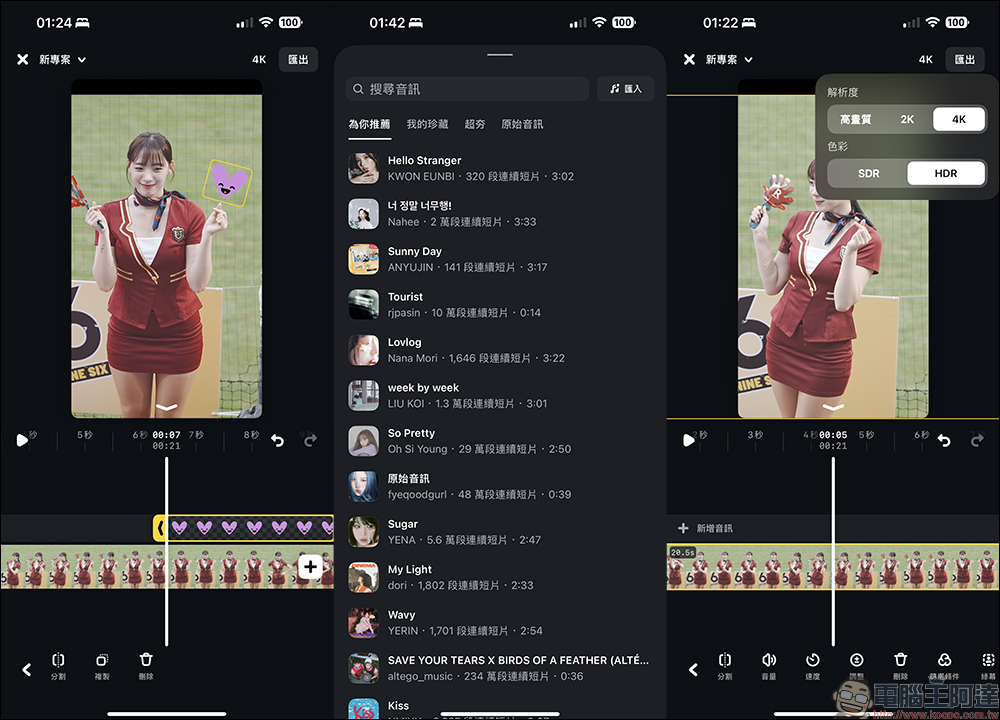
Basically, much of the editing experience of Edits is somewhat similar to the editing functions of the Instagram App itself. For example, you can add stickers and audio. The audio selection is just like how you usually post videos and photos on Instagram. You can use search or recommendations to find some popular songs as the soundtrack for this short video.
In terms of output, compared to CapCut, the output options of Edits are also much simpler. The output resolution is high quality, 2K and 4K, and the color is divided into SDR or HDR.
After the Edits video is output, you can share it directly to Instagram or Facebook with one click. If you choose to share to Instagram, the screen will automatically jump to the Instagram video editing page. You can then add text, hashtags, tag users, add locations and other settings. After the settings are completed, you can publish it directly on the Instagram platform.
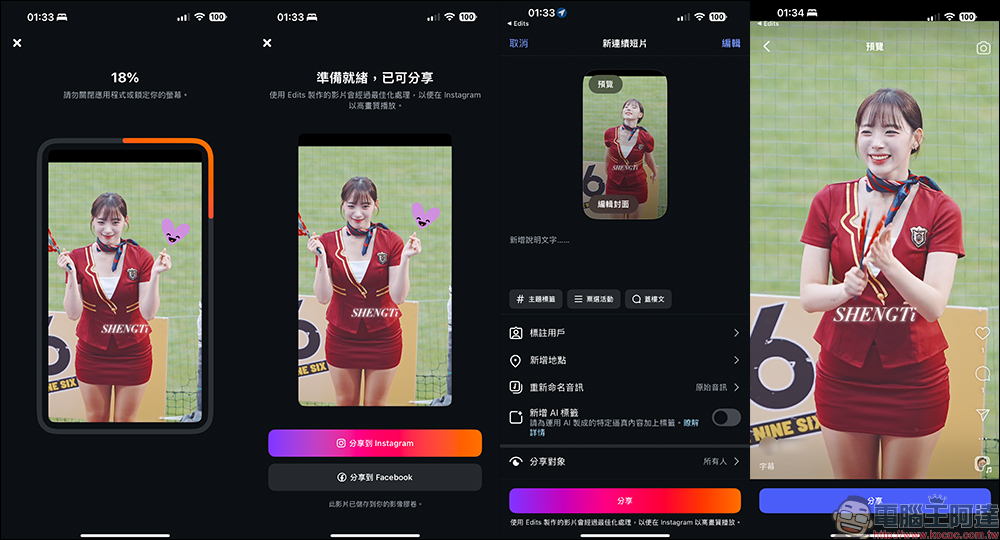
Not only that, but videos created in Edits are optimized for high-quality playback on Instagram. The actual test effect of viewing on Instagram is indeed good.
The edited video can also be downloaded to the phone for storage simultaneously, but there is one thing to pay special attention to. If the audio added to the video is added from Edits, the downloaded video file will not contain the sound due to copyright and other factors.
For information about what audio can be used in videos on Edits, you can refer to Instagram official detailed description (click me)。
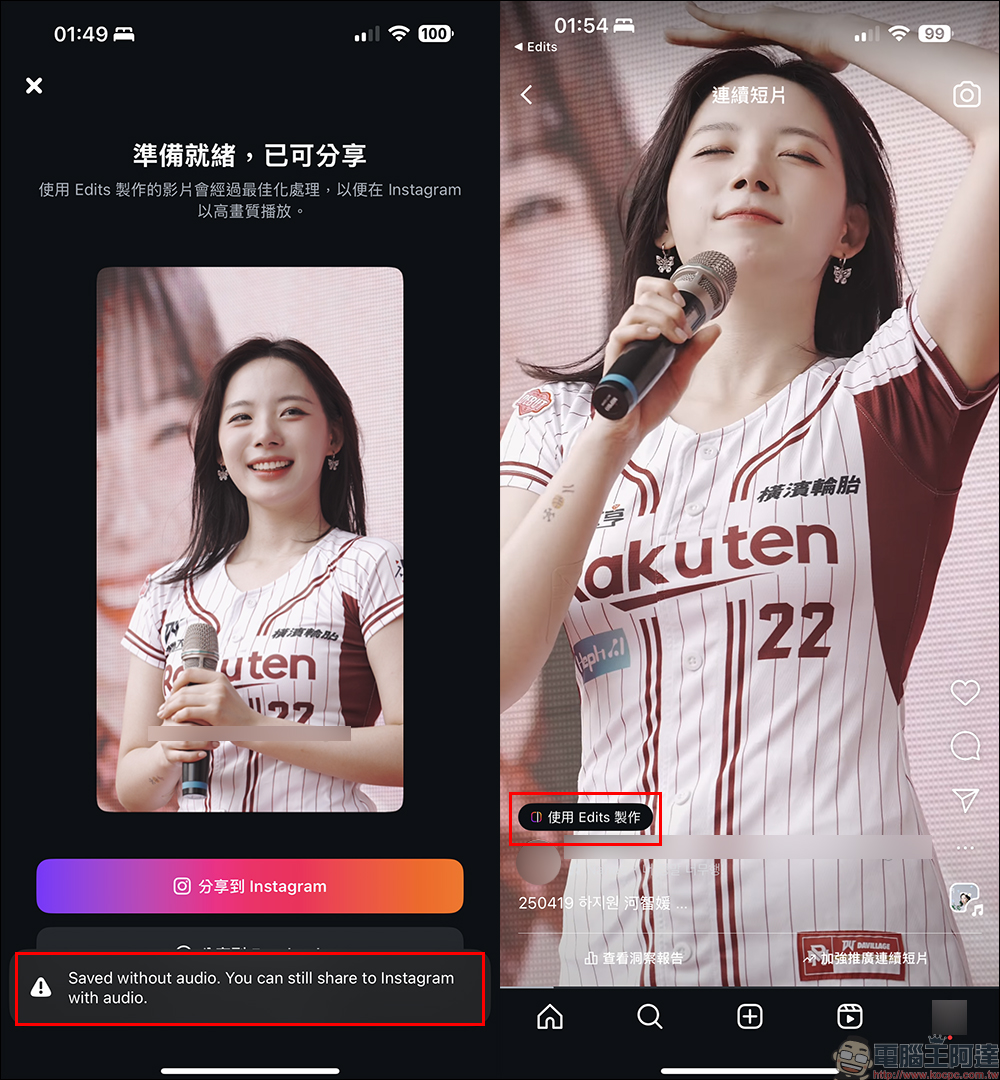
Conclusion
As short videos have become mainstream and mobile phones have become the main shooting and editing equipment, it can be said that Instagram launched Edits naturally. Whether you’re an IG Reels creator, a YouTuber, or simply creating short videos for fun, this app is definitely worth a try. And the author believes that Edits App, a video editing app, is quite suitable for beginners who have just started recording videos, learning how to edit and want to upload them to social platforms. First of all, it is free, the output does not have watermarks, and it supports 4K output. These points are very satisfying. At the same time, its operating interface is not difficult to understand. Basically, users who have used Instragm to edit photos and videos can quickly get started.
Even though it has some shortcomings in color correction, filters, and some advanced settings, for those who are still hesitant about using CapCut or editing, there is now a powerful alternative, and its functions are closer to the native platform needs of Instagram and Facebook. If you also want to improve the quality of your videos and manage materials and inspiration more effectively, then hurry up and download “Edits”. Maybe this will be a new starting point for your content creation!
Edits App Download:
iOS version (App Store)|Android version (Google Play Store)
Source: KOCPC Chinese