


That’s right, Apple Maps is now finally no longer exclusive to Apple devices! In the past, Apple has always liked to keep its own services in “Apple Paradise” and not allow users of other systems to touch it. However, recently Apple Maps has quietly completed a major change and officially launched a web-based map tool that supports cross-device use, and can be opened and used even on Android phones and Windows computers.
This also means that as long as you have a browser, no matter which brand of mobile phone or tablet you are using, you only need to go to “maps.apple.com” to open Apple Maps directly.
This update did not hold a large press conference or publicize it. Instead, it quietly changed the URL that originally had the “beta” test label to the above-mentioned URL. Although it sounds like it opens up a new option, actually using it makes people feel a bit “huh?”. After all, everyone expects the quality and complete experience that Apple products should have. But having said that, being able to use it across platforms is a noteworthy change for many people.

The Apple Maps web version is open for cross-platform use, and Android users can also use it!
After Windows and Mac users can use the web version of Apple Maps through their browsers, Apple has also quietly supported Apple Maps for Android users earlier! Although it is still only a web version, those with a keen eye should also notice that the URL of the map is already “maps.apple.com“, even after it is turned on, there is still the word “test” on the screen, but it can already perform basic map query and navigation functions.
Android phone users only need to open Chrome, Safari or any mainstream browser, search and enter the URL “https://maps.apple.com/” Search and you can use it! There is no need to download additional apps or log in to Apple ID.
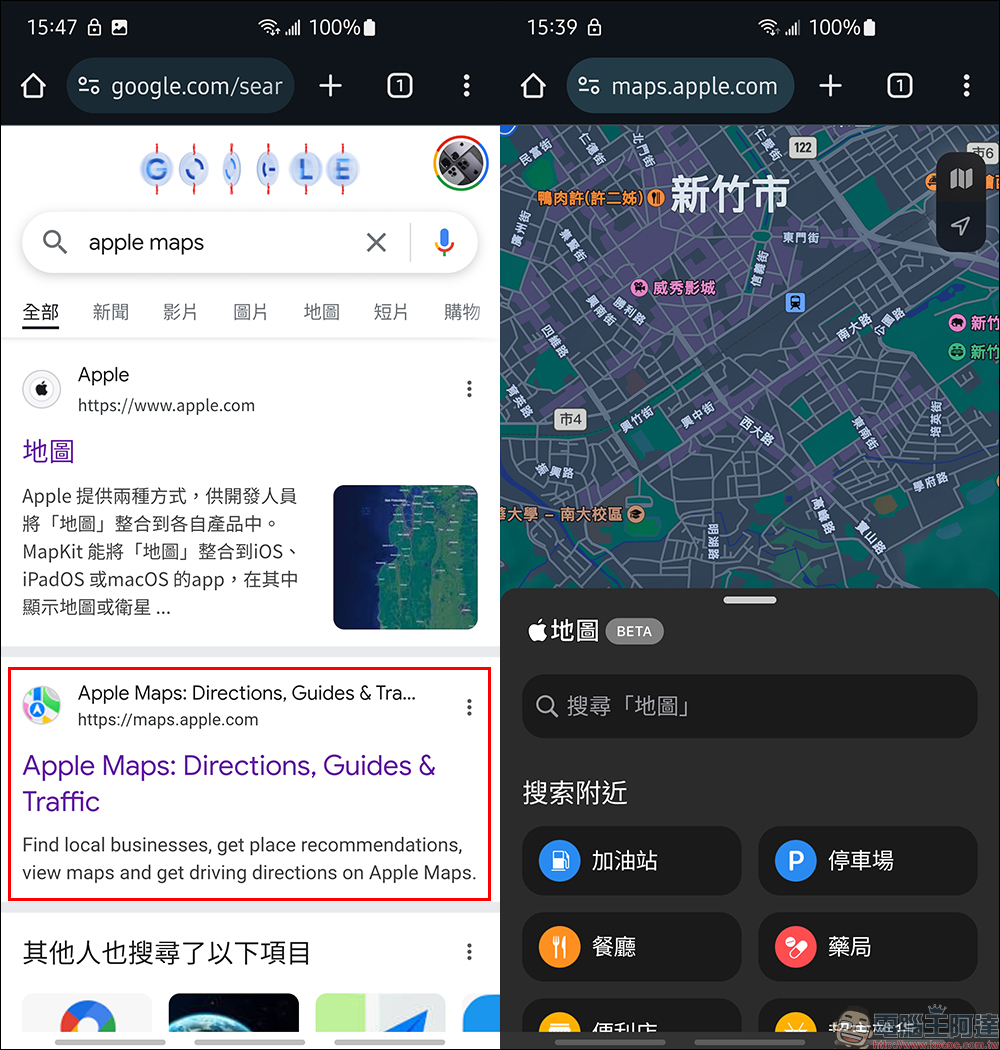
The interface design of the current Apple Maps web version is quite simple. It basically moves the Apple maps that users see on the web version of Mac and other platforms directly into the browser. Supported features include:
- location search
- Route navigation (walking, driving)
- Basic operations such as zooming in and out, panning, switching map types, etc.
- Search nearby gas stations, parking lots, restaurants, pharmacies, convenience stores, supermarkets and groceries, cafes, and beverage shops
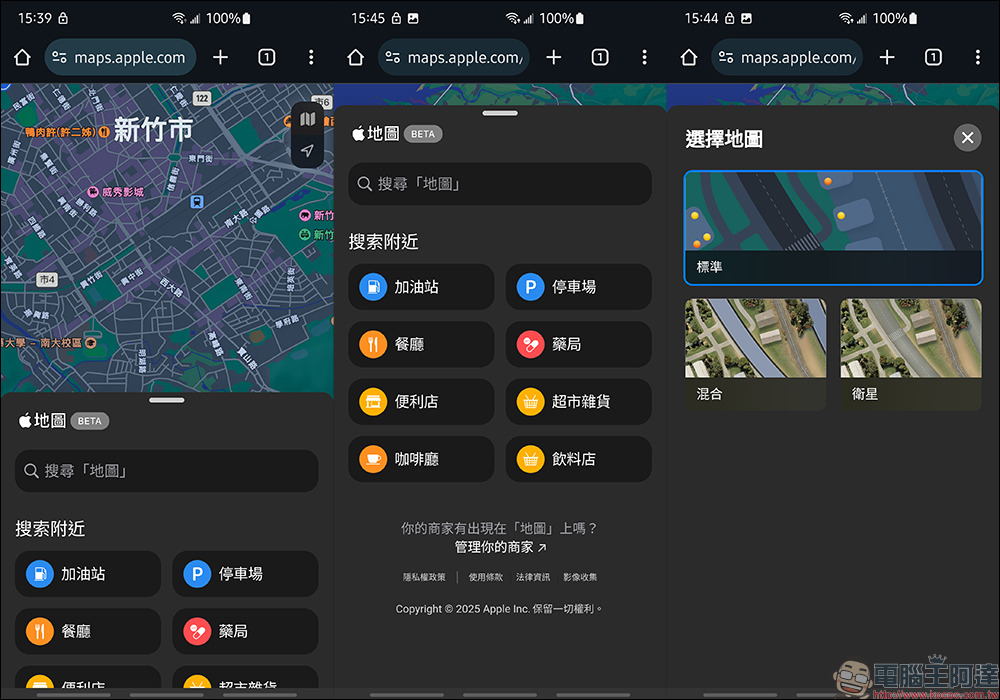
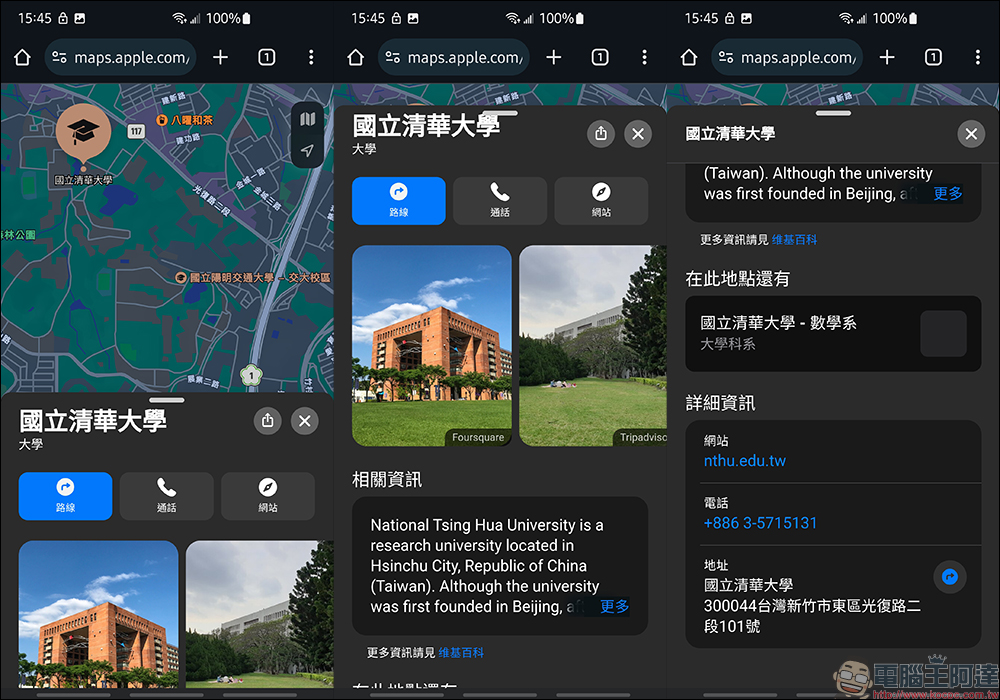
When users search for a place on the Apple Maps web version, the location, phone number, website and other related information will also be displayed.
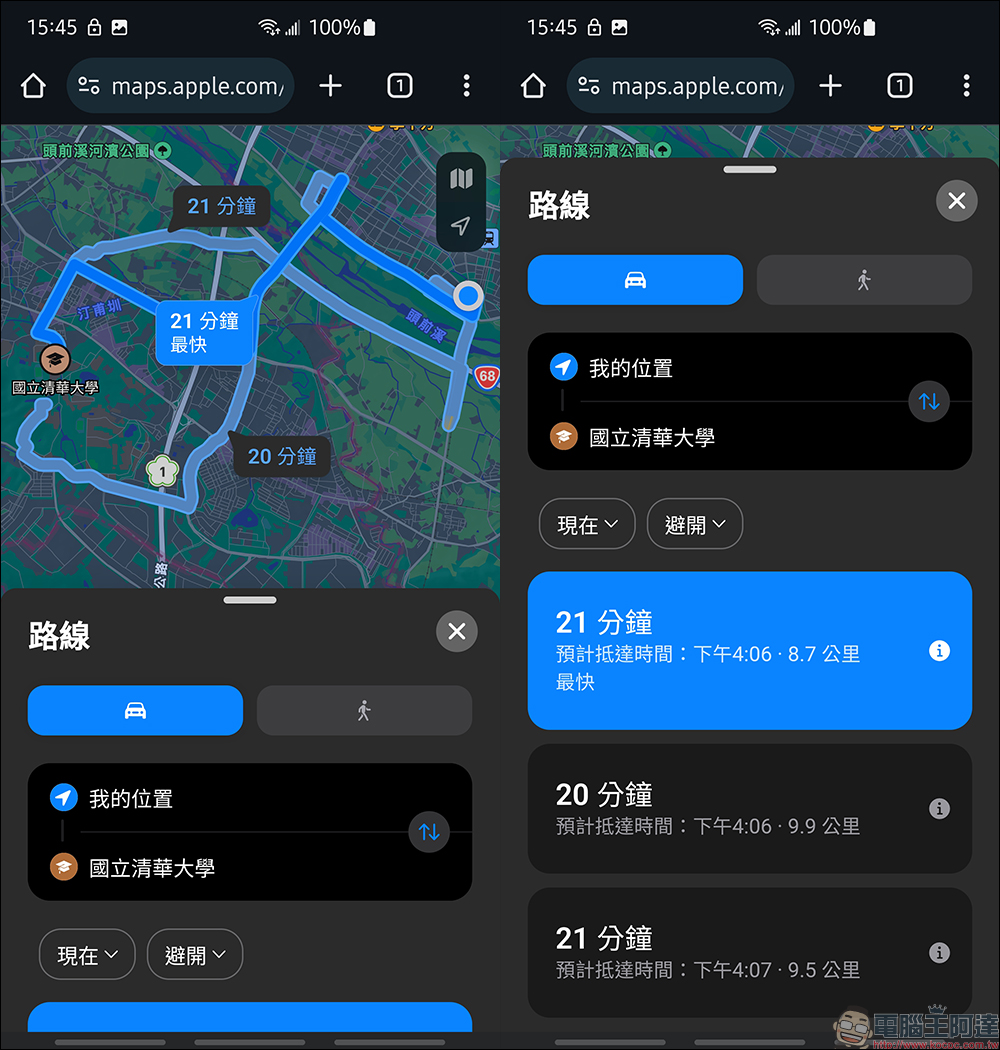
Now you can also use the map navigation function directly in the Apple Maps web version.
Tip: How to use Apple Maps as a desktop shortcut?
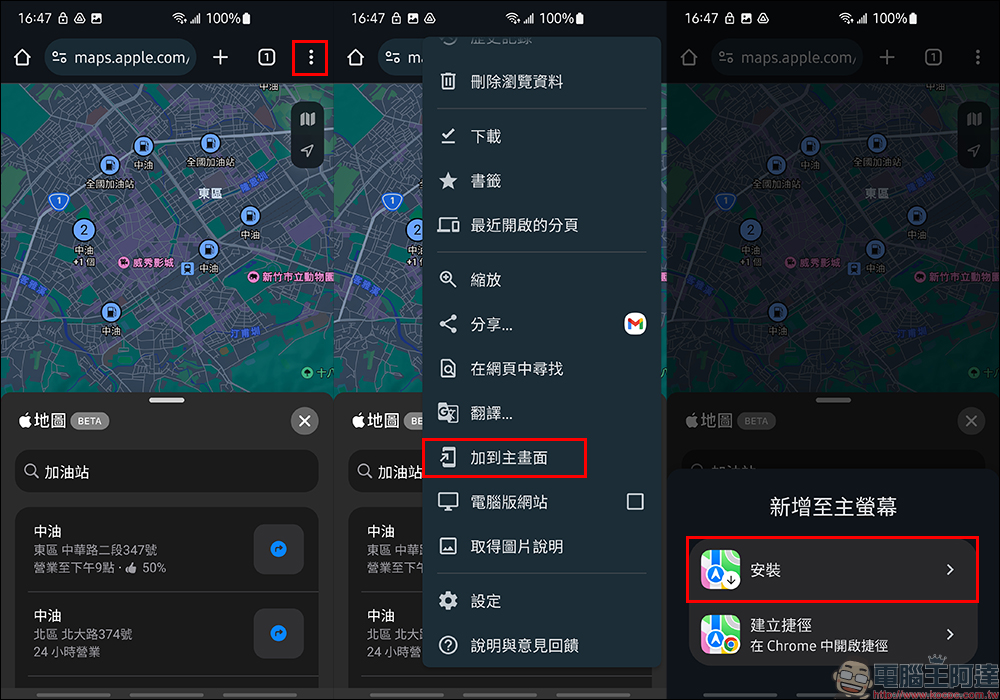
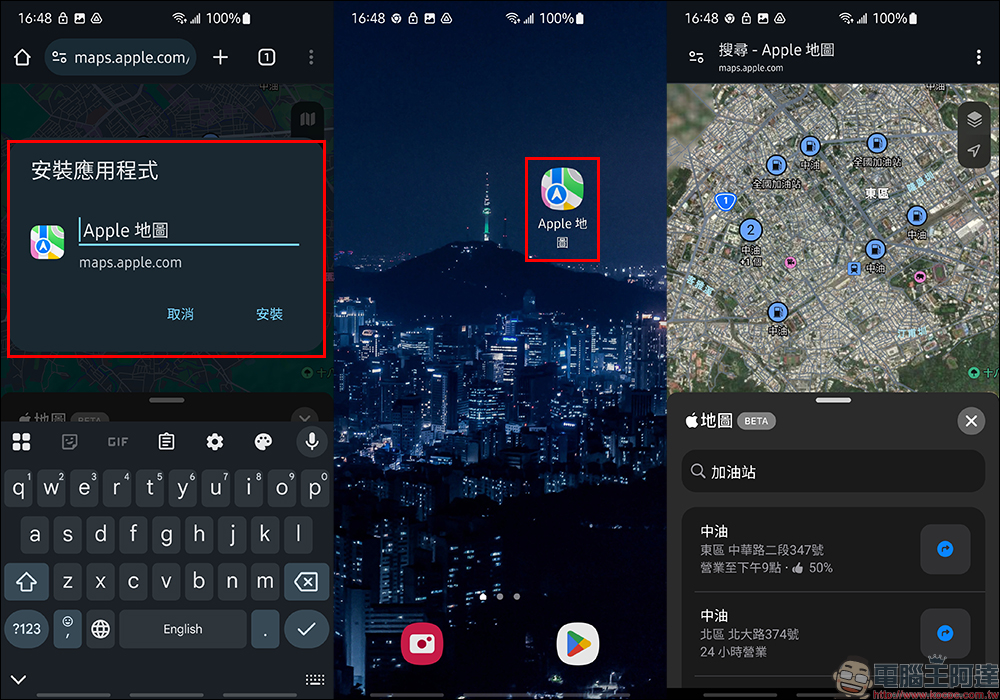
But if you still want to use the Apple Maps web version often, there is a little trick that allows you to quickly open it. First, after opening the Apple Maps webpage in the Chrome browser, you can use the “Add to Home Screen” function to turn it into an App-like shortcut. First click the function menu of the Chrome browser, then select “Add to Home Screen”, and click “Install” to add the Apple Maps web version to the Android home screen.
Then Apple Maps will be added as an App icon, which can also be dragged to the home screen for use. In this way, if you want to use maps in the future, you won’t need to enter the URL every time you open the browser.
Apple Maps (web version):
https://maps.apple.com/

Source: KOCPC Chinese