


Whether it’s restoring old photos, enhancing photos taken with mobile phones, or beautifying social media images, photo retouching seems like a technical job to many people, and it’s not easy to get started. But now there is a super easy-to-use free online photo editing tool – RevizePic, which allows you to quickly process pictures, improve image quality, and remove defects by opening a browser without installing any software, all with one click!

RevizePic free image optimization tool: super powerful and rich image processing functions! Smart noise reduction, color optimization, resolution amplification, skin beautification, etc. can be easily done online
Compared with other online photo editing tools, RevizePic focuses on “one-stop operation”. There is no need to switch back and forth between different function pages. All adjustment options are concentrated on the same screen, making it more intuitive to use. Whether it is improving photo details, adjusting color contrast, or even removing floating watermarks or repairing old photos, just click on a few options and your photos will instantly look new!
The best thing is that RevizePic is a pure front-end application. All image processing is completed in your computer browser and the images will not be uploaded to the server, which greatly improves privacy and security. This means that even if you want to restore some private photos, you don’t have to worry about them being leaked. So, what exactly can RevizePic do? Come and see its powerful functions now!
How to use RevizePic? Just 3 simple steps to edit your photos!
RevizePic is great for people who want to quickly adjust their pictures but don’t want to install software. And the operation is very simple, even a novice can learn it easily! In addition to it being completely free, no ads, no need to register as a member, it is also super rich in features!
- Completely free: No need to pay, just open the website and use it.
- Does not occupy computer resources: no software installation is required, all processing is completed within the browser.
- Privacy and security: No pictures will be uploaded to ensure that personal photos are not leaked.
- Simple operation: Even people who don’t know how to edit pictures can easily adjust pictures.
- Multifunctional integration: Unlike other editors where you need to switch between different tools, RevizePic allows you to complete all your photo editing needs on one page.
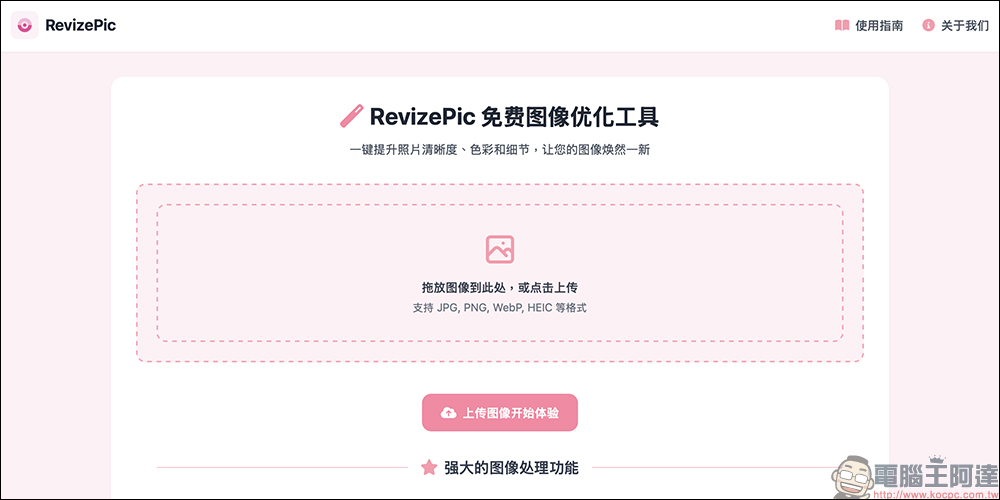
Step 1. Enter the RevizePic website and select the picture
Open the RevizePic official website (no registration required), drag the image directly, or click “Select Image” to upload.支援 JPG、PNG、WebP、HEIC 等格式。
Step 2. Select optimization options
After uploading the image, you will see all the available editing functions, and you can freely switch on and off the adjustment items you want. For example, if you feel that the original photo is too foggy, you can select the “Dehaze Effect”. If you want to beautify your skin, you can use it together with the “Skin Beautification” function. There is no limit to only using one function at a time. Users can also adjust the intensity of each function individually to make photos more natural.
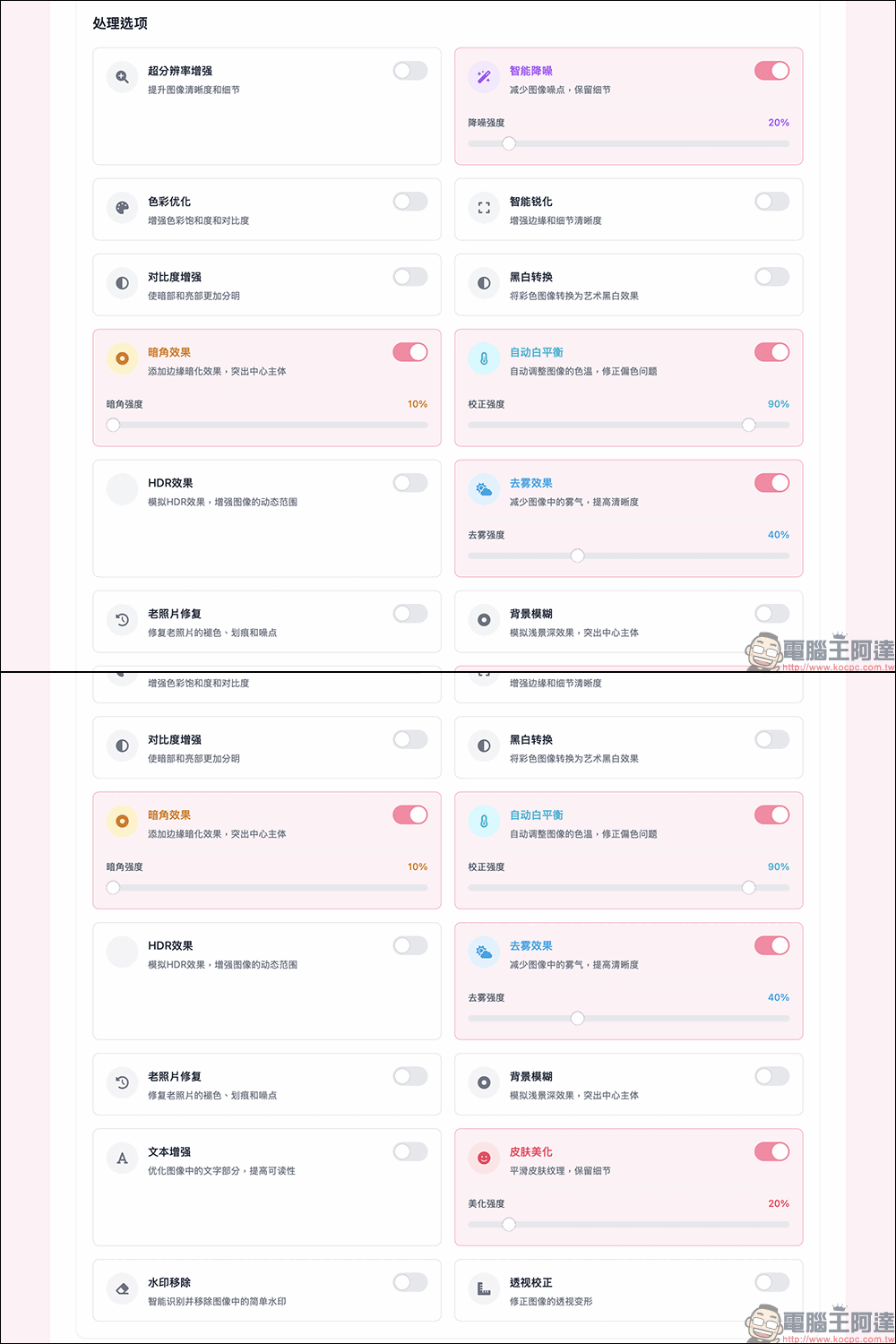
RevizePic’s main functions can be viewed at once, making photo retouching novices into masters
- Super resolution enhancement:
Photo resolution not high enough? This function can make photo details clearer, especially suitable for low-quality images or photos that become blurry after enlarging. - Smart noise reduction:
Are there often a lot of noise when shooting night scenes? This function can effectively reduce image noise and make photos cleaner and more delicate. - Color optimization:
Make the colors of photos more vivid and vivid, suitable for enhancing the attractiveness of pictures on social media. - Smart picture sharpening:
Enhance the edges and details of pictures to make them look clearer and no longer blurry. - Enhance contrast:
Make the light and shadow of the photo more three-dimensional and enhance the layering of the picture. - Black and white conversion:
Transform into retro style with one click, giving photos a strong nostalgic atmosphere. Vignetting effect: Camera-like vignetting effect, giving photos a more cinematic feel. White balance adjustment Improves the color temperature of photos and corrects yellowish or bluish issues. - HDR effect:
Improve the dynamic range of photos, making details richer and colors more layered. - Dehazing effect:
Encountering fog or gray weather when taking photos? This feature can make photos more transparent. - Old photo restoration:
Use it to restore old photos, repair fading or scratches, and bring back precious memories. - Background blur:
Mimic the depth of field effect of a single-lens camera to make the subject more prominent. - Skin beautification:
Specially designed for portrait photos, it can automatically adjust skin tone and soften skin, so you don’t have to beautify your skin after taking photos. - Remove watermark:
Quickly remove watermarks or unnecessary objects from images. - Text enhancement:
Enhance text contrast in images to make content clearer. - Perspective correction:
Correct the deformation problem caused by the angle when shooting, suitable for adjusting buildings, document photos, etc.
Step 3. Preview and download the processed image
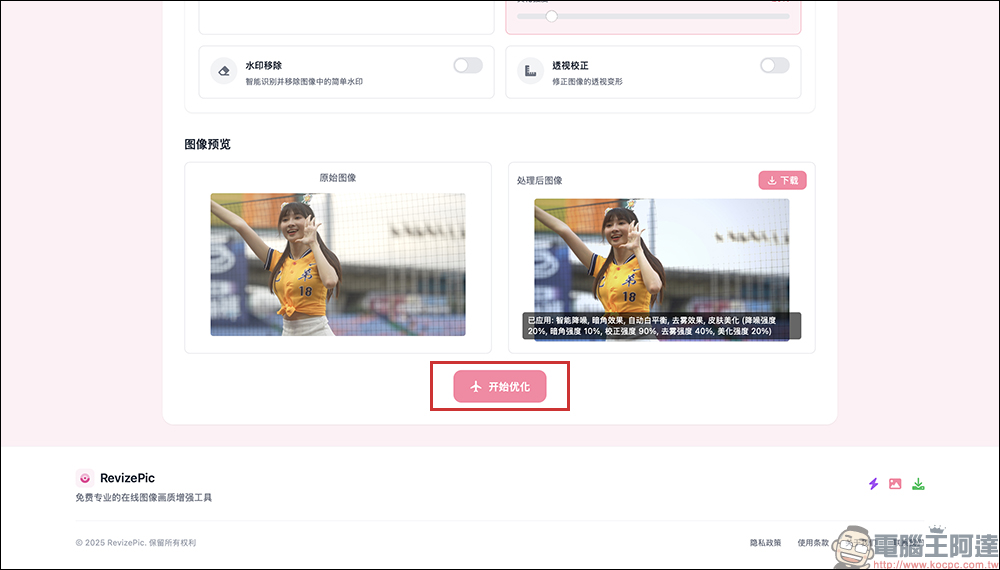
After the adjustment is completed, click “Start Optimization” and wait a few seconds. RevizePic will process the image in real time and provide a preview of the effect. Download and save it when you are satisfied. If you find in the previous step that the intensity of a certain function is a little too excessive after setting it, you can also click the “Start Optimization” button again after adjusting the intensity, and a preview image will be provided within a few seconds of processing. In other words, users can adjust a function and intensity while continuing to try the effect of each function. If they are still not satisfied, there is no need to rush to download the image to the device, just save it when satisfied!
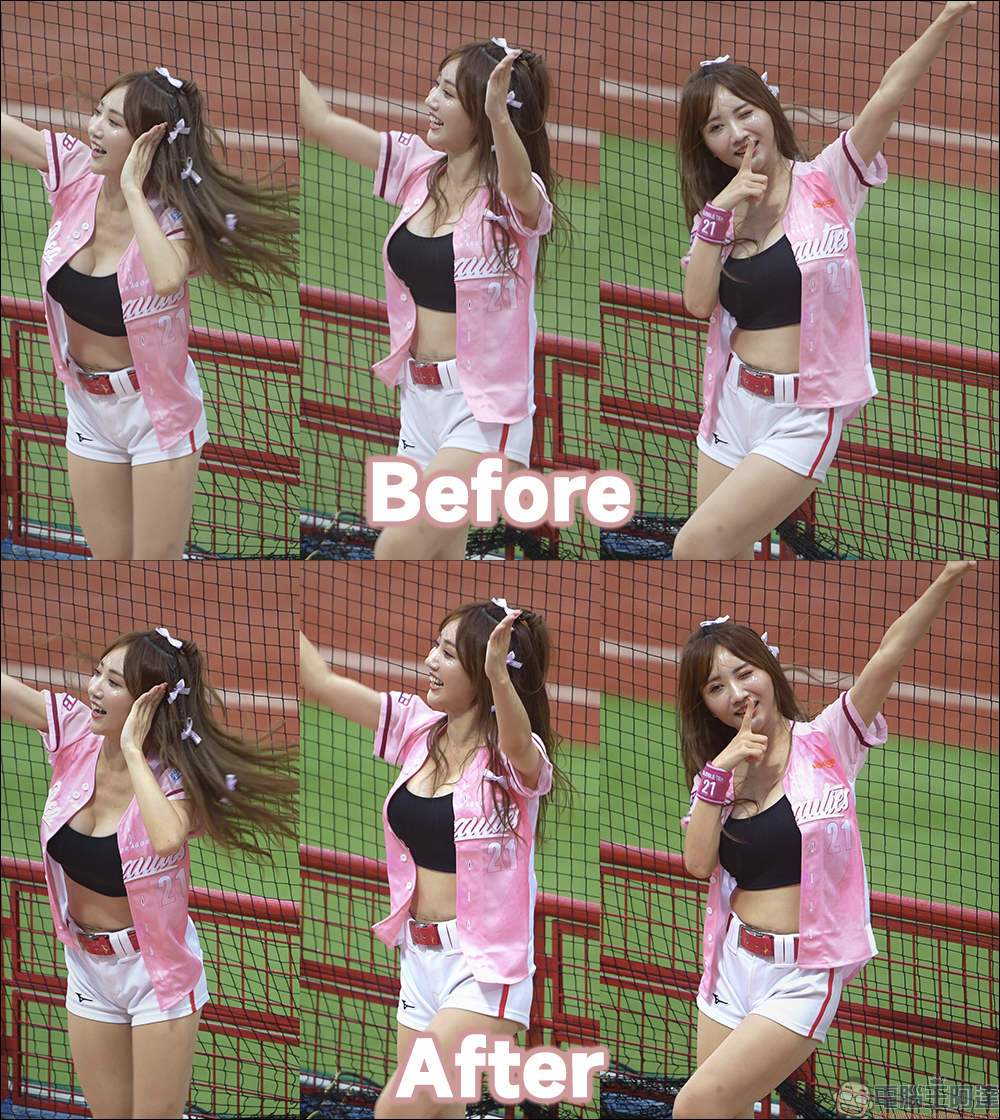
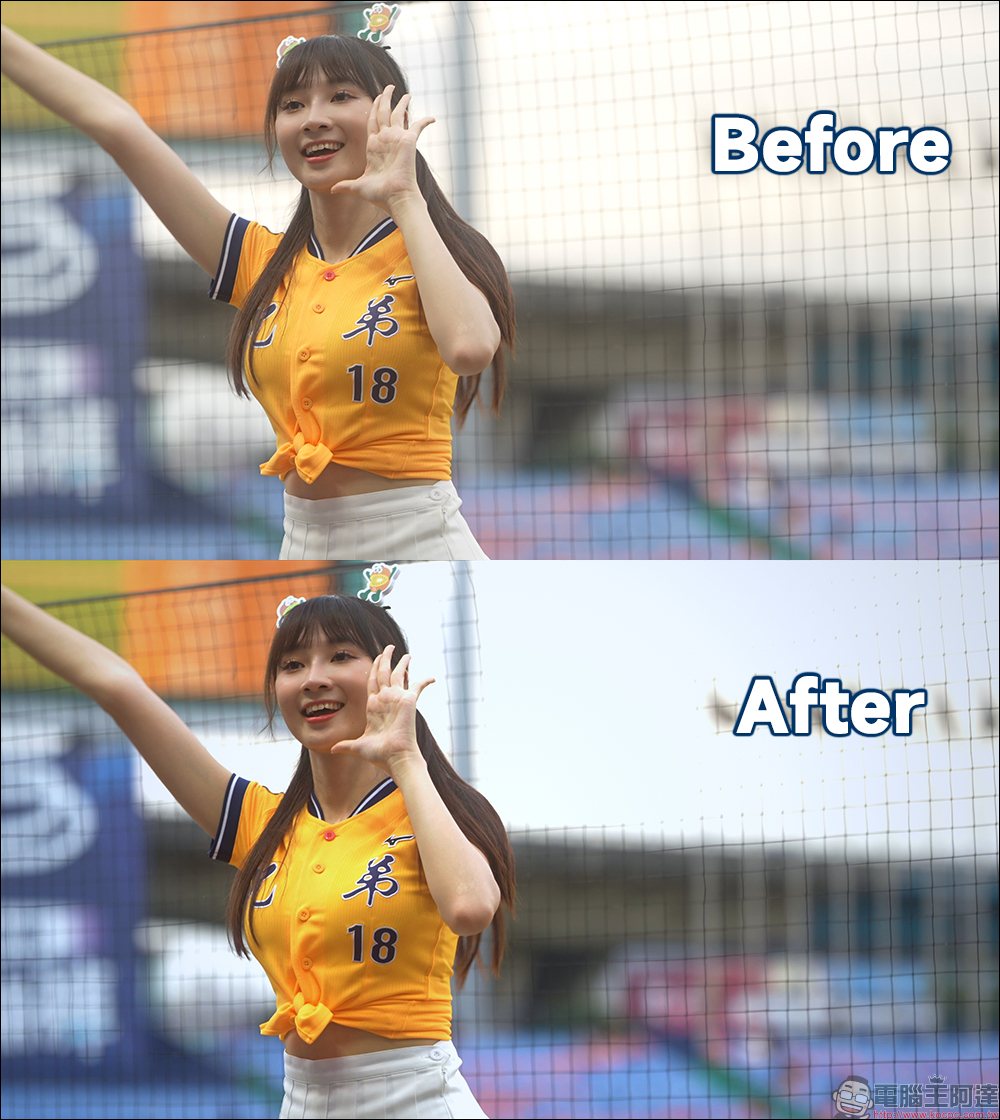
The following two photos are compared before and after adjustment. Users can continuously adjust various functions and their strengths online according to their own needs and preferences. They can also preview online before downloading if there is no problem. This is really convenient!
Conclusion
RevizePic is your free AI photo editing tool! If you need a fast, simple, free and secure photo retouching tool, RevizePic is definitely the best choice. Whether you want to repair old photos, enhance social media images, or make files clearer, this tool can easily do it. The key point is that it is completely free, does not require downloading, and does not take up computer space. It is really convenient, so give it a try!
RevizePic Free Image Optimization Tool
Further reading:
Xiaomi Xiaomi SU7 Ultra real car preview! The fastest four-door pure electric supercar in history with 1,548 horsepower

Source: KOCPC Chinese