


In the past, Android and Apple ecosystem products such as iPhone and Mac could not directly transfer to each other. Therefore, if you wanted to transfer photos and files to Apple users, you needed to use third-party tools. For example, to transfer photos to LINE for sharing and files, use Blip.
It was not until last year that Pixel 10 took the lead in breaking this limitation and began to support AirDrop-compatible transfer functions. Google confirms the feature will be expanded to other Android phones, and many people are looking forward to when it can be officially used. Finally earlier, Google officially announced the expansion of support.
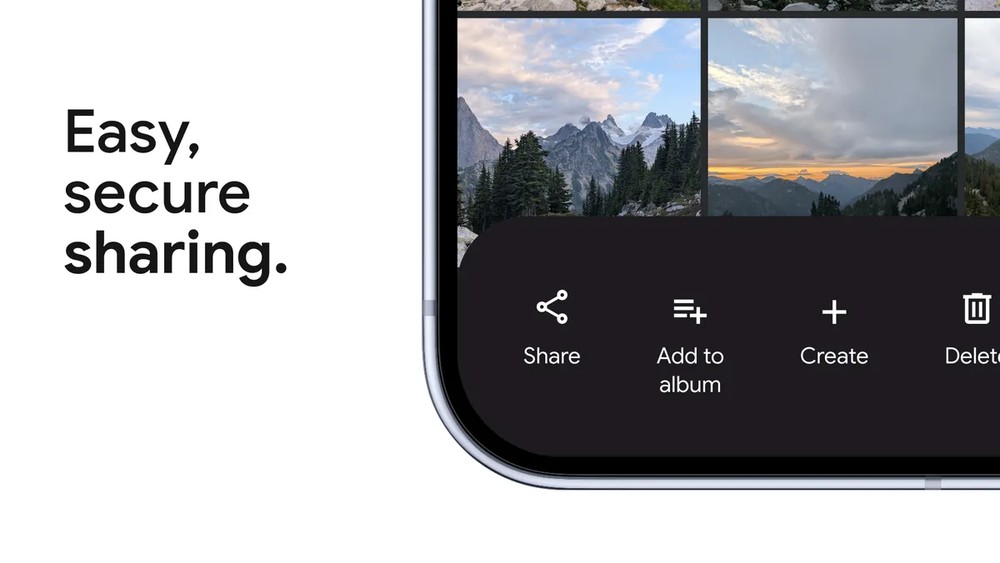
Android’s AirDrop begins to expand support for other Android phones: supported models, usage methods, and limit viewing at one time
Google slightly earlierThe official blog announced that AirDrop has begun to expand support, the following are the Android phone models that are currently and will be available in the future:
- Models currently available: Pixel 10 series, Pixel 9 series, Pixel 8a, Samsung Galaxy S26 series, OPPO Find X9 series, OPPO Find N6, Vivo X300 Ultra.
- Models added gradually during the year: Samsung Galaxy S25 series, S24 series, Z Flip7, Z Fold7, Z Flip6, Z Fold6, Z TriFold, OPPO Find X8 series, OnePlus 15, HONOR Magic V6, HONOR Magic8 Pro. Although Xiaomi is on the cooperation list, it has not announced specific models yet.
For those who don’t know much about how to share Android devices to Apple devices via AirDrop, here’s a brief explanation.
First, the iPhone, iPad, or Mac must open AirDrop settings and switch to “Everyone 10 Minutes.” Then open the content you want to transfer on the Android phone, press Share → Quick Share, and you can find the other party’s Apple device in the list of nearby devices. When the other party presses Receive, the content will be transferred. The process is almost exactly the same as transferring between iPhones.
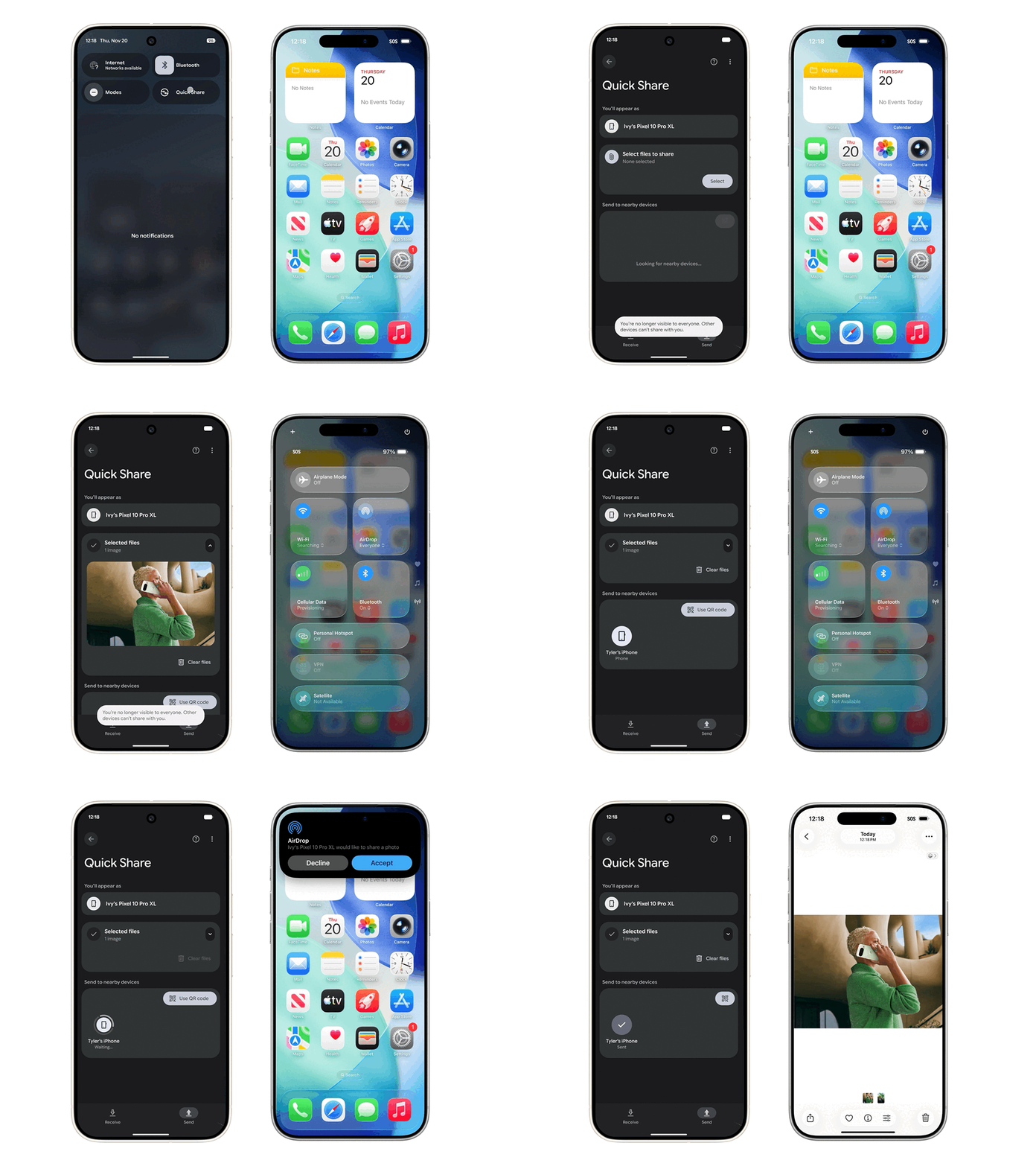
There is a small limitation to note here. Currently, AirDrop only supports the “Everyone 10 Minutes” mode, and “Contacts Only” is not yet available. Google has mentioned that it will discuss with Apple to also open the “contacts only” mode, but the actual support time is not yet known.
If your phone is not on the support list, Google has also upgraded the “QR Code” sharing function this time. Any Android phone can use the quick sharing QR Code generation function to allow the iOS device to scan and obtain the file through the cloud. This feature will be rolled out starting on 5/13 and is expected to be available to all Android phones within a month.
In addition to the Quick Share feature upgrade, Google also announced a partnership with Apple to improve the iOS to Android transfer process.
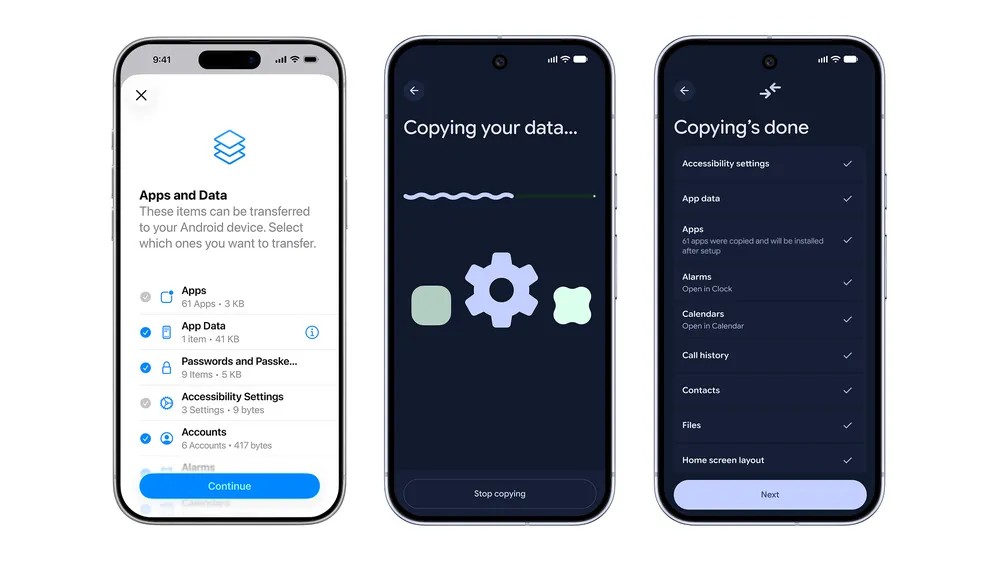
In the new version of the transfer process, Google said that these contents can be transferred, including passwords, photos, messages, frequently used apps, contacts, and even the homepage icon layout is no problem, and eSIM can also be transferred wirelessly. The first wave of supported models are the Samsung Galaxy series and Pixel series, launching later this year.
Source: KOCPC Chinese