


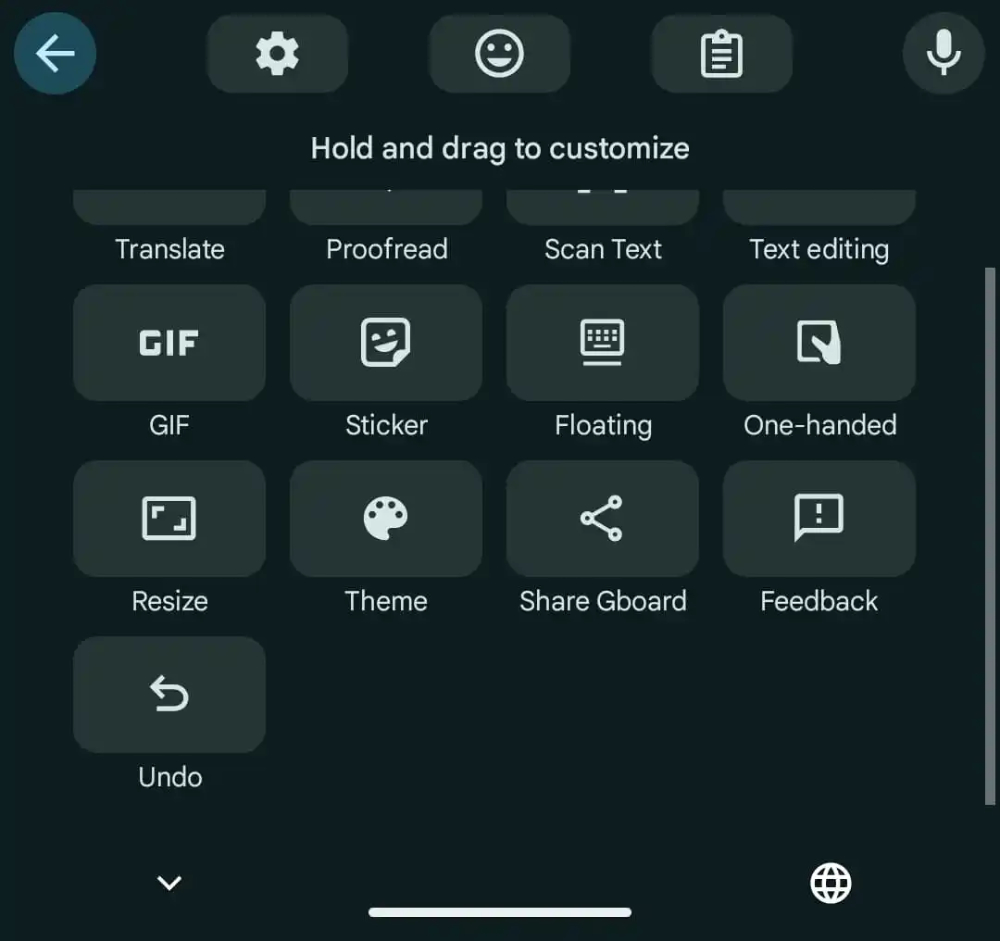
In 2023, it was discovered that Google seemed to be testing a new “Undo / Redo” button directly in its own input method. Now, foreign media 9to5Google discovered that this feature has finally arrived in the test version of the latest version of Google Gboard input method. Continue reading Gboard input method silently imports the previous button of “Undo / Redo”. How to add it? Read the text of this report.
▲Image source: 9to5Google
Gboard input method silently imports the previous button of “Undo / Redo”. How to add it? Read this article
Although in many apps that support text editing, you can basically see the “Undo” or “Redo” button that is your best friend after accidentally deleting something. However, in apps such as Messaging, when you want to regret undelete text, you will often panic, hoping to find the previous step or CTRL+Z button to use (the screen next door shows: shaking the phone constantly).
Regarding this situation, Google has been discovered in 2023 that it seems to be testing the addition of “Undo / Redo” directly to its own input method. Help button. Now, foreign media 9to5Google discovered that this feature has finally arrived in the test version of the latest version of Google Gboard input method.
▲Image source: 9to5Google
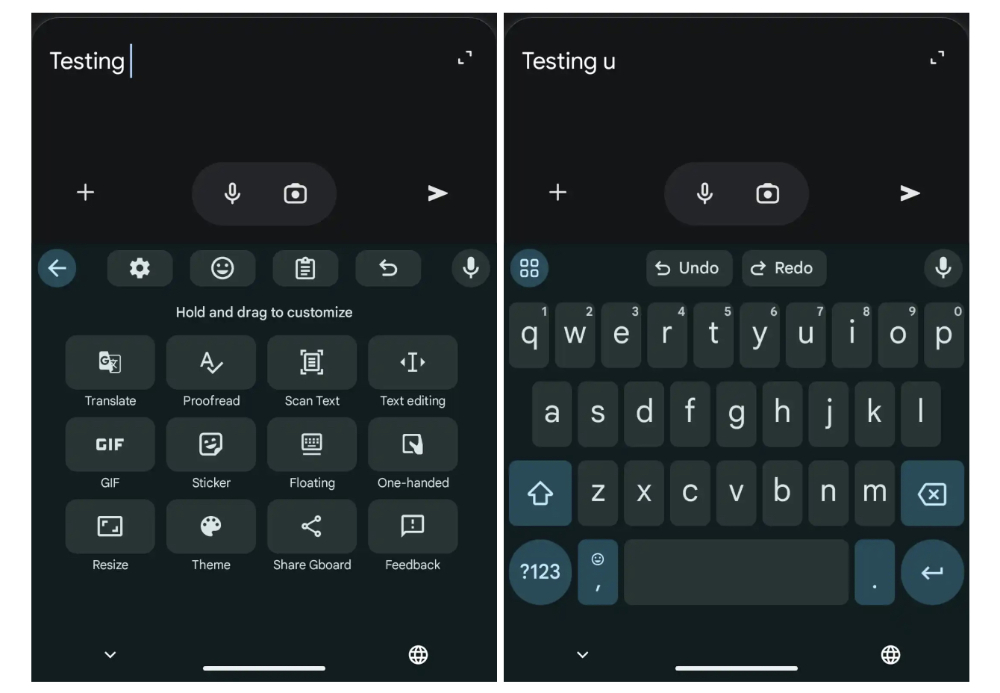
According to testing by foreign media, this feature can already be enabled directly in the v14.9.06.x Beta version of the Gboard input method – an “Undo” button will be displayed in the extended function application menu with four circles in the upper left corner when the Gboard input method pops up.
After clicking, you can see two “Undo / Redo” buttons at the top of the on-screen keyboard. Simply put, clicking the former can restore the previous input state; the latter can go back to the latest input state.
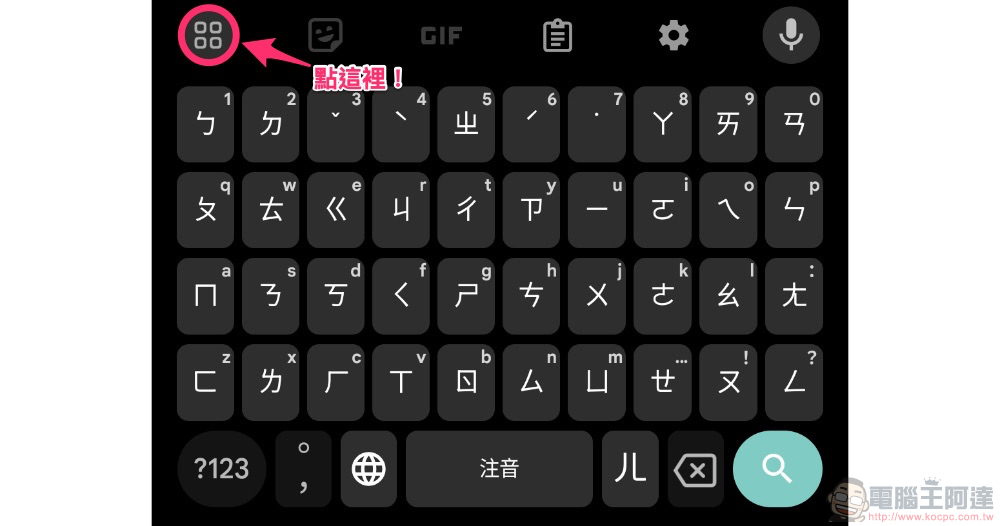
You can simply start using “Undo / Redo” through the extended function button on the Gboard virtual keyboard. You can also directly use “long press and drag” to pull the function to the shortcut bar for quick access – the picture below is a demonstration. The author’s Gboard has not received this function yet, and I look forward to it being added to the official version!
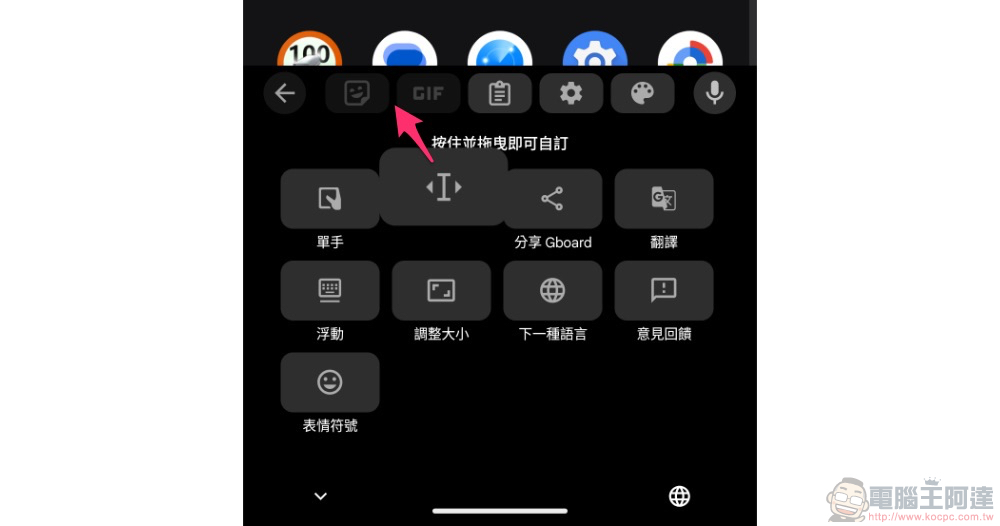
That is to say, when you receive the Undo restore button later, don’t think about why you didn’t see Redo, because the functions of the two are tied together. So after clicking the Undo shortcut button, you will find the Undo and Redo buttons among the function buttons above the keyboard; if you find that they are blocked by the candidate words, you can click the four-circle button in the upper left corner to see all the functions and shortcut buttons.
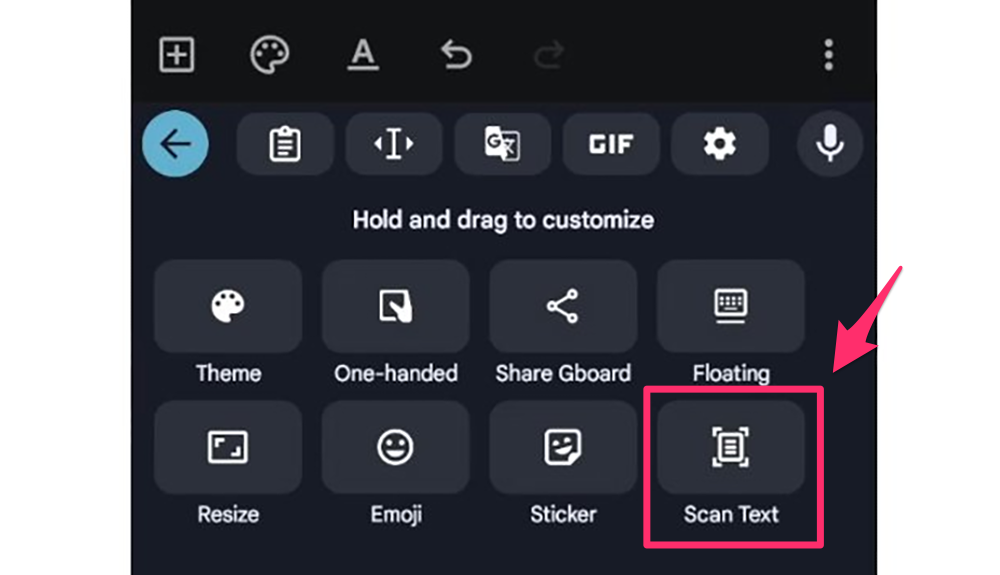
▲Image source: Mishaal Rahman
Recently, Google has made many changes to the Gboard input method. It has been previously discovered thatPhoto-to-text OCR smart lens function. Later, they also broughtFont customization features. By supporting the adjustment of font styles for keyboard input methods, we provide the latest setting options that better meet user needs.
I wonder if everyone will love using this input method more after adding so many thoughtful functions? What’s your favorite feature? You can share it (my favorite is scrapbooking, I find it super convenient XD).
Quote sources:9to5Google|
Further reading:
Source: KOCPC Chinese