


When traveling abroad, people who are not confident in foreign languages will definitely worry about communication problems. Nowadays, there are many translation apps in both the App Store and Google Play. If you still can’t find a good one, the “voice translation tool” recommended in this article is worth trying. It focuses on real-time voice translation, and the default is a two-way communication screen. I tested that the translation speed is quite fast, and the voice recognition is also very accurate. Basically, the translation is completed in about one second after finishing speaking. What’s even better is that after the translation is completed, the voice will be played directly, so the other party does not need to look at the screen.
It supports more than 70 languages, including all the common ones. It even has built-in ChatGPT optimization function. If you feel that the translation is not very good or the other party cannot understand it, you can use it. Both iOS and Android versions are available.
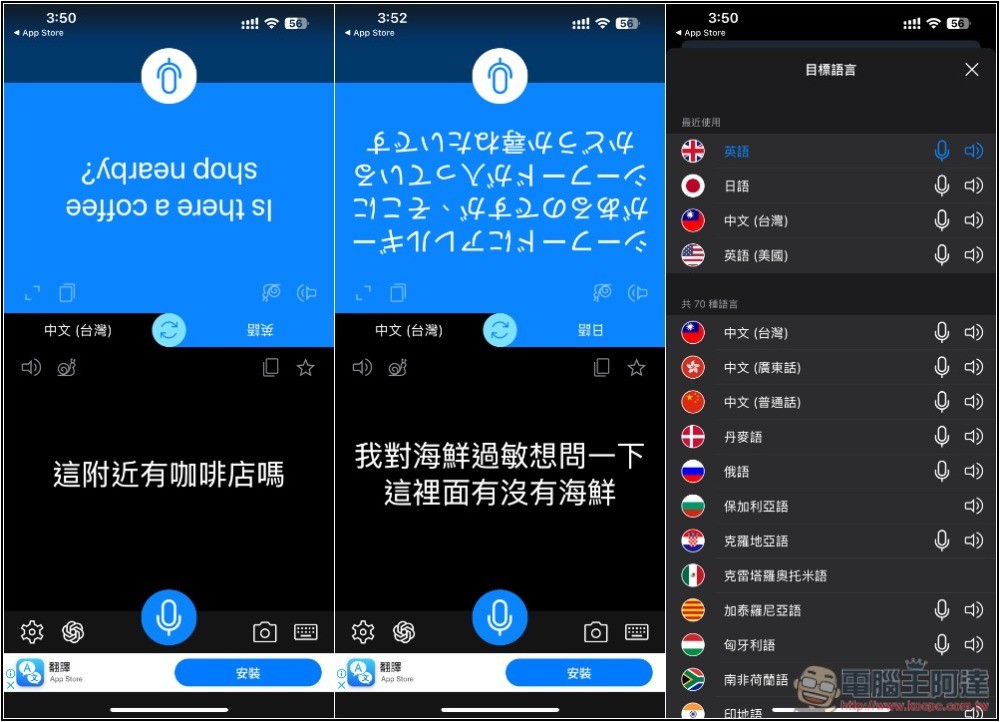
“Voice Translation Artifact” App Introduction
“Voice Translation Artifact” is a free app. Although it has the function of in-app purchase to upgrade to the paid version, after I used it, it seems that the difference is just advertising (not sure if there is a limit to the number of translations, I tested the translation of dozens of sentences and it was no problem). The paid app can be removed, but the free version will occasionally pop up ads, especially when using the ChatGPT optimization function. An Internet connection is required to use it. It does not provide offline functionality, so please note this.
In addition, the speed of speech recognition still depends on the network environment you are using. If the network environment is poor when you go abroad, the speed will definitely be affected. If it is smooth, it should basically be very fast.
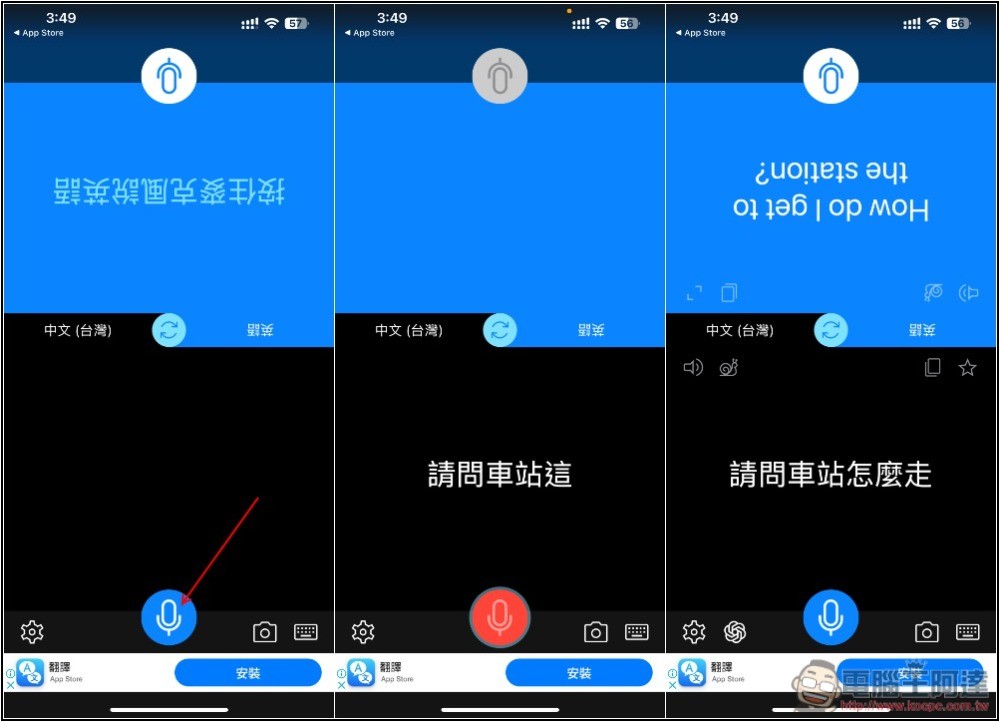
The usage is also very simple. The default is translation between Chinese (Taiwan) and English. If you happen to want to use this one, you don’t need to modify it and you can start using it directly. There is a microphone button on both sides. Press and hold it to speak, and it will recognize what you are saying immediately without waiting until you finish speaking. Most of the time, when you finish speaking, it will recognize it and the translation will only take about a second. After it is completed, the voice will be played directly, so it doesn’t matter if the other party is not looking at the screen, which is very convenient. There is also a turtle icon on the screen, which is the slow-speed voice playback function:
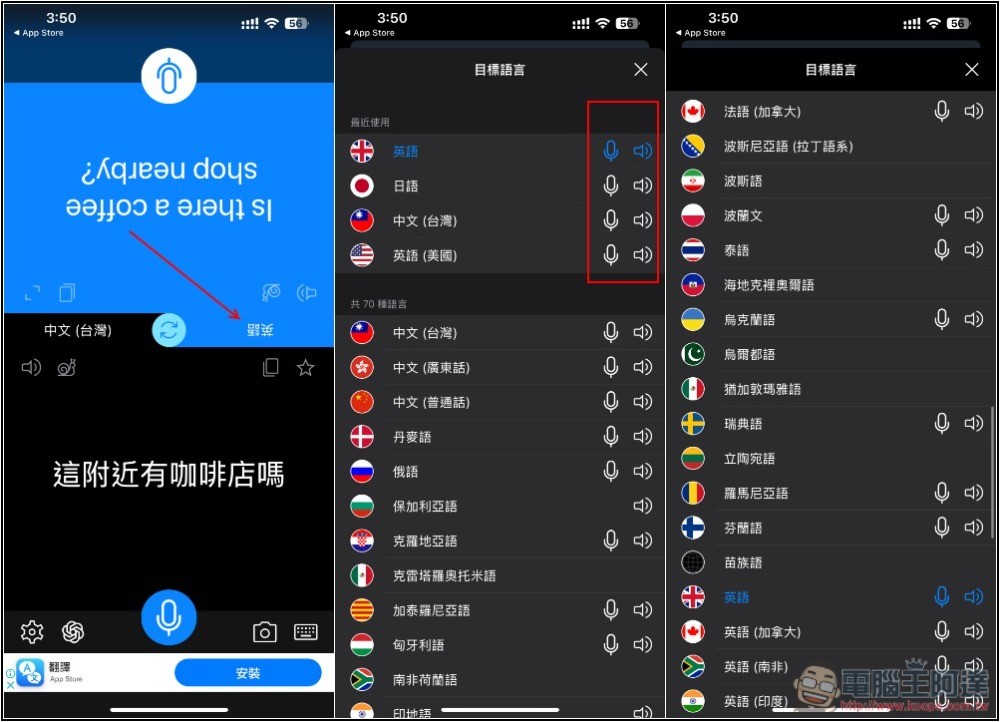
If you want to change the language, click on the side you want to change. The only thing to note is that although this App supports more than 70 languages, not every one of them has a voice detection function. Only the ones with a microphone icon will work, and the languages with a speaker playback icon will be able to play voice:
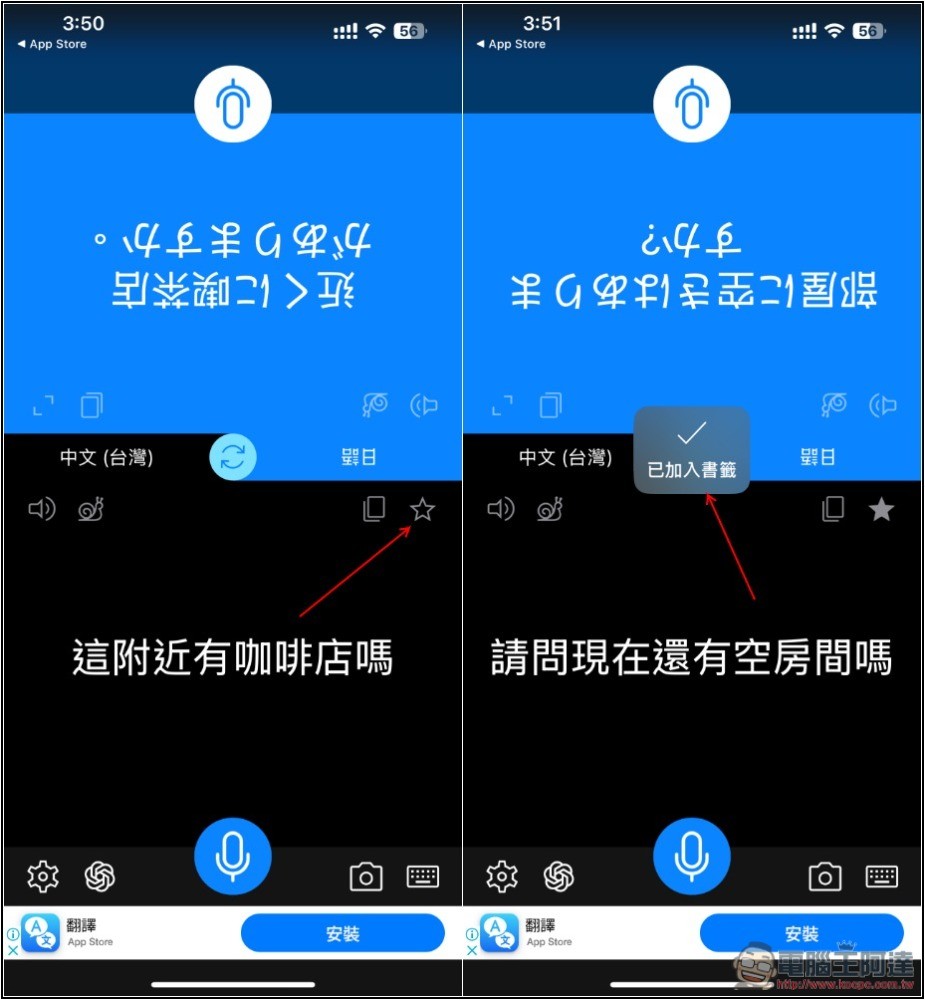
The translation quality is quite good. If you have frequently used language translations, you can add them to your bookmarks. When you want to translate them again in the future, you don’t have to say it again. You can find them in the bookmarks:
Bookmark management can be found in settings:
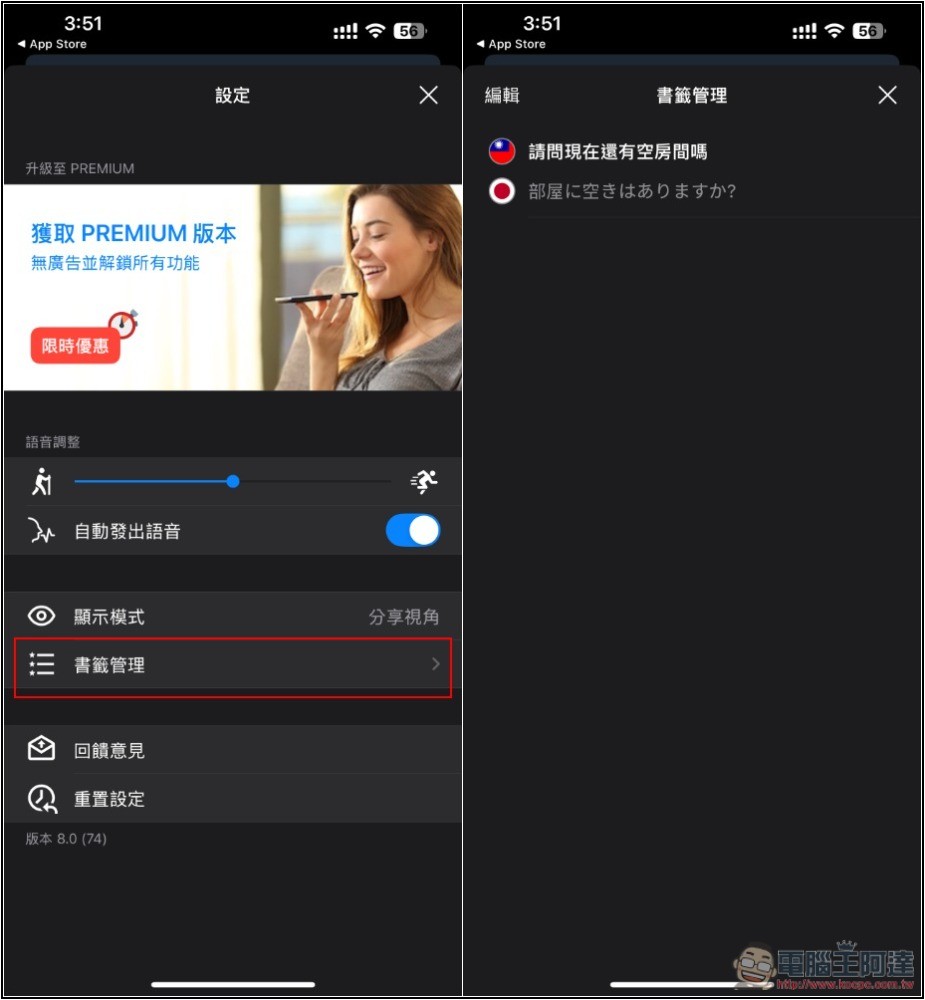
If the translated content still doesn’t make sense to the other party, you can try the ChatGPT optimization function, but ads will pop up every time it is optimized, and some are video ads, which will take a few seconds to close:
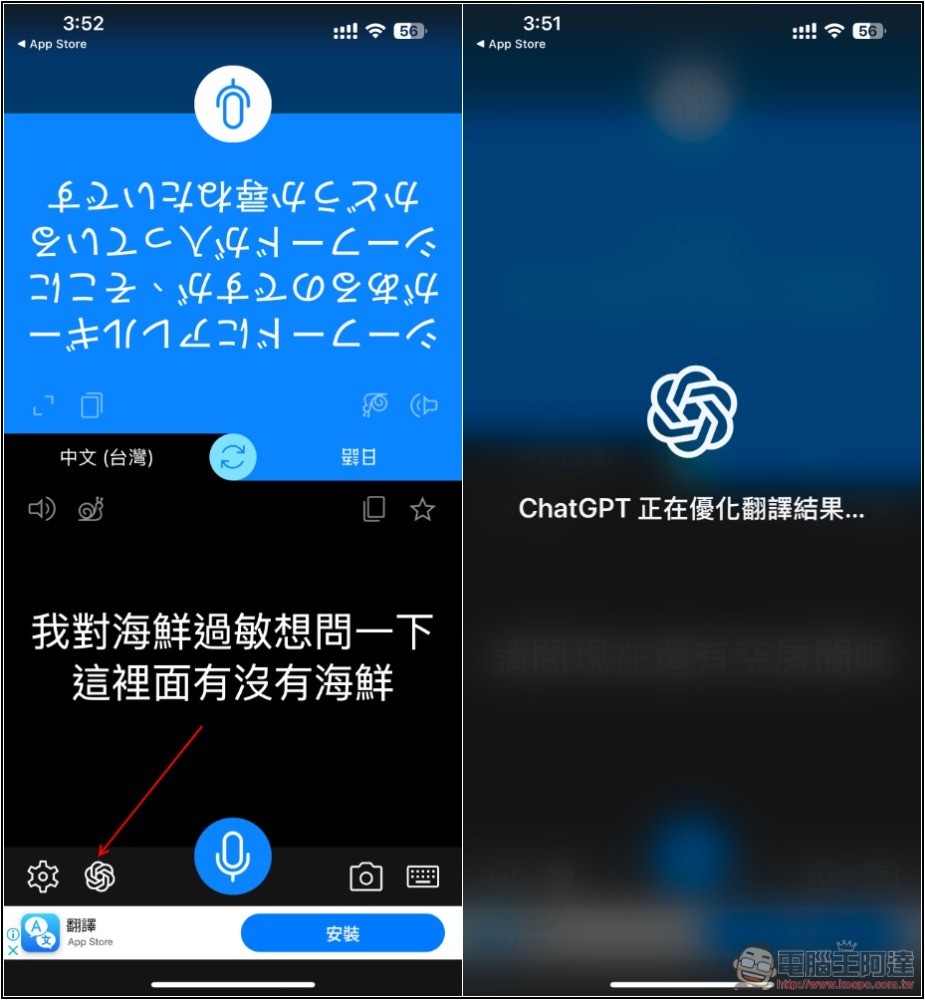
However, I am not sure whether ChatGPT can really get better after optimization, because I have tested four or five sentences, and they are exactly the same before and after optimization.
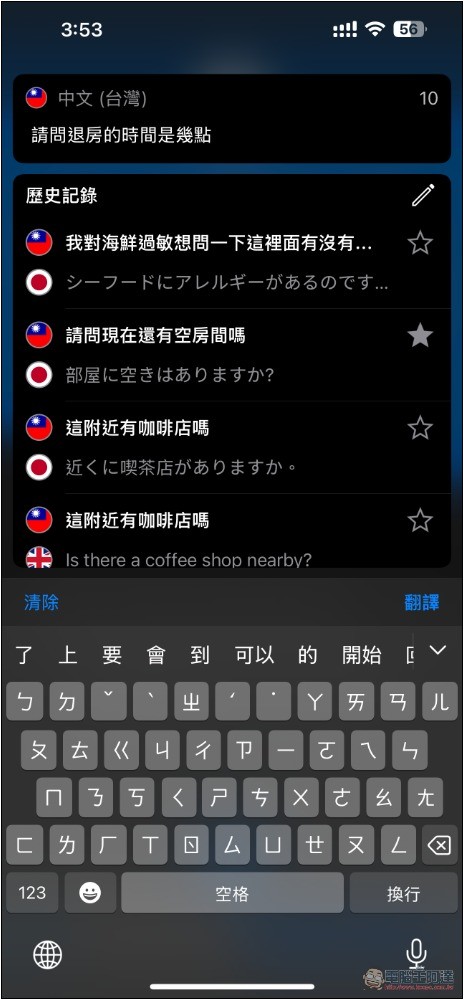
If necessary, the function of typing translation is also provided:
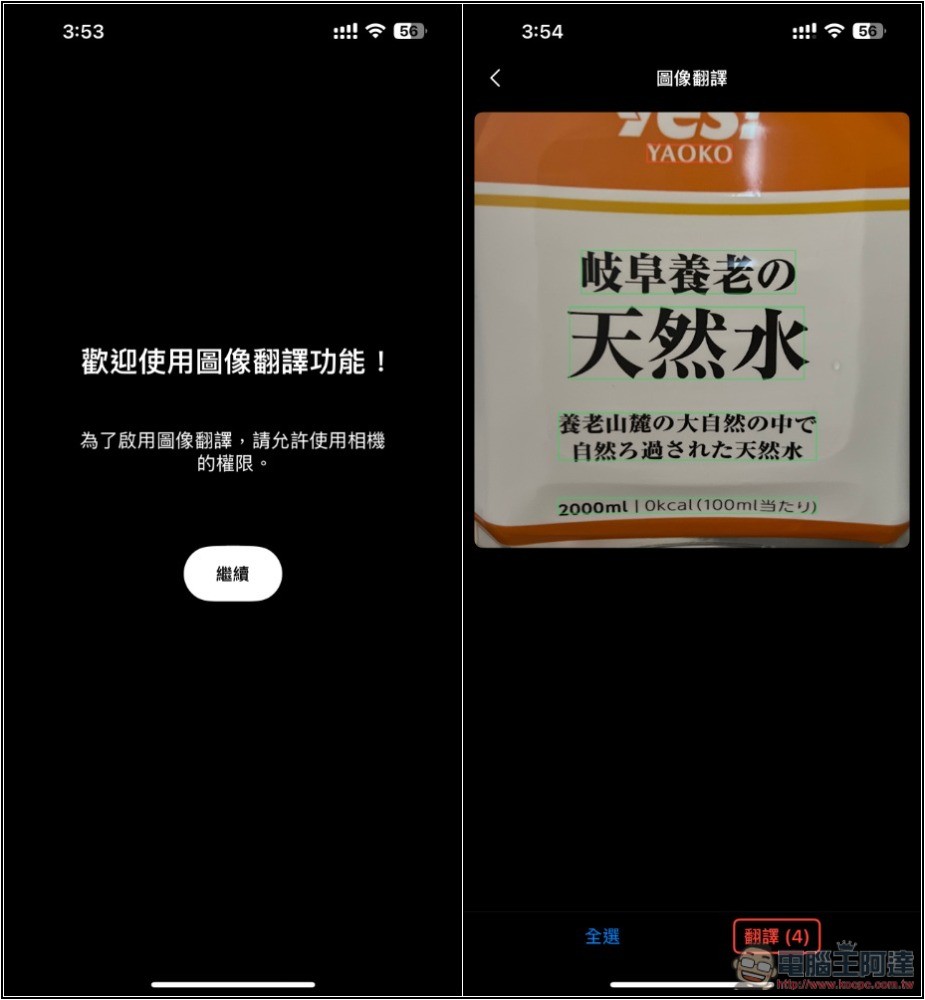
There is also a picture translation function. Take a picture of the picture you want to translate, select the content, and then translate it. But this function seems to be unstable on the iOS version currently. It crashes several times when I use it. I am not sure about the Android version:
Source: KOCPC Chinese