


Imos one of the reasons why many people subscribe to YouTube Premium is that they want their phones to play in the background. Although there are some apps that can do this, they are third-party after all, and some people may not trust them or find them troublesome. If you just want background playback, you can actually do it with a browser app, whether it’s Safari on iPhone or Chrome on Android. Here’s how to do it.
The method to be explained below is actually nothing new. A few years ago, the same method could be used to play background playback, but it suddenly failed for a while, and then it worked again.
You don’t need to install any third-party apps, just use the built-in browser. Although it can be played for free, you still need to manually skip the ads at the beginning of the video.
How to use YouTube background playback feature for free on Android?
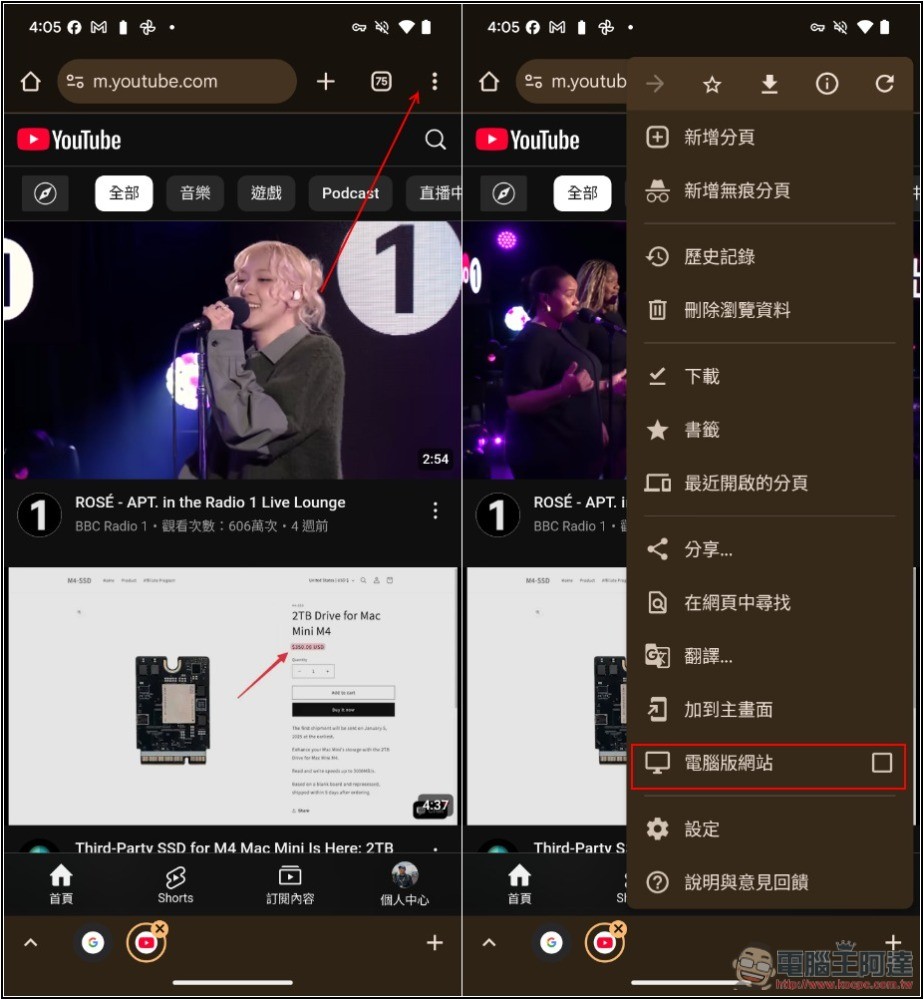
First, please open Chrome App and enter youtube.com Website, if you click on the URL, it will jump directly to the YouTube App, then please long press the URL to open it with the new tab, and you will enter the web version:
At this time, you need to switch the mobile web version to the desktop version, open the… menu in the upper right corner, and you will see the option of the computer version of the website, check the box next to it:
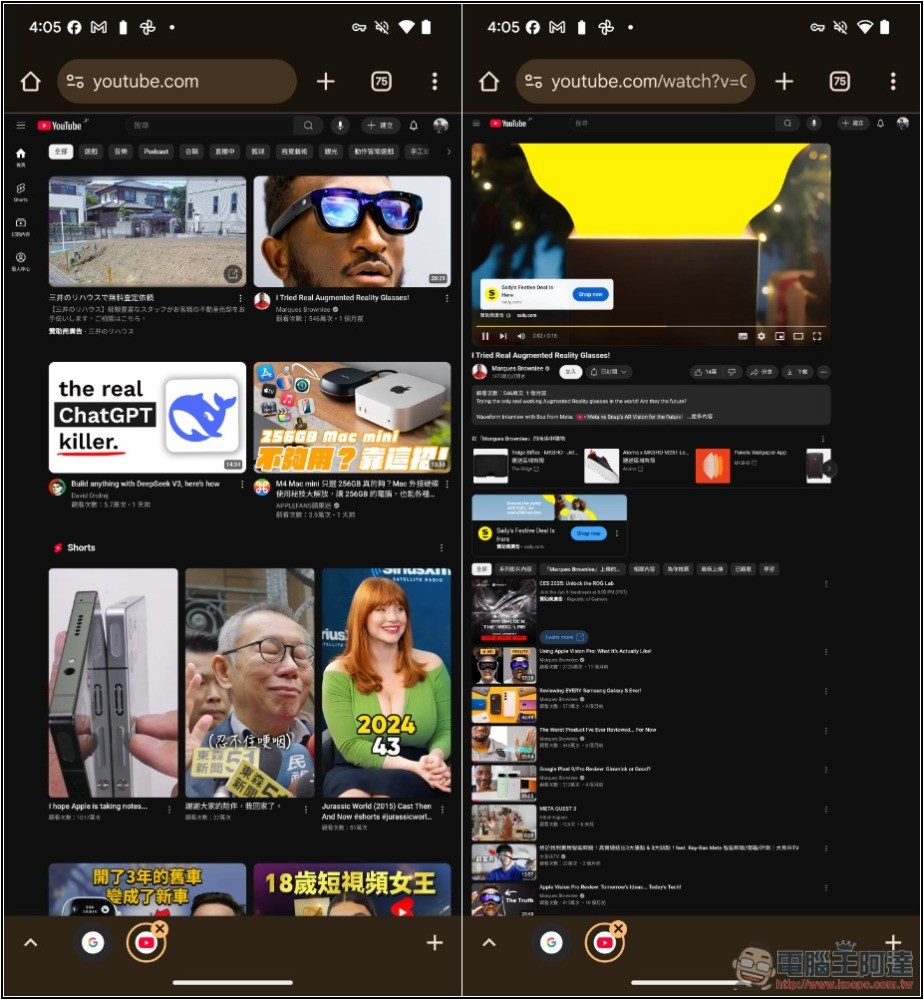
YouTube will change to a web version, and then you can play the music or video you want to listen to:
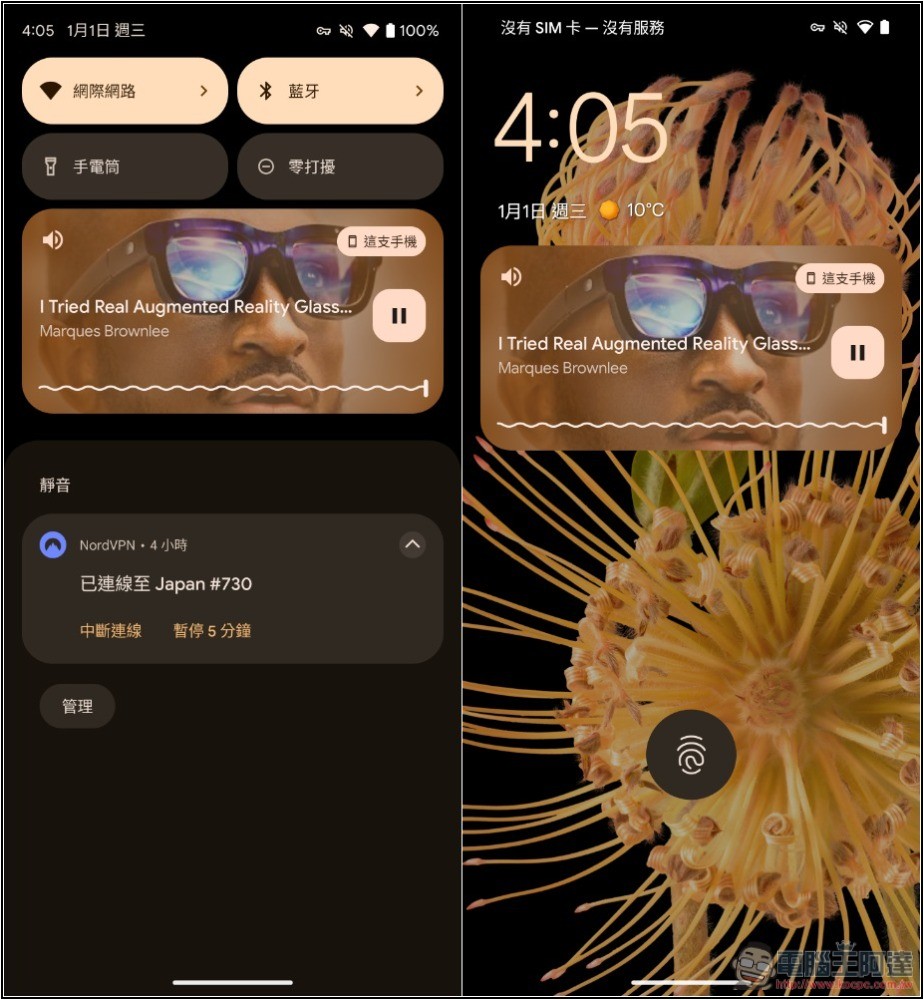
After jumping back to the desktop, you will find that the video stops playing. Don’t worry, please slide down from the top to open the notification menu. You will see the video content that was just played. Press the play function:
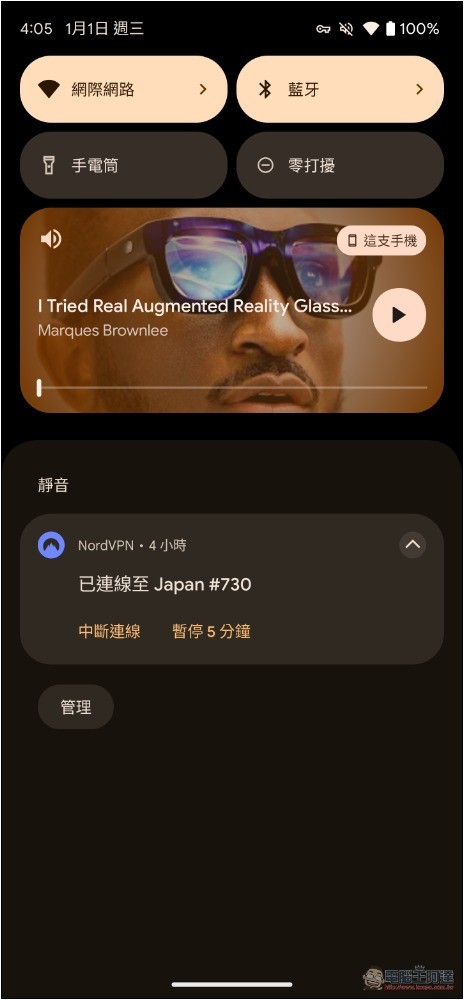
Background playback and standby playback are both successful:
How to use YouTube background playback feature for free on iPhone?
The operation method of iPhone is also similar, but there is one place that is different in my test. Sometimes I can still play in the background without switching to the computer version of YouTube, so you can try it first, and then open the computer version if it fails.
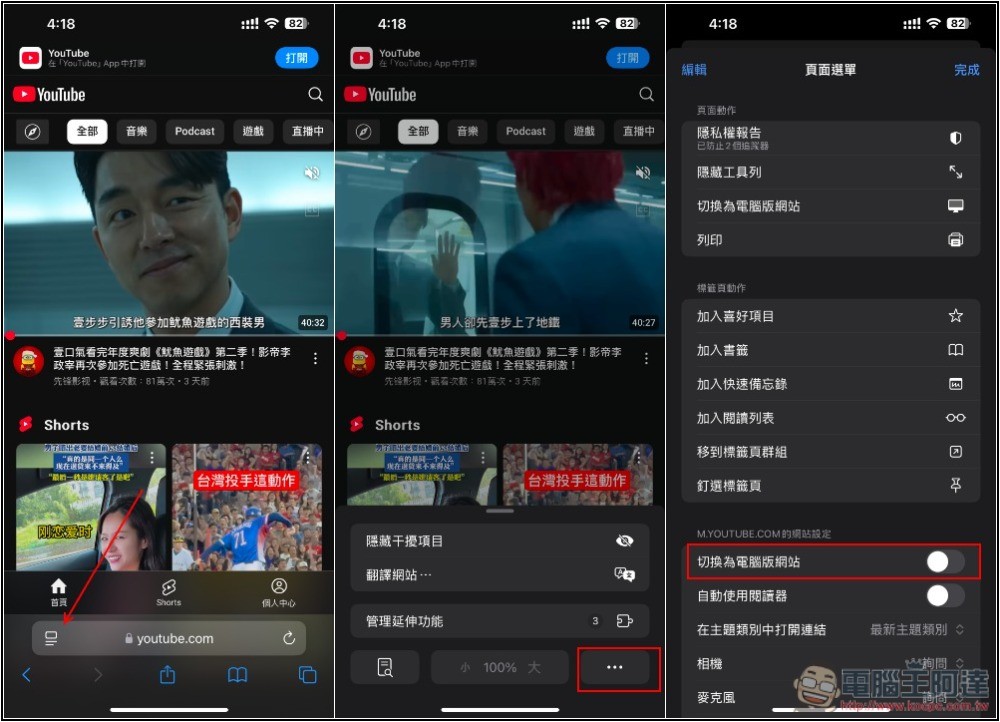
Open the Safari browser App and enter youtube.com If the website will automatically switch to the YouTube App, please open it in a new tab, and it will be the mobile web version.
Then click the function icon on the left side of the address bar, and then open the… menu, and you will find the “Switch to PC version of the website” function:
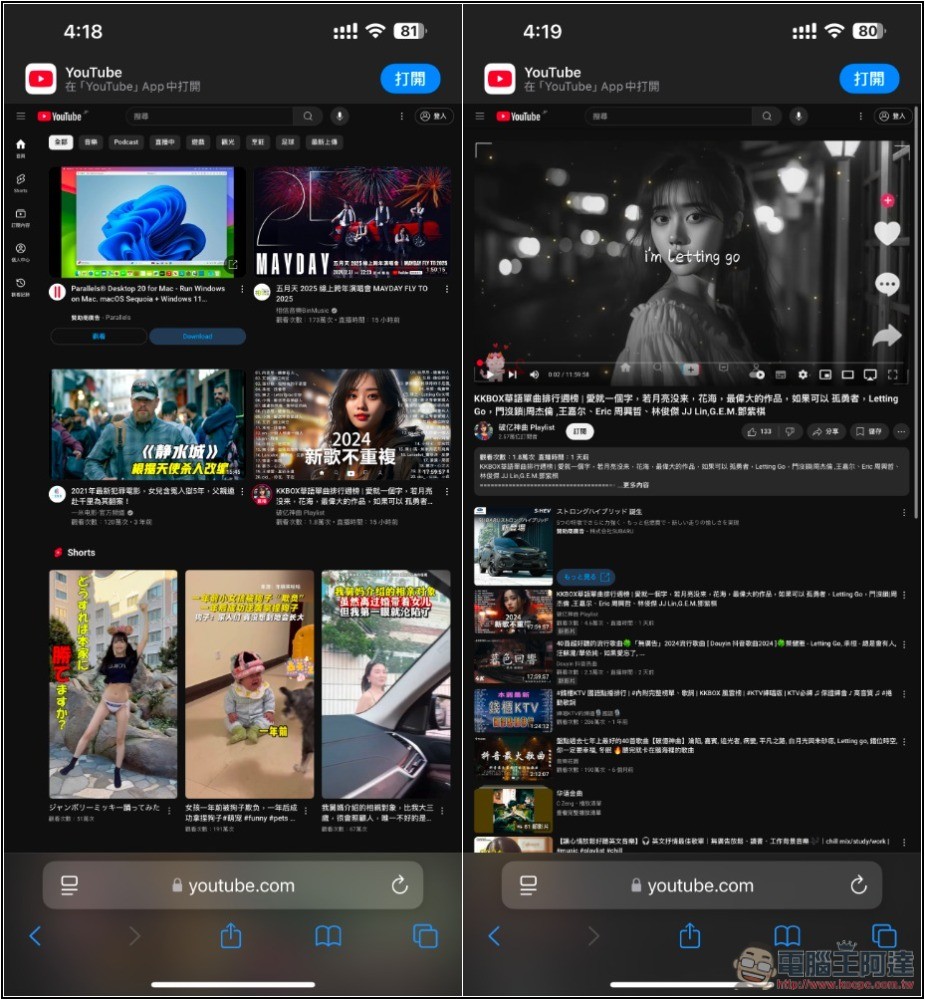
After switching to the computer version, go to the video you want to play in the background. It should automatically play in full screen. You can jump out of pause. You don’t need to press play yet:
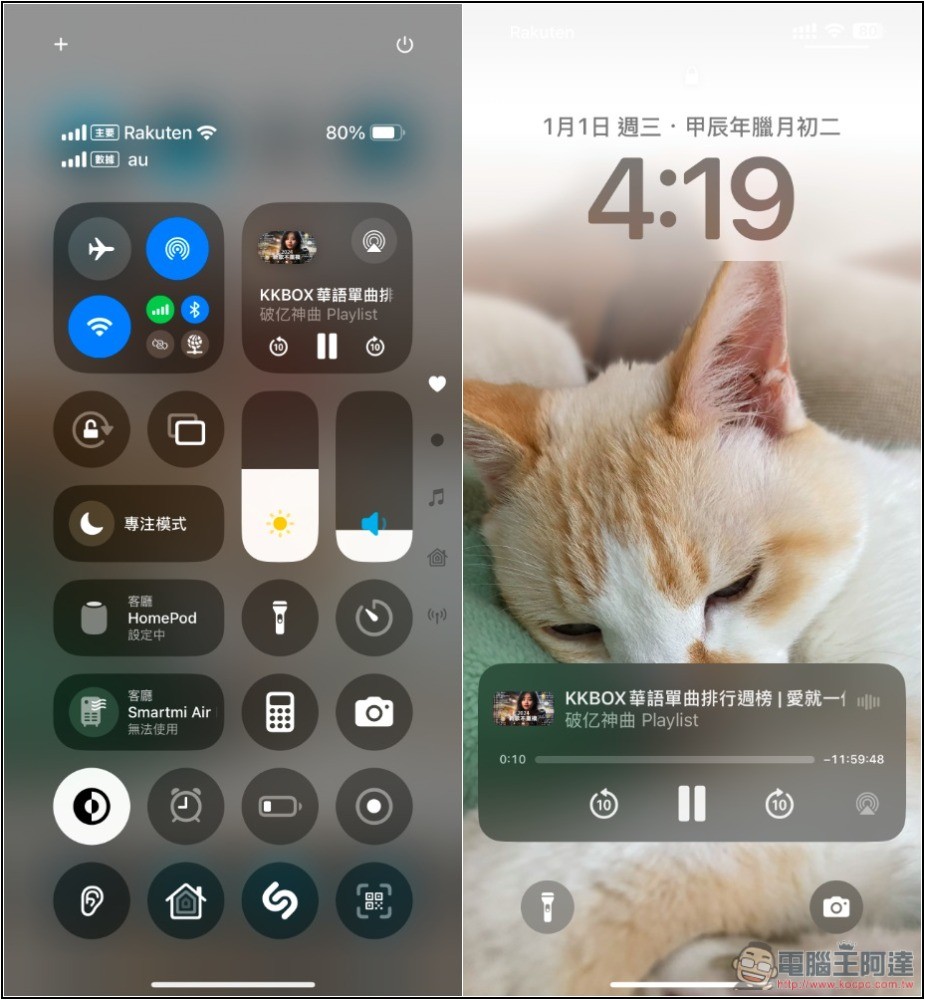
Swipe up to return to the iPhone desktop, open the Control Center, and you will see the YouTube video you just played. Please press the play button:
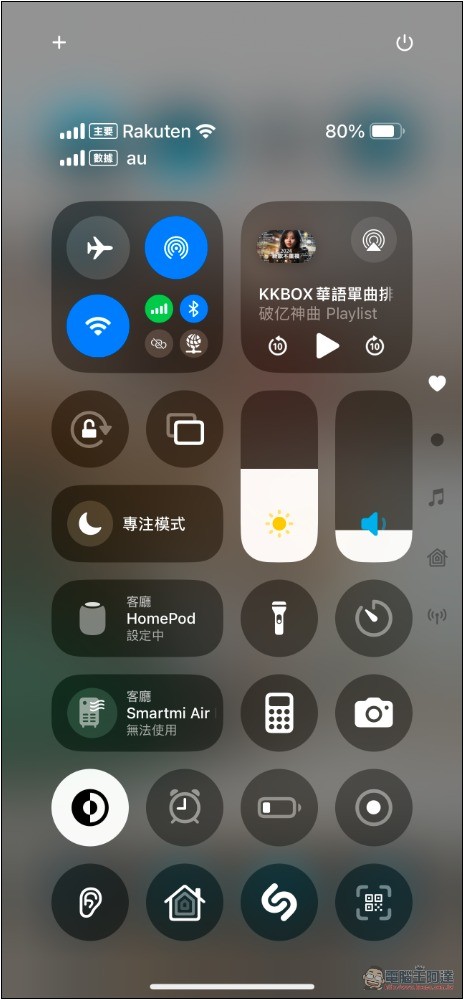
Actual test iPhone background playback and standby playback are no problem:
But as mentioned before, you still need to skip the ads at the beginning of the video or the ads that are suddenly interrupted in the middle.
For those who really don’t want ads, it’s most convenient to buy YouTube Premium. If you think YouTube Premium in Taiwan is too expensive, you can also consider subscribing.Türkiye YouTube Premium, via an App Store gift card.
Source: KOCPC Chinese