


If you are a skipping enthusiast, or want to exercise through skipping, then AirJump App is definitely a must-have tool for you! This app is designed for use with AirPods, using AirPods’ motion sensing function to achieve seamless tracking of skipping times. Whether you are a newbie or an already proficient athlete, AirJump can help you improve your skills, monitor your progress, and challenge yourself by achieving achievements.

AirJump APP: Track your jump rope progress with AirPods! Easily count the number of skipping ropes and challenge yourself! (Free download for iOS only)
Jumping rope is not only a simple fitness exercise, but also a challenging activity. Although the fitness app for iPhone supports skipping training, for those who want to start skipping exercise at any time, they need to be able to master real-time skipping data while training. Now with the help of AirJump App, recording and optimizing your skipping training has become easier and more efficient than ever. AirJump is an app that allows users to use AirPods to become the best rope skipping assistant and easily count the number of skipping ropes!
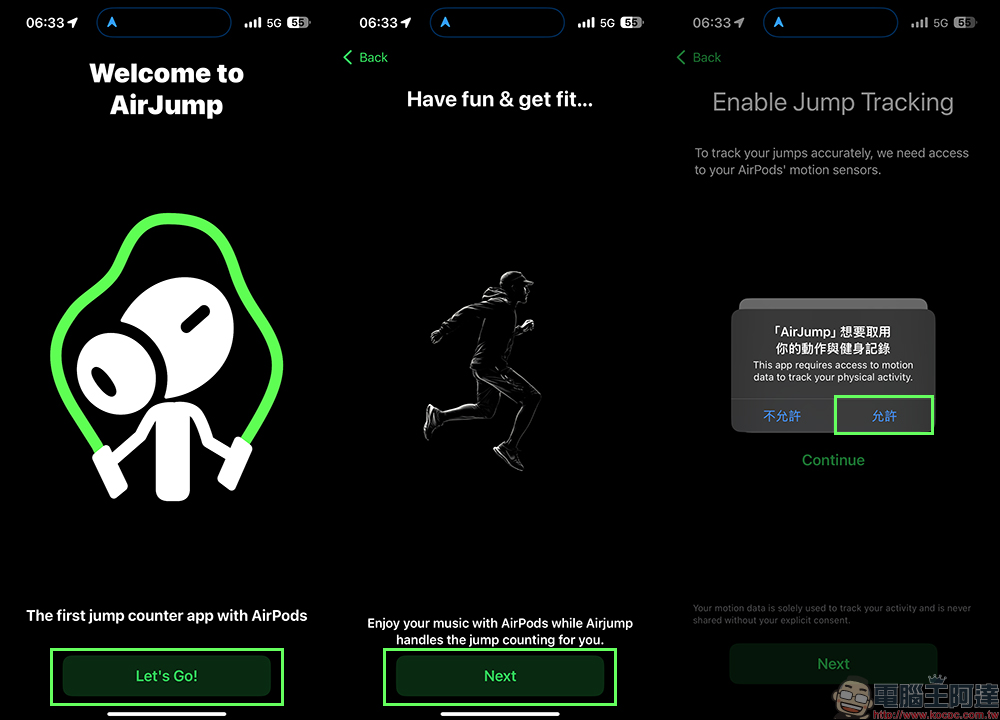
*Tips: When opening it for the first time, remember to select “Allow” when accessing movement and fitness records in AirJump, so that you can use headphones such as AirPods to record exercise data in AirJump.
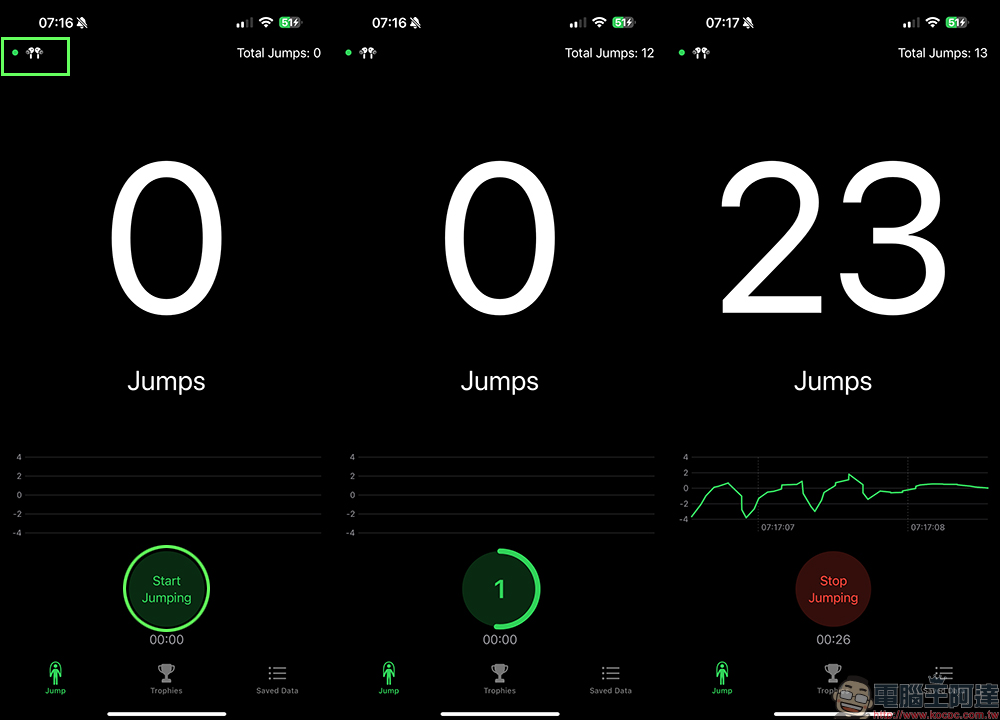
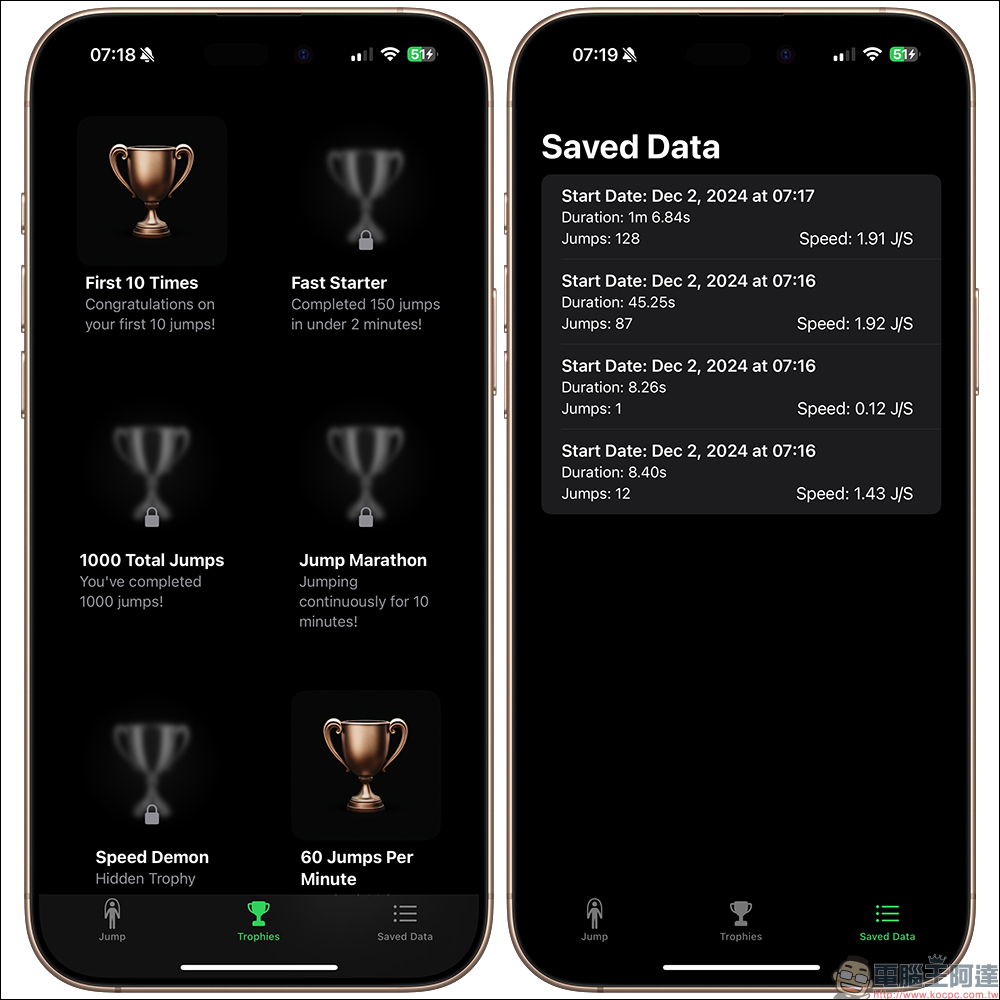
AirJump uses the built-in motion sensor of AirPods to accurately record every jump rope movement. When the AirPods are paired, the AirPods icon in the upper left corner of the AirJump App screen will turn into a green light (a red light means unpaired). From now on, you no longer need to count manually and can focus on enjoying the exercise process! The number of jump ropes will be updated in real time, so you can concentrate on training and let AirJump handle all the detailed data. Each rope skipping record will be completely saved, including the following important indicators:
- Training duration
- Number of skipping ropes
- Skipping speed (number of times per second)
Through these data, you can clearly track your progress and challenge higher goals!
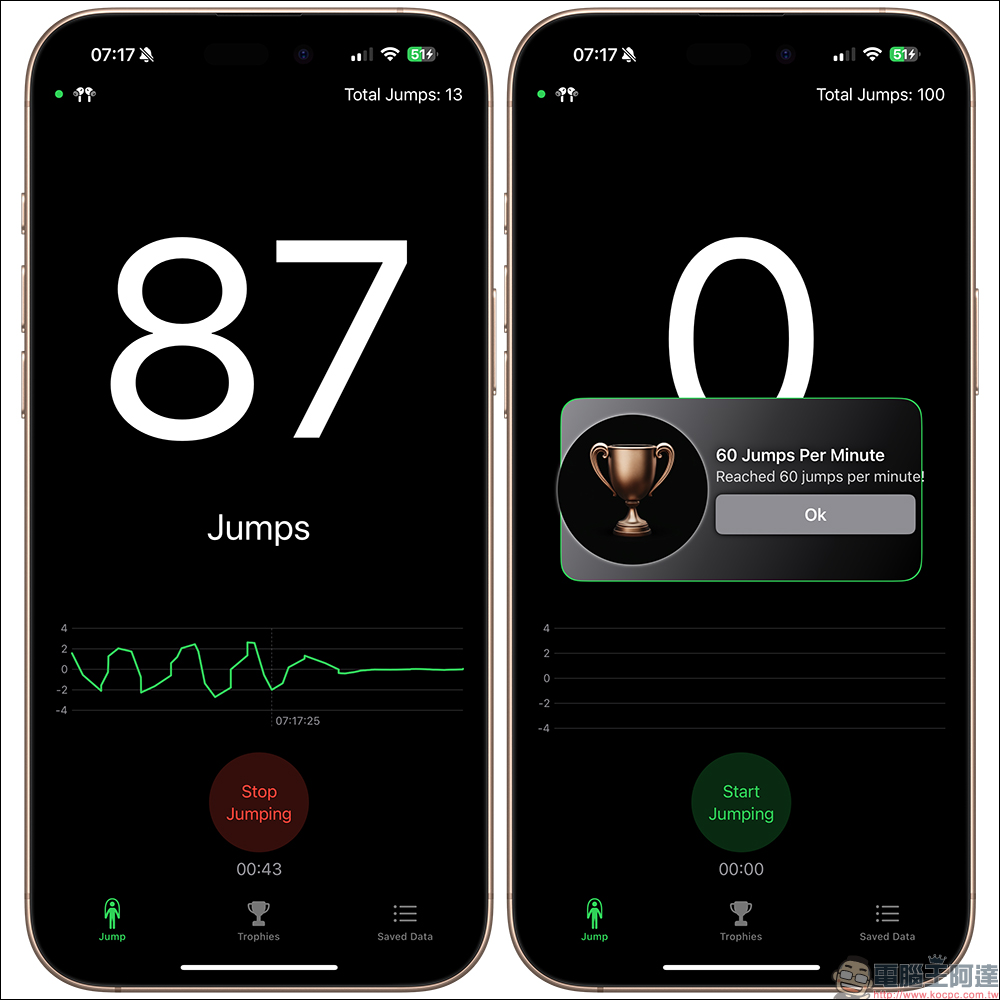
During the training process, you can unlock various achievements and maintain a high level of motivation! Whether you complete your first 10 jumps or reach the 10,000th milestone, AirJump will reward you with a trophy. You can also check past training results through the skipping history record to clearly understand your sports performance.
Currently, AirJump supports the following headphones. As long as you own any of the above headphones, you can easily count the number of jump ropes and other data by wearing the headphones on AirJump, and start a new experience of smart rope skipping:
- AirPods Pro
- AirPods 4
- AirPods 3
- AirPods Max
- Beats Fit Pro
Download AirJump (App Store)
The AirJump App is originally priced at $4.99 and is currently available for free download in the App Store for a limited time.
Further reading:
Final Cut Camera App V1.1 major feature update: supports HEVC format, LUT preview, 4K 120fps and other functions

Source: KOCPC Chinese