


With the launch of the podcast function in Google’s NotebookLM, it can be said that more and more applications have been added one after another, and they support Chinese. A while ago we introduced Mixerbox’s AI GenPod, although this one can also generate Chinese podcasts, the content is too short.
This article would like to recommend another well-known foreign Reader by ElevenLabs App. In the past, it mainly converted text into voice playback. Recently, it has added a new “Generate Podcast” function, which not only supports multiple languages, but can also import multiple formats, including online articles and YouTube.
Although the generation quality is still different from NotebookLm, at least it is available in Chinese. It is highly recommended to try it. It is available in iOS and Android versions.
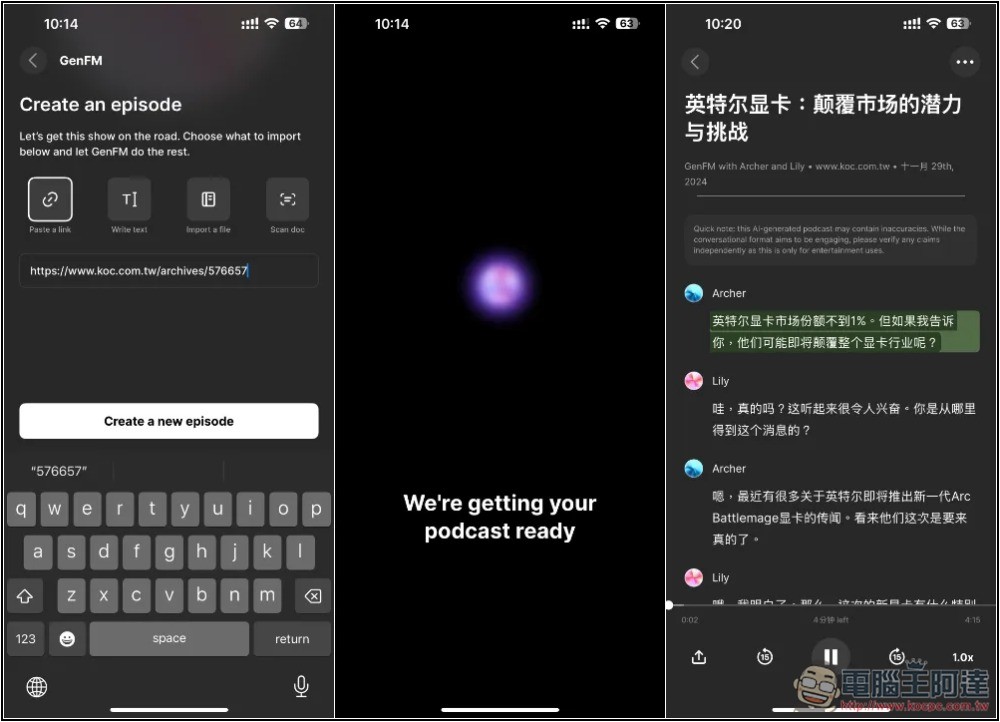
Reader by ElevenLabs generates Podcast operation tutorials
Reader by ElevenLabs not only generates podcasts, but also provides a large number of online books. Those who are interested can listen to and read them on their own. Many of the stories last for more than several hours. This article mainly explains how to use the podcast function.
The operating interfaces of iOS and Android are similar. I use the iOS version.
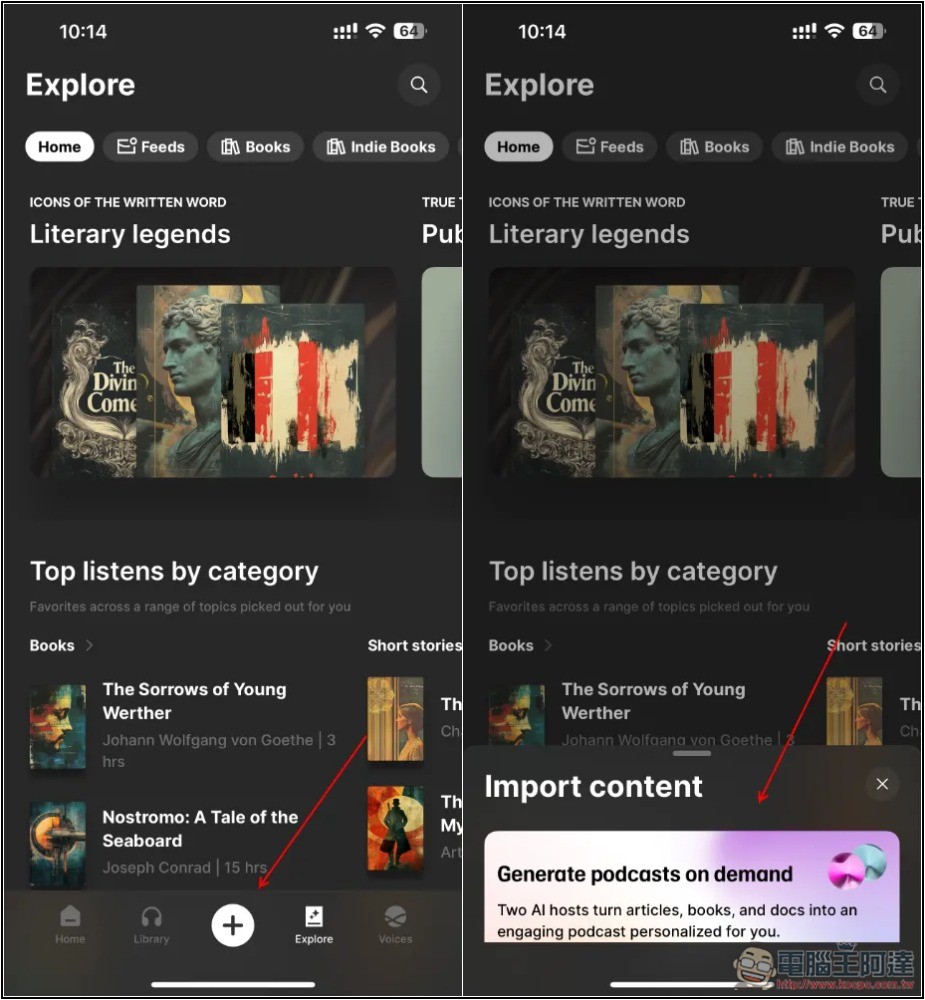
After opening the app, press + below. The Import content menu will pop up, and you can see the newly added Pocast generation function:
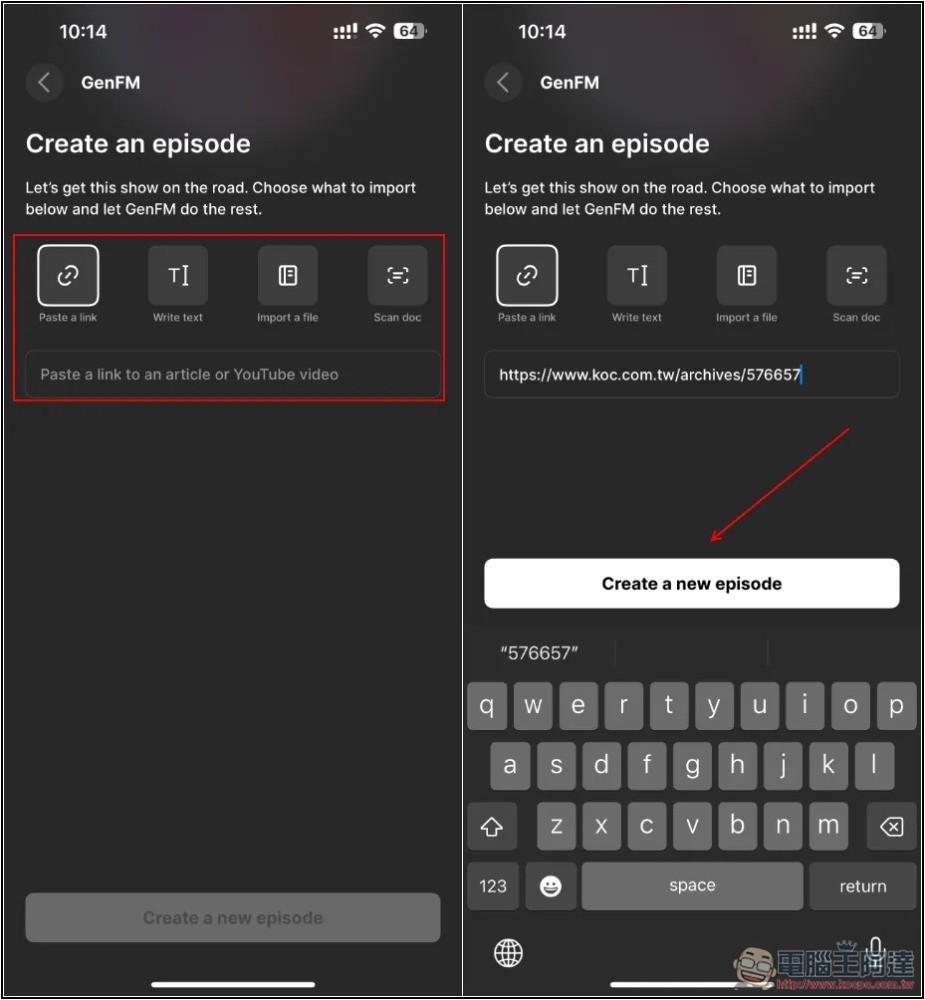
There are four options, including pasting a website or YouTube video URL, writing text, importing a file, and scanning the document. I used this article from the Computer King Ada website (Intel may release Battlemage next-generation independent graphics card next week, with 2 models expected), after pasting the URL, click Create a new episode:
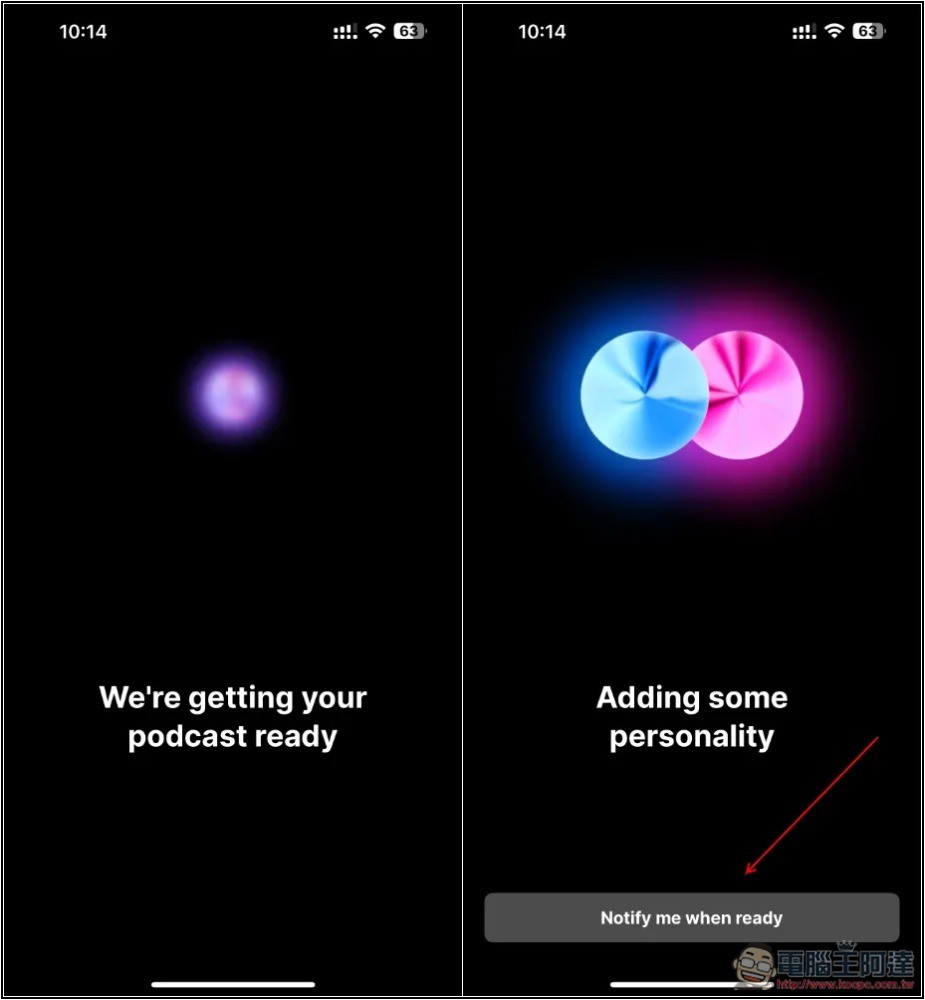
Then it will start to be generated. The speed is not said to be very fast. It will probably take a few minutes to ten minutes. Therefore, it is recommended to enable the notification function. If you enable it, you can jump out of the app and do other things. After the podcast is generated, Reader by ElevenLabs will send you a notification:
The generation progress can be viewed at any time by going to the Library menu:
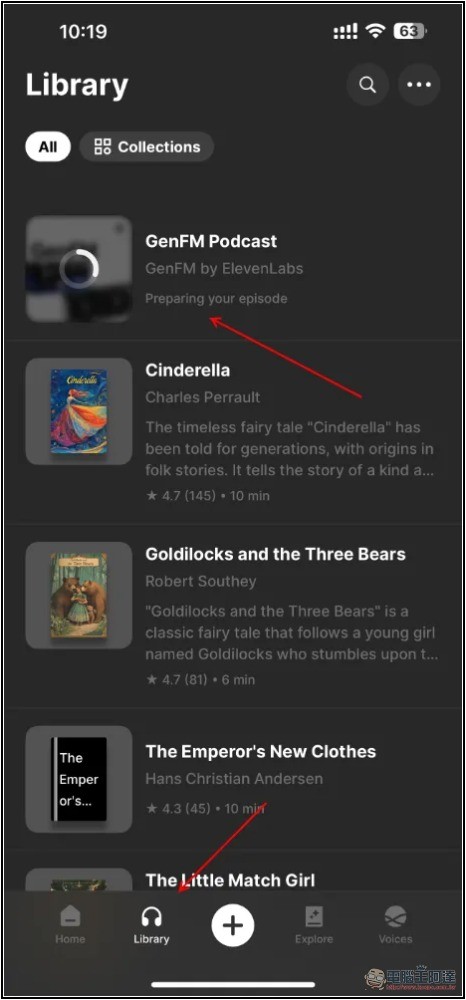
After completion, go to the Library of Reader by ElevenLabs and you can start listening. There is also a player function that allows you to pause, jump, increase or decrease the speed, etc. The generated podcast will be a conversation between two people, and it will not only be a simple article content, but also add supplements that can be added. For example, my article did not mention Intel’s market share, but the podcast conversation mentioned that the market share is less than 1%:
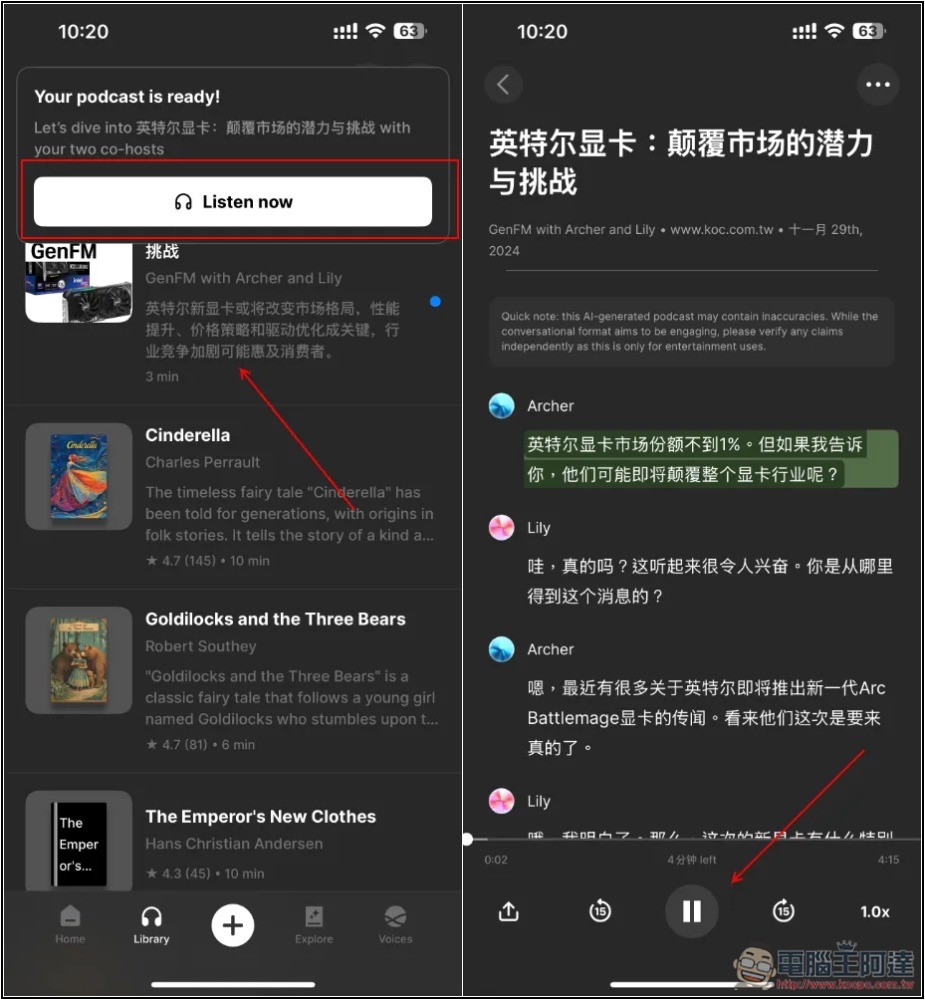
But after all, it is a foreign service, and the generated voices are not so standard. For example, the Lily voice I generated has a bit of an ABC feel, and Archer has a Chinese accent.
I haven’t tested the YouTube videos, so I’ll leave this part up to you to play around with.
The generated podcast also supports sharing functions. You can find related functions by opening the menu on the upper right side of the playback screen.
Source: KOCPC Chinese