


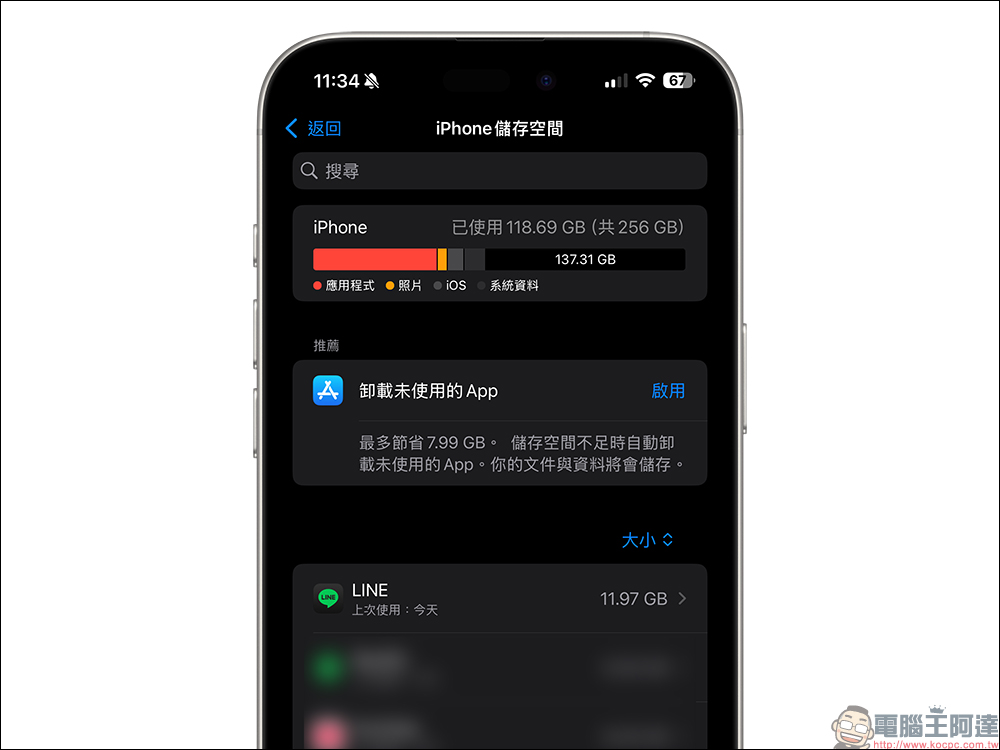
Do you find that LINE is silently taking up storage space on your phone despite being used normally? Today I’m going to share with you how to significantly reduce the space occupied by LINE App on your mobile phone without affecting too much use. Just rely on this method to directly reduce the space occupied by LINE by 50%! If you are very concerned about whether the capacity of your mobile phone is sufficient, you must clean it regularly using this method.

LINE weight loss challenge! This trick allows LINE to take up more than 50% less space!
The built-in storage space of many mobile phones is getting larger and larger, but many apps also quietly occupy a lot of space in the mobile phone. For example, LINE is a communication software that many people use every day. They often chat, share pictures, and videos on it, but they don’t realize that it takes up a lot of space.
If you are a heavy LINE user, it may not be uncommon for your LINE App to exceed 10GB. However, it takes up a lot of space, and usually contains content that you will never read again, so it is very important to organize it in a timely manner. Today I am going to “slim down” the LINE App with you. If you follow these steps, you will have the opportunity to make the LINE App smaller.
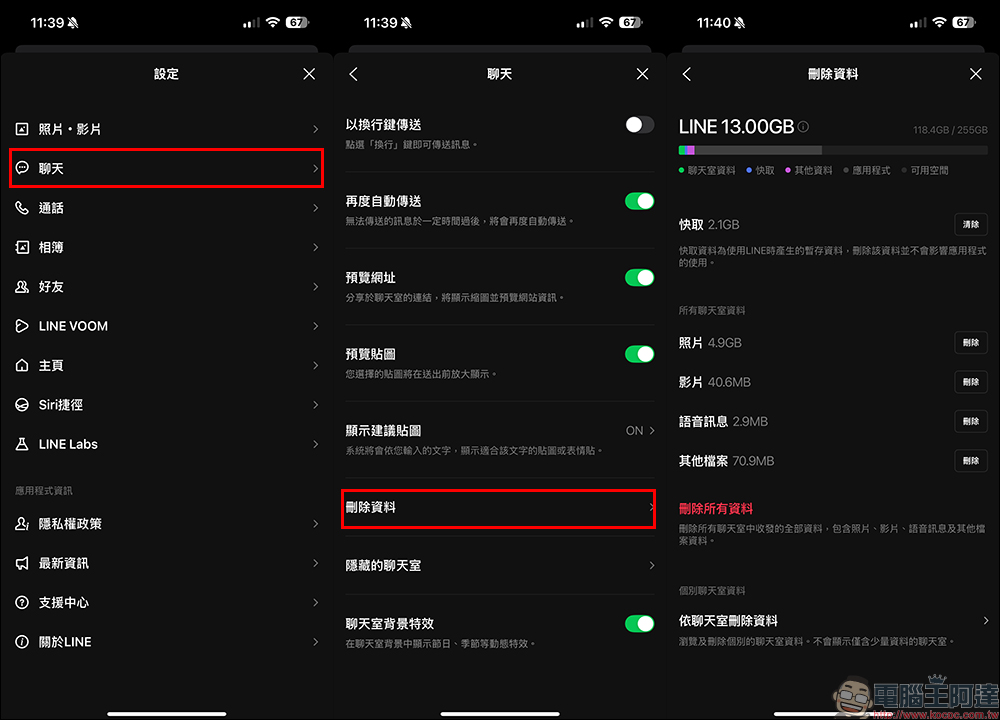
The method shared today can be used by both iOS and Android users, and the steps are very simple! First, open “Settings” in the LINE App, then click “Chat” and find “Delete Data”. When it is first opened, the LINE App will take some time to update the space currently occupied by various types of content. Once the update is complete, you will see the current space occupied by the LINE App.
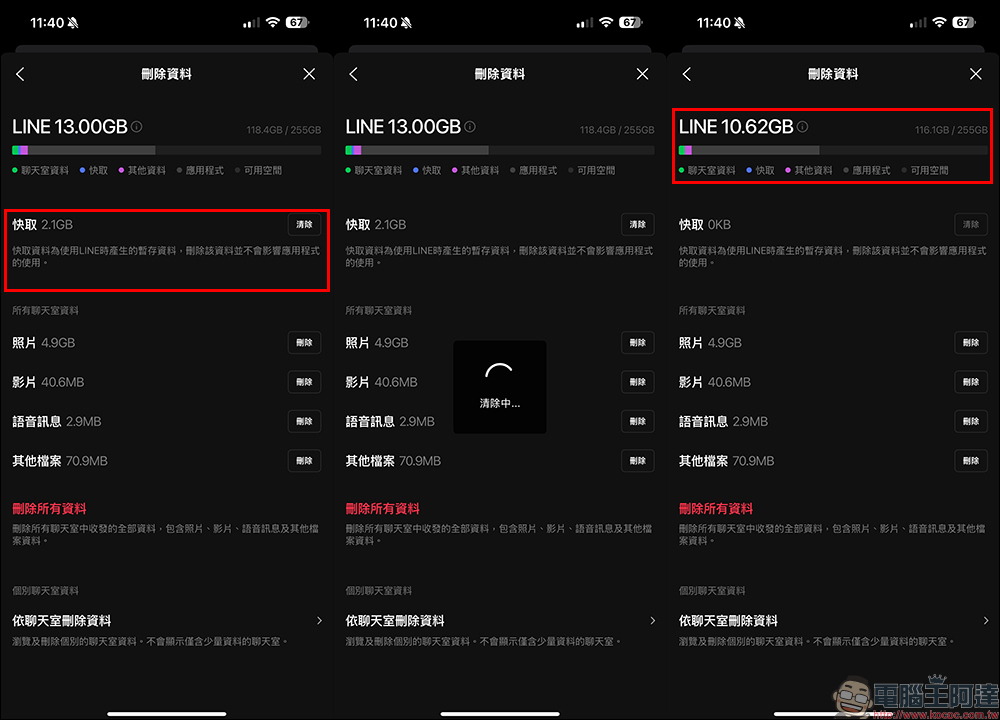
Stage 1. Delete “Cache”
Here we can roughly divide LINE into two stages to slim down, starting with “cache”. Taking the picture as an example, LINE is originally up to 13GB, and the cache already occupies 2.1GB. We first click the “Clear” button next to the cache. After clearing the cache, we will find that it has been revised down to 10.62GB. Since the cached data is temporary data used by LINE, deleting it will not affect the use of LINE.
Stage 2: Deleting data by chat room
The second stage of weight loss is to organize from the “chat room”. Click “Delete Data by Chat Room” at the bottom of the “Delete Data” page. After entering, you will see the space occupied by each chat room. LINE is very considerate in helping users arrange the chat rooms according to the size of the space they occupy. We can sort them in order from the largest ones.
Since this method will delete unsaved data, if you are worried about the deletion of precious chat messages between friends, then the priority should be to organize the messages in chat rooms such as “Community” and “Group”. Take the group buying group in a supermarket as an example. In addition to the group buying projects that you usually participate in, the space occupied by a large number of photo messages in the group can be very scary. However, the photos in this type of group are not important to most people, and deleting them will not affect the daily experience of using LINE.
Take the picture below as an example. The photos of a single group are as high as 844.2MB. Then click on the page of the chat room and choose to delete the most occupied “photos”.
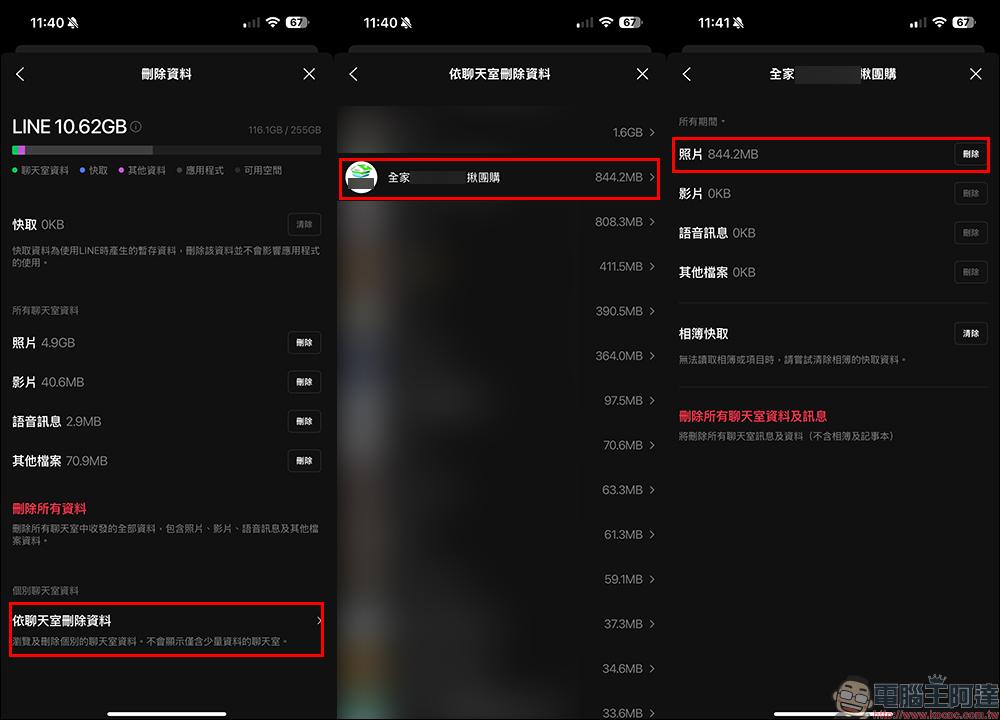
After clicking “Delete”, you will find that just deleting some photo data in the chat room has already made LINE take up much less space.
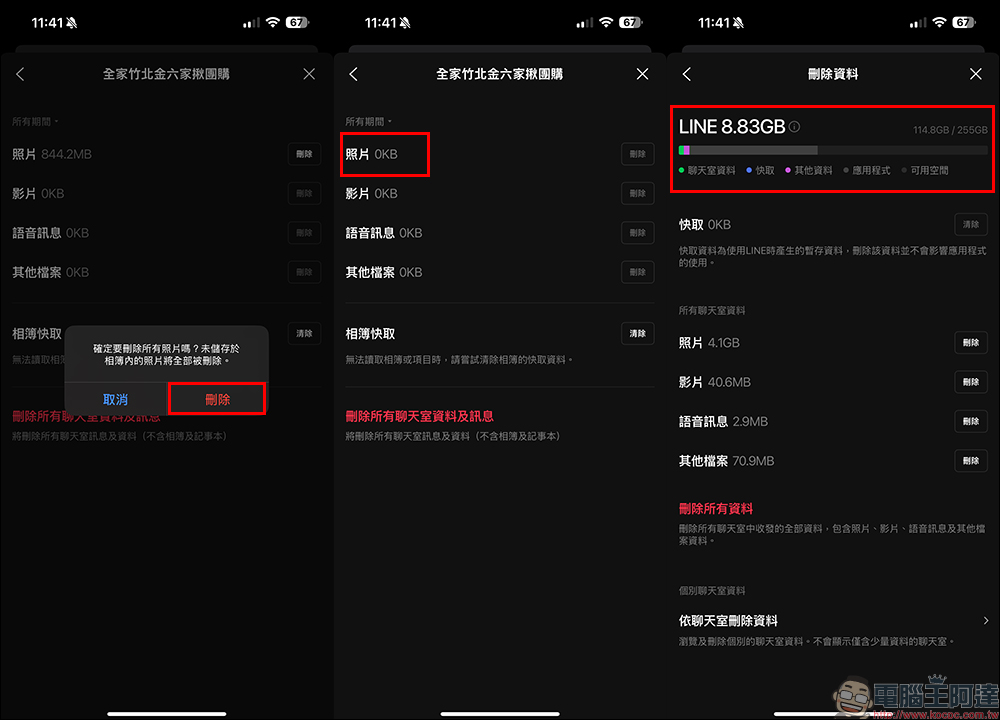
In the same way, we can also sequentially delete data in unimportant chat rooms where we haven’t chatted for a long time and sent photos and videos to each other. I would also like to remind you again that if you use the “Delete data by chat room” method, the unsaved data will be deleted.
Therefore, if you are not sure whether there are important memories to keep, such as messages from family members, close friends or significant other, it is recommended to skip them and not sort them out! Just sort out some chat rooms that you usually don’t pay much attention to, and you will see the results of losing weight after a lot of effort.

Further reading:
The 4 worst charging habits for your iPhone that hurt your battery, have you done them too?

Source: KOCPC Chinese