


I believe many people, it should be said that “everyone” in Taiwan has received various scam calls or sales information. The worse ones are like telling you to set up your purchases to installments and you will have to pay every month in the future, or that you have bought the wrong product in a certain e-commerce store and you have to pay a large amount of money. There are also scams like asking you if you want to refer to a stock, sign up for a stock market, join a stock club, buy virtual currency and make a lot of money… and other scams. Banks are calling you all day long asking if you want to borrow money or insurance. To be honest, it’s really annoying. These fraud tactics may be common sense to young people, but older people in the family are very likely to be deceived. My mother-in-law once took over a fraud group and pretended to be her son who borrowed money and refused to repay it. She was called for help on the other end of the phone. She was so anxious that she ran to the post office to transfer money, but couldn’t stop them. It can be seen that phone scams have become pervasive, and there are more sophisticated ones. 1:1 Imitate text messages from e-commerce companies, telecommunications companies, and department stores, telling you that you have won a jackpot and how much you owe but have not yet paid. You have to click on the text message to view the scam text messages that are flying all over the place. To be honest, it is really hard to guard against them!
“Taiwan Columbia Anti-Fraud Police” is free for a limited time. Scam calls, phishing text messages, and malicious websites are all OUT!
In fact, there are many similar filtering service apps on the market, but some will not automatically update for you if you don’t subscribe, and some free apps are like Sun Spring, so they may not be very comprehensive in terms of protection effect. So, are there any anti-fraud services that are fully functional, easy to use, and currently free of charge? There really is! That’s what we’ve written and recommended before.Taiwan Anti-Fraud Police”! At that time, it was a limited-time free trial for Taipei University users. Now the software has added more useful features and is open to everyone. What’s even better is that the original paid plan continues to be available to everyone for free for 12 months, and no payment will be deducted upon expiration (it will automatically change to the free version)! From now until 12/31, go download it!
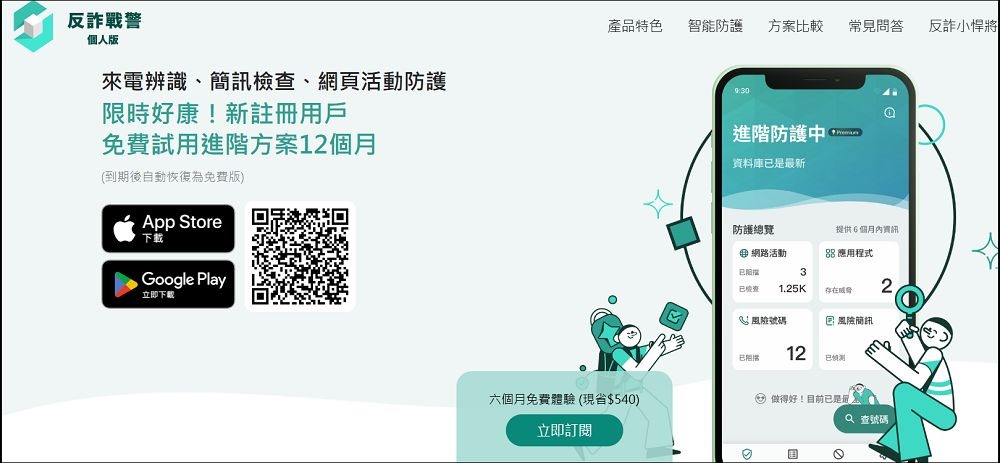
Want to install Taiwan MobileAnti-Fraud PoliceIt’s also very simple. Just go to the App Store or Play Store and search for “Fraud Warden” to download it for free. It can be used on both platforms:
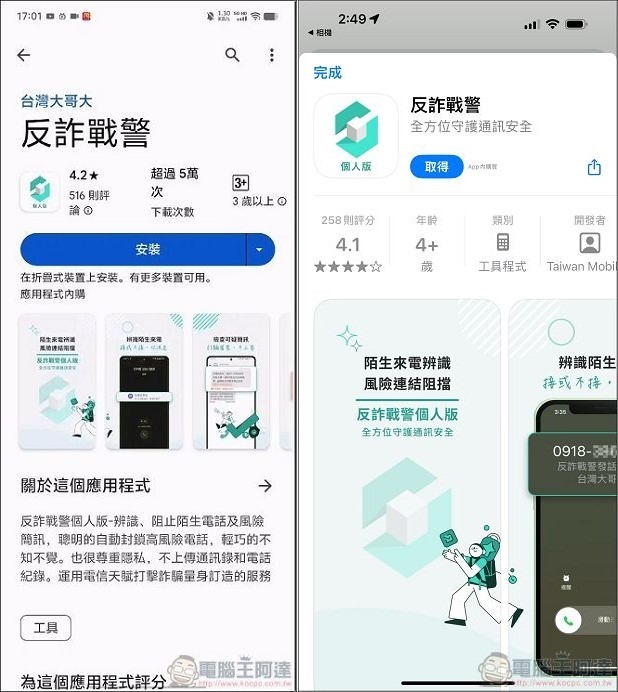
Then, no matter which platform you are using, Anti-Fraud Warden must enable permissions the first time you execute it. Let’s take the more troublesome iPhone as an example (it’s actually not difficult, just go in and open it after popping up the authorization information). First allow the notification, then read the user terms of service and click “Agree and Continue”: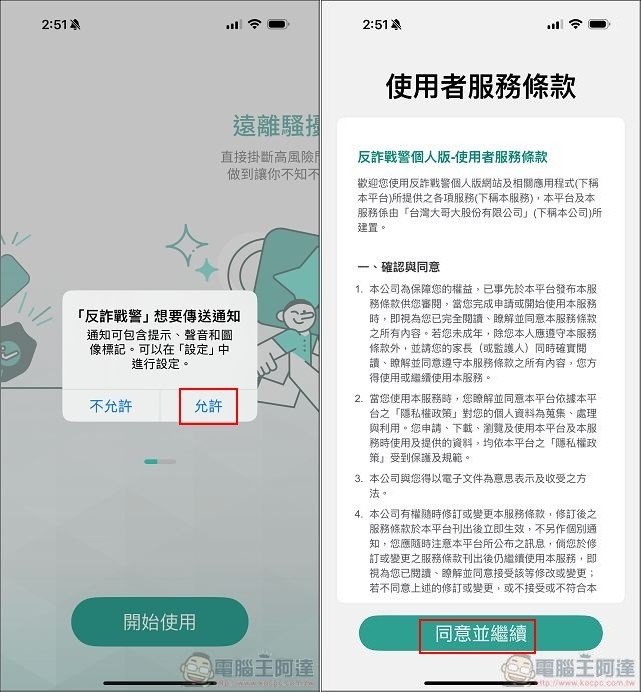
Then enter your phone number and enter the SMS verification code, which can be used by any telecommunications company:
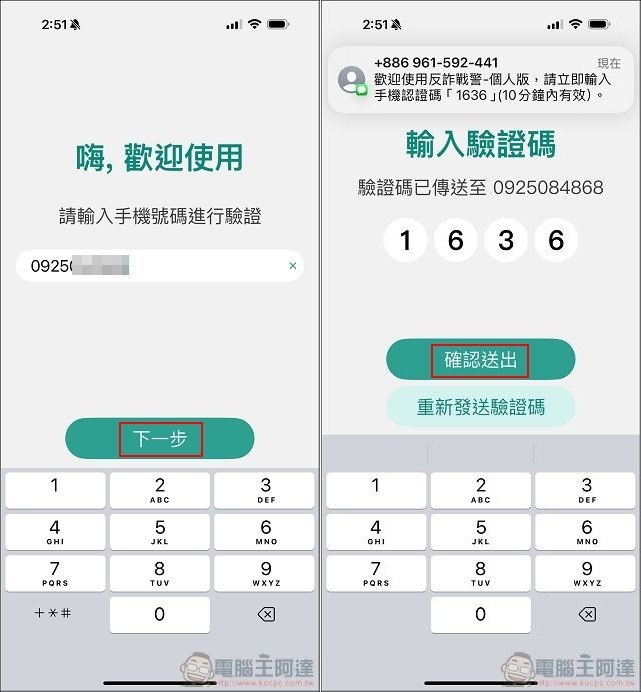
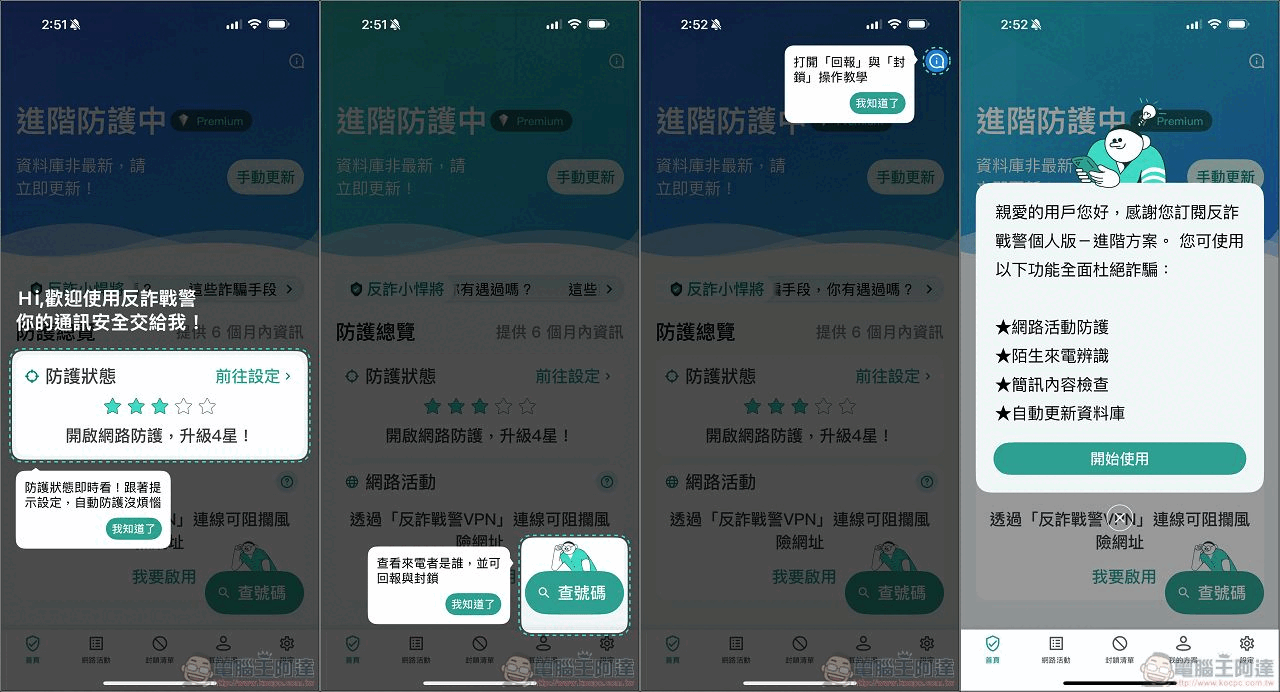
After entering the software, there will be a simple introduction to each function. Click “I understand” along the way:
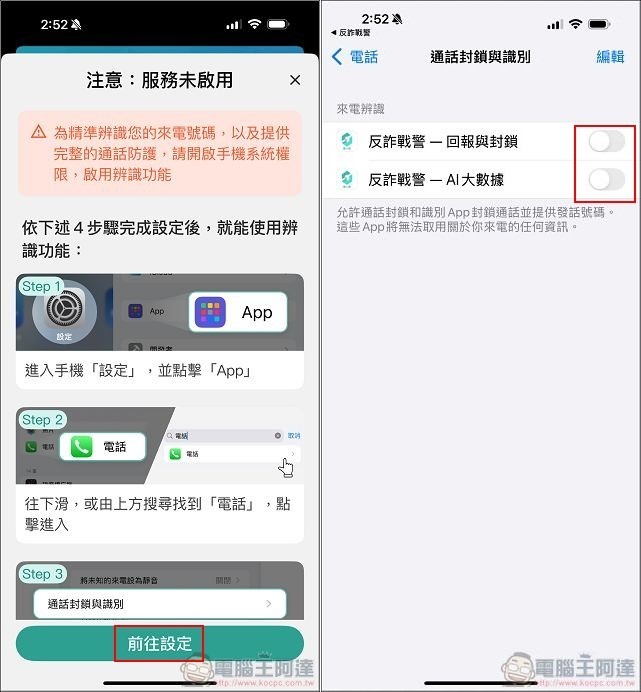
The next step is to set the remaining required permissions and follow the APP’s guidance to go to settings and turn on relevant functions. The first is to set call blocking and identification:
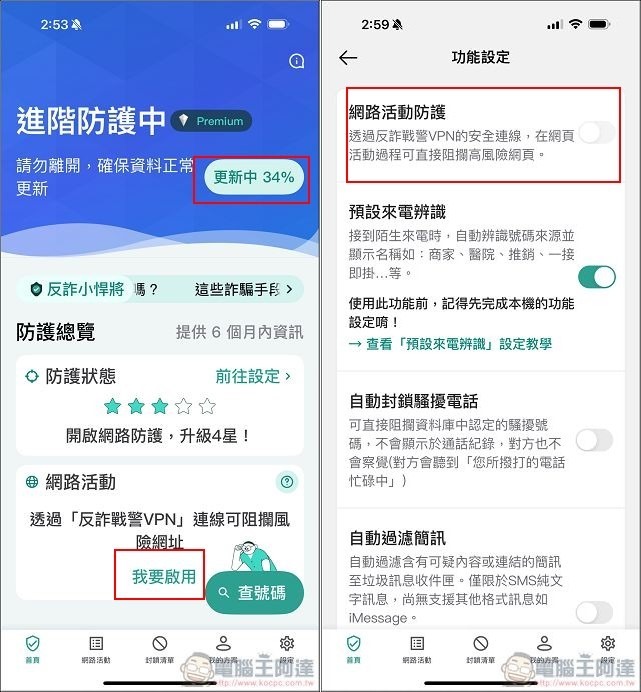
Next, you need to set up network protection. There is an anti-fraud VPN function at the bottom of the screen. Remember to enable it. The main thing is to enable network activity protection. The following automatic blocking of fraudulent calls and filtering of text messages depends on whether you need it. It is recommended that you can also enable it at the same time:
Finally, there is the SMS (text message) filtering function. Follow the instructions and go to the settings to turn on “Unknown and spam messages”, turn on message filtering, and specify to use Anti-Fraud Warden to filter text messages: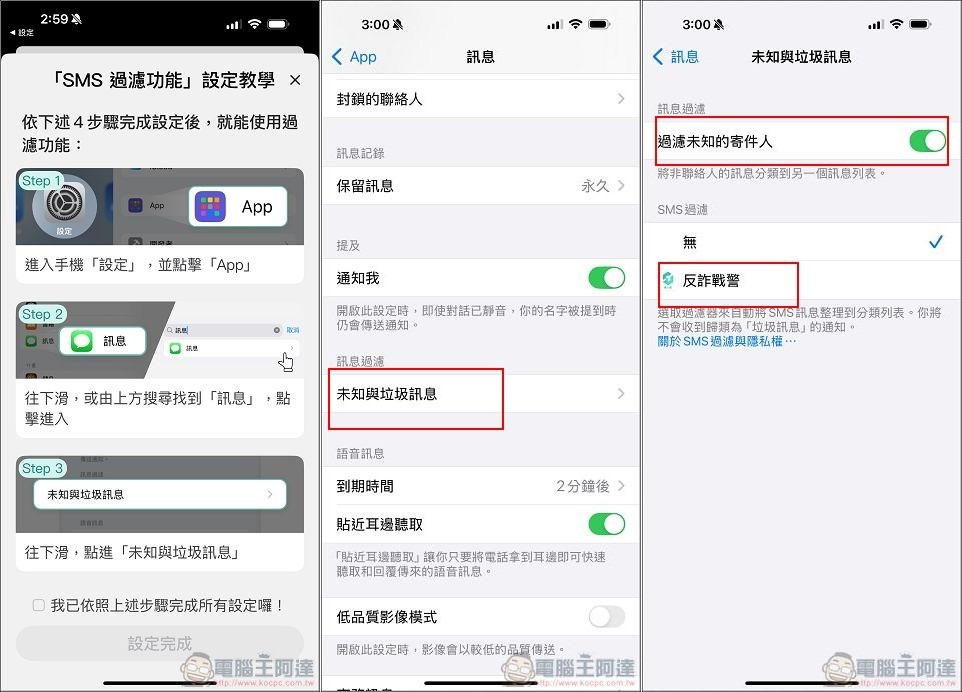
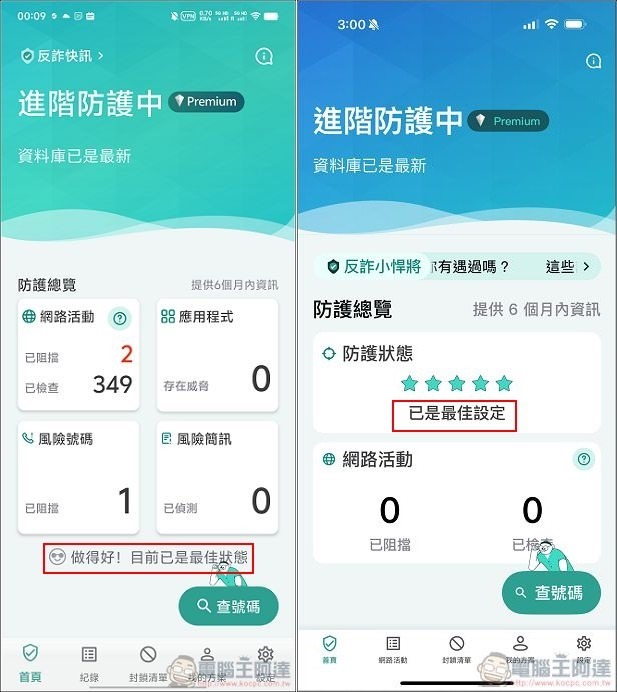
If you have set everything up, your Anti-Fraud Patrol will show that it is currently the best setting/status:
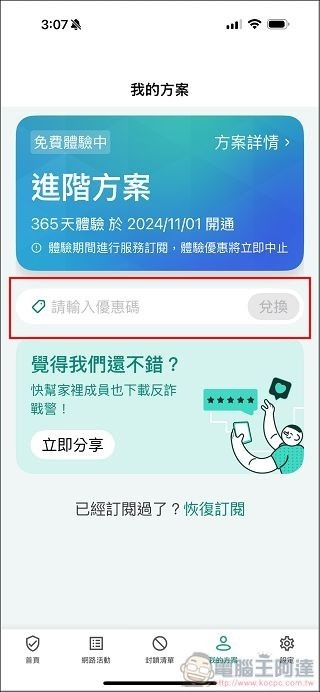
Now as long as you are a newly registered user, you will already have the “advanced version” with the highest level of protection after installation. However, if you are already a user who registered when Ada introduced the software before, you don’t have to worry about missing this limited exemption. Just go to “My Plan” and enter the redemption serial number [P2410GIFT]. You can also enjoy the 365-day free trial of the advanced plan, and automatically return to the free version after expiration:
Download “Taiwan University Anti-Fraud Police” here
Anti-Fraud Warning Functions at a Glance
Next, let’s take a brief look at several important functions of Anti-Fraud Police. The most basic one is real-time identification of unknown calls. As long as the incoming call is a fraudulent phone number registered in the database, a warning will pop up on the incoming call interface, and you can directly reject or block it:
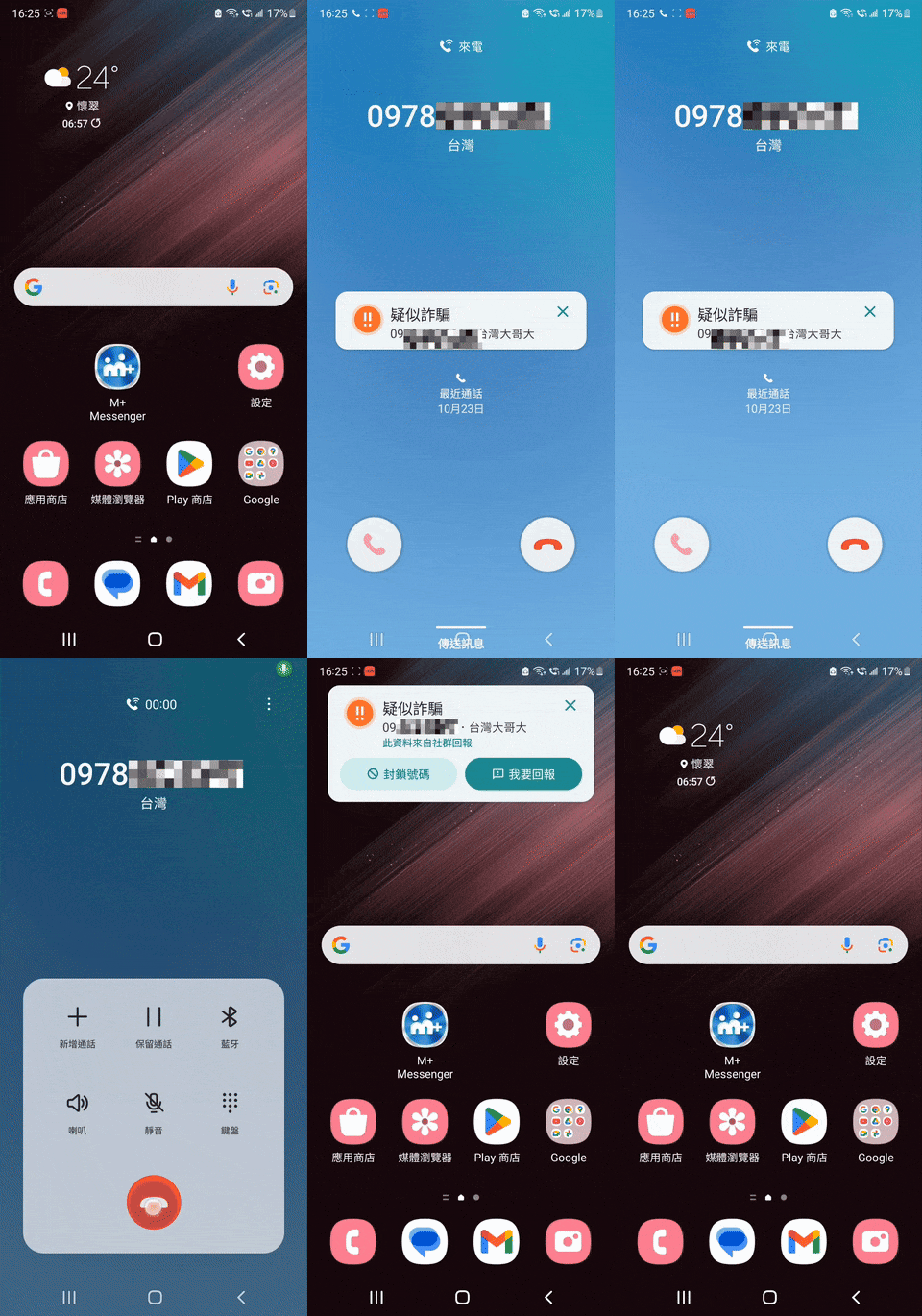
In addition, Anti-Fraud Warden will detect abnormal call behavior in real time, and will directly mark high-risk phone numbers or marketing phone numbers through AI large-scale model assessment behavior and update the data in real time. The best thing about Anti-Fraud Warning is that it will update problematic phone numbers and links to the most real-time database at any time. Unlike similar services in the market, they will not be automatically updated if you do not purchase a membership, increasing the possibility of being poisoned or harassed. Moreover, all functions are ad-free regardless of the version you are using, and it will not be annoying for you to answer the phone to update the database and watch ads.
Not only that, the anti-fraud police will also instantly scan the content and links of all received text messages. If there are suspected phishing text messages and links, a warning will pop up:
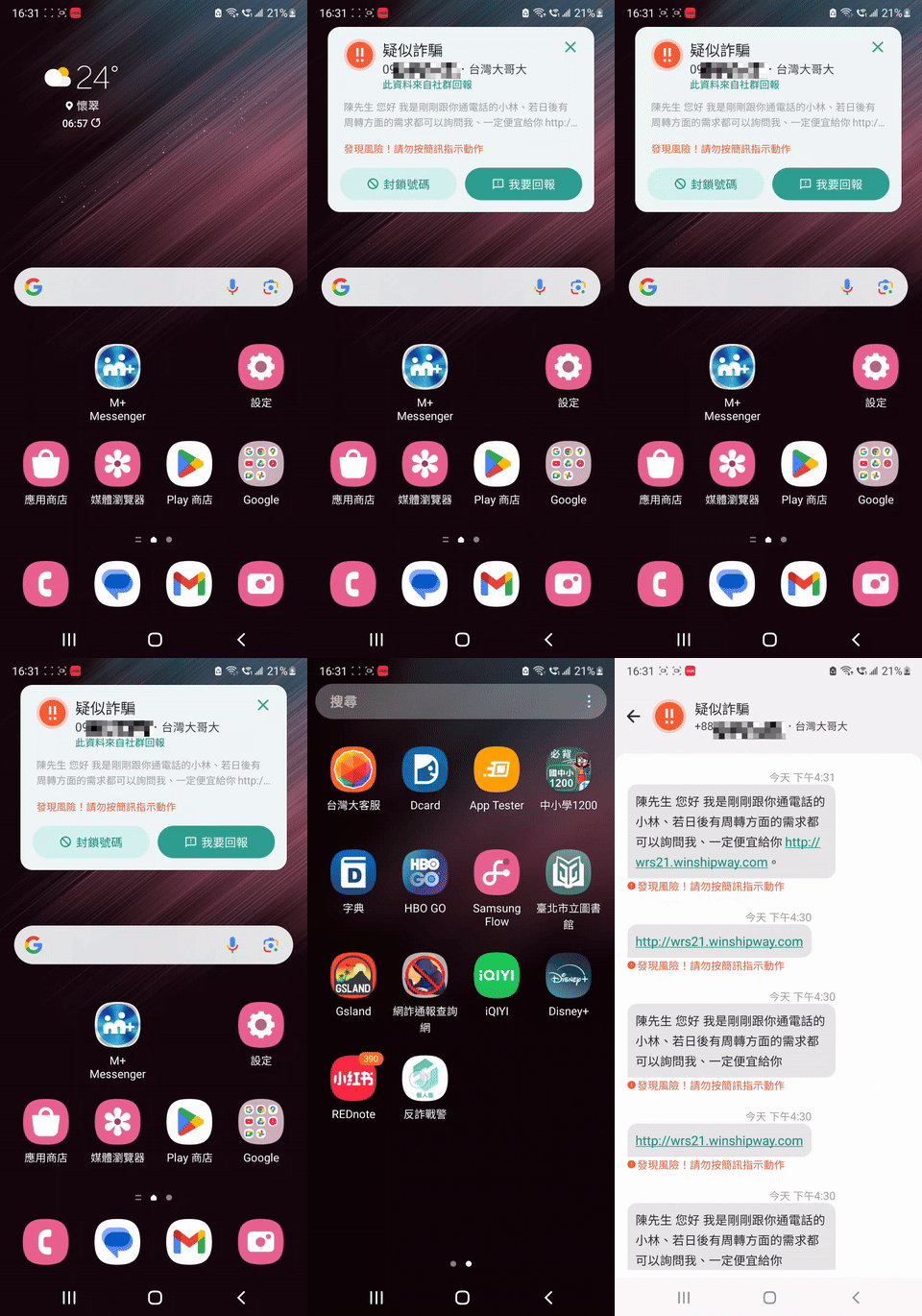
When browsing various web pages on the Internet, you are most afraid of encountering malicious web pages, viruses and phishing pages. Anti-Fraud Warning is equipped with the industry’s first self-developed patented technology. Through Taigo’s huge data analysis, if you see a “possibly” problematic page or URL when browsing the Internet, it will immediately block browsing and pop up a warning. I have personally tested that many Sese pages have problems, so be sure to pay attention:
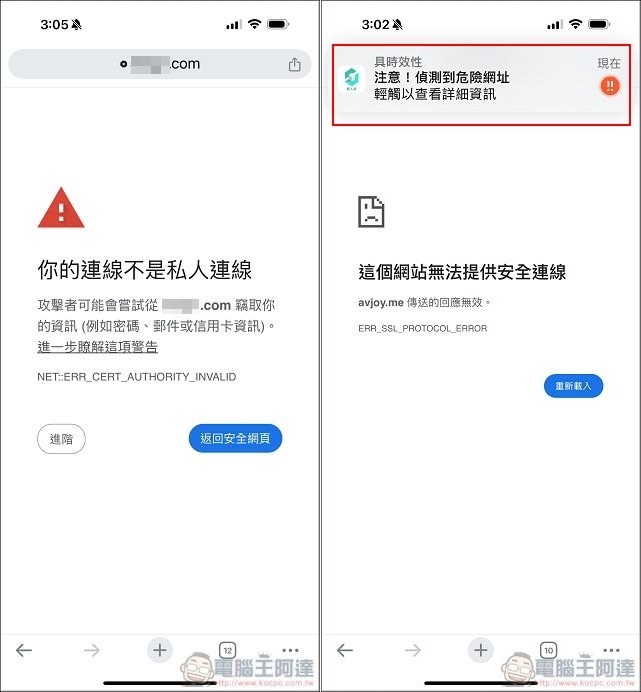
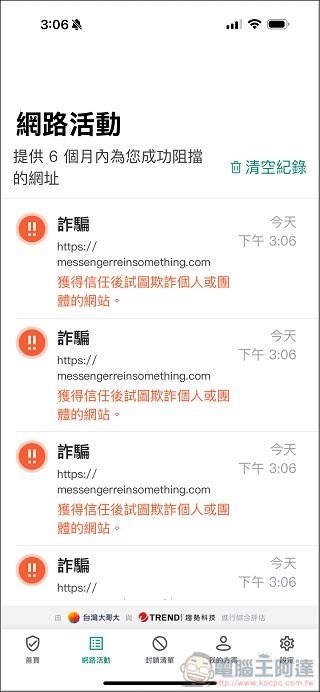
These potentially harmful website information will also be concentrated in “Internet Activity”, but Anti-Fraud Warden’s web protection is achieved through VPN. If you run some applications and the website cannot be connected or the service is unavailable, you can temporarily turn off Anti-Fraud Warden’s online protection function:
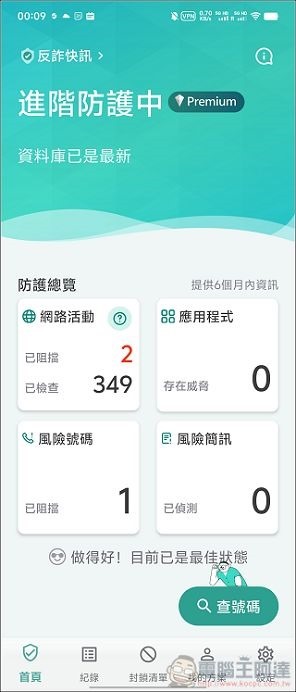
In addition, if you are a user of the Android platform, Anti-Fraud Warden will also help you filter and check the APPs on your device to protect your information security. This is equivalent to installing anti-virus software on your mobile phone, giving you more peace of mind. On the home page, you can see the current protection status, and also see how many possible network attacks have been blocked for you and check related links:
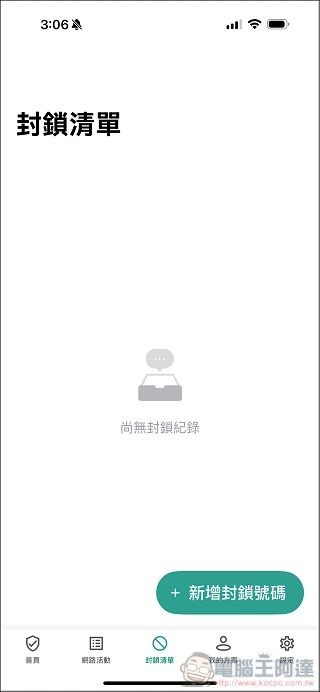
In the “Blocked List”, when you receive a scam or harassing call, you can manually block it, and it will be listed here. If there are calls in the database that hang up as soon as you answer or have a high risk of fraud, the anti-fraud police will directly intercept and hang up as long as you call, reducing those annoying calls:
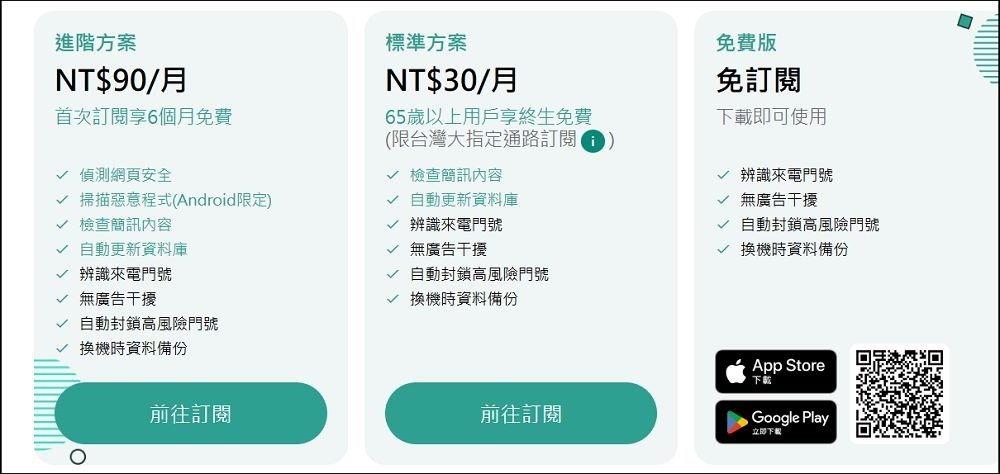
Anti-Fraud Patrol has so many useful and practical functions built-in. Normally, you should have to pay for a subscription, right? This is indeed the case, but Taiwan Columbia University adheres to the starting point of giving back to the society and maintaining public information security. Now download the personal version of Anti-Fraud Police (in fact, it also has an enterprise version, so I won’t go into details here).Just download it from now onAnti-Fraud Warden can use the advanced plan for free for 12 months. When it expires, it will automatically be downgraded to the free version with basic protection.! Even if you don’t renew your subscription in the future, you can still have protection functions such as identifying incoming calls, automatically blocking high-risk phone numbers, and switching backup devices, and there are still no ads! If you subscribe to the advanced plan after expiration, Taiwan University will give you six more months, which means you can use it for free for up to 18 months (but one important thing is to renew the advanced version when it expires, otherwise the free 12 months you renew now will be gone).
Download “Taiwan University Anti-Fraud Police” here
Even the cheapest standard plan has SMS security checks and automatic database updates.The most amazing thing is that as long as you are a Taiwanese user over 65 years old, you will receive a lifetime standard plan for free., protecting the information security of the elders at home is really heartbreaking! In this online world full of scams and traps, it is very important to prepare an anti-virus and anti-fraud environment for your family or elders. Taiwan Anti-Fraud Police does not charge you money and allows you to use it for free for up to 18 months. It is really very generous. It is also unlike other services in the market that have similar functions but require you to watch advertisements. I really recommend you to use it, especially if you have elders over 65 years old at home who can use the standard version for free for life. Where can you find such a conscientious manufacturer? Recommended for everyone’s reference!

Source: KOCPC Chinese