


Originally named “Mindful Nudge” with a sense of mindfulness, after it was recently confirmed to have been launched on the Android system, it was renamed “Screen time reminders” that is more relevant to its functions. We also recommend that everyone consider turning on this feature as soon as possible. Continue reading to avoid excessive use of mobile phones and teach you how to activate the new time reminder function of Android Digital Health.
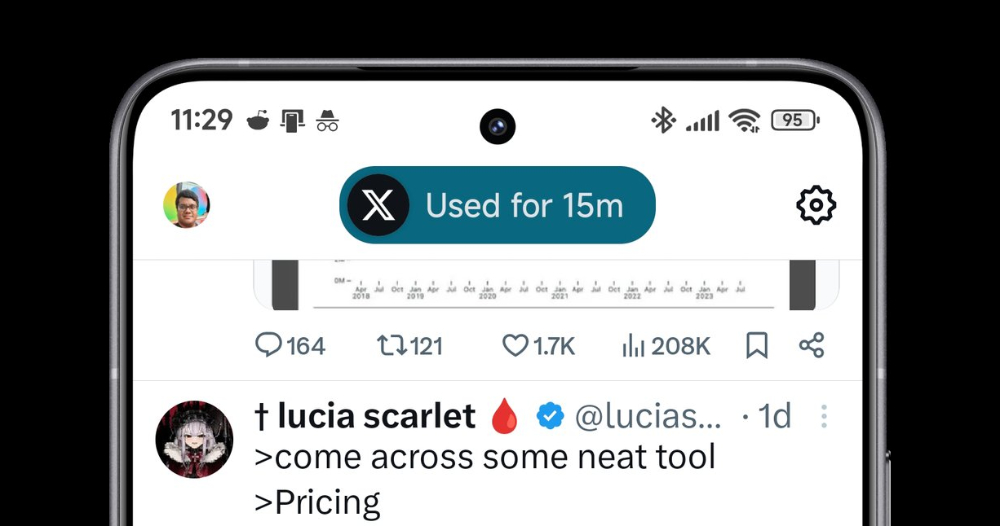
▲Image source: Mishaal Rahman
Avoid excessive use of mobile phones and teach you how to activate the new time reminder function of Android Digital Health
Compared with things like parental monitoring or enterprise device management, actively blocking and disabling app functions may bring disgust and counter-effects (resulting in using it crazily when it can be used?). The new features of Google’s “Digital Wellbeing” that were recently discovered through APK disassembly give people a relatively positive “reminder” feeling.
Perhaps because of this, it was originally named “Mindful Nudge” with a sense of mindfulness. After it was recently confirmed to have been launched on the Android system, it was renamed “Screen time reminders” that is more relevant to its functions.
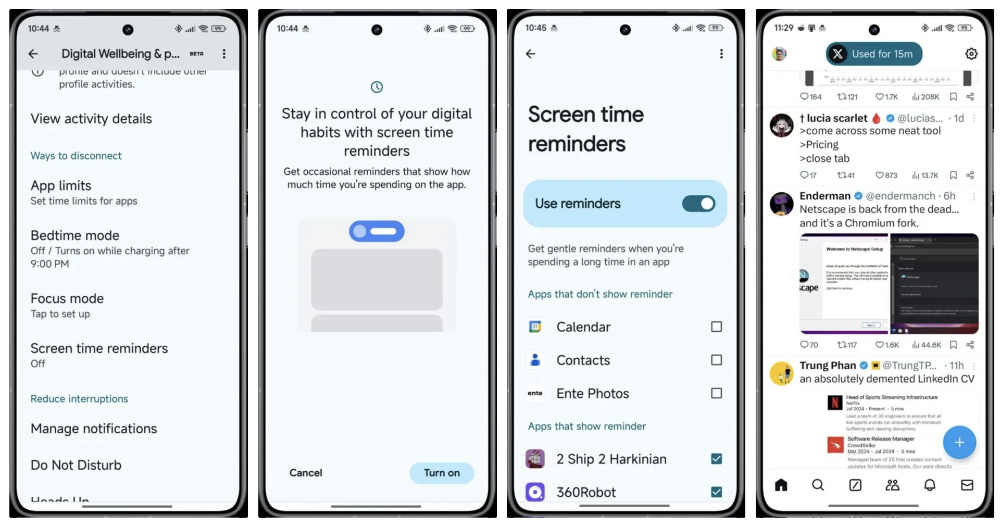
▲Image source: Mishaal Rahman
We also recommend that everyone consider turning on this feature as soon as possible. Because it will give you a little bit of trouble and a little bit of (time) pressure. But on the one hand, it will not actively block your right to use it. On the other hand, a sufficiently obvious time reminder can still have the effect of avoiding addiction to specific applications.
How to turn on Android Digital Wellbeing Screen Time Reminders
In addition to the boot interface that the system may have. This new Android digital health screen time reminder feature will be found in the “Digital Health and Parental Control” feature in Android system settings – the English name is “Screen time reminders” and is turned off by default.
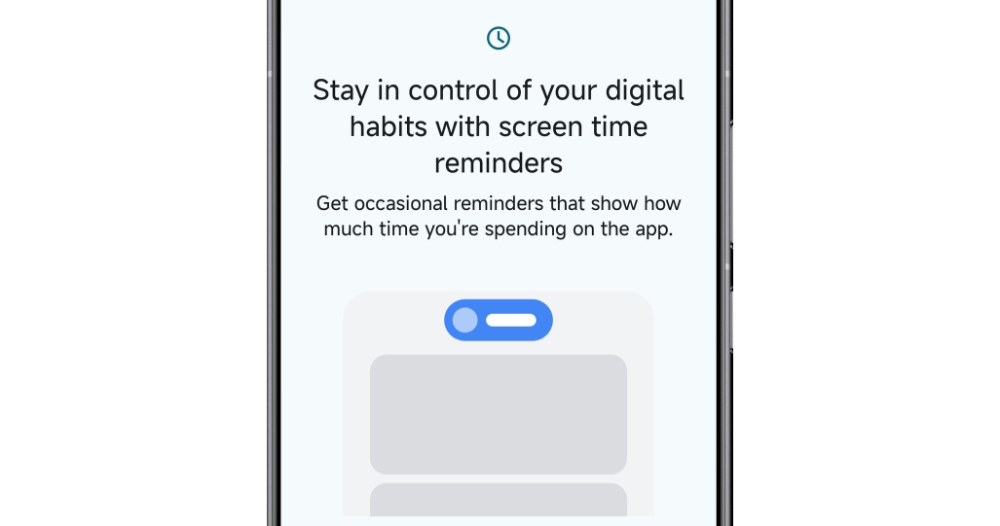
▲Image source: Mishaal Rahman
After clicking on this function setting, you will see a simple guide page, letting you know that after Screen time reminders are turned on, you will “occasionally” be reminded through the interface of the time used by the currently launched application. In the settings, you can set whether you want this reminder to pop up when using specific applications.
▲Image source: Mishaal Rahman
As Mishaal Rahman shared on the X (formerly Twitter) social networking site. This feature “occasionally” activates – it’s currently unclear how long it will take or what state it will activate.
A capsule window that looks like Apple’s dynamic island will pop up at the top of the screen. It will remind you how long you have been using this app with the app’s icon and the time it has been used.
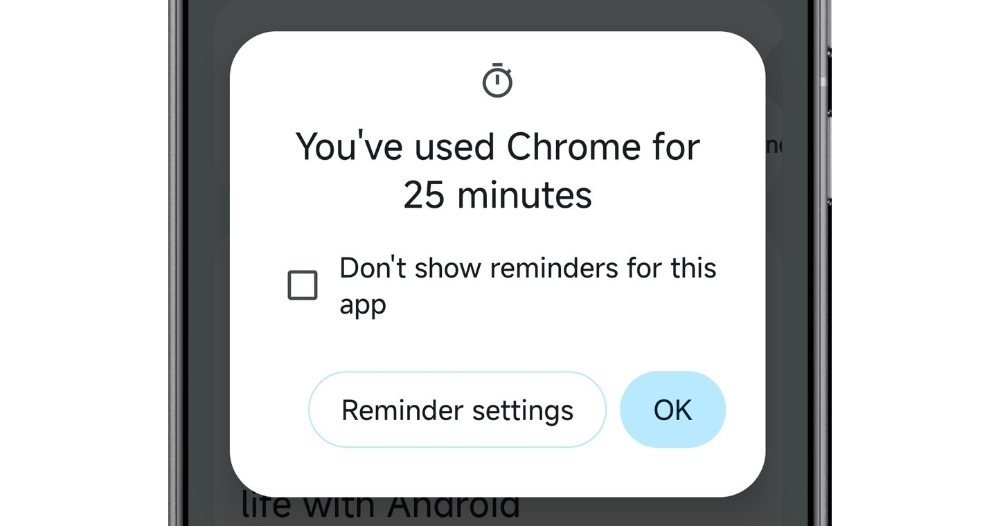
▲Image source: Mishaal Rahman
If you click on this pinned capsule notification, you can check “Don’t show reminders for this app” to exclude the app from being included in the screen time reminder function. Or use the shortcut button to enter the Screen time reminders settings to turn off the entire function.
I must say that I think this kind of function can be a good reminder for apps that accidentally get addicted and keep sliding the screen. Of course, to truly stop spending too much time on mobile phones or specific apps, you still need to rely on your own willpower.
But at least it’s better than just counting screen time, and completely blocking the app when the time is exceeded. This function should give people a warm reminder feeling in the middle.
Quote sources:X (formerly Twitter)|Via:Android Authority|
Further reading:
How long until Gemini is featured on Apple Intelligence? The whistleblower is not optimistic
Source: KOCPC Chinese