


With the rapid development of AI, there are more and more computer viruses, and network attacks are also frequent. Almost every once in a while, you will hear the news that a certain company has been hacked. This happens even to companies with such perfect information security. For ordinary users, it is even more necessary to use professional anti-virus software to protect their computers.
I believe many people know the well-known anti-virus brand “Kaspersky.” I have used it for several years in the past. Recently, I tried “Kaspersky Professional” again and found that compared with before, the security protection has been greatly improved. Almost a set of software can protect most devices such as computers, mobile phones, and tablets, and can even optimize performance.
If you’re looking for antivirus software, Kaspersky is definitely worth considering.
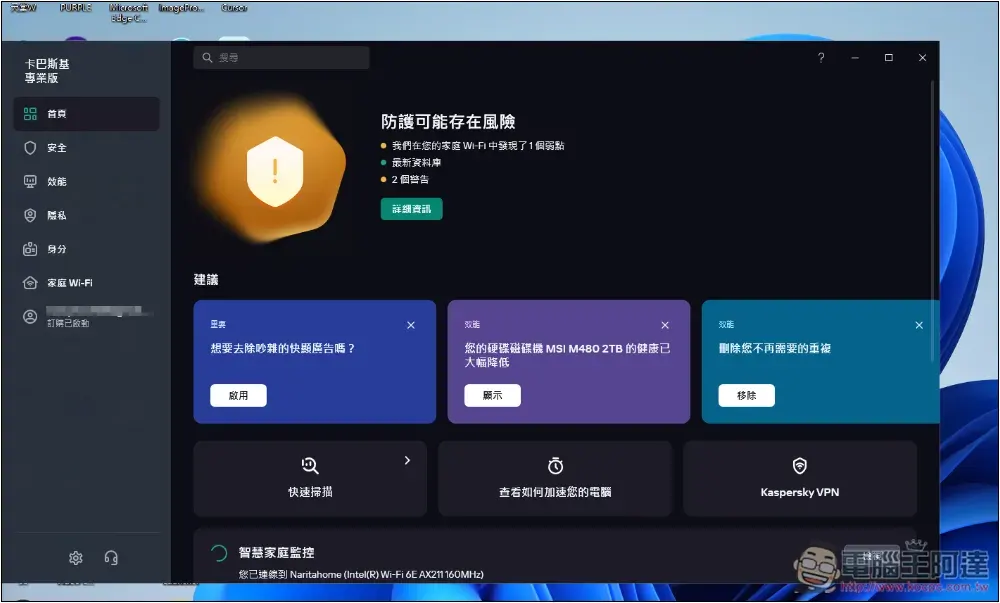
Introduction to Kaspersky antivirus software
Kaspersky was established in 1997 and has been for more than 25 years. It is one of the oldest Internet security software in the world. I believe most computer users know that it currently has more than 400 million users and 270,000 corporate users around the world.
According to data provided by the official website, last year they blocked 437 million network attacks, destroyed 112 million special malicious objects, and blocked 106 million special malicious URLs. Kaspersky’s anti-virus protection capabilities have always been quite satisfactory.
Exclusive offer for Ada readers:The price is 33% off, and for a limited time, you can get an additional 10% discount, which becomes 53% off.
It has also received international certification as the best anti-virus software of the year for many years in a row, such as the familiar AV-Comparatives, Kaspersky won the most recommended anti-virus software in 2023, SE Labs selected it as the AAA highest protection, AV-TEST provides high-level threat protection, etc.
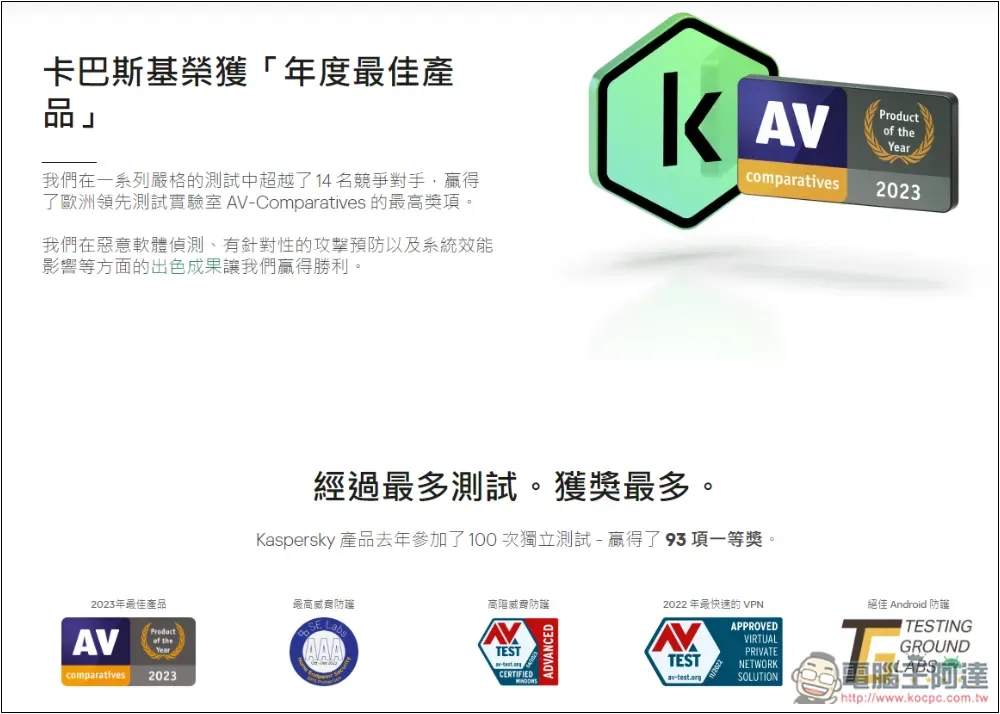
And not only anti-virus, but its Kaspersky VPN has also been selected as the fastest VPN by AV-TEST GmbH:
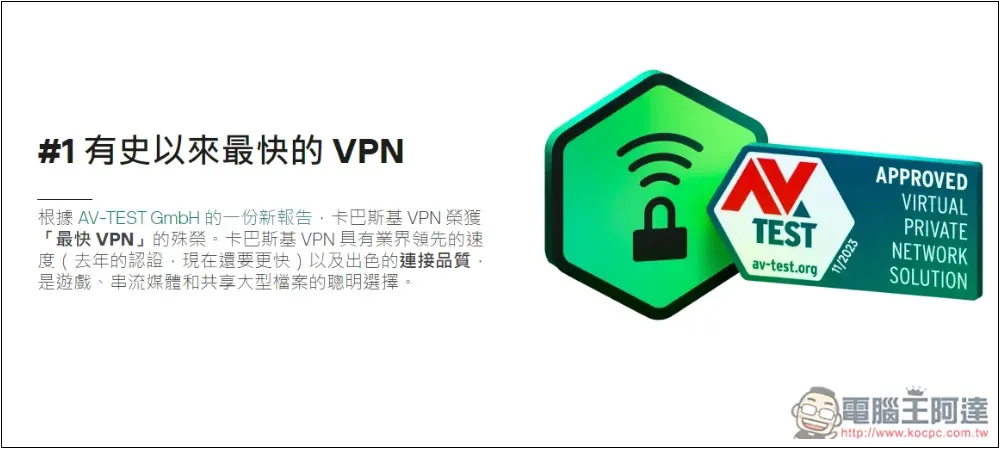
Kaspersky Professional Edition review, 8 major features
Kaspersky currently has three versions: “Standard Edition”, “Advanced Edition” and “Professional Edition”. For those who want the highest computer protection, it is highly recommended to consider the Professional Edition, which has some important security and computer performance-enhancing features.
1. Ultra-comprehensive security protection, not only anti-virus, but also monitoring suspicious activities at any time
The protection of Kaspersky Professional is really not to mention, it is very strong. After installation, all protective components will be enabled, including file protection, network attack protection, safe browsing, email protection, firewall, system monitoring, and phishing protection:
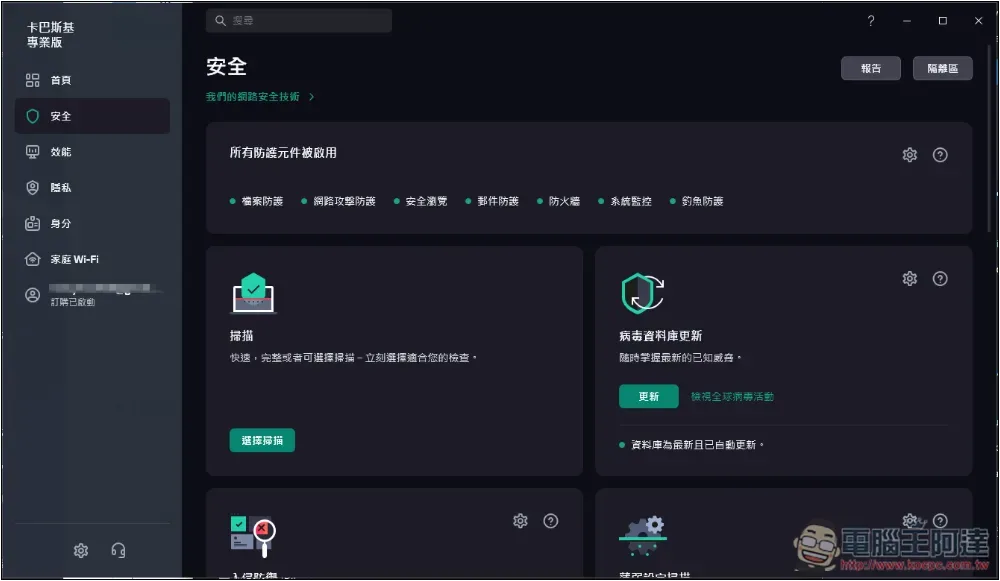
In normal use, real-time protection will check whether there are any current risks on the computer at any time, including when a risky file is downloaded, it will be immediately put into the quarantine area. In addition, on the right side of each website in Google search results, it will mark whether it is trustworthy. A green check means safe, and red or yellow should be paid special attention to:

This icon prompt is very useful, especially for people who don’t know how to identify whether a website is safe or not, so they don’t have to worry about entering some high-risk websites.
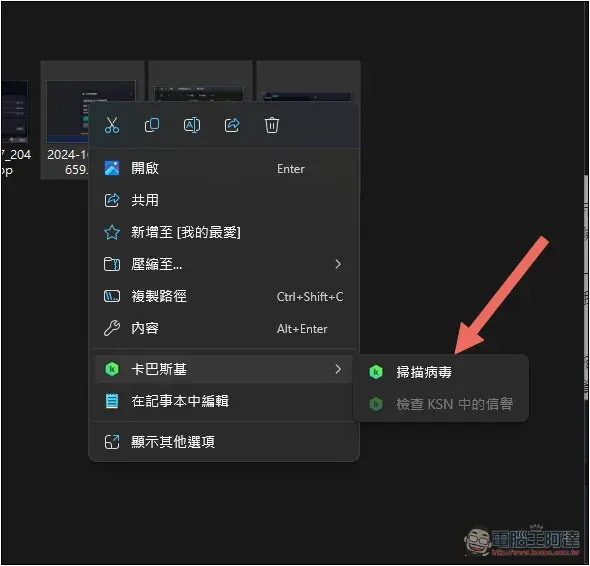
When downloading some files, if you are worried that the real-time protection has not checked them yet, you can directly open the right-click menu and ask Kaspersky to scan them. This is quite common for me. As long as it is a file that I am not sure about its security, I will use this function to scan it first after downloading:
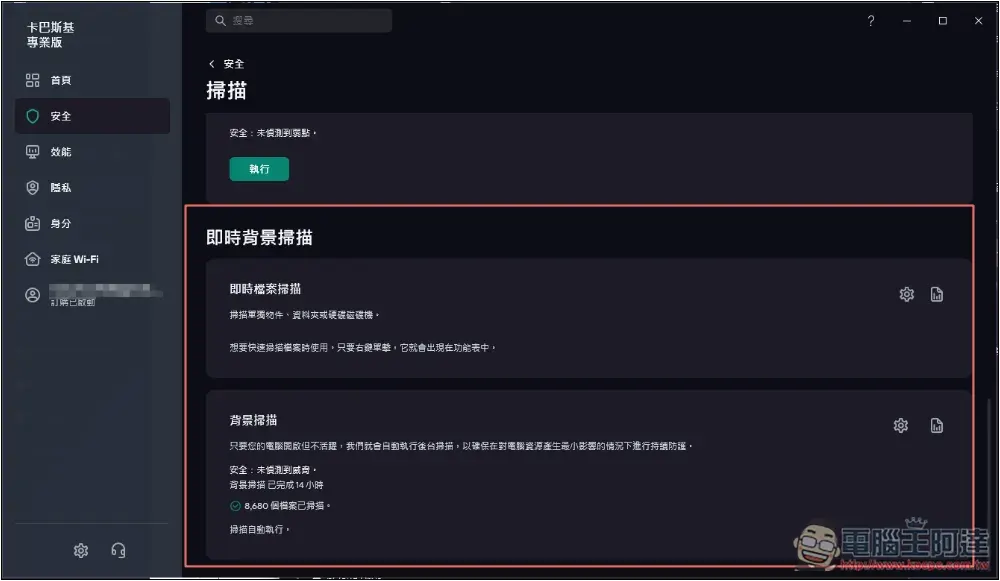
The background scan function will automatically detect the active status of the computer. When you are using it heavily, it will not be executed and you will not worry about taking up resources:
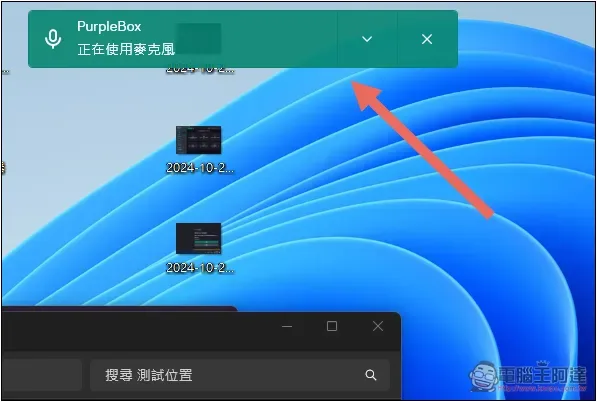
If your computer is equipped with a web camera or microphone, when an application is in use, a notification will be displayed immediately on the screen:
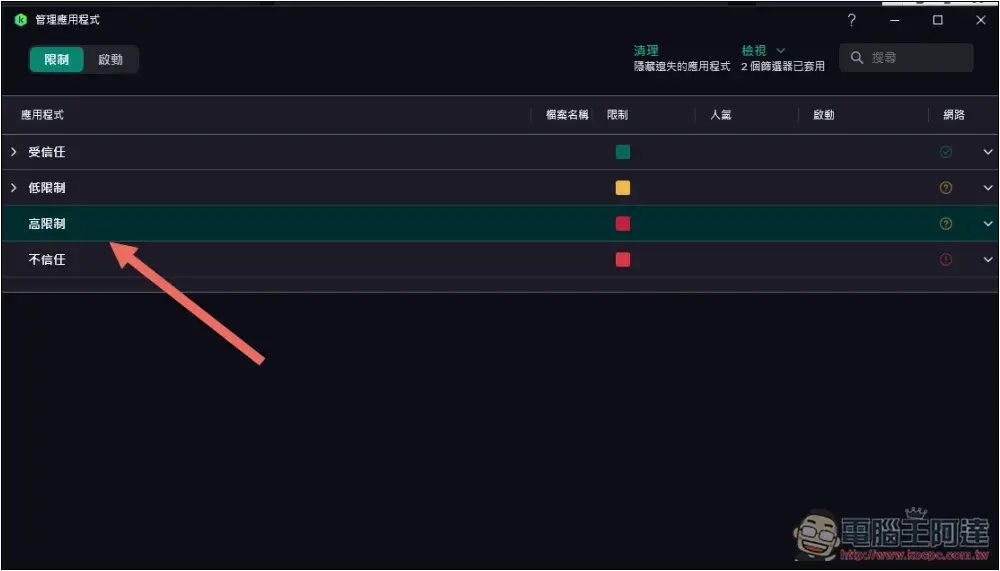
There is also a great security protection function. In intrusion prevention, you can monitor the applications you are currently using to see if there are any highly restricted or untrusted programs running in the background. When you feel that the computer is acting weird, or the performance becomes very slow for no reason, you can check here, and if you find anything, you can immediately block and remove it:
If the computer has any weak settings, it will also tell you:
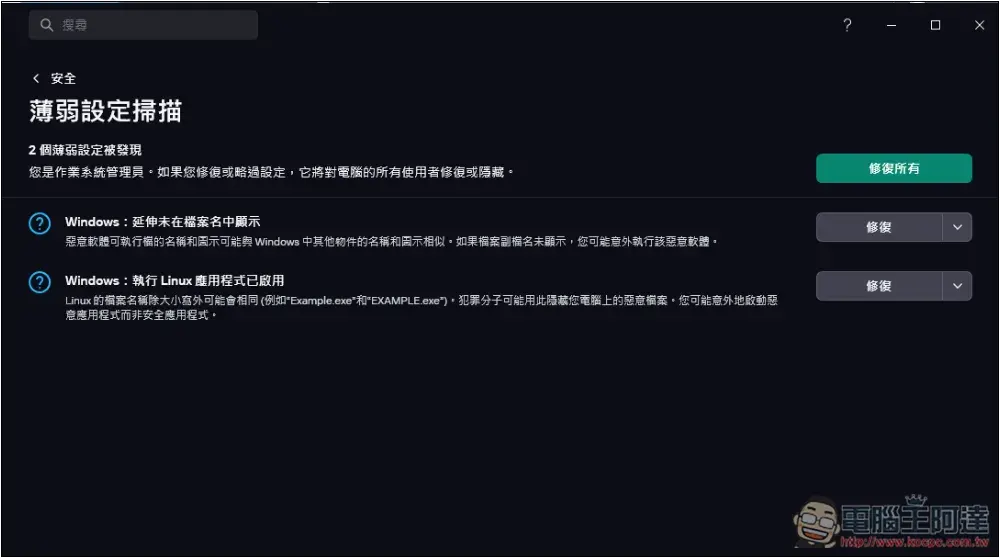
With Kaspersky Professional, you will really feel more at ease when using it. You don’t have to worry about everything, just let it be protected in the background at any time.
2. Built-in secret vault function to encrypt important files
I really didn’t expect that Kaspersky now also provides file encryption function. This is really practical, and it allows professional anti-virus software to help with encryption, which makes it more reassuring to use.
Go to the data protection in the privacy menu and you will find a “Secret Vault” function. Once the files are put in, they will be encrypted immediately. No one knows what files are inside until they are decrypted:
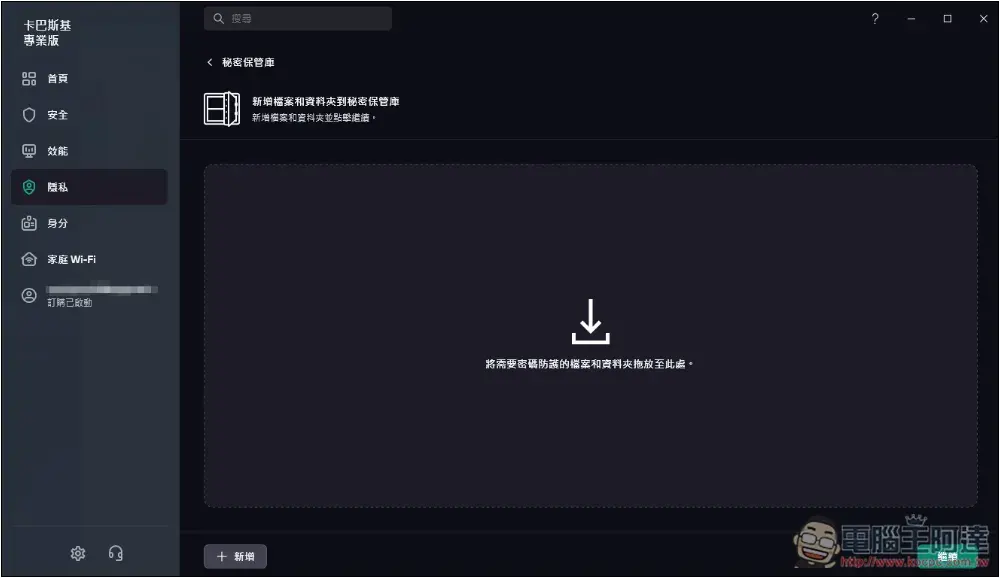
And the method of use is very simple. After entering the secret vault, just drop in the files or folders that need to be password protected, set the vault password, and you are done:
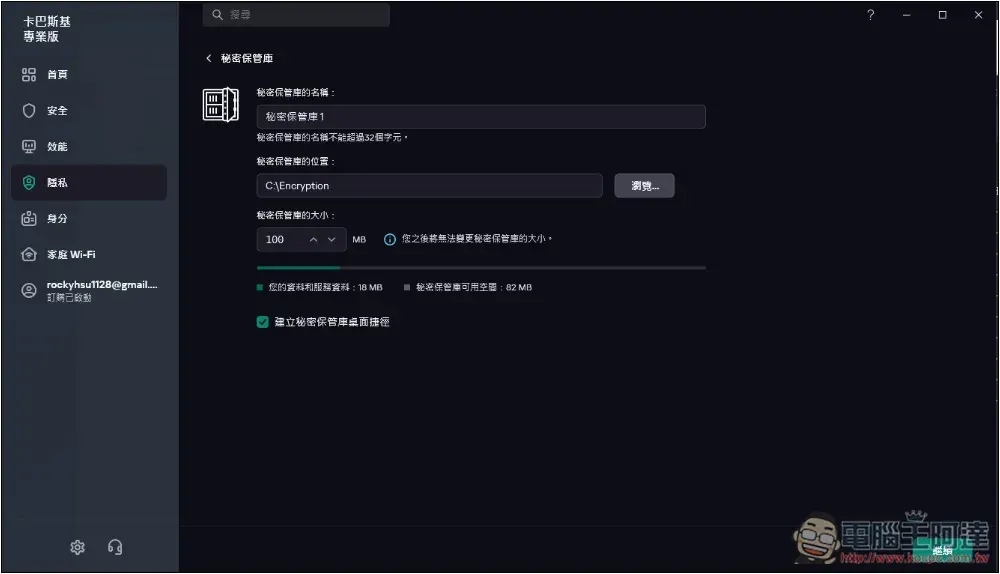
It is very important to remember the password of the vault. If it is lost or forgotten, these encrypted files cannot be recovered, not even Kaspersky can do it.
The encrypted file will be stored in the secret vault, and you will need to enter a password to access it when opening it:
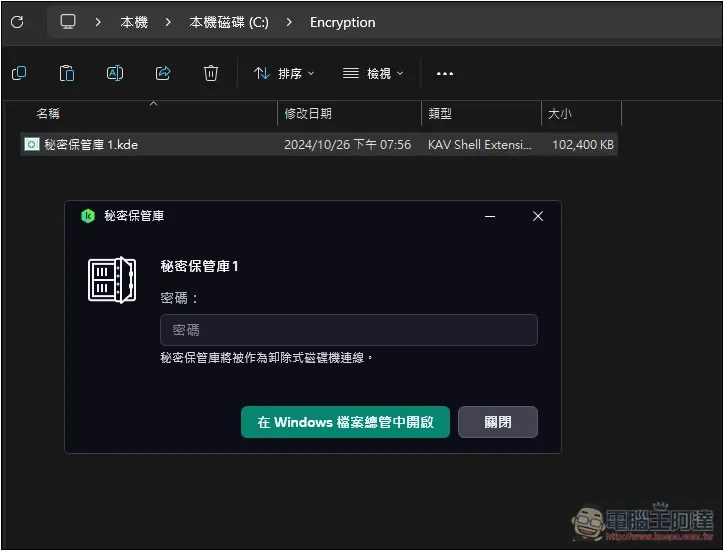
I quite like this encryption method. Most other encryption software converts each file into an unknown encrypted file. If you want to use multiple files at once, you must decrypt each one, which is quite troublesome to operate.
Kaspersky’s method is to put the specified files into the vault concept (multiple vaults can be created). After decryption, you can open the entire vault and browse all files, which is very convenient.
There is also a file shredder that is quite easy to use. If there are some important files in your computer that you don’t want to recover, you can use this function to permanently delete them, so you don’t have to worry about someone recovering them through other methods:
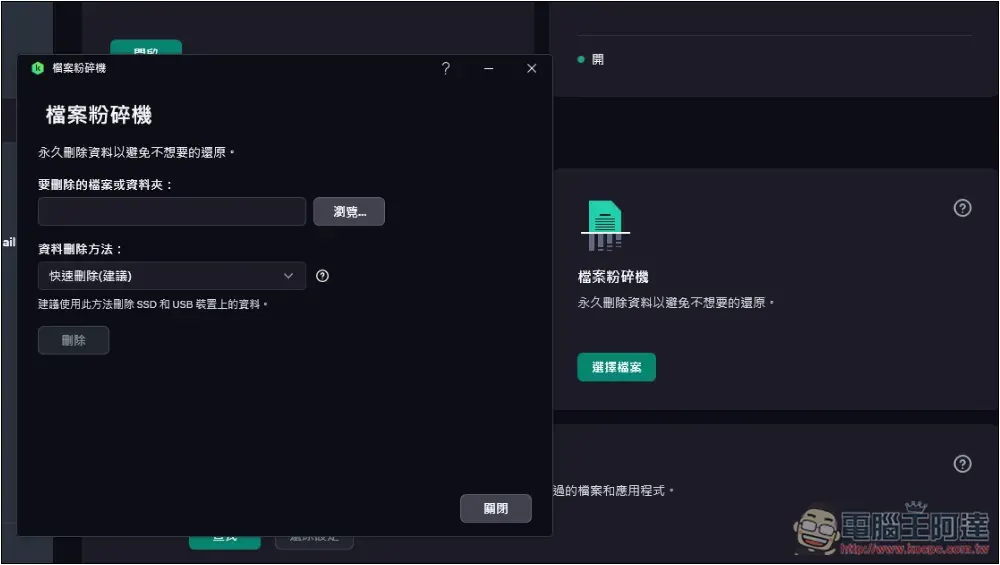
3. Safe Money model that makes online shopping safer
Many people, like me, often shop online. According to statistics, credit card fraud incidents are increasing year by year, and they will definitely worry about whether they will become the next victim.
Kaspersky has a great Safe Money mode. After adding commonly used shopping websites and online banking to the list, when entering these websites in the future, they will immediately be opened with a protected browser to ensure that online financial activities will not be stolen or recorded, so that we can make online payments with complete confidence:
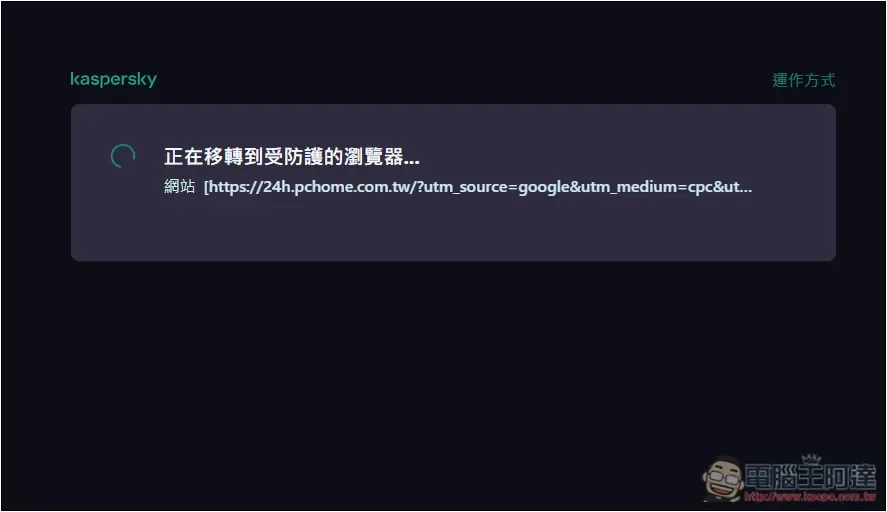
Even screenshots are not possible. I can only reproduce the images through the camera. Green means protected:
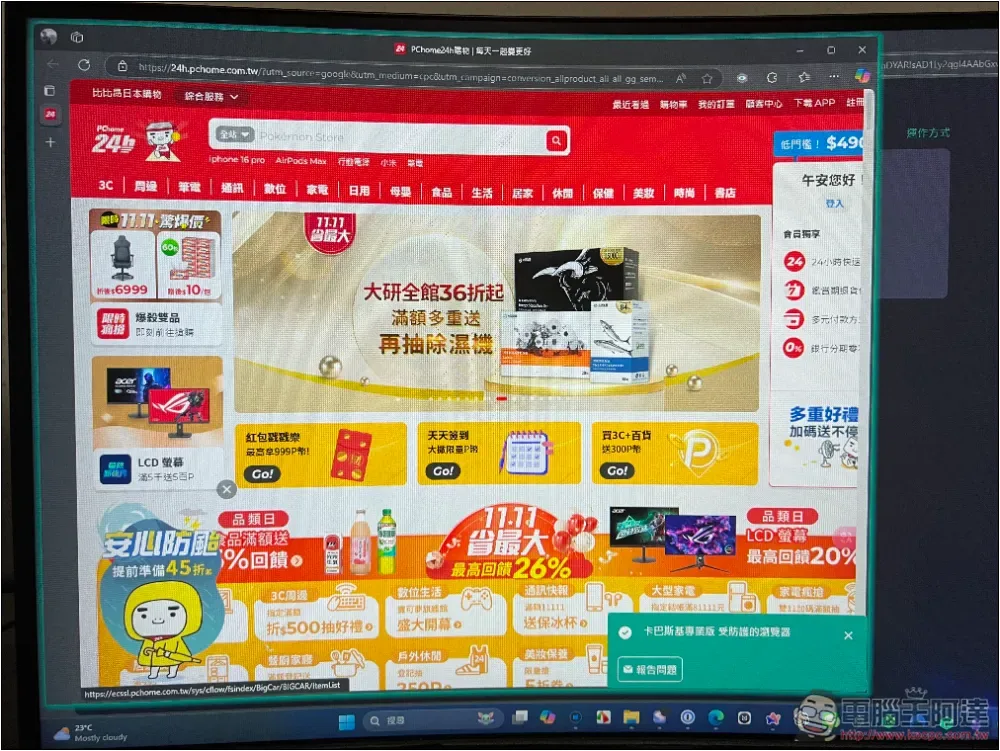
A few months ago, I happened to encounter a certain credit card being swiped. Fortunately, I turned on the card swipe notification at the time, and blocked the card immediately and replaced it with a new one. I now enable this mode when making online payments.
4. Real-time monitoring of home Wi-Fi for weaknesses and notifications when new devices are connected.
Everyone must have Wi-Fi at home. Although it is safe to use in most cases, if the password you set is not too strong, it may actually be cracked.
It can be as simple as stealing your network, or more seriously, if the person who steals happens to be a hacker, he can easily steal your Internet data. This is quite dangerous, because you will definitely use your home Wi-Fi for online financial activities.
Kaspersky Pro automatically scans your home Wi-Fi network for any weaknesses so you can fix them in real time. Like my password is too weak, it suggests I reset a stronger password:
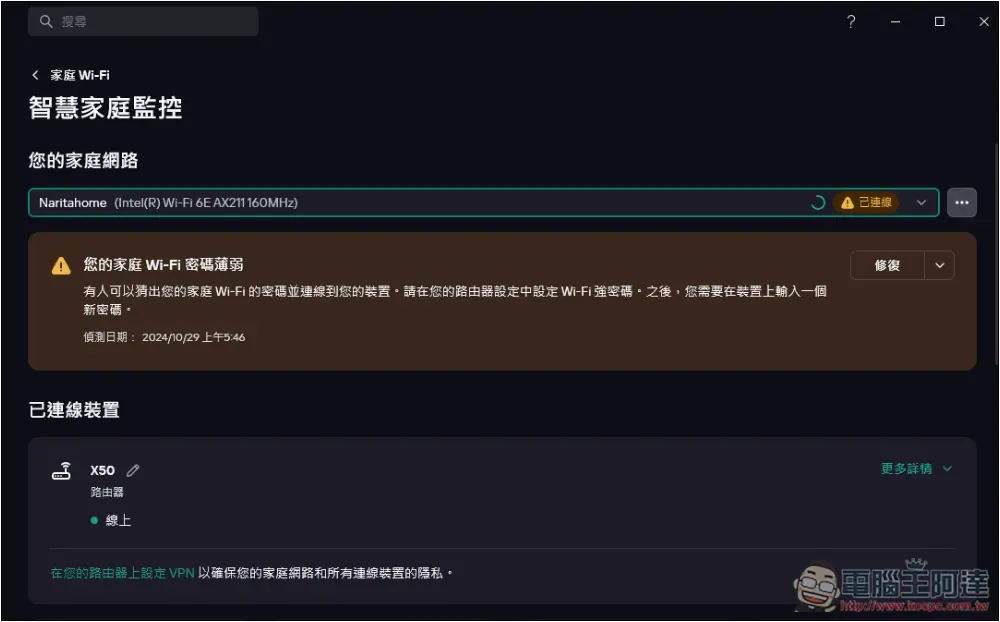
You can also monitor the currently connected devices at any time. If there is an unknown one, you can block it, or reset and change the password so that it cannot connect:
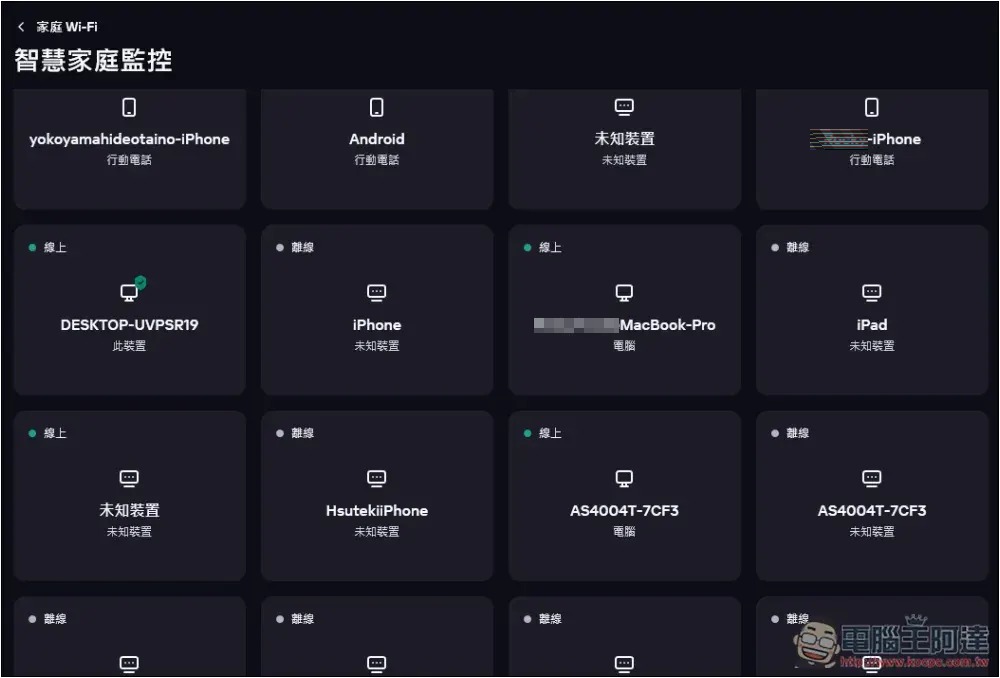
When a new device is connected, it will also be notified immediately. With this feature, you don’t have to worry about your home Wi-Fi being hacked.
5. Automatically optimize computer performance
I really didn’t expect that Kaspersky has a function to optimize computer performance. In the past, everyone was worried that anti-virus software would slow down the system. Now, not only does it not slow down, it can also be optimized. This is really good and makes anti-virus software more versatile.
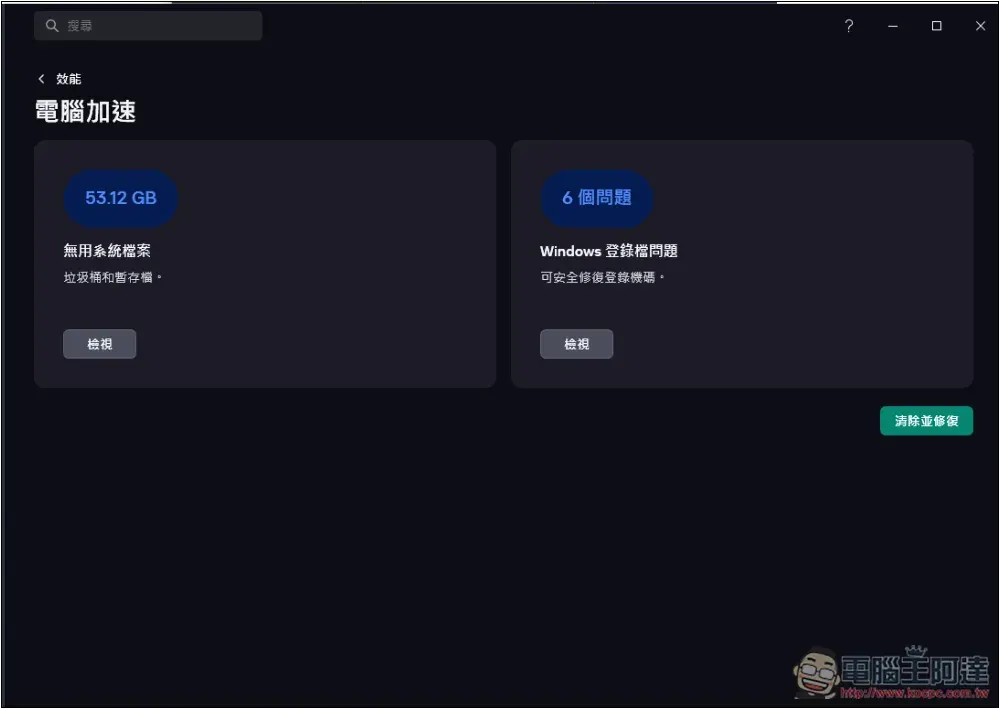
Moreover, this performance optimization also provides a variety of options, such as computer acceleration. It will scan the computer for possible ways to improve performance speed, including useless system files and Windows login files. The scanned content can also confirm the details. If there is no problem, it will be processed with one click:
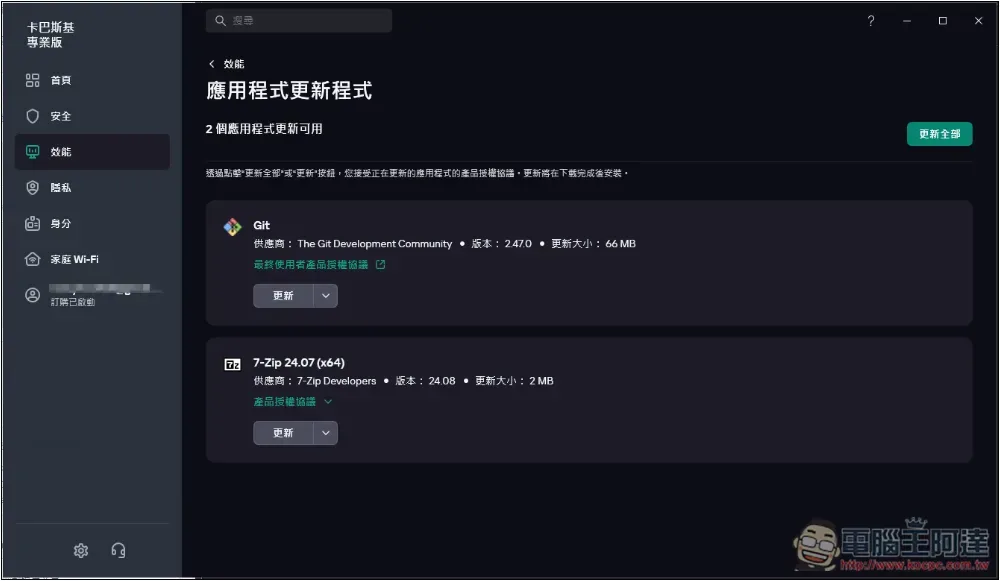
In addition, we also check whether there are new versions of the applications installed on the computer to help us get the latest updates at any time:
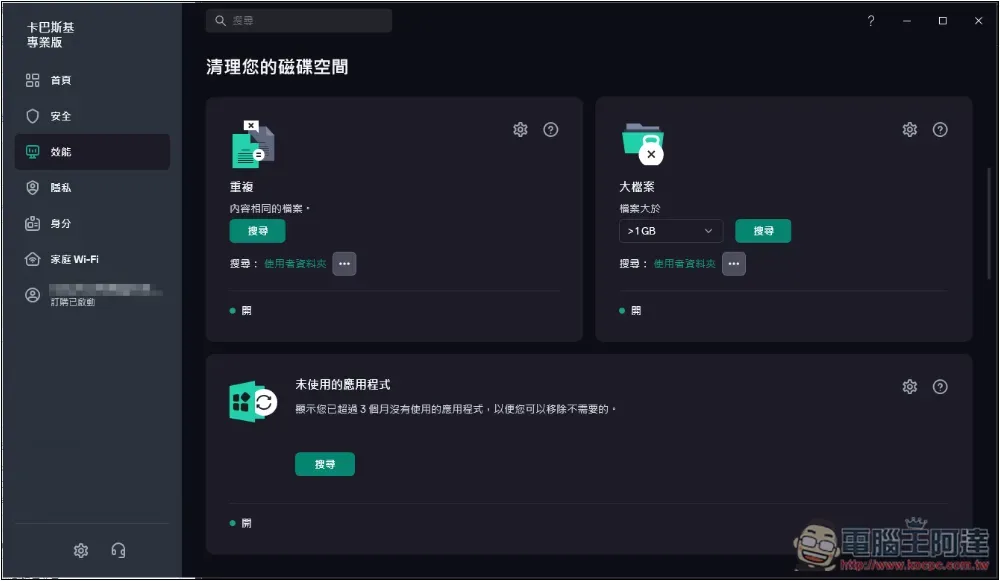
When hard drive space is running out, Kaspersky can also scan duplicate files, large files, and unused applications on your computer, so you can quickly find files that are useless and take up a lot of hard drive space. This is very useful:
You can even check the hard drive health, which is really powerful:
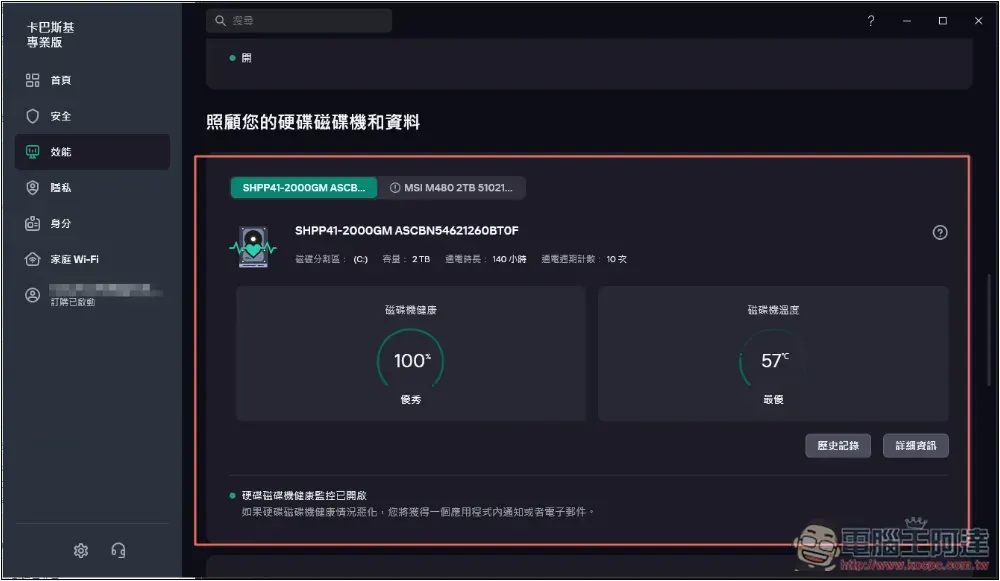
6. Provide backup and restore functions, no longer worry about sudden computer accidents
This also surprised me. Kaspersky even has a backup and restore function, and it is quite complete.
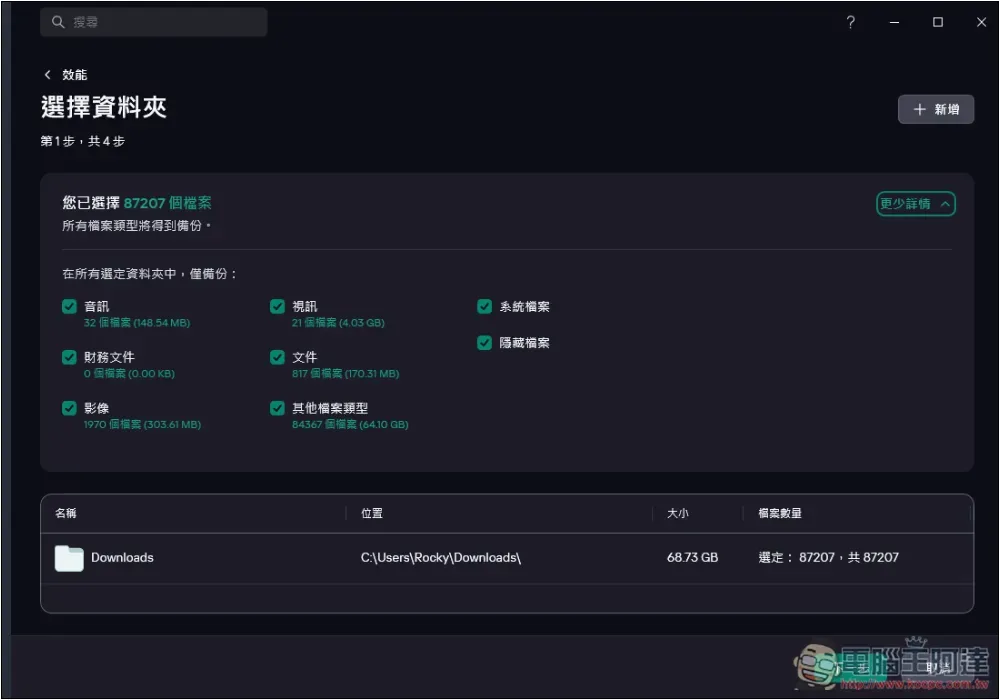
Not only can you freely set the folders, file types, and storage paths to be backed up, but it also supports two methods of backup: “manual” or “automatic”.
If set to automatic, it will automatically back up in the background when the time comes every day, so you don’t have to worry about forgetting:
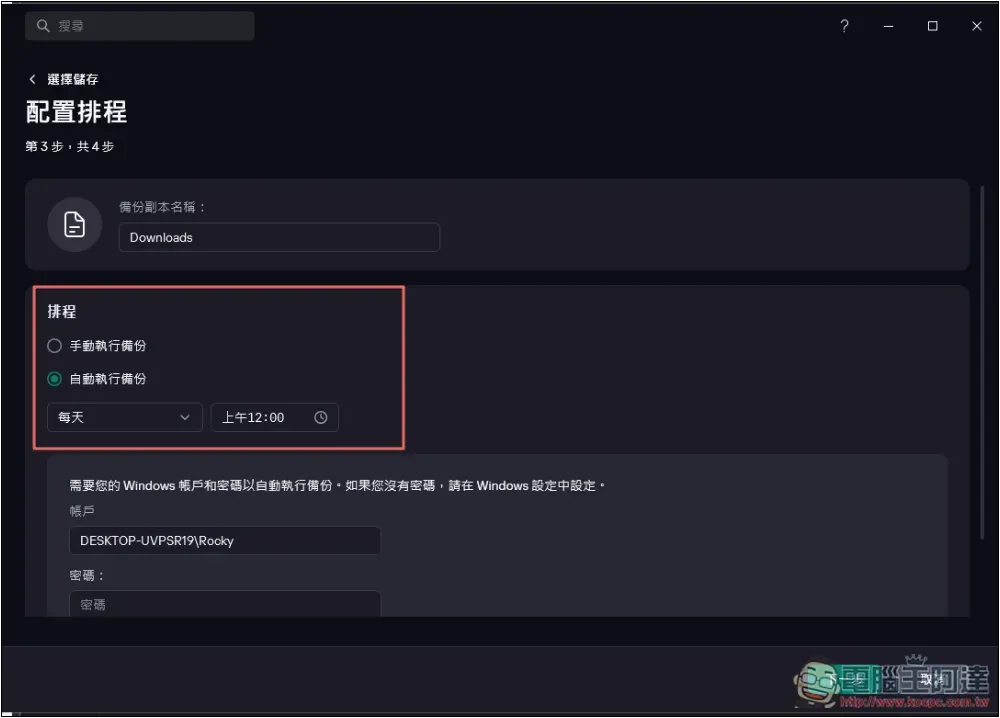
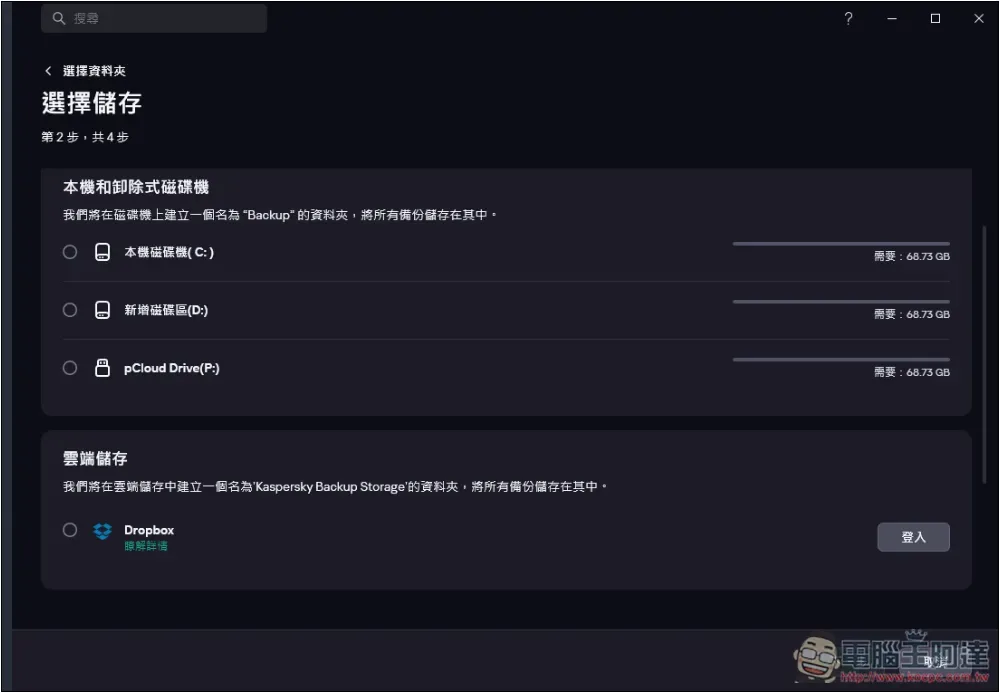
In addition to the local computer, the storage path also supports Dropbox cloud and network drives. There are quite a few options:
7. Built-in Kaspersky Password Manager professional password management tool
Password management tools are also a must-have for almost everyone nowadays. With them, you can create complex passwords that are not easy to crack. Moreover, each service is different, which can greatly reduce the risk of account theft.
If you don’t have one yet, you can also use Kaspersky Password Manager, a professional password management tool, after buying Kaspersky Professional Edition, which is quite cost-effective.
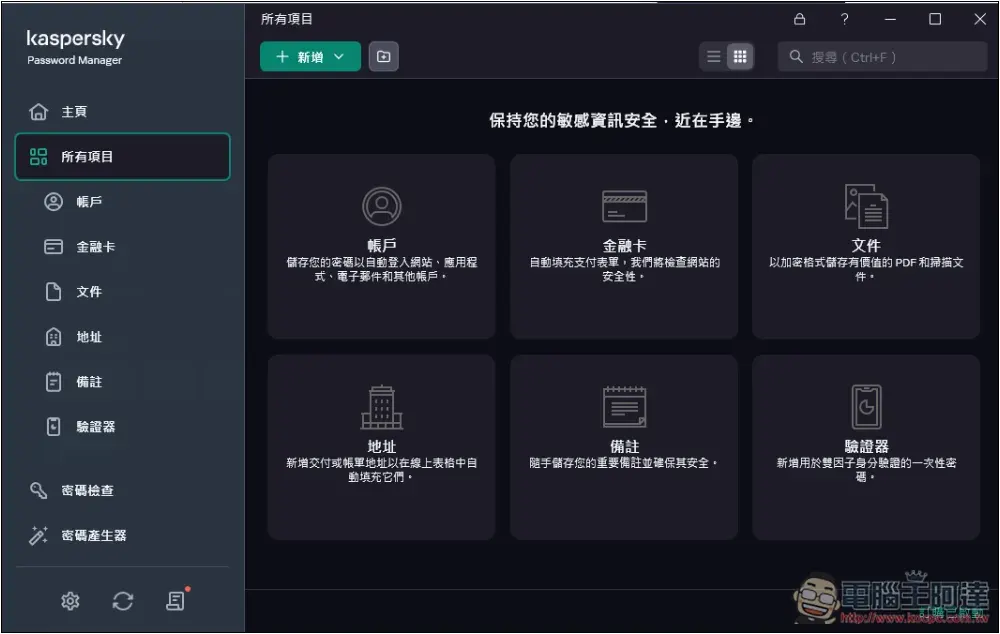
Kaspersky Password Manager can record a lot of things, including accounts, financial cards, files, addresses, notes, and even authenticators support:
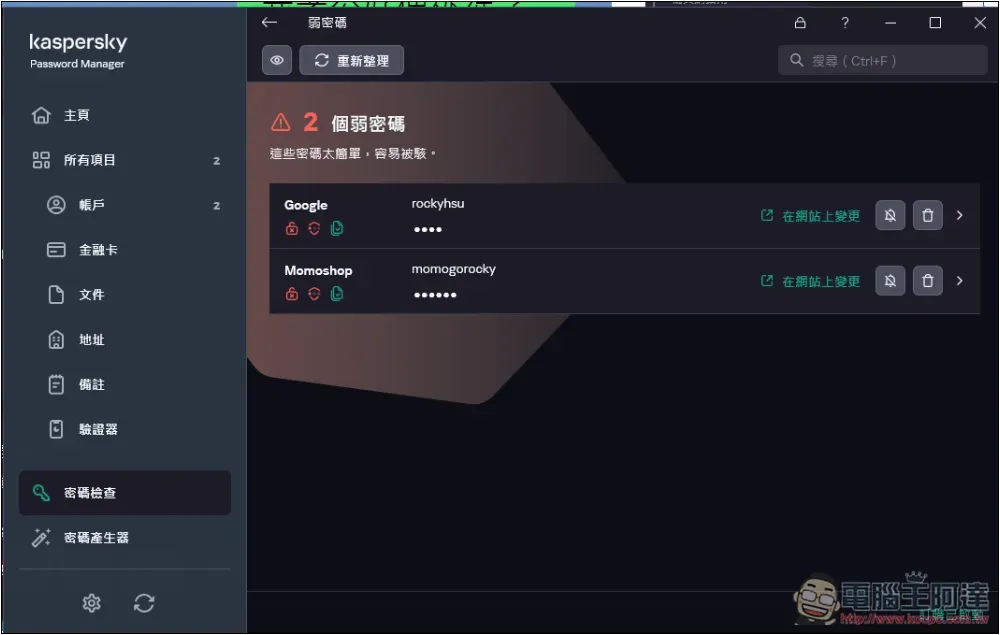
It will automatically scan the entered password. If it is too weak, a red text reminder will pop up. At this time, you can use the built-in password generator to create a strong random password, which can greatly improve the security of your account:
I have been using password management tools for several years. If you are like me and apply for many online services and have many accounts and passwords, you must use them.
There are so many cyber attacks and leaks nowadays. Many mailboxes commonly used by people must have been leaked. There is a great need for this kind of tool to enhance the strength of passwords and avoid being cracked and stolen.
8. Unlimited use of high-speed and highly secure Kaspersky VPN
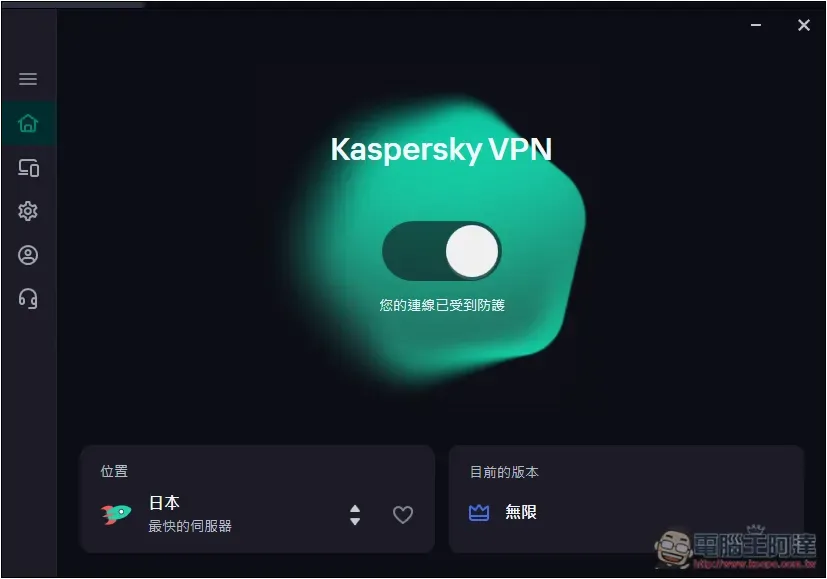
Kaspersky Professional Edition can also use Kaspersky VPN, and it has unlimited traffic without any restrictions, which is also very good. The representative said that there is no need to spend additional money to buy a VPN:
Moreover, the functions of Kaspersky VPN have become more and more perfect in recent years. In addition to protecting online privacy, it now also provides optimized servers for various streaming services, as well as functions such as split channels, smart protection, and even the WireGuard protocol, which is almost comparable to some professional VPNs:
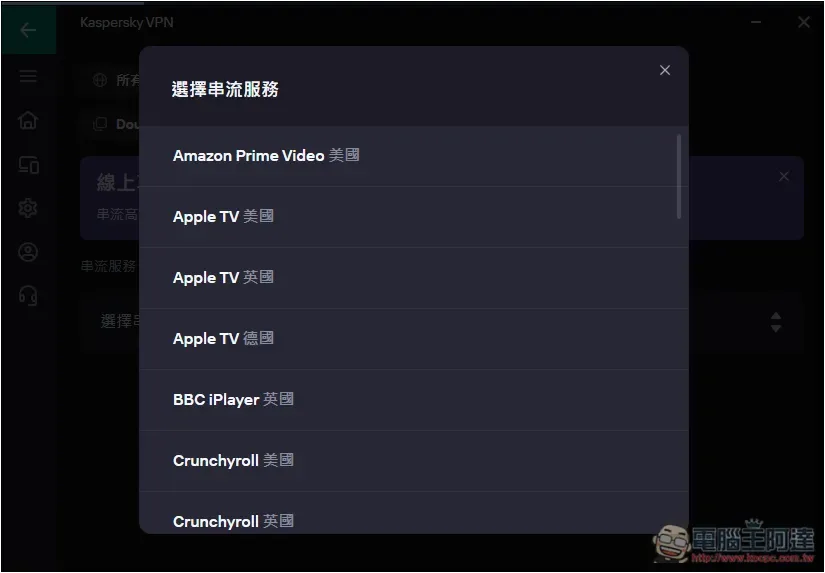
In my actual test, I also successfully unlocked American Netflix:
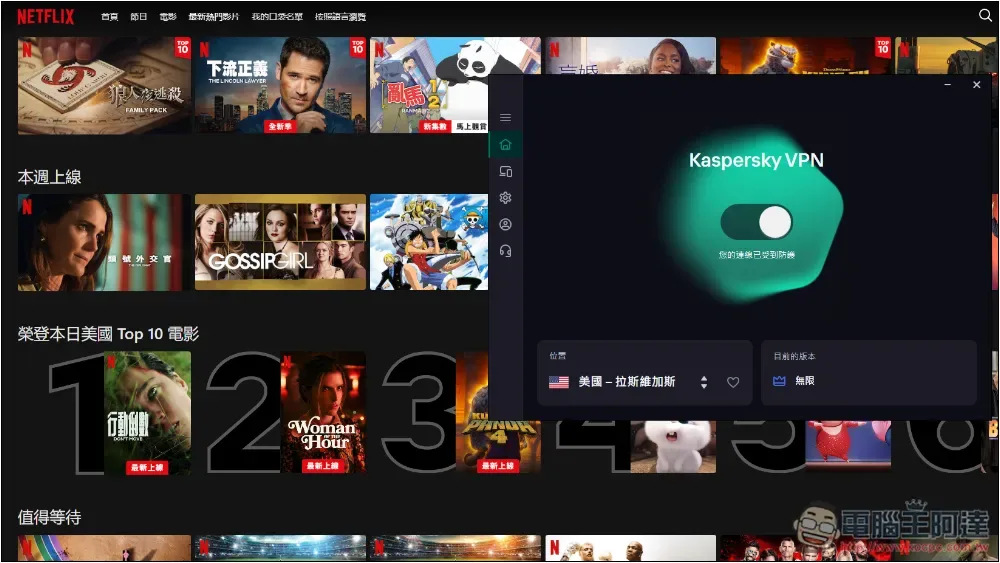
Kaspersky VPN is also sold separately. If you only need high-speed VPN software, you can consider it. However, for those who do not have anti-virus software on their computers, I recommend Kaspersky Professional Edition, which is very cost-effective.
Kaspersky product features
Kaspersky Professional Edition is now really rich in features. Due to the length of the article, there is no way to introduce each one.
To put it simply, it is not only a professional anti-virus software, it can also protect your privacy, Internet security, improve performance, protect data, and manage passwords. It is a comprehensive anti-virus software.
Kaspersky Professional 4 major features
- Security protection:Real-time antivirus, intrusion prevention, vulnerable settings scanning, network monitoring, expert virus checking and removal, Safe Money online payment protection
- efficacy:Computer acceleration, tracking application updates at any time, clearing hard drive space, hard drive health, backup and restore
- privacy:Kaspersky VPN, Data Leak Checker, Kaspersky Password Manager, Block Ads, Block Junk Apps, Adware Removal, Secret Vault, File Shredder, Privacy Cleaner
- identity:Identity Protection Wallet, Identity Theft Checker, Tracking Remote Access App
Kaspersky Antivirus Offer
Kaspersky provides three versions: “Standard Edition”, “Advanced Edition” and “Professional Edition”. I highly recommend the Professional Edition. You will be surprised by its rich features.
In addition, Ada readers now have an exclusive discount of 36% off, and they can also get an additional 10% discount for limited-time purchases. The representative said that it is only 56% off, which is very cheap.
The following is the original price of each version. Please go to the discount page to check the actual price after discount.
- Standard version: Original price starts from NT$860/year
- Advanced version: Original price starts from NT$1,200/year
- Professional version: Original price starts from NT$1,870/year
Although the Professional Edition is much more expensive than the Standard Edition, if you buy VPN, password management, and encrypted file tools separately, Kaspersky Professional Edition will be super economical. Just VPN + Kaspersky Standard Edition, the price is almost the same as the Professional Edition.
The main differences are as follows:
| Function | Standard Edition | Advanced version | Professional version |
|---|---|---|---|
| Virus protection, malware protection and ransomware protection | ✓ | ✓ | ✓ |
| Safe web browsing | ✓ | ✓ | ✓ |
| Existing virus removal | ✓ | ✓ | ✓ |
| Anti-phishing technology | ✓ | ✓ | ✓ |
| Two-way firewall | ✓ | ✓ | ✓ |
| Performance optimization | ✓ | ✓ | ✓ |
| Device space cleaning | ✓ | ✓ | ✓ |
| Application management | ✓ | ✓ | ✓ |
| do not disturb mode | ✓ | ✓ | ✓ |
| Online payment protection | ✓ | ✓ | ✓ |
| Tracking software detection | ✓ | ✓ | ✓ |
| Encrypted Threat Protection | ✓ | ✓ | ✓ |
| Monitor hard drive health | – | ✓ | ✓ |
| Data Breach Checker | – | ✓ | ✓ |
| Unlimited, fast VPN | – | ✓ | ✓ |
| Password manager | – | ✓ | ✓ |
| Password security check | – | ✓ | ✓ |
| Identity Protection Wallet | – | – | ✓ |
| remote access detection | – | – | ✓ |
| Smart home monitor | – | – | ✓ |
| Remote IT support | – | – | ✓ |
| Expert virus checking and removal | – | – | ✓ |
| Expert computer health check | – | – | ✓ |
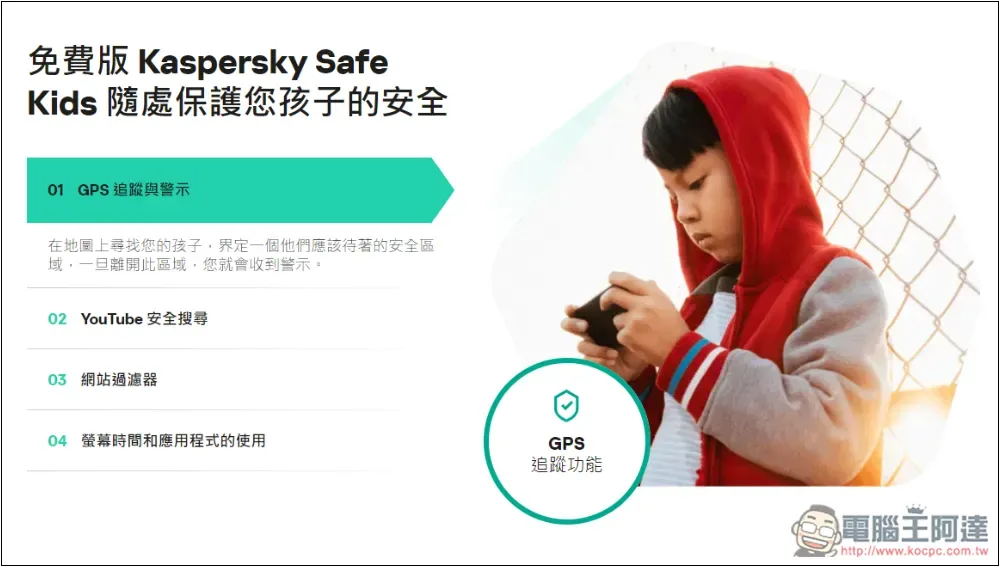
| Kaspersky Safe Kids 1 year free | – | – | ✓ |
Each version can choose how many devices to protect. The more devices, the cheaper it is. 5 devices in 2 years is quite recommended. The price is very cost-effective. In addition to protecting your own devices, you can also use it with your family:
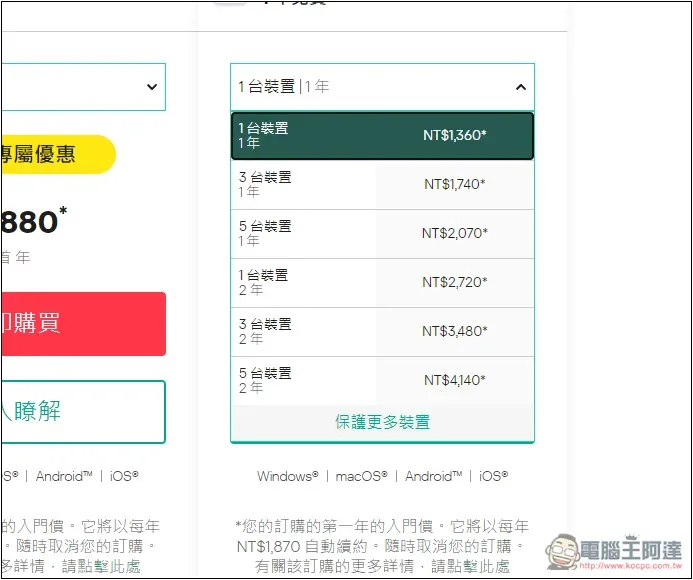
For each version, the official website has detailed instructions so that you can better understand:
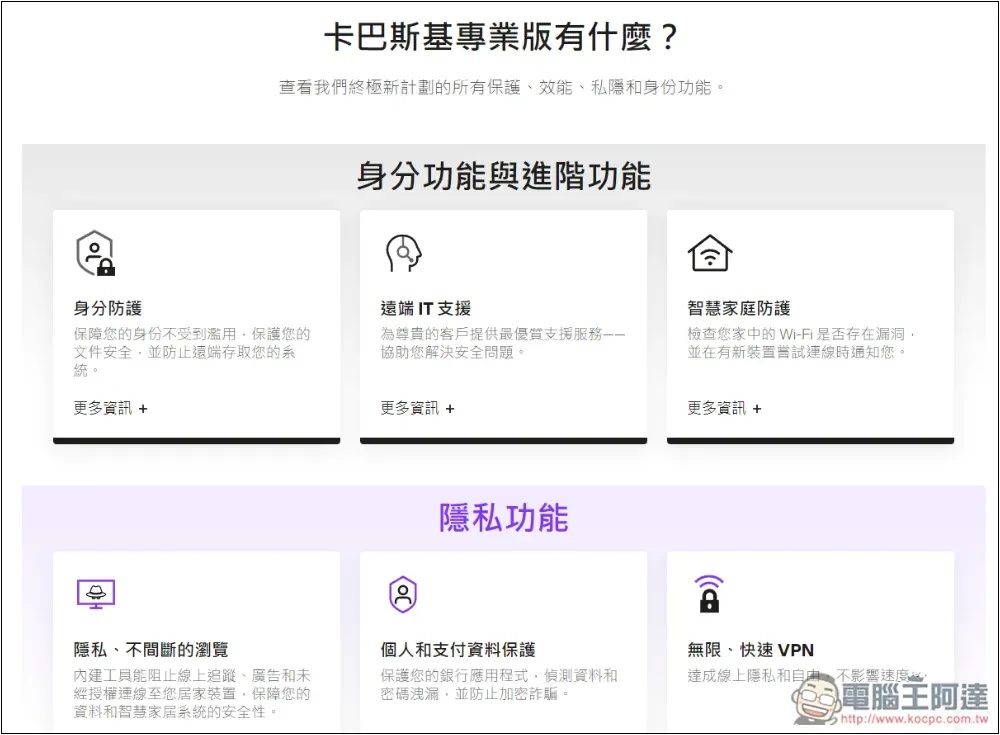
The functions will also explain what they are used for:
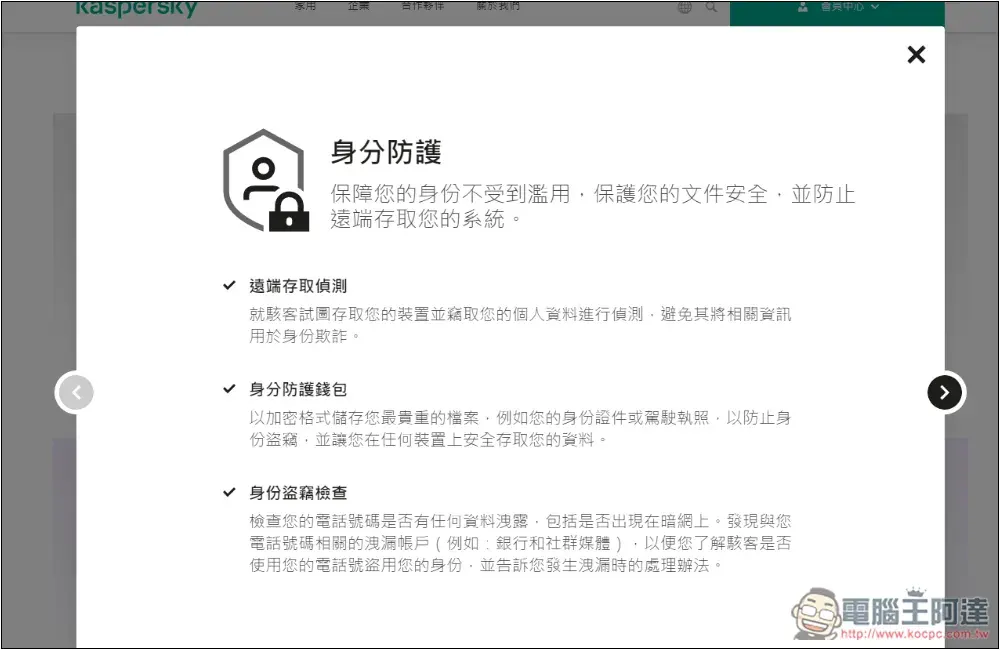
The professional version also provides a free version of Kaspersky Safe Kids, allowing parents to protect their children’s devices and let them use them with confidence:
How to install Kaspersky Professional
Installing Kaspersky Professional (or other versions) is very simple and can be completed in three steps.
- Download Kaspersky Pro
- Install software
- Log in to your Kaspersky account to get started
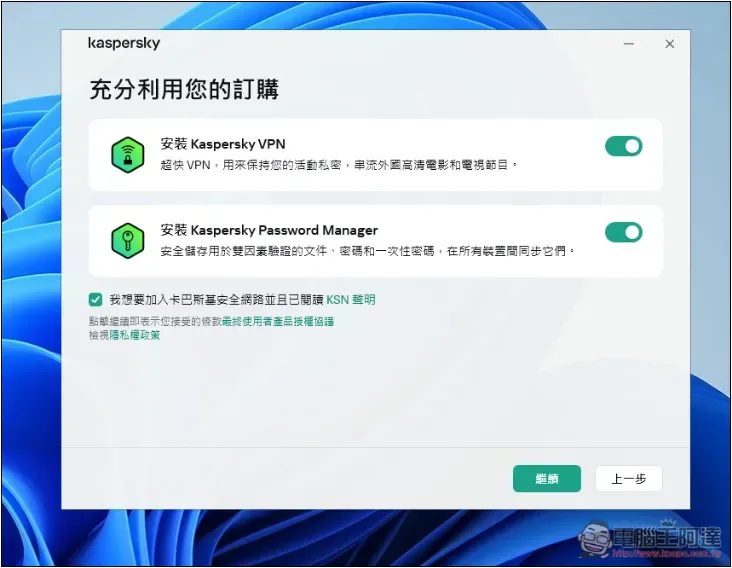
Go to the official website to download the installation file of the professional version. After opening it, follow the instructions on the screen to install it. The Professional version comes with unlimited use of Kaspersky VPN and Kaspersky Password Manager, so just install it:
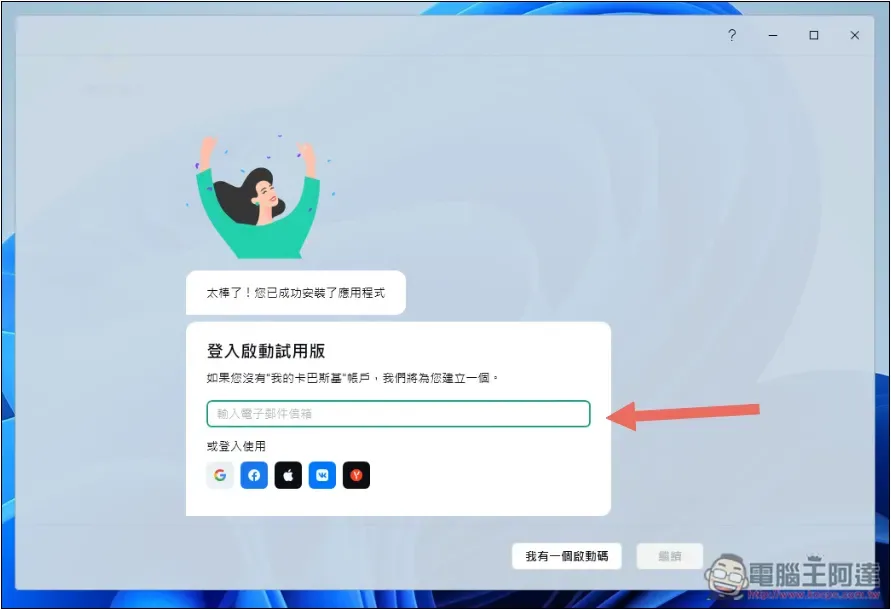
Fill in your email or click “I have an activation code” below to enter your serial number:
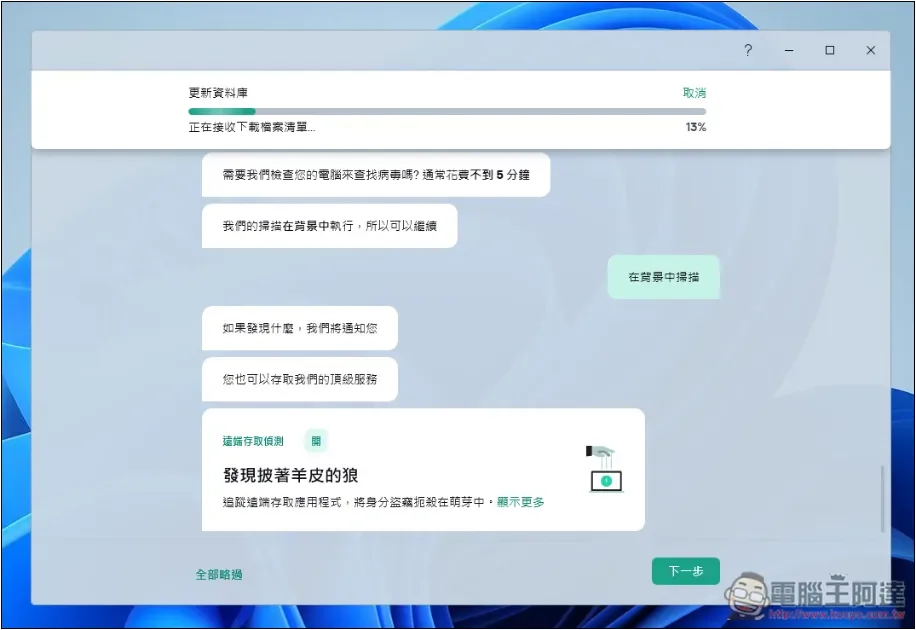
Next, the database will start to be updated, and there will also be some functional tutorials:
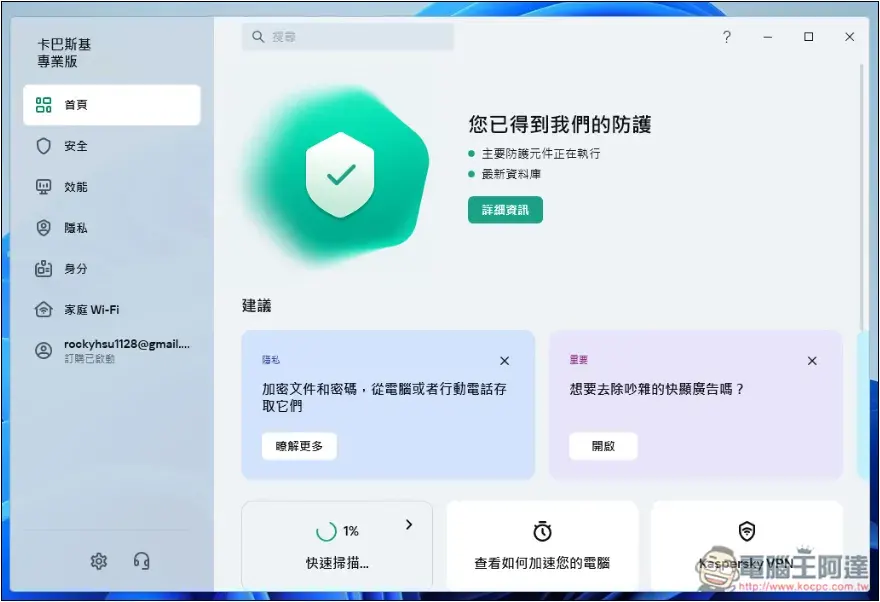
Once everything is done, you can start using it:
Summarize
Kaspersky Professional Edition is really a very comprehensive anti-virus software. If you have a lot of important information on your computer, don’t want to be infected, or pay great attention to security and privacy, you must consider it.
With it, it can almost be said that you can use your computer with complete confidence, and you don’t have to worry about anything when surfing the Internet. If there are any risks, Kaspersky will notify you as soon as possible.
Exclusive offer for Ada readers:The price is 33% off, and for a limited time, you can get an additional 10% discount, which becomes 53% off.
Source: KOCPC Chinese