


On the 25th anniversary of the release of Final Cut Pro, it was announced that the macOS version has been expanded to the mobile version branch into the iPhone professional shooting application Final Cut Camera 1.1 and the iPad version of Final Cut Pro 2.1. The most comprehensive Mac version has also been officially updated to version 11. In addition, the Logic Pro music creation application, which is widely loved by musicians and has been extended to the mobile version in response to the increasingly powerful processing capabilities of Apple mobile devices, also brings an 11.1 update that pays tribute to the ultra-classic digital mixer Quantec QRS and various new features. Continue reading The 25th anniversary of the launch of Final Cut Pro has entered a new chapter, and the mobile version with both Logic Pro and shooting/editing capabilities has fully exploded into new audio and video capabilities.
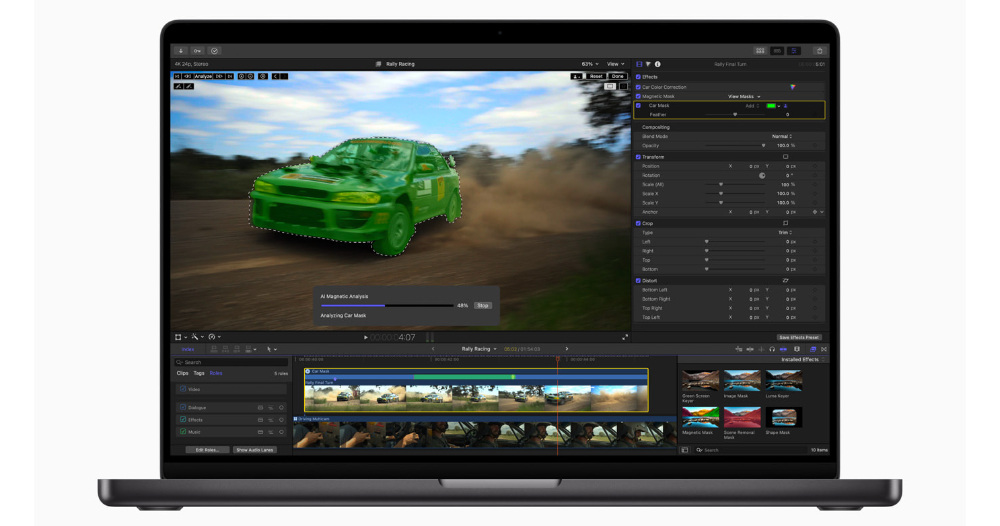
▲Picture source for this article: Apple
The 25th anniversary of Final Cut Pro has entered a new chapter, and together with Logic Pro and the mobile version with shooting/editing capabilities, it has fully exploded into new audio and video capabilities.
In recent years, as Apple’s chip strength has improved, it has also pushed the limits of its own professional-grade applications.
Today, Apple has chosen to mark the 25th anniversary of the release of Final Cut Pro, announcing that it has expanded from the macOS version to the mobile version branch into version updates of the iPhone professional shooting application Final Cut Camera 1.1 and the iPad version of Final Cut Pro 2.1; the most comprehensive Mac version has also been officially updated to version 11.
In addition, the Logic Pro music creation application, which is widely loved by musicians and has been extended to the mobile version in response to the increasingly powerful processing capabilities of Apple mobile devices, also brings an 11.1 update that pays tribute to the ultra-classic digital mixer Quantec QRS and various new features.
And it is synchronized with the Final Cut Pro series. Starting today, all users who subscribe or buy out the application service can get the update simultaneously.
A more “smarter” Final Cut Pro
As a major update for the 25th anniversary since the launch of the desktop version. The 11th version of Final Cut Pro for Mac (does anyone remember when there was a version number like “X” before?) brings super powerful Magnetic Mask (AI) and multi-tracking mask support that are more deeply integrated into machine learning AI functions.
The way it works seems to be somewhat similar to the current “Eliminate” function of iOS that can determine the objects that need to be removed from photos – but what is powerful is that this “mask” that finds people and specific objects has become a version that can correspond to dynamic videos – it is super powerful. I recommend watching the official video, it will make people want to try how good the effect is!

Not surprisingly, the AI-powered video editing function also brings the machine-learning speech-to-text transcription function to the macOS version – called “Transcribe to Captions (AI)”, which is a function that is realized using Apple’s language model in macOS (the unfortunate part is that it does not yet support Chinese – maybe we have to wait for Apple Intelligence to officially support Chinese?).
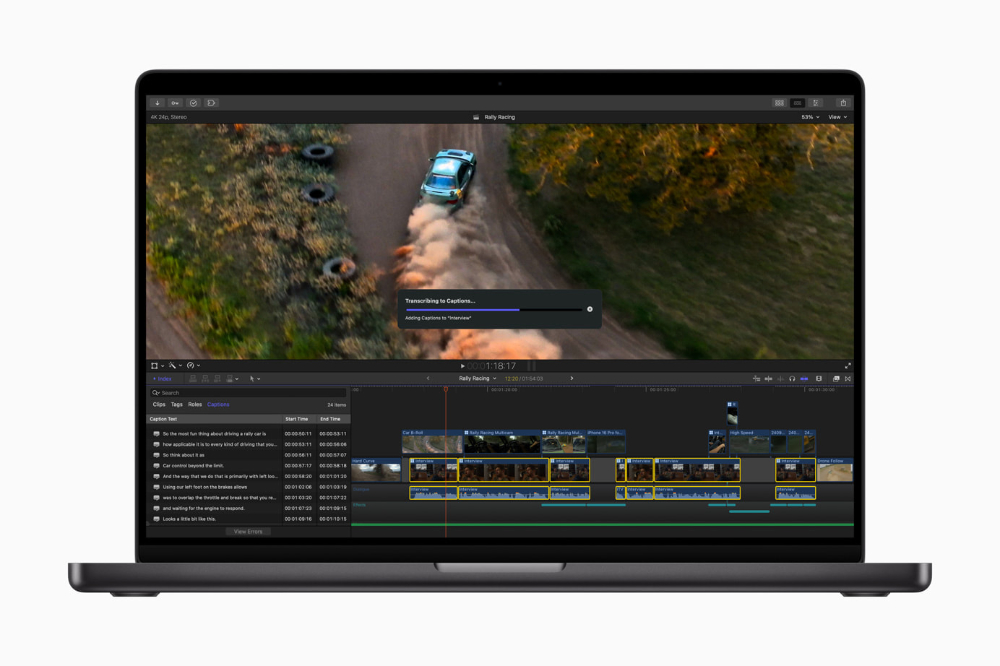
This update also brings support for Spatial Video spatial video editing – supporting color correction, adding titles (supporting depth adjustment) and other functions. Final Cut Pro’s extended support suites, including Motion and Compressor, have also been updated to new versions that better meet the needs of the new generation of professional video editing.
It also brings Smart Conform, which makes it easier to complete straight videos or square compositions; through the smart functions of Apple chips, you can easily adjust and optimize the color and contrast of SDR, HDR, RAW and Log-encoded videos with one click, Enhance Light and Color.
There’s also Smooth Slo-Mo, which automatically generates frames for smoother transitions between slow-motion frames, and Final Cut Pro’s beloved Voice Isolation feature, now with enhanced sound quality and optimized performance.

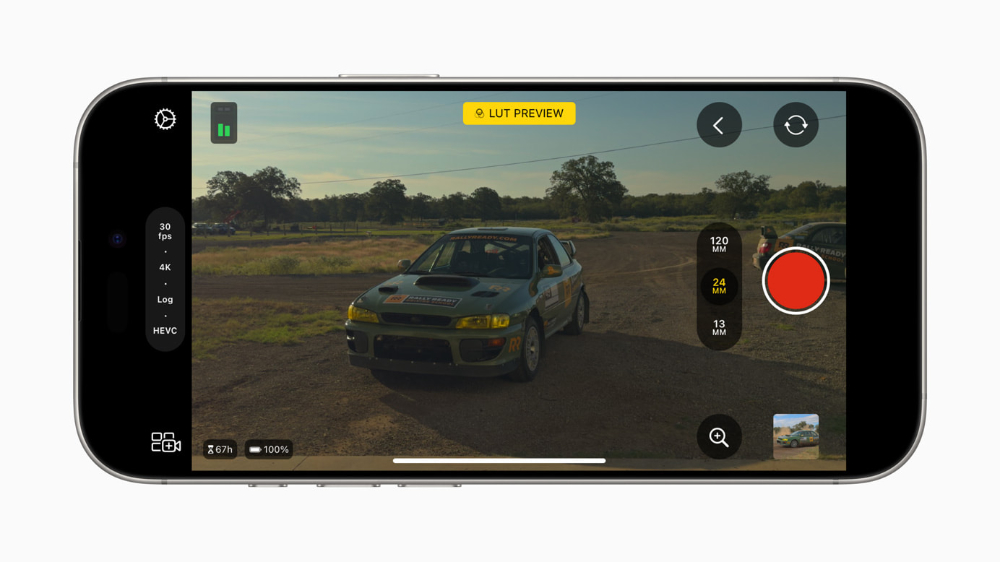
Coming to the mobile version part. Apple has finally provided Final Cut Camera with the flexibility to use Apple Log with a larger dynamic range when recording in the HEVC format, which is more friendly to storage capacity. It can also load LUT to provide a preliminary preview of the color after color correction for professional needs – ah… Actually, it is the editor who has this need (lack of imagination for the Log screen QQ). It also officially supports the 4K 120fps recording specification of the iPhone 16 Pro series.
The level meter supported by the iPhone’s native camera (including the crosshair that appears when taking overhead shots) has also been included in the Final Cut Camera shooting system.
The iPad version of Final Cut Pro 2, which just came with the M4 iPad Pro, brought Live Multicam multi-lens wireless monitoring remote control, external hard drive editing and other functions, has also been updated to version 2.1 this time.
Although it seems like a minor update based on the version number, there are many improvements for the workflow, such as the timeline supporting vertical pinch gestures, shortcut keys, and dynamic size and position adjustment of PiP picture-in-picture.
The timeline can also support 120 fps videos (also available in 90fps and 100fps) that the iPhone 16 Pro has started to support, and has also introduced the desktop version’s smart color correction Enhance Light and Color function – I didn’t expect it to be supported so synchronously!
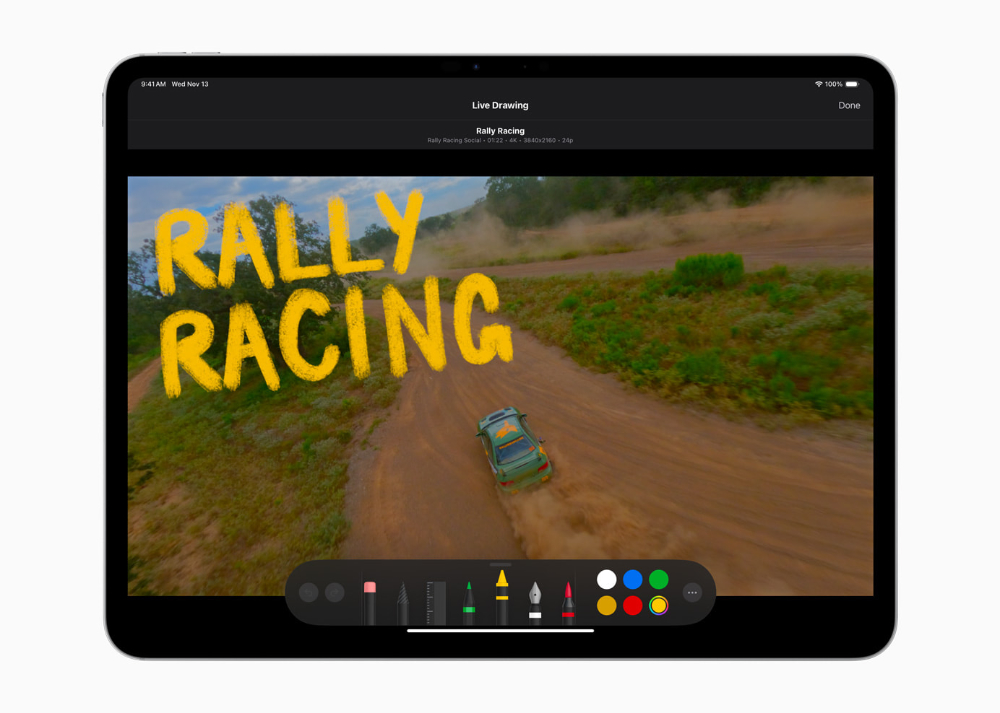
The content database section also has content support for transitions, color grading, and dynamic audio tracks. There are also new ink brushes in the animation special effects section for handwriting. It also adds tactile vibration support for Apple Pencil Pro – you will feel a slight vibration when trimming clips, moving media clips, viewing the timeline, and resizing preview clips to snap to snap points.
Overall, the experience of Final Cut Pro for iPad does feel more and more “Pro” – it seems like you might want to subscribe again and give it a try.
Logic Pro brings desktop and mobile updates simultaneously
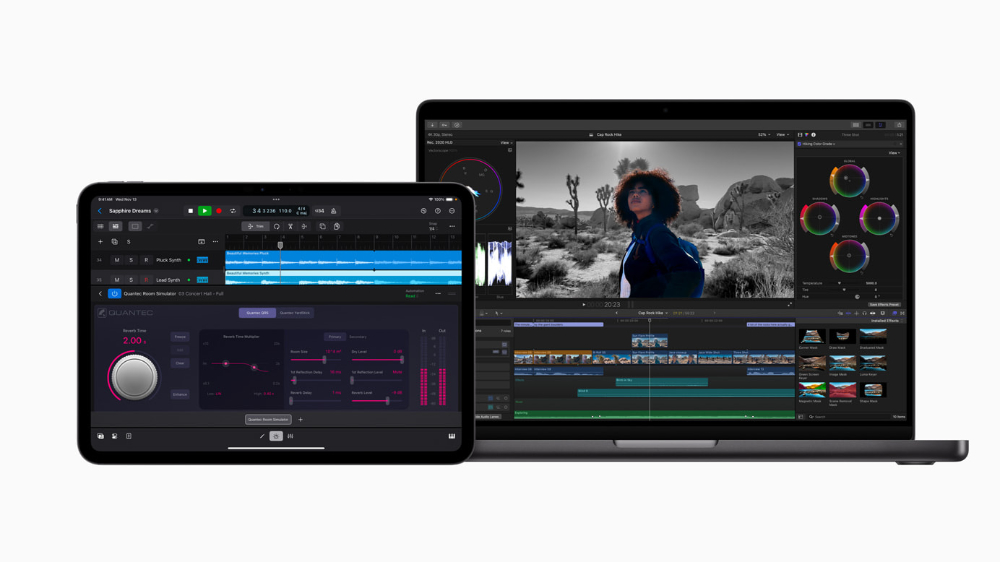
After talking about “shadow”, we come to the “sound” part. Logic Pro for macOS 11.1 and iPad 2.1 bring quite a few improvements.
The most handsome thing among them is the simultaneous addition of support for the Quantec Room Simulator / Quantec QRS plug-in module – it has classic sound effects and can “add a natural acoustic space to the music while retaining the sound characteristics.” It has been evaluated as having “the most acoustically accurate reverberation effect in history.” Therefore, Quantec QRS is also used by many professional musicians.
For example, Peter Gabriel, the producer of the “Passion” and “Us” albums who has always been a fan of this effect, mentioned in this press release that he is “very happy to see Apple reviving the Quantec QRS in the form of a plug-in module and providing it to Logic users around the world.”
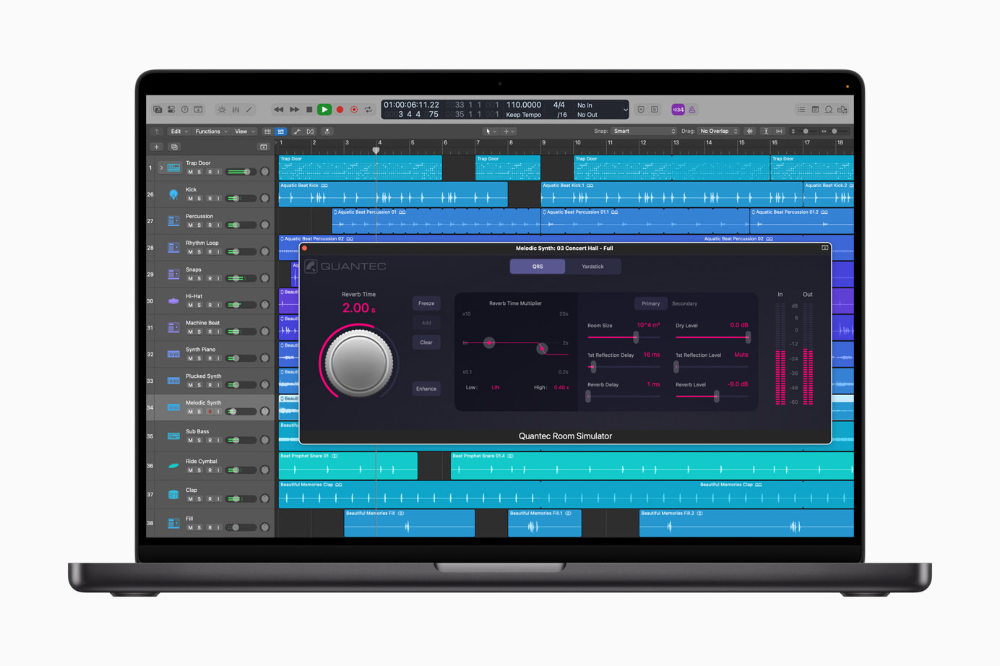
The new version of Logic Pro also brings Reorder Mixer Channels, which allows users to rearrange channel strips by simply dragging them, and optimizes the search and arrangement experience for plug-in modules. The Sound Browser of Logic Pro for iPad also adds support for Sample Folders that can add local, external storage space and iCloud Drive for access.
Finally, in addition to Final Cut Camera, it is still provided free of charge to all iPhone users with supported apps for professional recording. The desktop version of the professional editing application Final Cut Pro remains priced at NT$9,990 (a 90-day trial is available); the iPad version offers a monthly subscription of NT$150 and an annual subscription of NT$1,490, with a 1-month trial.
The desktop version of Logic Pro has a buyout price of NT$6,990; the iPad version offers a monthly subscription price of NT$150 and an annual subscription price of NT$1,490, with a one-month trial. This wave of updates has been officially pushed out today. Friends who are already using these professional tools can start the update to welcome these new features!
For more detailed update projects, please refer to the official website information citing sources.
Quote sources:Apple|
Further reading:
Source: KOCPC Chinese