


Now just open ChatGPT, then you can use it directly. Adobe Photoshop, or Adobe Express, or even Adobe Acrobat to do image editing, design work, or modifications, PDFNo need to install software, and no need to figure out complex tools. Just describe what you want to do in one sentence, and the system can achieve the effect for you in Photoshop, from brightening people to artistic backgrounds—all handled. This integration makes top-tier creative tools incredibly easy to use, whether you’re making cards, updating a resume, or touching up holiday travel photos, it can all be done with ease.
More importantly, these Adobe tools can be used directly in ChatGPT, and they’re free for all users. This essentially turns editing capabilities that once required professional skills into everyday tools that anyone can use.
You can become a photo editing expert even with zero experience! ChatGPT comes with Photoshop, Express, and Acrobat built in—all free to use.
Many people, when they see others using Photoshop to retouch beautiful photos, often can’t help but say, “I want to learn too, but it’s so hard.”
This feeling is very common, because Photoshop is so powerful and has so many tool options that it’s easy for beginners to get lost. With features like layers, masks, filters, and levels alone, newcomers often can’t even find where the buttons are.
But now there’s no need to worry at all, because Adobe Photoshop can already be launched directly inside ChatGPT, and it’s become incredibly intuitive to use. All you have to do is type out what you need, and the system will automatically bring up Photoshop’s features to handle the image processing for you—no professional background required.
Even if you’ve never touched Photoshop before, you can easily do it:
- Portrait fill light
- Blurred background.
- Color adjustment
- Effect filter
- film-like style
- Subject enhancement and object removal
The core concept of this integration is clear: let everyone turn their ideas into reality, instead of being held back by complex tools. As long as you have an idea, just tell ChatGPT what you need, and leave the rest to AI and Photoshop.
Photoshop is the most widely used image tool in the world, and ChatGPT is the world’s most popular AI conversation service. The combination of the two makes creation far more accessible. It’s like packing professional-grade image capabilities into an interface that responds to plain speech, letting anyone produce decent work without spending time learning the interface or watching tutorial videos—just say a sentence and start creating.
ChatGPT will then invoke Photoshop’s features and walk you through the entire effect step by step.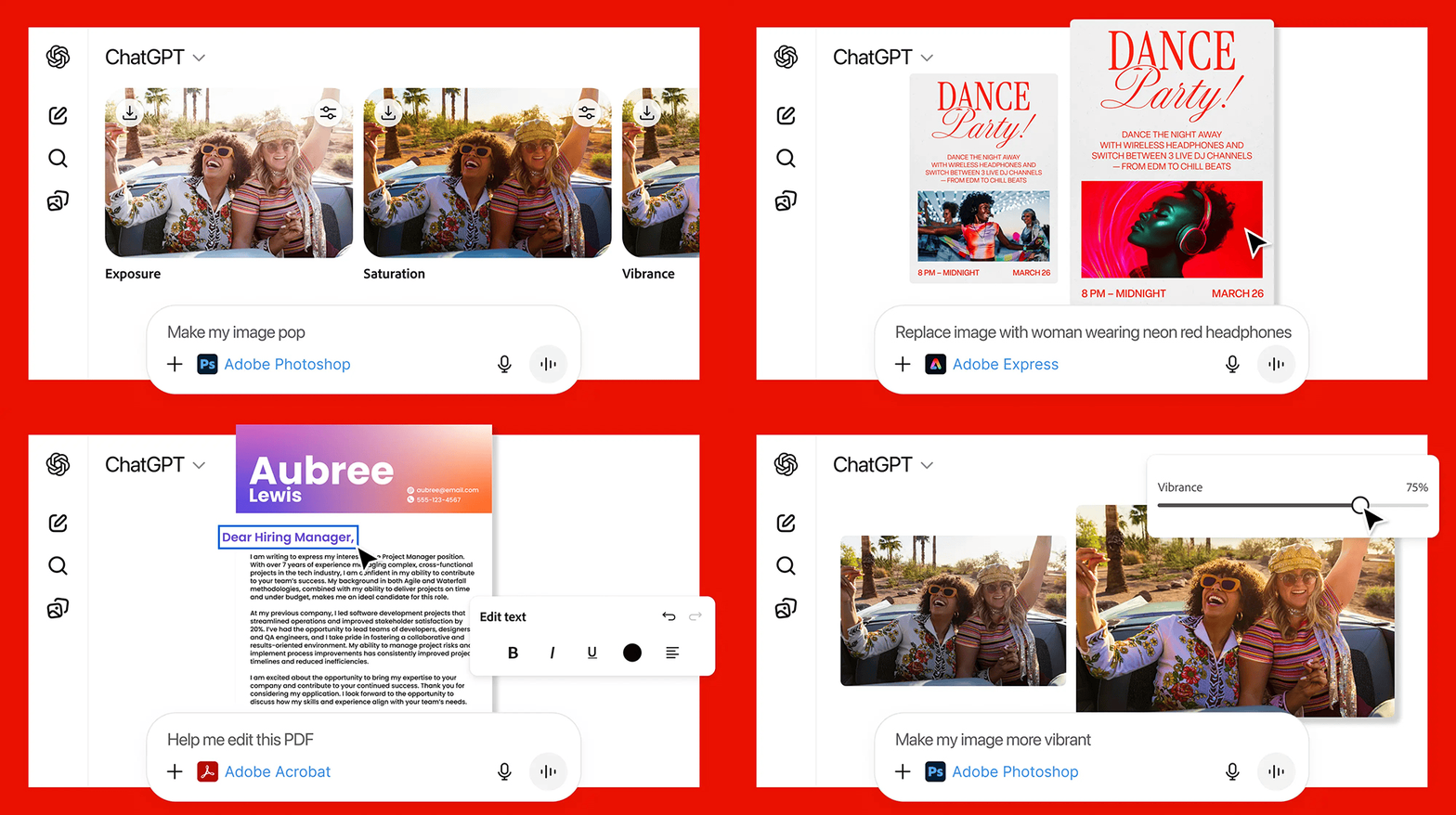
How to use Photoshop / Acrobat / Express through ChatGPT?
By following a few simple steps, you can officially launch Adobe Photoshop, Acrobat, or Express. The entire process is technically quite streamlined, so no additional installation is needed and it takes up no space.
First, open ChatGPT, go to the settings page, and select which external tools to connect under “Apps and connectors.” You can now choose Adobe Photoshop, Adobe Express, or Adobe Acrobat. All three tools are currently available for direct use, and they are all free.
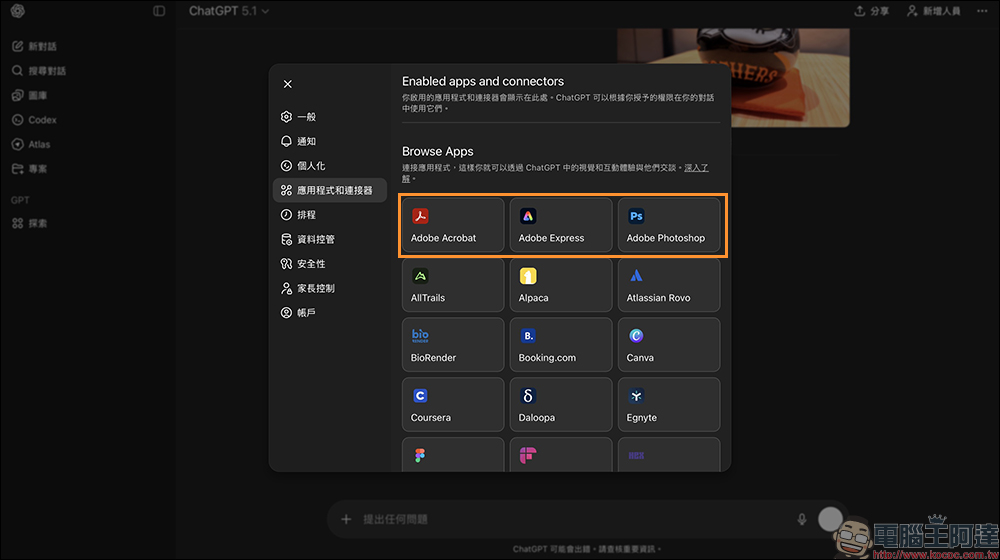
Here we’ll use Adobe Photoshop as an example. After clicking to enter, press “Connect.”
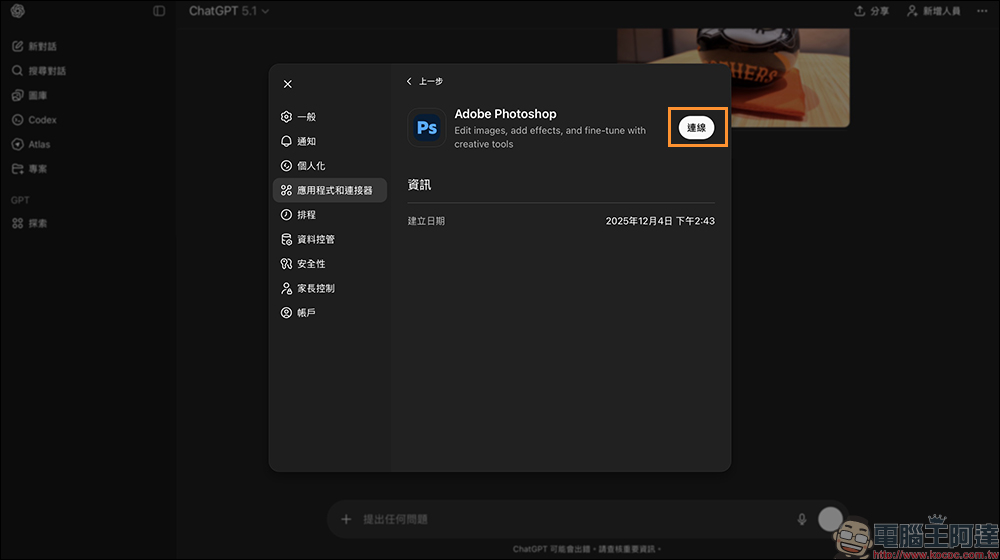
Wait for a while, then confirm the connection between the Adobe account and ChatGPT.
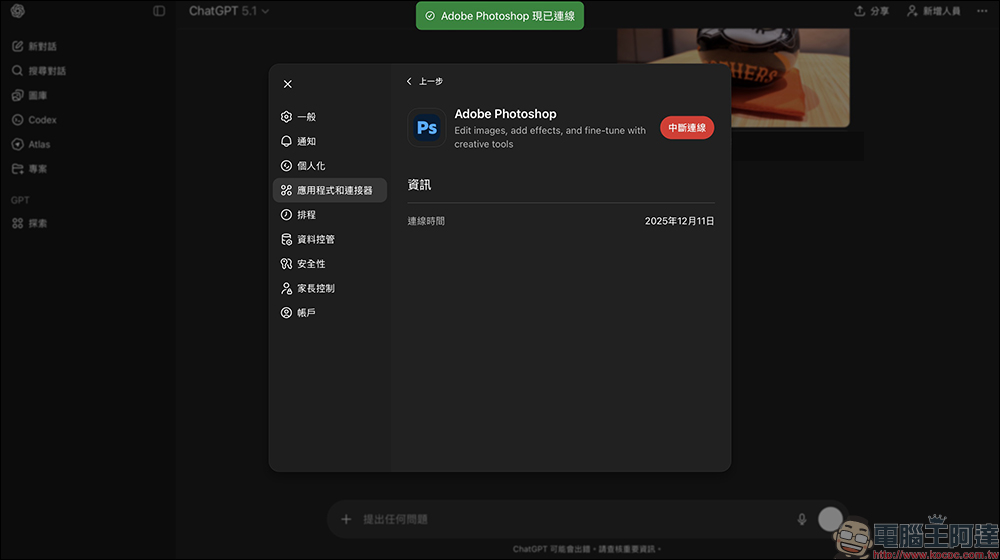
Photoshop × ChatGPT: Step-by-Step Guide to Achieving the Image Effects You Want
After the connection is complete, you just need to type the “/AdobePhotoshop” command and you’ll see Photoshop.
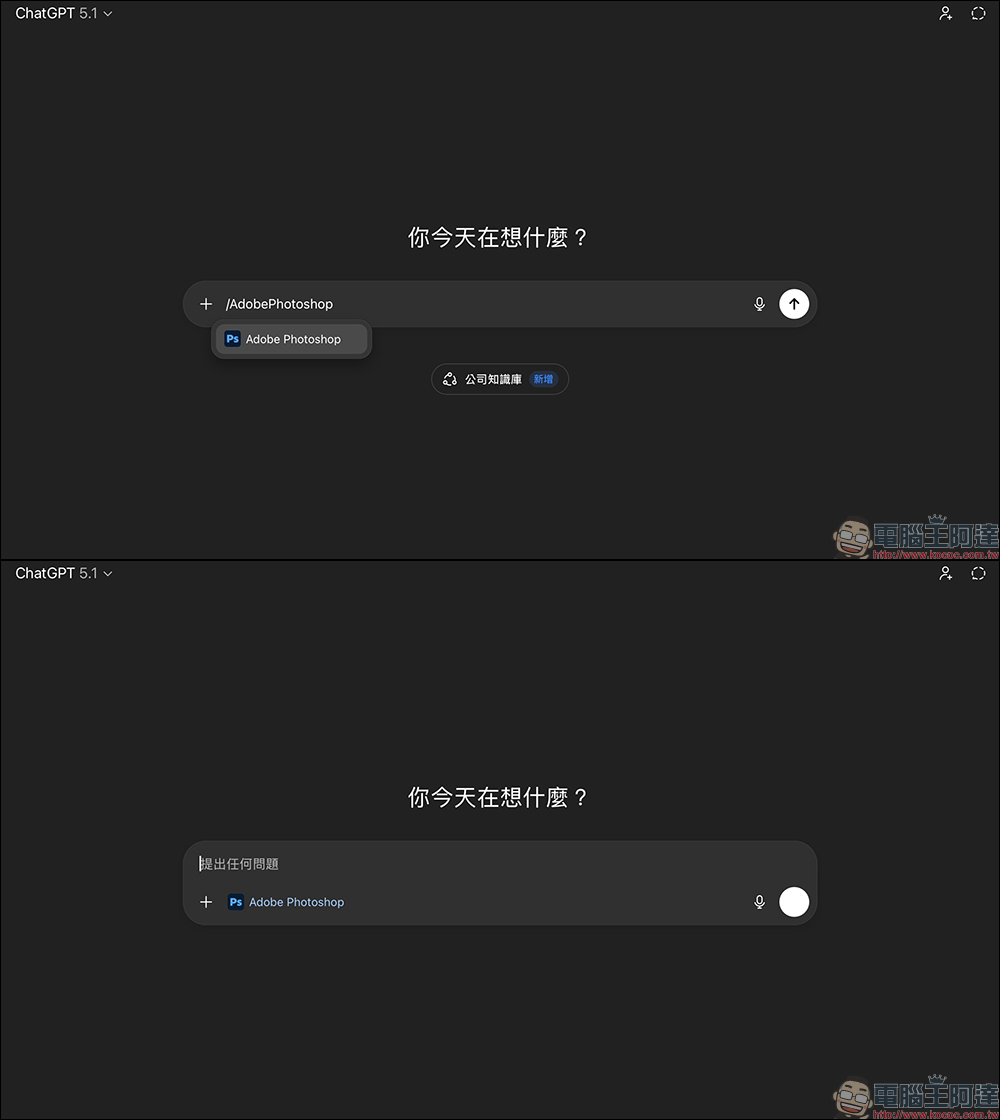
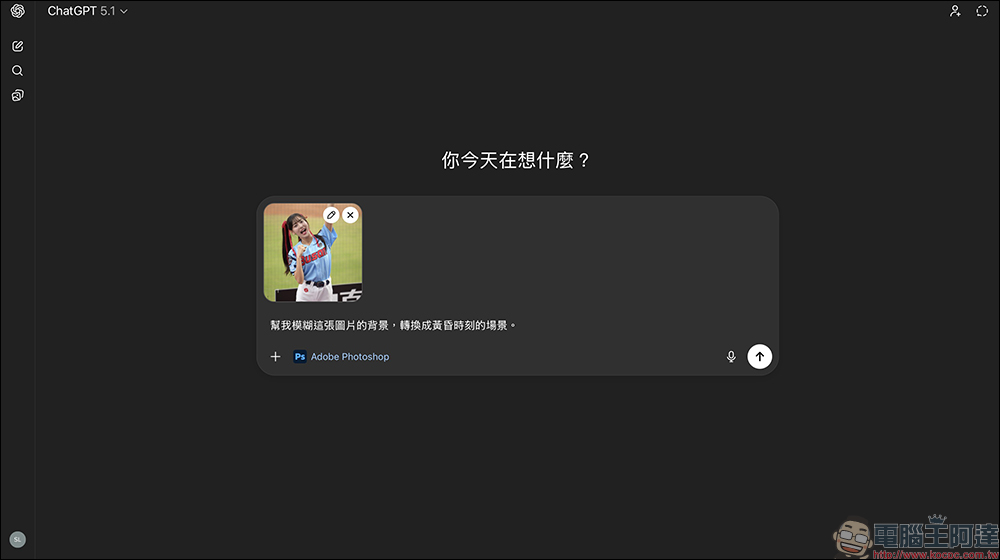
Just add your request to it, for example: “Help me blur the background of this image and transform it into a dusk scene.”
Then wait a few seconds for it to analyze the image, and it will generate multiple different adjustment tools. In the past, these features required manually adjusting sliders to find the right direction, but now ChatGPT automatically guides you and even proactively suggests how you should adjust to achieve the best results.
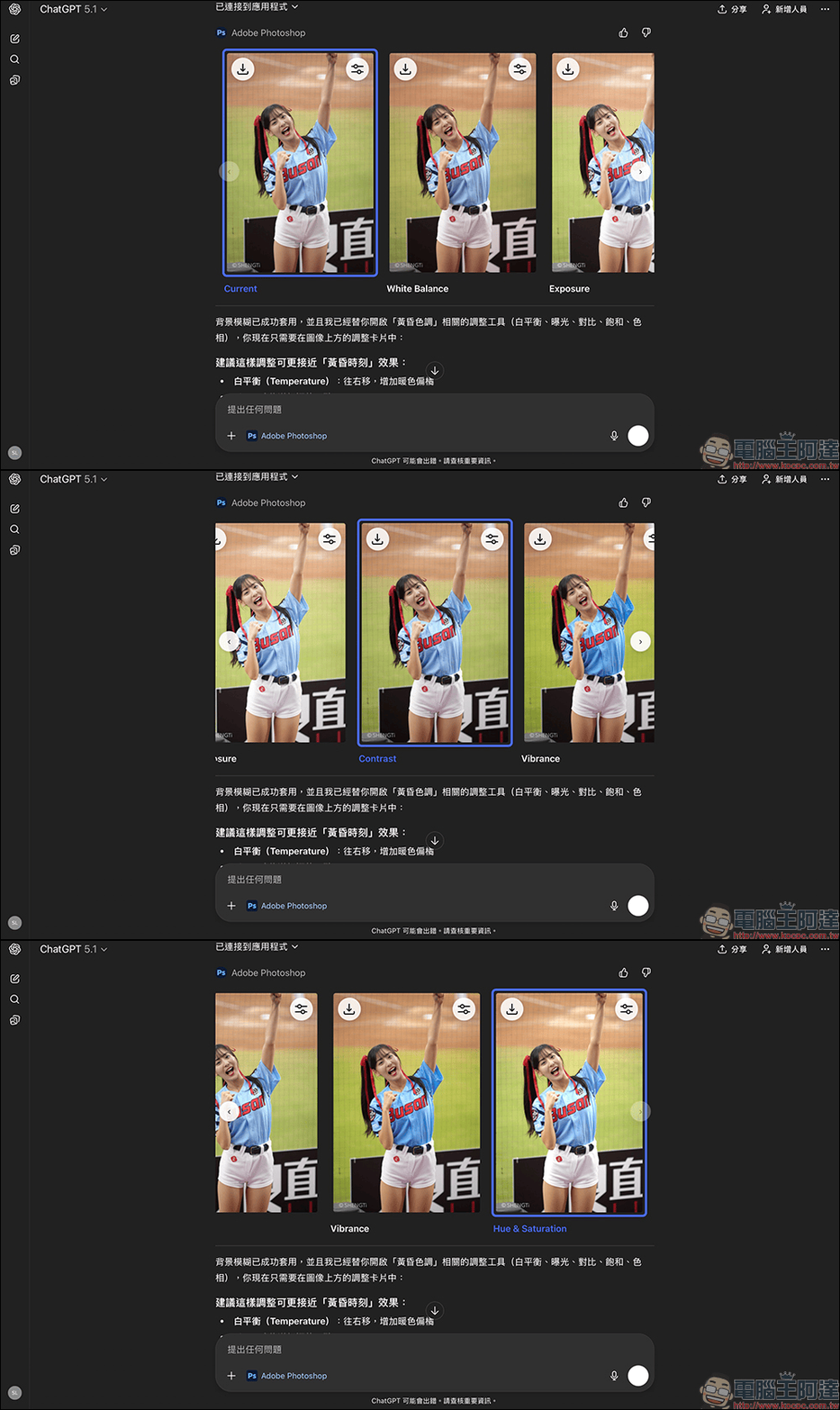
It includes options like white balance, exposure, contrast, saturation, and hue, so users can quickly adjust according to their preferences. The whole process is much simpler than expected, and no software installation is required.
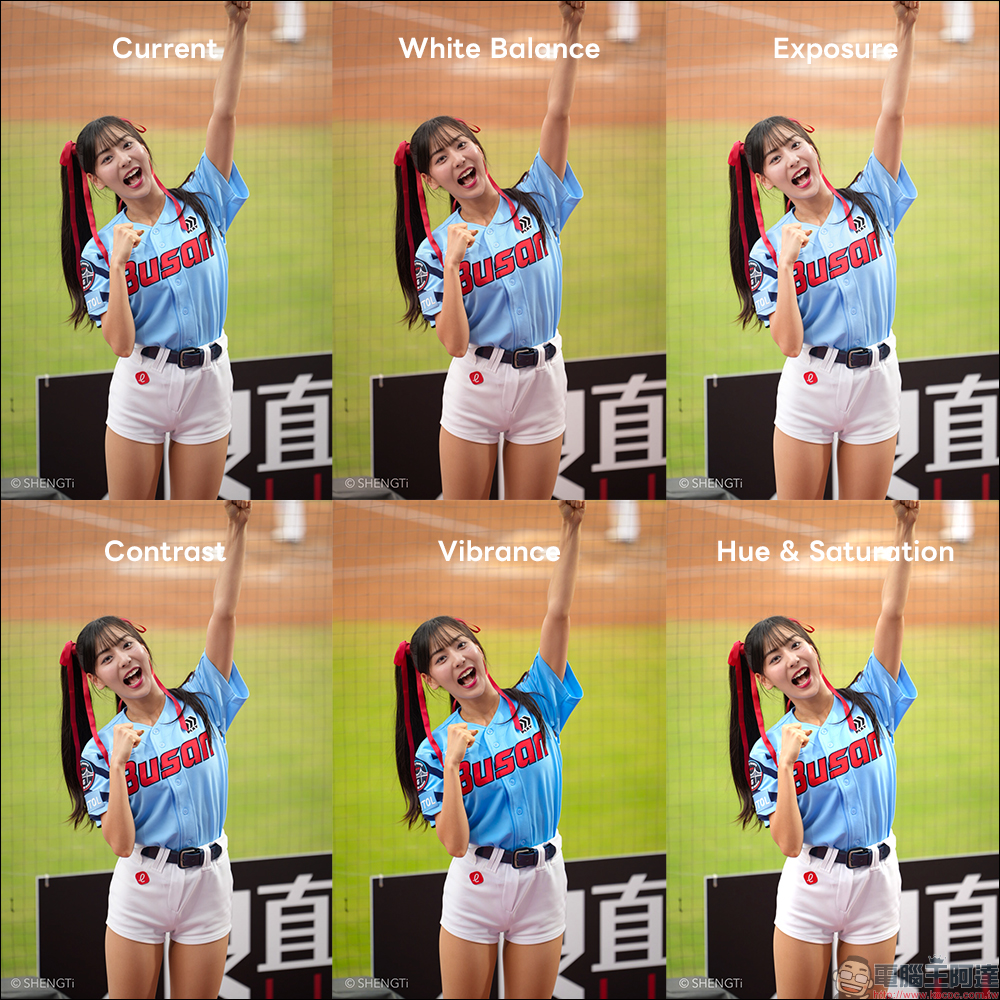
Photoshop in ChatGPT is not just about applying filters; it is presented as “interactive photo editing.” Each instruction you give drives Photoshop to perform calculations and then provides you with a series of adjustable results. Users can adjust the results to better suit their needs based on ChatGPT’s suggestions. Simply click the adjustment tool button at the top right of the preview image to enter the adjustment tools page.
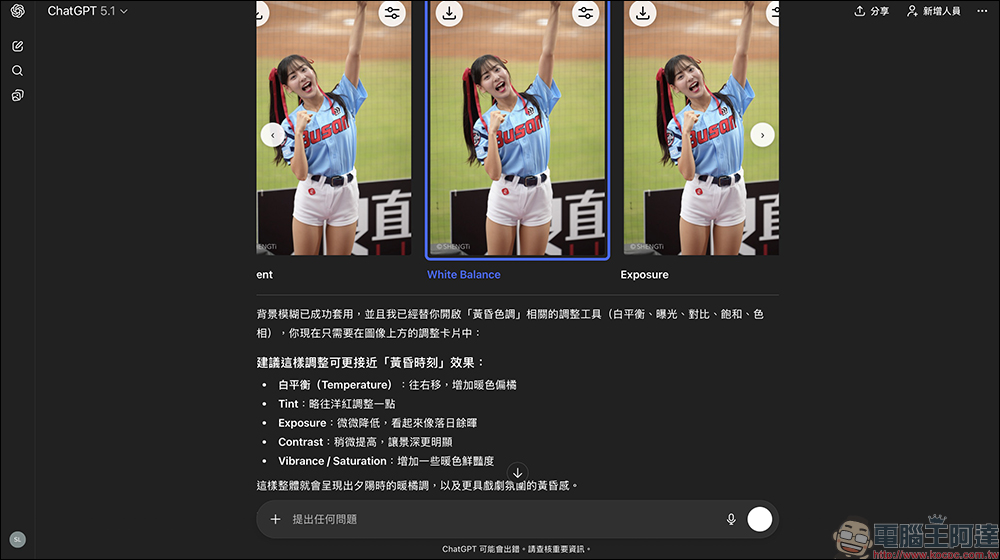
For example, for a dusk effect, ChatGPT suggested shifting the white balance to the right for warmer, more orange tones; adjusting the tint slightly toward magenta; lowering the exposure slightly to make it look more like sunset; increasing the contrast a bit to make the depth of field more pronounced; and boosting the saturation to enhance the vibrancy of warm colors. These suggestions align perfectly with professional photographers’ color grading principles, allowing even users with no photo editing experience to easily achieve a style close to Lightroom or Photoshop.
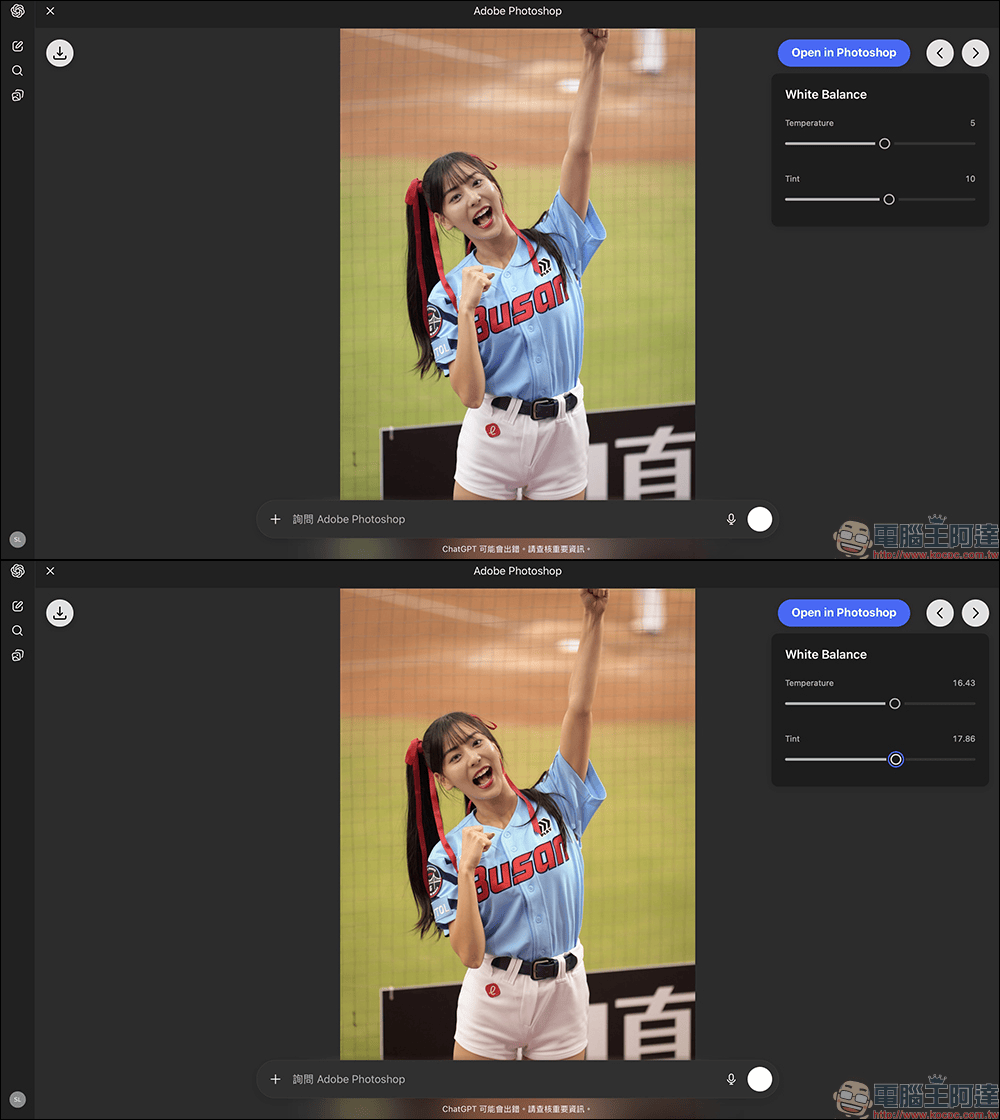
Although of course it’s still not as good as using Photoshop directly for finer, richer tools, using Photoshop within ChatGPT can still handle some key parameter adjustments, making it very suitable for those who don’t have Photoshop installed or need quick photo edits on the go.
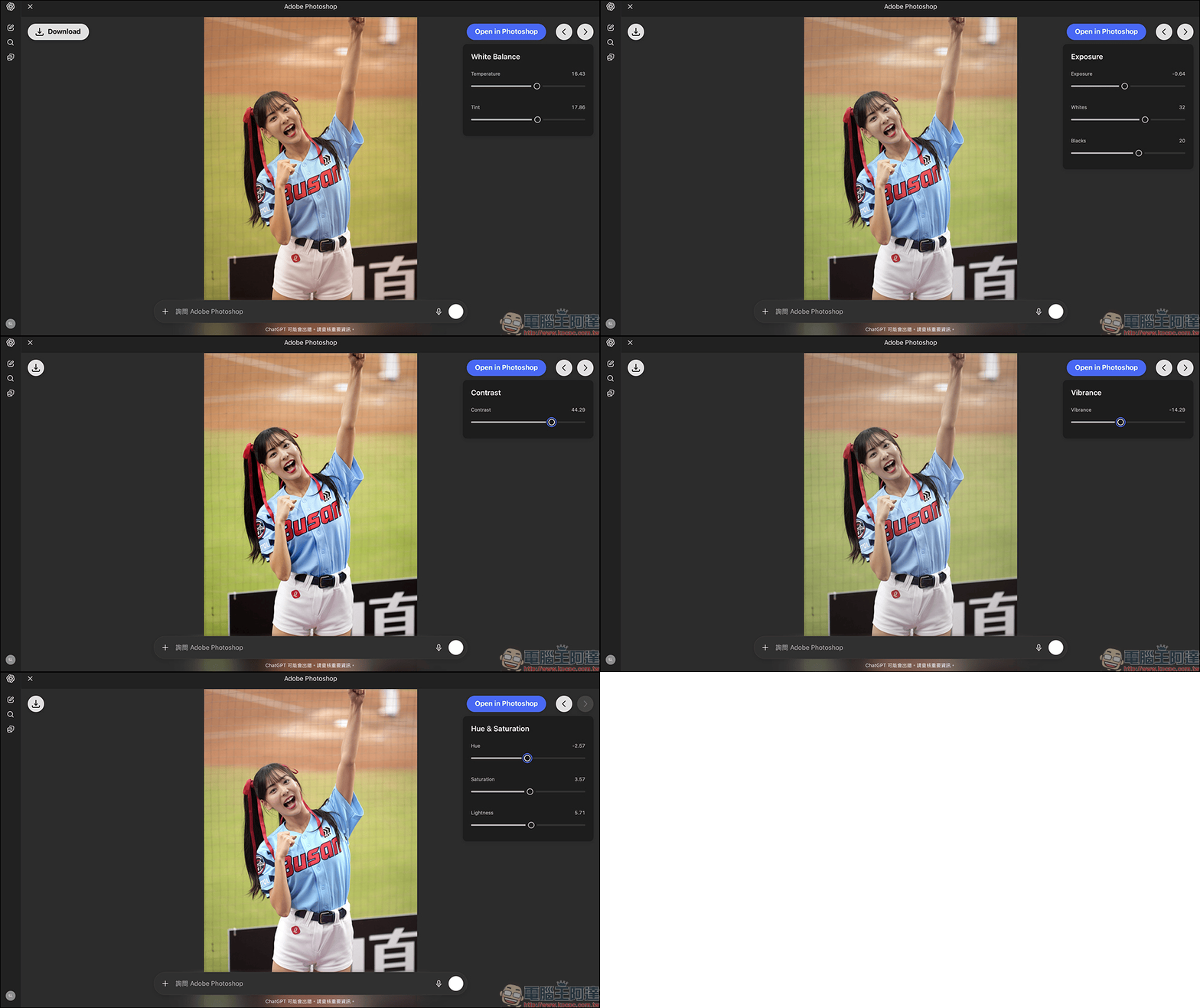
After editing, click the “Download” button to save the processed image to your computer, phone, or tablet. Below, you can easily flip through comparison images showing the before and after of the adjustment.
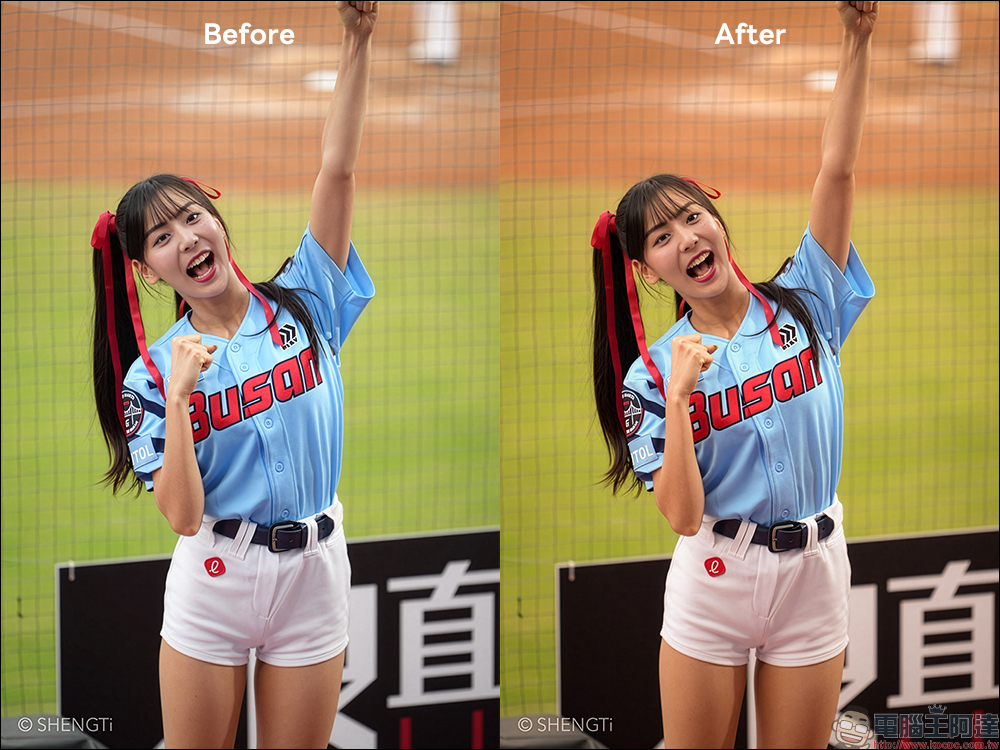
Want to use it better? Adobe’s recommended conversation prompt tips
Because Photoshop in ChatGPT is operated through text descriptions, writing prompts becomes very important. Adobe also offers some practical tips:
1. Please describe as specifically as possible.
For example, instead of saying, “Make the photo look prettier,” try saying, “Make the person’s skin brighter while preserving natural skin tone.” The difference is huge—the latter helps AI understand your preferences.
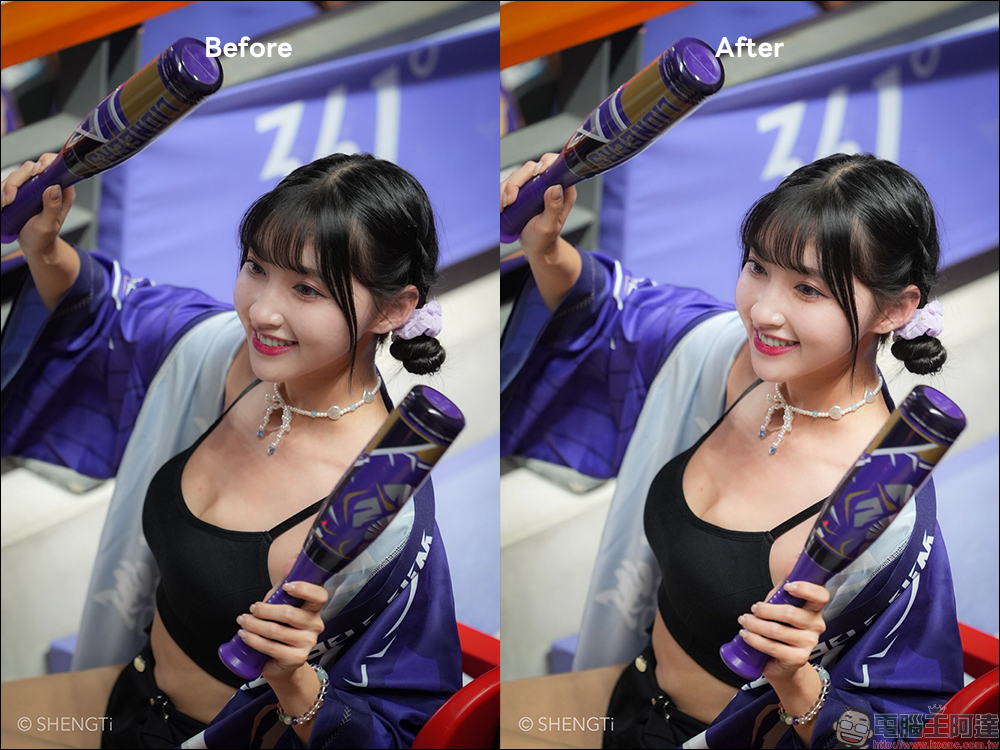
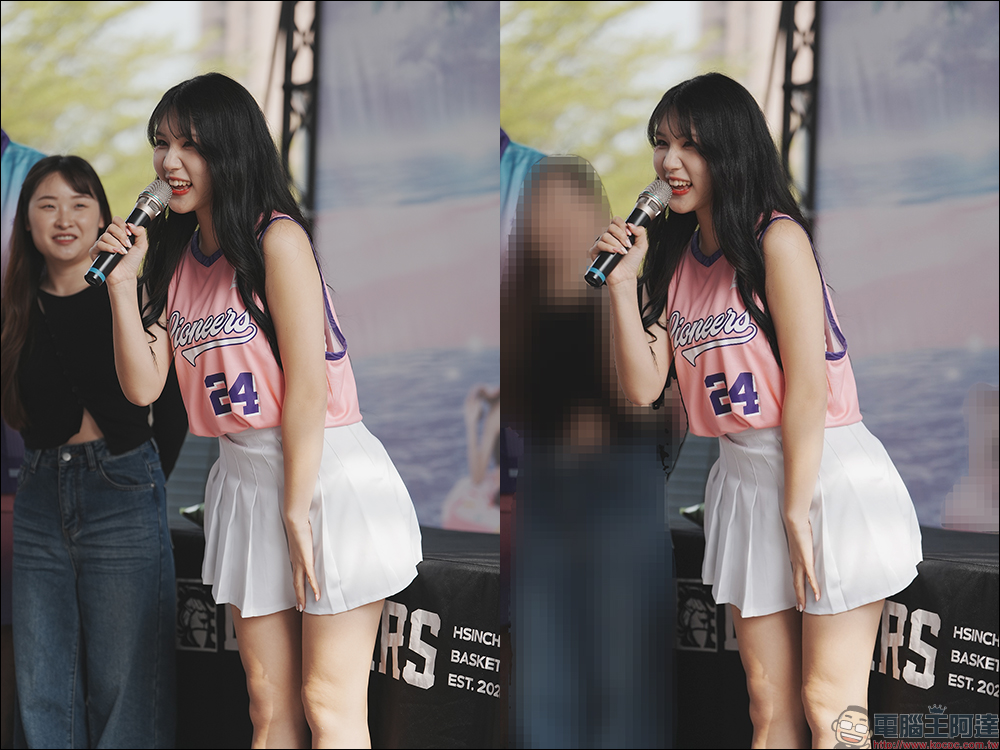
Second, describe what you don’t want.
For example, “Don’t blur the background too much,” “Don’t change the person’s hair color,” and “Please pixelate the people in the background.” If you state the constraints clearly, the AI’s results will be more accurate.
If you don’t want the background to be too blurred, you can add: “Apply mosaic processing to background people, don’t affect the main subject.”
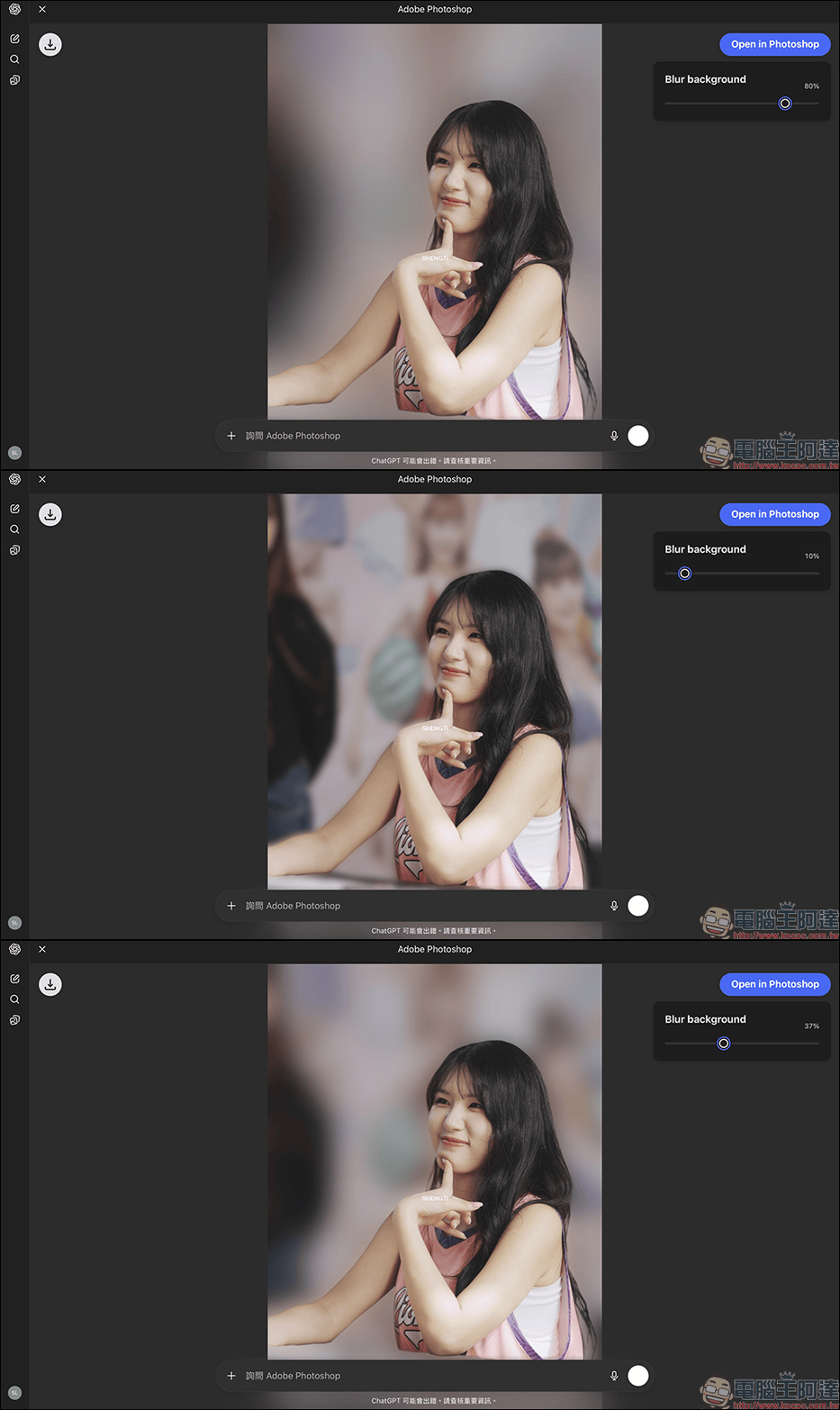
Or, more simply, propose “increased background blur”:
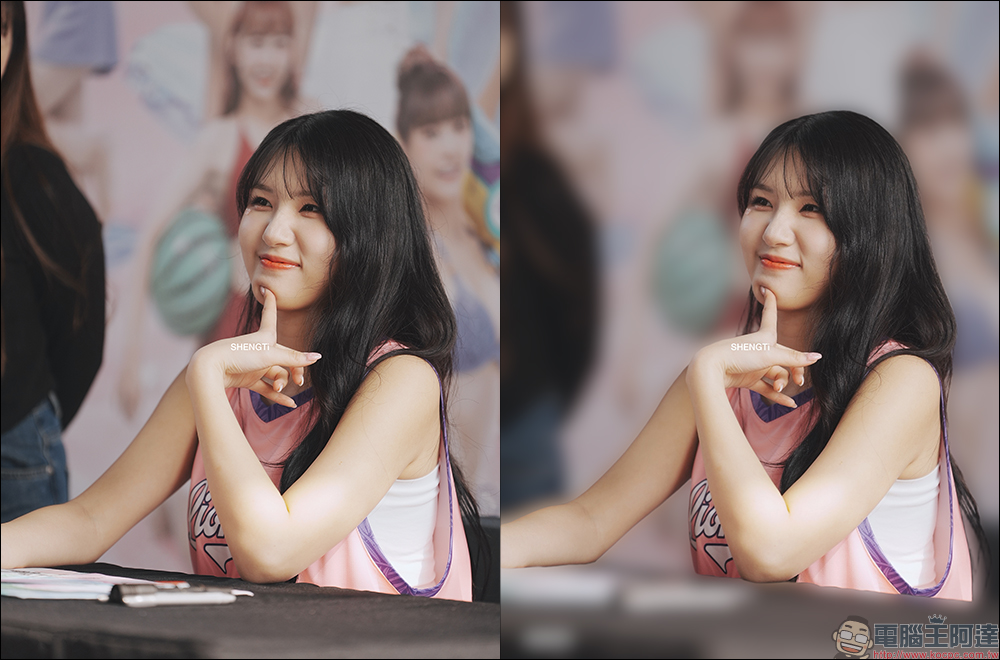
On the editing page of the adjustment tool, you can also further adjust the intensity of the background blur.
3. Present the desired effects step by step
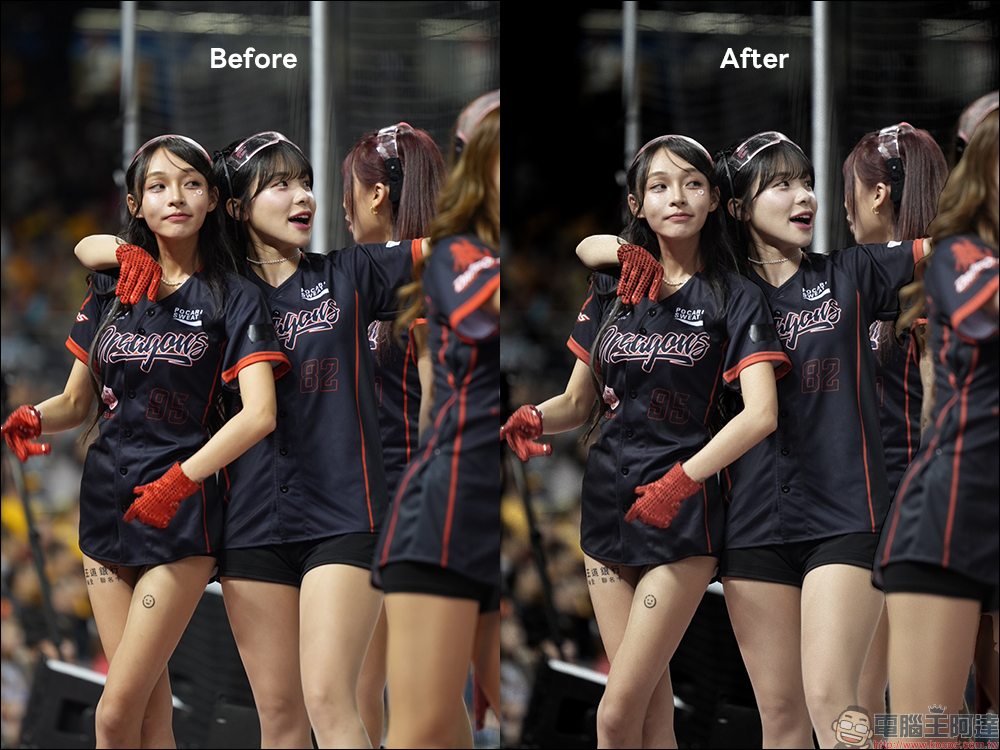
Don’t ask the system to do 5 things at once—explaining them separately works better. For example, first adjust the brightness, then increase the contrast, and then add background vignetting. This step-by-step approach is more stable than asking for all three things at once.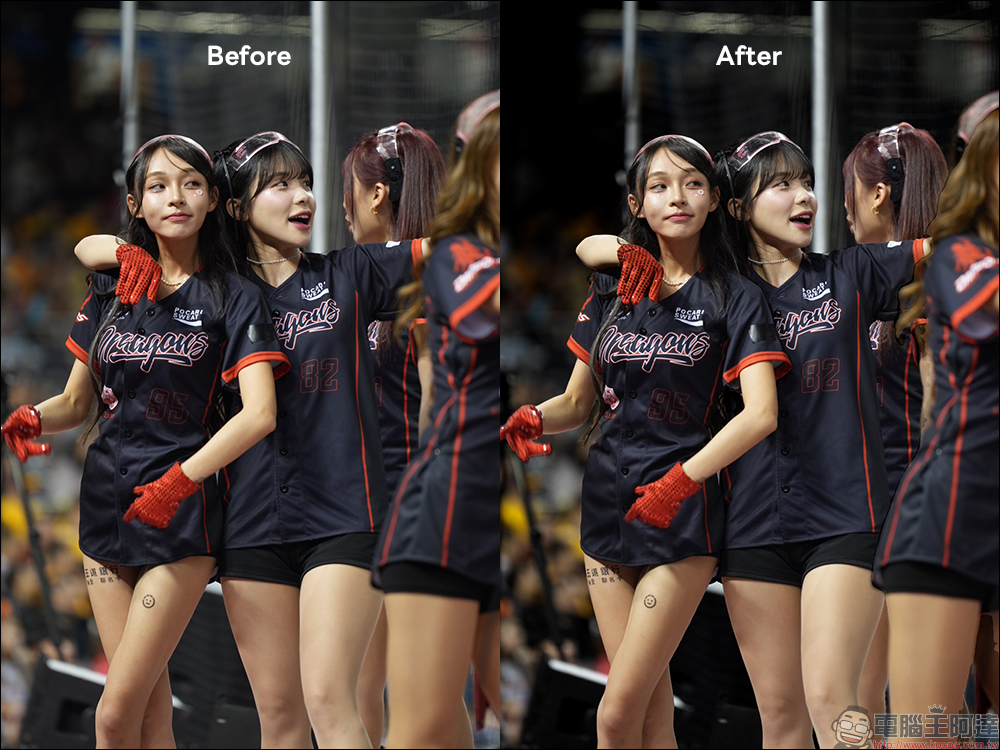
Four: Describe the style as much as possible.
If you want a film-like aesthetic, HDR, or cinematic color grading, the more detailed your description, the closer the final result will be to the image you have in mind.
Not just Photoshop! Adobe Express and Adobe Acrobat are also fully integrated.
This time, Adobe isn’t just bringing Photoshop into ChatGPT—Adobe Express and Adobe Acrobat can also be used alongside it, and it’s all free. With over 800 million people using ChatGPT every week, they can now complete the following tasks directly in the chat interface. You don’t need to leave ChatGPT at all, or switch windows, which is super convenient for anyone making a project, putting together a report, or touching up a photo. One thing to note here is that when using Adobe Express and Acrobat to create illustrations and PDFs, you’ll need to log in to your Adobe account in advance.
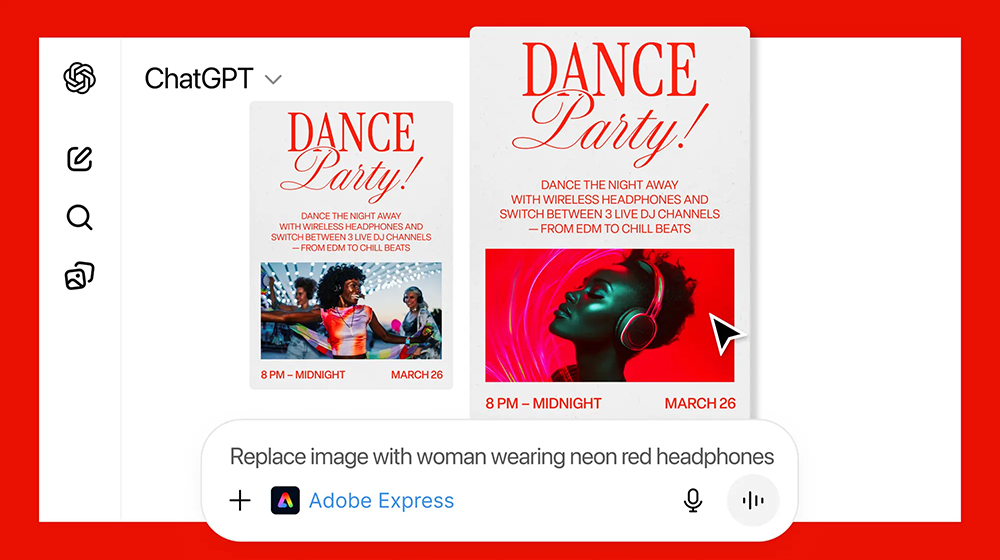
Previously, making IG posts required opening Canva or Photoshop. Now you just type “/AdobeExpress, make me a birthday invitation card with a purple starry sky as the main visual,” and the system will instantly generate multiple editable cards.
Use Adobe Acrobat to edit PDFs and organize documents. For example, “/AdobeAcrobat help me delete page 2 of the PDF” or “/AdobeAcrobat help me merge two PDFs.” These tasks previously required Acrobat Pro to complete quickly, but now they can be done with just a single sentence.
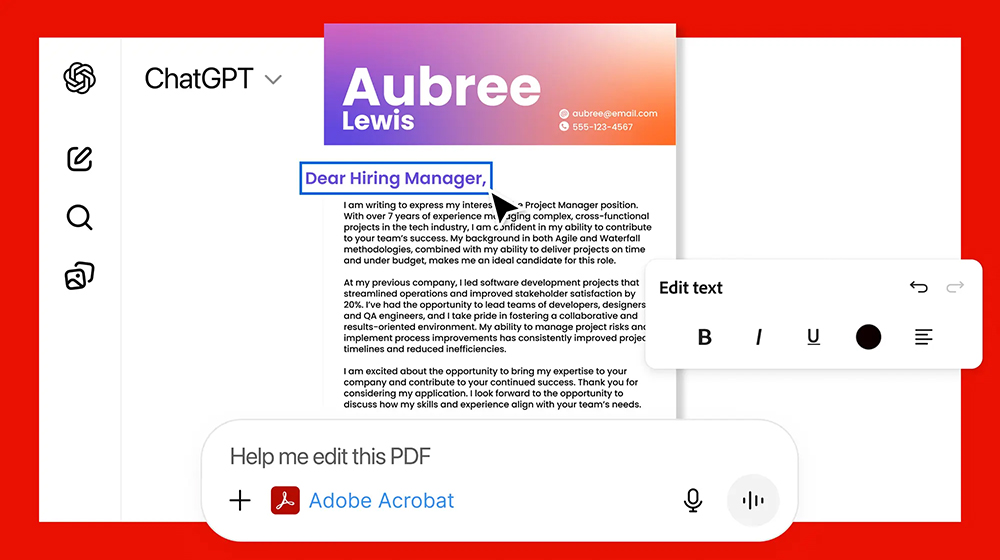
Note that when using Express or Acrobat, it is recommended to log in to your Adobe account first to ensure file synchronization works properly.
Conclusion
The integration of Adobe Photoshop, Adobe Express, and Adobe Acrobat with ChatGPT marks a new phase in the era of creative tools. Professional tools are no longer skills that only a select few can master, but everyday capabilities that anyone can use immediately.
Now, with just a single sentence, you can retouch photos, create posters, edit PDFs, craft social media posts, adjust portraits or backgrounds, and turn travel photos into works of art. This “create just by speaking” approach makes every creative process freer, smoother, and easier. And ChatGPT sits at the center of this shift, ensuring that the future of creative workflows is no longer confined to the tools themselves, but unfolds around “ideas” at the core.
For students, office workers, content creators, brand merchants, and design beginners alike, this will be a truly revolutionary change. As long as you dare to imagine it, you can immediately bring your work to life.
Further reading:
Source: KOCPC Chinese