


Some people found that Google Keep used to require only one simple step to start creating lists, text notes, drawings and adding pictures. After the update, the experience became a two-stage process in Google Keep. For those who are very particular about quick operation efficiency, this article will also briefly teach you an alternative solution. Continue reading Are you used to the new Google Keep interface? This trick allows you to quickly experience the content of reports in the past.
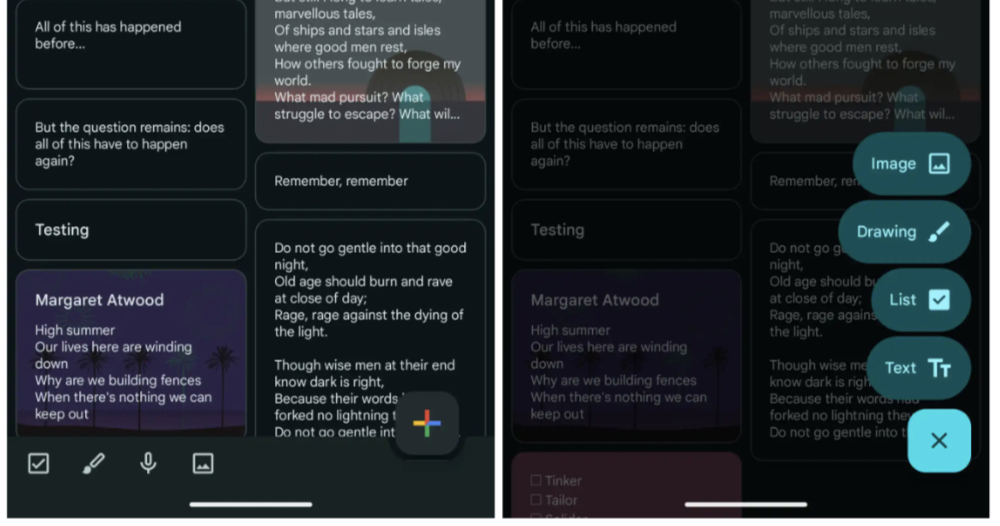
▲Image source: 9to5Google
Are you used to the new Google Keep interface? This trick allows you to get back your past fast experience
In the era of mobile systems and even AI-first, various experiences sometimes you just get used to and get started with. The next second, after an update, the interface and usage methods may need to be adapted again.
Google Keep, as a key note-taking service for many people across platforms including Android, iOS and even desktop systems, has been discovered by gods before and will be introduced to FAB, which is the experience of floating action buttons.
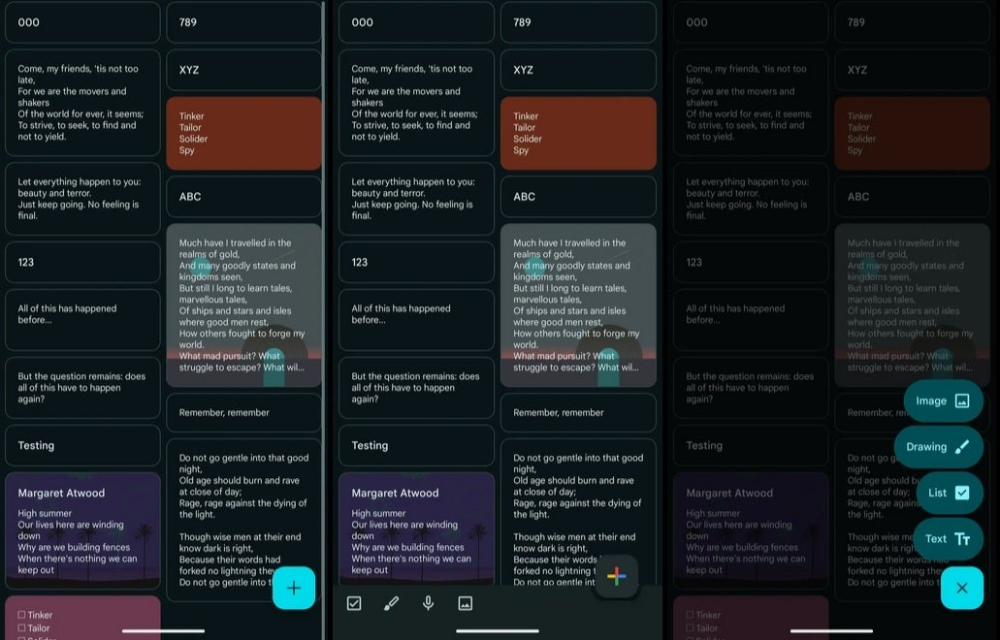
▲Image source: 9to5Google
Basically, it officially removes the four shortcut buttons originally preset at the bottom, including text notes, lists, voice input, drawing and adding pictures. And it is integrated into the floating “+” plus button, further freeing up the range of notes and memos that can be displayed – in fact, there is quite a difference, after all, the previous four buttons did not fully utilize this column space.
However, when such a function was exposed, some people discovered that this meant that the functions that used to require only one simple step to create lists, text notes, voice, draw, and add pictures now required a two-stage approach in Google Keep. This experience of worsening efficiency will also lead to people questioning whether the free space is worth the change.
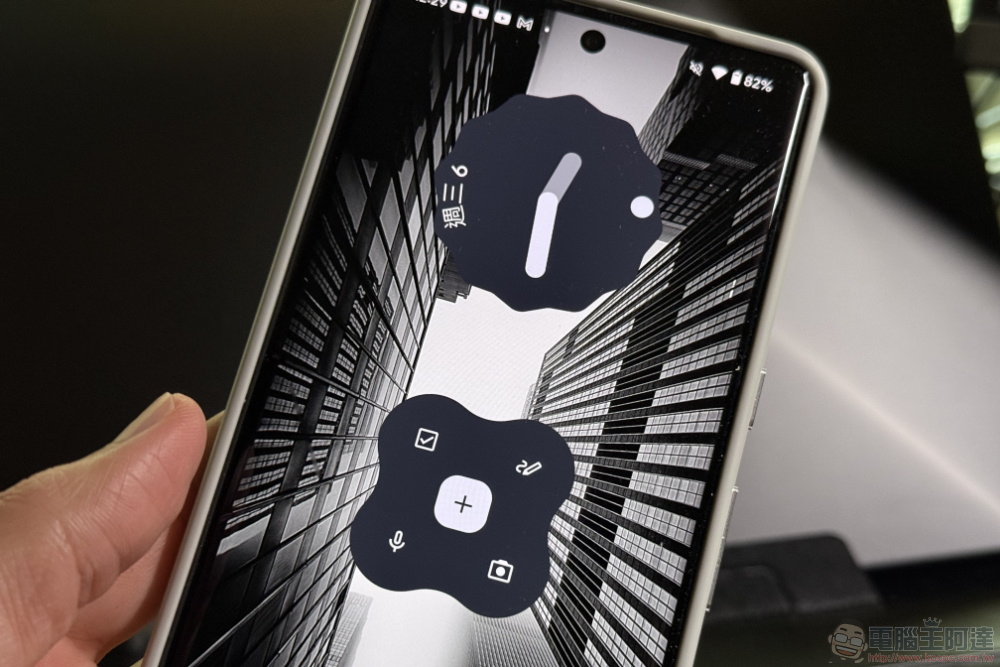
The latest experience of Google Keep has been officially imported after the recent version 5.24.432.x update (will be started from the server). For those who are very particular about quick operation efficiency, this article will also briefly teach you an alternative solution.
One trick to teach you how to get back the Google Keep shortcut button
If you feel that the latest interface of Google Keep is not comfortable, you can actually easily regain its original efficiency through the Widget tool – well, at least not yet on Google poisonous hand Before thinking of revising it.
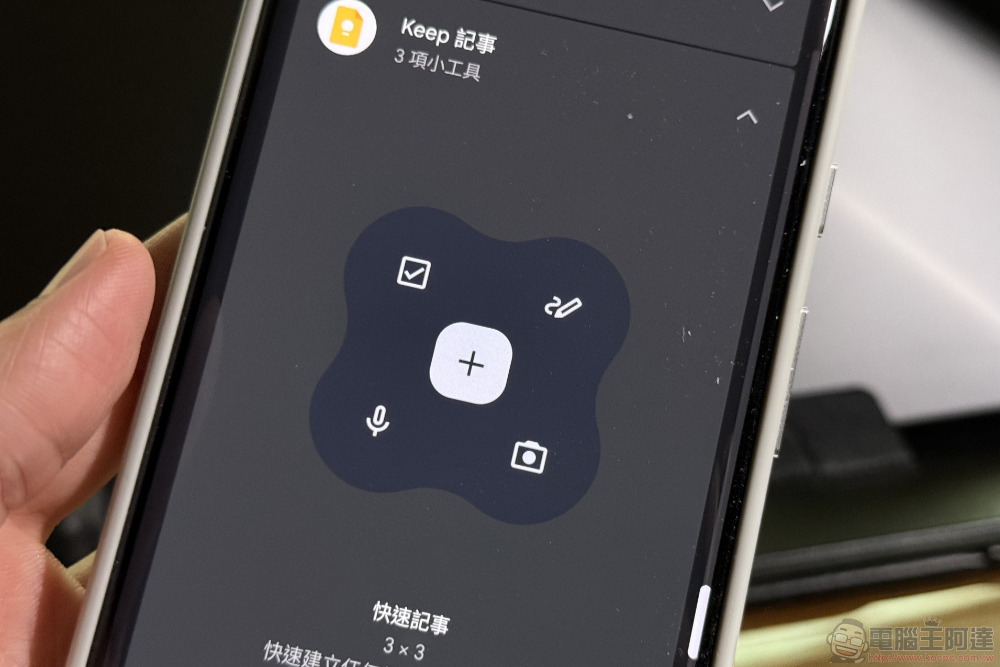
Taking the Android system as an example, you can add the Google Keep shortcut button by simply long-pressing on the desktop to select “Gadgets” and searching or searching for Google Keep.
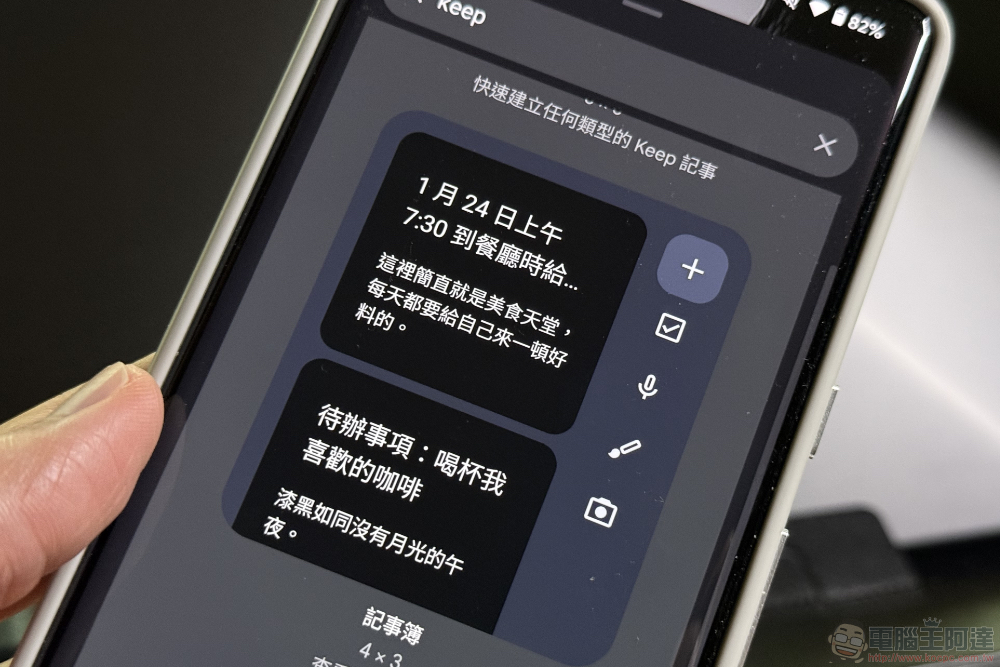
What I personally like most is that it not only has shortcut buttons for list, voice-to-text, text notes, drawing, and adding pictures (photography) functions. It also simulates the previous experience, that is, there are widgets available with a simple note list and shortcut buttons. With this solution, you can operate these functions instantly without even entering the App.
So if you really feel uncomfortable with the new FAB interface, don’t forget that Google Keep also has gadgets that can ensure efficiency.
Quote sources:9to5Google|
Further reading:

Source: KOCPC Chinese