


In recent yearsInvestmentYou could say the stock market has become a national pastime. Many people want to improve their investing skills and understand the variousTechnologyMetrics and analysis, but the difficulty level is really quite high. Even if you have the intention, you might not have much time to delve into it. If you’re using iPhonenow at App Store Chung Cheng launchesof the lifetime professional version limited-time free offer“Profit AI trading signals bot” is definitely worth getting. After upgrading, you can permanently use this… App ‘s AI Tool for quickly analyzing technical charts you don’t quite understand, after which the AI will provide various investment suggestions.The free period has ended.)
Just a reminder here: the investment advice provided by AI is for reference only. You should still make the final decision based on your own investment habits and risk tolerance.
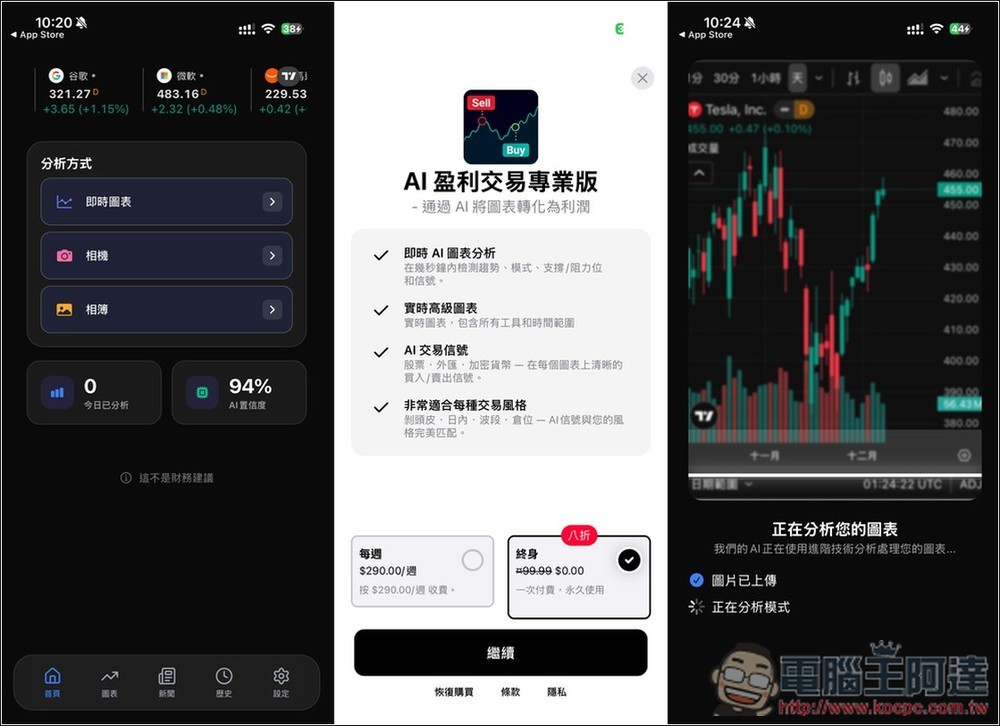
“Profit AI trading signals bot” launches a lifetime free promotion, letting AI help you make better investment decisions.
“Profit AI trading signals bot” is a smart analytical tool designed for investors, using AI technology to help interpret various market charts, including cryptocurrencies, forex, stocks, and commodities. Users simply upload a chart screenshot, and the system automatically performs trend analysis, pattern recognition, support/resistance zone analysis, and breakout signal detection, allowing even beginners to quickly understand market structure.
The app also integrates market news and supports multiple language interfaces, including Traditional Chinese, so there’s no need to worry about not understanding it. Whether you’re a day trader or a user learning technical analysis, this app makes it easier to understand current market movements and improve your analytical skills.
Main features:
- AI chart screenshot analysis and real-time pattern recognition
- Provide exclusive buy/sell signals based on the uploaded chart.
- Supports foreign exchange, cryptocurrency, stocks, indices, and commodities.
- Selected Market News
- Multilingual interface (including Traditional Chinese, Japanese, English)
Get ‘Profit AI trading signals bot’
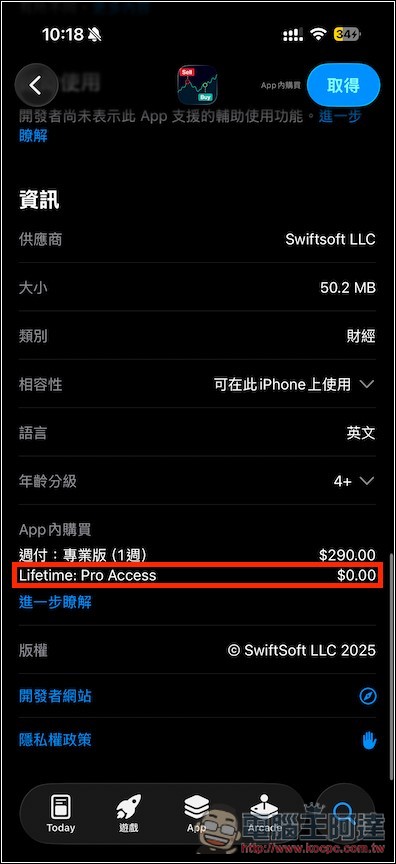
After entering the App Store page for “Profit AI trading signals bot” via the link above, you can first check the in-app purchase description below. If Lifetime: Pro Access shows $0.00, it means it’s still free.
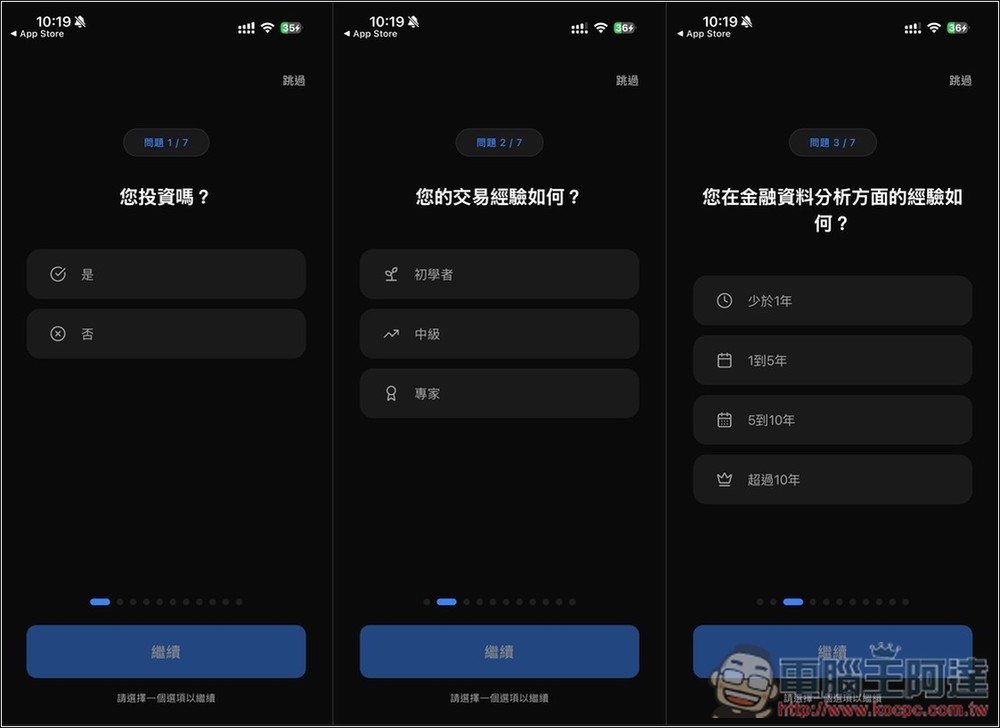
When you first open it, it will ask for some basic information, like whether you invest, how much trading experience you have, how experienced you are in financial data analysis, and so on. If you don’t want to answer, you can also tap Skip in the top right corner.
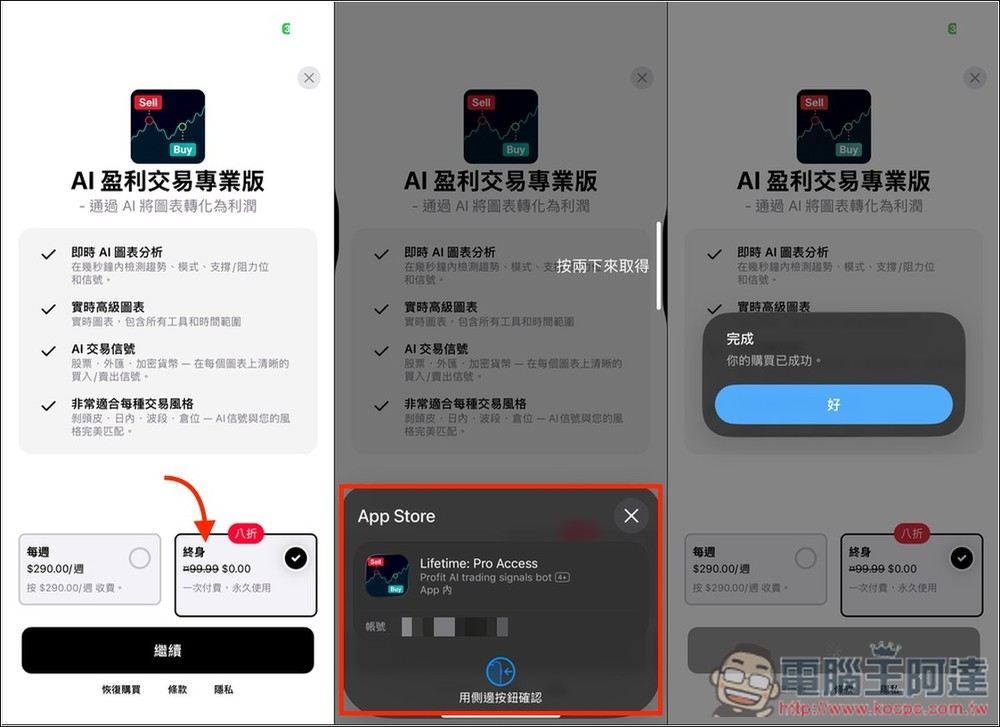
Then the payment screen will pop up—make sure to select the lifetime version at 0 yuan on the right, then hit continue. After that, confirm whether the amount is truly zero. If it is, press Get twice. If there’s any amount showing, don’t press it no matter what—this is extremely important. Once it shows “Your purchase was successful,” that means you’ve upgraded to the lifetime version.
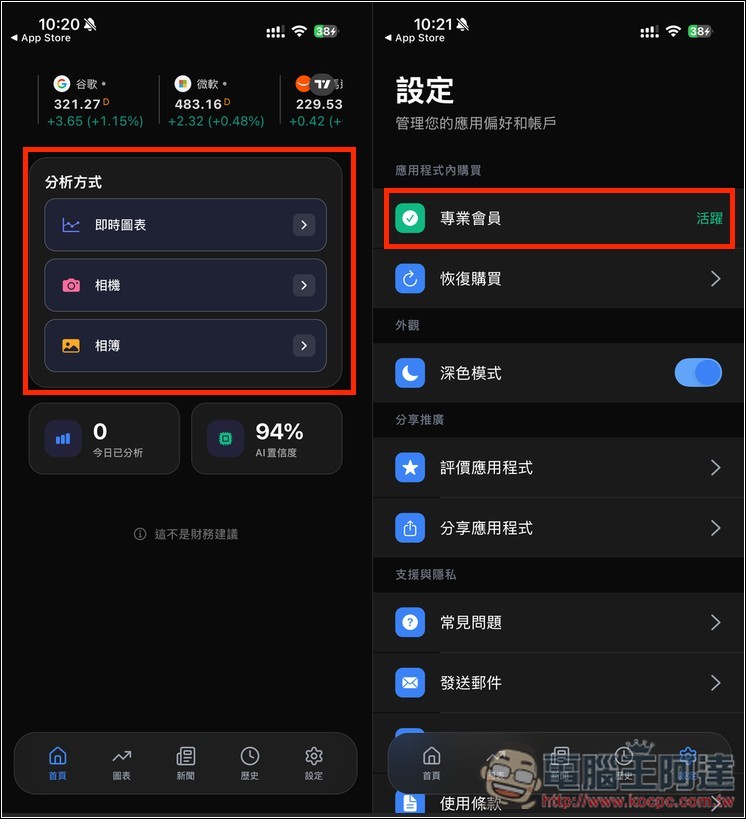
After entering the main screen, three analysis import methods are provided: “Real-time Chart”, “Camera”, and “Photo Album”. Real-time Chart connects to TradingView. Additionally, if you want to confirm whether you’ve really upgraded to the Pro version, you can go to Settings and check whether the Pro membership at the top shows “Active”. However, when I first entered the Settings screen, the top showed “Upgrade to Pro”, and then I tapped that option, and it changed to Pro membership “Active”:
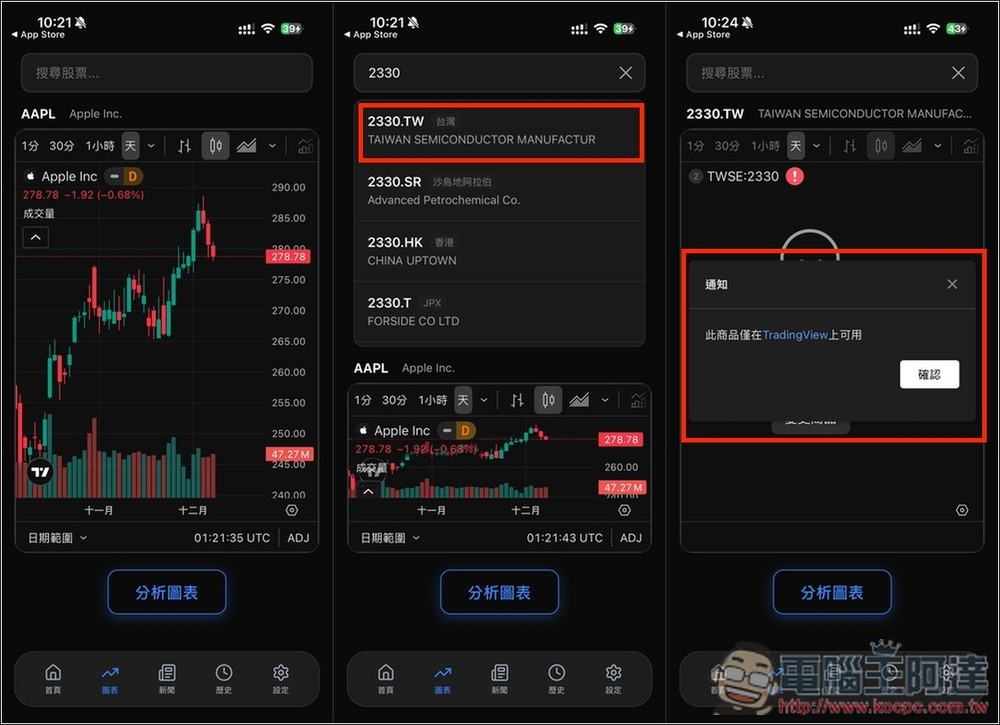
Although “Real-time Charts” can also search for Taiwan stocks, Taiwan stock products must be viewed on TradingView, so they cannot be imported through real-time charts.
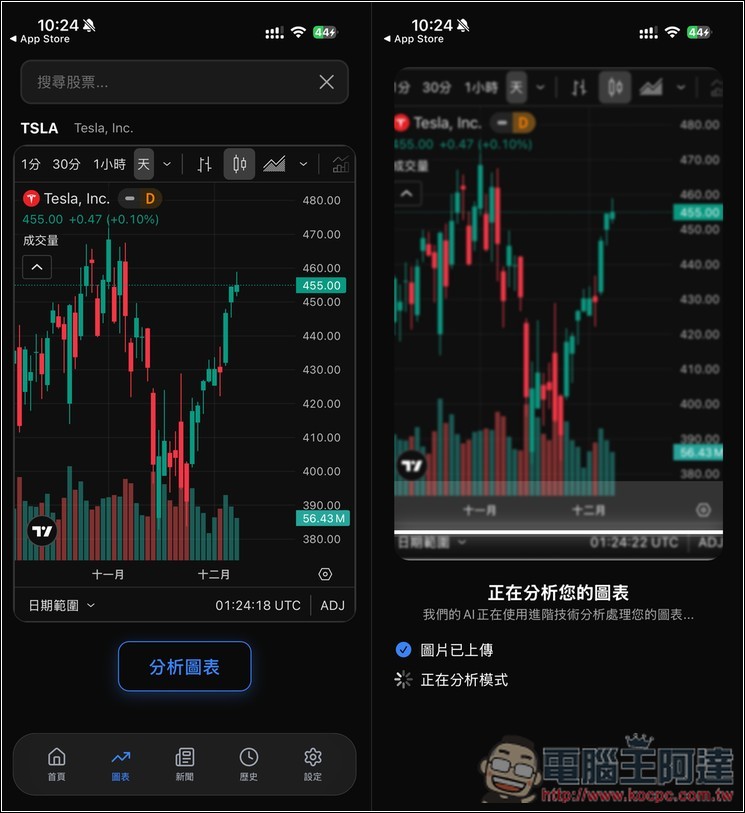
If it’s US stocks, no problem — I’ll have AI analyze Tesla:
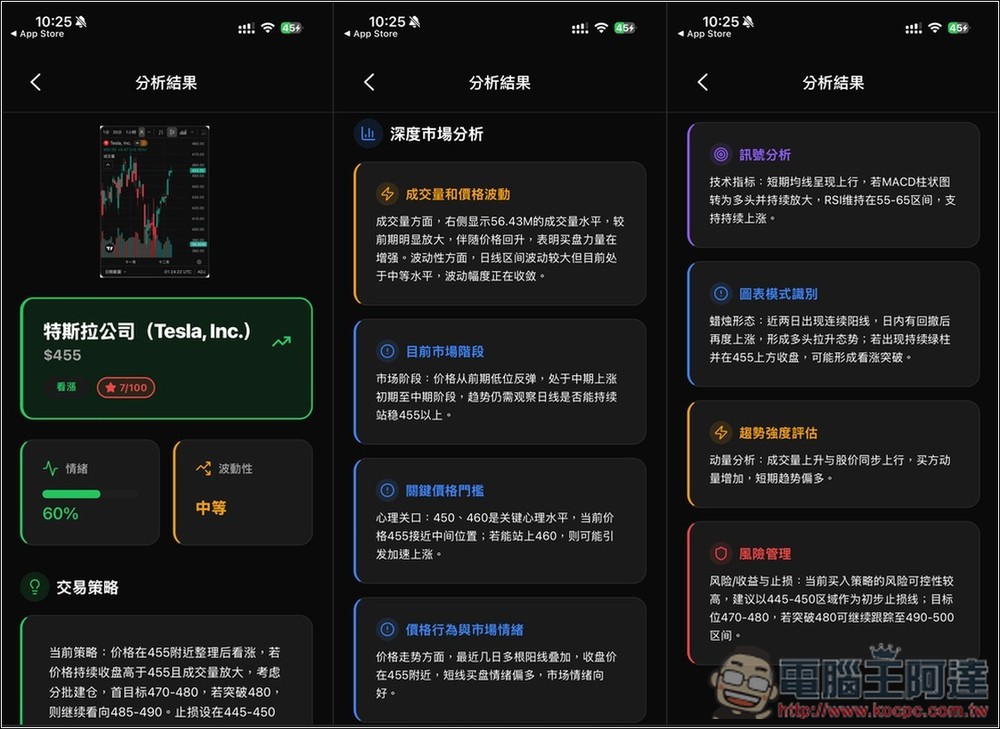
After the analysis is complete, you will receive AI-generated recommendations on trading strategies, in-depth market analysis, risk management, and more:
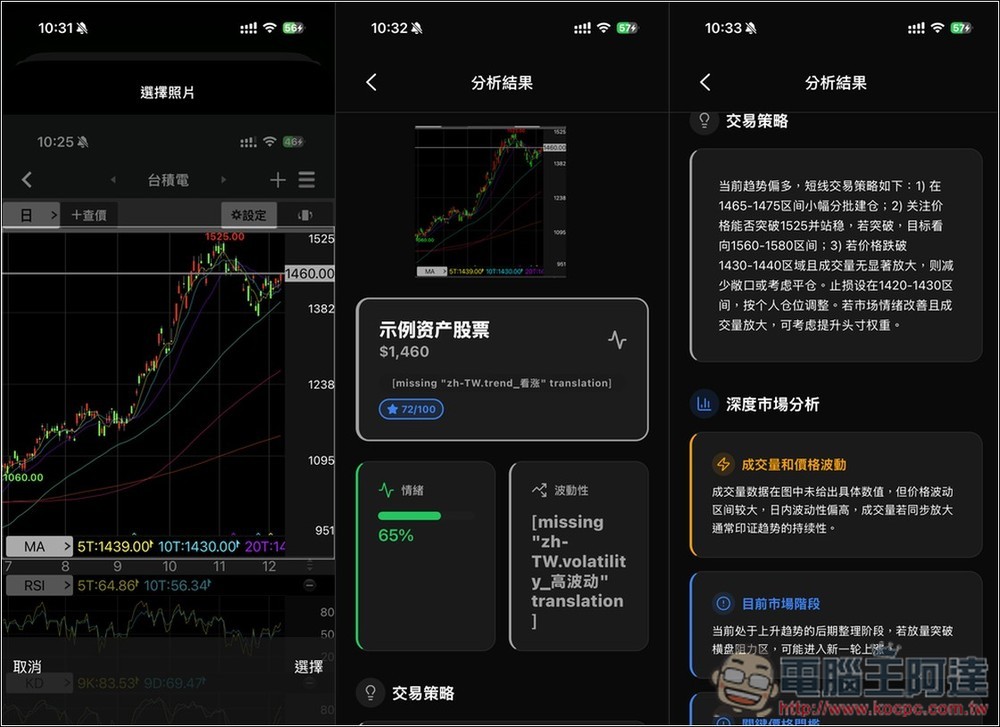
If you want to analyze Taiwan stocks, first go to your usual securities app, take a screenshot of the technical chart for that stock. In the image below, I captured TSMC, then choose to import from the album. When importing, remember to move the frame so that it covers the entire technical chart, so that the analysis will be accurate.
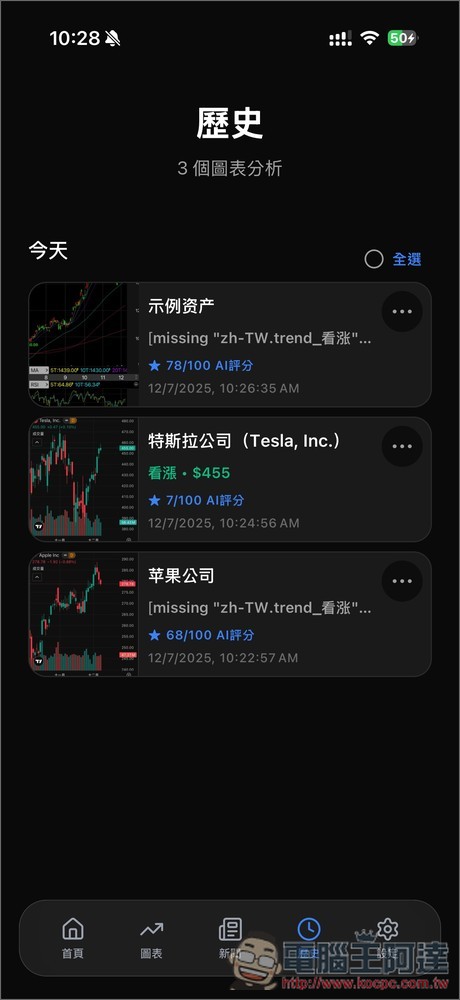
There are also historical records to view previously analyzed stocks:
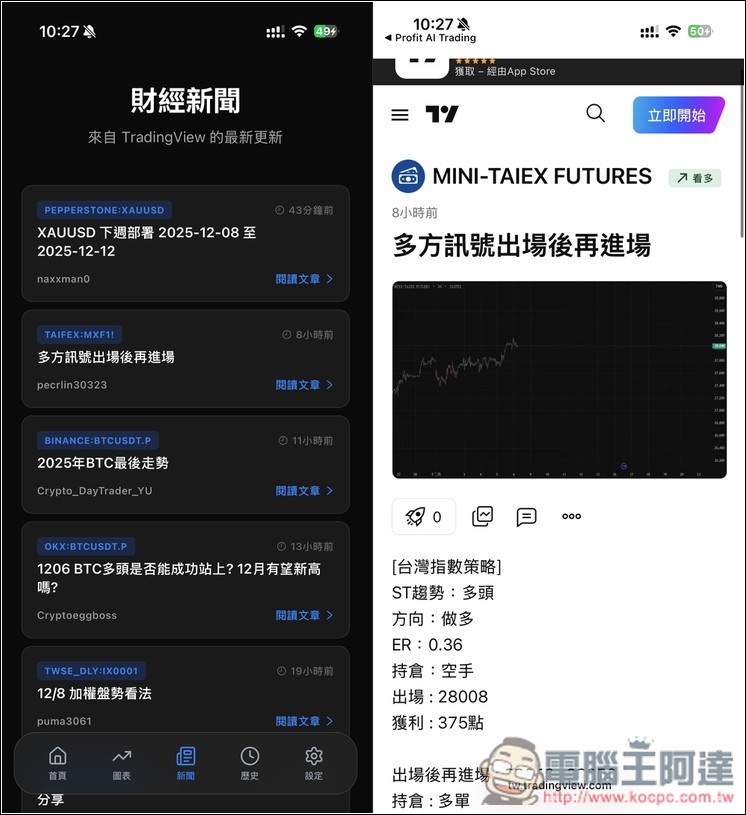
Financial news also connects to TradingView:
Source: KOCPC Chinese