


I believe many people have already used the “conversation” translation support of Google Translate/Google Translate app on the mobile platform very smoothly, and they should all like the convenience of this feature when traveling overseas. Recently, the Android version of Google Translate, in addition to its powerful real-time transcription function, has also introduced the Instant Translation function that helps translate text instantly by inputting text in real time. Now through foreign media digging into the new version of Google Translate app, we have discovered that the future Android version will further enhance the translation experience. Continue reading What features might be included in the new version of Google Translate app’s instant translation? How to use it? This article tells you the content of the report.
▲Image source: Google
What features may be added to the new version of Google Translate app for instant translation? How to use it? This article tells you
I believe many people have already used the “conversation” translation support of Google Translate/Google Translate app on the mobile platform very smoothly, and they should all like the convenience of this feature when traveling overseas. Recently, the Android version of Google Translate, in addition to its powerful real-time transcription function, has also introduced the Instant Translation function that helps translate text instantly by inputting text in real time.
Now, through foreign media digging into Google Translate app v8.20.71.687383449.1, we have discovered that future Android versions will further improve the translation experience.
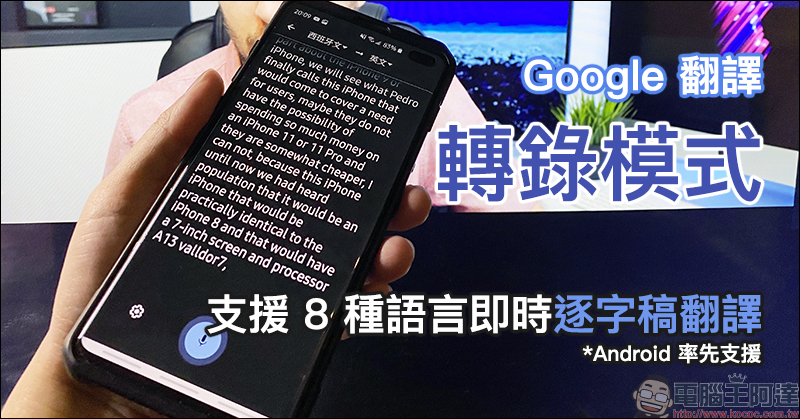
Google Translate app new version Instant Translation instant translation preview
According to the foreign media Android Authority’s first announcement of unlocking the latest interface function of Google Translate, Google Translate will next optimize the text input and instant translation function of Instant Translation with a deeper experience.
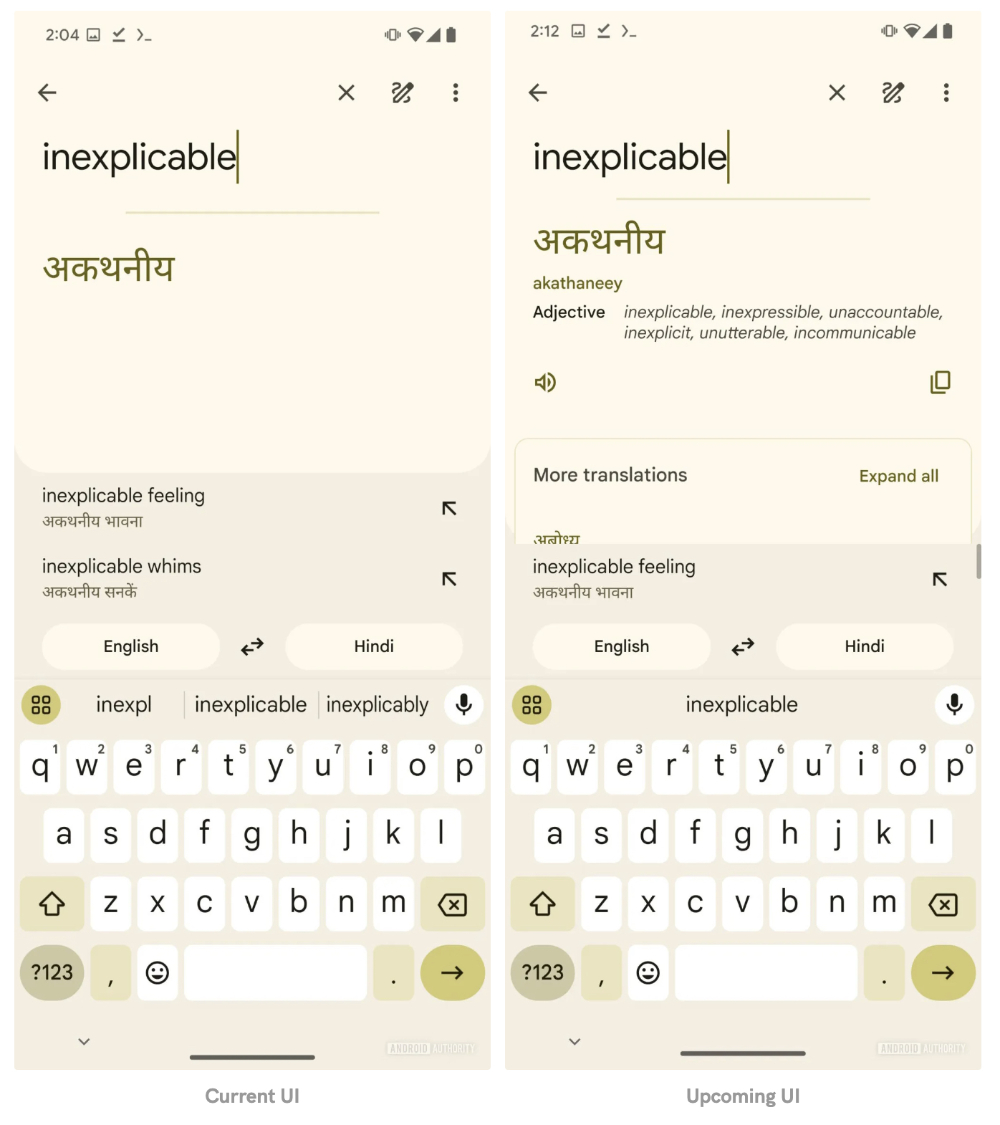
Currently, when using Instant Translation, only the translation of the selected target language can be displayed instantly. Secondly, you basically only see the arrow buttons for further word information pages that allow you to end instant translation, or you need to press Enter/Complete on the keyboard to enter the next page (just like the left picture below).
▲Image source: Android Authority
In the new version of the experience that has not been officially launched yet. The real-time translation function of the Google Translate app brings a wealth of information and functions (pictured above, right). It will bring out further word explanation marks directly in addition to the translation while inputting text, and there will also be speakers that can play voices and copied symbols. You can even expand the button to bring out more translations.
That is to say, the editor is currently comparing the iOS version and found that the button that can quickly copy the translation results has appeared in the iOS version of the Google Translate app.
▲Image source: Android Authority
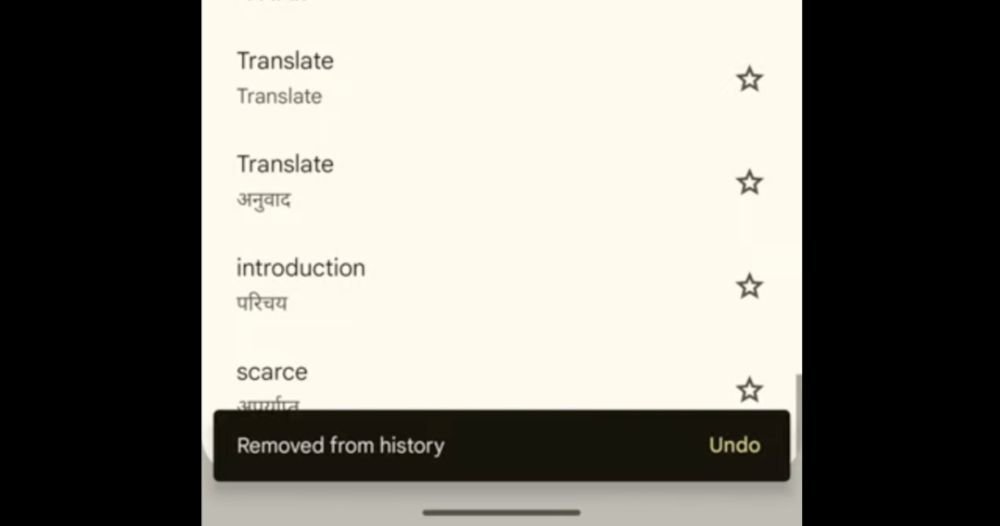
This time v8.20.71.687383449.1 was also discovered. For the historical translation page, the function of deleting historical translation data with the original swipe gesture will be enabled, and an “Undo” pop-up notification will be provided. Basically, it is a good function that can be used to make immediate corrections when you accidentally delete an important translation paragraph.
It must be said that although the update function of the Google Translate App has been dug out, it feels that the function is quite stable. However, the actual launch time still depends on the official update schedule – does it rule out that it will be opened directly from the server? Friends who are looking forward to it can wait a little longer.
Quote sources:Android Authority|
Further reading:
YouTube’s new mini player and settings page are here, is it easier to use? Here’s a quick look
Source: KOCPC Chinese