


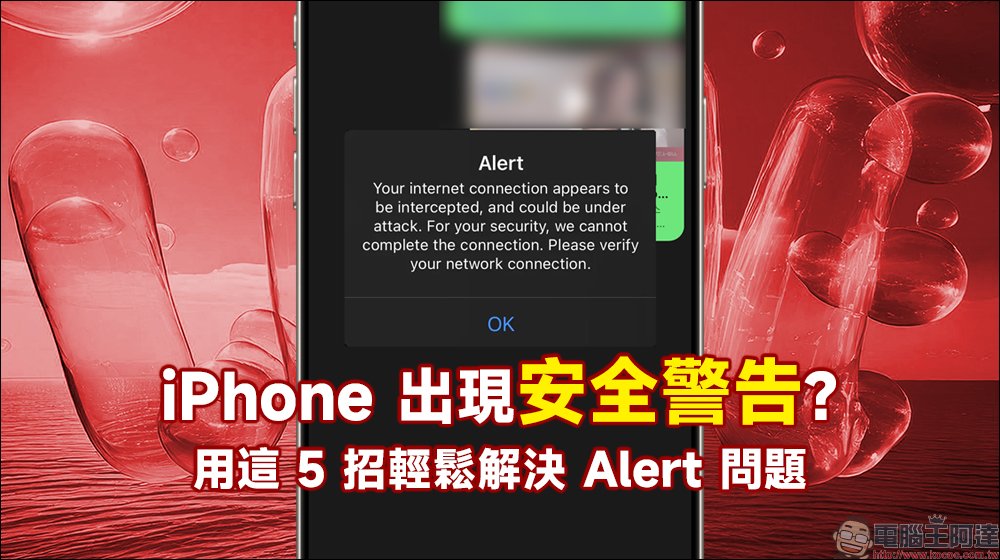
Recently, many iPhone users have reported that “Alert warning” notifications suddenly appeared on their iPhones, making them worried that their phones have been attacked or invaded. If you encounter a similar situation, don’t worry too much. This is not caused by an attack on the iOS system. This article will introduce several effective methods to solve this Alert error to help you quickly eliminate the problem.
Security warning on iPhone? Solve Alert issues easily with these 5 tips!
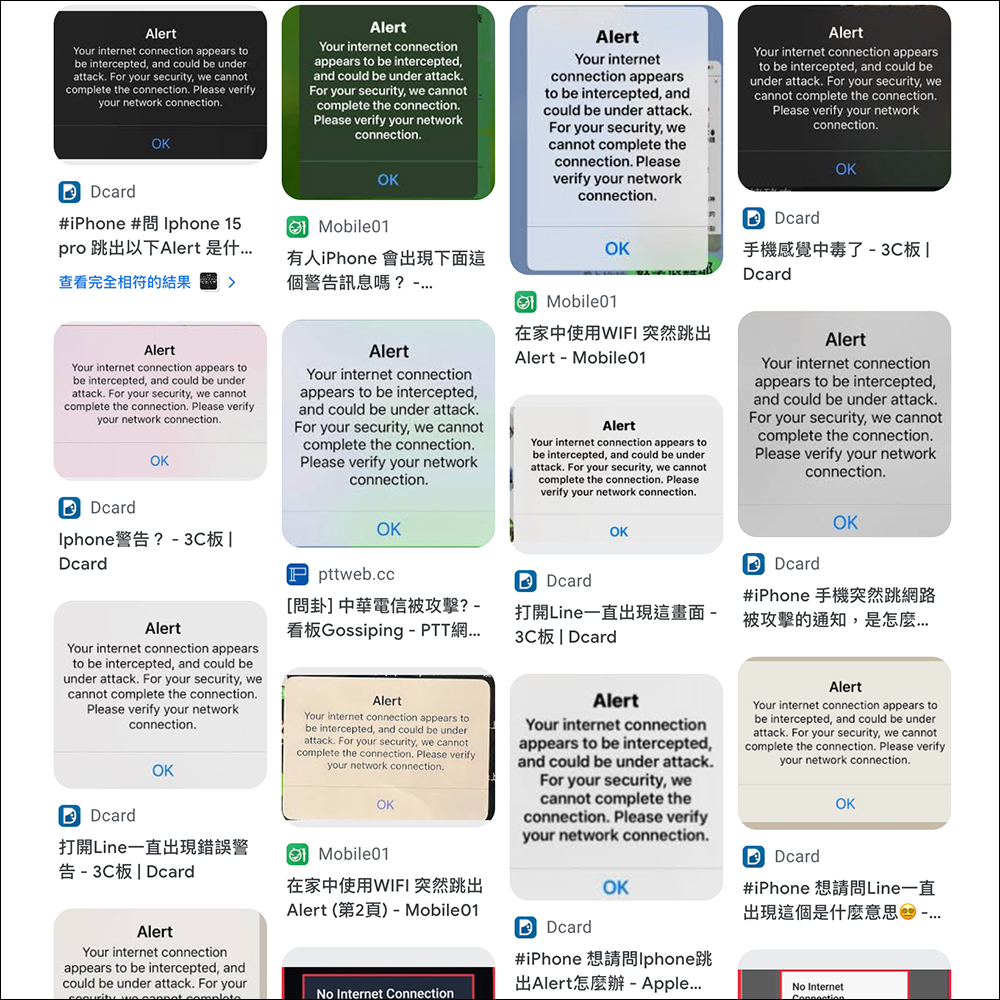
Starting yesterday (24th), many people on social platforms such as PTT, Dcard, Facebook, and Threads reported that their iPhones received an “Alert warning.” No matter which iPhone you use or which telecommunications service you connect to, or even the Wi-Fi network, you may receive this Alert warning that your network connection is under attack without warning. The specific error message is as follows:
“Your internet connection appears to be intercepted, and could be under attack. For your security, we cannot complete the connection. Please verify your network connection.”
This message indicates that your network may be blocked or attacked. For security reasons, the system cannot complete the connection. This problem is currently only seen in Taiwan. Foreign iPhone users have not reported similar situations, so this may be an error caused by some third-party application software in Taiwan.
How to solve the iPhone’s alert network connection exception warning this time?
Judging from everyone’s current feedback, this type of Alert error message is mostly related to the LINE application. This warning is more likely to be triggered, especially when LINE or LINE Pay-related services are turned on. Here are 5 effective solutions:
Turn off LINE Pay targeting
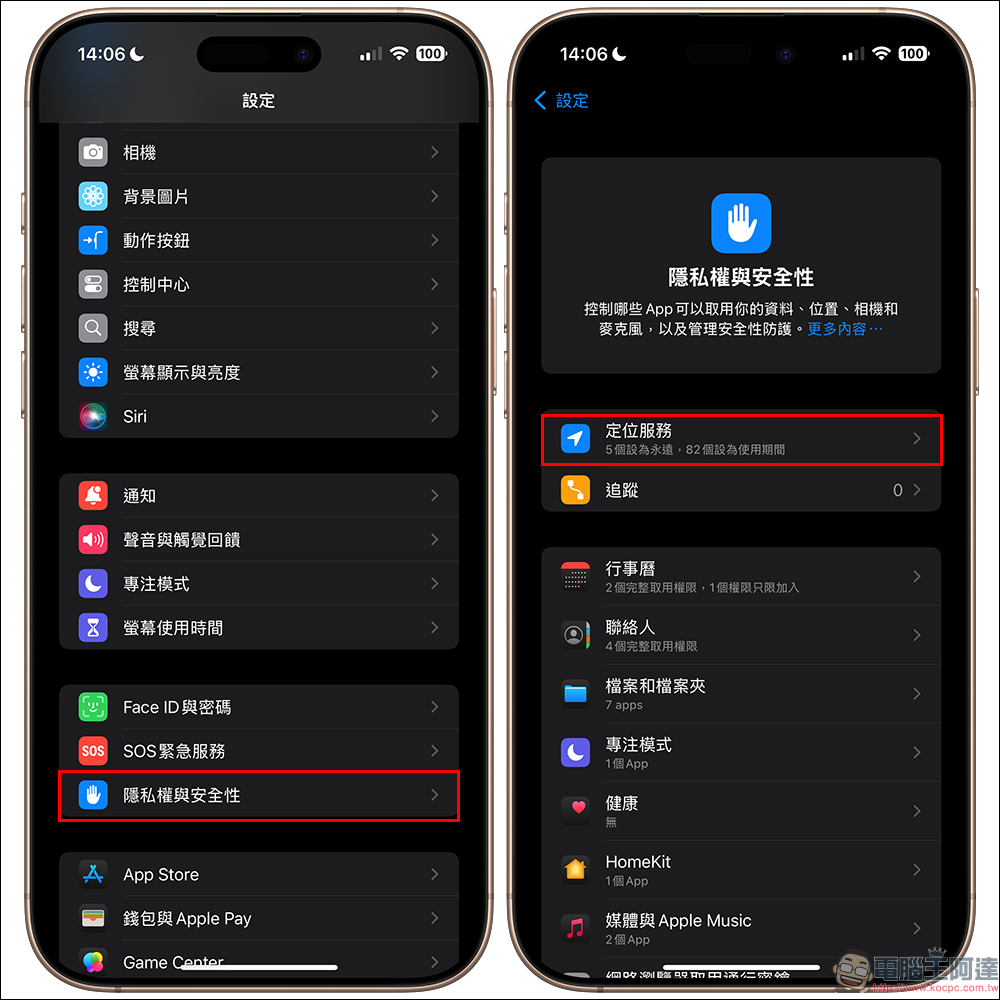
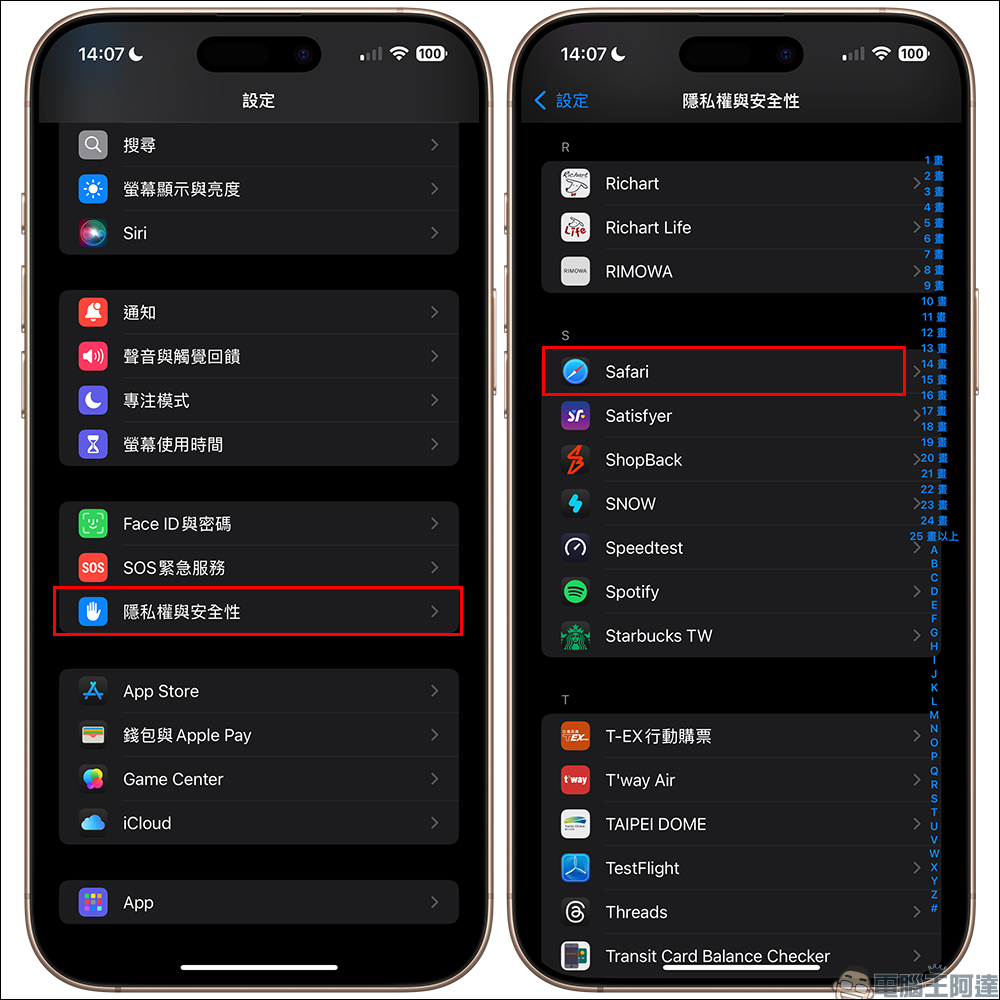
Open the iPhone’s “Settings” APP and enter “Location Services” in “Privacy & Security”:
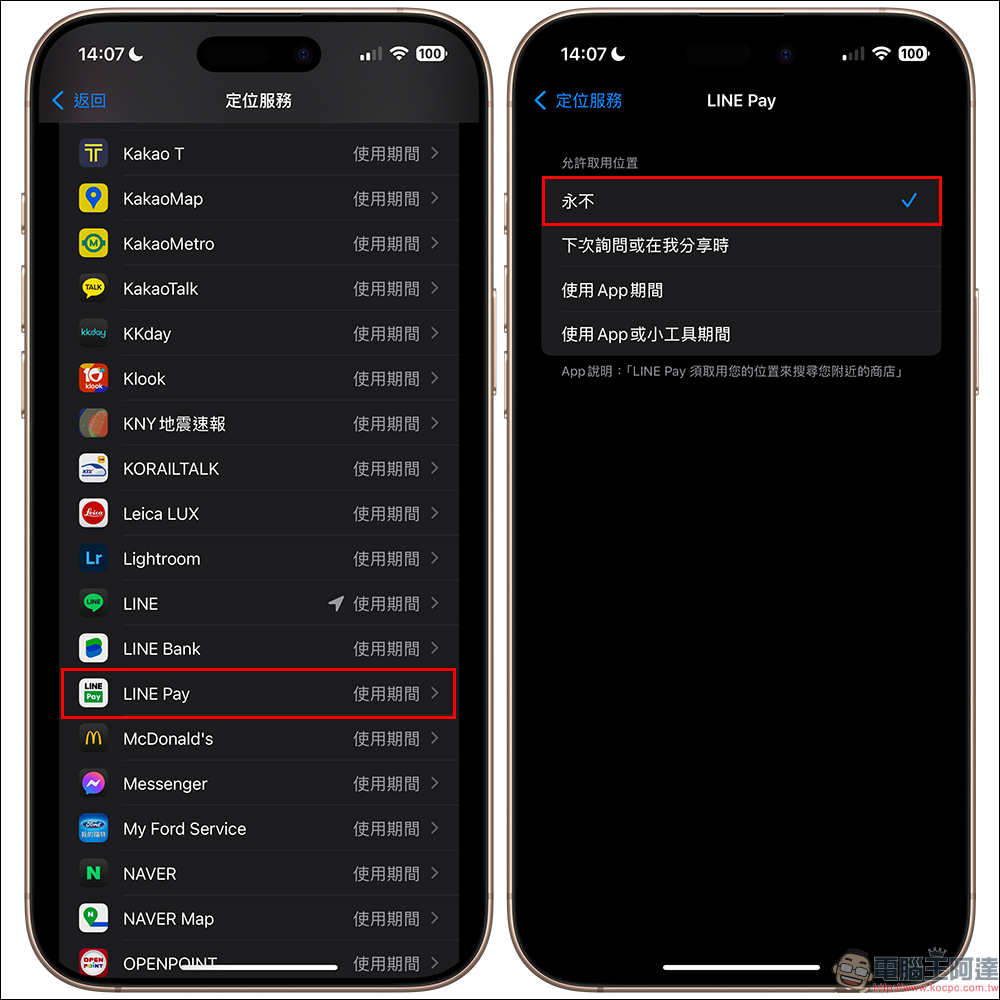
Find LINE Pay and set its location access permission to “Never”. This will prevent Alert security warnings from popping up again:
Clear Safari browsing cache
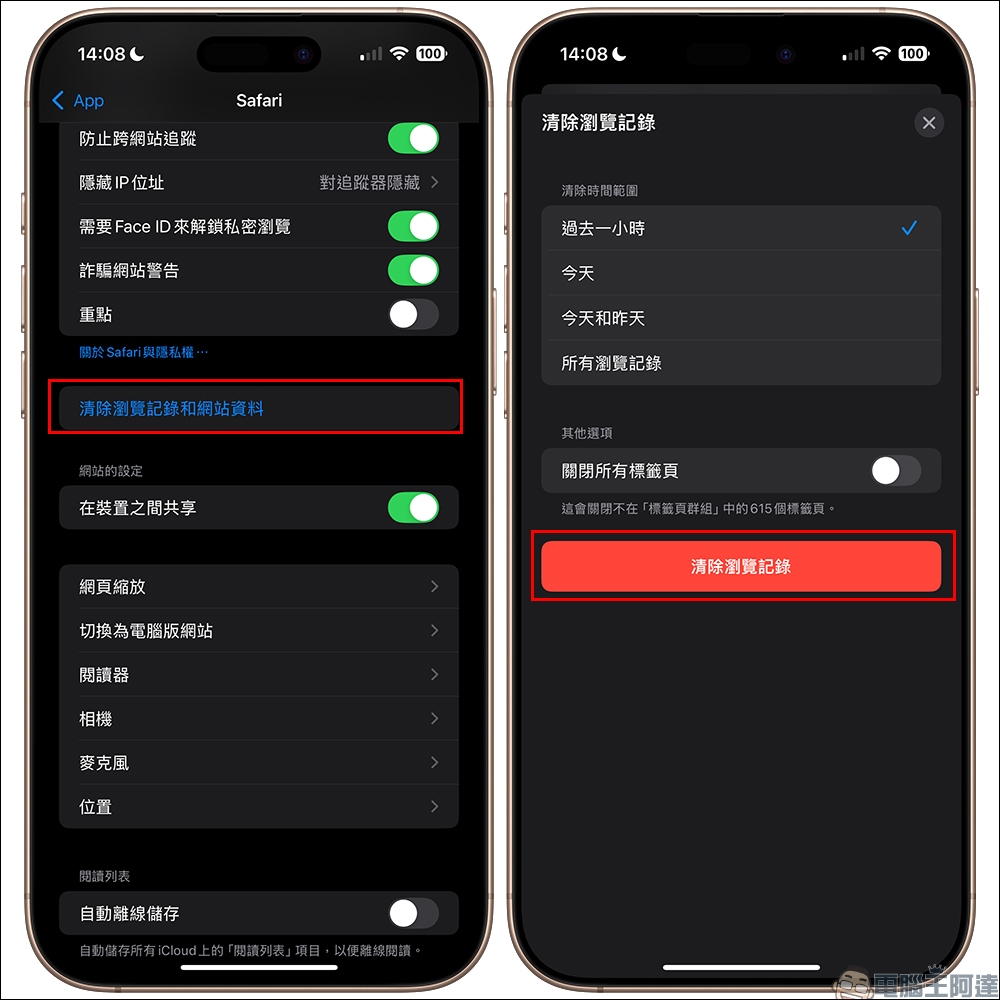
Clearing Safari’s browsing history and website data can also effectively resolve this issue. The specific steps are as follows:
First, open the “Settings” APP and click “Safari”:
Then select “Clear browsing history and website data” and click “Clear browsing history”:
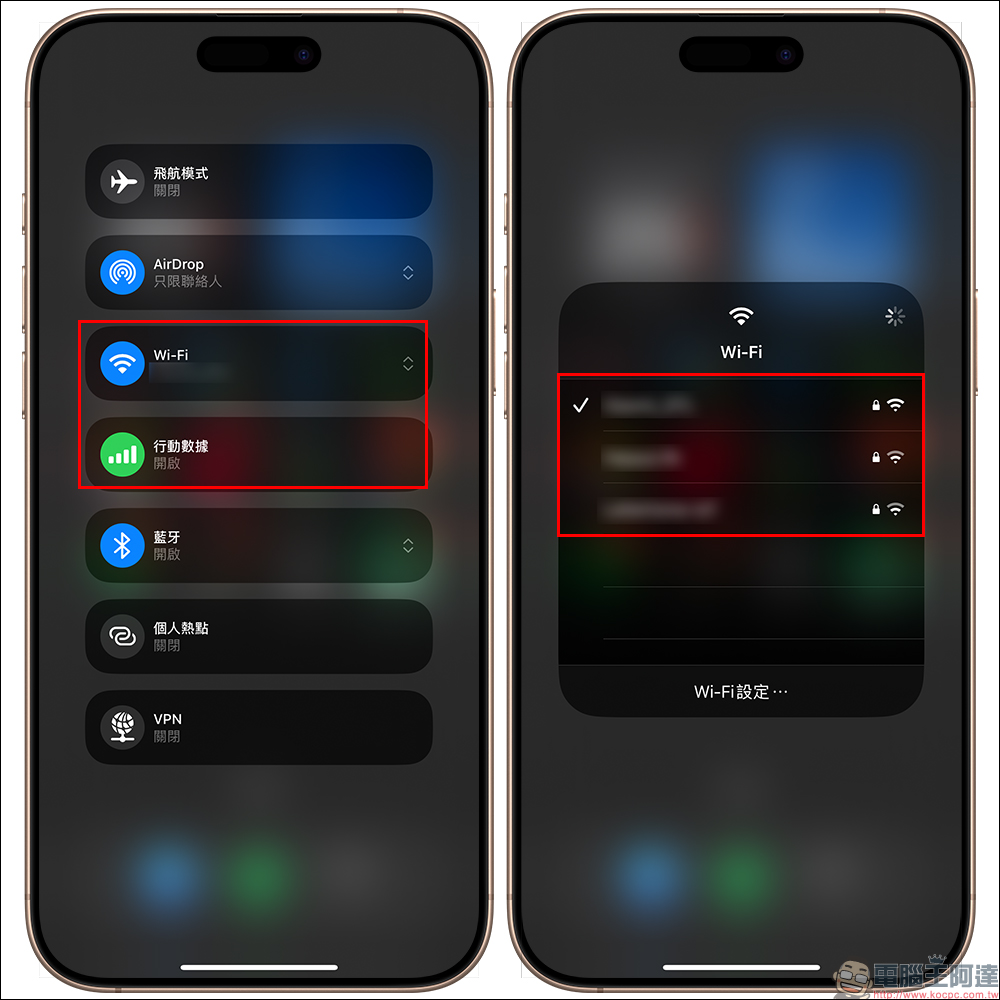
Try switching to different network environments
Some users shared that after switching Wi-Fi or mobile networks, this Alert warning no longer appears on the iPhone. You can try changing the network to eliminate the problem.
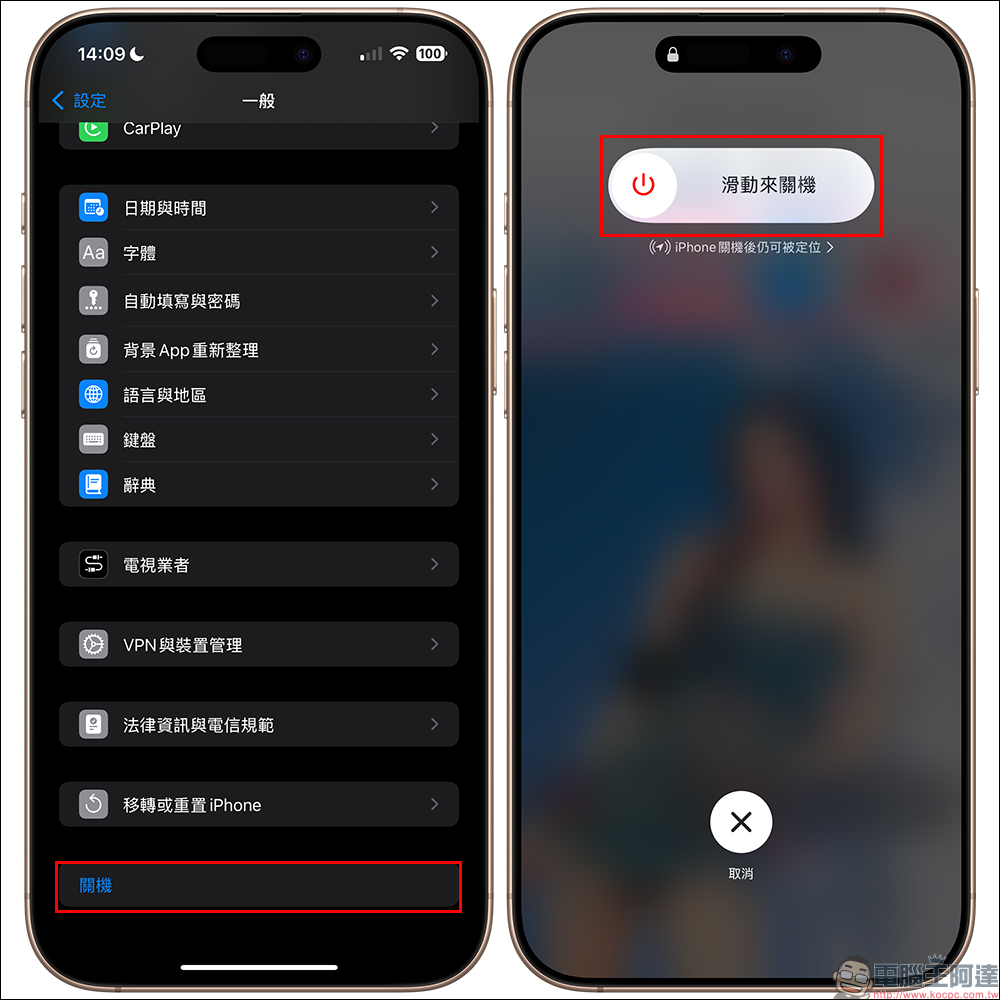
Restart iPhone
If none of the above methods work, it is recommended to try restarting your iPhone. Many users have reported that after restarting their device, the Alert warning no longer pops up.
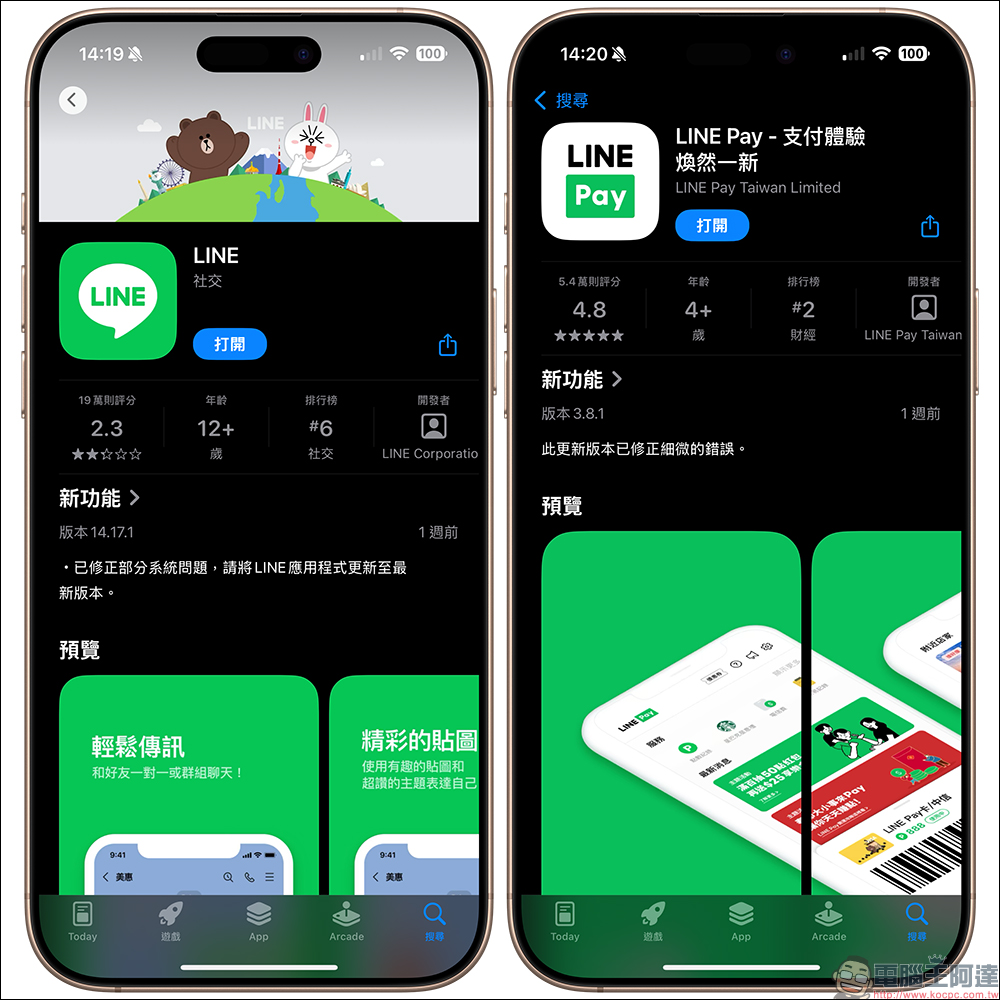
Update the APP frequently
Keeping your app updated frequently is the best way to avoid these kinds of mistakes. It is recommended to check the App Store frequently to see if there are update notifications for LINE or LINE Pay to keep the app up to date.
Why does the Alert warning appear?
It is speculated that the iPhone popping up the Alert network connection security warning this time may be related to the expiration of LINE’s SSL certificate. Users who do not update in time may be stuck with old credentials, triggering security warning messages. Therefore, keeping your application updated to the latest version can effectively prevent this situation from happening again.
Further reading:
2024 Xiaomi Double 11 Carnival Shopping Festival is here, with discounts starting from 50% off! If you are lazy, read this article for event discounts

Source: KOCPC Chinese