


AI + To-do listThe convenience it brings is something many people haven’t experienced yet. If you’re using iPhoneEarlier, App Store Launching the lifetime version as a free offerThe “Voice ToDo List AAKA AI” is definitely worth getting. With AI support, you can just say what you need to do in natural language, and the AI will automatically identify which parts of that speech need to be turned into to-do items, so you don’t have to manually enter anything. It’s very convenient.The limited-time free offer has ended.)
But a heads-up: this app’s default Chinese recognition is set to Simplified Chinese, and there’s currently no language setting option available. If that matters to you, I’d suggest giving it a pass. Also, before claiming the free promotion, make sure to confirm there’s “no charge.”
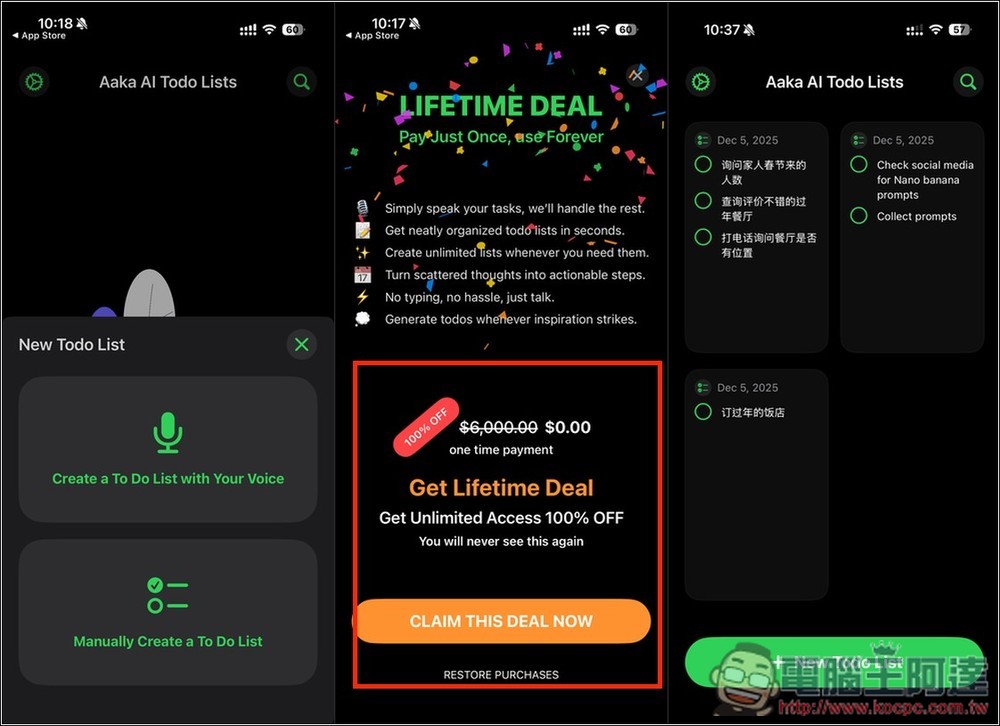
Voice ToDo List AAKA AI Lifetime Edition Free! Automatically breaks down what you say into multiple to-do lists, no more manual input.
“Voice ToDo List AAKA AI” is a productivity app that combines voice input with AI-powered organization, designed for people who want to record to-dos more quickly. Unlike typical tools that only convert speech to text, Aaka AI understands what you say and automatically turns the dictated information into a clear, itemized to-do list.
Whether it’s meeting notes, daily chores, shopping lists, or project planning, it’s very useful and greatly reduces the time spent on manual typing.
Key Features
- Quick voice input: no typing needed—just speak the task to create a to-do.
- AI Auto-Organize: Understands semantics and converts voice content into clear to-do lists.
- Progress tracking: Check off tasks immediately after completing them to stay on top of your daily progress.
- Clean interface: clean and intuitive design, but Chinese is not currently supported.
- Focus Timer: Quickly enter focus mode to improve efficiency.
Obtain Voice ToDo List AAKA AI
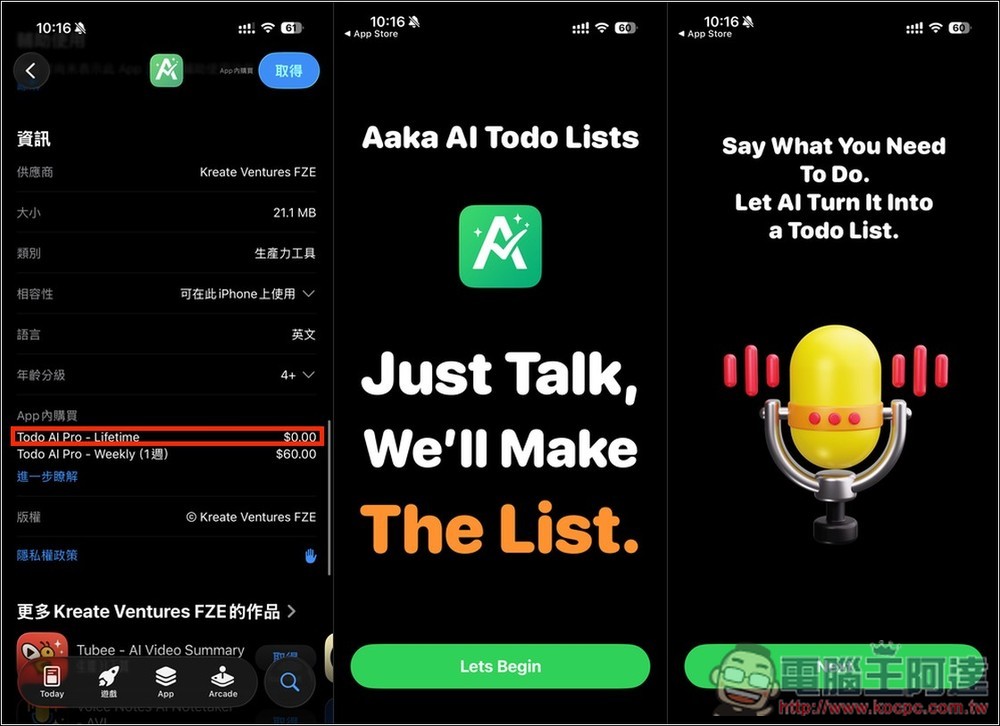
After going to the App Store page for Voice ToDo List AAKA AI via the link above, I suggest checking if the Lifetime in-app purchase shows $0. If it does, it means it’s still free for a limited time. The first time you open the app, there will be an introduction to its features:
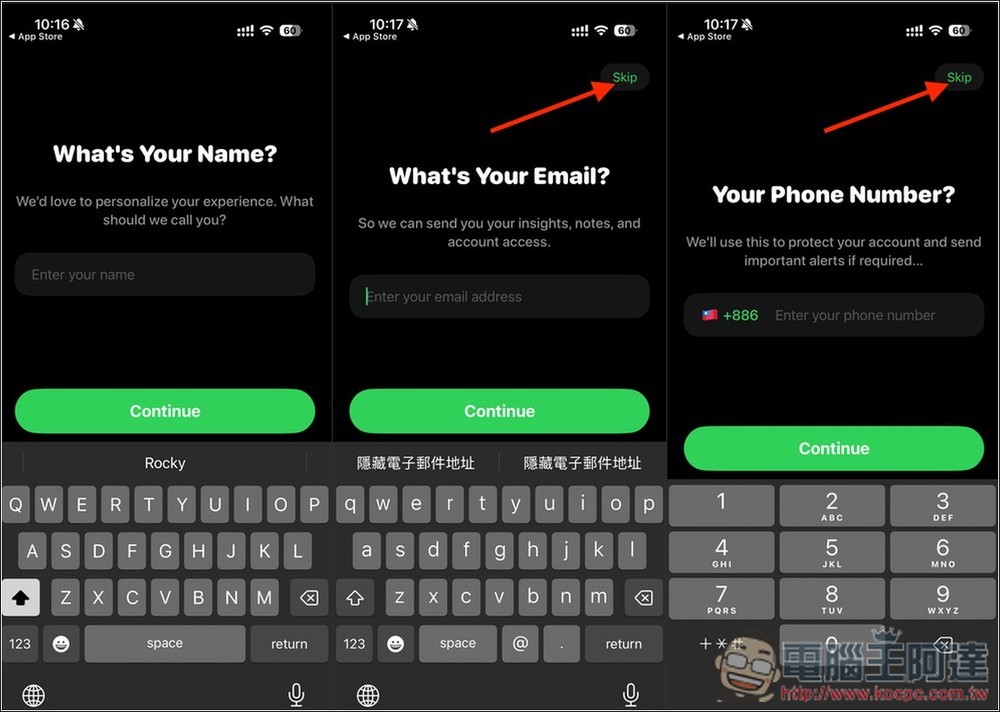
It will ask you to create a profile. For the Email and phone number fields, if you don’t want to provide them, you can click Skip at the top right.
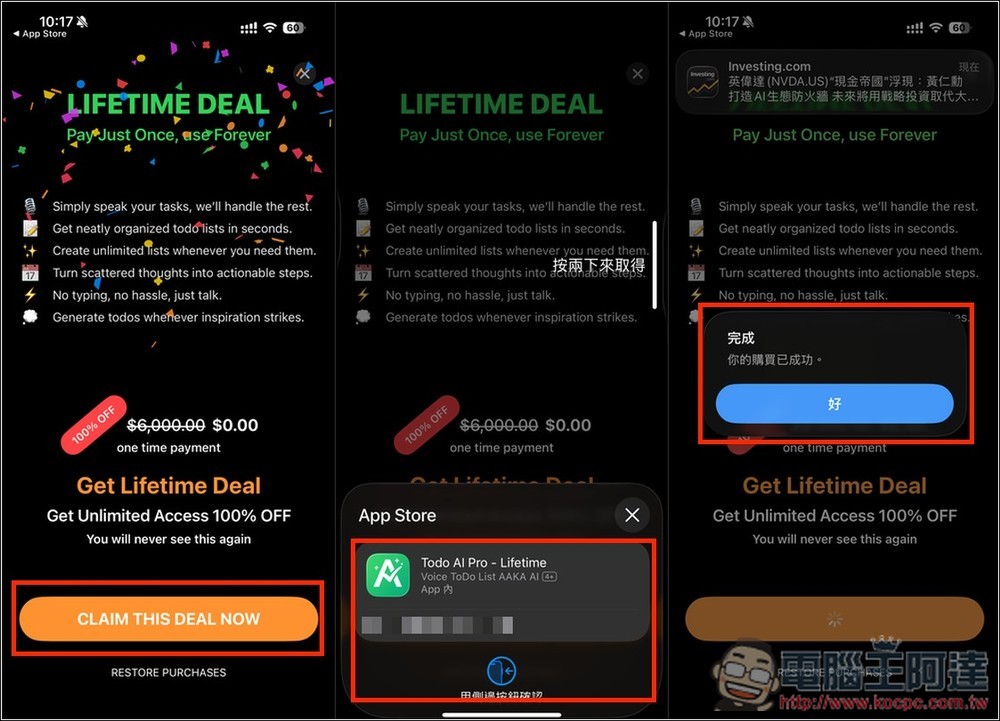
Next, the screen for the lifetime free upgrade will appear, with “Lifetime Deal” written at the top showing 100% OFF, price $0. Click CLAIM THIS DEAL NOW. The next page is very important: make sure the screen that appears does not show “any amount” before double-clicking to confirm. If there is an amount, do not click. When it shows “Your purchase was successful,” it means you have been upgraded to the lifetime version:
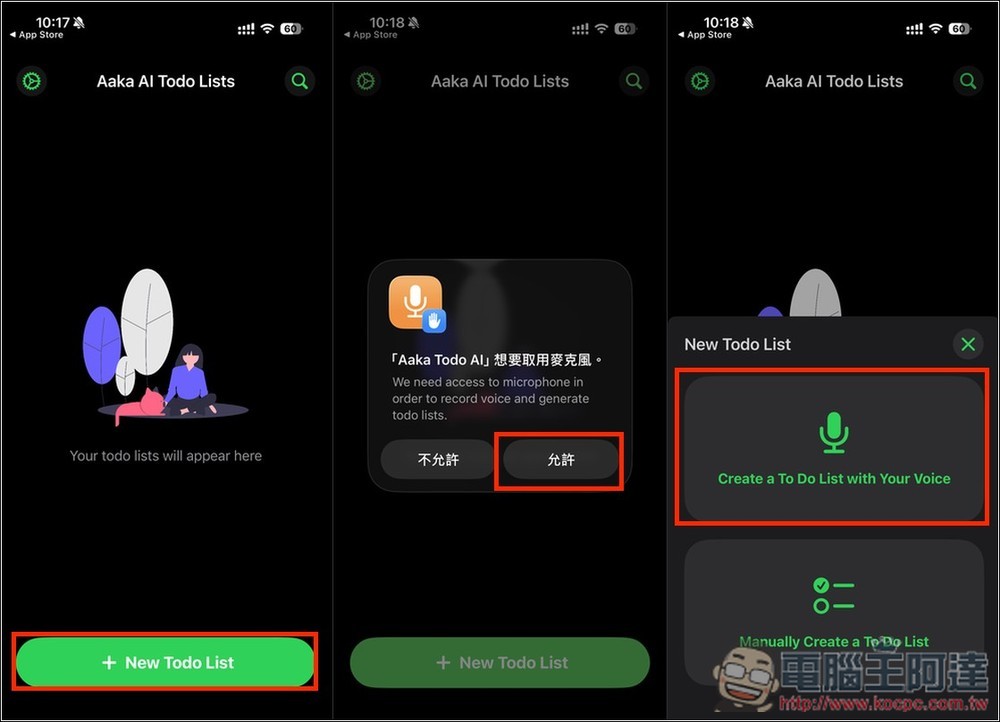
Usage is simple: tap + New Todo List at the bottom of the home screen to create a to-do list. The first time, you’ll need to allow microphone access, then select ‘Create a To Do List with Your Voice’ at the top and speak:
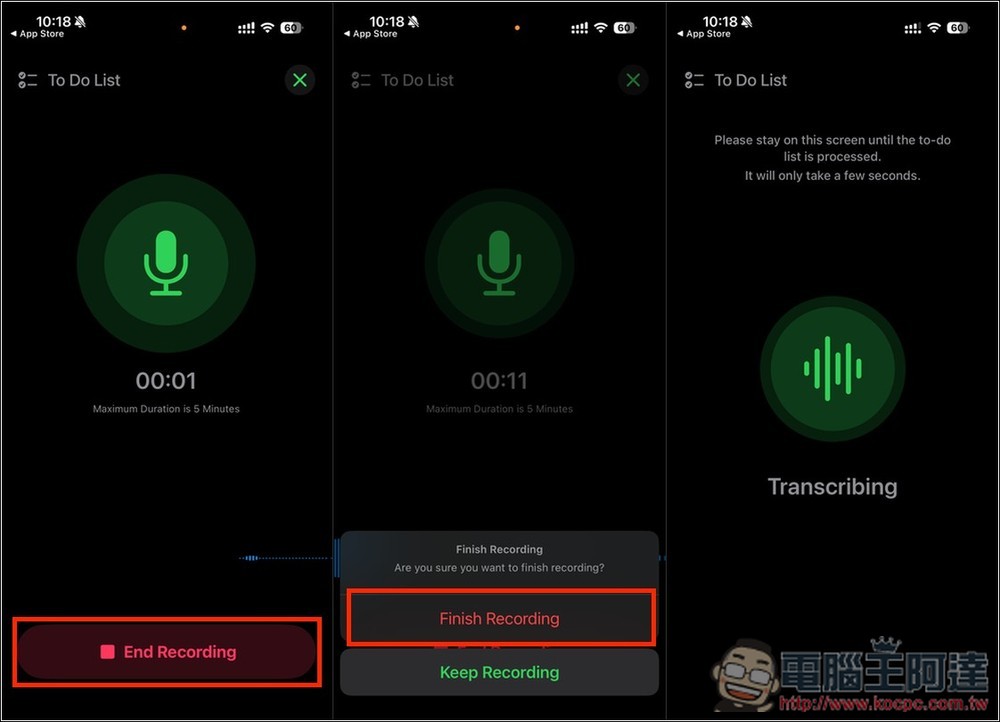
After you finish speaking, pressing End Recording will ask whether you want to Finish or Keep the recording. Press Finish Recording to end the recording, and the AI will begin the conversion:
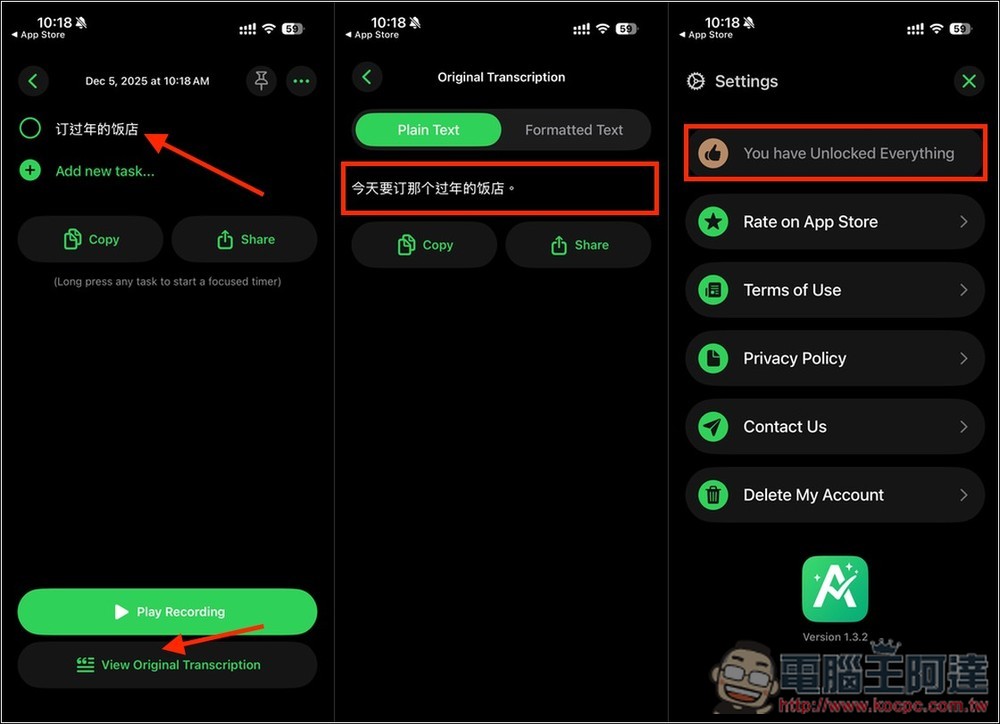
It will automatically condense the long string of text you spoke into a to-do list. I said, “I need to book that Lunar New Year hotel today,” and the AI created a to-do item for me: “Book the Lunar New Year hotel.” Below that, there are also Play Recording and View Original Transcription functions; the latter lets you view the original converted text (the image in the middle). Formatted Text uses AI to transform it into well-organized content, which I’ll demonstrate later. Also, if you want to check whether you’ve successfully upgraded to the lifetime version, open Settings. If it says “You Have Unlocked Everything” at the top, that means success:
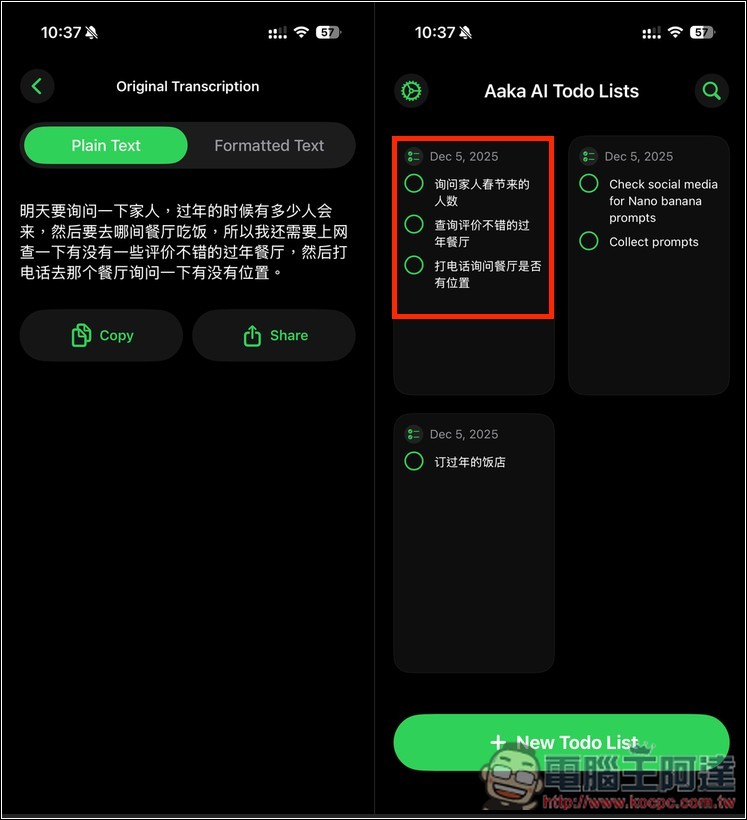
It’s worth noting that although the default recognized Chinese text is Simplified Chinese, after I spoke a long passage, the recognition actually came out as Traditional Chinese. So the AI does support Traditional Chinese output, but I’m not sure how to trigger it. Also, if the recognized text is Traditional Chinese, the to-do items also turn into English content, which is quite strange. The middle of the image below shows how this long passage of mine was converted into organized paragraphs:
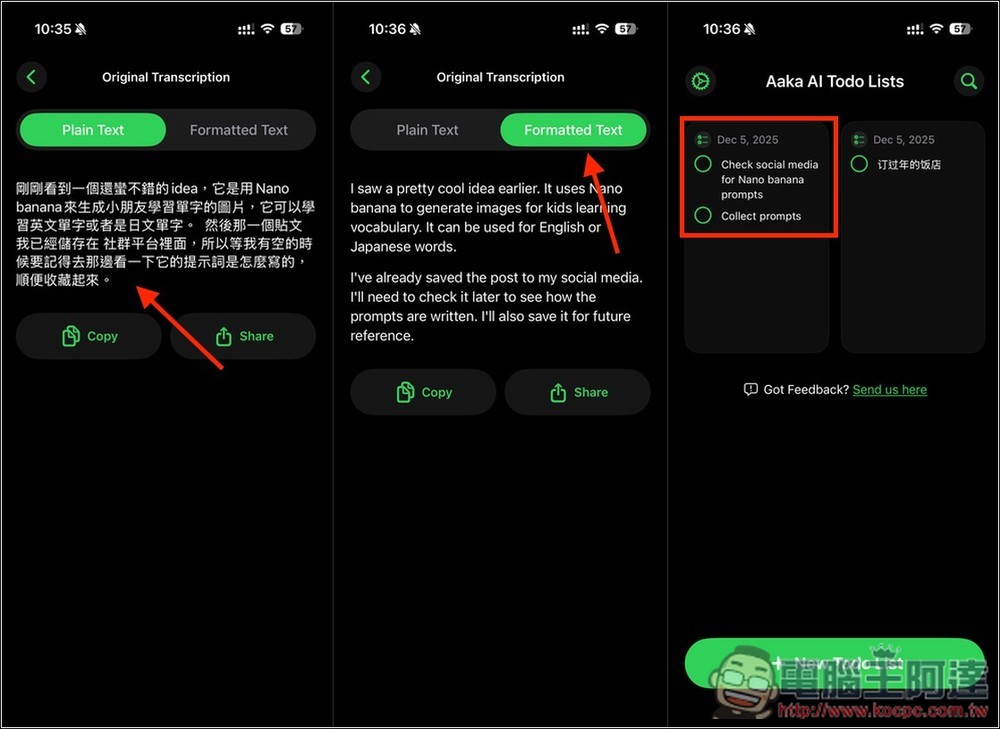
If what you’re saying involves many things that need to be done, the AI will automatically break it down into multiple tasks. For example, if I say “Tomorrow I need to ask my family how many people will come for Chinese New Year, and which restaurant we should go to, so I also need to search online for Chinese New Year restaurants with good reviews, and then call that restaurant to ask if they have tables,” the AI perfectly creates three tasks for me: “Ask family members,” “Search for restaurants,” and “Call to inquire.”
Source: KOCPC Chinese