


If you buy a new SSD or have used it for a while and feel that the SSD is not reading and writing so fast, you will definitely want to know how the current reading and writing performance of the SSD is and whether it is normal. This article has compiled the 4 simplest SSD speed test methods. People who have not tested it for a long time highly recommend trying it because I have also recentlyCheck SSD healthI just noticed that there seems to be something wrong with my SSD. Unexpectedly, I found that the writing speed dropped from the original 6,000MB/s to less than 2,000MB/s.
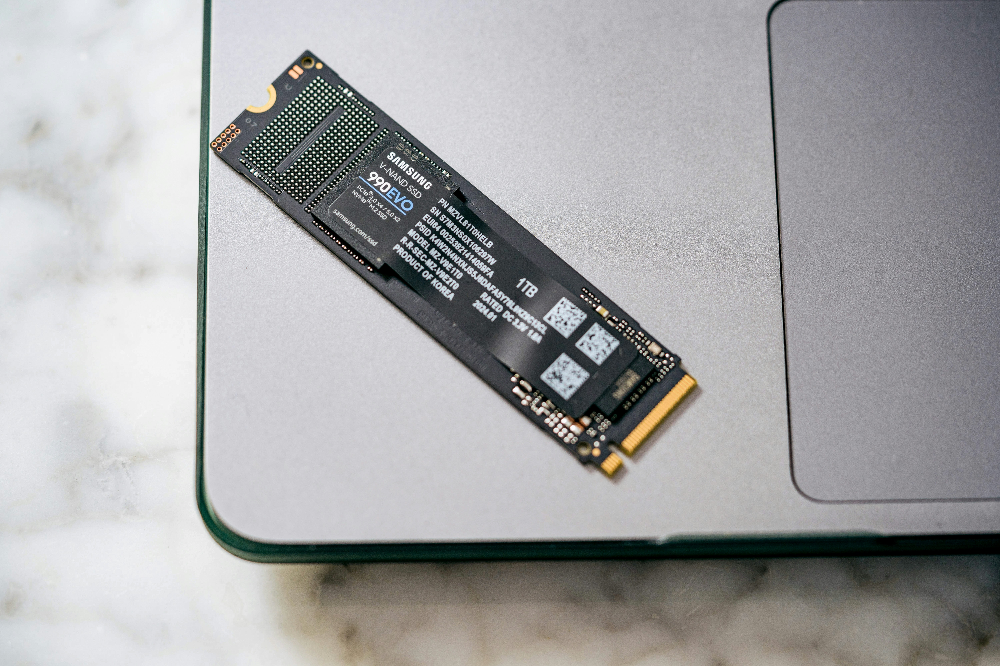
Photo by Samsung Memory on Unsplash
This is a screenshot of my recent SSD test. I am using MSI SPATIUM M480 PCIe 4.0 NVMe M.2 2TB. It initially measured 6,700MB/s, but in the past few days it was only 1,753MB/s, which is much less:
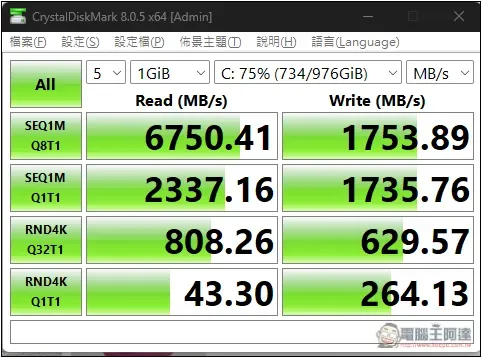
The reason for this situation is also very simple, that is, I use too much storage space, and only 15%~20% is left, which is about 400GB. When the remaining capacity of the SSD is too low, slowdown protection will be automatically enabled. Generally speaking, it is recommended to reserve more than 20%.
Although it is still very fast at 2,000MB/s, it is uncomfortable to look at this number. I also wanted to expand the storage space, so I bought a new SSD and replaced the system disk with a new SSD. This old MSI SPATIUM M480 was used as a backup disk.
After the capacity issue was resolved, the speed returned as expected.
Summary of 4 SSD speed test methods
1. CrystalDiskMark
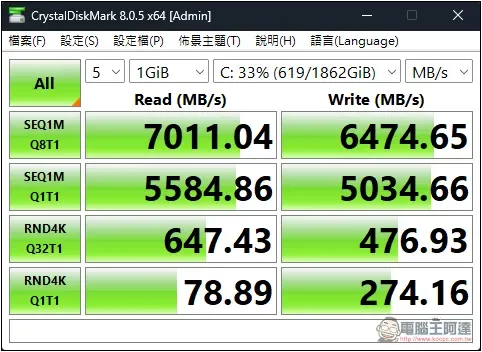
CrystalDiskMark is a very well-known free hard drive performance testing tool. Many professional reviews will use this. During the test, you can get the read and write speeds of SEQ1M Q8T1, SEQ1M Q1T1, RND4K Q32T1 and RND4K Q1T1. Generally, just look at SEQ1M Q8T1. The default test file size is 1GiB, but sometimes it can be increased a bit.
2. ATTO Disk Benchmark
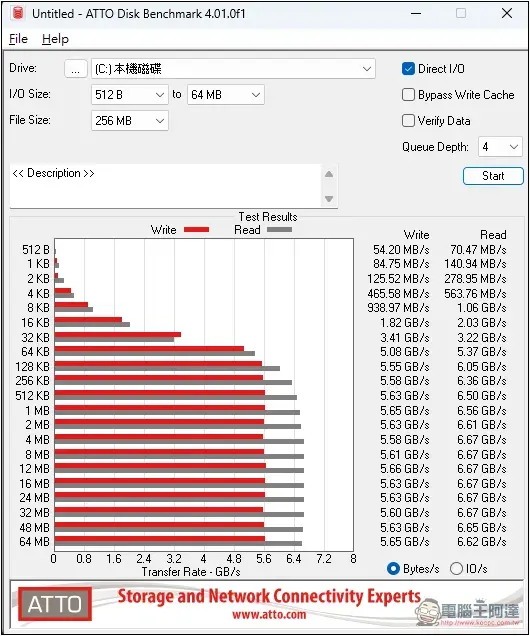
ATTO Disk Benchmark is also a very old hard drive performance testing tool. The biggest advantage of this tool is that it can obtain reading and writing speeds of different block sizes (such as 512B to 64MB). This allows us to understand the performance of SSD under different load conditions, especially the difference between random and sequential access performance.
3. AS SSD Benchmark
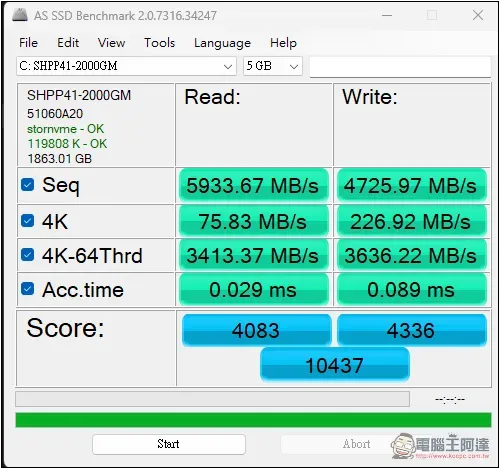
The biggest difference between AS SSD Benchmark and the above two is that, as its name suggests, it is specially designed for SSD. It is said to be able to more accurately evaluate SSD performance, but I think it is about the same.
AS SSD does not use the system cache for testing, so the test results are more in line with the performance of the SSD itself and avoid inaccurate data caused by cache interference.
4. UserBenchmark
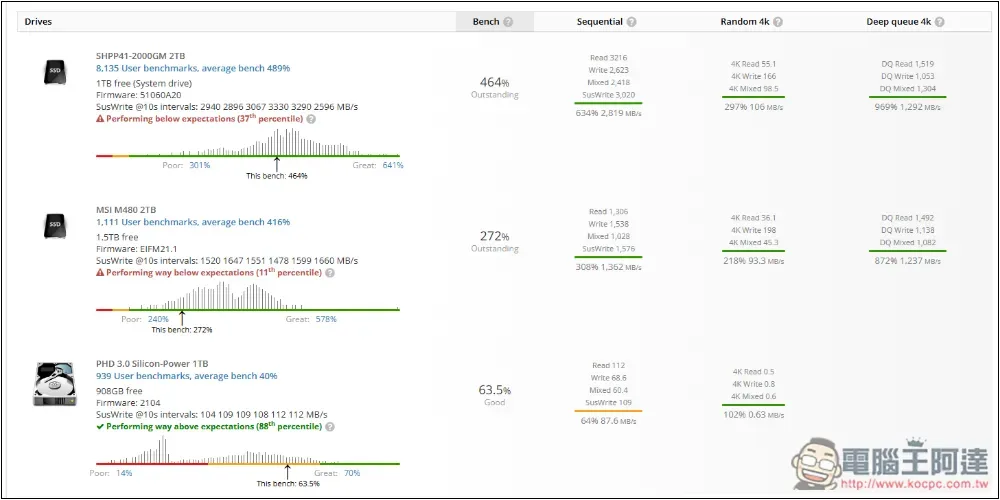
UserBenchmark is a comprehensive performance testing software. One of its items includes hard drives, and it tests all hard drives in the computer, including the speed of external hard drives. However, the values it measures are not as accurate as the above three. For me, the main thing is to see where my SSD is compared to other users.
Source: KOCPC Chinese