


I believe that many people would like the Chrome for Android page reading function to be able to continue using the phone or turn off the screen to continue listening after starting playback. However, if the previous function of reading the content of this page wants to play it in the background, it will be supported by turning off the screen while keeping the app in the foreground of the phone. Now, Google has officially announced that it will bring real background playback support. This greatly improves the practicality of this webpage’s text-to-speech function. Continue reading Chrome for Android’s read page function imports background playback capabilities and teaches you how to use this convenient feature to report content.
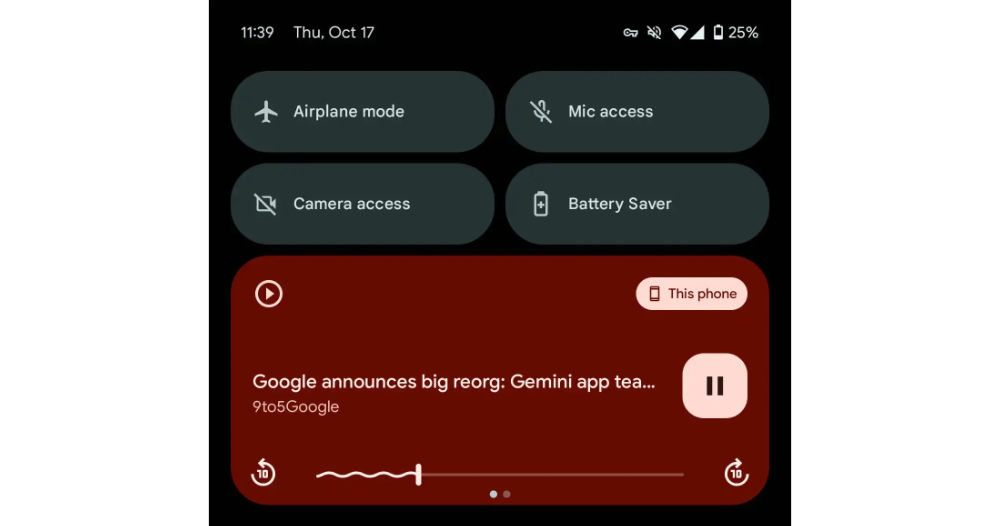
▲Image source: 9to5Google
Chrome for Android’s page reading function imports background playback capabilities and teaches you how to use this convenient function
Many people may not know that Chrome for Android has been quietly updated recently, and it has a text-to-speech “read the content of this page” function that can easily convert general web text into voice broadcast. To put it simply, it is the concept of easily turning all web content into electronic audiobooks.
With this kind of function, I believe many people would like to be able to continue using their mobile phone or turn off the screen to continue listening after starting playback. However, if the previous function of reading the content of this page wants to play it in the background, it will be supported by turning off the screen while keeping the app in the foreground of the phone.
Now, Google has officially announced that it will bring real background playback support. This greatly improves the practicality of this webpage’s text-to-speech function.
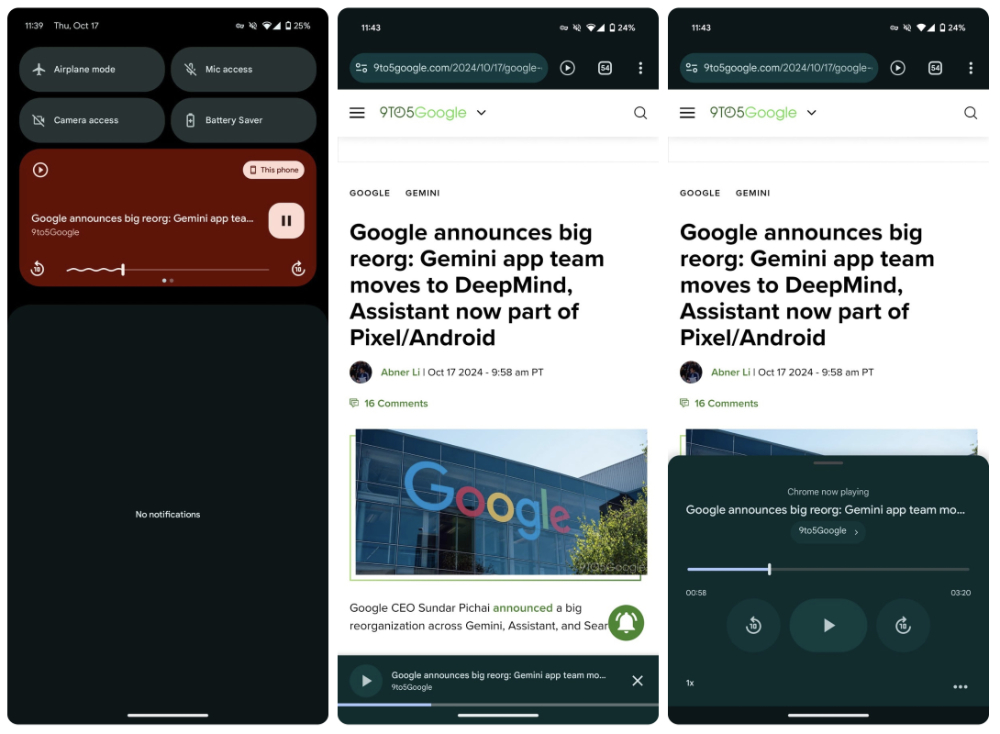
▲Image source: 9to5Google
According to foreign media reports, in the latest Chrome 130 version of Chrome for Android. The web text-to-speech function that reads the content of this page now supports the generally recognized background playback capability.
In short, after you start the playback of the reading page, you can now switch to different pages or apps to continue using it; Android’s system notification bar will also display the playback interface of the web page name, and provide buttons to fast forward/reverse 10 seconds and pause playback.
If you don’t know the “read this page aloud” function in Chrome for Android, let’s briefly teach you how to use it.
Tutorial on how to read the contents of this page aloud in Chrome for Android
When you browse to an article that you want to read aloud by voice, you can simply click the “…” menu to the right of the paging button in the upper right corner of Chrome for Android:

Then you can find the “Read the content of this page” function:
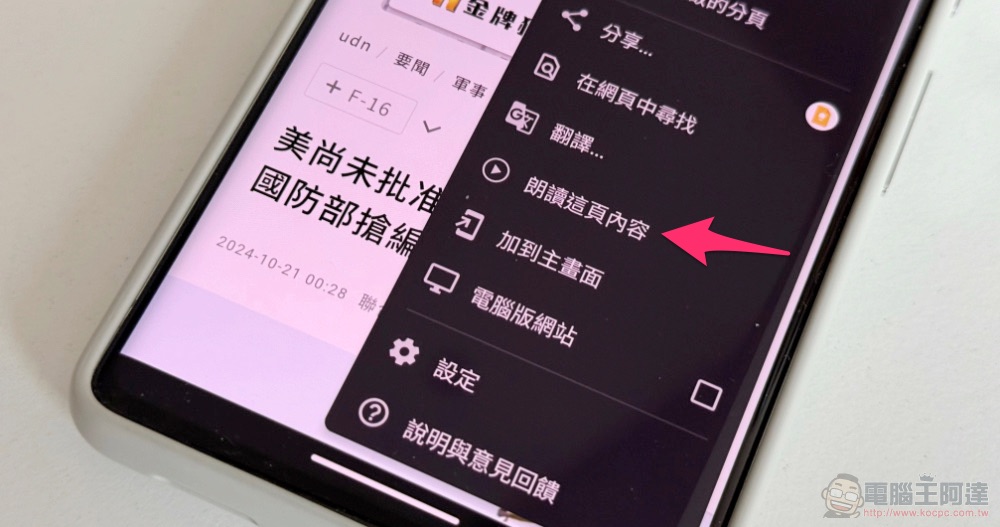
After activating the “Read this page content” function, you will see a playback function button at the bottom – open the drawer at the bottom to see more complete playback information and buttons. It is also the same as the background playback function mentioned above, and can support fast forwarding and rewinding by 10 seconds. You can also switch the playback speed.
via:9to5Google|
Further reading:

Source: KOCPC Chinese