


What do we do when we see a good video on YouTube and want to share it with our friends as soon as possible? If you directly copy the video link and paste it to the other party, the person receiving the link may not know where to start watching. The key point is that the computer version can set a video link starting from a specific time point, but in the past, the mobile app could not perform this important function. Just recently, the YouTube App quietly added this useful new feature, giving users an easier way to share exciting video moments.
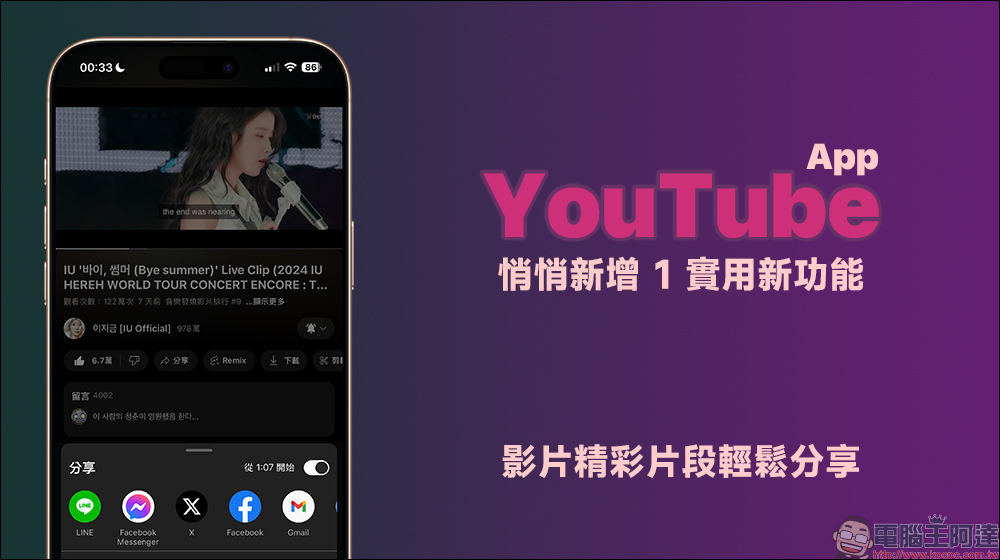
YouTube App quietly adds 1 practical new feature, making it easy to share exciting video moments
How do you share YouTube videos with others? If you are using a computer browser, you can select “Copy” from the “Share” button in the video function bar to directly share the video link starting from the beginning. If you want to select a video link starting from a specific timeline, you can check the beginning (video time) to copy the video link starting from that time.
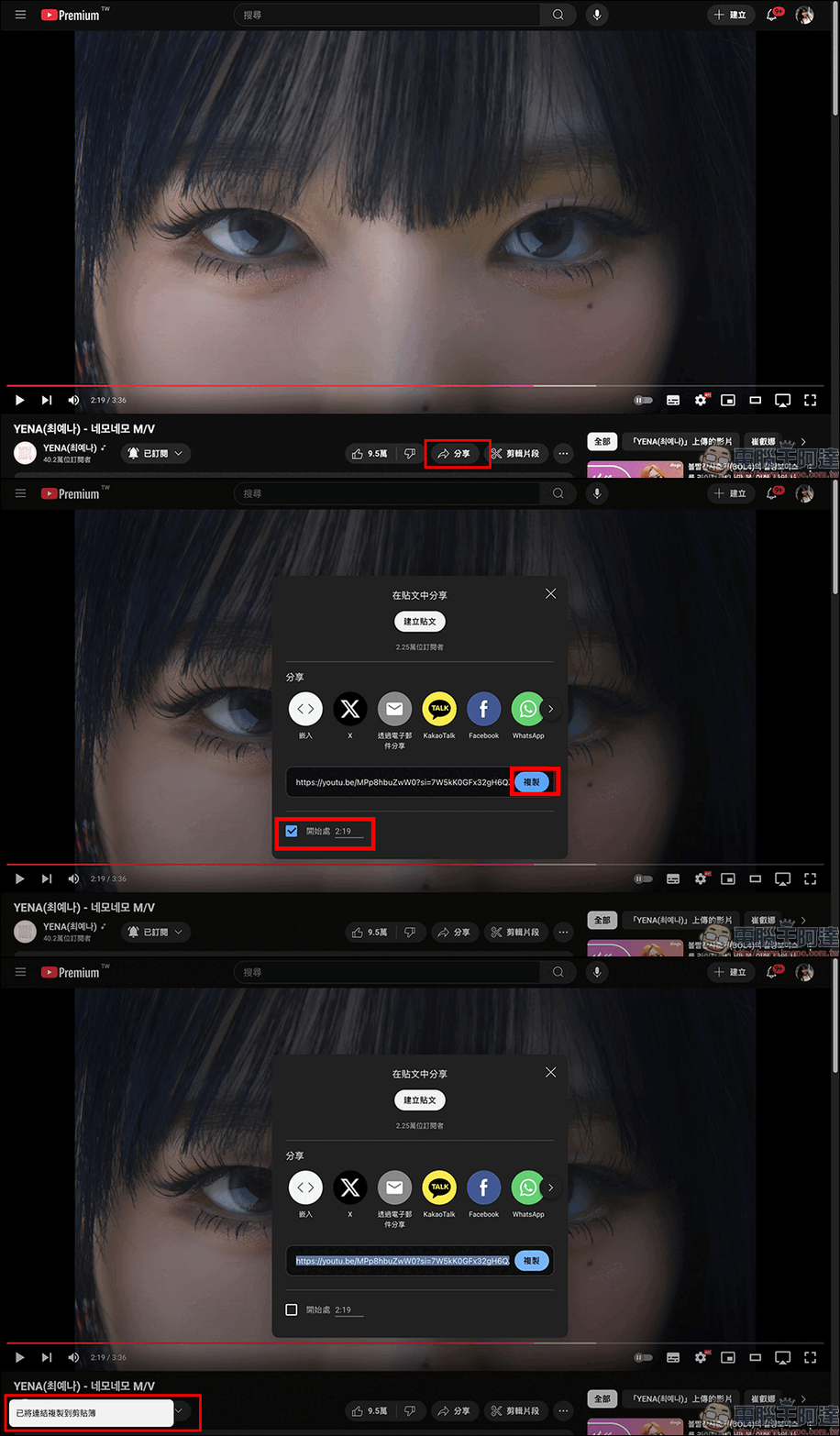
However, when we used the YouTube App on mobile phones in the past, the process of sharing videos was a little more inconvenient than the computer version. Especially when we want to share a specific segment of the video, we cannot directly set it to start playing from a certain point in time. This means that we can usually only share the complete link of the video, and we need to manually tell friends in the message at which time to start watching, for example, “Start watching at 3 minutes and 25 seconds, this section is the most interesting!” This sharing method is often not intuitive enough, and it is easy for people to ignore the highlights of the video. Especially when the video itself is long, the recipient may lose patience before even seeing the key points, resulting in a greatly reduced effect of the video.
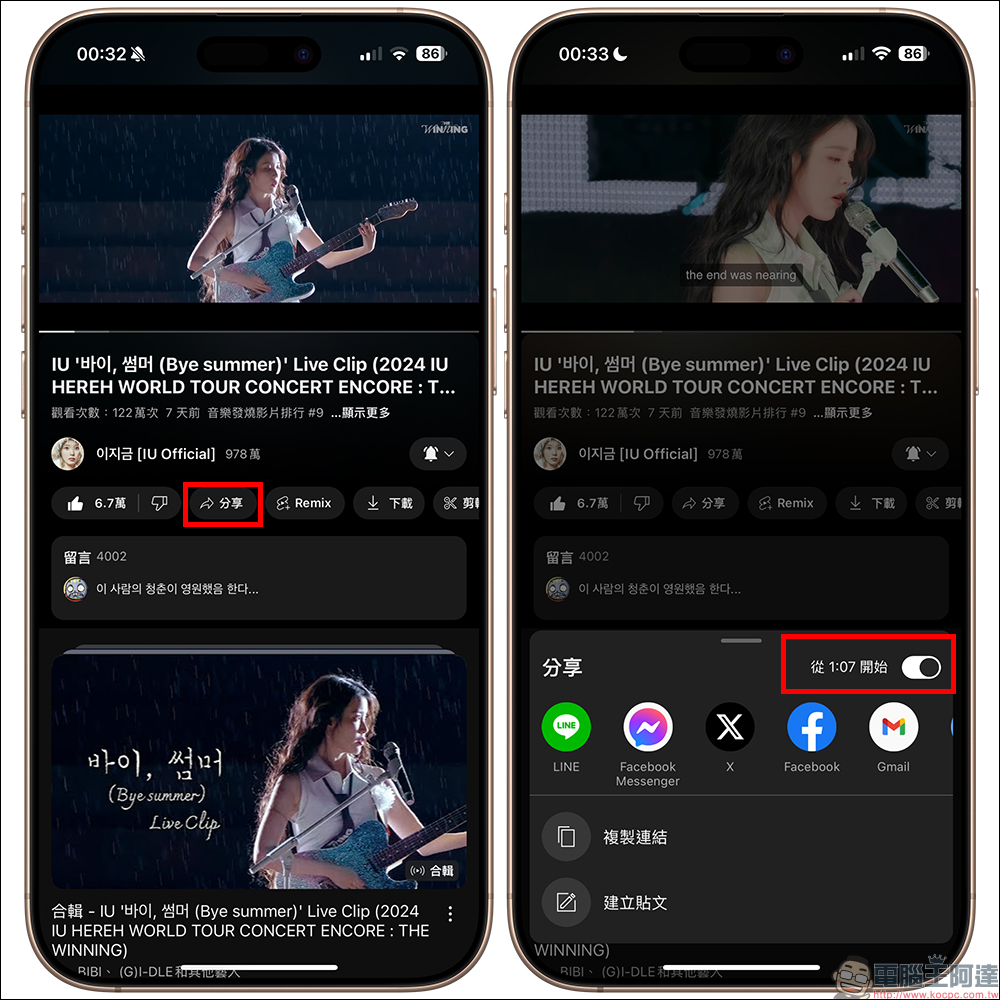
Finally, I recently discovered that the YouTube App has been silently updated to add this new feature, allowing users to more easily share specific clips of videos, which can be said to have finally solved this problem perfectly.
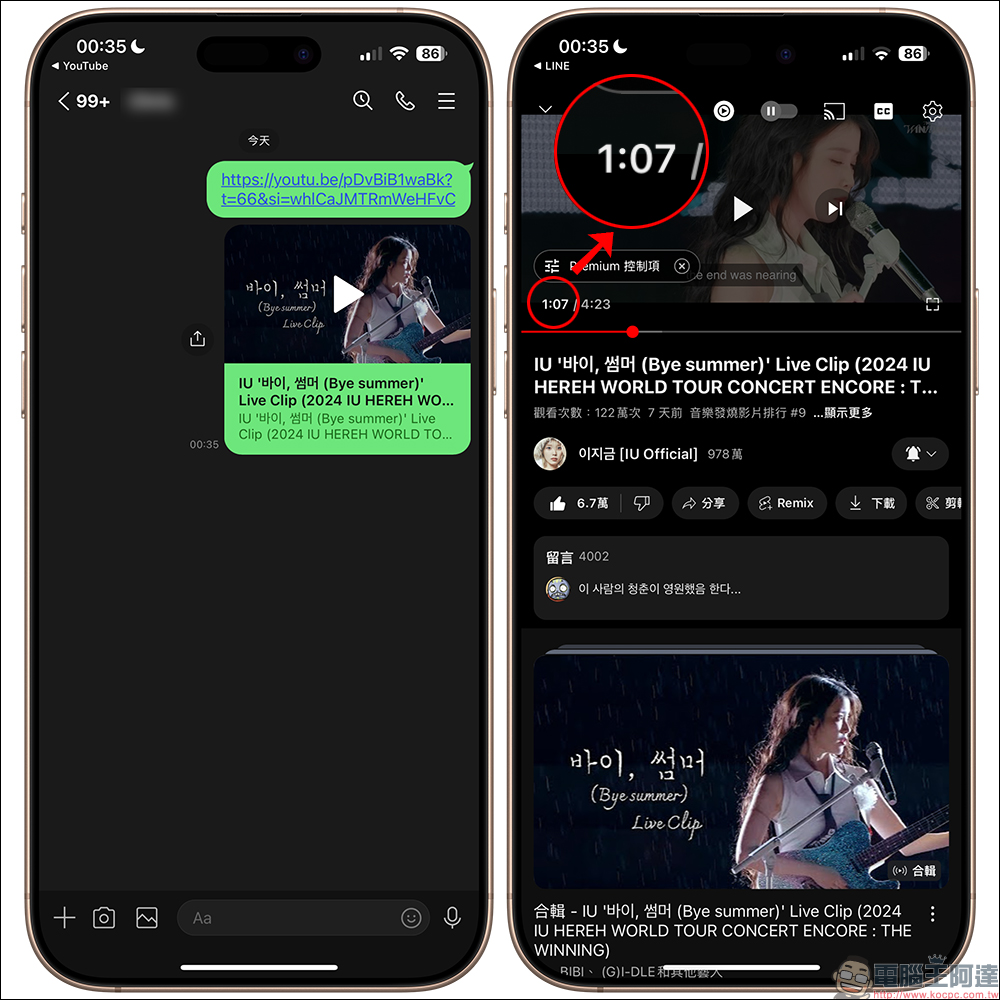
The following demonstration video starts at “01:07”. After posting it to the LINE chat room, you will find that the video does start playing from here when you click on the link.
If you are not sure which application you want to share to, you can also click the “Copy Link” button after setting the start time of the video you want to share. Subsequently, whether it is opened from a browser or other applications, playback will start directly from the default time period.
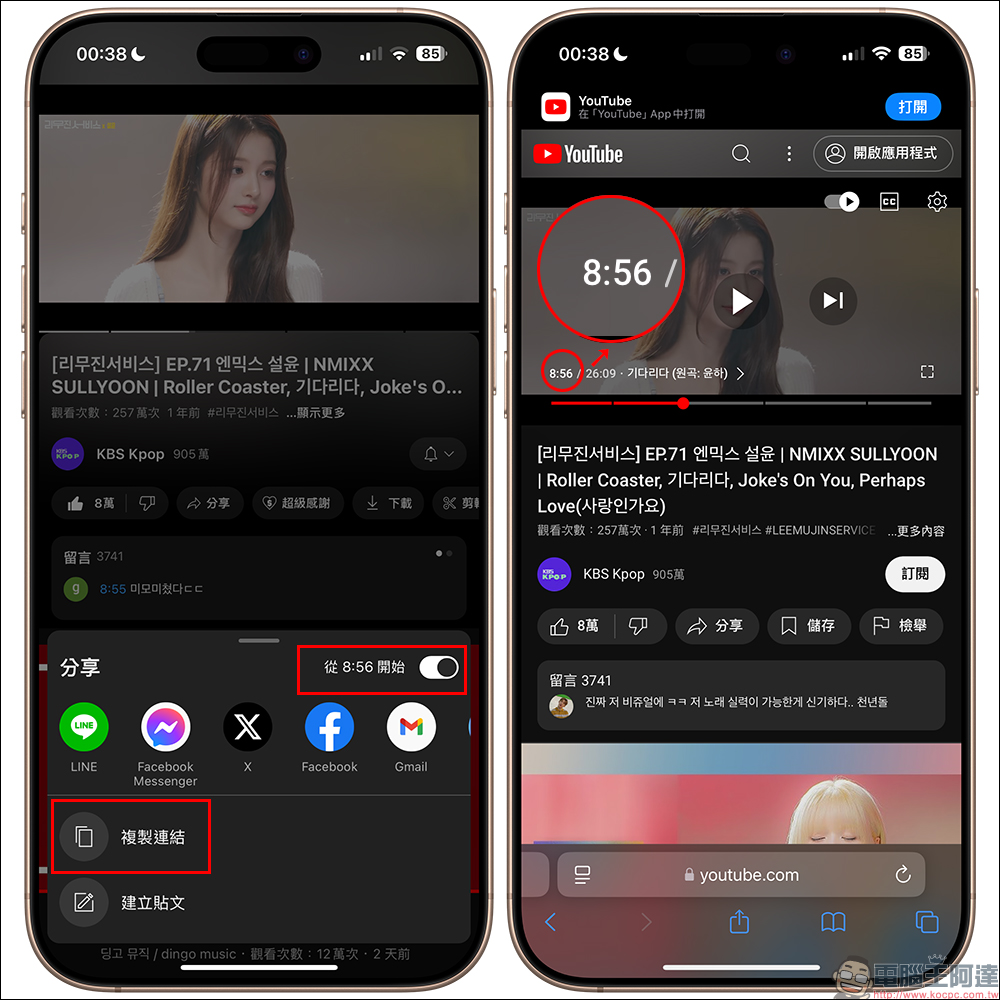
This change not only improves the efficiency of video sharing, but also enhances the viewing experience. When you share a selected clip with a friend, the other person can click the link and start watching directly from the set time point, avoiding the viewer’s trouble of constantly dragging the video progress bar in order to find the key clip. Such updates are especially important for long-form videos, such as when sharing a speech, movie trailer, or the highlight of a live broadcast. The audience no longer has to watch from the beginning and goes directly to the key parts they want to share, which enhances the appeal of the video.
If you go through the same steps on YouTube App but don’t see this feature, you might as well give it a try in a few days! Maybe support will suddenly be available one day.
Further reading:
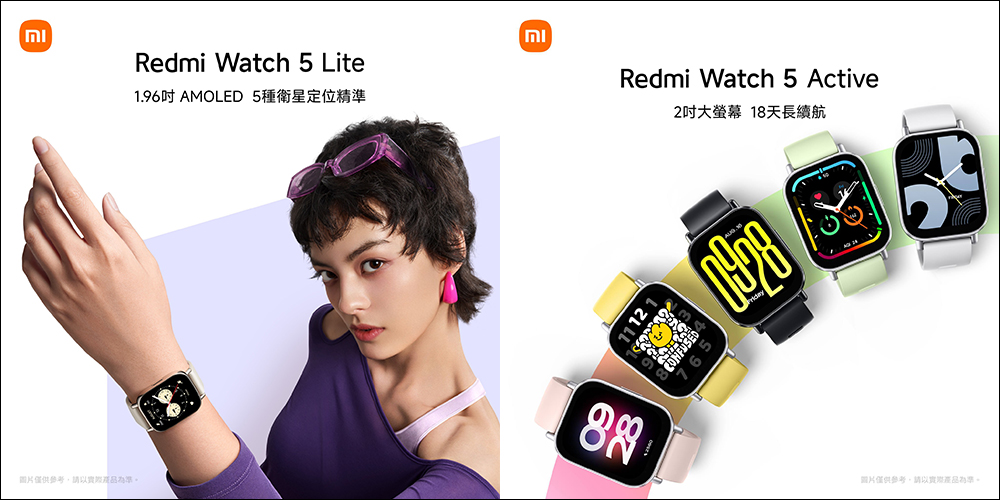
Xiaomi Redmi Watch 5 Lite and Redmi Watch 5 Active launched in Taiwan, starting from 795 yuan
Source: KOCPC Chinese