


There are many kinds of PDF tools on the market, and many of the well-known software require payment to unlock some key functions. However, for users who do not want to spend high fees, it is important to find a free and useful tool. PDFgear, which I will introduce today, is a completely free and full-featured PDF editing tool. It supports Windows, Mac, iOS and Android, and can be operated directly in the browser. It has practical functions such as file conversion, view adjustment, merge and split, image and text editing, and file encryption. Whether it’s personal or work needs, PDFgear can help you process files efficiently.
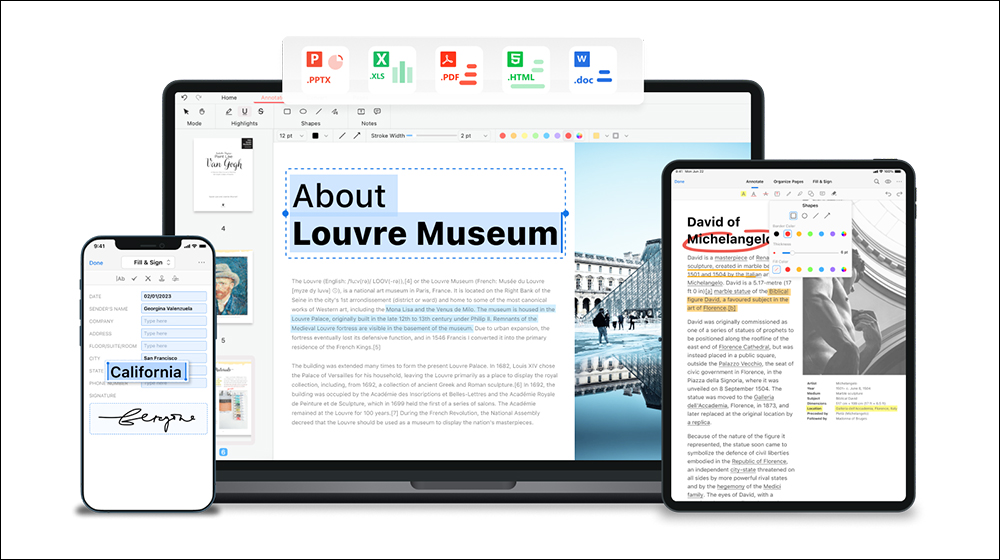
Super powerful free PDF editing tool! PDFgear allows you to easily convert files, split and merge files, electronic signatures, watermarks and other useful functions
PDFgear is a free and full-featured PDF editing tool that supports multiple platforms such as Windows, Mac, iOS and Android, and you can even use it directly in the browser, eliminating the trouble of installation!
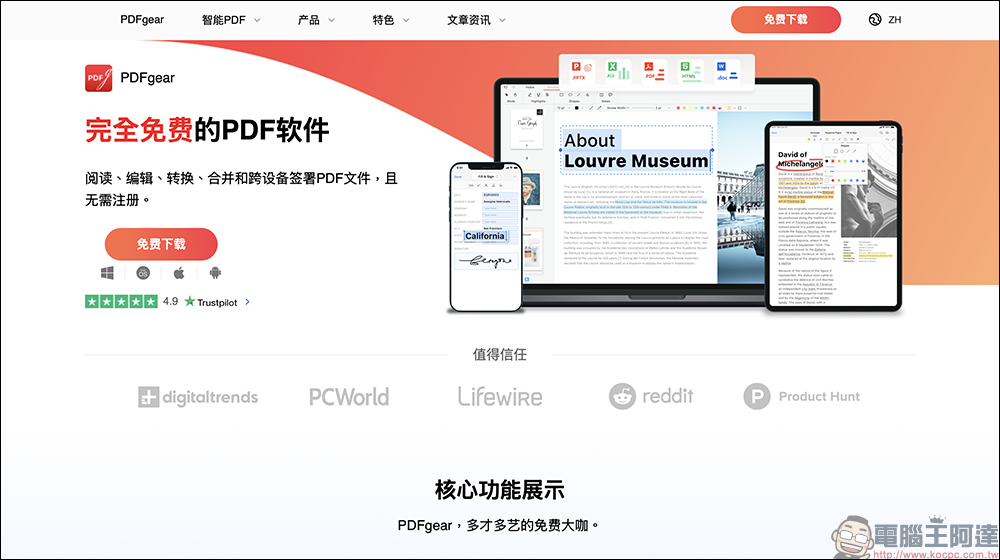
Here I am using the Mac version of PDFgear for sharing. Although the interface does not yet have a Traditional Chinese version, you can choose Simplified Chinese or English to operate. The entire installation process is very simple and can be completed easily with just a few steps. The interface also organizes various PDF toolkits, and you can directly select this function to complete specific work.
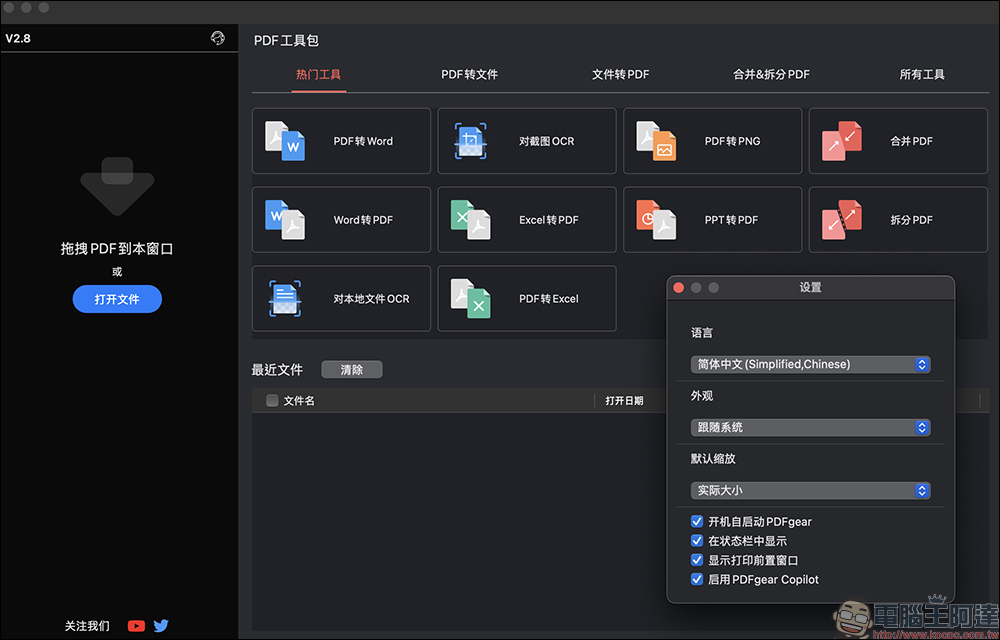
Powerful file conversion function! One-click conversion is super easy
PDFgear’s file conversion function is very powerful. Whether it is converting Office files such as Word and Excel into PDF, or converting PDF back to Office format, it is easy! Sometimes when we submit information, we specify that it must be in PDF format. We can use PDFgear’s “Word to PDF” function, click “Add File”, select the Word file to be converted, and then click “Start Conversion” to complete the file format conversion.
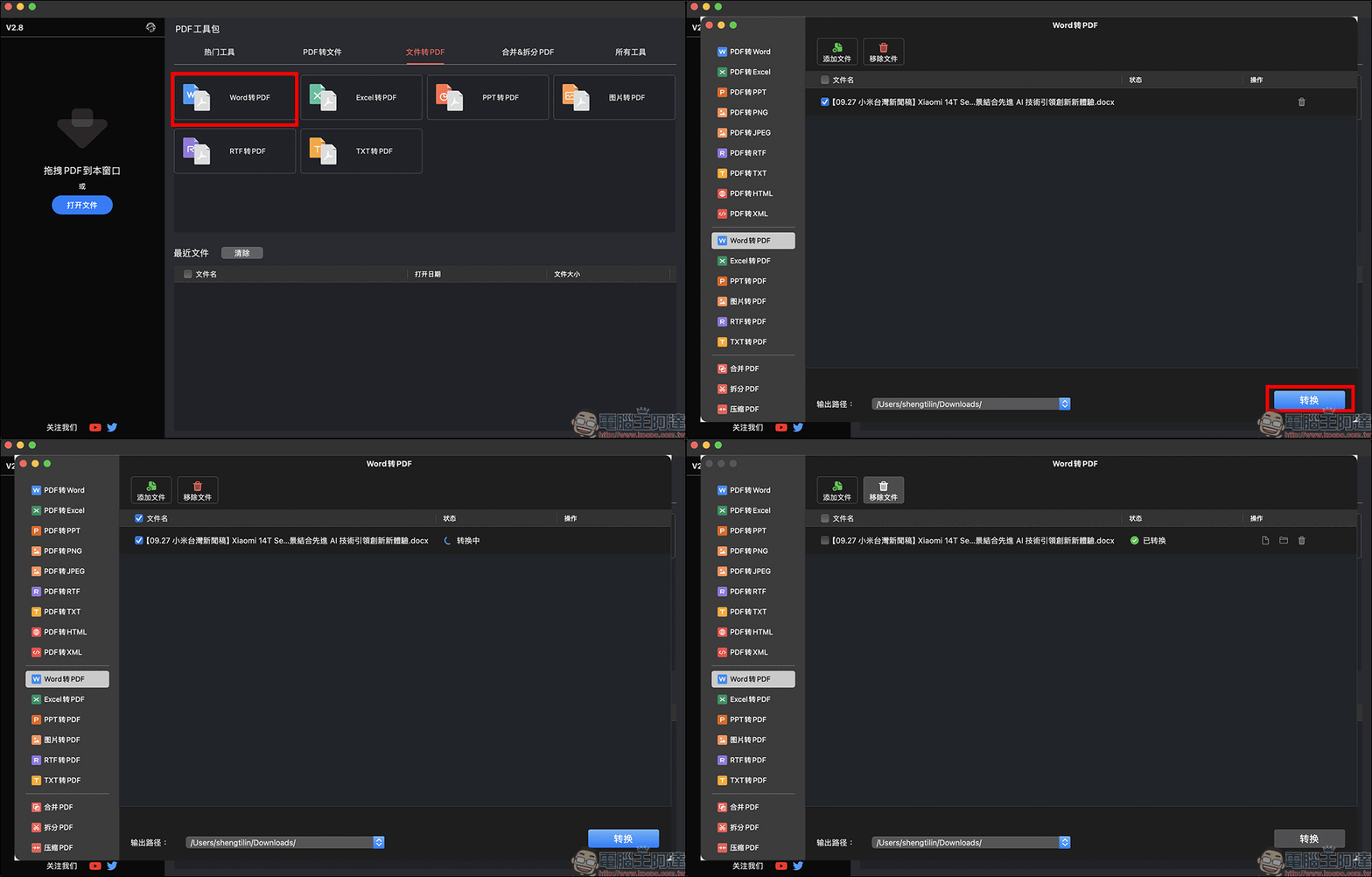
Use PDFgear to convert Word files to PDF format:

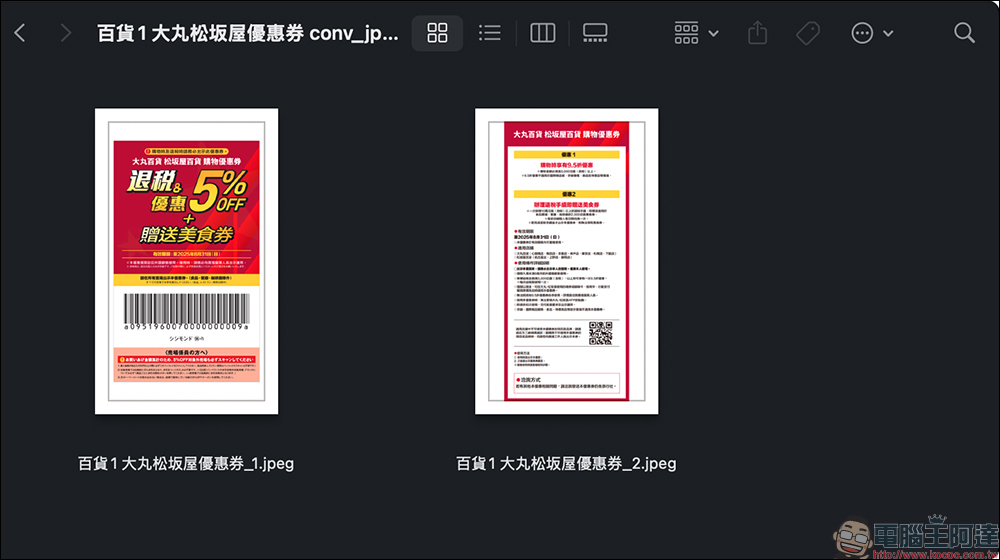
Sometimes the situation is the other way around. When we want to store various coupons in the photo album of our mobile phone during the preparation stage of travel, it will be more convenient to organize them into picture files. However, some coupons are provided in PDF format, and you can use PDFgear to convert them:
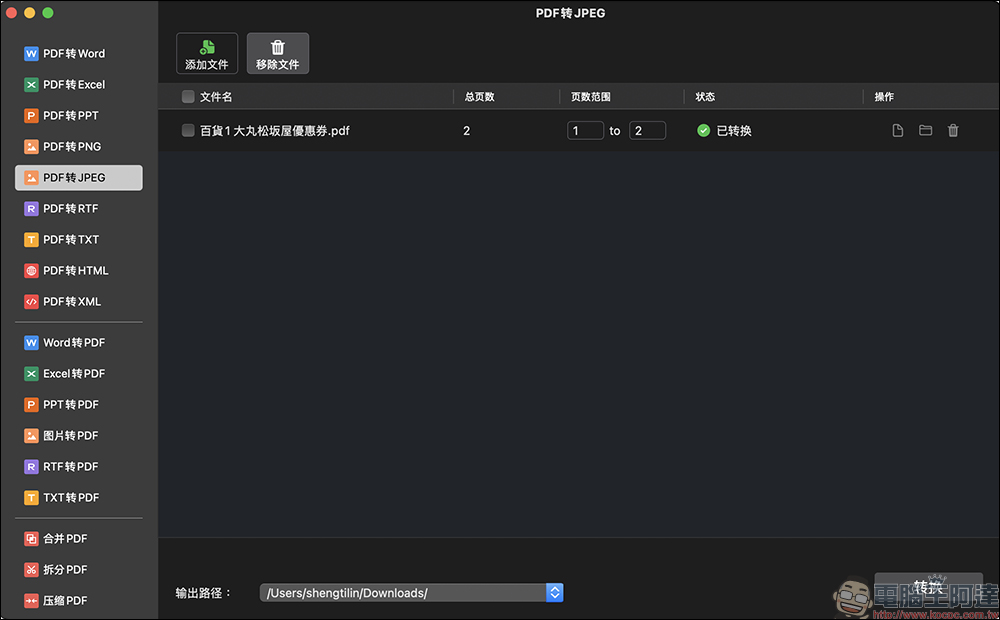
After the conversion is successful, it will be divided into several image files and organized into a folder, and the user can select the image files to be saved for use.
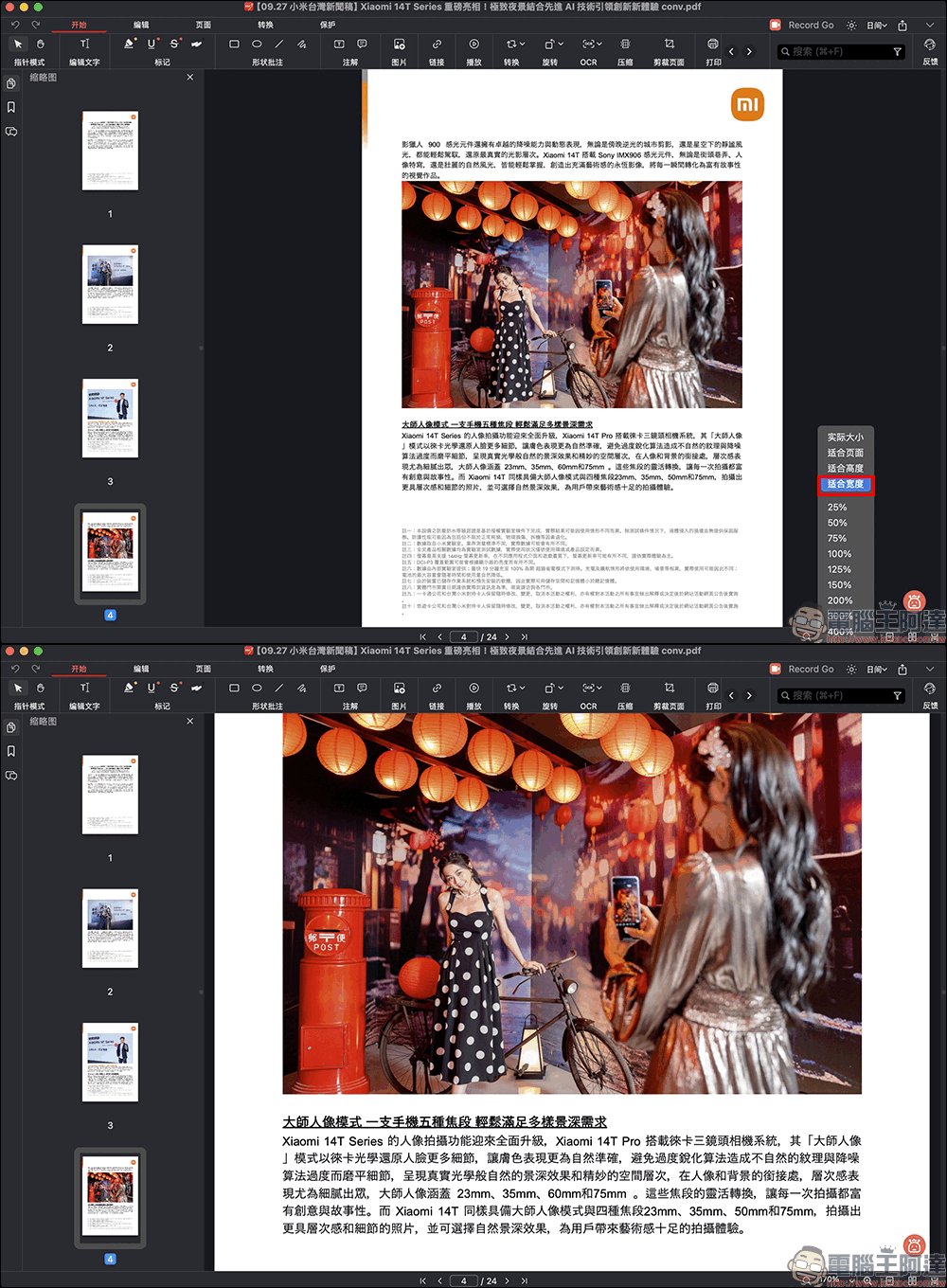
Flexible viewing methods
When you open a PDF file, the default view mode may make the text look too large, but it doesn’t matter. You can use the “+” and “-” buttons on the toolbar to adjust the view ratio, or select “Fit to Width” to fill the entire page based on the width of the document.
When viewing a PDF file, you can also select text to mark with color, just like highlighting with a highlighter.
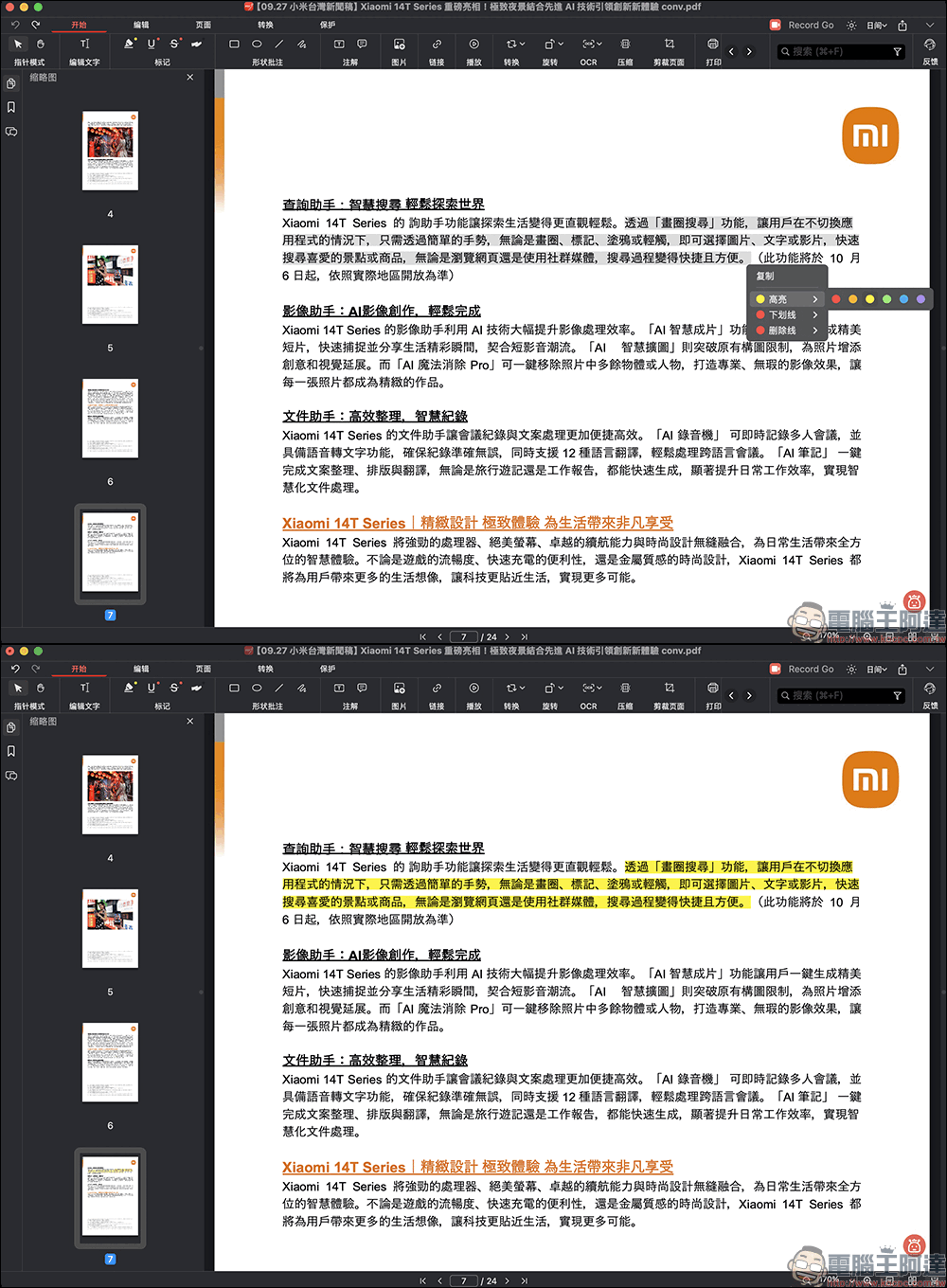
Image and text editing
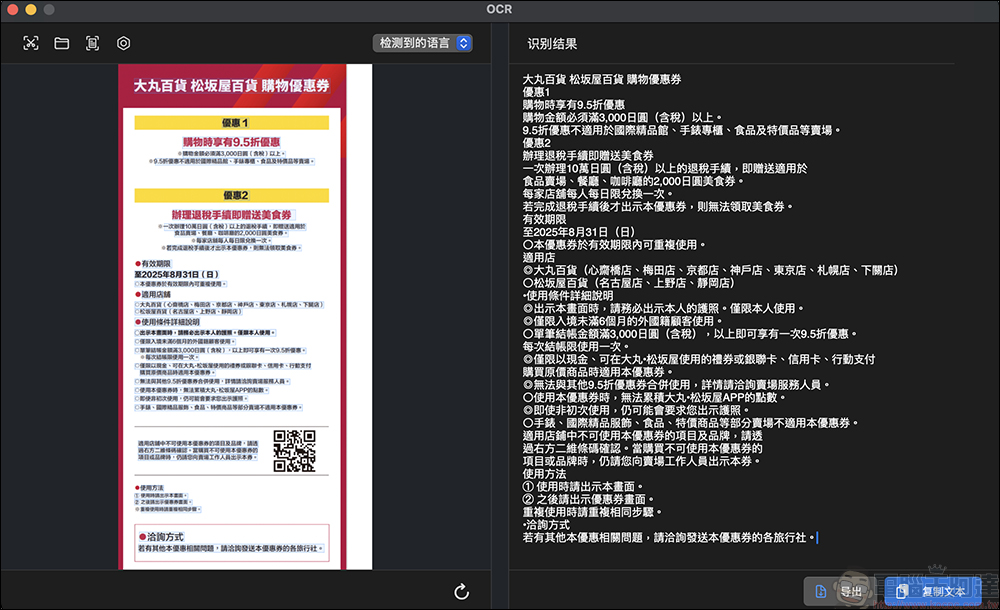
PDFgear also has built-in OCR optical character recognition function, which can select text from screenshots and documents:
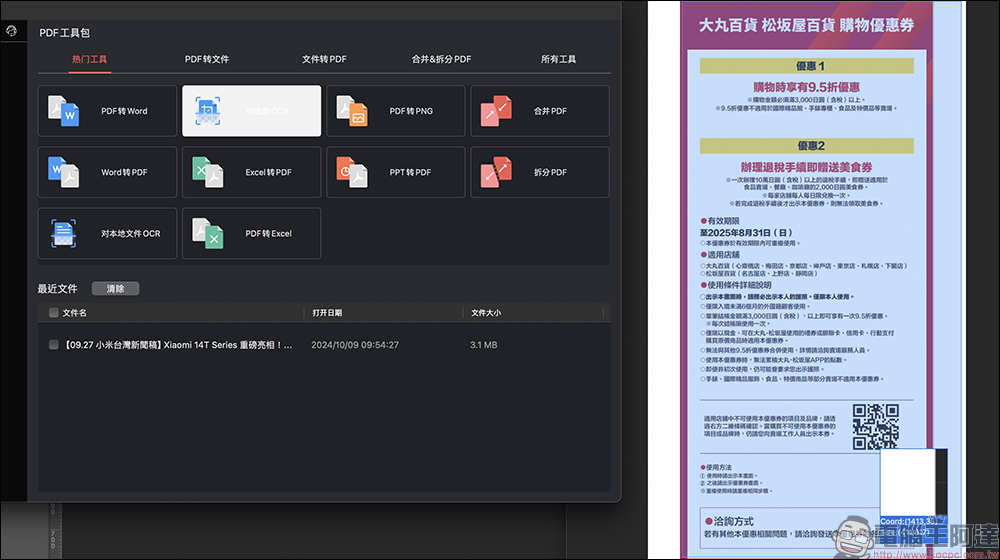
The recognition results will be organized on the right side of the image. Users can select content to copy according to their own needs, or directly export text content.
File concatenation and splitting
If you need to merge multiple PDFs into one file, or split a large file into several parts, PDFgear also has corresponding functions.
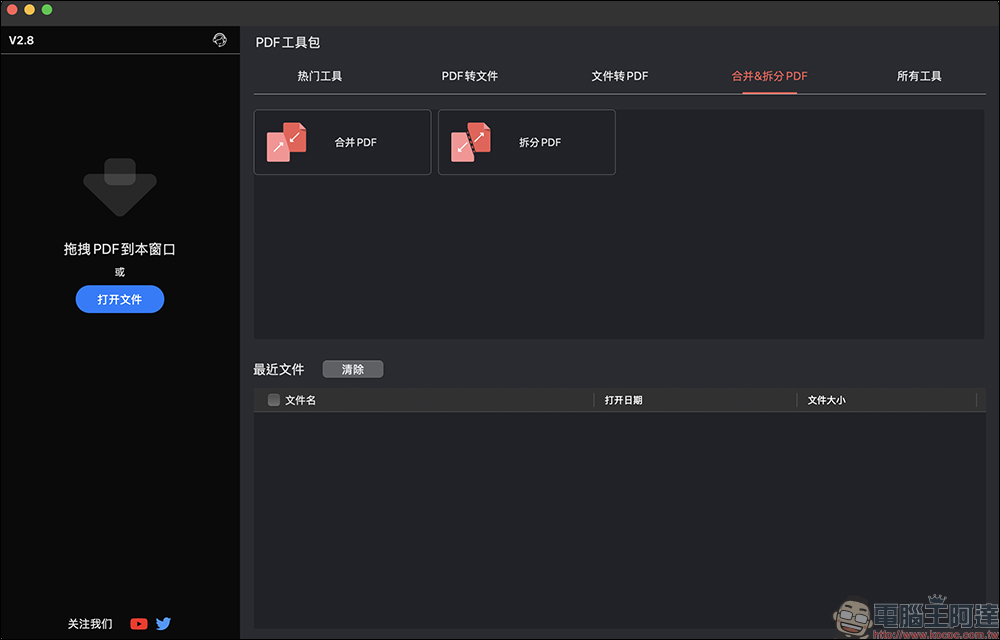
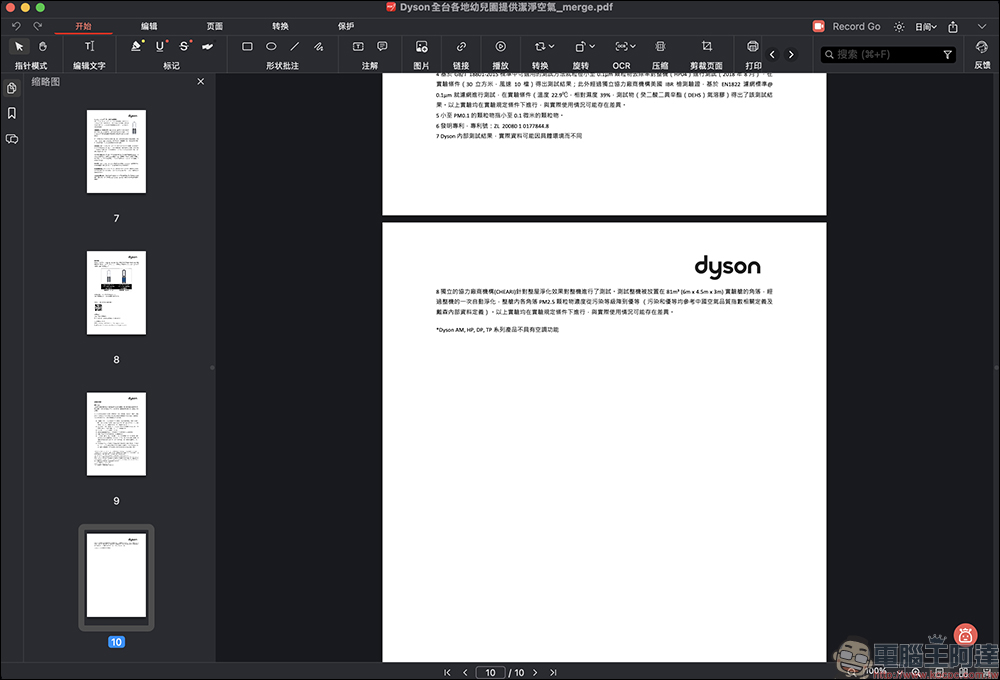
Suppose we want to merge multiple converted PDF files into one. We only need to add all the PDF files to be merged, and then use the “Merge PDF” function to complete. The picture below is an example of merging two PDFs of 5 pages each:
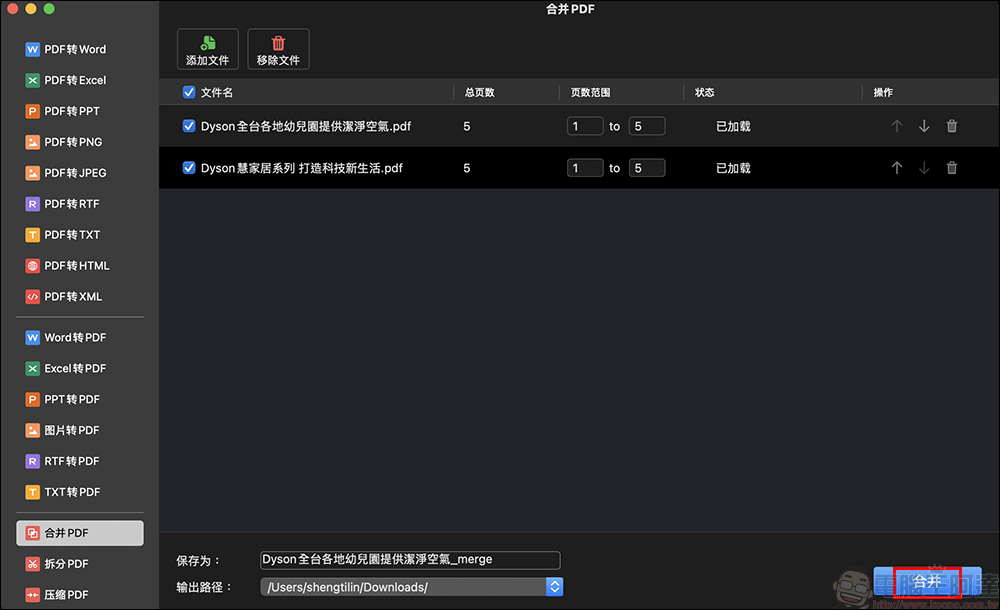
After the merge is successful, it will be saved as a new PDF file. Open it to check that it has been successfully merged and the number of pages has become 10 pages.
Watermark function
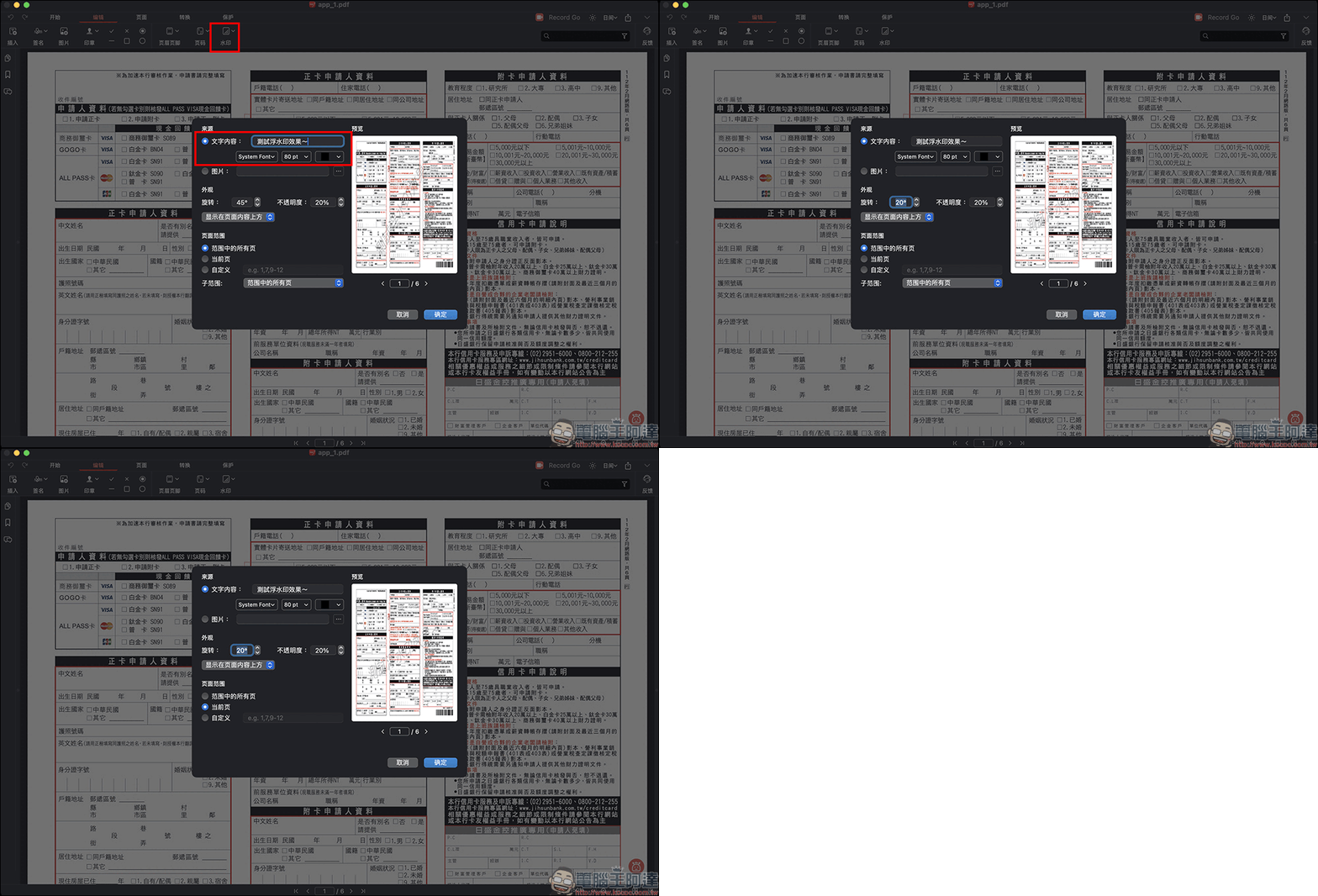
Considering document security, PDFgear also supports document encryption and watermark functions to prevent unauthorized reading or copying. If you want to add a watermark to a document, you can use the watermark function to customize a text or image watermark, and the position, angle, and opacity of the watermark can be adjusted. You can also add watermarks only to specific pages.
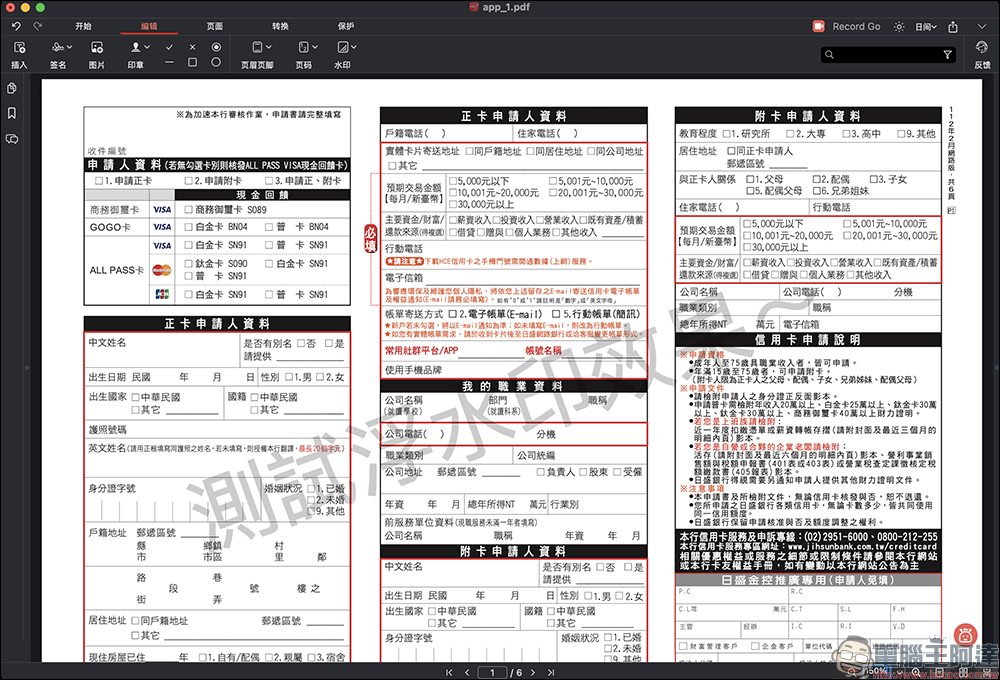
The watermark effect looks like this:
In fact, PDFgear has quite a few functions that can be used. The above just mentioned some of the key functions that people often use. Let’s continue to explore more functions! As a free PDF tool, PDFgear is extremely feature-rich and its operation is intuitive and fast. It is recommended to everyone who needs to edit files.
PDFgear download (official website)

Source: KOCPC Chinese