


As budget-conscious petty bourgeoisie, many people use LINE’s built-in “LINE Invoice Manager” function to manage invoices, automatically generate charts and analyze consumption status, and check the additional winning status of their cloud invoices after each issue of unified invoices. Recently, in addition to the return of the built-in “Invoice Bingo” function in LINE Invoice Manager, users can play bingo games in Invoice Manager to obtain additional prizes. Now, a new practical “Search” function has been added! Don’t underestimate just searching for consumption details. This function can more clearly grasp the price changes of specific consumption. For example, the rise and fall of daily necessities such as toilet paper and fresh fruits and vegetables can be viewed with Invoice Manager.
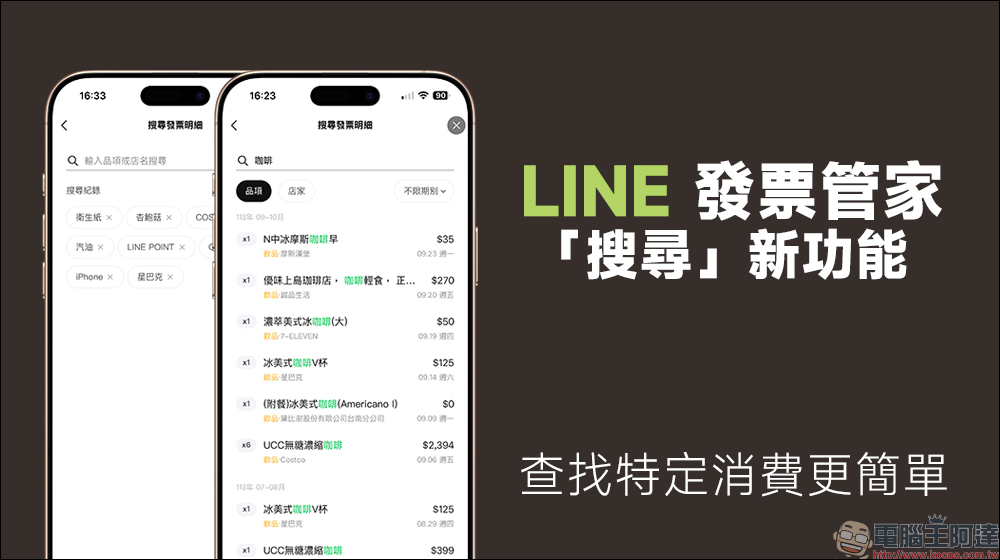
LINE Invoice Manager adds a useful new “Search” function, making it easier to find specific purchases! The petty bourgeoisie who plan carefully must learn
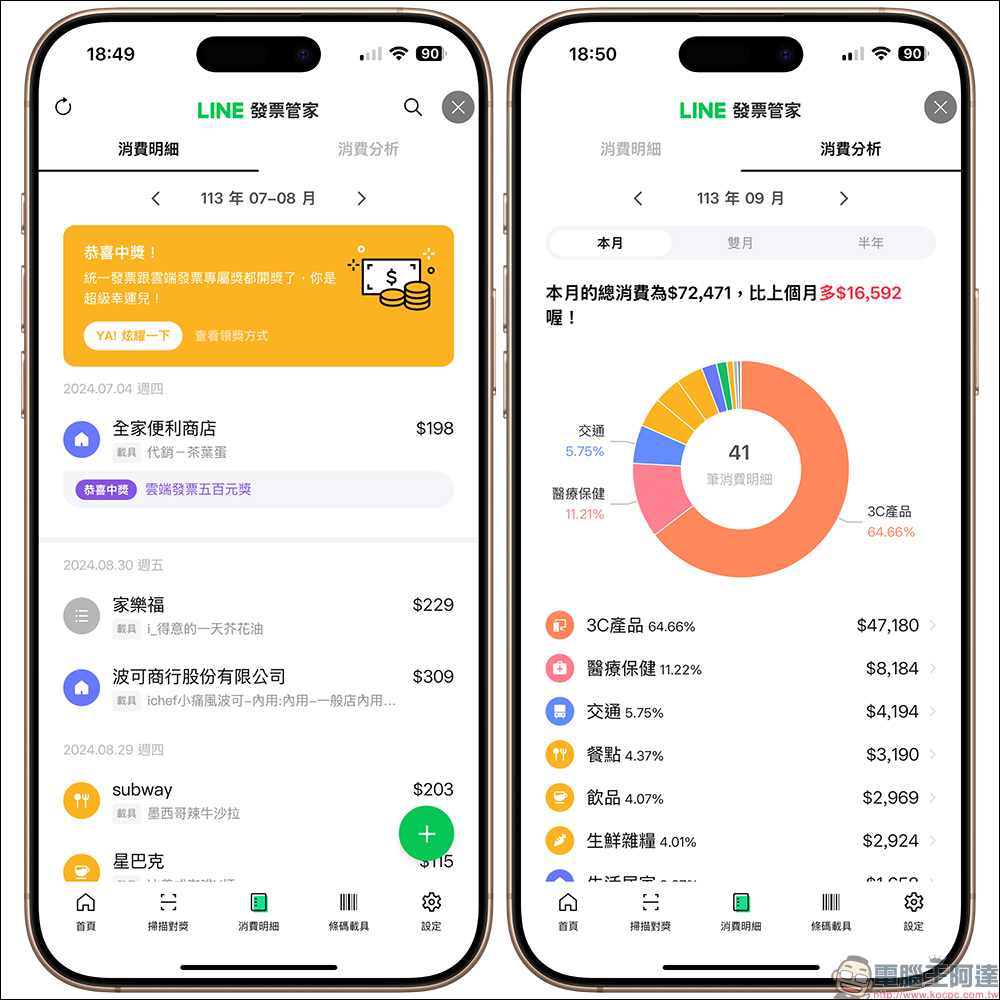
The unified invoice lottery was held some time ago, did anyone win? Among the many tools on the market that can manage cloud invoices, LINE Invoice Manager can be used as long as you have the LINE App. It eliminates the need to download other apps, has clear consumption analysis, and the management of consumption details is also simpler. After each issue of unified invoices is drawn, users can understand the winning status of this invoice in the consumption details. If you are lucky enough to win, you can directly click “YA! Show off” to directly send the winning news to the LINE chat room to share with friends. Recently, LINE Invoice Manager has continued to optimize the user experience. For example, it has added a “search” function, which is very easy to use.
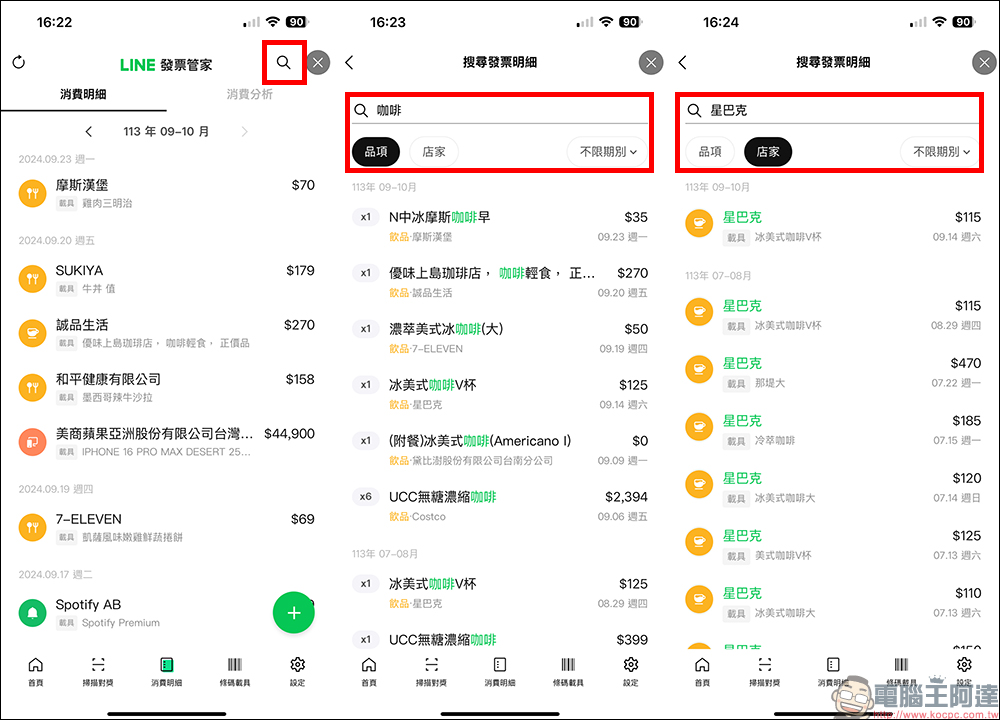
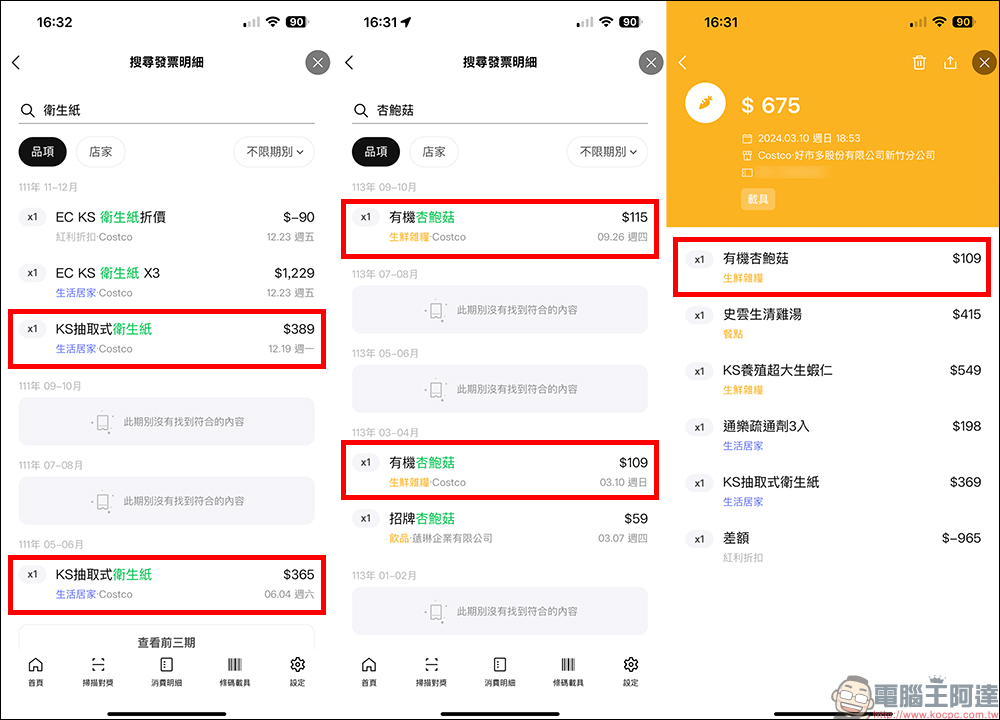
Find the “Magnifying Glass” search button in the upper right corner of the screen in the “Consumption Details” of the LINE Invoice Manager page, and then just enter the keyword of the item you want to query (for example: coffee), and then all the items that match this keyword will be listed for all purchases in the past period. You can compare the products of different stores which are cheaper. If there are price increases or promotions in the future, you can also confirm by yourself. After all, not everyone will remember the actual checkout amount after each product promotion, right?
In addition to querying items, the search function of Invoice Manager can also use store categories to query. For example, if we want to query all our consumption records at Starbucks, we can see it at a glance through this function.
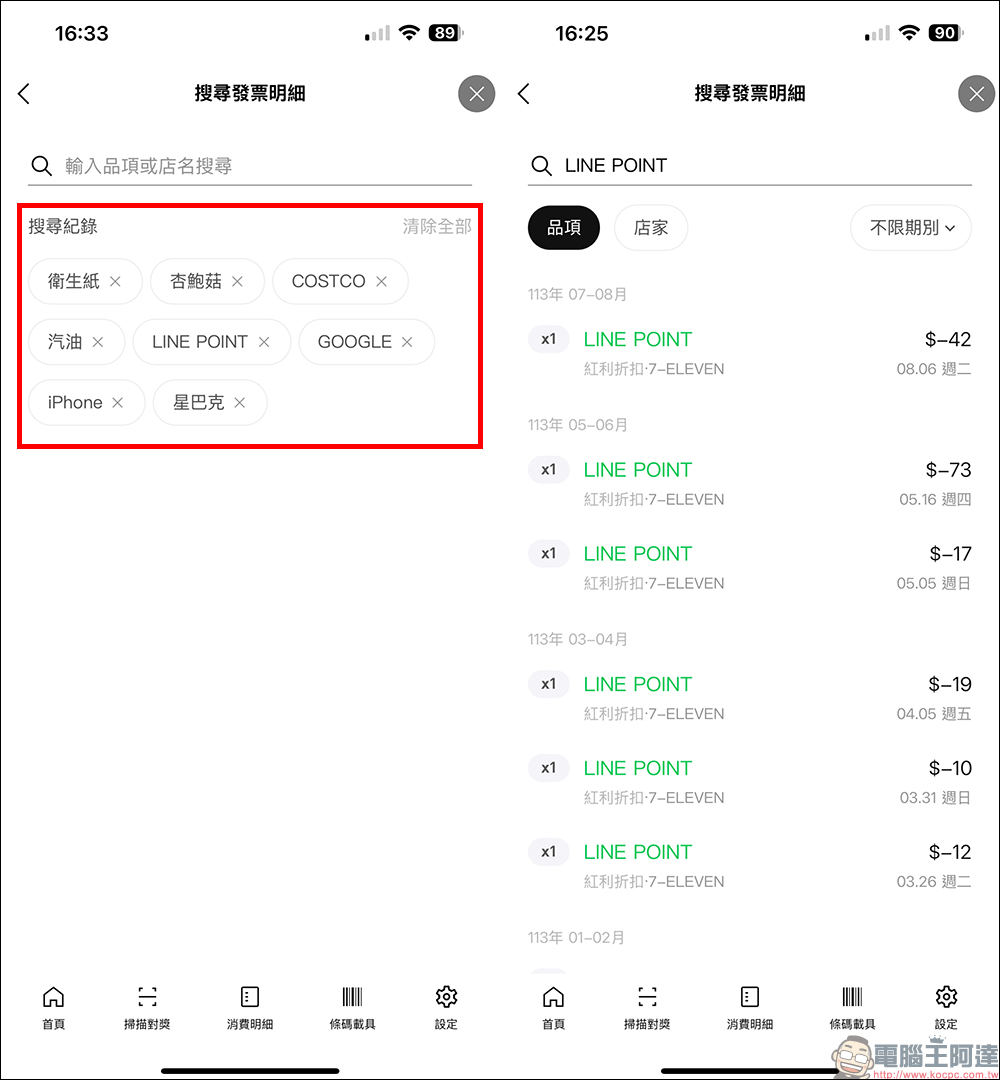
Moreover, the search records of LINE Invoice Manager will be listed below. If you want to check in the future, just click to quickly find the consumption details of the item. If you want to check your own LINE POINT discounted consumption, you can use this method to check directly without having to go to LINE’s wallet to perform step-by-step operations.
This time we introduce the “search” function of LINE Invoice Manager. The most practical one is to compare the selling prices of the same item at different points in time. For example, the price fluctuations of toilet paper in Costco and even the price changes of some fresh products can be compared using this function. Take the recent “Organic King Oyster Mushroom” from Costco as an example. The price on March 10 this year was NT$109, but the price on September 26 had risen to NT$115. Even if the difference seems to be only a few dollars, the price difference will only be discovered after a real comparison.
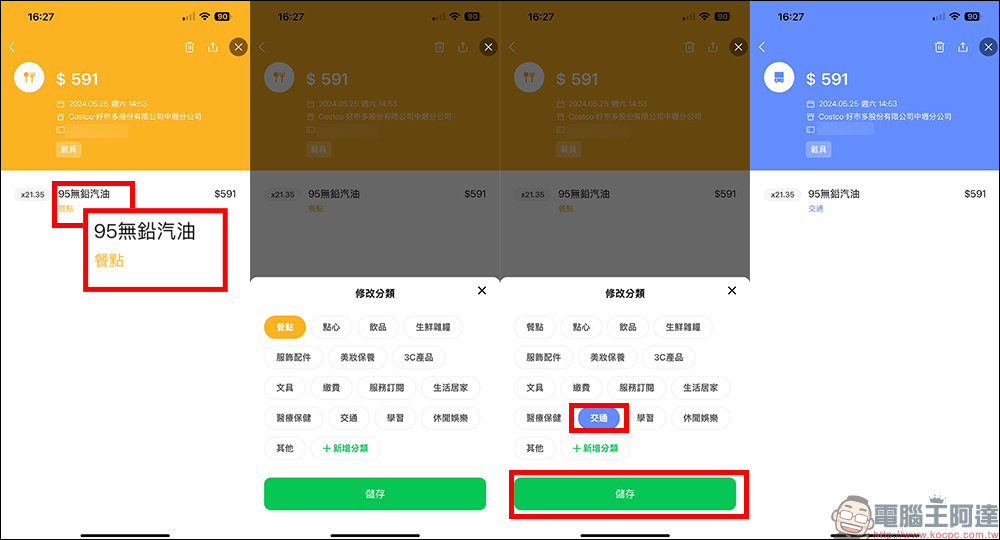
Here I would like to add a small problem that many people encounter when using LINE Invoice Manager. Although Invoice Manager automatically classifies consumer goods, there is still a chance of encountering classification errors occasionally, especially in stores like Costco that sell various products and provide gas stations. This is more likely to happen.
For example, after filling up at Costco, I checked the consumption details and found that the 95 unleaded gasoline was directly classified as “meals.” If there is no correction, the consumption analysis will be even more inaccurate. It is also very simple to modify, just click on the category first, and then you can modify it manually!
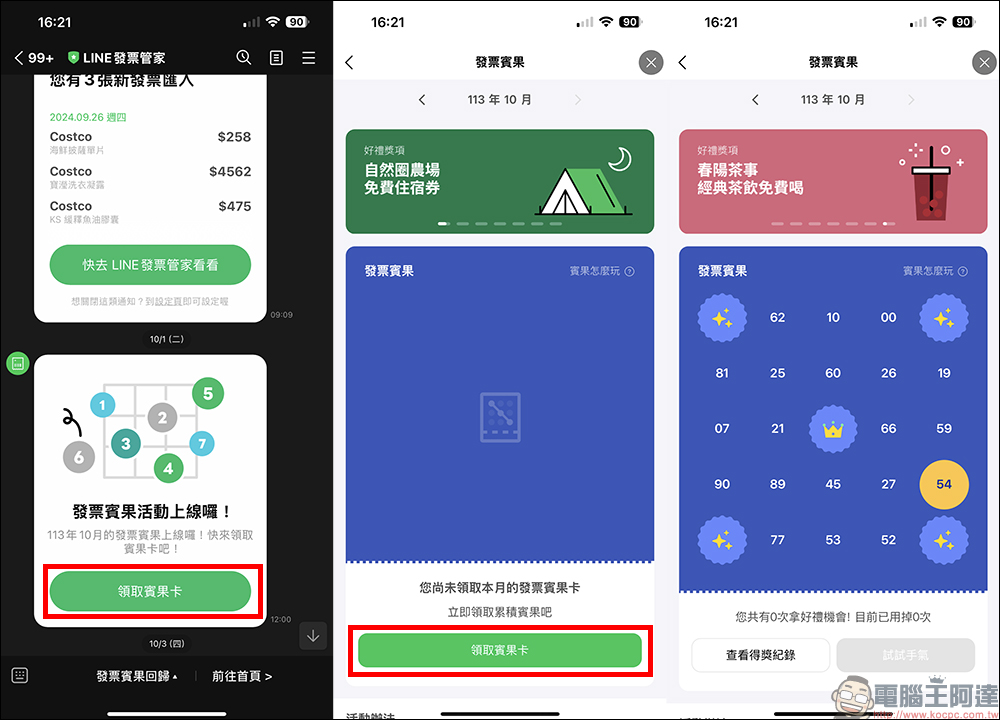
In the early days of the launch of LINE Invoice Manager, there was an “Invoice Bingo” function. Recently, this function has finally quietly returned! As long as you bind LINE Invoice Manager, you can receive an invoice bingo card every month. Every time you save the last two digits of the invoice number to Invoice Manager, it will be the bingo winning number. As long as you successfully connect, you will have a chance to win prizes. The more connections you make, the more prizes you will win!
Nowadays, the gifts are also very good. For example, the October grand prize includes luxury camping accommodation vouchers, gym memberships, free hand-cranked tea and other gifts. However, invoice bingo requires you to collect the bingo card before you can start participating in the bingo game of the month, so remember to collect it early at the beginning of each month!
Source: KOCPC Chinese