


You will be very wary of consumer accounts such as mobile phone master accounts, financial banks, shopping websites, etc., but you may ignore security for accounts on video streaming platforms such as Netflix. Just like any account you use, you also need to ensure the security of your account. There are various tools available in Netflix to help you do this, and there are some basic practices you can follow. Let’s take a look at how to do it this time.

Protect your Netflix account with these 6 tips
1. Exit the shared device
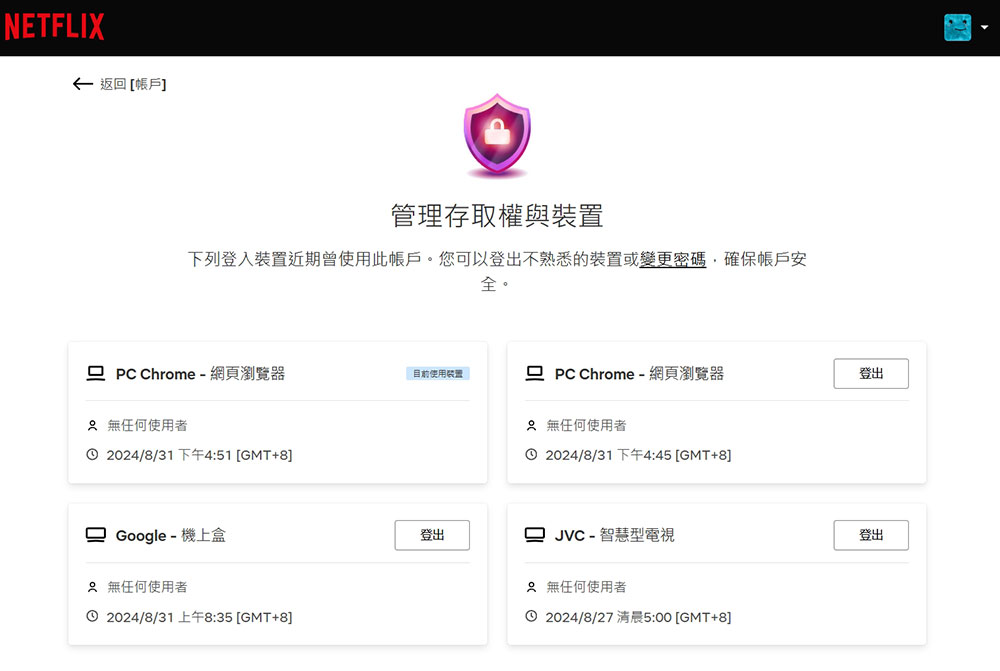
Whenever you sign into Netflix on a device that’s not part of your home (e.g., a restaurant, a friend’s house), you should be sure to sign out when you’re done. If you don’t do this, the next person to use the device will have unimpeded access to your account. If you forget to log out, don’t panic. Go to Netflix account settings, and click Access and Devices from the Devices option. All logged-in devices are listed here. Select “Log Out” on the device you want to remove. If the device you want to see is missing, or you want to sign out of all devices, select “Sign out of all devices” at the bottom of the page.
2. Don’t share your password
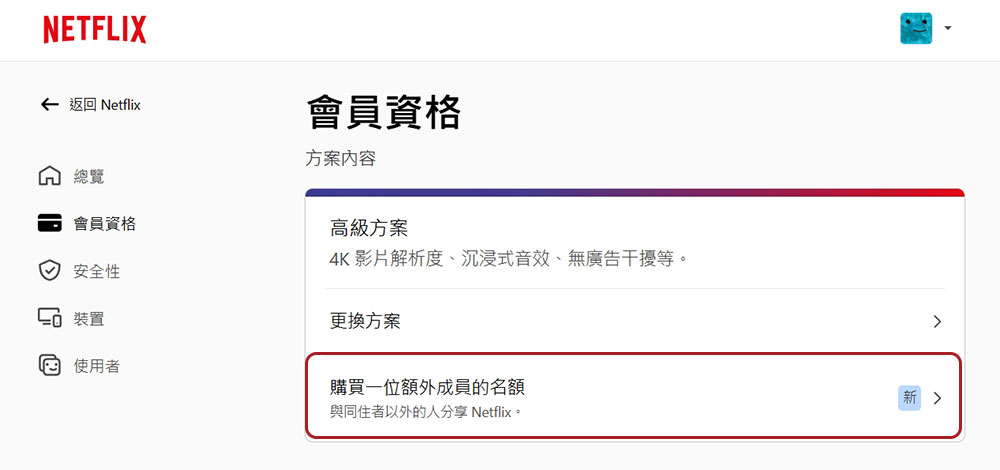
Don’t share your passwords casually. This may sound like the most obvious piece of online security common sense. Beyond that, it’s tempting to offer access to your friends and family, and Netflix’s past strategy has largely encouraged that. But that’s different now, with Netflix cracking down on password sharing, with new rules requiring you to purchase additional memberships before anyone outside your household can have their own account and password. To do this, go to your Netflix account settingsIn the membership options, click “Buy an additional member.”
3. Use stronger passwords
When it comes to passwords, make sure you maintain good password habits. For Netflix or even other websites, you can follow these suggestions:
- Use a password manager to generate, store and autofill passwords.
- Use a random password rather than a personal password, which is usually long and contains a mix of letters, numbers, and special characters. A password manager can create this for you.
- Your Netflix password should be unique and not used for any other account.
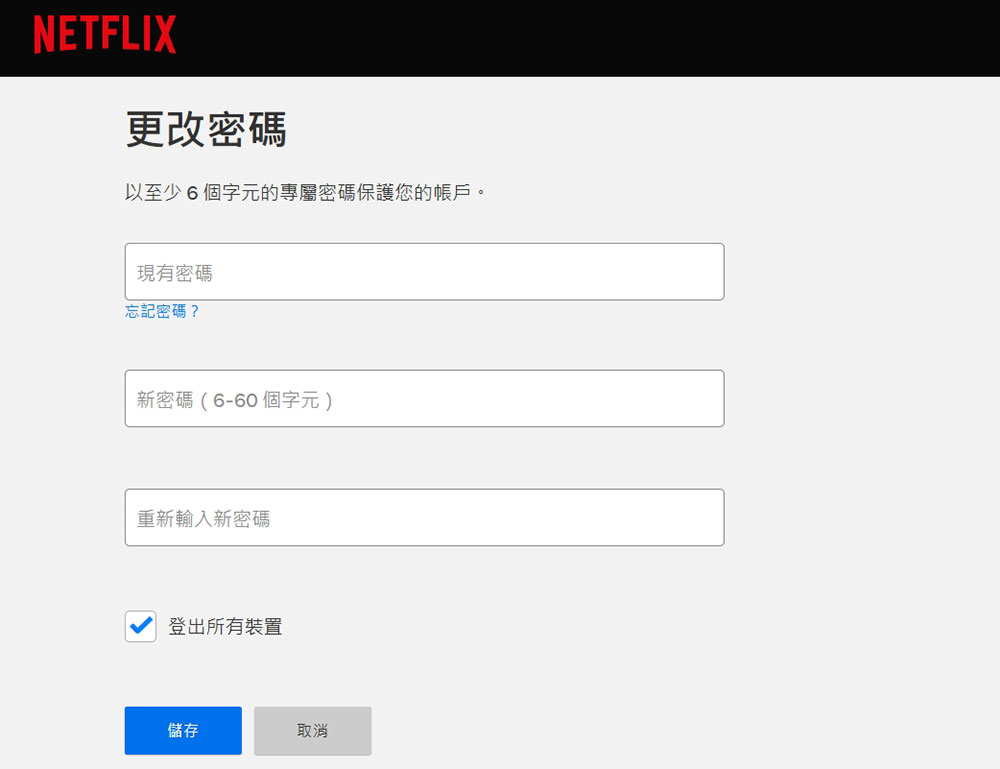
To change your Netflix password, go to Netflix account settingsIn the security options, click “Password” to change it. Your password can be up to 60 characters long, so make the most of it and remember not to use the minimum 6 characters.
4. Add mobile phone number
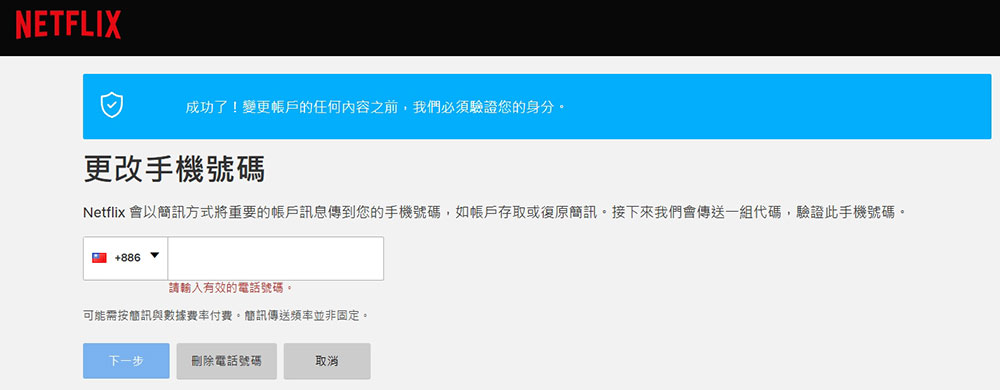
You sign up for Netflix using your email address, but you also need to add your mobile phone number to your account to assist with verification and make it easier to recover your account if you forget your password. You can also log in with your mobile phone number, which is very convenient. To add a phone number, go to Netflix account settingsIn the “Security” option, click “Mobile” to add or change.
5. Be wary of phishing
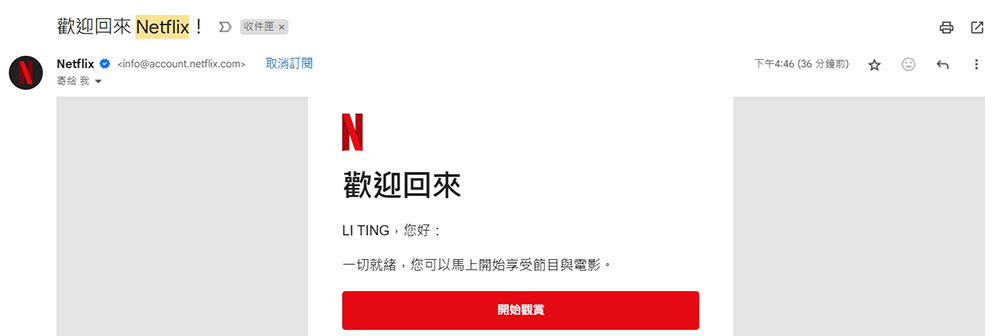
Netflix is one of the most popular services in the world, which makes it a popular name for phishing scammers. In essence, this is a scam. Malicious actors have tried to obtain users’ account information in various ways, such as designing the website to look like an official website or sending emails that look like official ones. There are some warning signs that can help you identify a phishing attack, such as:
- Put pressure on you, such as your account will be deleted/limited if you don’t take quick action, etc.
- Request sensitive information, such as your password or payment information.
- Use a generic greeting in your letter, such as “Hi Netflix users,” rather than your name.
Netflix will not ask you for personal information via text message or email, nor will it ask you to pay through a third party. For more information, see Netflix phishing instructions page。
6. Create a profile PIN
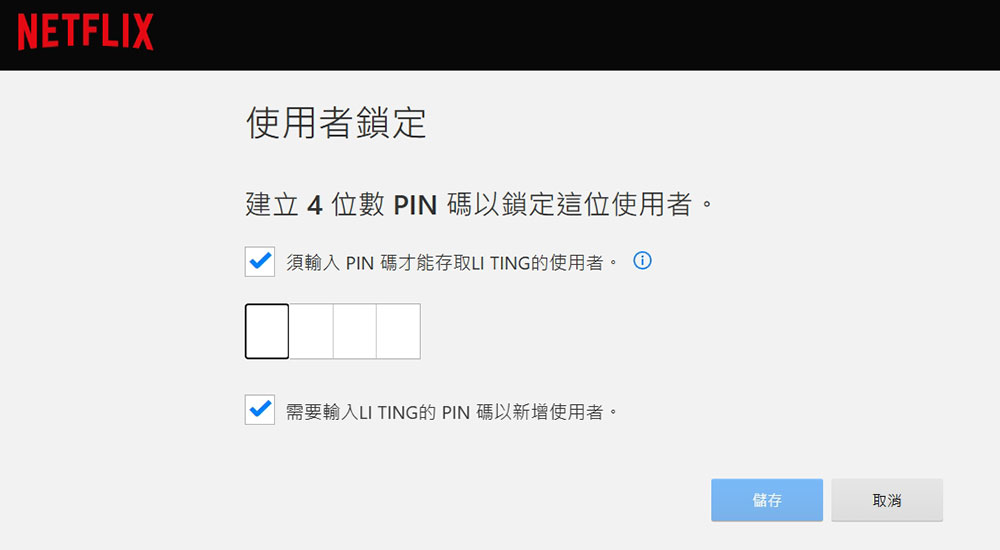
Using a profile PIN, your profile can only be accessed after entering a four-digit number you specify, which can prevent someone from using your profile without your knowledge. To set this up, go to Netflix account settingsOn the “Overview” page, click “Edit Settings” and select “User Lock” to set a four-digit PIN. Don’t forget to check the box below to add new users who need to enter a PIN code.
By following these tips, your Netflix account will have minimal security, so take the time now to take advantage of everything Netflix has to offer, like did you know your subscription comes with ad-free and deal-free mobile games and more?
Source: KOCPC Chinese