


As Google Launch Gemini 3 Model, some pretty good applications have been popping up online recently. Earlier, on X, I saw this interesting free app, “Retro Camera”—open it.Browserwill see aPolaroidthe interface, then you can use the front camera to take selfies. After taking the photos, they’ll slowly appear on screen, and you can even take multiple shots and stitch them together into one image.
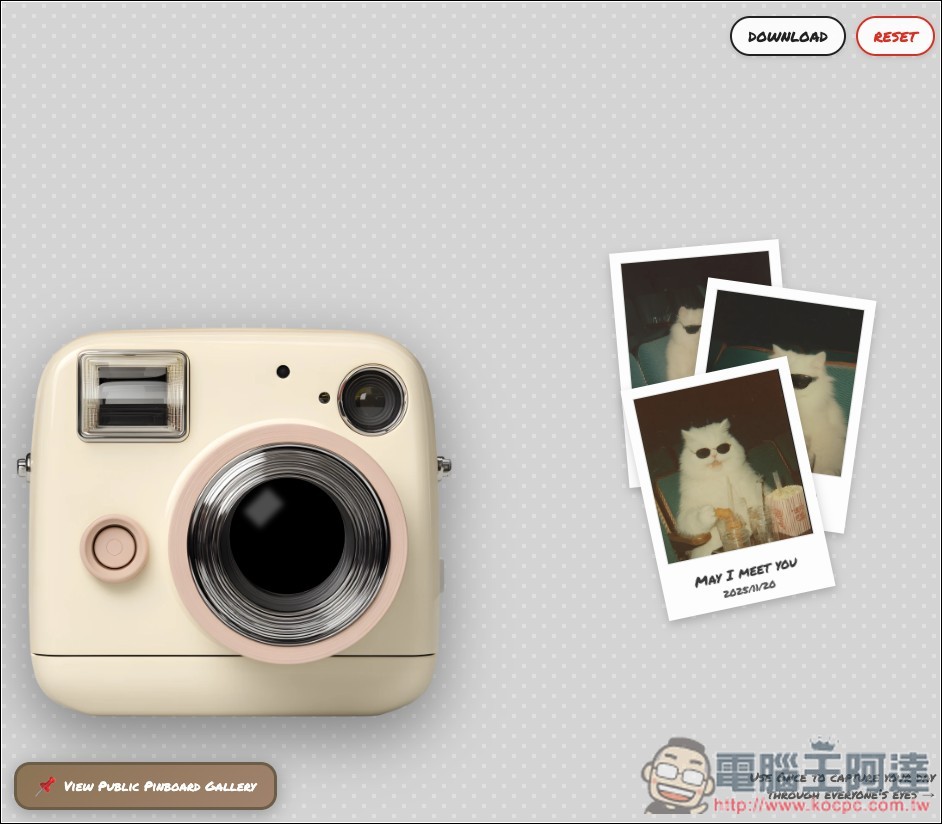
Retro Camera: Take Polaroid selfies in your browser with this free Gemini 3 app
Retro Camera is a Gemini 3 application that turns the nostalgic instant camera photo-taking process into a web-based experience. On the webpage, you’ll see an image of a vintage Polaroid camera, with the device’s front camera feed displayed in the lens area in the center. When you press the shutter button next to it, a photo is taken, and just like an instant camera, the photo emerges from the top and slowly develops into view.
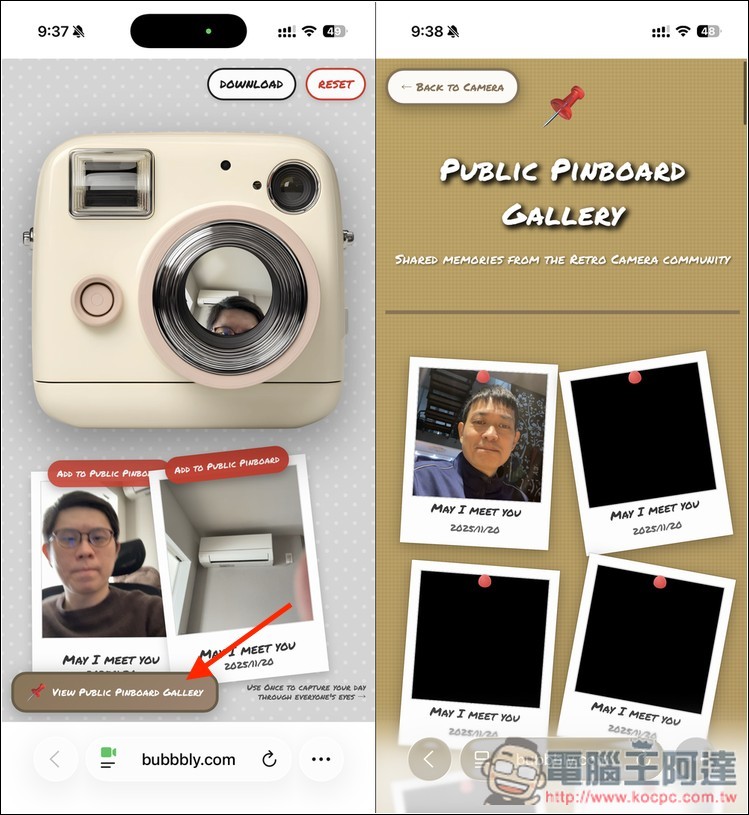
And for each Polaroid photo, you can drag and place it anywhere on the blank area of the webpage. At the top of the page there is a “DOWNLOAD” button; clicking it will export the collage image. There is also a “View Public Pinboard Gallery” (public display board) button, where you can admire Polaroid photos taken by other users, and of course, you can also make your own work public.
Key Features
- Retro Polaroid interface: Use a vintage Polaroid camera as the main subject for taking photos, letting everyone easily relive the nostalgia.
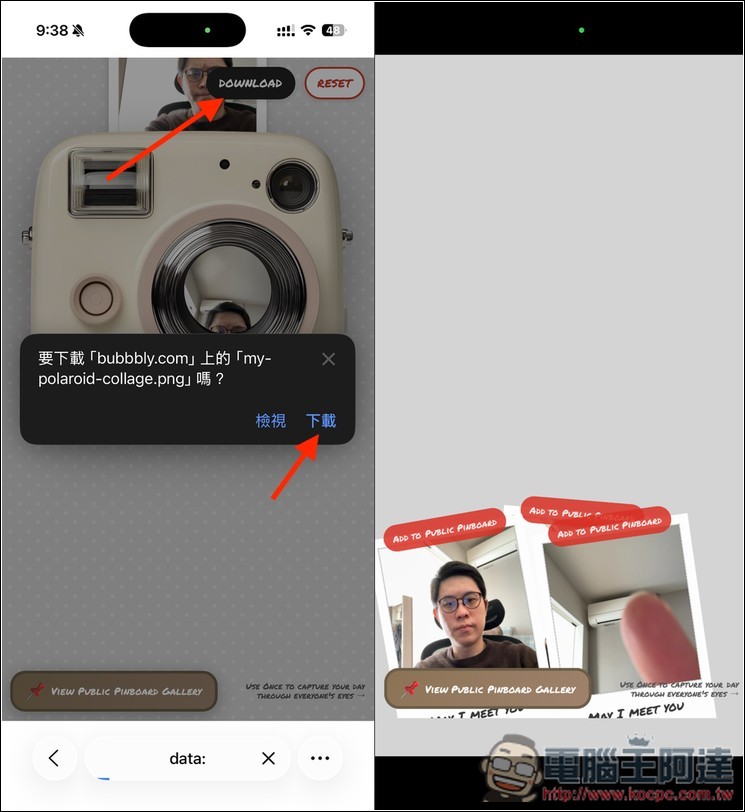
- Download feature: Once your Polaroid photo collage is complete, press “DOWNLOAD” to save the image to your device.
- Public Gallery / Display Board Feature: You can share your Polaroid photo works to the public gallery for others to enjoy.
- No installation required: just open the webpage and start using it, no need to install any software.
Using a mobile phone or a device with a camera, click the link above. After entering Retro Camera, you’ll see a screen like the image below. The lens in the center of the instant camera will show the device’s front camera feed. Press the pink button on the left to trigger the shutter and take a photo, and the Polaroid photo will appear at the top.
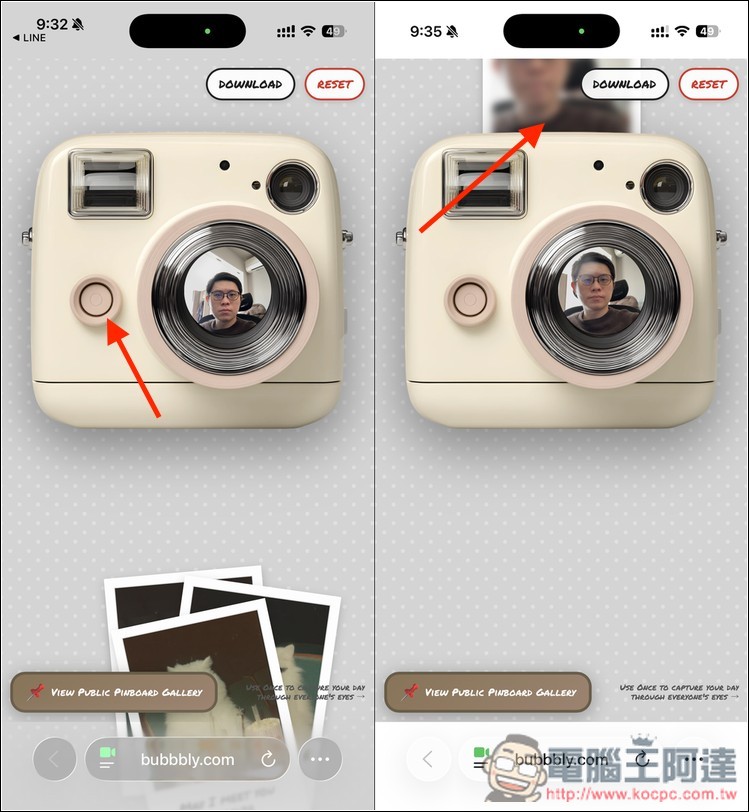
Then you can drag each Polaroid photo to the blank space below to create a collage—there’s no limit on how many you can add. Also, above the photos, there’s a red ADD TO PUBLIC PINBOARD button, which is how you share photos to the public gallery. Tap VIEW PUBLIC PINBOARD GALLERY at the bottom to open the public gallery and check out other people’s Polaroid creations.
After completing the collage, click the DOWNLOAD button above to obtain the image:
For those interested in making this Gemini 3 app themselves, you can use the prompt below to achieve the same effect:
Please help me create a retro Polaroid camera application that displays a camera in the bottom-left corner of the webpage. It can connect to a webcam and show the live feed in real time. When the shutter button is clicked, a photo paper slowly pops out from the top of the camera, and the photo gradually transitions from blurry to clear. Users can drag the photo from the top of the camera to an area outside the camera on the page, creating a photo-wall effect.
Source: KOCPC Chinese