


If you’re a Google, Microsoft, or Apple user, you’re probably used to having to log in once to use all of these companies’ other services. For example, if you log in to use Gmail, you don’t need to log in again whether you open Drive or other productivity tools. Single sign-on, also known as SSO (Single sign-on), can make life easier, but how does it work?

What is single sign-on (SSO)? Is it really safe enough?
What is single sign-on?
From a user’s perspective, single sign-on is very simple. When you log in to one service, it is equivalent to logging in to all related services at once. For example, just enter your login credentials into your Windows computer, and all Microsoft services will be available to you. Some companies, like Google or Meta, even allow you to use the same credentials to log into other services that are not directly related. But be careful not to confuse single sign-on with a password manager, which more or less replaces your credentials, while a password manager keeps your credentials but logs you in automatically.
How does single sign-on work?
Typically, each service you use that requires login will have a separate set of credentials, usually a username or email address and a password. When using single sign-on, your main service (let’s call it Site A) replaces the credentials of another service (Site B) with what’s called a token. The next time you log in to website B, you no longer need to enter your username and password. Instead, you log in with the token from website A. It all works seamlessly in the background, and from a user perspective you just feel like there’s one missing step.
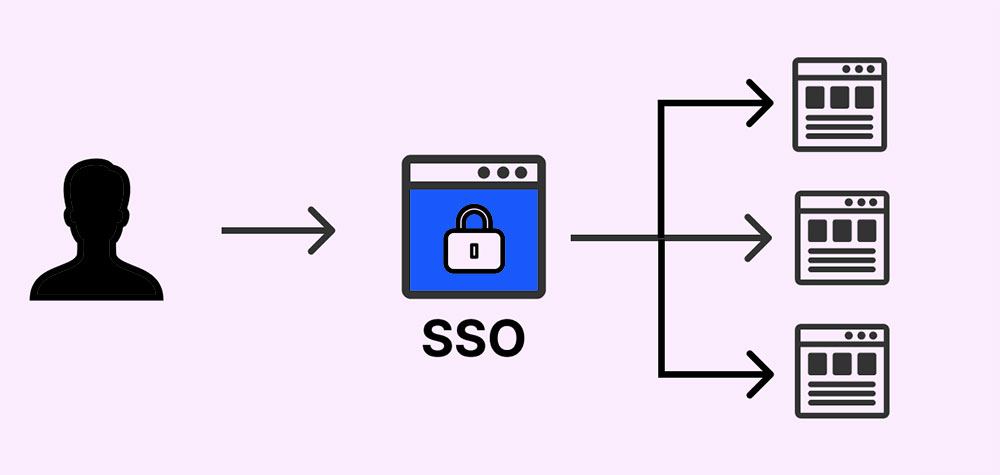
Behind the scenes, single sign-on works in a few different ways. It’s especially offered as a service by other companies, such as Okta’s Auth0, so you can set it up quickly without having to deal with too many technical issues. Alternatively, if someone in your organization has the technical skills, you can set up single sign-on through protocols such as Kerberos or SAML (which powers Auth0 and similar services).
Who uses single sign-on?
At some point, everyone has used single sign-on in some form or another, including you and me. It’s used by all the big tech companies to ensure that users can access all their different services without having to re-enter their passwords, including Google, Microsoft, and the list goes on. If you work for a large enterprise, you’ve probably used single sign-on, as many companies like to use it on their internal networks to ensure that employees can switch between applications smoothly.

Are there any disadvantages to single sign-on?
At first glance, there aren’t many downsides to using single sign-on, after all, who doesn’t like seamless switching between apps? However, when using single sign-on, you reduce security because in the past an attacker would have to crack many different sets of passwords, but now only one can be cracked. Even worse, once an attacker compromises the account, you lose control of all associated accounts, since the token is your only way to access them. You can’t reset your account, just like a compromised password manager, which is why you should try your best not to continue using single sign-on on non-relevant sites, such as shopping sites with your Google account.

Is single sign-on secure?
Although single sign-on is convenient, it is generally recommended to avoid using it on third-party websites unless it is the same system. For example, Gmail and Cloud Drive belong to Google, and OneDrive and Windows belong to Microsoft. This will prevent others from having to crack one password to gain unimpeded access to all your accounts. In addition, it is recommended that you use a password manager to get the same seamless experience as single sign-on but with greater security.
Source: KOCPC Chinese