


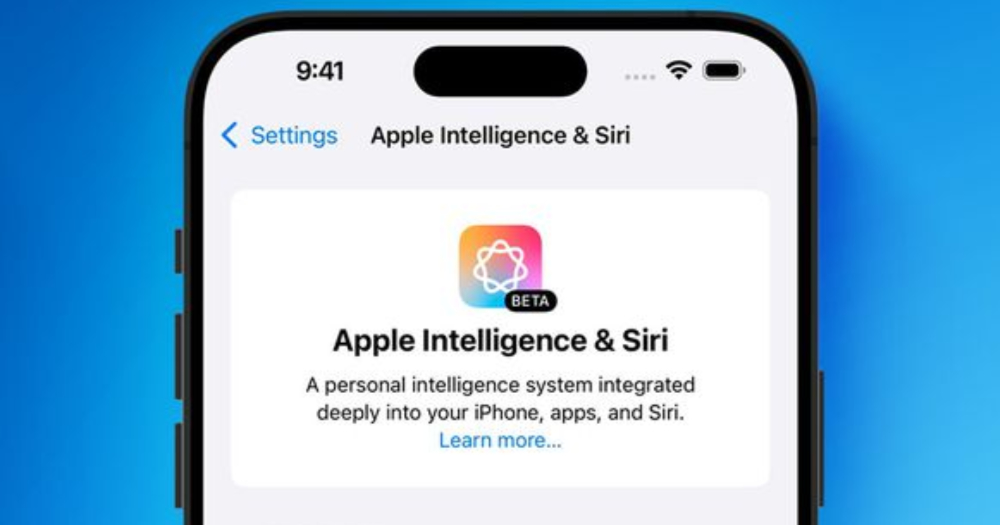
The developer beta version of iOS 18.1 / iPadOS 18.1 / macOS Sequoia equipped with the “Apple Smart” experience not only arrived before August. The “Apple Intelligence & Siri” setting option, which can be said to be worthy of the name, was surprisingly confirmed to have officially appeared in the setting function of the iOS 18.1 system. This article also brings you to a simple grasp of relevant information about this updated version from all parties. Continue reading Apple Intelligence version of Siri surprises in iOS 18.1 developer beta: What features are supported and what models can be installed? Read the text of this (lazy package) report.
▲Image source: MacRumors
Apple Intelligence version of Siri surprises in iOS 18.1 developer beta: What features are supported and what models can install it? Read this (lazy bag)
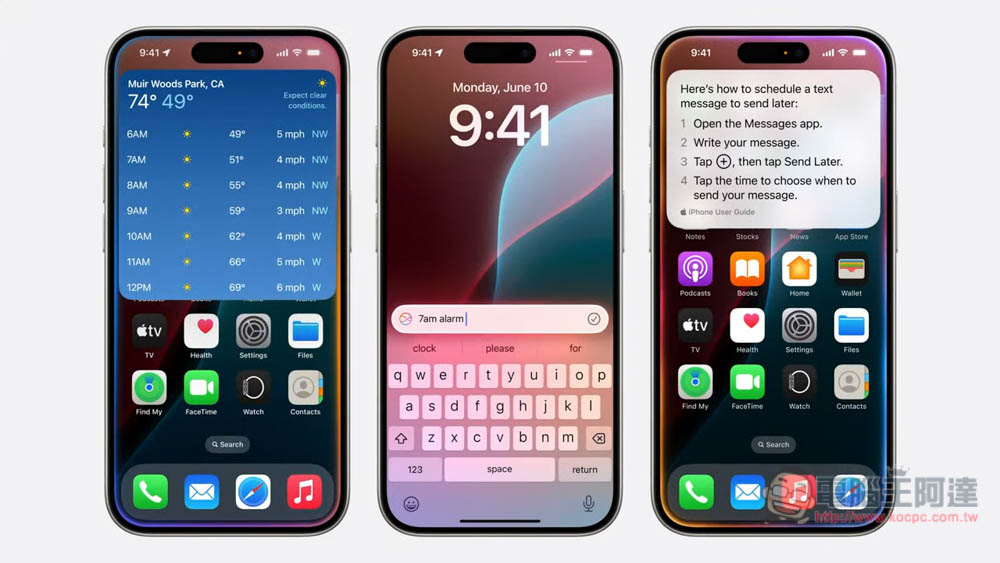
Although we already know through the news that iOS 18.1 equipped with Apple Intelligence function will be released earlier than usual, what is surprising (probably scary for technology editors) is that the developer beta version of iOS 18.1 / iPadOS 18.1 / macOS Sequoia equipped with “Apple Intelligence” experience not only arrived before August, but even the new version of Siri experience that was originally rumored to have to wait until at least next year was directly unlocked today.
This also means that the well-known “Apple Intelligence & Siri” setting option has been confirmed to officially appear in the setting function of the iOS 18.1 system. This article also brings you to a simple grasp of relevant information about this updated version from all parties.
▲Image source: Apple
How to install and hardware support
first,Friends who want to install must pay attention and pay attention again(It’s very important, so I’ll mention it three times).
This time, many features of the iOS 18.1 beta version have been tested from scratch, so the stability cannot be compared with “iOS 18” that has been tested for many times. Therefore, when installing this version, you may encounter problems such as some functions not functioning properly. It is recommended that even if you want to try it out, try not to use a commonly used mobile phone to install and test it.
It may be because of this that in this developer test version, Apple specifically placed an icon of the independent 18.1 Beta update channel below the screen where the iOS 18 update has been completed – everyone should look for it carefully. And it seems that you must update to iOS 18 Beta 4 to see the updated icon.
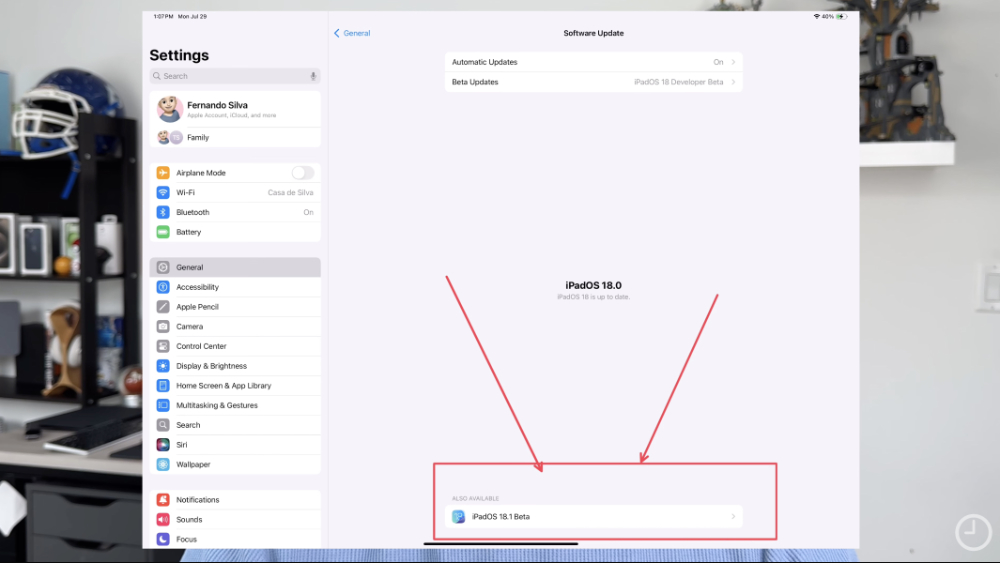
▲Picture: It’s really placed at the bottom… (Source: 9to5Mac)
So don’t be surprised if you’re determined to be a developer (duh!) and skip to system software updates without seeing the iOS 18.1 Beta. In addition to the need to search up and down, you may also need to install a certain version before you can see the update project.
Then, according to the information from foreign media 9to5Mac, it was mentioned that if you switch to the 18.1 channel, you may not receive the beta update project after the integer version number 18 (maybe not even 18.0.1).
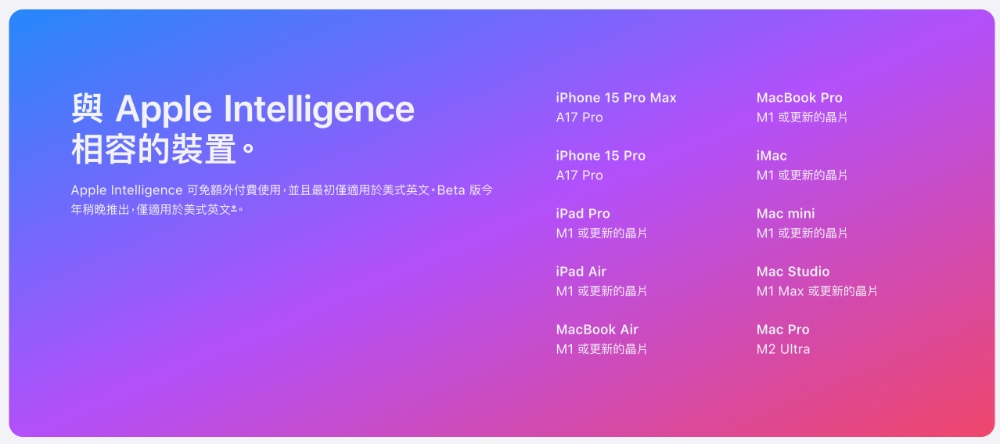
In terms of hardware support, basically the current official positioning of Apple Intelligence on iPhone requires specifications of 8GB RAM or above. As far as the official current list is concerned, it only supports iPhone 15 Pro and iPhone 15 Pro Max above A17 Pro. Devices other than the iPhone basically require an M-series SoC.
How to enable Apple Intelligence features
If you want to enable Apple Intelligence, you can choose to join the waiting list in “Apple Intelligence & Siri”. Currently, since it only supports English, the basic requirement is to at least switch the system language to English. If you successfully join the test list, you will see the steps leading to using Apple Intelligence as shown below.
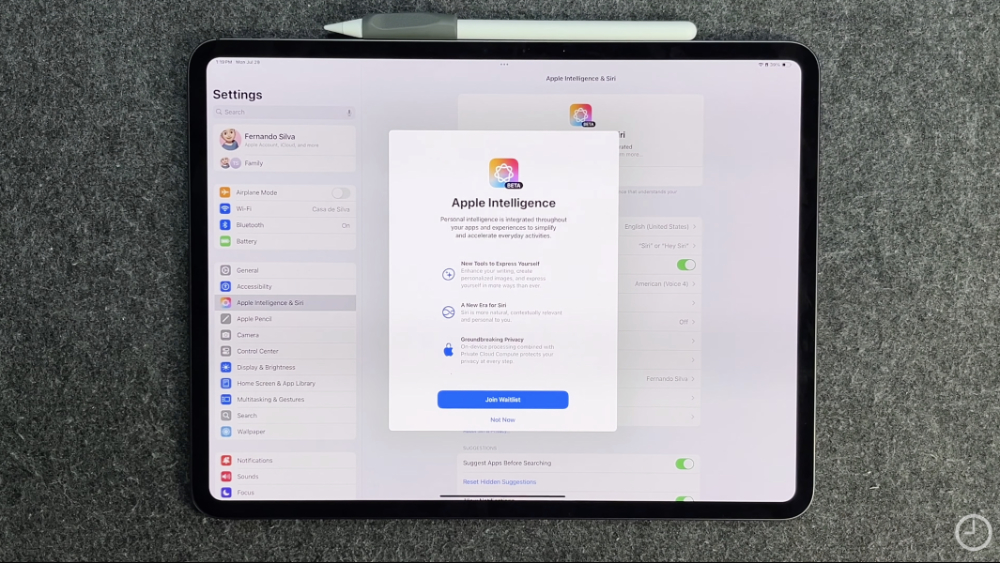
▲Image source: 9to5Mac
As for supported regions, the current Reddit forum mentions that users in the UK can be enabled by switching to US English.However, it seems that in Taiwan, even if you switch the language, it will still be displayed as not supported by the region.
Update: After the “Language” and “Region” related settings in the general settings and Siri settings are changed to US English, and then restarted, you will be eligible for the waiting list! (Thanks to readers for reporting)
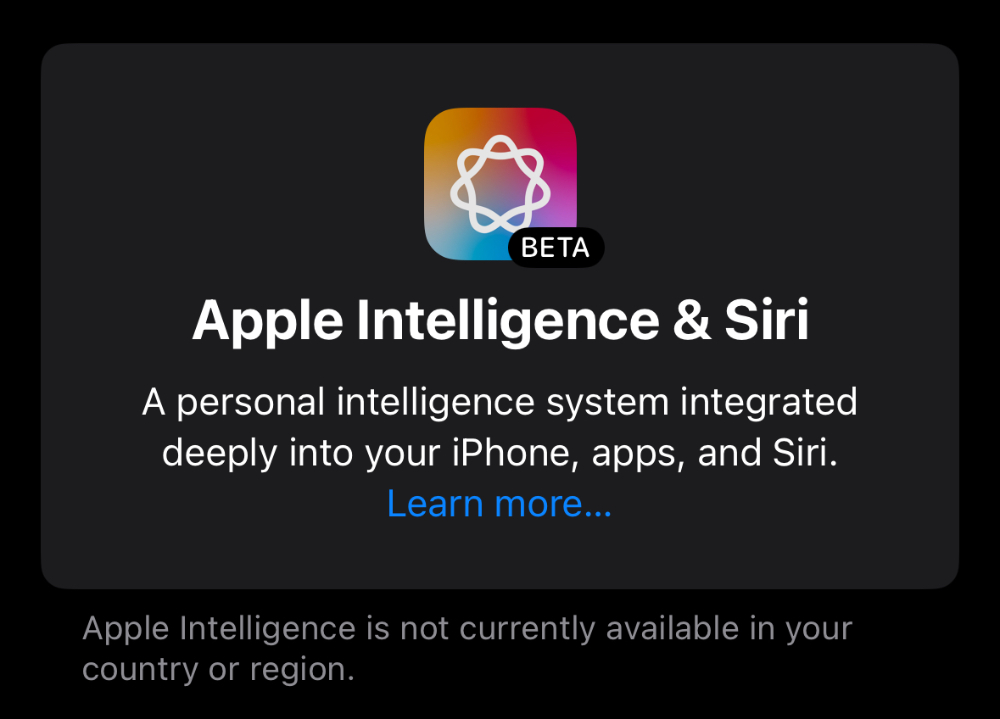
What Apple Intelligence features are supported (iOS 18.1 Developer Beta 1)
According to the information listed on the Android Authority website, this time the iOS 18.1 Beta version supports the following items for the “Apple Intelligence & Siri” part (a simple translation is as follows):
Writing tools:Users can rewrite, proofread and summarize text in various places such as email and notepad.
Siri
- Brand new design: The Siri interface adds a screen edge glow effect.
- Text and voice switching: Feel free to switch between text and speech when interacting with Siri.
- Enhance contextual understanding: Siri provides a deeper understanding of device-related issues.
- Fault tolerance improvements: Siri understands errors in the user’s sentences and responds appropriately.
- Urgent email categories: Added a new category specifically for receiving urgent emails.
- Email summary: You can view the summary without opening the email.
- Smart reply: Provide quick reply suggestions.
Focus mode: Reduce distractions and show only notifications that need immediate attention.
photo
- Natural language search: Use natural language to find specific photos.
- Search for key moments in the video: Look for specific moments in the film.
- Memory function: Create memories through text descriptions, and the system automatically selects matching photos and videos to generate short videos.
Transcript summary: Provides a summary of the transcript.
This part is based on 9to5Mac’s first-time test, focusing on the surprising new Siri experience, which basically includes animations and two clicks on the system bar to call up Siri for text command input. However, the initial test experience seems to be that the contextual capabilities of Siri smart assistant need to be improved – it feels like it may still be learning? Or the complete functionality of the backend may not be online yet.
Oh, by the way, ChatGPT that connects three parties and image generation related functions including Image Playground and Genmoji have not yet appeared in the iOS 18.1 beta version. This part is based on previous predictions by foreign media Bloomberg, and it may not be seen until at least iOS 18.4.
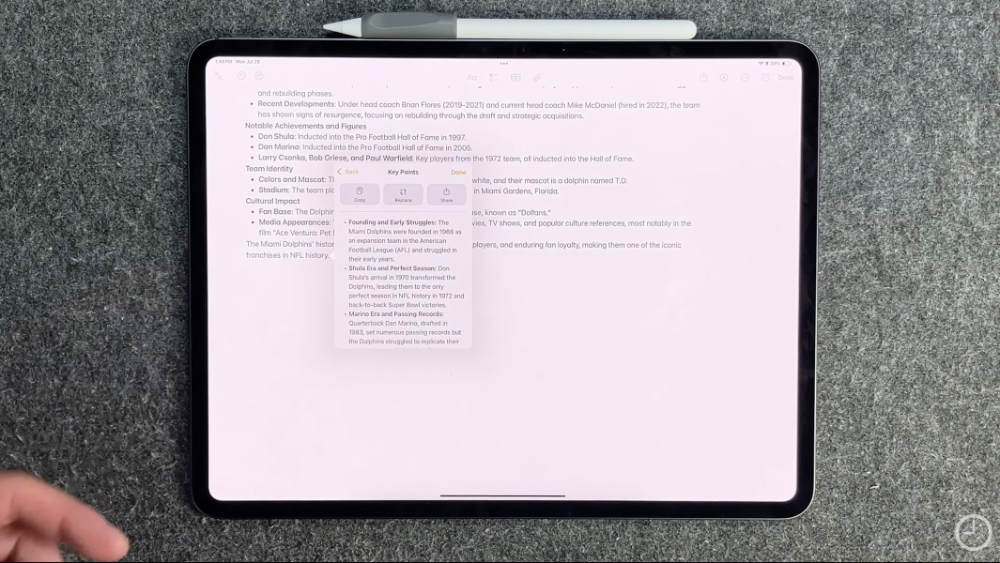
▲Image source: 9to5Mac
In addition, AI-related functions that were previously expected to debut in the early stages, such as writing tools that can assist with reorganizing/rewriting and summarizing, and the mail app that also adds quick summaries, have been tested and verified by 9to5Mac.
The rest of Apple Intelligence has not yet been seen in early testing online. But since the feature list obtained by foreign media Android Authority lists such a rich list of projects. I believe that either the function has not been found yet, or it should be added gradually in subsequent beta versions.
Conclusion: Machine Learning
Judging from the current preliminary information, even if the new generation of Sir makes a surprise appearance, it obviously still needs some learning process before it has a chance to become better. I believe this is also the main reason why Apple hopes to extend the Apple Intelligence experience test time, right?
Because of this, maybe we can expect that Chinese support will have the opportunity to start testing earlier?
Quote sources:Android Authority、9to5Mac(YouTube)
Further reading:
Source: KOCPC Chinese