


When most people want to download Windows software, they should open Google and enter the name of the software, then click on the top-ranked website. Be very careful with this move, a high Google ranking does not necessarily mean it is an official website. According to foreign media reports, attackers are now setting up dozens of fake websites at a time, specifically impersonating well-known tools such as PowerToys, Wintoys, WinUtil, EasyBCD, CrystalDiskMark, etc. What’s even more frightening is that these websites not only look normal in appearance, but may also deliberately provide real official download links in the early stages. After enough traffic and search rankings have accumulated, they will then secretly change them into malicious programs for specific visitors.
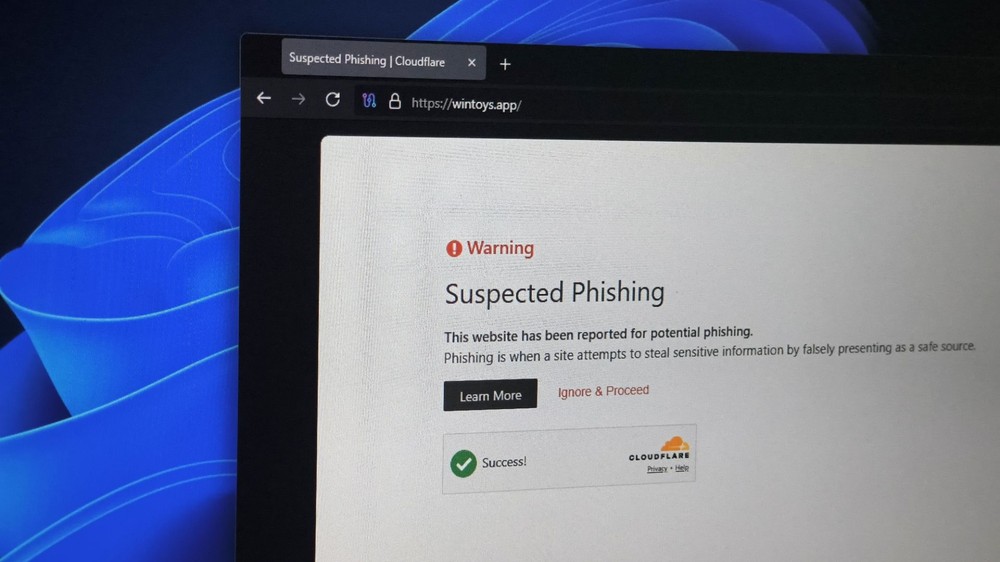
Image source: Windows Latest
Google searches aren’t necessarily safe either! 72 fake Windows software websites impersonate PowerToys and Wintoys, similar attacks have begun to spread Trojans
according to Windows Latest According to reports, this incident was accidentally discovered by Wintoys developer Bogdan_X.
Wintoys is a Windows system tuning tool that can be downloaded from the Microsoft Store, allowing users to clean, repair and adjust system settings without opening the terminal.
I discovered a large scale operation impersonating over 70 popular Windows apps to infect users with malware
byu/Bogdan_X inWindows11
Bogdan_X usually searches for his software name on Google to see if there are any new reviews or user questions recently. During a certain search, he found a website named `wintoys.app` appearing in the results, but this domain was not registered by him and was not authorized by him.
This fake website uses the name of Wintoys and the old version of the logo, and is built with WordPress. It also contains a lot of software introductions with general content and incorrect information. Strangely, the download button on the website was connected to the real Microsoft Store page and did not provide the suspicious installation file.
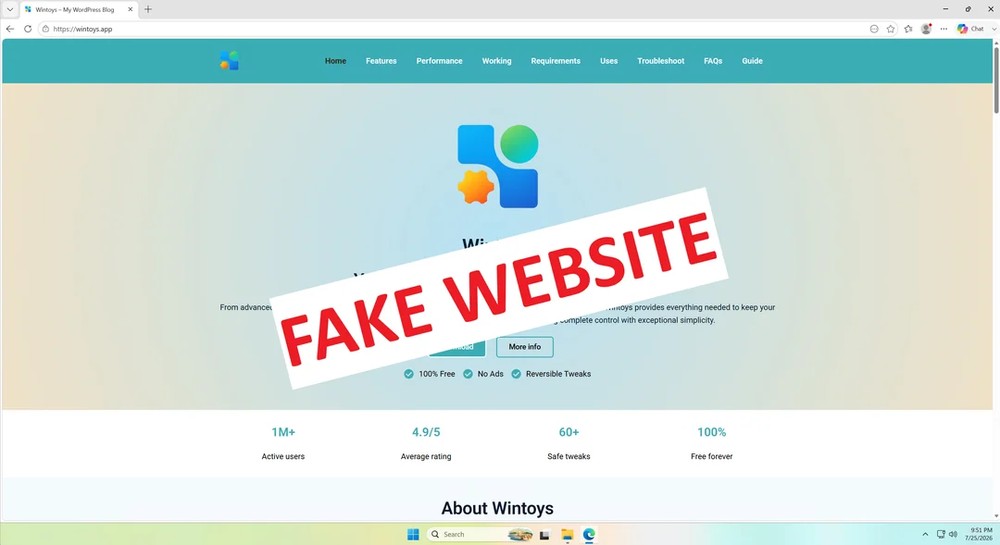
Image source: Windows Latest
Bogdan_X then tried to track down the domain owner, only to find that it was registered through Epik Inc. and used free WHOIS privacy protection, with the true identity of the purchaser hidden. He finally continued to check back from a group of anonymous contact mailboxes, only to find that the same owner was connected to 72 domains. The impersonated objects included PowerToys, WinUtil, EasyBCD, CrystalDiskMark, CrystalDiskInfo, FreeFileSync, SpaceSniffer, NirCmd and other tools familiar to Windows users.
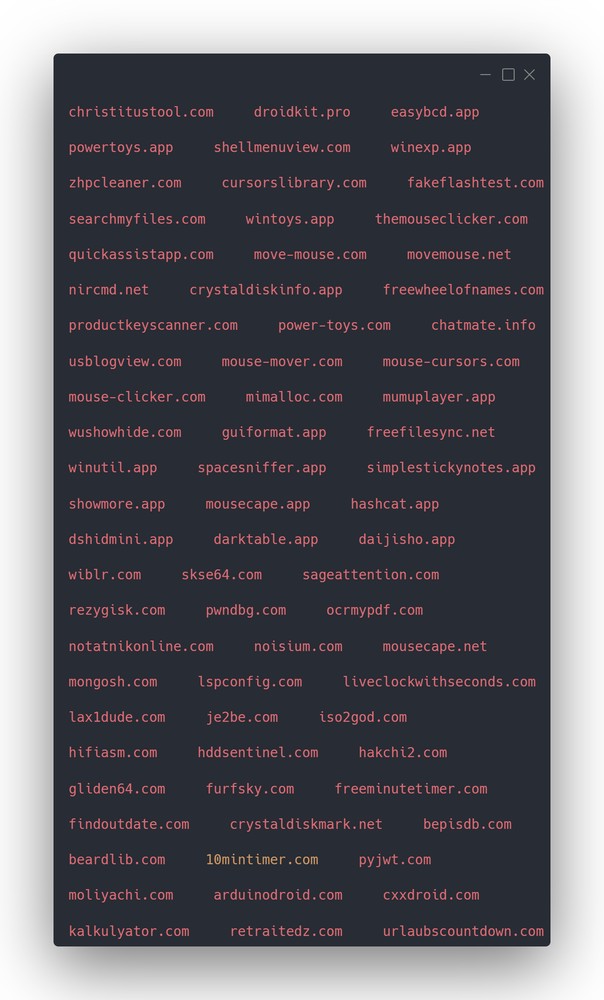
Image source: Windows Latest
Although the website currently provides official download links, there is no guarantee that it will not be suddenly transferred in the future. Bogdan_X refers to Check Point Research’s investigation of another batch of counterfeit websites. The attack process has three stages: first grabbing search rankings, then providing normal content to build trust, and finally starting to intercept downloads.
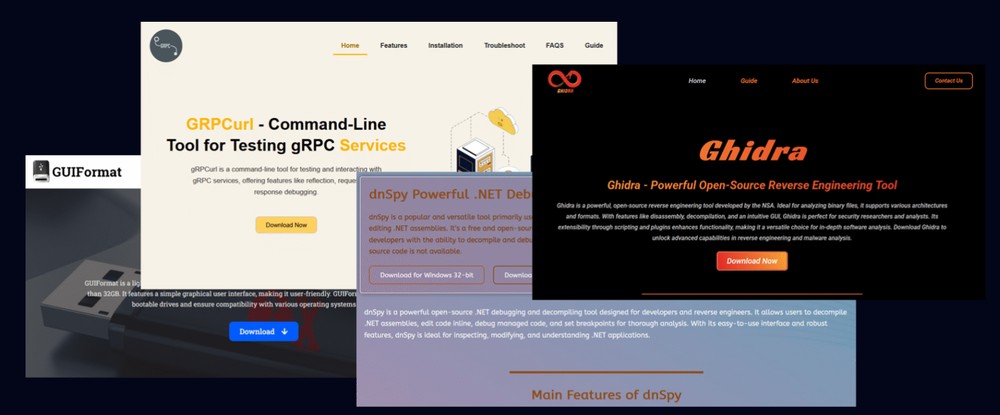
Image source: Windows Latest
The first stage is to produce a large amount of content on popular software names, and use SEO to gradually climb the webpage to the top of Google. When users see that the website name is the same as the software, and the page has an introduction, screenshots, FAQ and download button, they will naturally regard it as the official page.
The second phase will continue to be deliberately innocuous, and the download button may still point to the developer’s GitHub or Microsoft Store. This not only reduces users’ vigilance, but also prevents search engines, security scanning services or developers from seeing obvious malicious behavior when checking for the first time.
After the website accumulates enough traffic and credibility, the attacker enters the third stage. Check Point discovered that some phishing websites load JavaScript placed on Amazon CloudFront. When a user clicks on a seemingly normal download link, the script intercepts the click and sends the visitor to the traffic distribution system for processing.
The system determines where to redirect based on country, browser, device, IP, VPN usage status, number of clicks, and whether the visitor behaves like an automated scanner or a security researcher. Some people will still get genuine software, others will only see ads or unnecessary apps, and only qualified users will receive malicious files.
In other words, even if researchers open the same website repeatedly, they may only see normal links. Websites also intentionally avoid data centers, VPNs, and automated sandboxes.
This method of “only targeting specific targets” is more difficult to block than simply providing installation files containing Trojans.
Of course, this type of fake website is not a Windows-specific problem and can be encountered on macOS as well as other platforms. However, the Windows market is larger and there are many free tools. Windows users are also very accustomed to downloading `.exe` or `.msi` directly from the web, so they are naturally more likely to become targets of attackers.
Windows Latest also mentioned that AI program development tools such as Claude Code and Codex have lowered the threshold for making software. Now that there are more developers capable of launching small tools, the number of project names that can be impersonated has also increased. Users really need to be more careful.
For now, downloading from the Microsoft Store is the easier way to confirm the source. At least the application will have clear publisher information, and there will also be a fixed reporting and handling channel when problems arise.
Before downloading Windows software, you can do the following four checks:
- Confirm address bar: Don’t just look at the website name, logo, HTTPS lock, and Google ranking. HTTPS can only mean that the connection is encrypted, but it does not mean that the person behind the website is the official developer.
- Prioritize to find Microsoft Store or official GitHub: Open source software can be downloaded from the Releases link provided in the project README. Do not pick the page that looks most like the official website in the search results.
- Check digital signature: Right-click on the installation file, select “Content”, check whether there is a “Digital Signature” tab, and then confirm whether the name of the signer is consistent with the development company. Be cautious if there is no signature. Even if there is a signature, it cannot completely replace source confirmation.
- Scanned by VirusTotal before execution: The fact that multiple anti-virus engines have not detected it does not mean that the file is 100% safe. However, as long as there are multiple clear warnings about Trojans or money-stealing programs, do not continue to execute it. Such attacks may also hide malicious behavior against VirusTotal and sandboxes, so scanning should only be used as one line of defense.
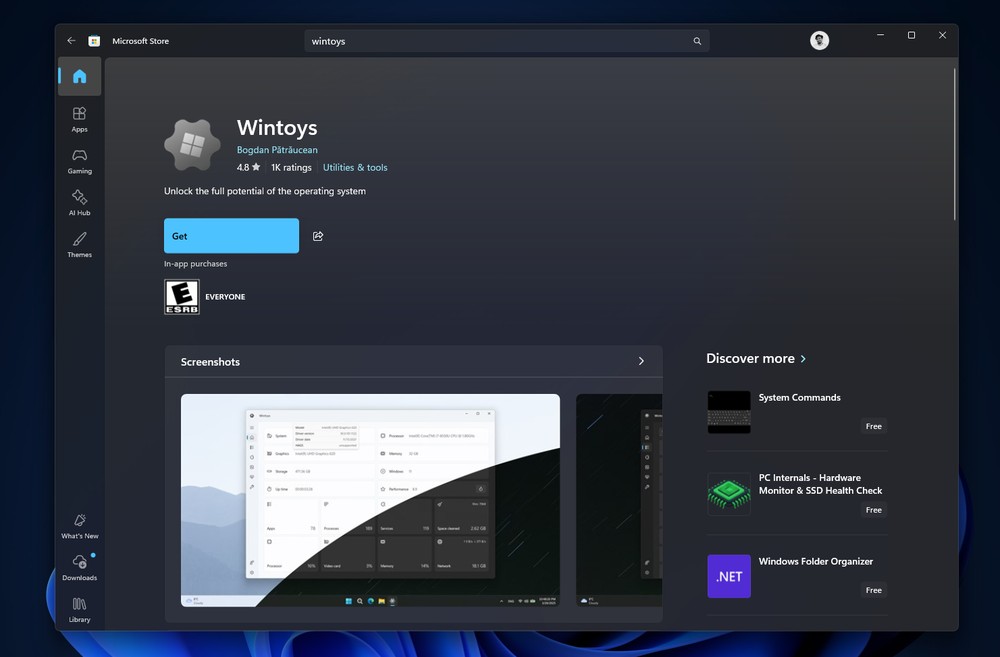
Image source: Windows Latest
Source: KOCPC Chinese