


It can be said that Google has recently continued to add more AI functions to its services. Many people use the Google Drive cloud space where videos are stored. Recently, Google has added a very practical “video automatic subtitles” function, which can automatically generate subtitles for your videos. Workspace users even support automatic transcription of videos after they are uploaded. Let’s teach you how to use it.
Google Drive has added a new feature to automatically transcribe subtitles for videos. How to enable it? See here
Google Drive’s newly added “Automatic subtitles for videos” function is available to every user. First, you need to upload the video to the Google Drive cloud space. General users need to manually enable this function, while Workspace users will automatically enable it after uploading.
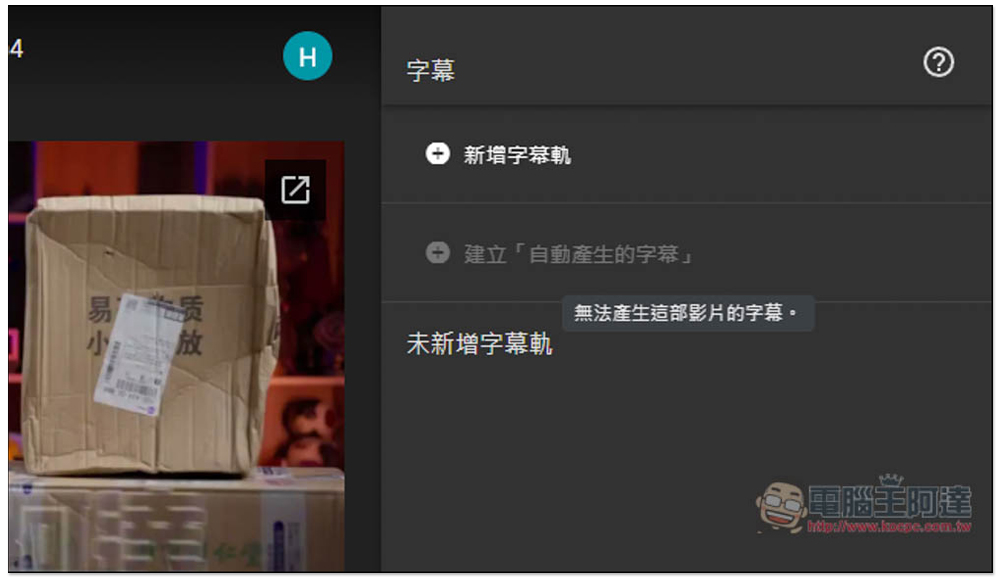
In addition, I tested that Chinese is not currently supported. Although the function is on, after pressing Auto Generate, after a while it will show that subtitles cannot be generated for this video. English videos are no problem.
Don’t expect too much about the transcription speed. After all, it is an additional feature. Some tools specifically designed for video transcription are faster than the built-in Google Drive, such as:Whisper JAX。
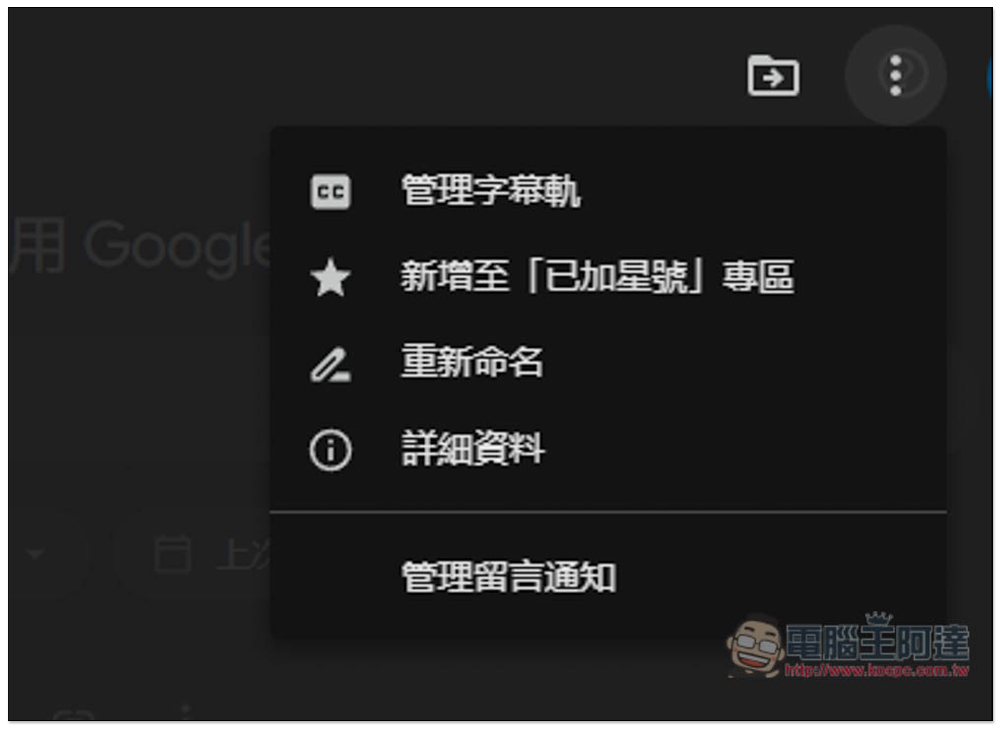
After the video is uploaded, open the video, and then click the… function in the upper right corner. A menu will pop up. The first item “Manage Subtitle Track” is:
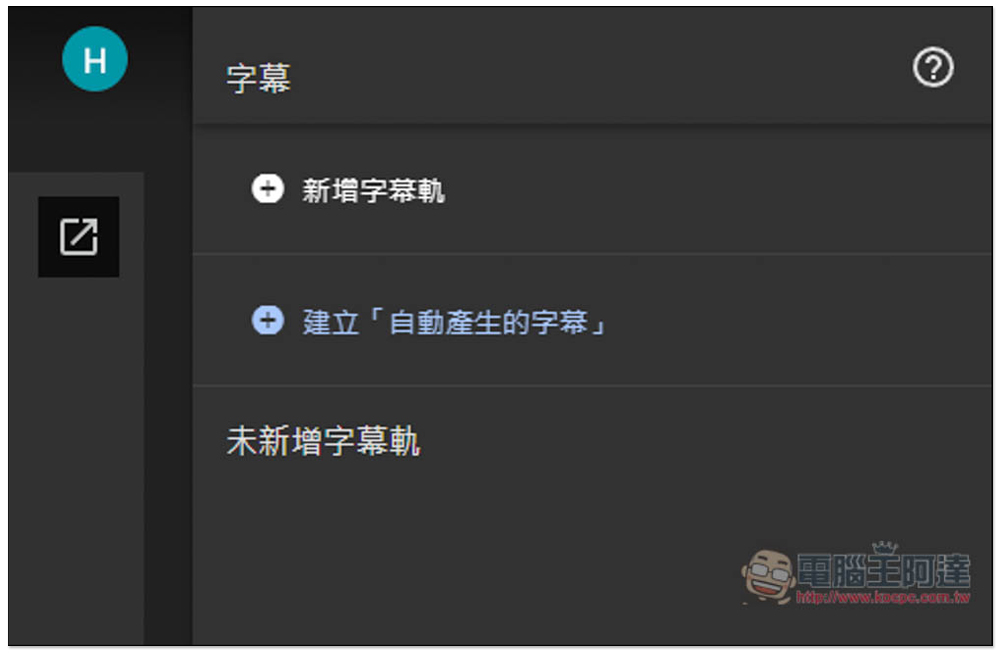
After entering, there are two options on the right. New subtitle tracks are added manually, and creating “automatically generated subtitles” is the automatic subtitle transcription function that will be introduced in this article:
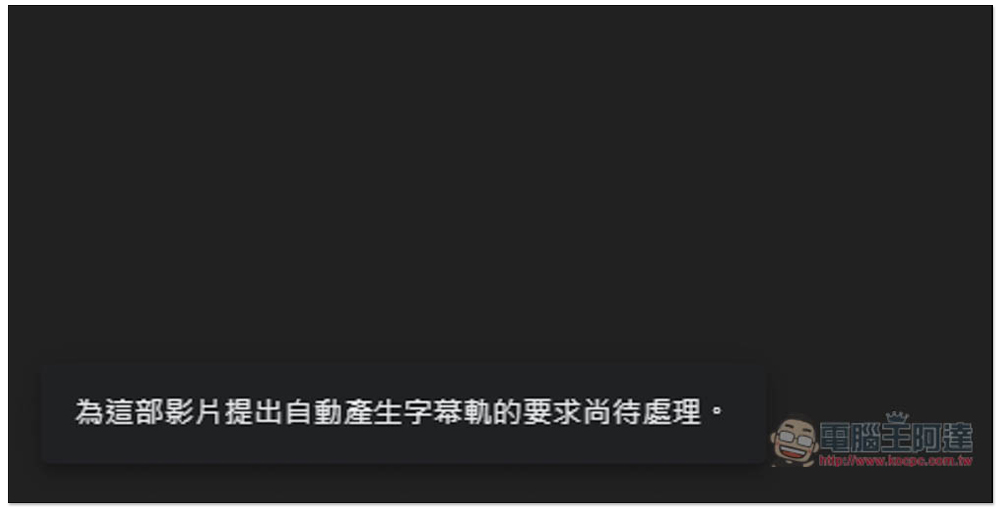
After pressing it, a message will pop up in the lower left corner saying “The request to automatically generate a subtitle track for this video is pending.” Now wait for it to complete:
There will not be any completion percentage reference during the process, but you can reorganize the video page, and creating “automatically generated subtitles” will be gray. Click it and you can see the current status. If it is “Generating subtitles, please check back later”, it means it has not been completed yet:
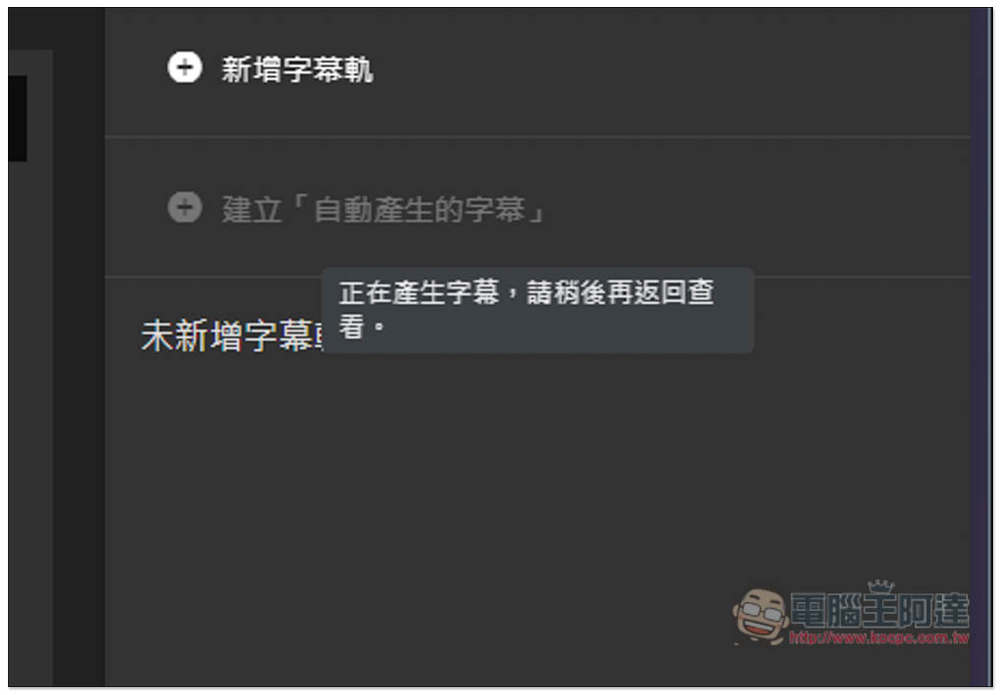
You won’t receive any notification when it’s complete, and you’ll have to check back on your own. I tested the English part successfully and it also supports the download function. As for the transcription time part, the length of the video may be as long as the transcription time:
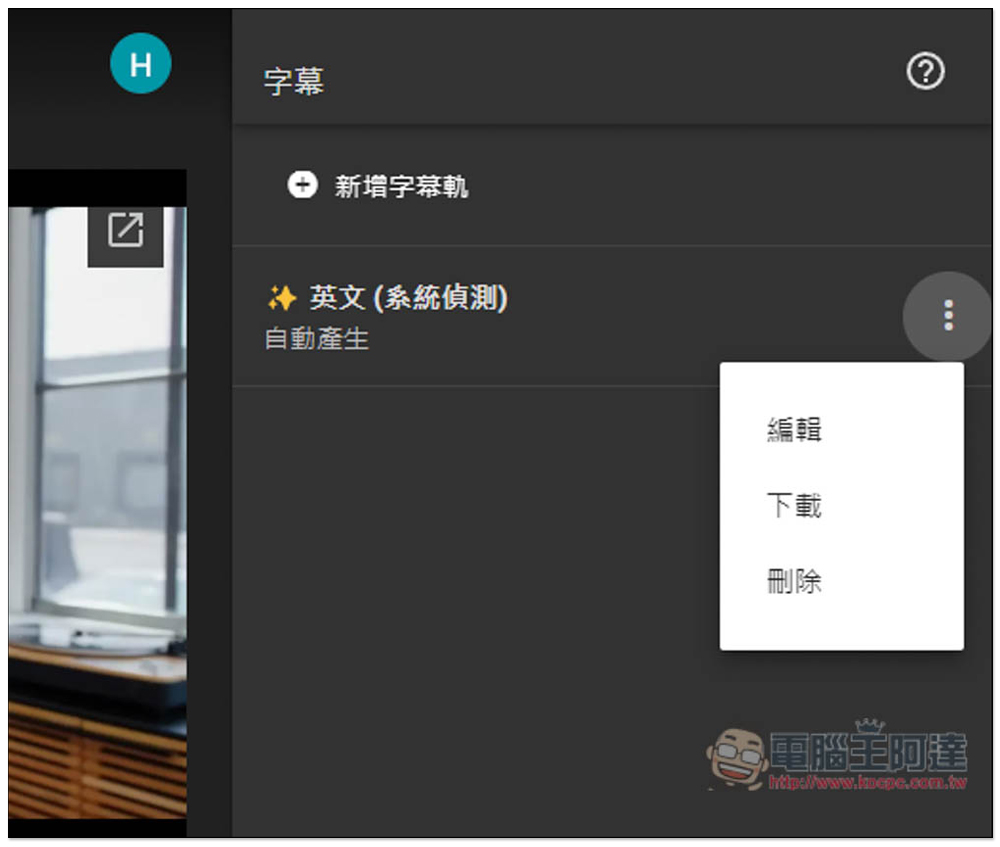
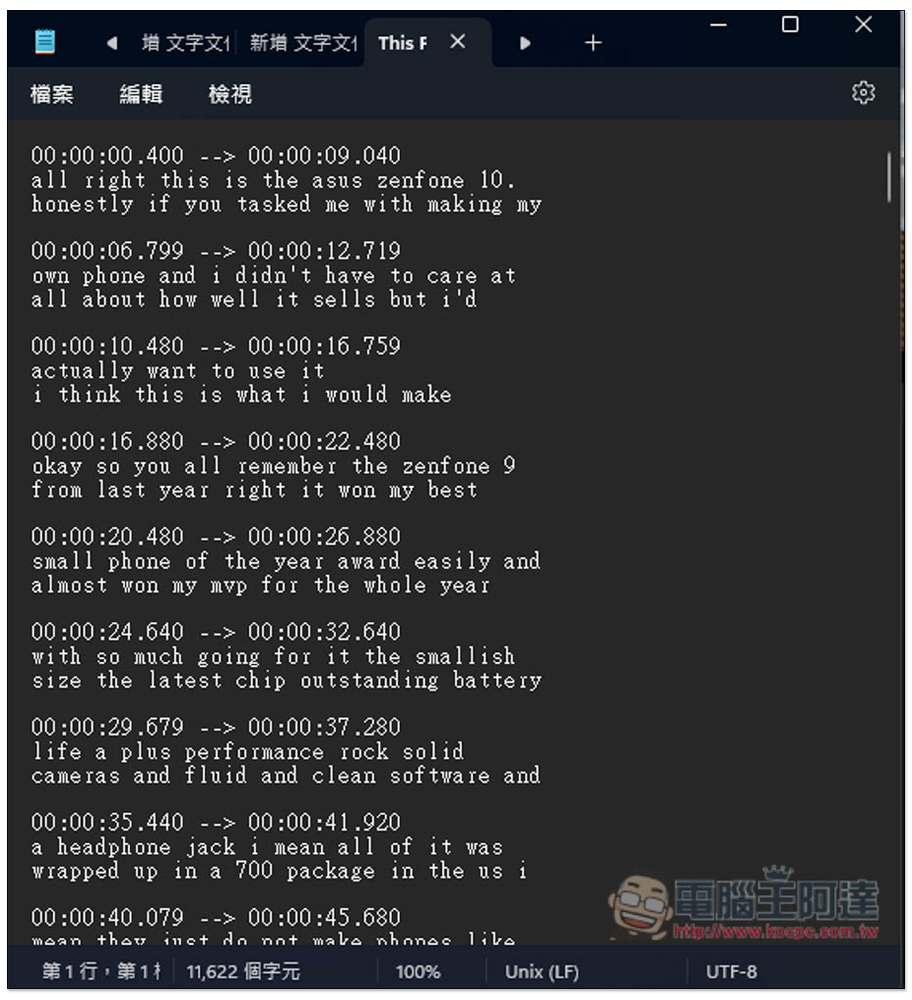
After downloading, it will be a subtitle file in .vtt format:
I tested a Chinese video. Although I can still click to create “automatically generated subtitles”, after a while the status will show “Unable to generate subtitles for this video”. I guess it is not supported yet:
Although it is convenient to add this feature to Google Drive, automatically enabling transcription after uploading videos is limited to Workspace users. Generally, users need to manually enable transcription every time, which is really a bit troublesome.
For old videos, even Workspace users need to manually enable the transcription function, and automatic transcription is limited to newly uploaded videos.
Google has not explained the new video subtitle subtitle function added to Google Drive, so it is not sure which languages are currently supported and when Chinese will be added, but I guess we won’t have to wait too long. After all, transcription is not a too difficult technical function nowadays.
Source: KOCPC Chinese