


Earlier App Store Above, there is a quite useful “NoteSpeak AI note assistant” that is releasing “Lifetime version limited-time free offer, besides being able to use AI Besides transcribing recordings or audio files into complete verbatim transcripts and generating content summaries, it also supports note summaries—you can manually enter text to save in the app, and the AI will provide a content summary as well. I tested it myself, and the transcription quality is quite good. Highly recommended. iPhone The user holds it for a moment,Mac Also supported.
The app doesn’t specify when the lifetime version’s free promotion ends, so it’s recommended to grab it as soon as you see it.The limited-time free offer has ended.
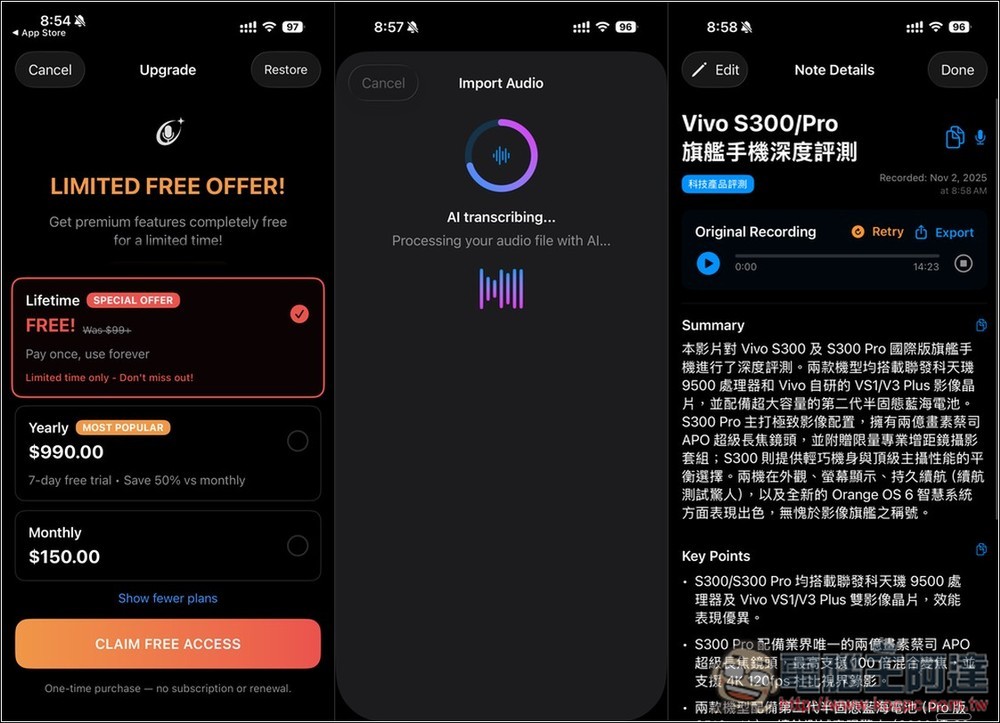
NoteSpeak AI Note Assistant Lifetime Edition, originally $99.99, is free for a limited time!
NoteSpeak is an AI note assistant designed specifically for iPhone, Mac, and Apple Vision, ideal for scenarios such as meetings, lectures, interviews, and podcasts. It quickly converts long recordings and audio files into transcripts using AI, and it also automatically provides concise summaries and key points from the transcribed content, greatly improving the efficiency of organizing and learning.
Supports recording and transcription in multiple languages, including Traditional Chinese. According to the developer, NoteSpeak also features noise optimization and speaker recognition, ensuring clear transcription quality in various environments and the ability to distinguish different speakers in a conversation.
Main features
- AI Summary & Highlights: Automatically generate summaries, key points, to-dos, and decisions from voice notes.
- Real-time recording and transcription: high-quality speech-to-text functionality with support for multiple languages.
- Speaker identification: ability to distinguish between different speakers in a verbatim transcript.
- Noise optimization: Optimizes sound quality for different recording scenarios (e.g., classrooms, conference rooms).
- Share and Export: Easily export summaries or full transcripts for further editing.
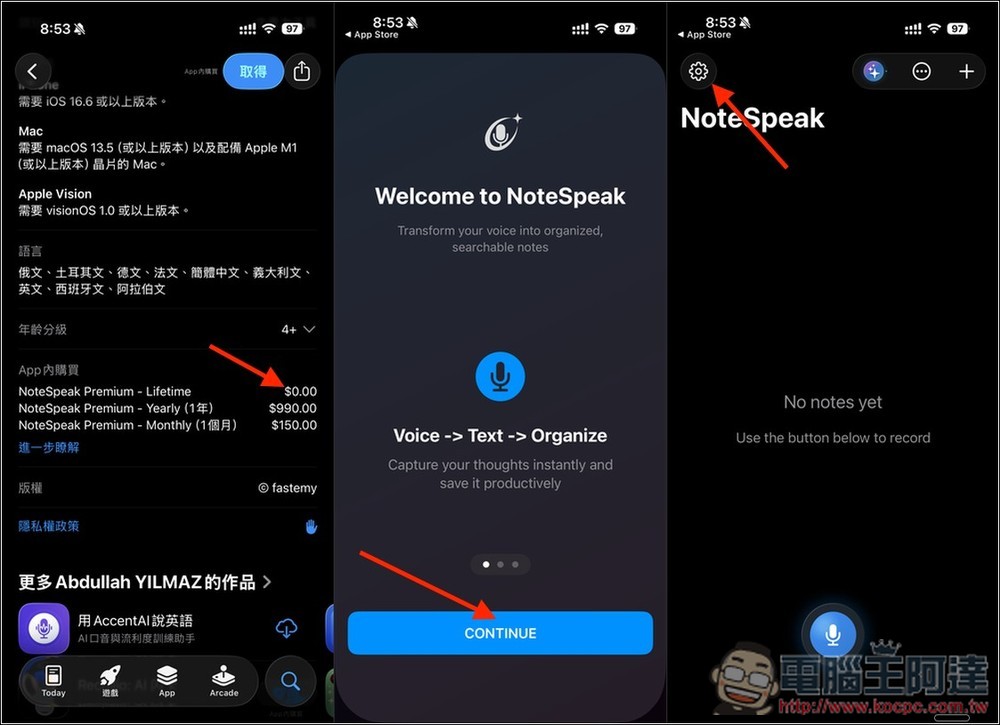
After clicking the link above to go to the NoteSpeak App Store page, you will see the in-app purchase Lifetime shows $0. The first time you open it, there is an introduction; you can take a look. After entering the app’s home page, tap the gear icon in the top-left corner to go to settings.
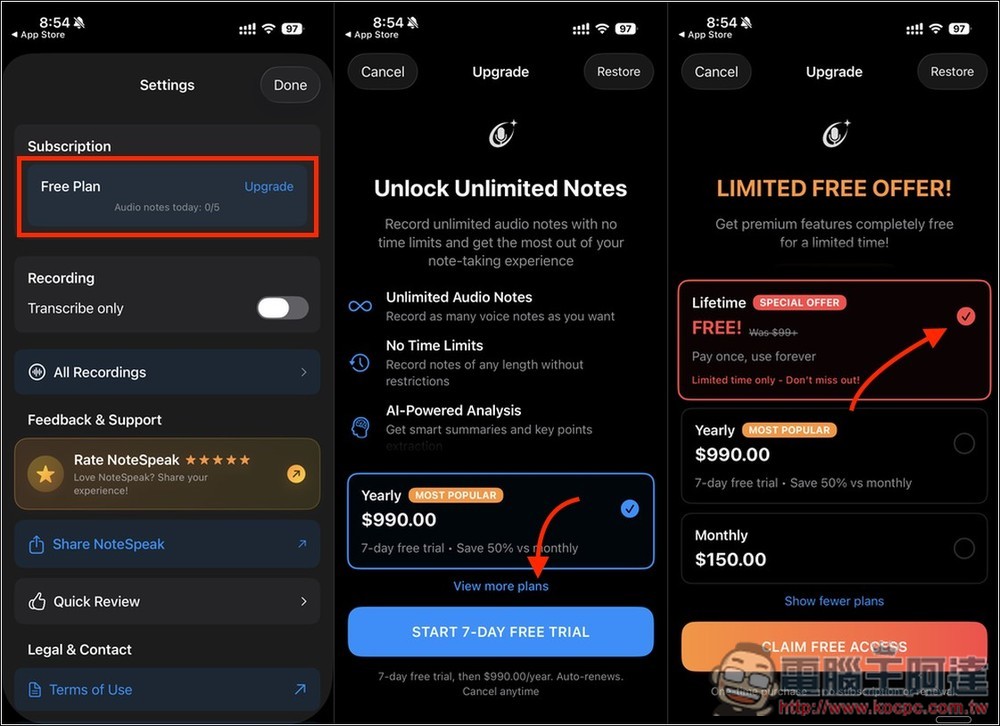
Currently on the free plan, click the Upgrade button to the right of Free Plan, then click View more plans to expand more plan options. You’ll see the Lifetime version with a FREE tag — select it and click Claim Free Access.
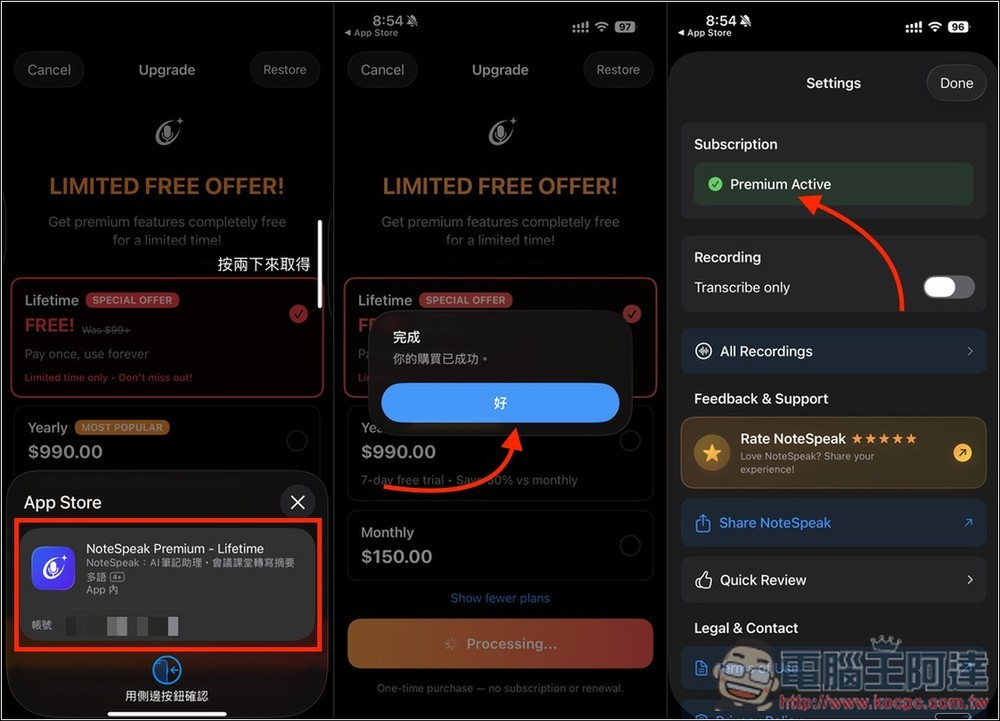
“Confirm that there really is no amount” — this step is very important. If there is an amount, definitely do not proceed. When it shows “Your purchase was successful”, it means you’ve already upgraded to the lifetime version, and the Subscription status will also become Premium Active Pro:
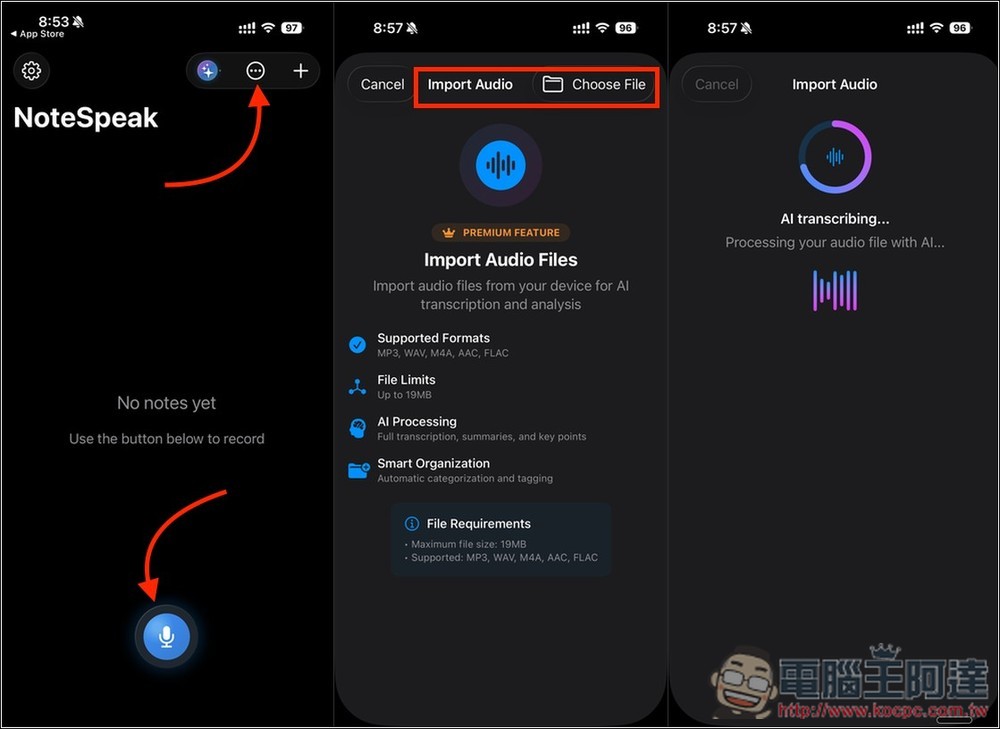
The usage is simple: tap the microphone icon at the bottom to start recording. If you want to import an audio file, tap the … at the top, and you’ll see the import option appear. Select the audio file you want, and AI transcription will begin.
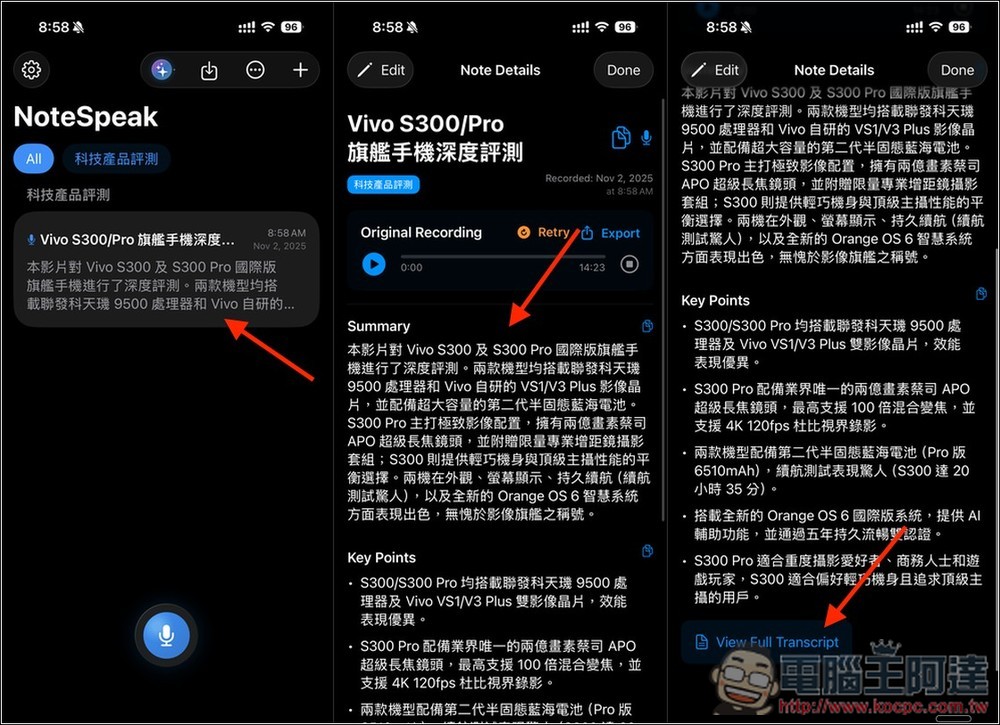
The transcription speed is quite fast. Once it’s done, the results will show up on the homepage, including a summary and key points. If you want to view the full verbatim transcript, just tap “View Full Transcript” at the bottom.
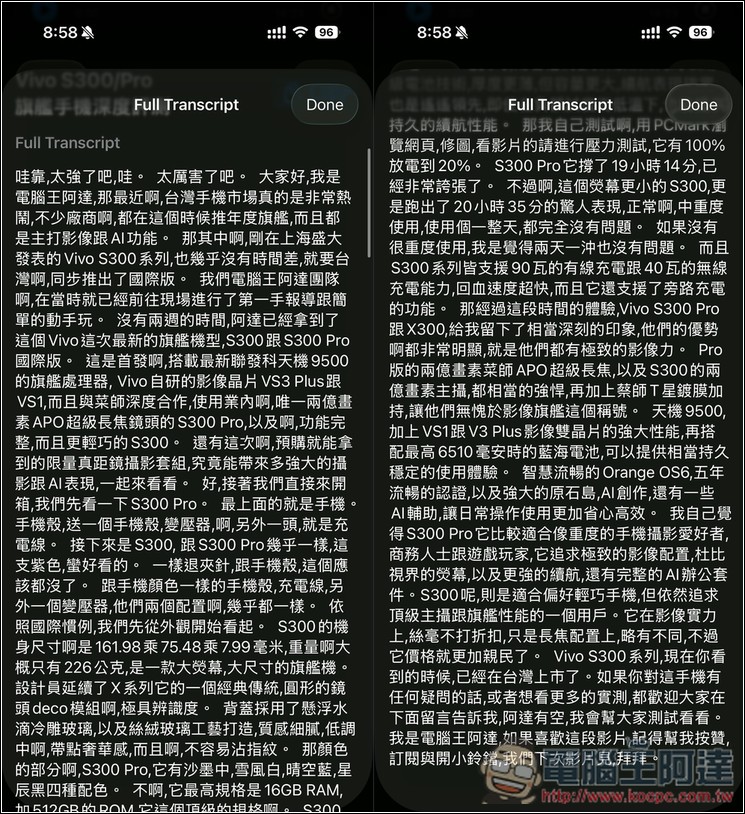
The full verbatim transcript is shown in the image below, with a one-click copy function available in the upper right corner.
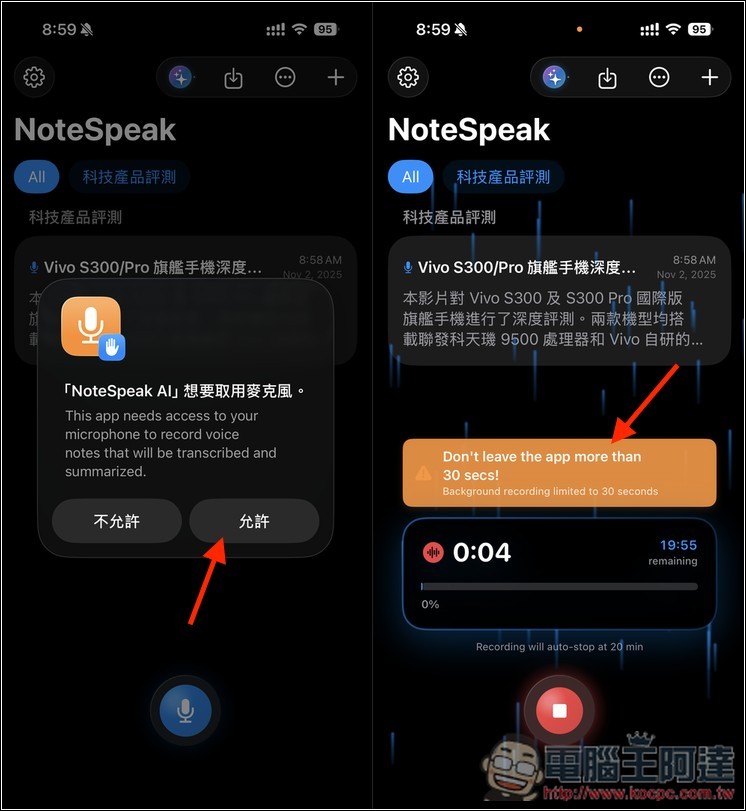
One thing to note when recording: the app should ideally stay open. If you leave the app, don’t exceed 30 seconds, because background recording only supports 30 seconds:
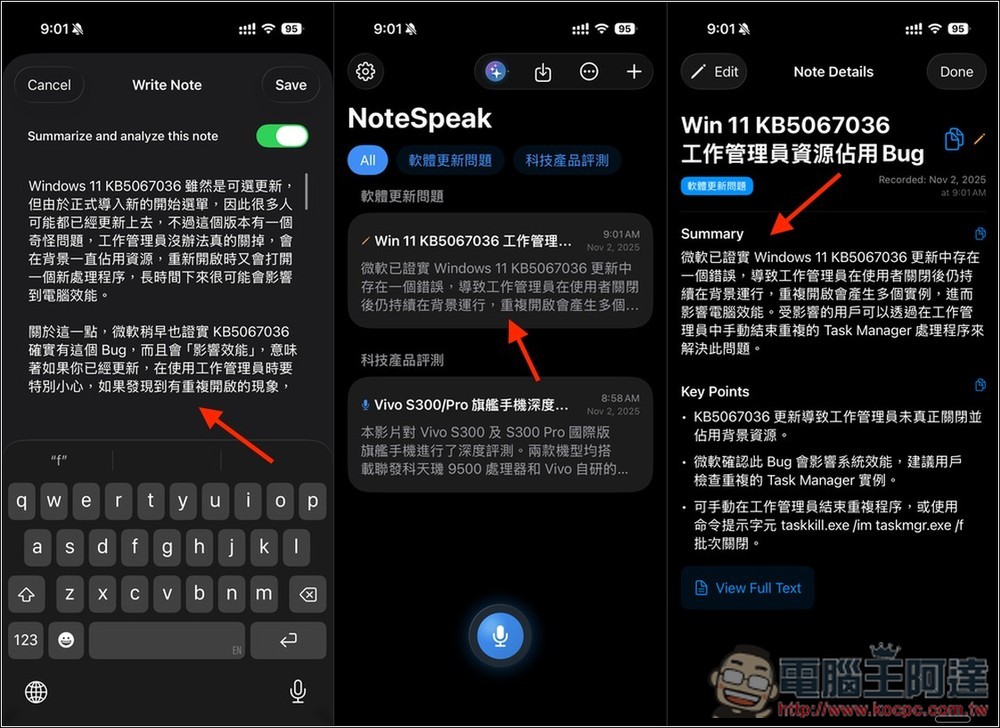
And pressing the + in the top right corner lets you add text notes. After adding, the AI will create a content summary and key points:
Source: KOCPC Chinese