


As Macs change to ARM architecture, the only way to install the Windows operating system is through a virtual machine. Most well-known virtual machines are not cheap, and if you want to have the latest version at all times, you need to pay an annual fee. This cost is really not low. At this time, you can use Broadcom’s VMware Fusion or VMware Workstation Pro virtual machine professional version. Both are free and open to all individual users, which means you don’t need to spend any money. You can save this cost in the future, and both Windows and Mac can be used for free.
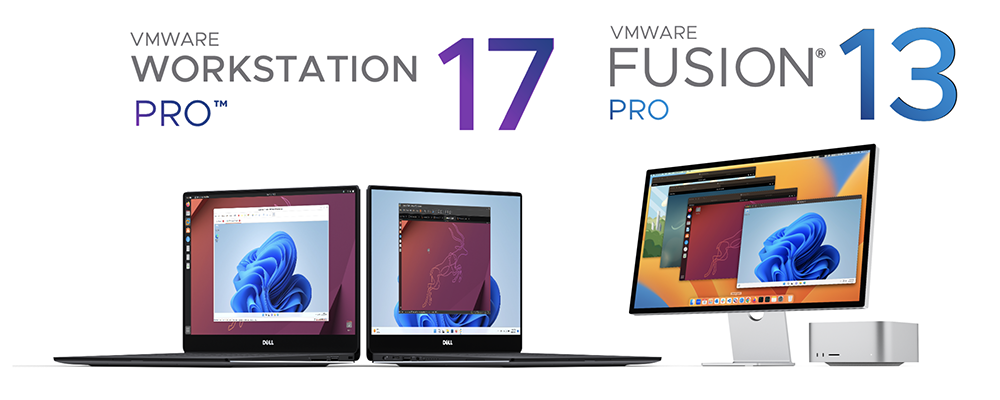
VMware Fusion / VMware Workstation Pro is now completely free for personal use without paying any fees
Originally, both virtual machine software required charges, but VMware has announced on its official blog that both “VMware Fusion” and “VMware Workstation Pro” are free for individual users to use.
“VMware Fusion” is a professional virtual machine software developed specifically for Mac users. It can help Apple M-series chip users run Windows applications on MacBooks, iMacs and other devices, and even play some PC games, but it may not run so smoothly. “VMware Workstation Pro” is developed for Windows.
If you want to play PC games on your Mac, we recommend Wineskin Winery, game performance is better than many virtual machine software.
The free VMware Fusion Player and Workstation Player in the past have also been announced to be discontinued, which means that there will be no new versions released in the future. But now that the Pro version is free, there’s no need to use the Player version with fewer features.
The biggest difference from VMware Fusion Player is that Fusion Pro can run multiple virtual machines at the same time and has more professional functions.
However, please note that VMware Fusion and VMware Workstation Pro still require a paid subscription if they are to be used for commercial purposes.
How to get VMware Fusion / VMware Workstation Pro?
To get VMware Fusion / VMware Workstation Pro for free, you must first have a Broadcom account. If you don’t have one, you can go here firstRegister Broadcom:

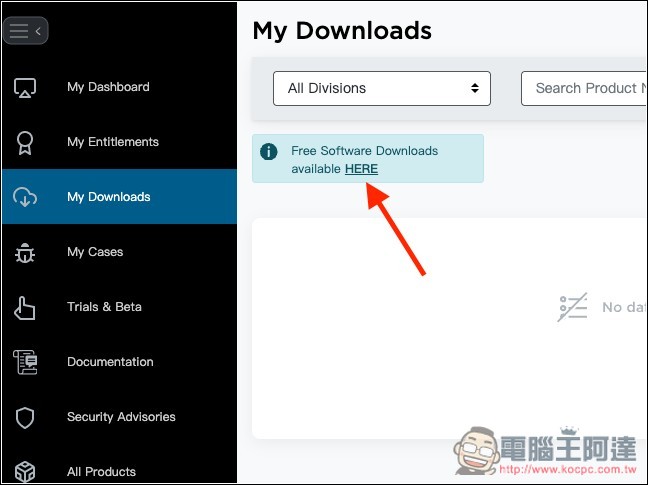
After registration, log in and enter Broadcom account backend, after clicking My Downloads on the left, the right will be empty first, please click Free Software Downloads available HERE:
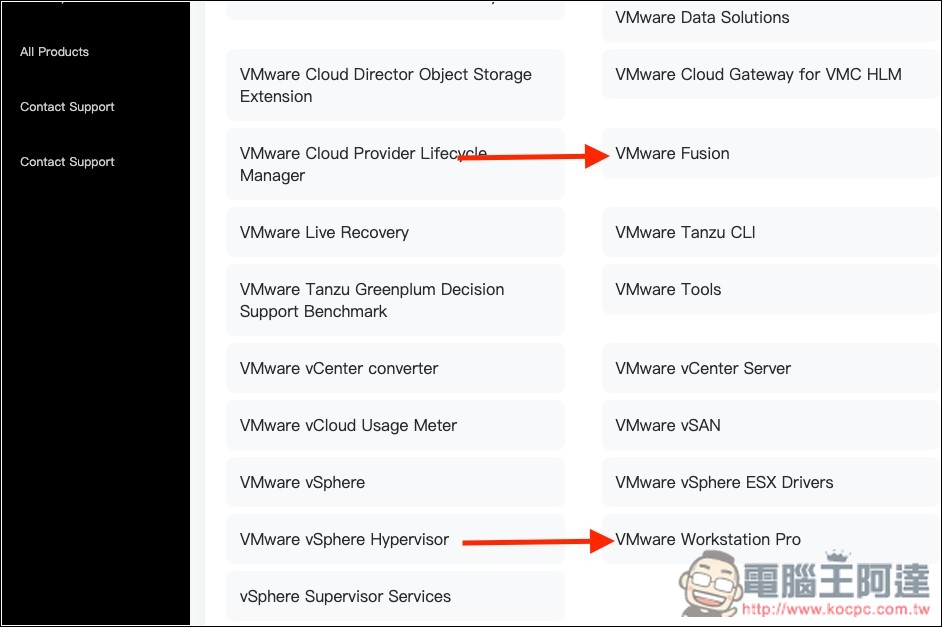
Then all VMware’s free software will be listed. Scroll down to find VMware Fusion / VMware Workstation Pro. The former is the Mac version and the latter is the Windows version:
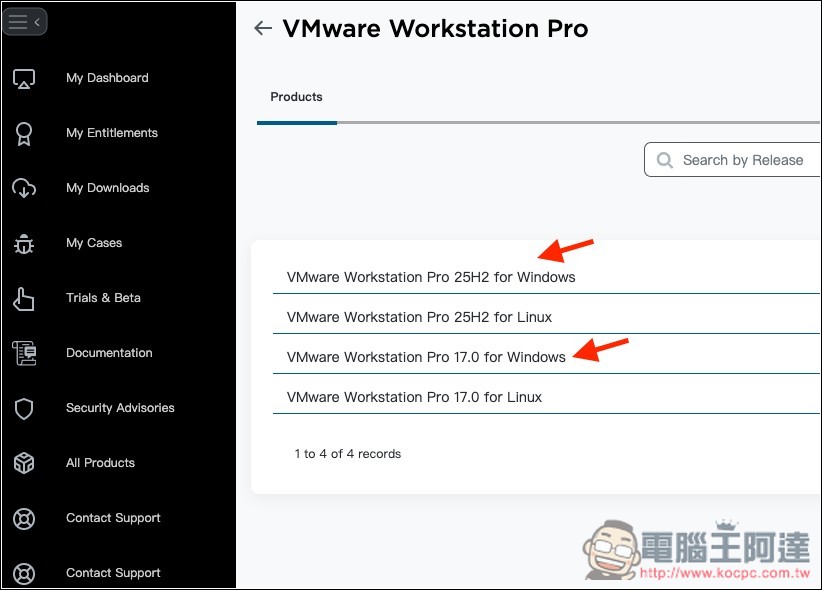
VMware Workstation Pro currently has two versions, 25H2 and 17. 25H2 is a new generation branch, designed for the latest OS/platform support and new architecture, while 17 is a stable and mature version. You can download whichever one you want:
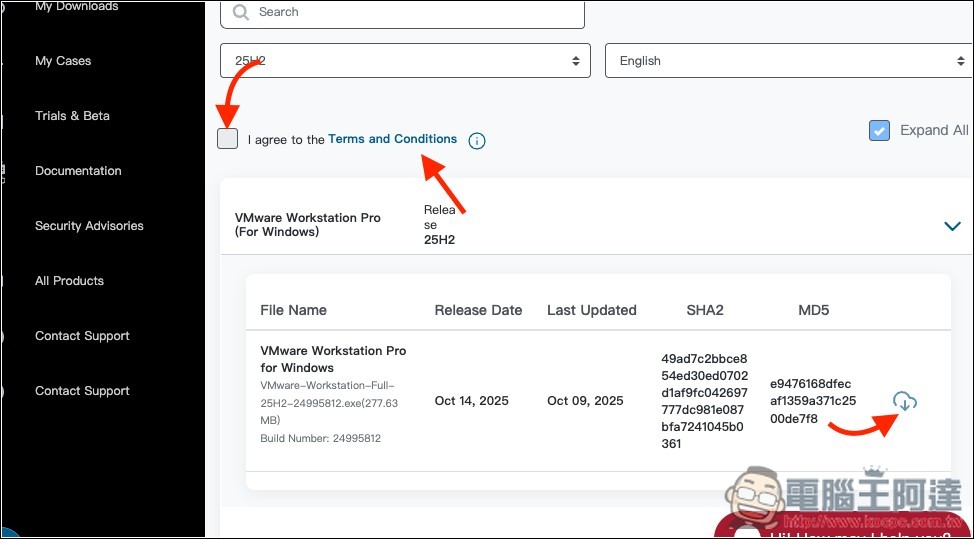
After entering the inner page, first click Conditions to read the terms, then check the box next to it, and then click the download button on the right:
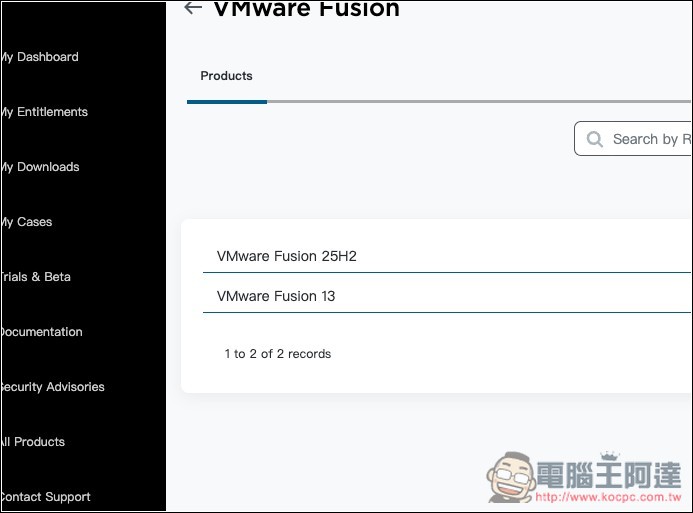
VMware Fusion also has two versions, 25H2 is the latest version, and 13 is the stable and mature version:
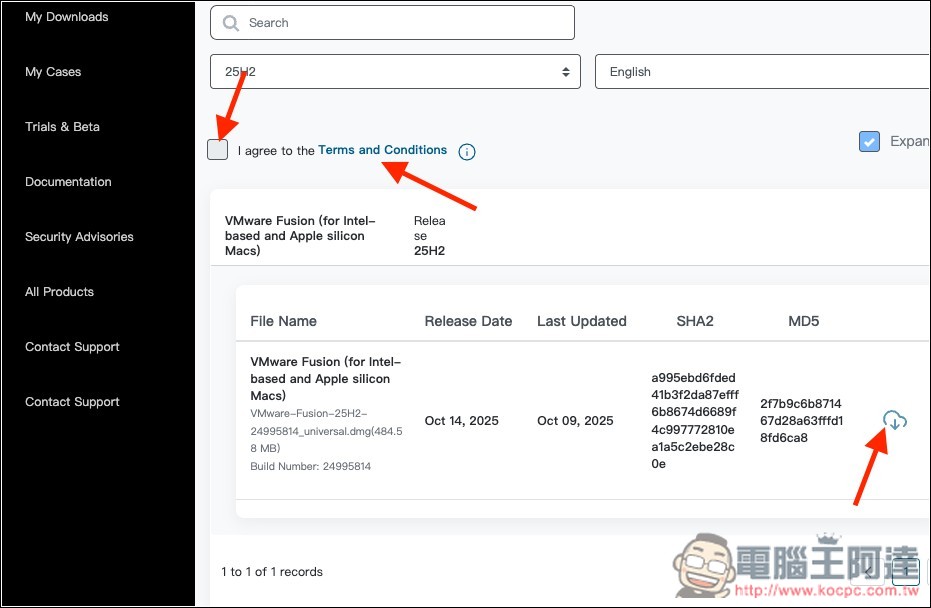
The download button cannot be pressed at first. You need to read the terms above and check the box. After checking, you can press the download button:
Source: KOCPC Chinese