


Although it has been reported that iOS 18 will introduce powerful AI functions, Siri should also undergo major changes. However, before that, you can also play around and see how it feels after changing Siri to OpenAI’s ChatGPT or LLM large language model. The LLM part is still the latest Llama 3 70B model. The method is very simple. Just use this shortcut script. I will teach you step by step below.
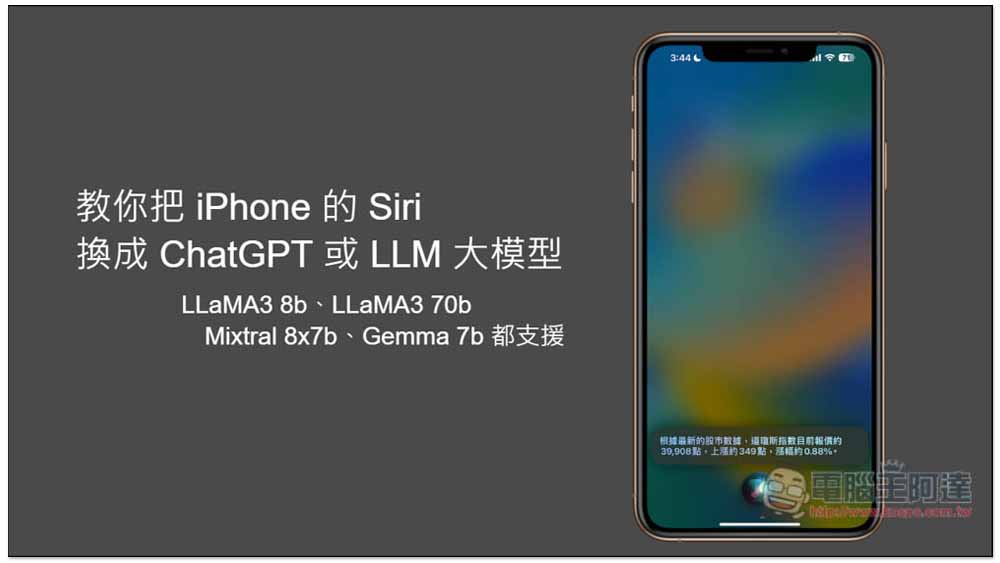
Swap iPhone Siri for ChatGPT or LLMs large model
1. Get shortcuts and adjust settings
First of all, you must have the Shortcut app on your iPhone. Those who don’t have it can get it first. App Store Download. Then please download “Siri Ultra” This shortcut script was produced by netizen fatwang2 and is open sourced on the GitHub website. Those who are interested in learning more can take a look.
This is the effect shown by the developer:
The real Siri Ultra is coming! 肝了一天,终于支持直接通过 Siri 跟 LLMs 连续对话,在Siri Ultra V0.0.3 的快捷指令里配置开关即可,无需任何代码即可使用。 @tim_cook @Apple You are welcome! pic.twitter.com/PRTSOqwaJn
— fatwang2 (@fatwang2ai) May 12, 2024
In addition, ChatGPT requires the use of the OpenAI API, so you will be charged based on your usage. If you don’t want to spend money, you can skip the ChatGPT tutorial and jump directly to the Llama 3 70B model concatenation tutorial. This one is completely free.
After obtaining the shortcut, there are some settings that need to be adjusted, please open the shortcut.
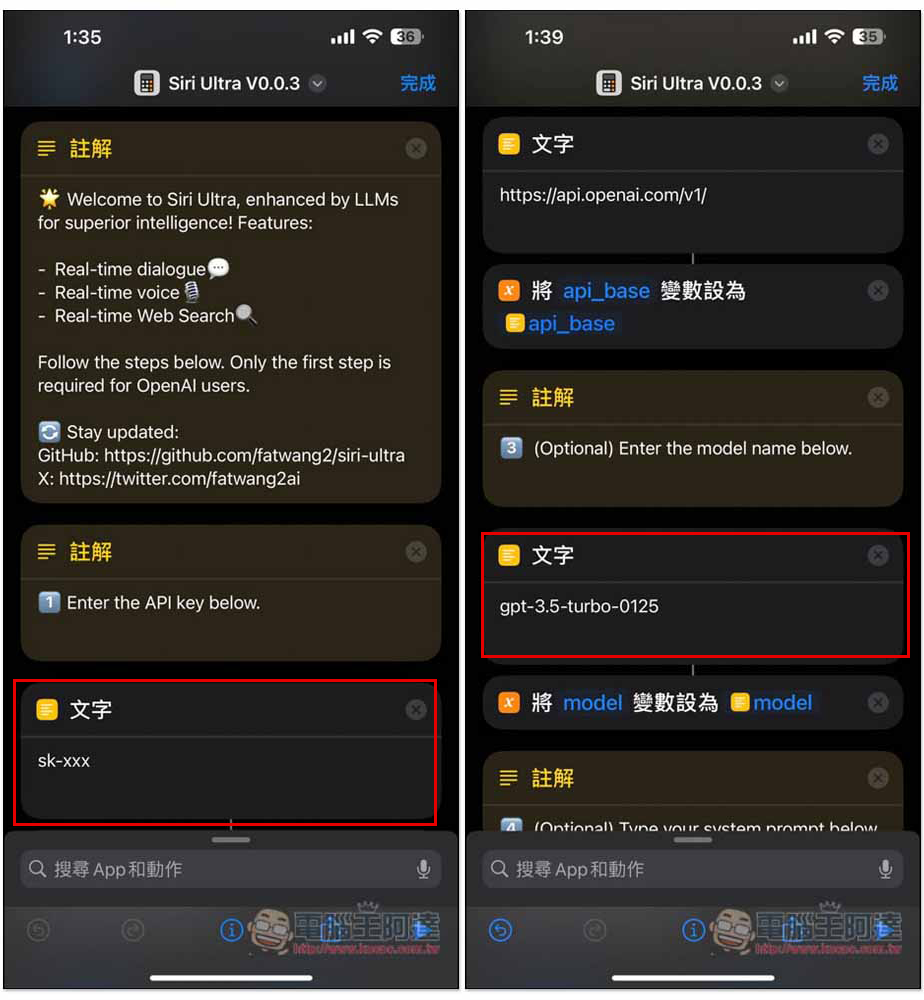
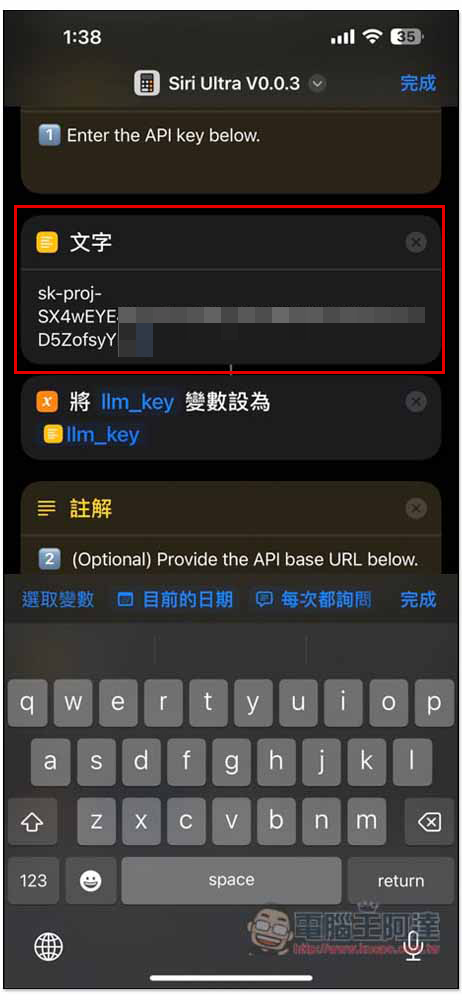
First of all, you can notice that the text sk-xxx in the picture below is to fill in your OpenAI API Key. If you want to use ChatGPT, you can ignore it if you don’t want to use ChatGPT. Enter the model name below. The text below is the model name. The default is gpt-3.5-turbo-0125. It is currently a cheap model in OpenAI and the performance is not too bad. If you want to use other models, such as the latest GPT-4o, you can go to OpenAI official websiteCheck the name of each model and replace the original gpt-3.5-turbo-0125:
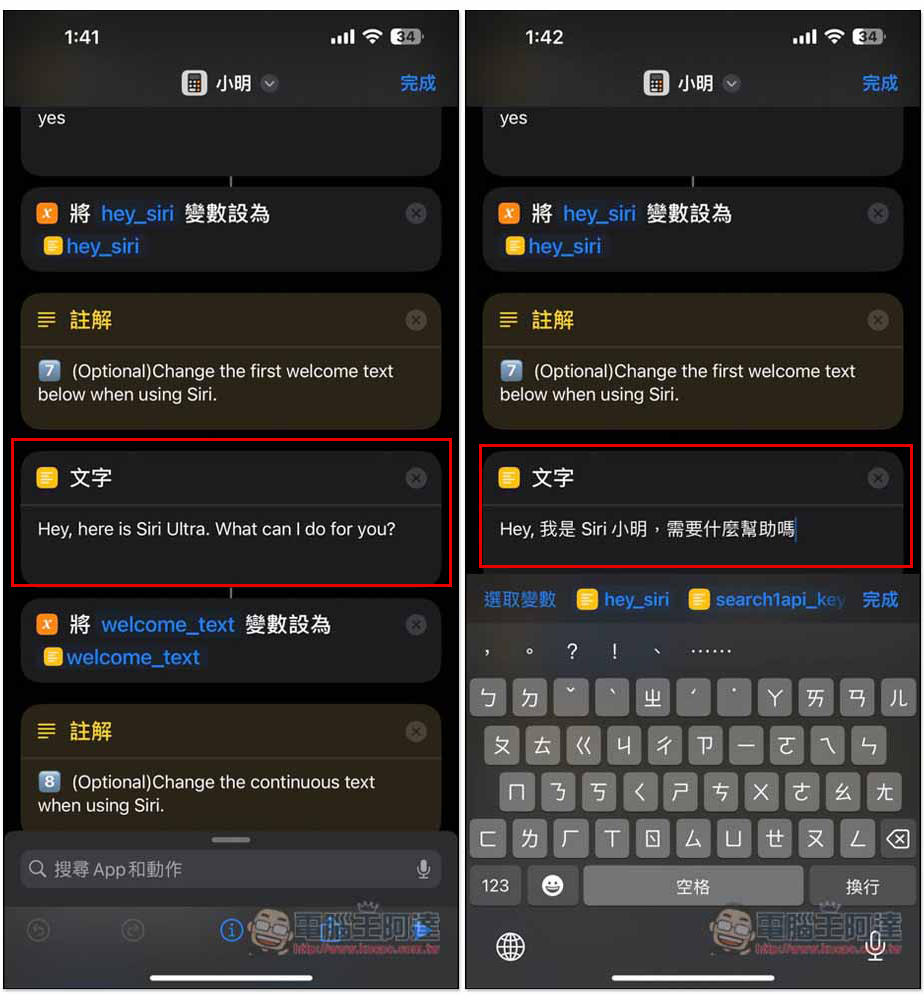
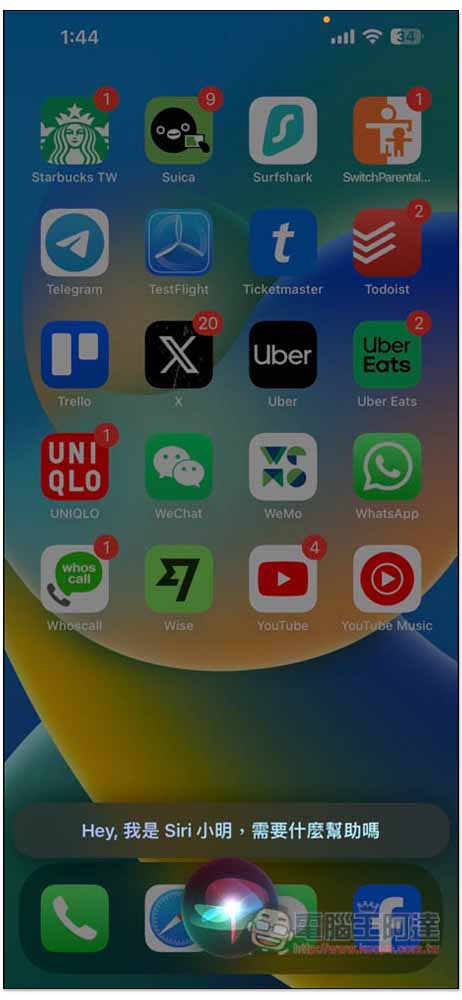
Next is Hey, here is Siri Ultra. What cant I do for you?, this is the developer’s default reply content. If you don’t like it, you can change it to something else. For example, I changed the name of this shortcut to Xiao Ming, so it becomes “Hey, my name is Siri, do you need any help?” I would also like to add here that using Sirr to wake up this shortcut is through “Hey Siri, “script name””. If I change the shortcut name to Xiao Ming, it will become “Hey Siri, Xiao Ming”. The name is not certain, it depends on how you want to call it:
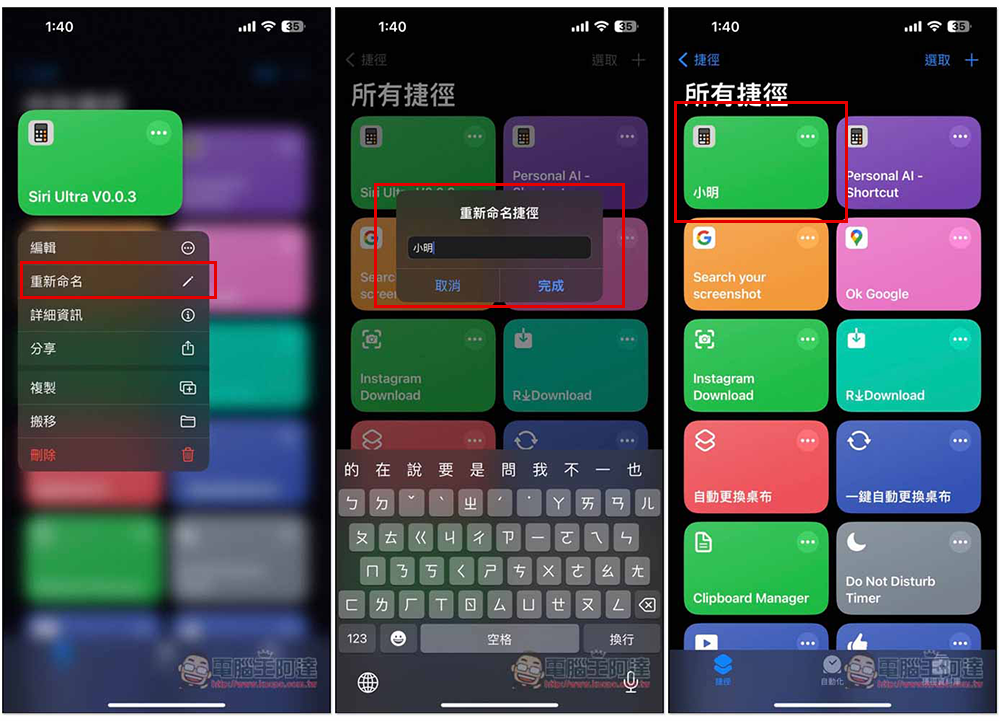
In all shortcut menus, long press this shortcut to modify the name you want:
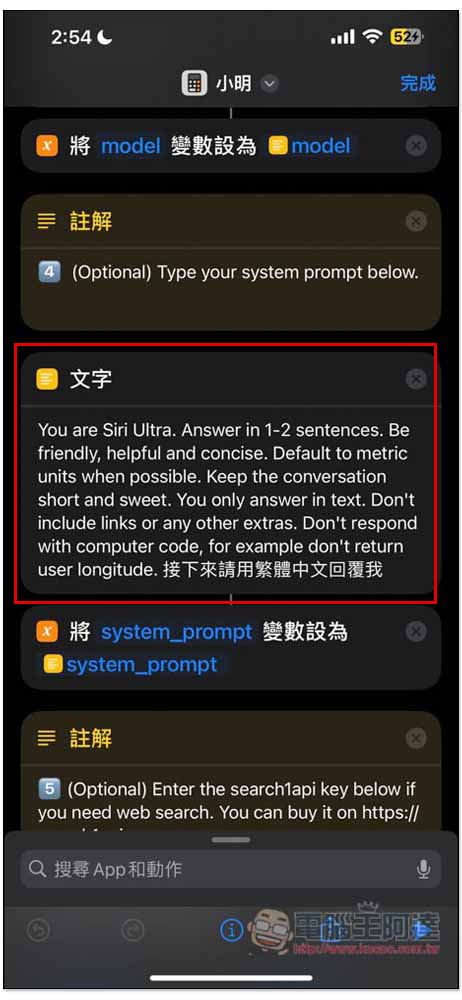
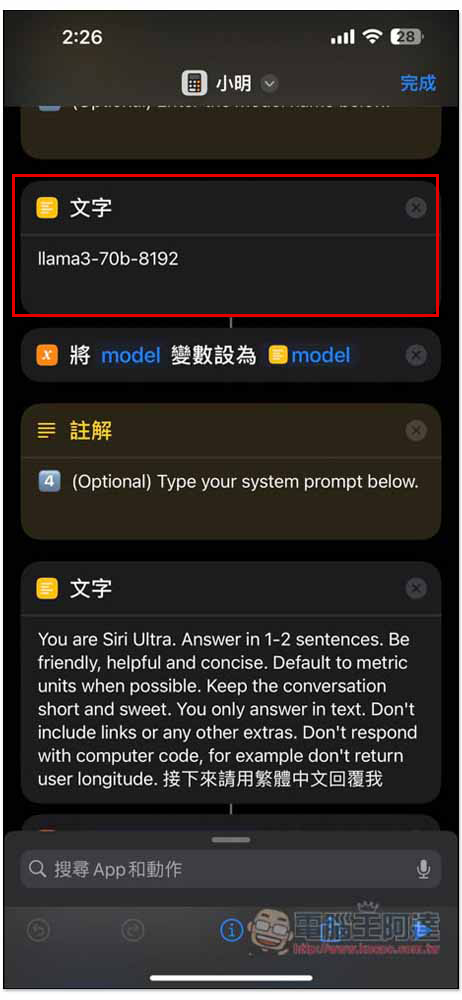
The prompt part has also been set up and does not need to be modified. However, it is recommended that you add something like “Reply me in Traditional Chinese” at the end, because in my testing, sometimes it still suddenly replies in English, especially Llama 3 70B. After adding it, it becomes much more stable:
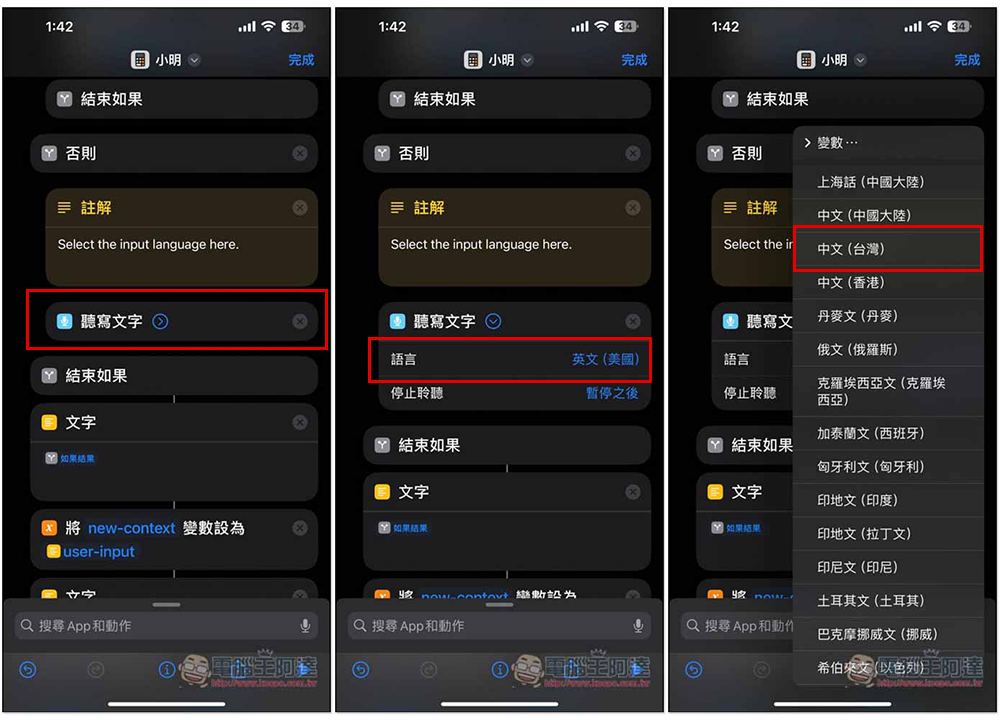
Scroll down to find the dictation text, please change the language to Chinese (Taiwan):
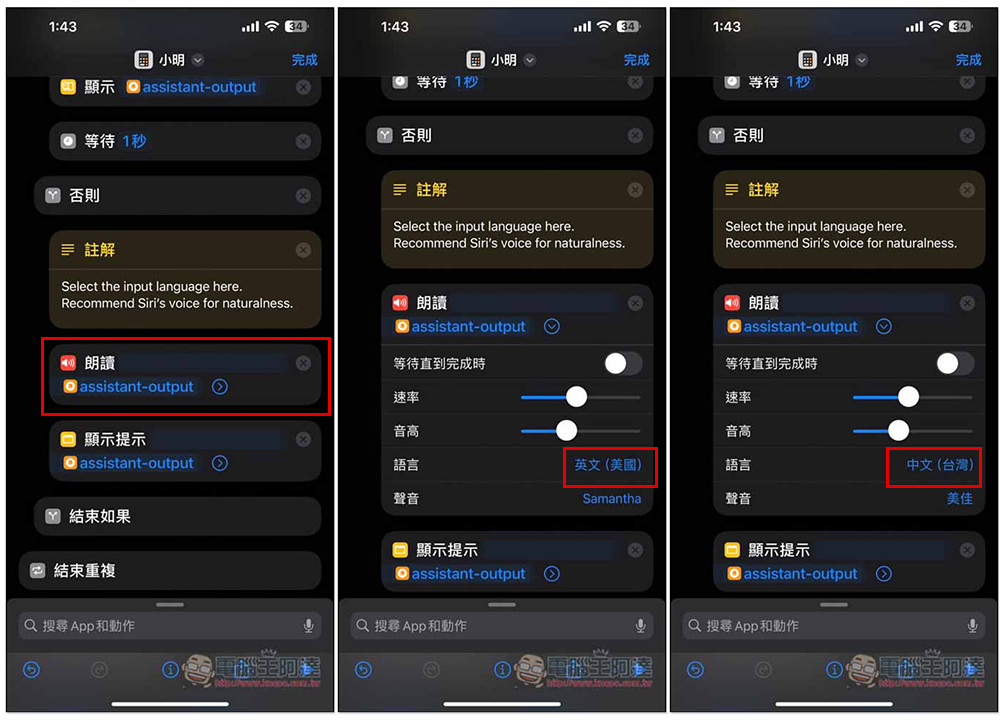
The same is true for the reading below, with the language changed to Chinese:
In this way, the setting is roughly completed, and you can fill in the model APK Key you want to use.
2. Change Siri to ChatGPT
please come OpenAI official websiteGenerate an API Key. It should be noted here that OpenAI now adopts the Pay as you go mechanism. You need to recharge the amount through your credit card first. Unlike before, you used to use up the monthly settlement, so don’t forget to recharge before using:
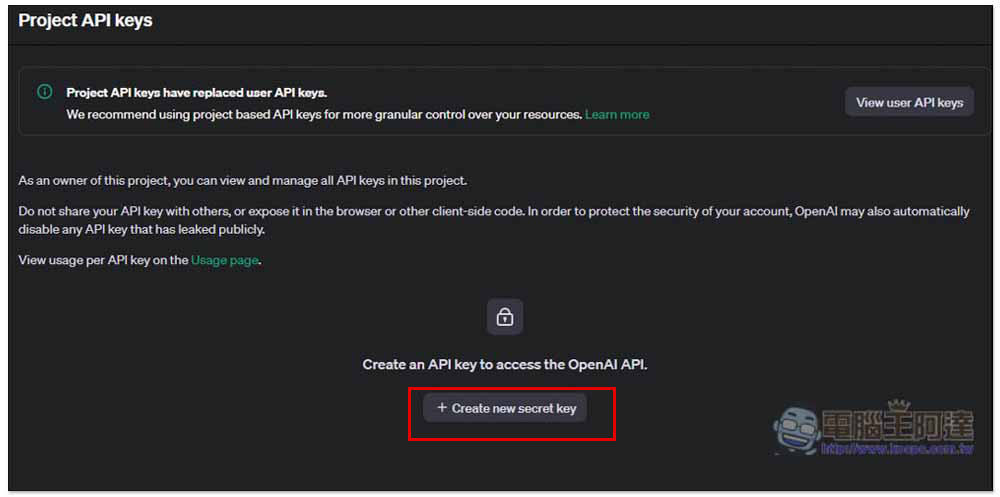
Fill in the obtained API into the shortcut and you are done:
After I say “Hey Siri, Xiao Ming”, the welcome message I set will pop up:
Next, you can chat with ChatGPT and ask for information through Siri.
3. Change Siri to LLM model (Llama 3 70B)
This script also supports the Groq platform. Groq is a website that allows you to use major LLMs models for free. It supports LLaMA3 8b, LLaMA3 70b, Mixtral 8x7b, Gemma 7b, and Whisper (Private beta only). The most powerful model is of course LLaMA3 70b with the most parameters.
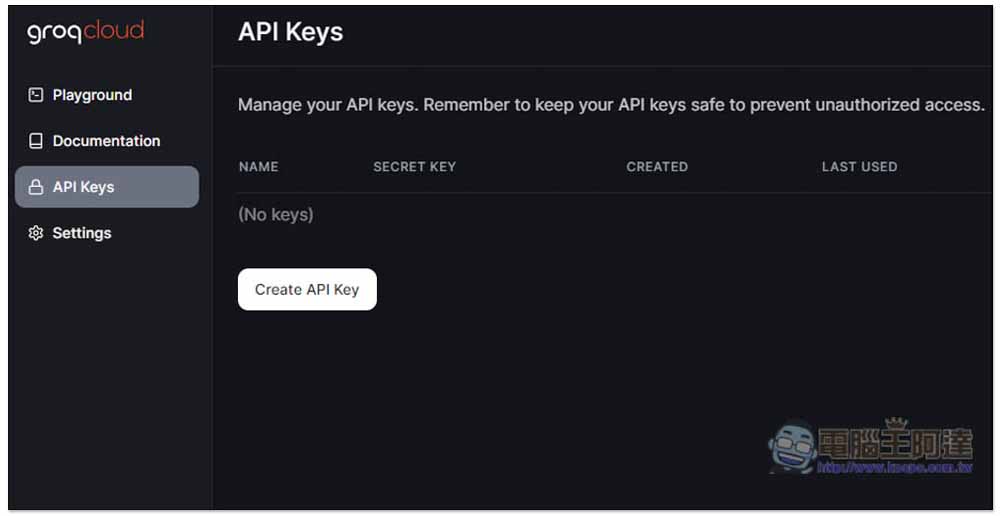
First of all, pleaseRegister a Groq account, and then generate API Key in the API background:
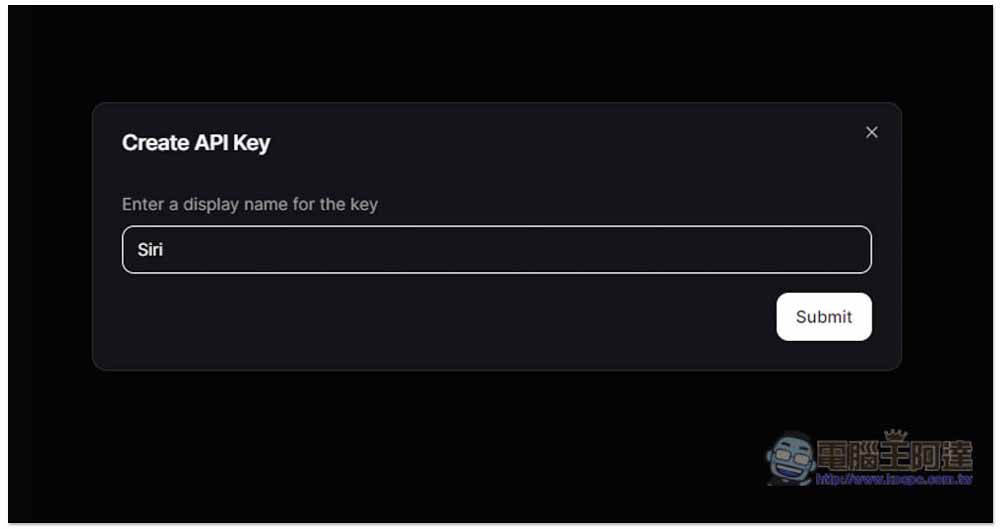
Just enter the API Key name casually and it depends on what you want:
Then open the shortcut script content, you need the URL in the shortcut and fill in the API Key.
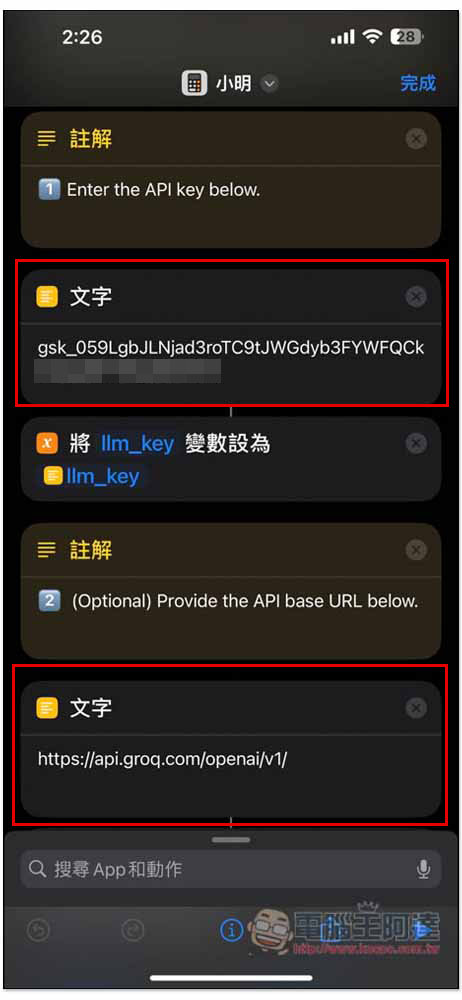
Enter the API Key obtained by your Groq into the text box below Enter the API key below. Then the API base URL below also needs to be changed to https://api.groq.com/openai/v1/:
The model name has also been changed to llama3-70b-8192, and the names of other LLM models can be found at Groq official websiteQuery:
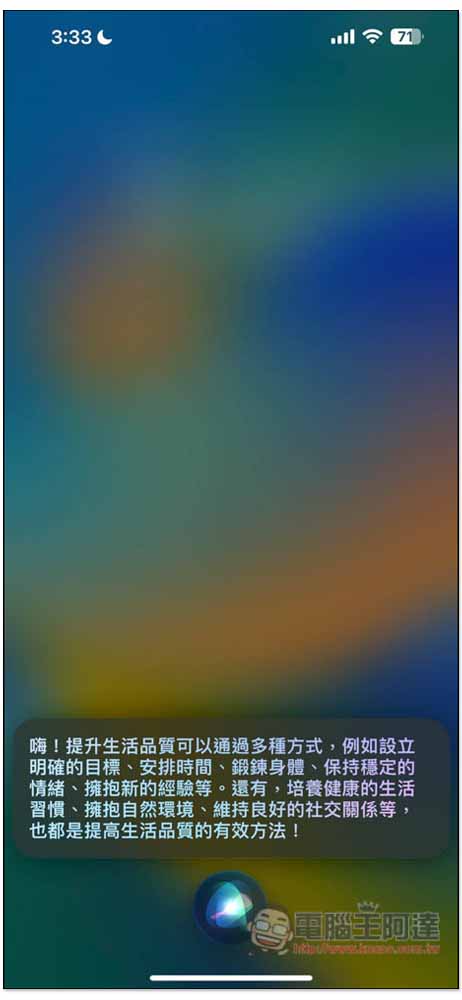
That’s it. When I say “Hey Siri, Xiao Ming”, I can chat with Llama 3 70B. If the question I ask is to Siri, it will answer the search results, and LLM will give suggestions directly:
4. Provide Internet search function
If you want your LLM to be able to search for information online, this shortcut can also be used. search1api The service offers a $1 trial, which allows you to search 800 or 1,000 times. The price is not expensive.
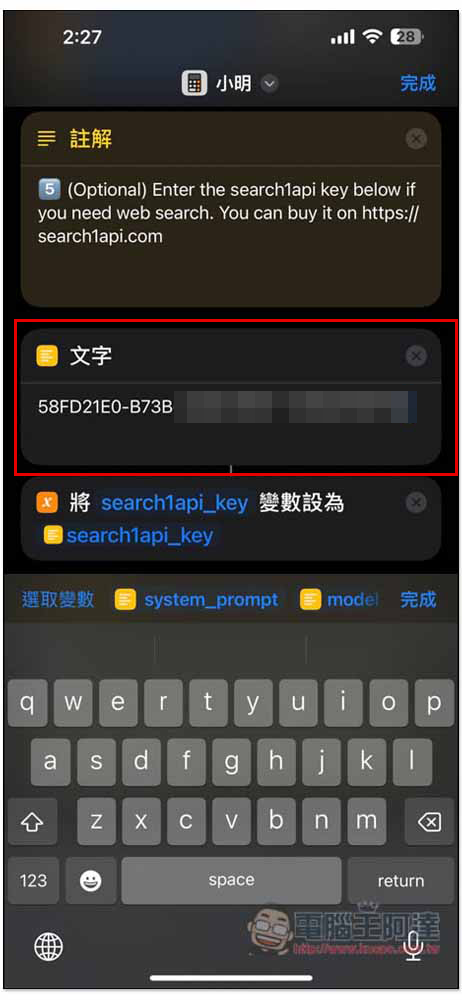
After creating the API Key in the search1api background, copy it and paste it in the text block below Enter the search1api key below, and you are done:
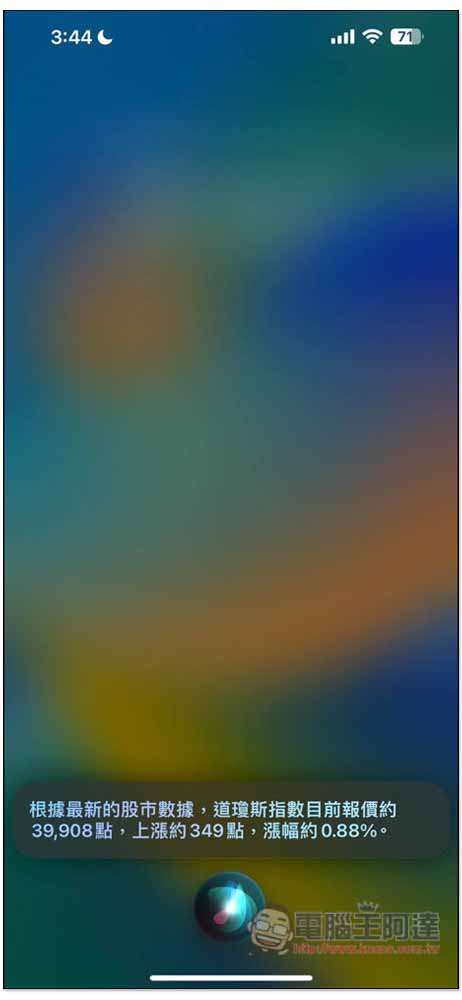
You can ask to search the Internet for what you want to know, like when I asked how the U.S. stock market performed last night:
Summarize
This shortcut will not completely replace Siri. It means that as long as you simply say “Hey Siri”, Siri will still talk to you. If you want to chat with LLM, just add the shortcut name to enable it, such as: “Hey Siri, Xiao Ming”.
In addition, I have a little problem when testing Chinese pronunciation. Sometimes it is read aloud and sometimes it is not. I am not sure what the reason is.
Organizing related links
Source: KOCPC Chinese