


The Circle to Search search function launched by Google for Pixel 8 and Pixe 8 Pro at the end of January this year is now also available on iPhone! As long as your Google App can be upgraded to the latest version and paired with the shortcut function, you can achieve similar functional effects. You can use your fingers to search for the things you want to know on the screen without typing.
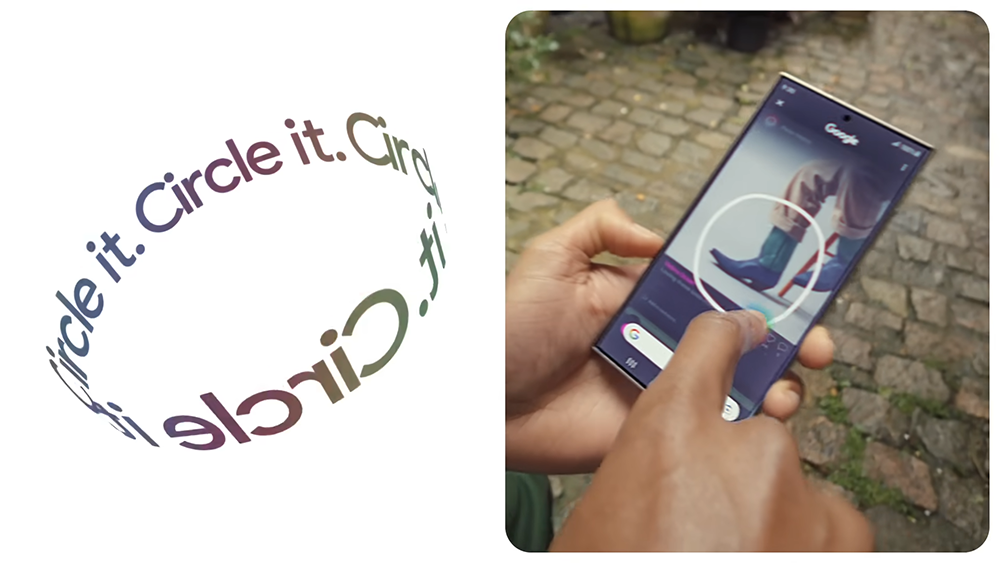
iPhone can also use Android’s Circle to Search search function. This article teaches you how to do it
This method is combined with the search function of Google Lens + iOS shortcut script. Earlier, a netizen named Minsang Choi shared this latest technique. He also shared the shortcut script. People who don’t know how to make it can get it directly, but remember to update your Google App to the latest version:
Google App iOS team just released super cool shortcut that allows you to lens visual search using your action button on iPhone 15 Pro series. It’s basically circle to search but faster! Please download google app and try this out! : https://t.co/T0GR141Pim pic.twitter.com/AN2C9bEsA9
— Minsang Choi (@radiofun8) May 8, 2024
Add the Search your screenshot script to your shortcut. As you can see from the picture below, this script has two actions: “Take a screenshot” -> “Search for photos using the smart lens”:
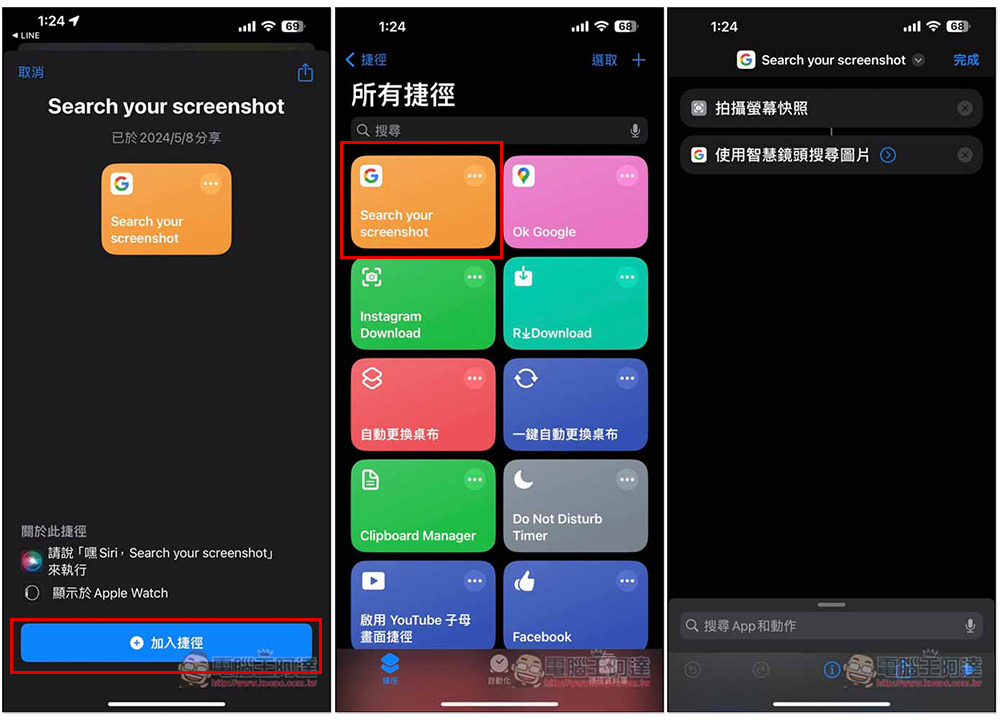
There are many ways to enable shortcuts. My most recommended method is to use iPhone’s gesture operation to enable it, which will be more like Android’s circle search. Here we will first explain the simplest operation method.
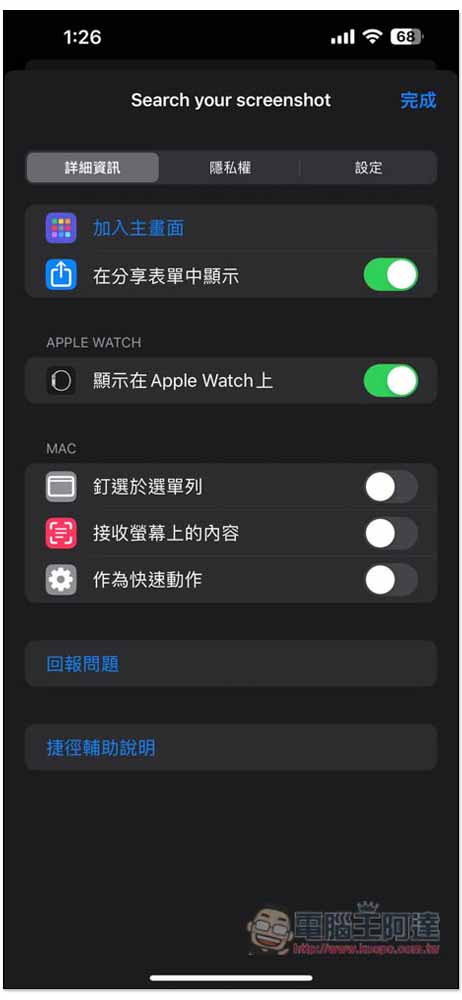
You can add this script to the “Share Form”, click the i icon at the bottom of the script page, or long press the script to select “Details”, the screen below will open, and turn on “Show in Share Form”:
Then click on any share icon to find and use the Search your scrennshot script. In the privacy prompt section, it is recommended to select Always Allow, so that you will not be asked again when you use it in the future:
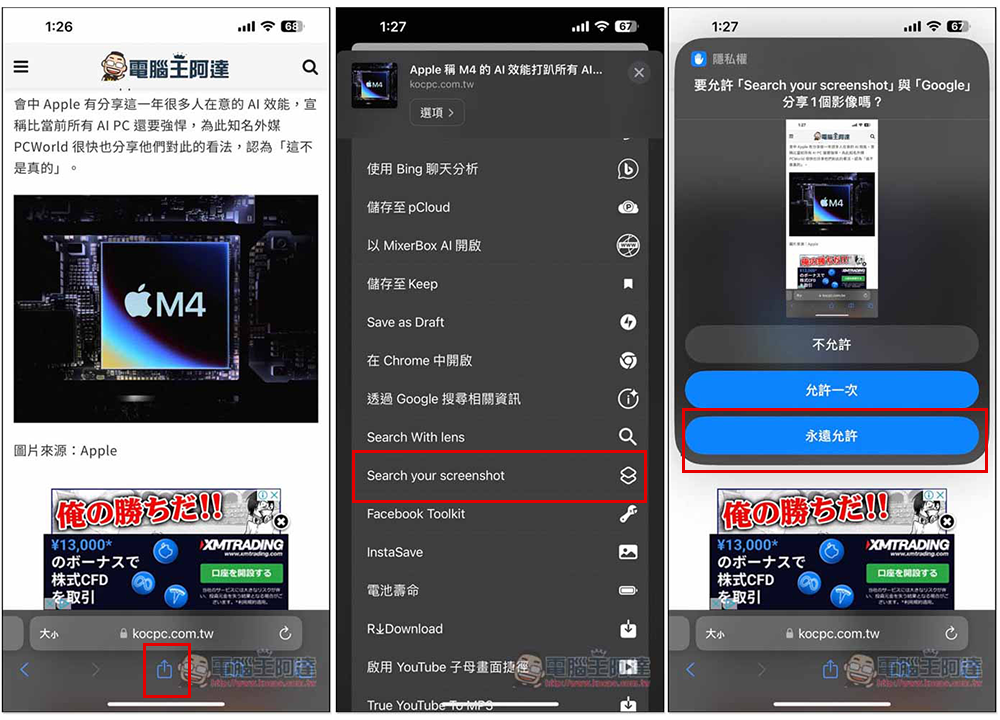
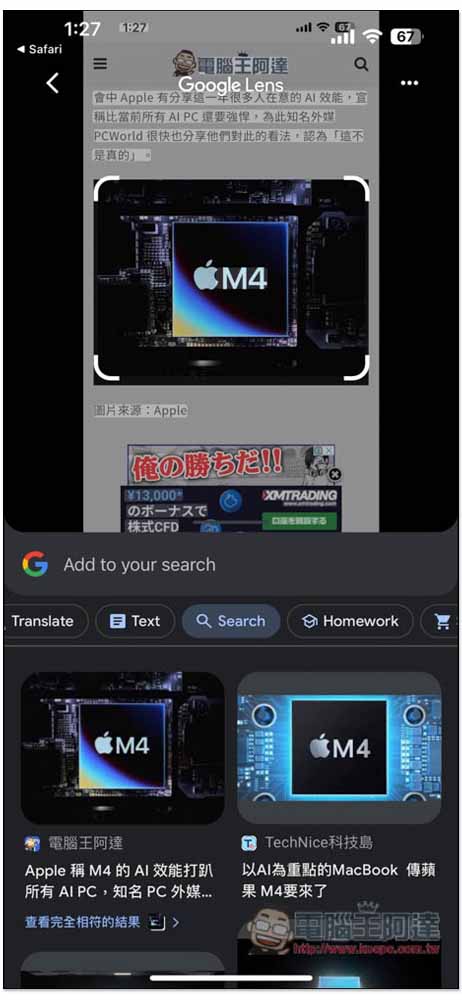
After enabling the Search your scrennshot script, it will automatically take a screenshot of the current screen, and then enable the smart lens function of Google App. Click on the content you want to search on the screen, including pictures and text:
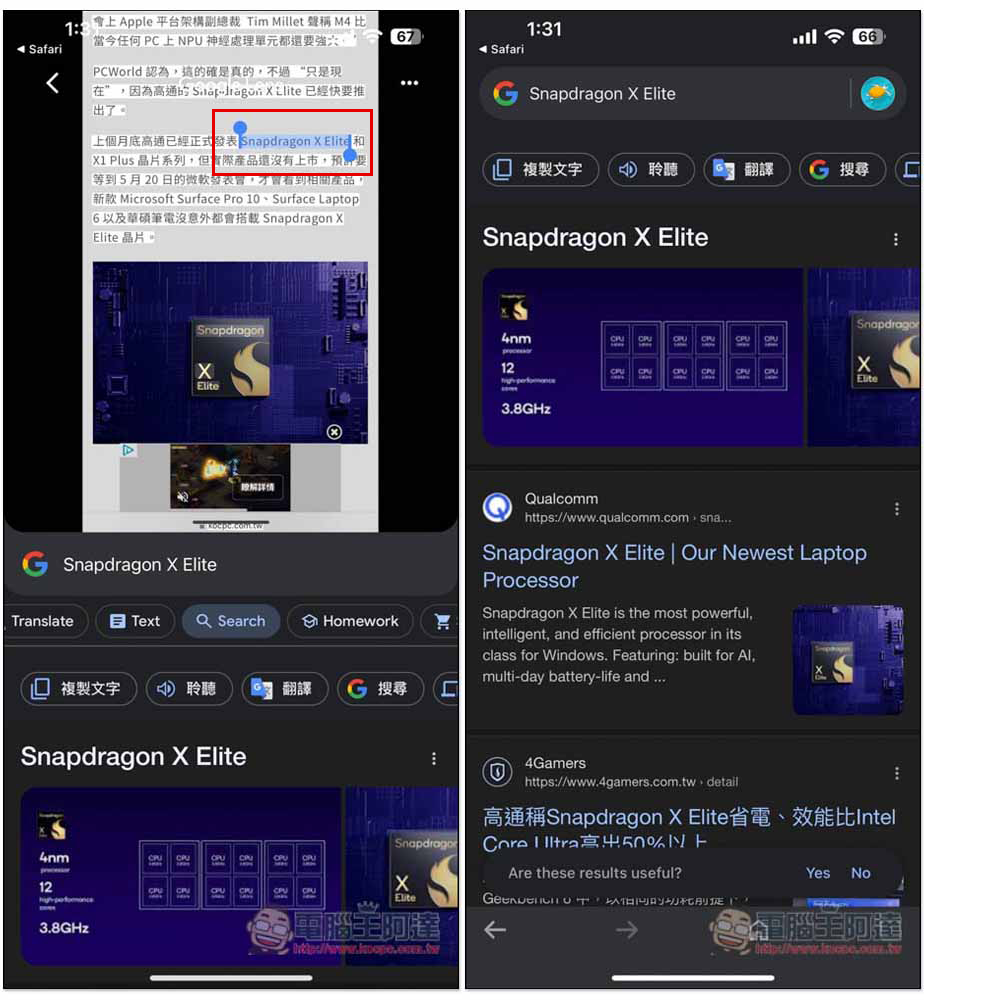
You can select specific content in the text part. Pull up the block below to view Google search results:
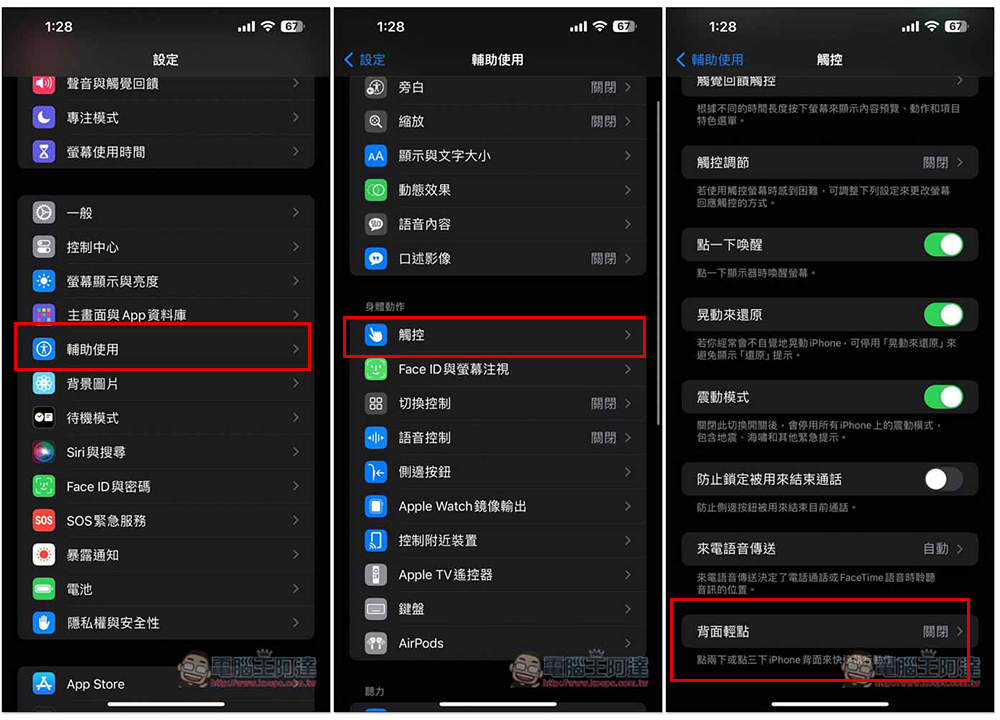
For those who want to make it more convenient and use this feature without sharing icons, you can set the Search your scrennshot script to enable specific gestures. Open iPhone settings, go to Accessibility -> Touch, scroll down and you will see the “Back Tap” function:
There are two settings: “two clicks” and “three clicks”. Depending on which one you want to use, specify it as Search your scrennshot and you’re done:
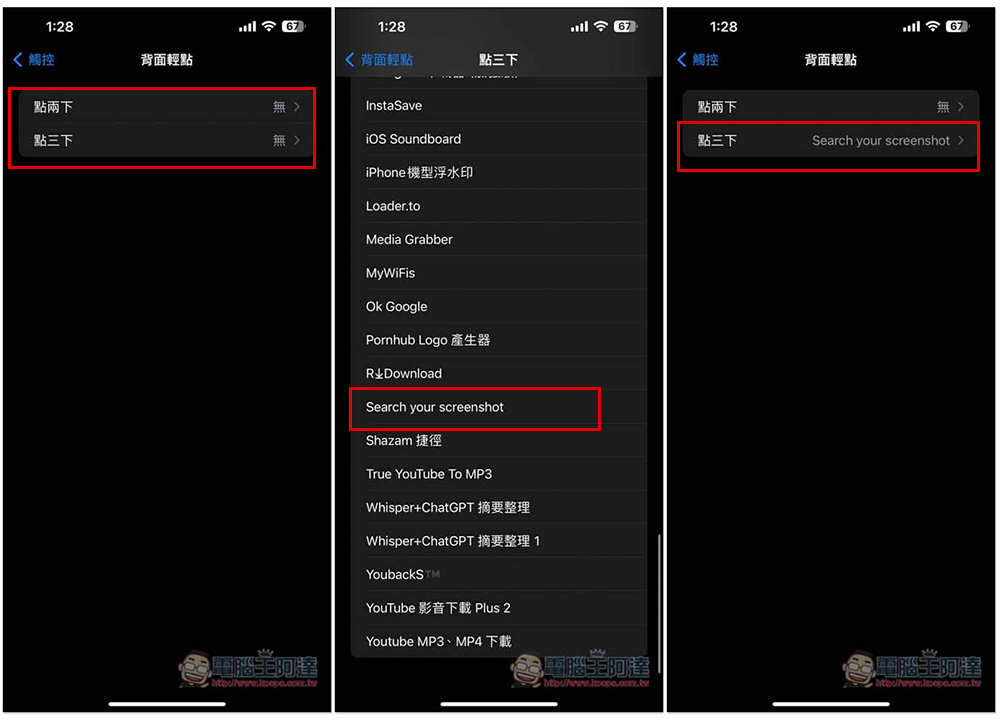
In the future, when you see the content you want to search on the screen, tap the back of the iPhone two or three times, you will see an automatic screenshot of the screen, and enable the smart lens function of the Google App. The entire operating experience is very similar to Circle to Search.
Source: KOCPC Chinese