


Although LINE announced without warning some time ago, users love to use Keep’s free cloud space feature will end at the end of July this year, but after the Keep function ends, Keep notes can still be used. Some users who have never used Keep notes must be curious, what exactly are Keep notes? How is it different from Keep? In addition, after Keep goes offline, all data will be lost. How can I download the data on Keep before that? Please continue reading this article!

After the LINE Keep function ends, how to use Keep notes? What’s the difference? (Added video on the same scene: Keep data download tutorial)
On July 31 this year, the Keep function that LINE users love will end, but LINE has previously mentioned that “Keep Notes” will continue to provide services. I believe you are all curious, what exactly are Keep notes? How is it different from the familiar Keep?
First of all, Keep notes are private chat rooms that only you can browse. Text, photos, videos, links, files, and voice can all be sent. When you receive important messages, forwarding them directly to Keep notes is super convenient and intuitive.
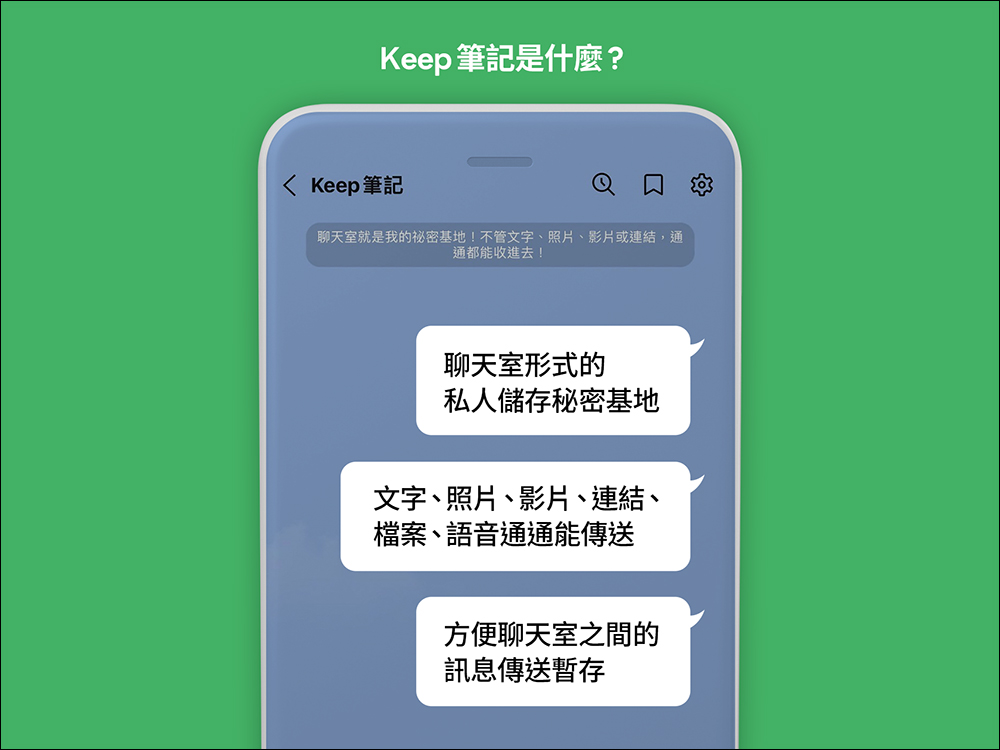
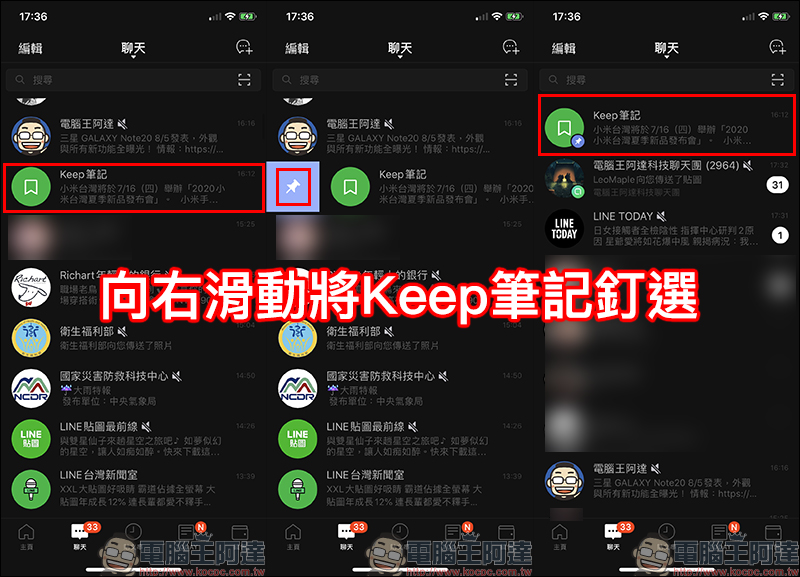
Keep notes can be compared to ordinary chat rooms. Keep notes can be pinned above the chat list to facilitate the query of important information.
What is the difference between Keep and Keep notes?
- “Keep” allows you to save information to LINE’s free 1GB cloud space with one click when using LINE, and permanently store various files and messages (files exceeding 50MB can be stored for 30 days).
*Note: The Keep function will end service on July 31, 2024. - “Keep Notes”, as mentioned above, is a private chat room where you can write down notes, important messages and files.
Different from “Keep”, “Keep Notes” is a temporary storage space that facilitates record search.
Photos, videos, and files sent to “Keep Notes”, just like other LINE chat rooms, will expire in about two weeks if they are not saved to the device.
However, if you send text content such as text or links to “Keep Notes”, you can use the chat history backup function to restore it when you need to change phones.
How to download Keep data?
Since the Keep function will end its service at the end of July, you must seize the opportunity to access Keep data during this period! Next, I will simply share with you how to download Keep data to your device. It only takes a few steps!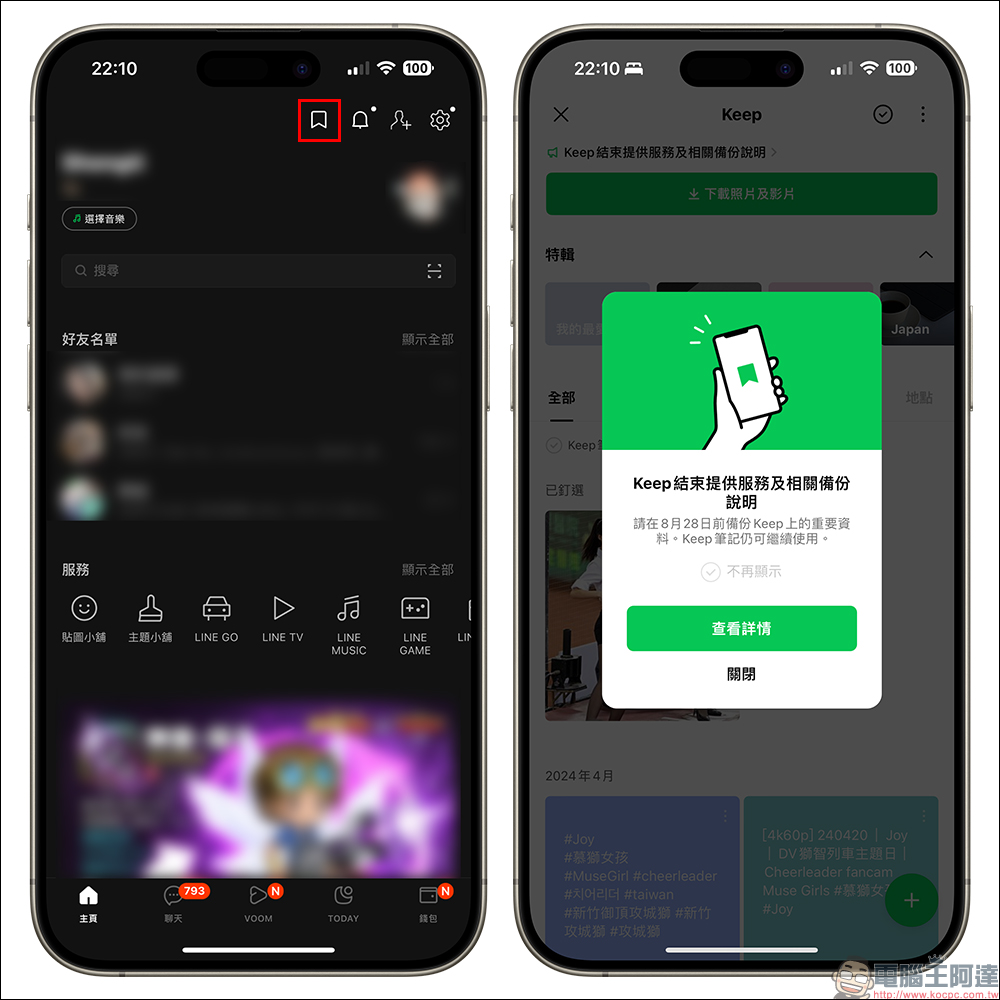
Download “Photo/Video”
If the data you want to download is photos and videos, turn on the Keep function and click the “Download Photos and Videos” button at the top of the screen, then select the photos and videos you want to save, and finally select the “Download” button in the lower right corner of the screen.

Download “Text/Link/Voice/File”
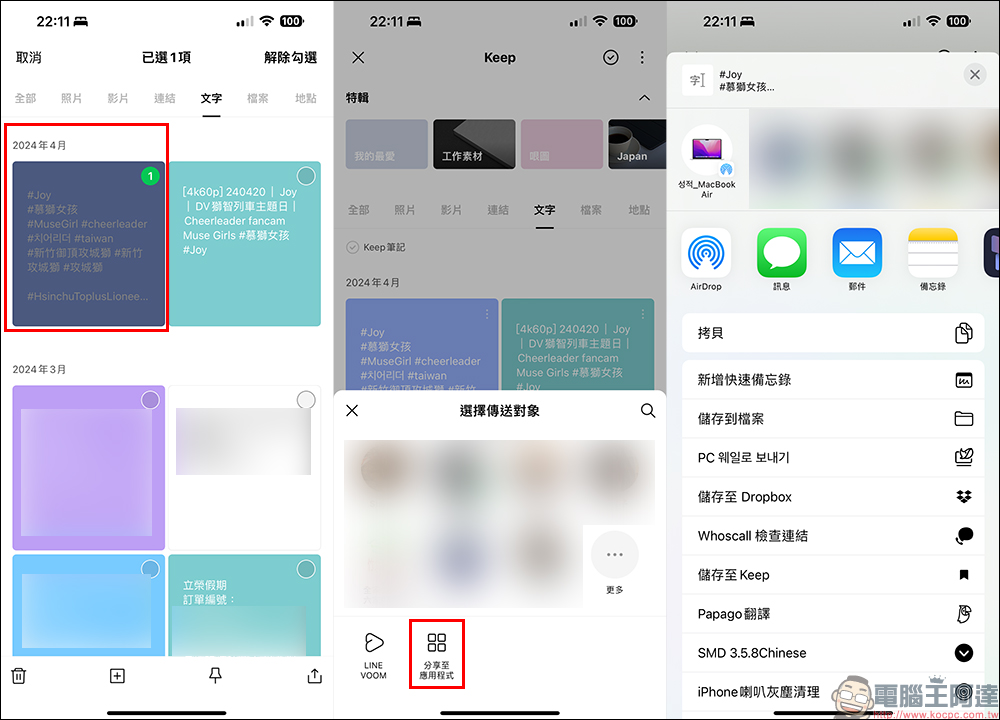
If the data you want to download is text, links, voices and files, then after entering the Keep homepage, click “⁝” above the data you want to save, click “Share” in the lower right corner of the screen, then select “Share to Application” and choose how you want to save it. Taking the iPhone as an example, data can be stored in files, notes, etc.
Further reading:
LINE free sticker collection: 20 LINE stickers are available for free download for a limited time and can be used for up to 180 days!

Source: KOCPC Chinese