


Today I will share my second vibe coding app “Gemini instant voice translation”, the function is very simple, it allows everyone to use “Speak” to communicate directly with foreigners when traveling abroad. You only need to use the Gemini API Key you applied for. In theory, the quota is absolutely sufficient and it will be completely free. Here I will share with you how to set it up and use it.

write in front
This app was originally developed because Google Translate has opened the real-time voice translation function in the United States and Japan, but it has not been open in Chinese-speaking countries, so I used MANUS based onthis articleI developed it directly and made an APK file. When there was no problem in the mobile phone test, some netizens asked me to put it on the shelf. Unexpectedly, putting it on the Play Market was a hundred times harder than development… (I asked MANUS to spit out the source code and then used Android Studio to compile it into a shelf format, but there were many pitfalls). This app was ready in early January and was put on the shelf for a few months. I recently asked Codex to help me solve all the problems and put it on the shelf. I will share the process with you when I have the opportunity.
Start installation Gemini instant voice translation
First, go to the Play Market and search for “Gemini instant voice translation” and install (please click me):
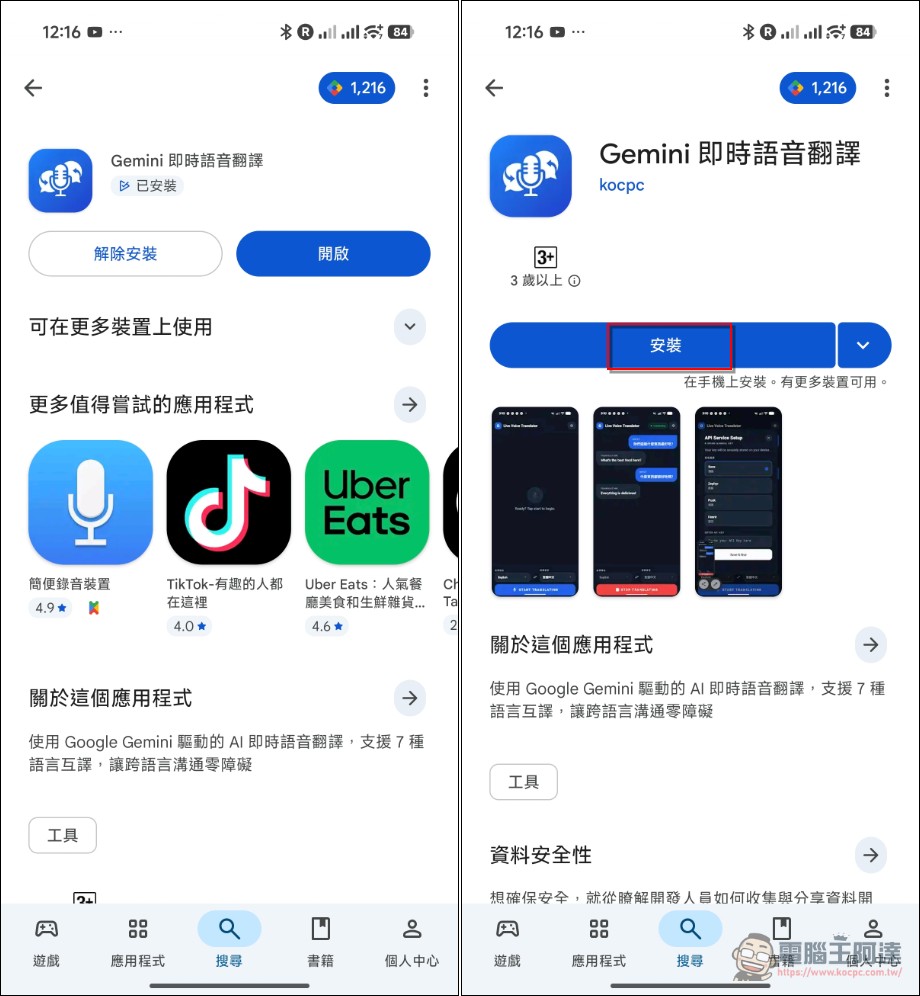
After installation, you will be asked to set the API Key and set the voice at the beginning. You only need to do it by yourself. AI Studio Just apply for a set of free Keys and copy and paste them. If you use a lot of them, use the regular paid Keys. I use the cheapest Gemini 2.5 Flash model. In theory, it shouldn’t cost you much to use. If you are worried about security, don’t use it or use it directly. Web App version, you can reproduce it entirely yourself:
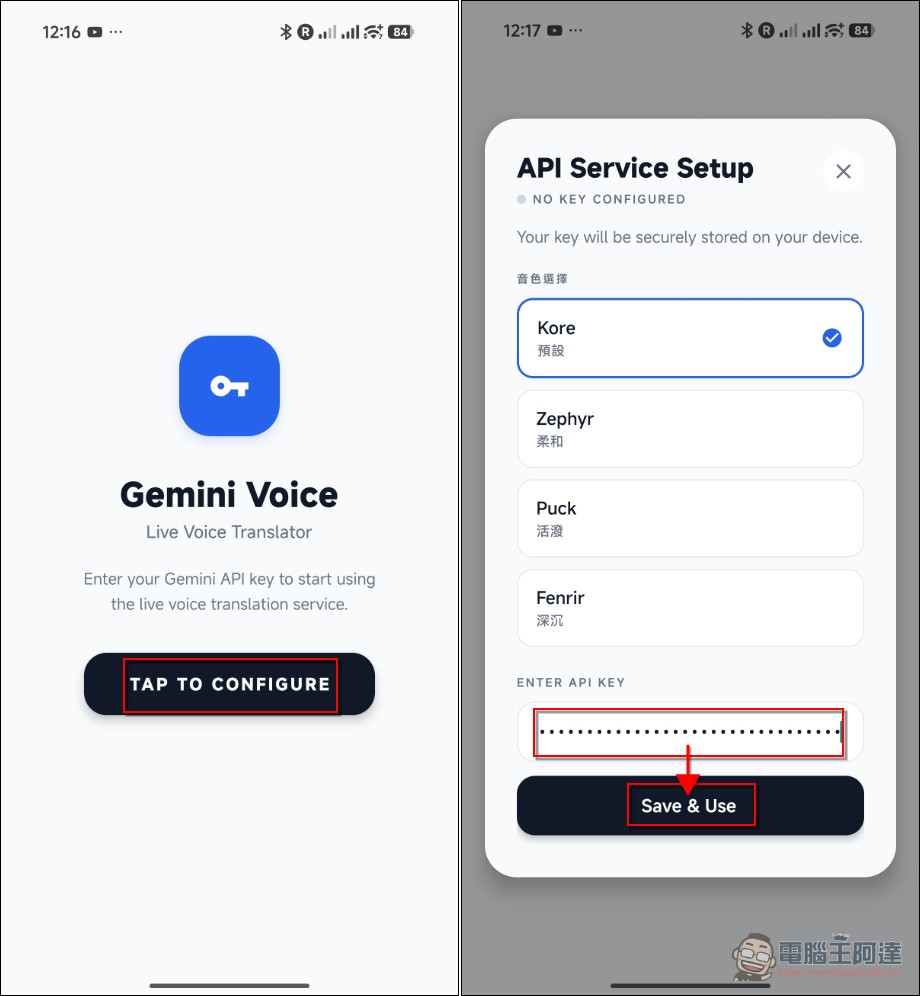
Set up a free API Key
Next, let me tell you that many people may not know Google AI Studio In fact, there are also free API Key quotas available. If you use it to raise Openclaw and spray them all in two times, it should be enough to run this application. Beforewrite in this, I pulled it out and put it below. If you want to know more about it, please read it yourself. The easiest way is to apply for a small account and don’t tie it to a credit card.
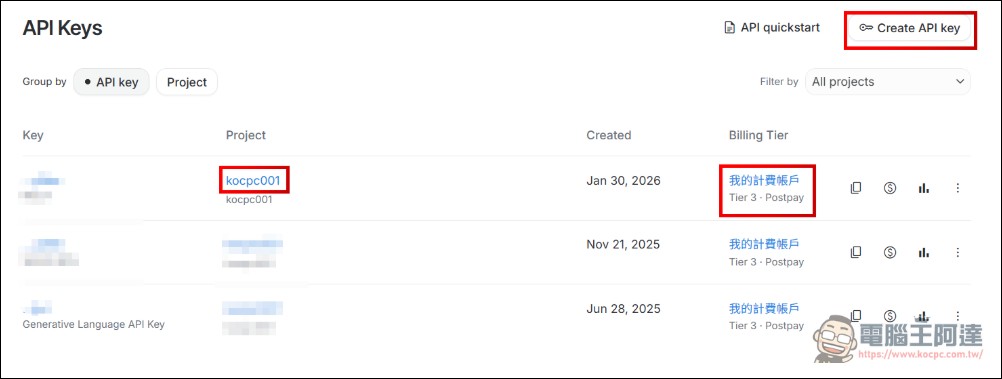
If you have ever bound a credit card and generated an API Key for drawing or using it with a third-party CLI, there are a few points where people are more likely to get into trouble. Here are some additional explanations. If your account is already bound to a credit card by a project, and a paid API KEY has been created (such as kocpc001, the project name you named yourself), look carefully at your Billing Tier. There will be levels. Although the API KEY you obtained in this project also has a free quota,Once you exceed the free quota, you will start to be charged, this is a point that many people will not pay attention to and then be charged money. If you just want to test free API services, here is what you need to knowHow to create another project that will not deduct money no matter what? API KEY, first create the API KEY (upper right):
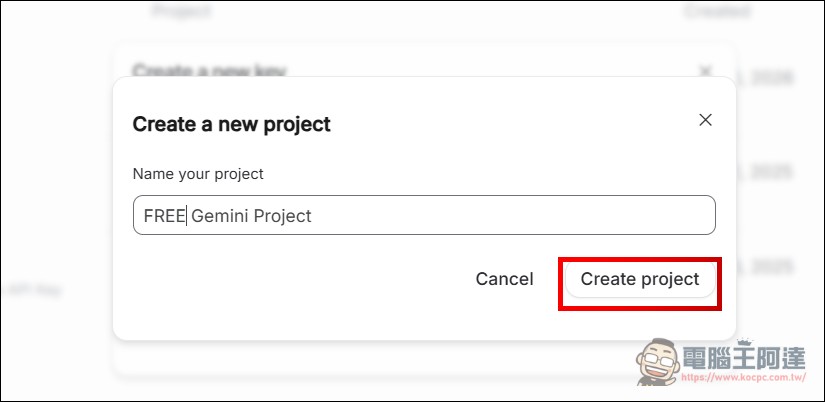
Then give it a name. To distinguish it, I use FREE Gemini API Keys, and then select Project–>Create Project:
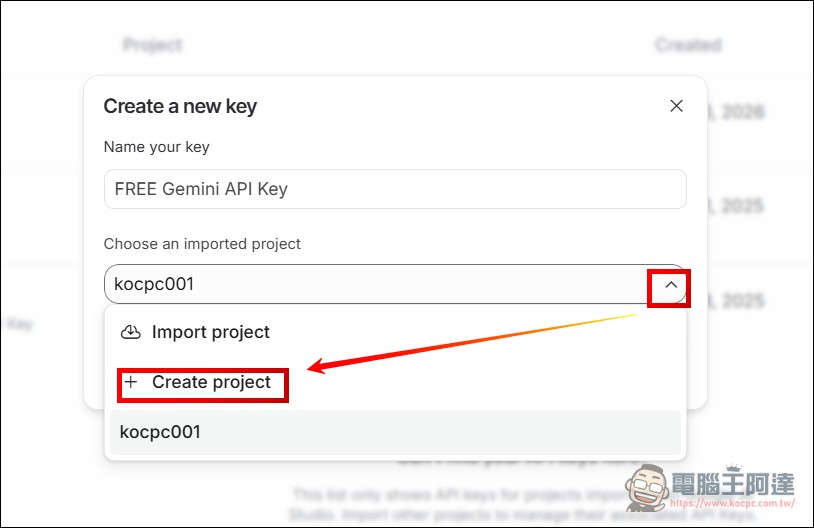
I named the project “FREE Gemini Project” (you can call it whatever you want, as long as you can distinguish it), and then created the project:
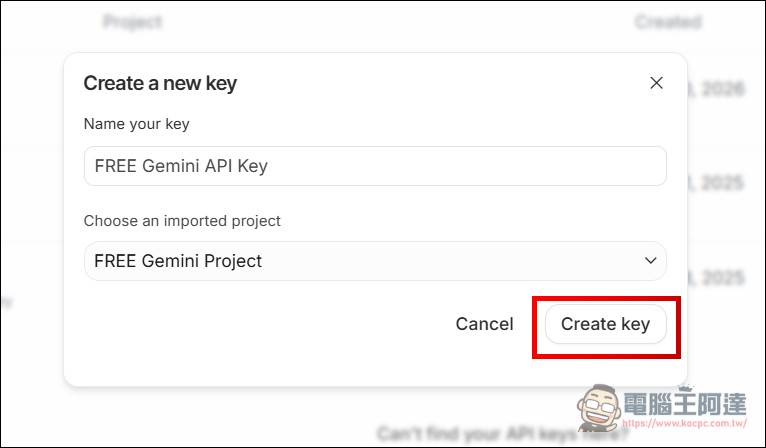
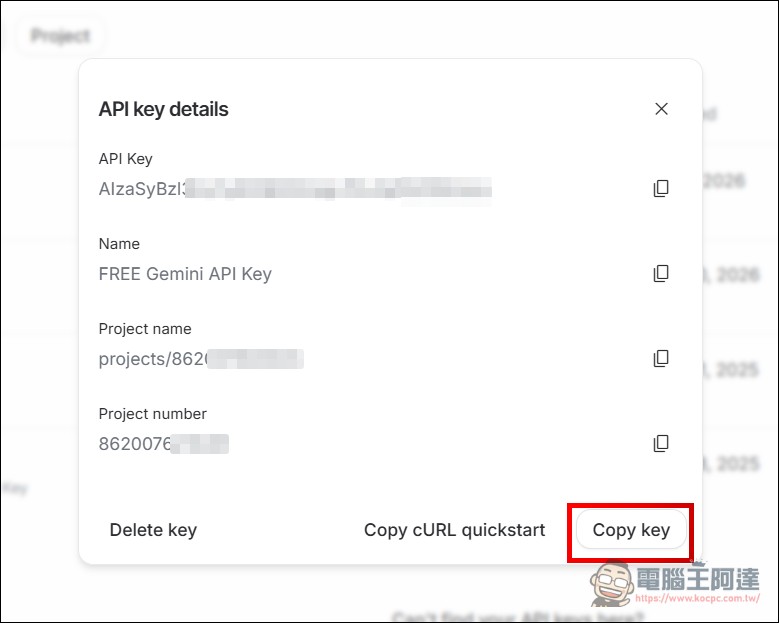
Then Create Key, this set of API KEY will not be deducted by mistake, and Copy Code can be used:
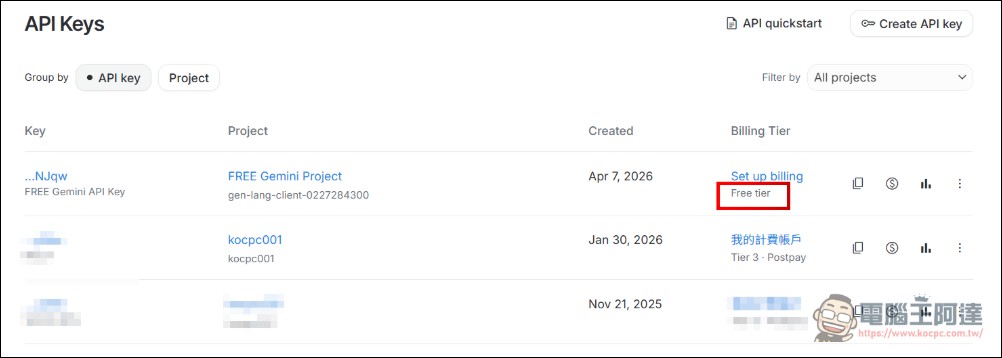
The simplest way to distinguish is in the API Keys list. The Api Key just now shows “Free tier”. Once the free quota is used up, it will only cool down. Other Keys are still billing accounts and will not deduct money (unless you click Set up billing). If you don’t understand what I’m talking about above, just create a small account without a credit card. It doesn’t need to be too complicated:
After obtaining the API Key, you can use it in your commonly used AI tools, or you can use it directly in Google AI Studio. Next, we can use it directly in Gemini real-time voice translation. I have tested it and it can be used for free.
Gemini real-time voice translation main interface introduction
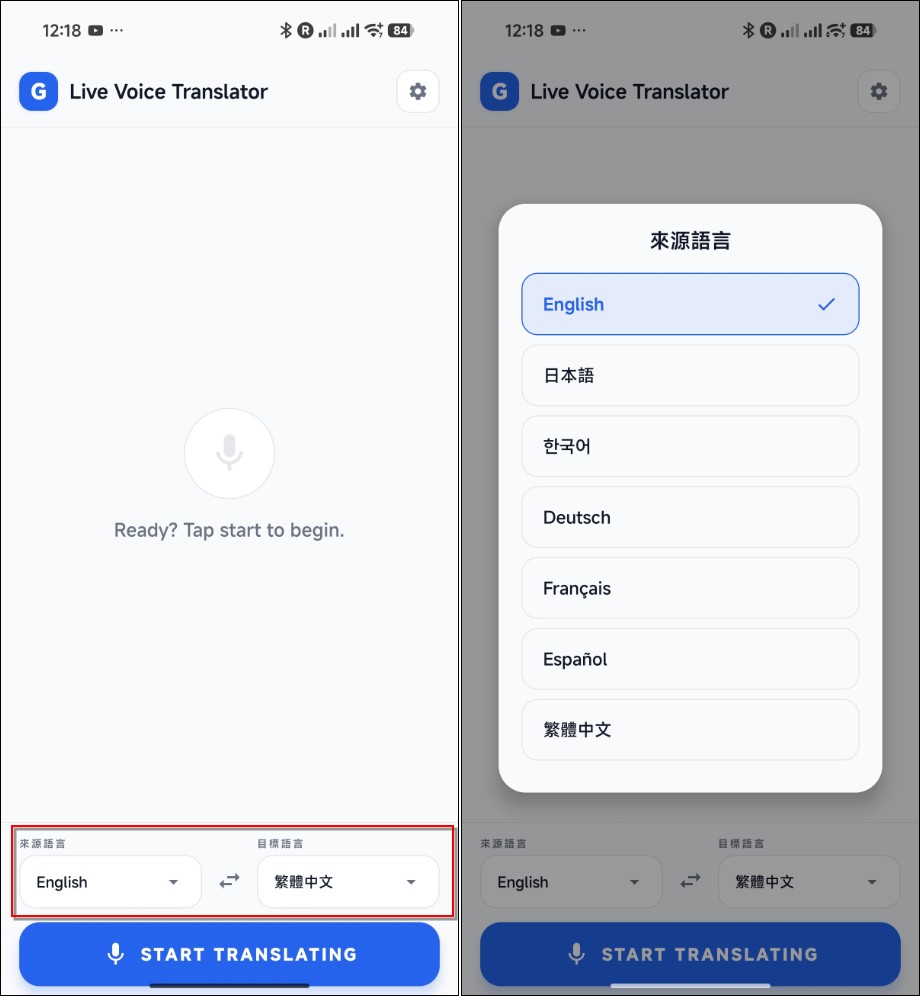
This App was originally modified from a Web App, and the interface is very simple. You can set the language at the bottom. I have now added more than a dozen commonly used languages. In theory, it is no problem to support all languages. I just change the list.In addition, the current known BUG is that the language swap button does not respond. We have asked AI to correct it and it will be fixed in the next version.:
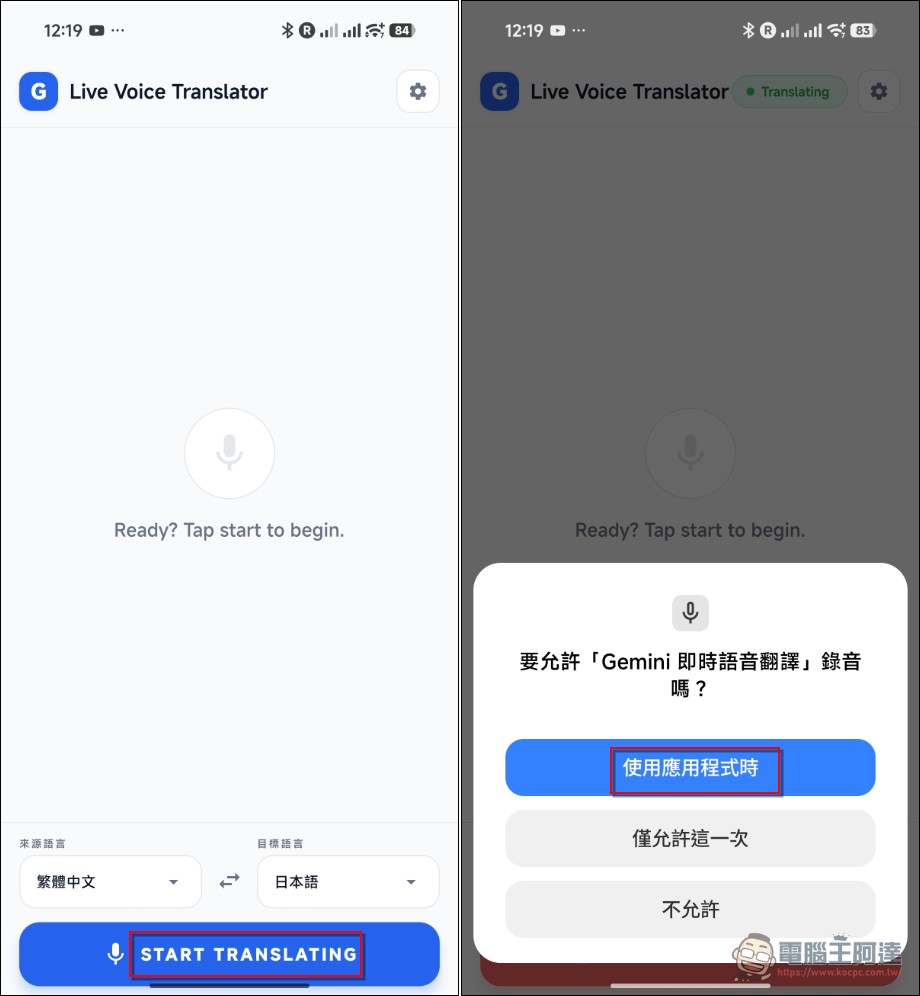
When you want to use it, press “START TRANSLATING” below to speak directly. When you use it for the first time, you will be asked for microphone permission:
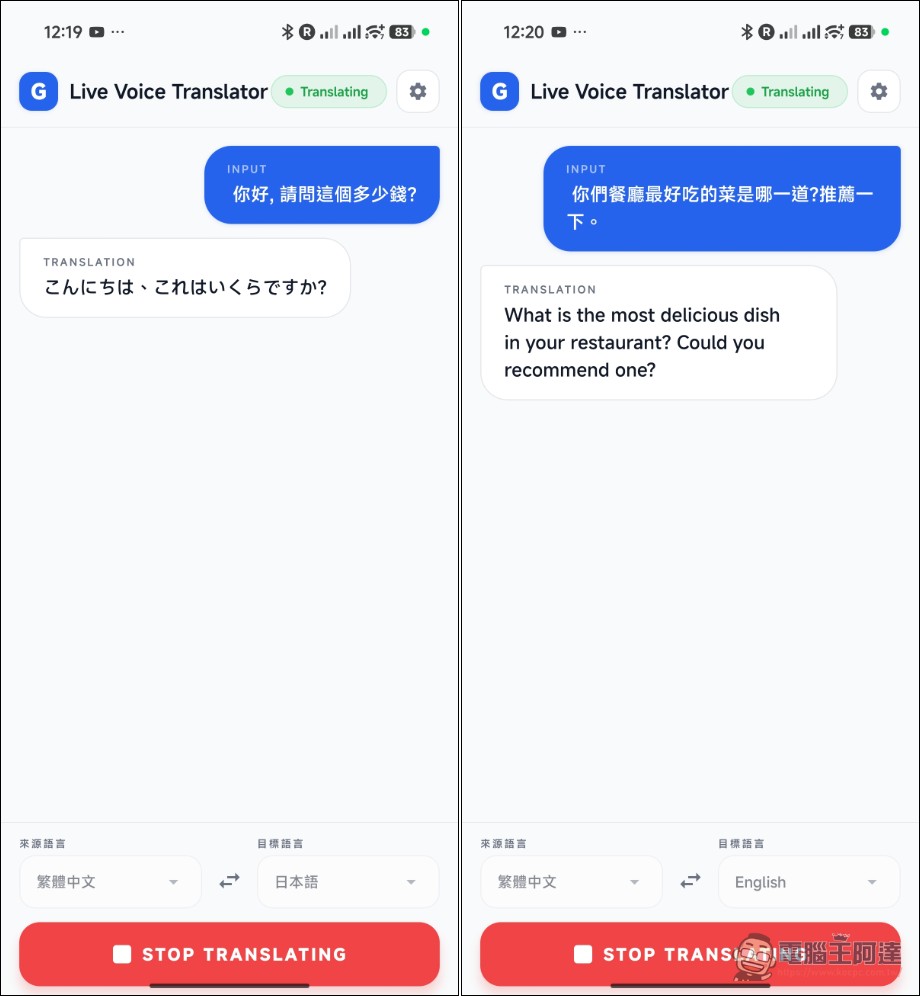
AI will translate what you say into the specified language and voice. What the other party says will also be translated back. There will also be subtitles on the screen, so communication should be no problem:
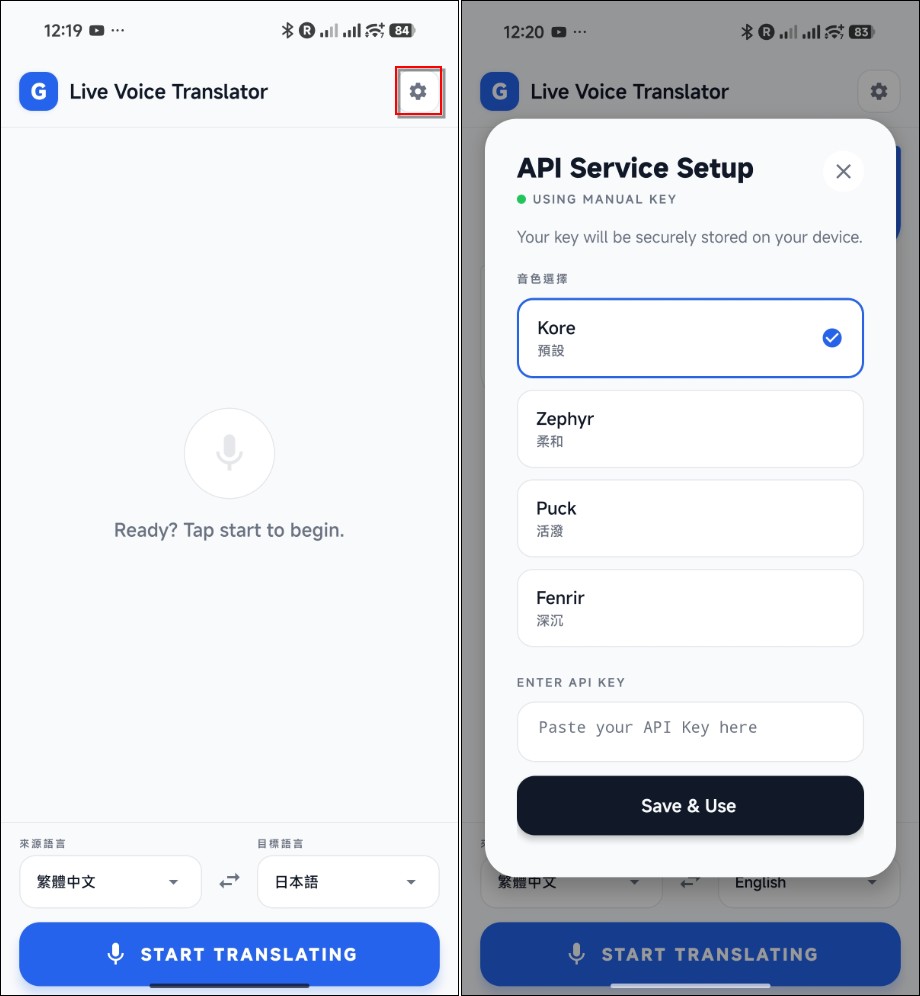
Finally, there are settings on the main screen. Click the gear in the upper right corner to reset the API KEY and switch to other voices:
In addition to modifying the flip language function, the next version will also be replaced with the updated Gemini voice multi-modal engine. If there is no problem, it will be updated., after everyone responded, I asked AI to fix it. The new version updates the latest multi-modal speech model, and the response speed is five times faster. If you have any questions, please leave a message in the comment area. If you can change it, I will try to confiscate half a dime from you. There are no ads in it. You are also welcome to make a better one to share (actually, I am too lazy to reinvent the wheel, so use GPT travel translation toolAlso very useful). As for the iOS version, I think the one built in by Apple is very good, and iOS developers have to pay an annual fee of 3,000 yuan a year. I only make free software and can’t get back the cost, so I won’t consider it for now.
Please click here to download Gemini instant voice translation.
Source: KOCPC Chinese