


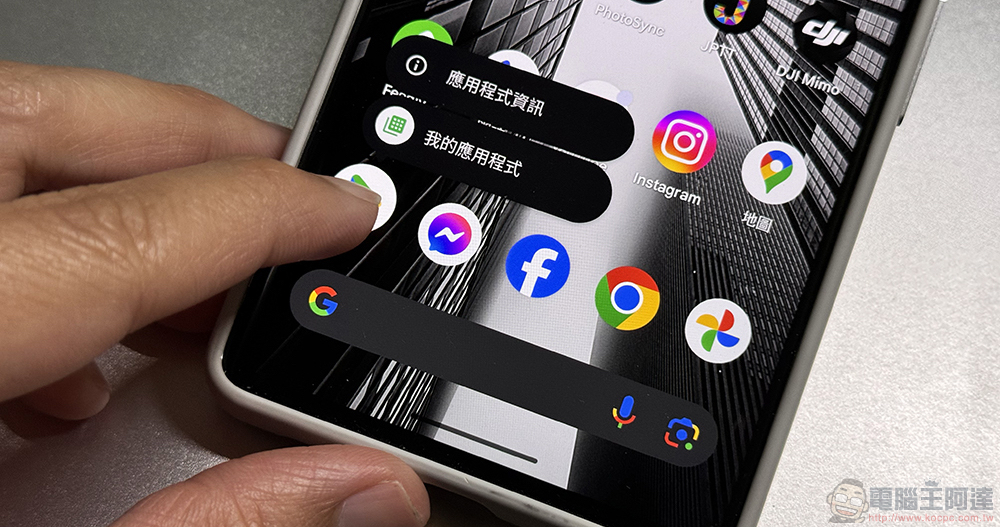
Use the shortcut function of the Google Play Store app to enter the “My Apps” application list by long pressing for quick app updates. Recently, it was discovered by foreign media that suspected bugs have begun to appear that are somewhat ignored and occasionally disappear completely. Continue reading Don’t want users to update your app? A mysterious bug in Google Play blocks quick update shortcuts (see here for a temporary solution).
Don’t want users to update your app? A strange bug in Google Play blocks quick update shortcuts (see here for a temporary solution)
Although it shouldn’t be as bad as the title says, I suspect that Google deliberately prevents Android users from updating apps manually (It can’t be technical interference from the development team of the automatic update function.). But this shortcut function of the Google Play Store app that can be used directly on the desktop to enter the “My Apps” application list by long pressing and quickly update the app is very convenient. Recently, it was discovered by foreign media that suspected bugs have begun to appear that are somewhat ignored and occasionally disappear completely.
This will really make people suddenly feel what it means to cherish something only after losing it (QQ). Fortunately, someone seems to have found a temporary solution before the official amendment is proposed.
▲Image source: Google
In the past, if you wanted to update yourself in advance or confirm whether the app needs to be updated before the system pops up a notification from the Google Play Store app that recommends updating the app. Generally, in the Google Play Store app, you will first click on the image in the upper right corner, and then select “Manage Apps and Devices” from the full list of function settings. Only then can you enter the overview page of all apps downloaded from Google Play Store.
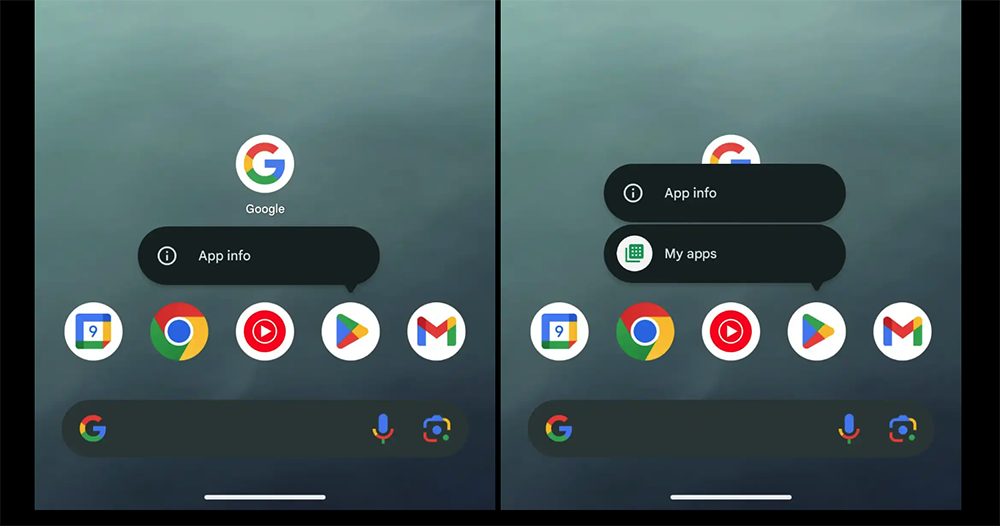
Here, in addition to checking whether there are “harmful applications”, you can also click “Update All” to update all the apps in your Android phone to the latest version at once. It seems that there are really a lot of steps. Later, after Google introduced the function of long pressing to open the attached menu in the Android system desktop application, it added the “My Apps” button function to the shortcut button menu of the Google Play Store app.
▲Image source: 9to5Google
Unexpectedly, this convenient shortcut has disappeared silently recently. In this regard, foreign media suspect that this may be a bug that occasionally occurs after the app is updated – only the “Application Information” shortcut button that is basically permanent is left – the current solution is to press this button first (eh).
If you really feel that the lack of “My Apps” shortcut is really bothering you, use the “Application Information” shortcut, or find the “Application Information” setting page of the Google Play Store app in the settings. You can select “Clear Storage” in “Storage and Cache” to try to solve this situation.
▲Image source: Google
It should be noted that such an action may also require resetting payment and other Google Play Store app-related settings. You can consider whether to do this, or wait and see if Google will come up with a fix as soon as possible to prevent this bug from recurring.
via|
Further reading:

Source: KOCPC Chinese