


There’s endless entertainment, education, and inspiration on the YouTube video platform, and at least if your list of recommended videos is decent, you can have a very enjoyable viewing time. As the content you watch increases, the recommended videos will also change accordingly. Sometimes, there will be more and more things that you are not interested in. Fortunately, you can try several methods we have provided this time to train and reset YouTube for a better experience.

Tired of terrible YouTube recommended videos? You can try these methods for a better experience
Only YouTube really knows how YouTube works. There are some basic rules that we can apply to algorithmic formulas, but there are a lot of factors that come into play, and you can’t exactly understand what’s going to happen, and that’s true both for content creators and for people who seem to have cracked it. Most of the time, YouTube shows you more of the same type of content, based on channels you’ve watched, topics you’ve searched for, and other videos you’ve liked, and then offers you similar videos, but occasionally YouTube takes a chance on something completely random.
Watch and like what you want to watch
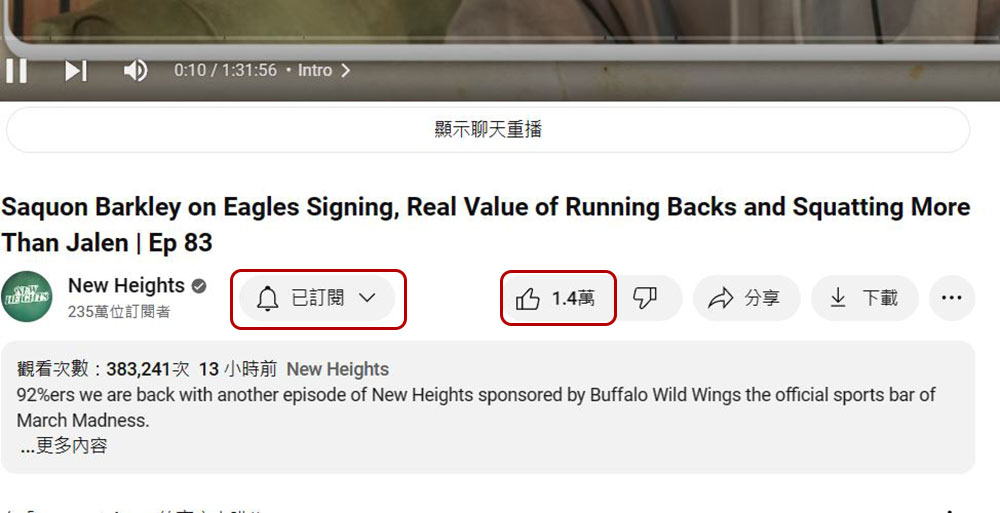
It sounds straightforward and simple, but how often do you click the “I like” button below a video? This not only helps the video creator, but also sends a signal to YouTube that you want to see more videos about this creator and content on similar topics. Surprisingly, you can unconsciously watch videos from the same channel without subscribing. Understandably, watching a single video may not be enough to change recommendations, but if you find yourself binging on a specific type of channel, clicking “Subscribe” below the video can go a step further to express your preferences to YouTube. Plus, watching videos to the end is another sure-fire way to convince YouTube that the content is not only good for you, but good enough to recommend to others.
Use incognito mode to watch individual videos
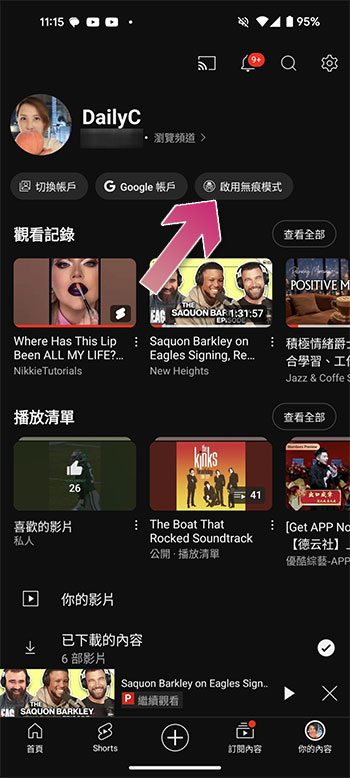
Sometimes you click on a video, topic, or creator even though it’s not something you’re interested in. Whatever the reason, or you’re just browsing a video to see someone’s hotly discussed opinion, it can prevent YouTube from showing you more content on that topic, and in the worst case scenario, you could disrupt your own YouTube recommendations. It is for this reason that YouTube has included an “Incognito Mode” on its mobile app. To use it, click on your personal icon and select “Enable Incognito Mode.”
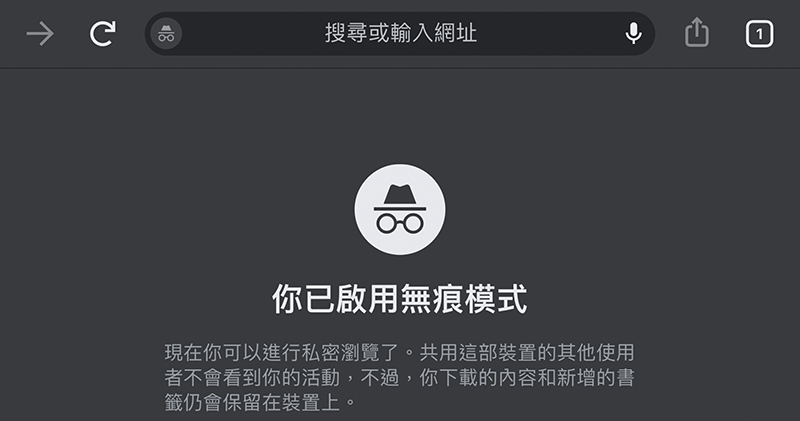
If you use a browser to watch YouTube videos, you can use the browser’s own incognito mode to watch the videos anonymously. Some videos require an age check, so in that case you may want to watch them from a backup YouTube account so that your regular account’s homepage doesn’t become unrecognizable.
Tell YouTube what you don’t like
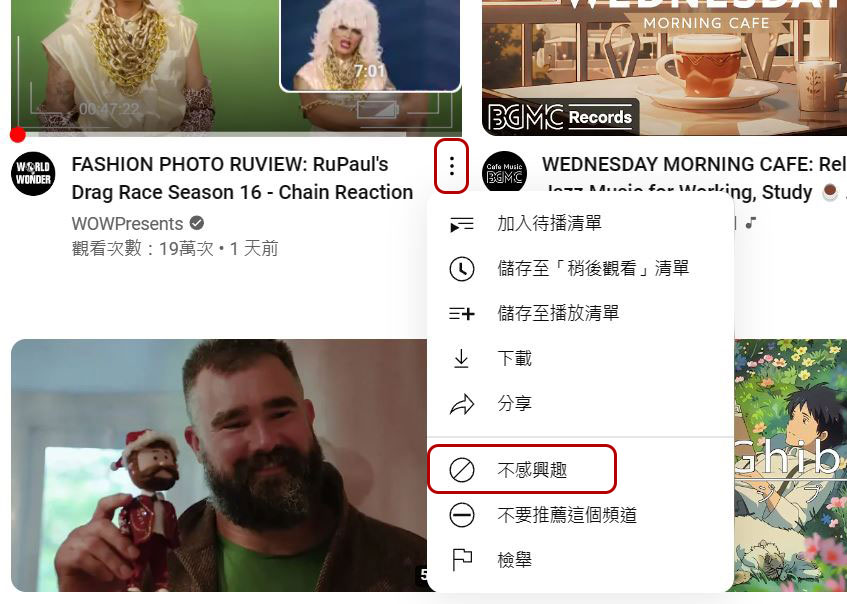
There are many ways to tell YouTube what you don’t like, starting with the dislike button at the bottom of each video. Even though YouTube removed the likes and dislikes ratio for videos in 2022, the buttons are still there, and they’re still useful. Pressing the thumbs down button sends a message telling YouTube that the video isn’t to your liking. However, bad video recommendations often bleed into your homepage, in which case click the three-dot icon next to the video title and click “Not interested” to indicate you don’t want to see this content. There’s also a “Don’t recommend this channel” option, which is used to refer to a specific creator, which is a great way to tell YouTube that you don’t mind the topic or content, but you don’t want to watch this creator’s videos.
YouTube Shorts also have an impact
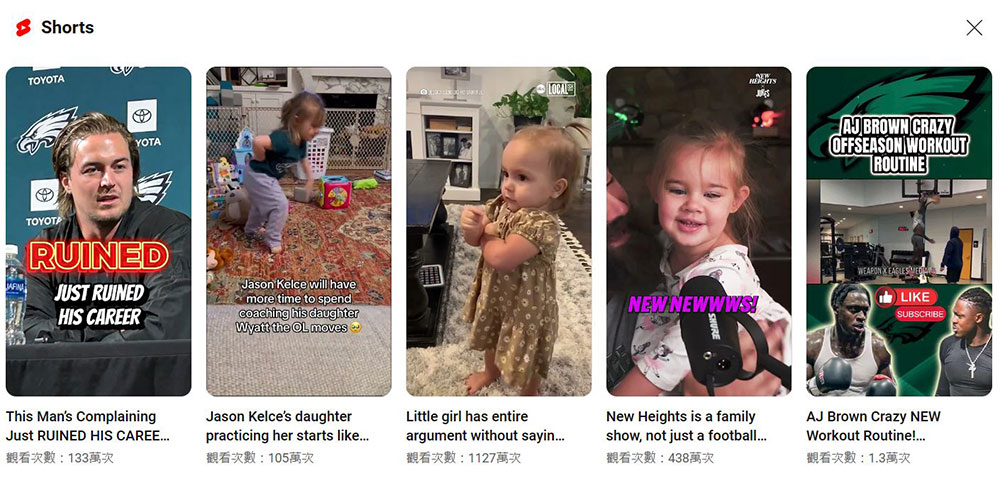
YouTube Shorts are heavily influenced by YouTube tastes, and the Shorts you watch are stored in your history along with your longer-form content. Shorts also contains a lot of viral content from channels you might not watch. It’s easy to sit down and scroll through Shorts without realizing how much you’ve watched, which is probably why the straight-scroll video format became so popular in the first place. Some creators are making a big push for Shorts, and after watching them, you’ll start to see recommendations for indie films and live streams from these creators on the homepage. The bar here seems to be a little higher than standard YouTube videos, but be aware that YouTube Shorts will ultimately affect the topics and creators you see in your homepage recommendations.
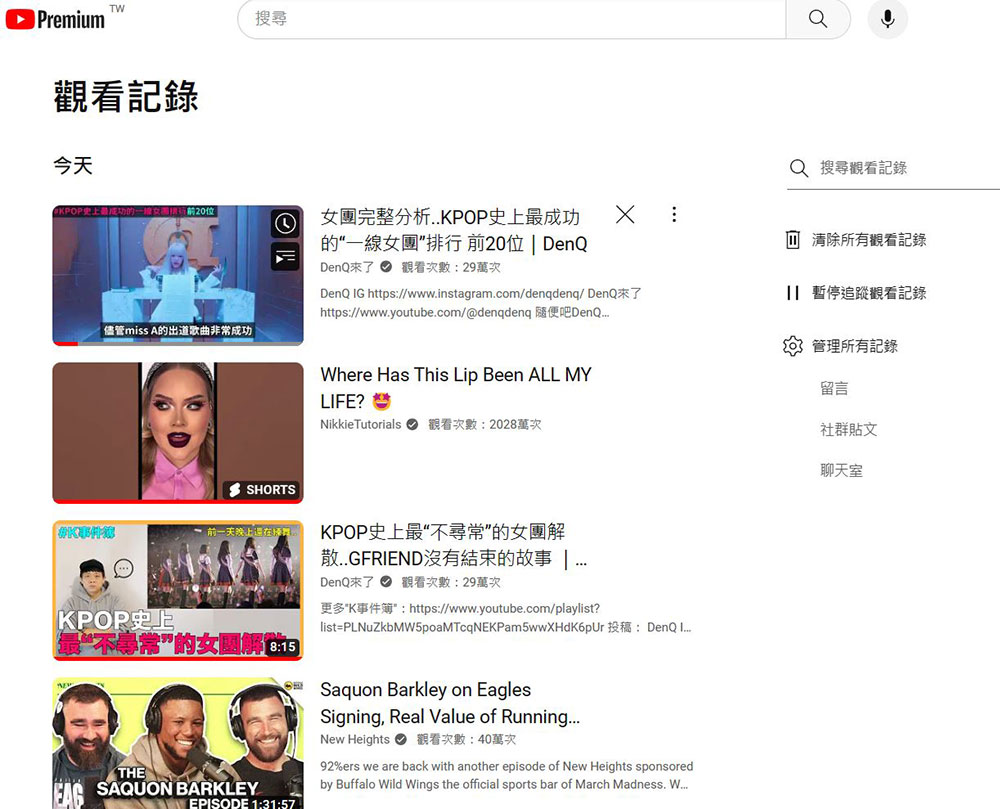
Clear history
YouTube recommends videos based primarily on videos you’ve watched and searched for, with some “exclusive recipes” added to keep recommendations unpredictable. One way to get better recommendations is to delete videos from your viewing history, either individually or clearing the entire history. This isn’t for everyone, as managing your YouTube viewing history one by one is a chore, and deleting everything will clear everything. If you’re considering taking the hard work route, I suggest you start by making a playlist of your favorite videos so you can get a head start on getting YouTube into your shape after clearing your history.
Review your subscription regularly
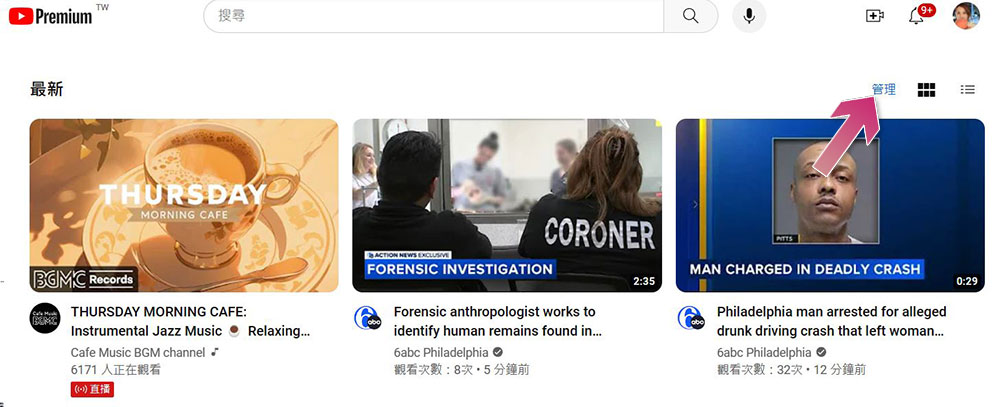
If you often watch YouTube videos, you may subscribe to many creators, but people’s tastes and preferences change, and those who were interested in the past may not watch them as much now. Old channels tend to reappear on the YouTube homepage from time to time, especially if they haven’t been updated in a while, so don’t forget to clean up your subscription regularly. Go to the Subscriptions page on web or mobile and click Manage to see all your subscribed channels on one page, and then unsubscribe using the drop-down menu next to each creator.
Source: KOCPC Chinese