


If you hope to get a three-way input method with functions closer to the needs of Traditional Chinese phonetic input, but because there are few choices, you still use the original input method and are struggling to find a new alternative. Recently, we saw on the Internet that someone recommended a pretty good choice of three-party phonetic input method for macOS “McBopomofo Wheat Phonetic Input Method”, which we would like to share and recommend to everyone. Continue reading A good choice of three-party Chinese input methods for Mac computers: Wheat Zhuyin Input Method report content.
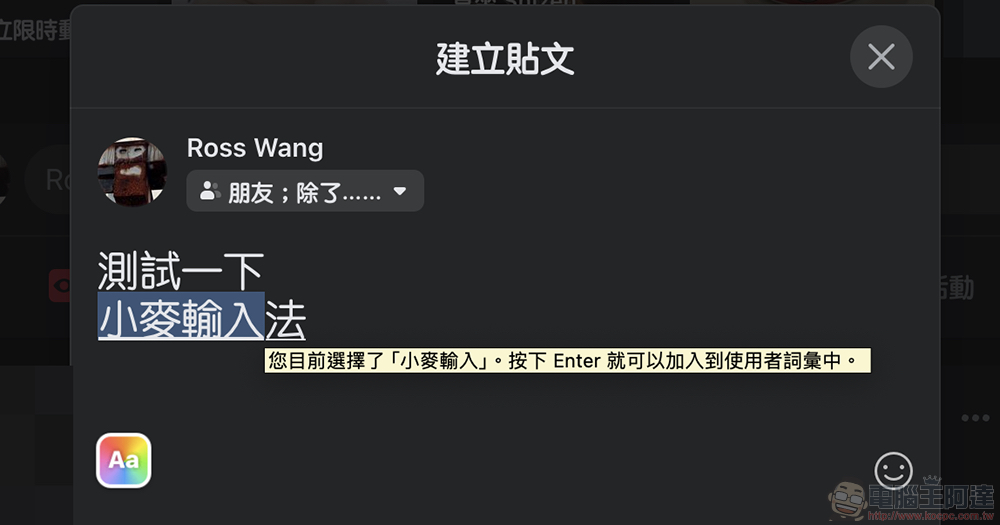
A good choice for three-party Chinese input methods on Mac computers: Wheat Zhuyin Input Method
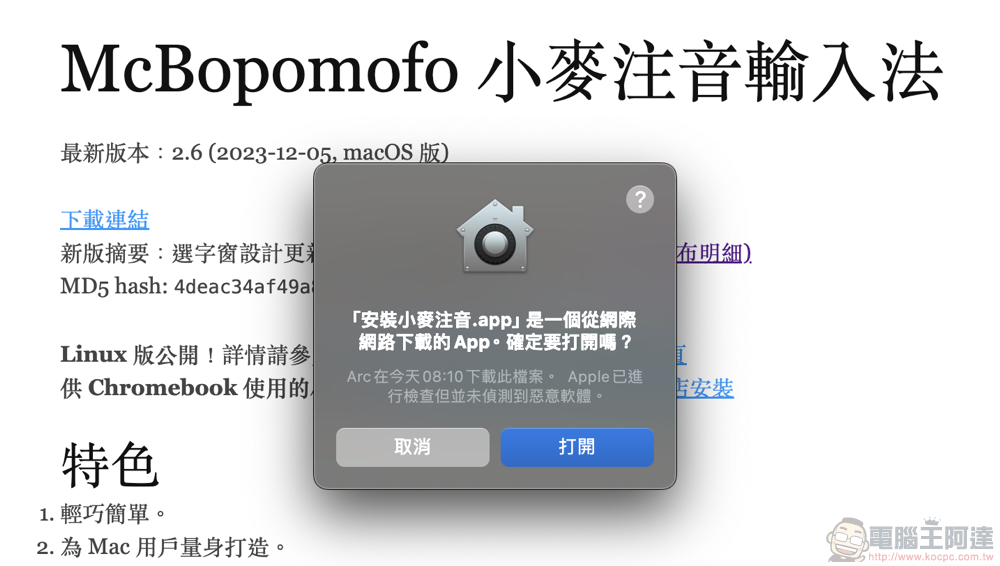
For those who are accustomed to using Zhuyin input method, Yahoo Input Method was considered to be the first choice among the three-party Chinese input methods in macOS. In the follow-up, it seems that the frequency of corrections for corresponding problems has become less and less, causing the user experience to gradually fail to keep up with user expectations. Unsurprisingly, it seems that it has reached the end of the road and stopped maintenance a few years ago. This also makes users who hope to obtain a three-way input method with functions closer to the needs of Traditional Chinese phonetic input, can only use the original input method first and look for new replacement solutions.
Recently, we saw on the Internet that someone recommended a pretty good choice of three-party phonetic input method for macOS “McBopomofo Wheat Phonetic Input Method”, which we would like to share and recommend to everyone. The official lists several special features of “Wheat Phonetic Input Method”, including:
- Light and simple.
- Made for Mac users.
- Supports standard, YiTian, Hsu, YiTian 26-key, IBM and Chinese Pinyin keyboard configurations.
- The program responds quickly and the current thesaurus is quite accurate. It should be able to effectively help everyone input Mandarin.
- You can add or delete words by yourself.
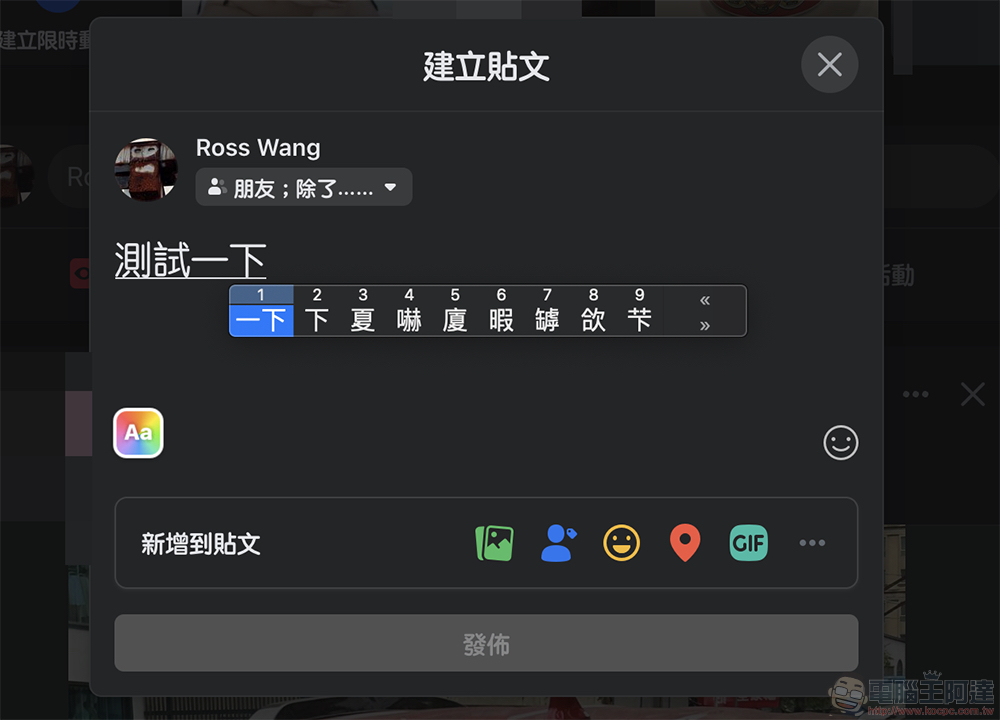
Installation/uninstallation method
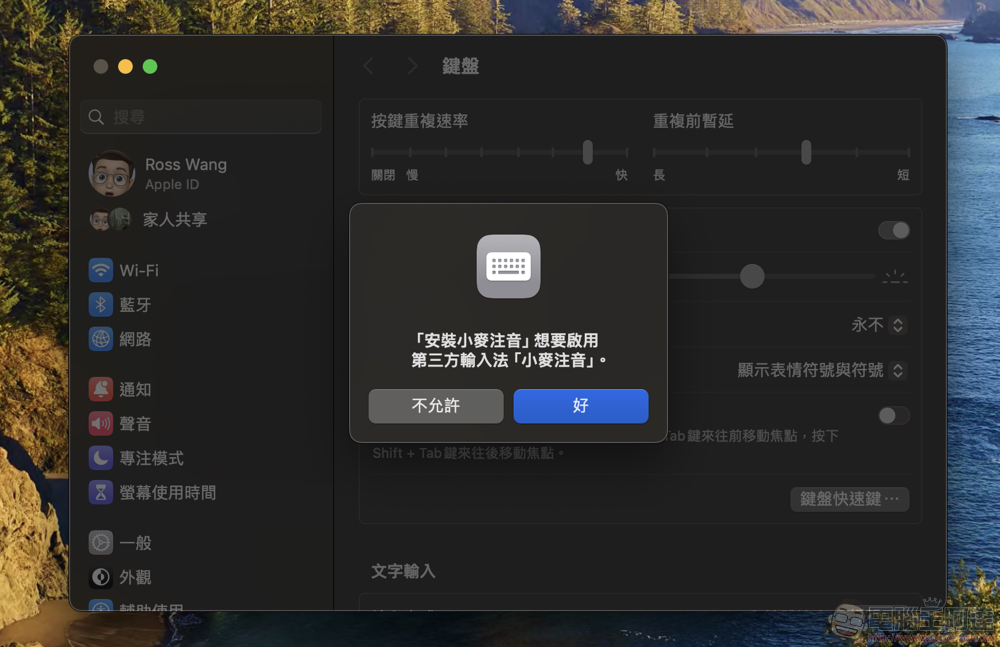
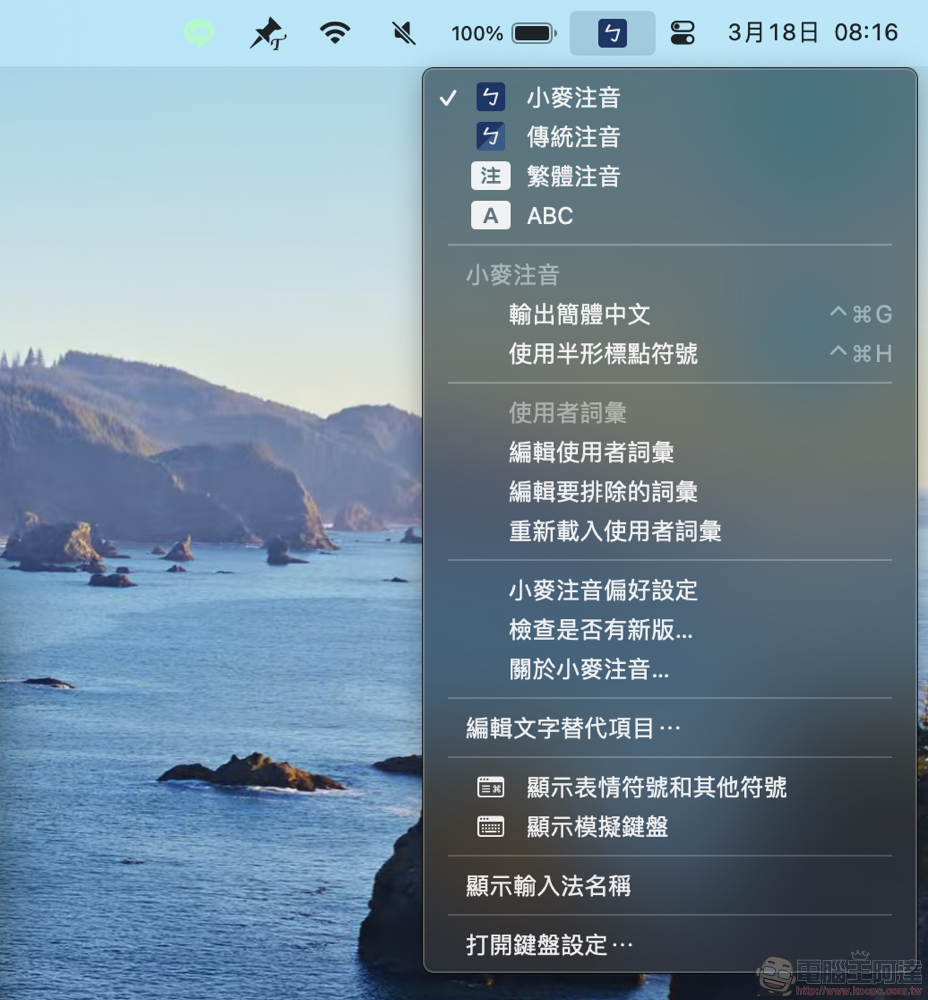
First go to the official website (portal) Select “Download Link” to grab a ZIP compressed file of about 10MB. After decompressing, you will get the installation file. After double-clicking, the system will ask you whether you want to install and enable the third-party input method “Wheat Zhuyin”. Select Allow and the installation will be completed quickly. Then you can see more “Wheat Zhuyin” and “Traditional Zhuyin” input methods in the system tray.
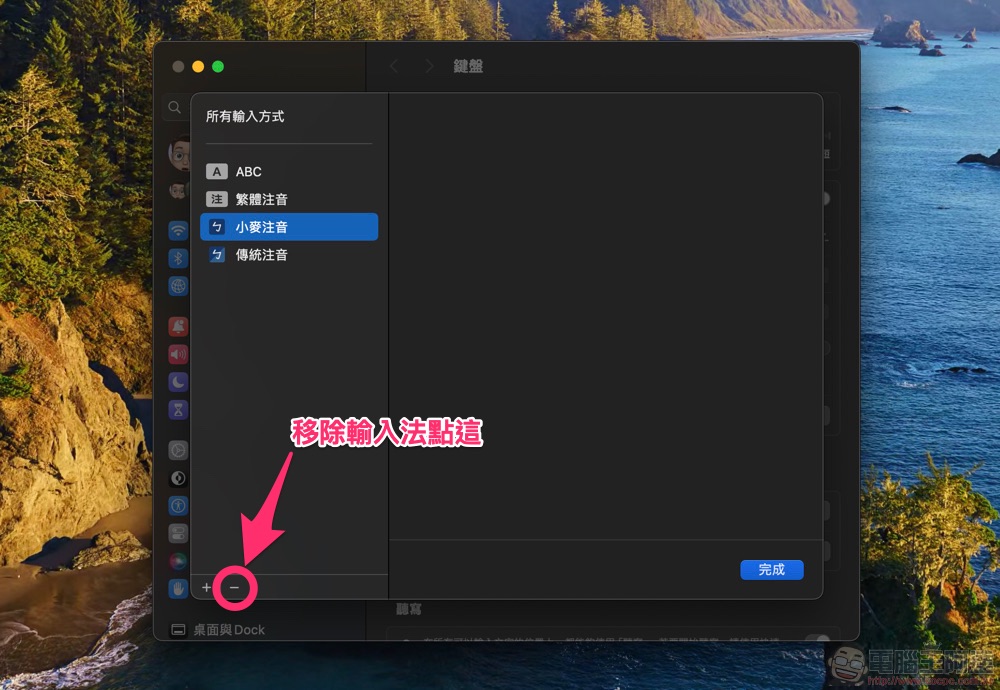
If you want to uninstall, you can quickly find these two input methods through “Open Keyboard Settings” of the input method in the system bar at the top of macOS, and use the “-” in the lower left corner to delete them – you can refer to other removal steps including older versions of macOS.Official website description。
User experience
My experience after using it for a short time after installation is that the wheat phonetic input method is indeed as officially described and the response is quite fast. I believe it will also be quite suitable for relatively older Macs (I used the Yahoo input method on Mac in the later period, but I had to abandon it because I didn’t know why it caused a slight delay in the system…); the word selection part of the built-in vocabulary library, I think it is not bad in the initial use, but you will still encounter situations that are slightly different from the words you are used to.
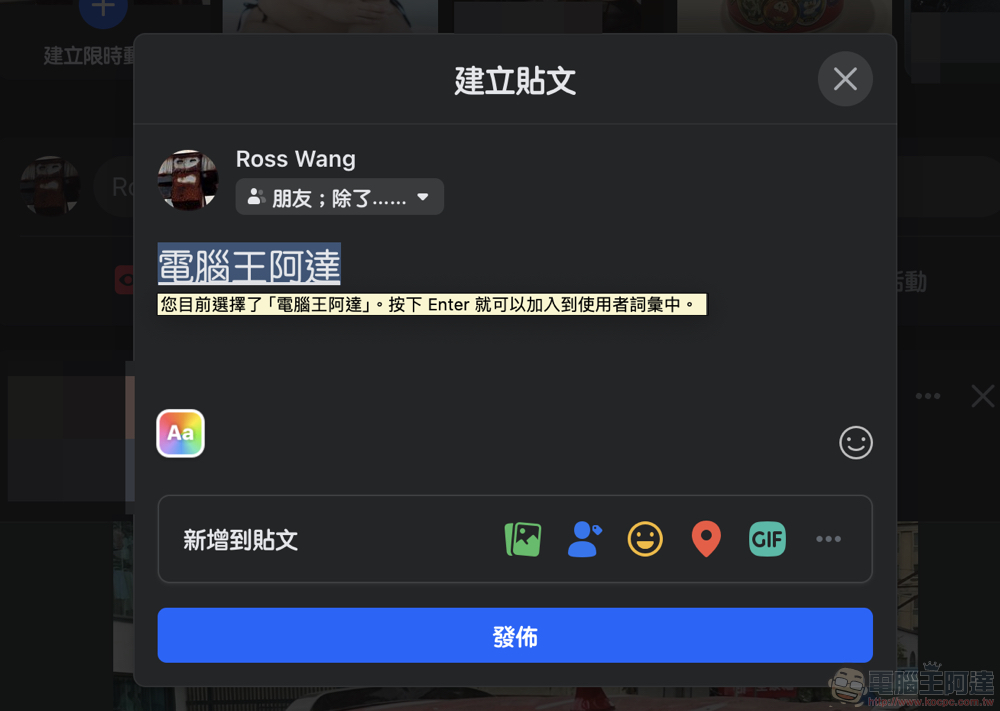
But on the one hand, as long as I have selected words, it can still be smart enough to help me choose the right word next time. On the other hand, the Wheat Zhuyin input method also supports the function of manually adding words – hold down Shift in the word candidate state, and use the left and right arrow keys to select the area, and then press Enter to create a custom word, which is quite intuitive and convenient.
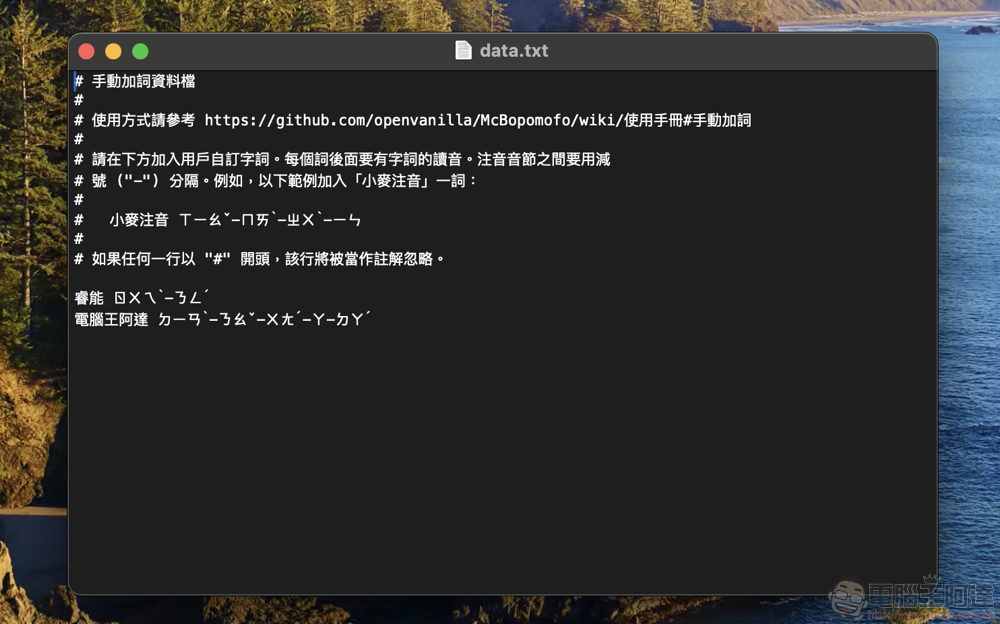
If you want to confirm, you can go to “Edit User Vocabulary” in the macOS top system input method menu (to switch to Wheat input method). You can see that the text is paired with phonetic notation. Text like “Computer King Ada ㄉㄧㄢˋ-ㄋㄠˇ-ㄨㄤˊ-ㄚ-ㄉㄚˊ” appears in the plain text file – yes, although it does not provide an app interface, which seems a bit naive, it is actually quite easy to understand and simple and violent.
Then, since files are saved directly, I directly specify the folder in my favorite cloud disk service through input method settings. In theory, the function of sharing user vocabulary across Macs can be realized; the user vocabulary function can also support more advanced functions executed by Shell Script.
In the interface part, in addition to specifying word selection in the “Wheat Phonetic Preferences” in addition to the numeric keys, you can use “asdfghjkl” or “asdfzxcvb” to select characters (does it feel more intuitive? But I still use numbers to select old-school). You can also customize your own experience based on settings such as the starting point of word selection and the text size of the word selection window. In the settings, you can also choose the standard, Yitian, Xu, Yitian 26-key, IBM, and Chinese Pinyin phonetic keyboard configurations; you can also switch from vertical to horizontal word selection arrangement.
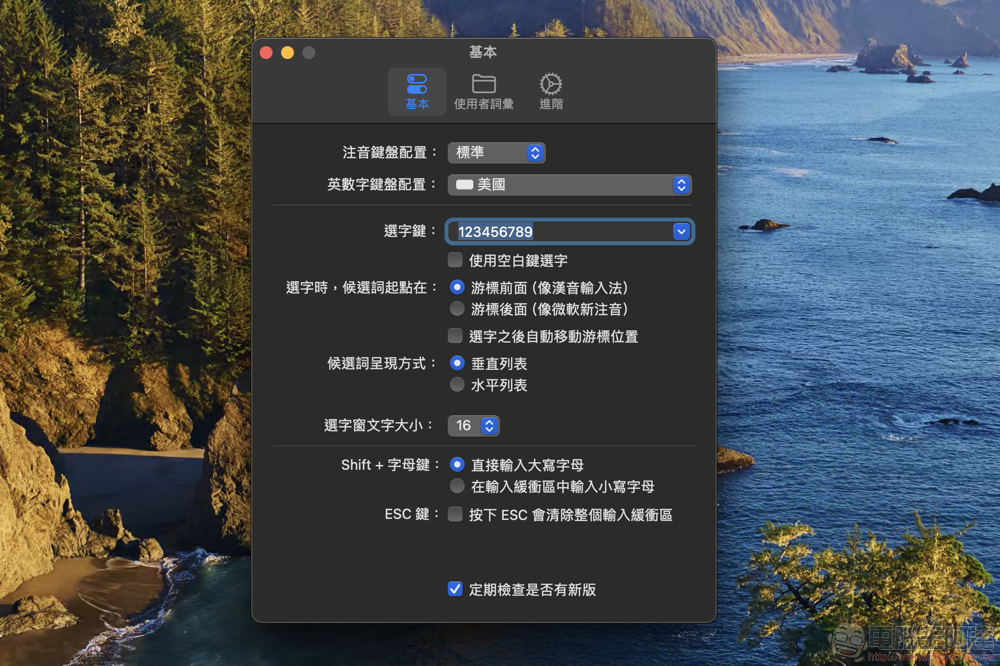
Wheat input method corresponds to the input requirements of full-width punctuation marks that Chinese input method relies heavily on. Basically, this input method will display punctuation marks in full format as much as possible, so buttons that are directly punctuation marks, such as brackets, will be displayed directly; press Shift + “.” to enter “.” period.
What’s even better is that when I want to enter a semicolon, I find that the original instructions say to use Shift + ” ‘ ” to enter; “, ” means ” ‘ “. Some will be different from the habits of the original Traditional Chinese input method of macOS – this may be due to the relationship between “based on the habits since the natural and cool input method” in the description.
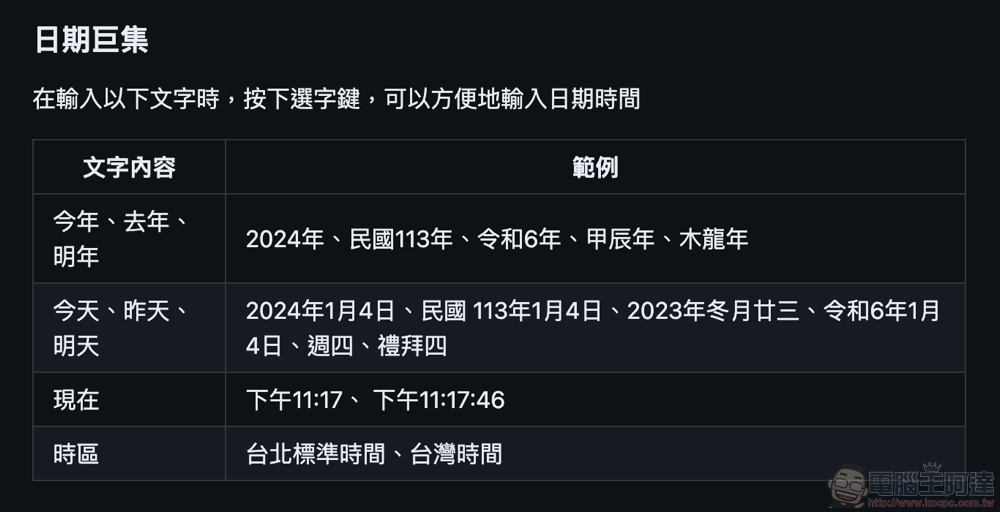
▲Image source: McBopomofo Wheat Phonetic Input Method
The Wheat Zhuyin input method can also support some special functions such as constellations, units and other similar Emoji emoticons for quick input. It also supports the macro quick input function of date and time – but I don’t know why I haven’t been able to try it out. Friends who are interested can try “this year, next year, now, time zone”, etc., and you can quickly select the current time by selecting characters (it even supports different time formats such as Taiwan’s Republic of China and Japan’s Reiwa).
In terms of extended functions, it can support the function of “outputting Traditional Chinese” directly – it will automatically convert to Simplified Chinese after confirming the input (you can also specify the conversion engine in the settings, which is quite powerful!). It can also provide a simulated keyboard on the screen, which is an unexpectedly rich choice of Zhuyin input method.
Conclusion: Zhuyin input + Mac users can really try it
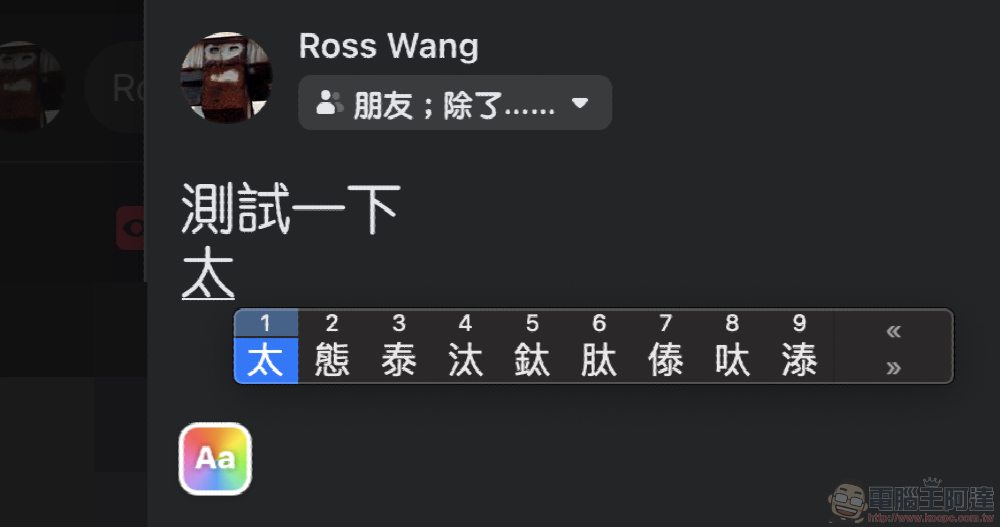
I have to say that even in terms of the word selection window interface, I personally prefer the original texture of macOS. However, the response of the wheat input method is related to the performance of smart memory and word selection (so far). Although for the author who has been using the original input method for a long time, he may still need to get used to the punctuation input method. But at least in terms of the performance of writing this article (yes, I used it directly!) it is quite satisfactory, and I did not encounter any strange bug problems.
Not only is the response fast enough, but also the input of full-width symbols can be input more intuitively, which also greatly improves the input efficiency and speed. The application interface may seem simple, but it also corresponds to the use of a wide range of Chinese input methods, allows quick customization of vocabulary records, and provides friendly advanced function support. It is recommended that macOS users consider giving it a try. It should have a good chance of replacing the commonly used Zhuyin input method.
References:McBopomofo wheat phonetic input method download
Further reading:

Source: KOCPC Chinese