


Taking photos is a joyful activity for capturing all kinds of little things in life, and you can even use photos for expense tracking—it’s very convenient. But organizing photos is a time-consuming and laborious task, especially if it’s all done manually, which takes a lot of effort. Now, Microsoft is bringing AI into its Photos app to help categorize your pictures, easing the tedious work of photo management.

Windows 11 now uses AI to categorize photos
Microsoft has updated the Photos app for Windows 11 Insider to bring better organization to large image libraries. Starting with version 2025.11090.25001.0, the Photos app uses AI to automatically categorize on compatible devices. It can analyze your photo library and create categories such as screenshots, receipts, documents, notes, and more, making it easier to browse your photos.
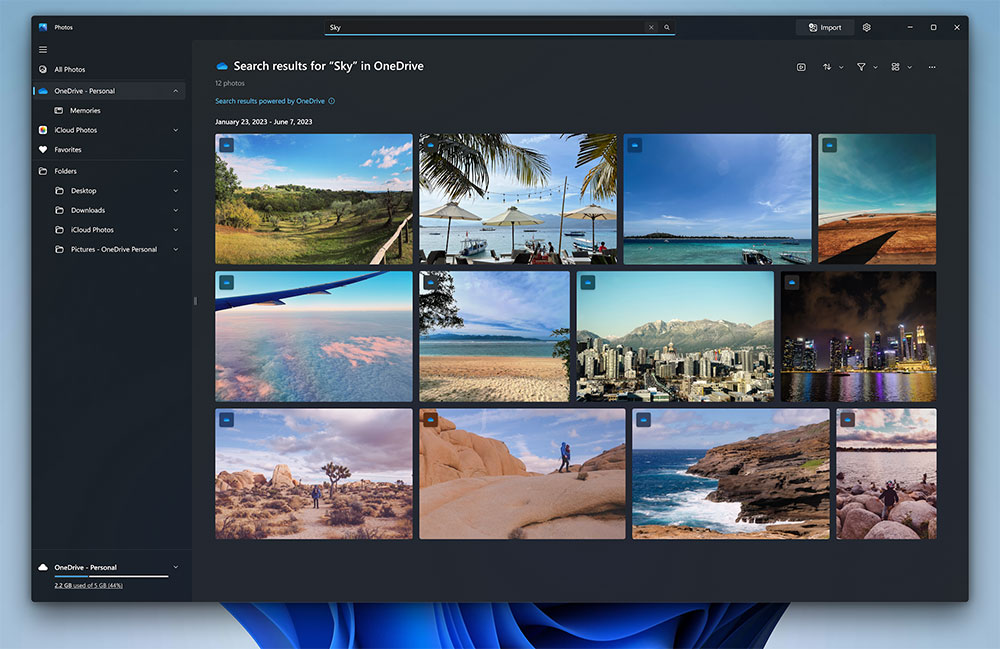
Categories you create will appear in the category dropdown list in the left navigation bar. You can also use the search bar to search for images by category. The Photos app can recognize photos no matter what language appears on them, so even if you have receipts in other languages from traveling abroad, they can still be tagged and categorized correctly.
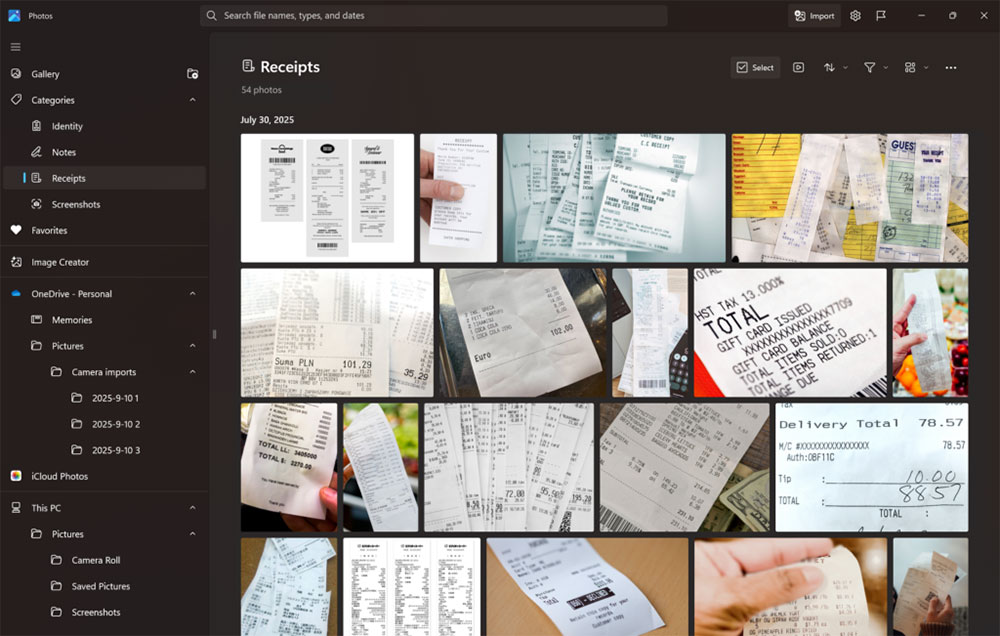
Of course, AI can also make mistakes, so Microsoft allows users to manually change categories and provide feedback on the created classifications. Speaking of categories, the Photos app can currently only generate four categories: screenshots, receipts, ID documents, and notes. Another condition is that the automatic categorization feature is only available on Copilot+ PCs equipped with a powerful Neural Processing Unit (NPU).
In addition to being able to automatically categorize photos, the latest update to the Photos app also brings super resolution to Copilot+ PCs equipped with Intel, Snapdragon, and AMD processors. These include Snapdragon X chips, AMD Ryzen AI chips, and the Intel Core Ultra 200 series. There are rumors that Intel will bring Copilot+ PC features to desktops through a new desktop series, but for now, these features are only available on laptops, tablets, and some mini PCs.
You can manually update the Photos app or let Microsoft Store do its thing in the background (you can no longer disable app updates, so you’ll get the new version sooner or later). Keep in mind that new features are rolling out gradually and may not be available right away.
Source: KOCPC Chinese