


Including the author, I watch videos on YouTube almost every day. It is very convenient to find teaching, entertainment, latest information, etc. In order to provide users with a better viewing experience, YouTube continues to add new features, but in fact having too many features is very troublesome because users have no idea what these silently appearing features are for. The same is true for the low-light mode we are going to talk about this time.
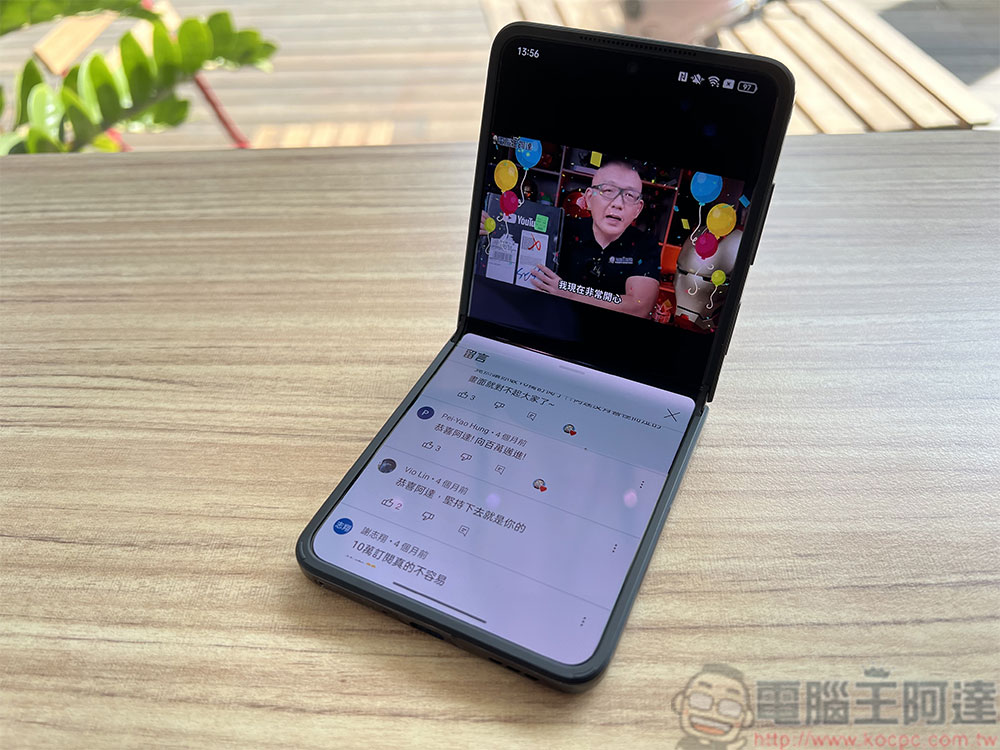
What is low light mode on YouTube? How to turn it on?
YouTube’s Low Light Mode enhances your video viewing experience by adding lighting effects, and you can enable it on PC, iPhone, and Android devices. But what more people will want to know is what the low-light mode does and how to turn it on. This time the author will clear up your doubts one by one.
What is low light mode?
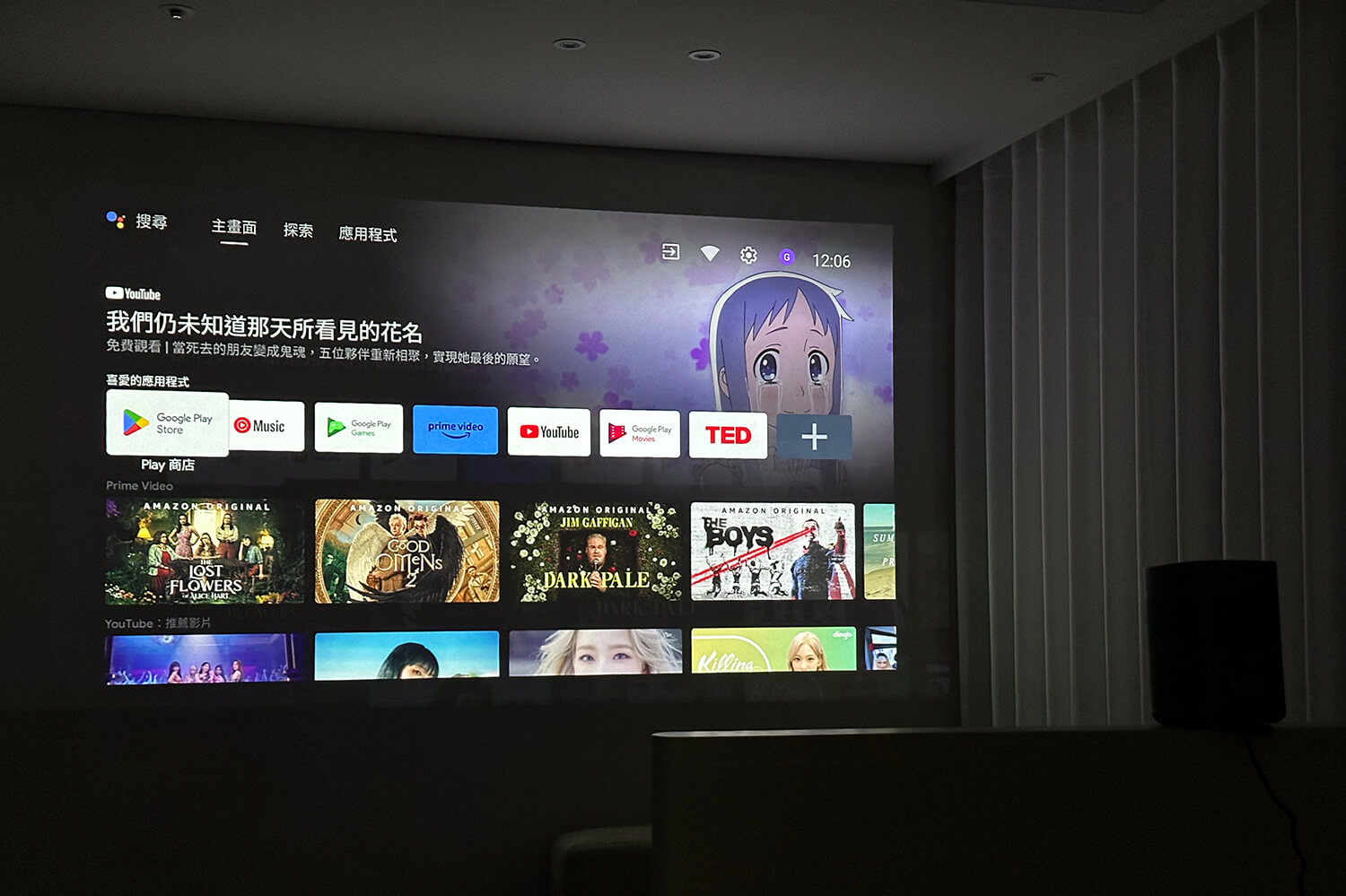
YouTube launched the low-light mode feature in October 2022, which is intended to recreate the effect you get when watching videos in a dark room. Low-light mode is actually a lighting effect that displays the main color of the video you are watching on the outer edge of the video player. This change makes the environment around the video more immersive. It’s a bit like what you would see in a dark room with a projector projecting the video onto a wall or curtain.
How to enable and use low-light mode in the YouTube mobile app?
To use low-light mode in the YouTube mobile app on iPhone and Android phones, you must enable dark mode on your phone because light mode does not support low-light mode.
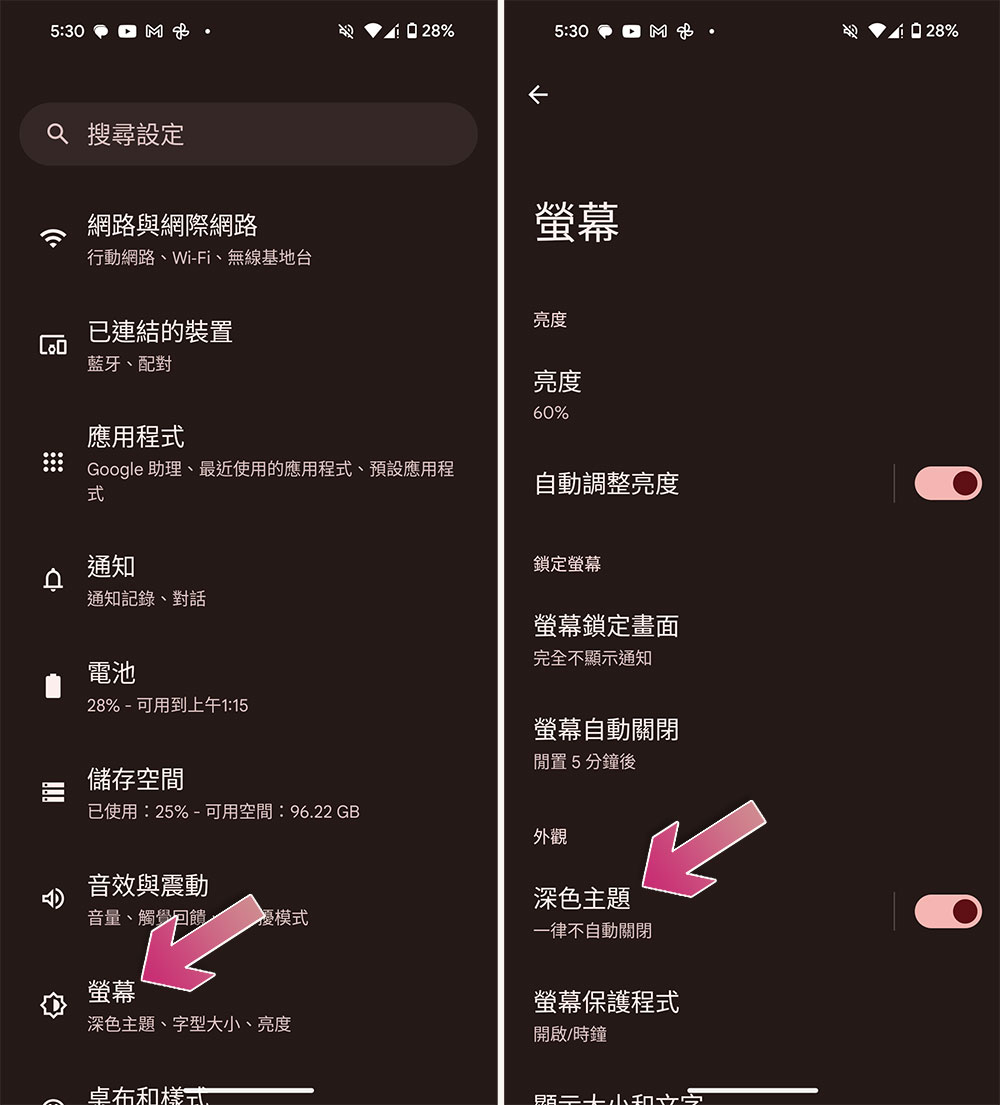
- Android
- Open the Settings app.
- Enter “Screen”.
- Turn on “Dark Theme”.
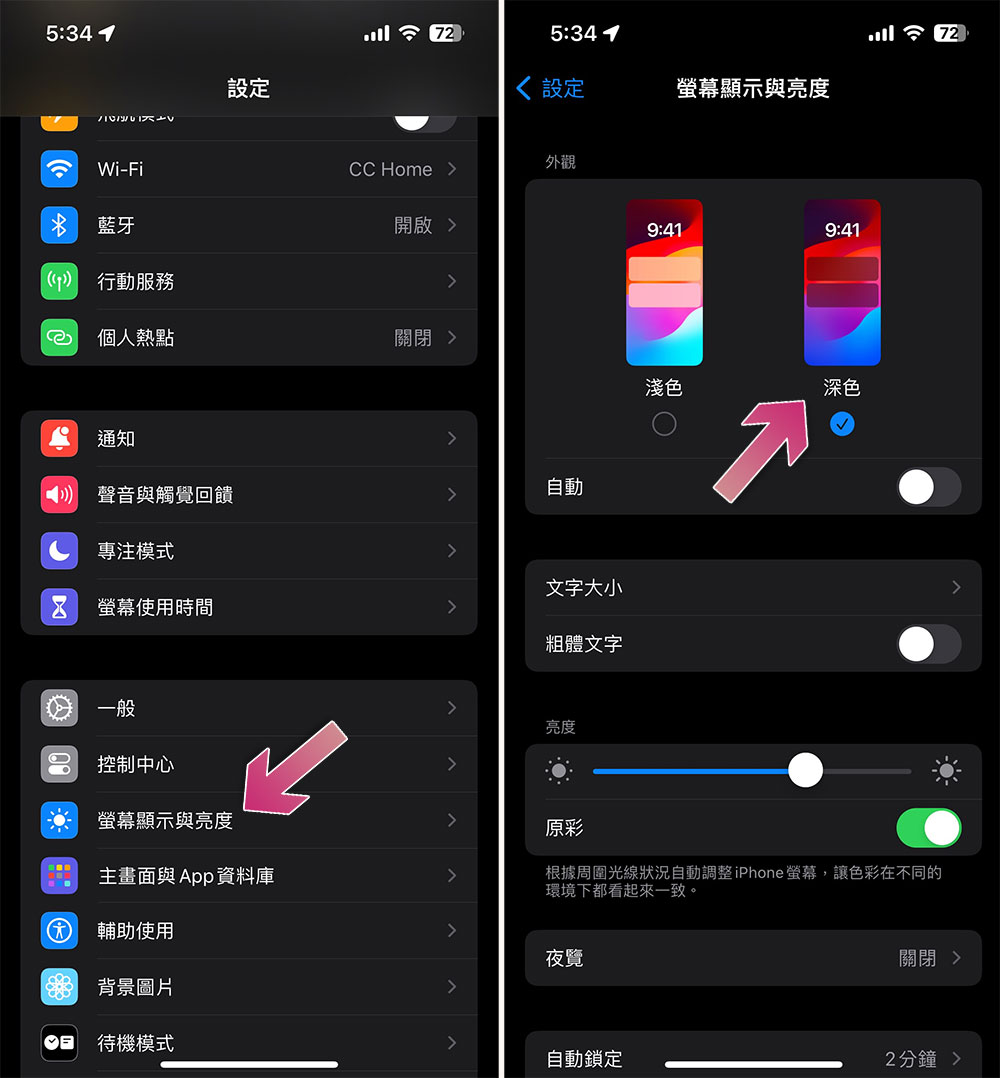
- iPhone
- Open the Settings app.
- Select “Screen Display & Brightness”.
- Switch the appearance section to “Dark”.
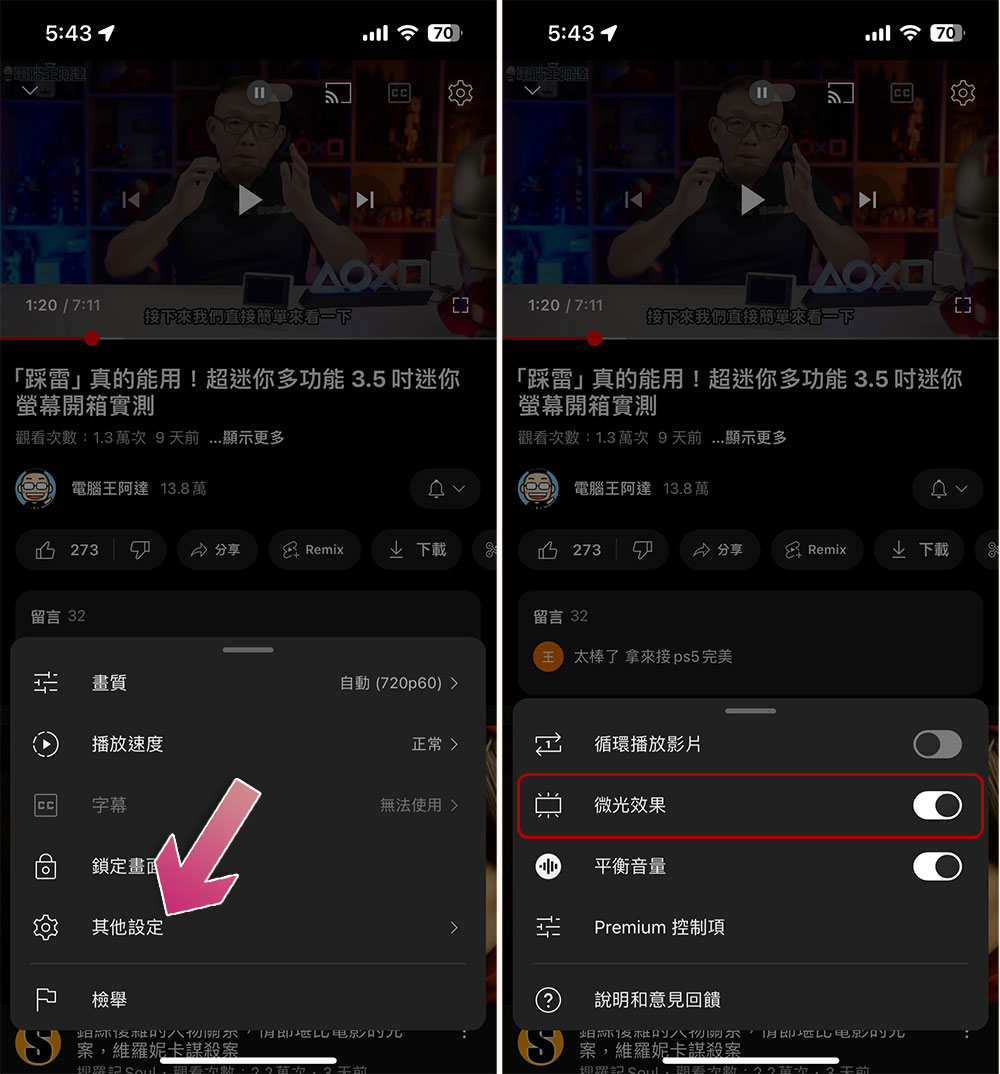
After turning on dark mode, YouTube will automatically enable low-light mode. If you want to see what it looks like, just open the YouTube app on your phone and click on a video to play. You will find the color of the video in the area around the video. If you don’t see this mode appearing, you can click on the gear icon on the video and select “Other Settings”, where you can manually switch it on and off. The current status will be displayed on the screen based on your operations.
How do I enable and use low-light mode on YouTube in a PC browser?
If you want to use it on a computer, you must turn on YouTube’s dark mode:
- Click on your profile picture in the upper right corner of the website and select “Appearance.”
- Select “Dark Theme” from there.
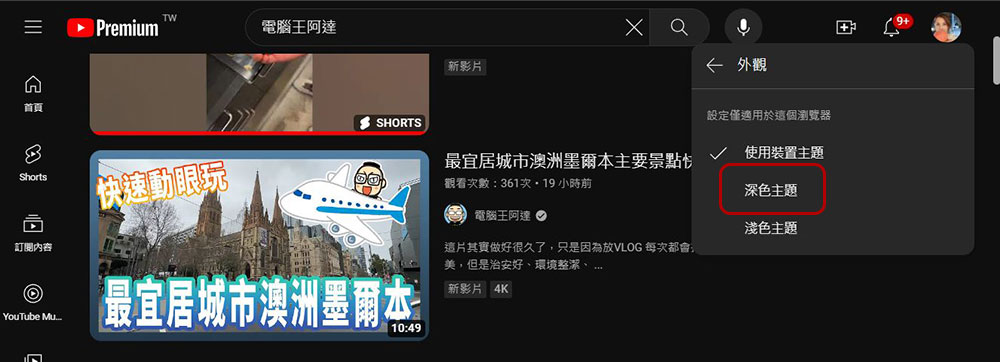
Next, YouTube will also automatically enable low-light mode. To turn it on or off, just click the gear in the lower right corner of the video, and you will see the item whose name changes to “Movie Lighting Effects.” This is the low-light mode you see on your phone. Just toggle the switch manually.

Source: KOCPC Chinese