


In the early morning of today (23rd), Apple finally released the official version of iOS 17.3. This is the third major revision since the launch of iOS 17. It mainly upgrades security and adds the new function of “Stolen Device Protection”. It also adds playback cooperation lists for Apple Music and background wallpapers celebrating black history and cultural unity. Of course, this time there are also improvements to iPhone security and stability, so let’s take a quick look at the content of this update!
iOS 17.3 official version update released: “Stolen Device Protection” additional security measures and other feature updates have been added
Apple launched the official version updates of iOS 17.3, iPadOS 17.3, watchOS 10.3 and macOS Sonoma 14.3 in the early morning of today (23rd). The official version update of iOS 17.3 brought to iPhone users makes iPhone safer to use and also brings some new features.
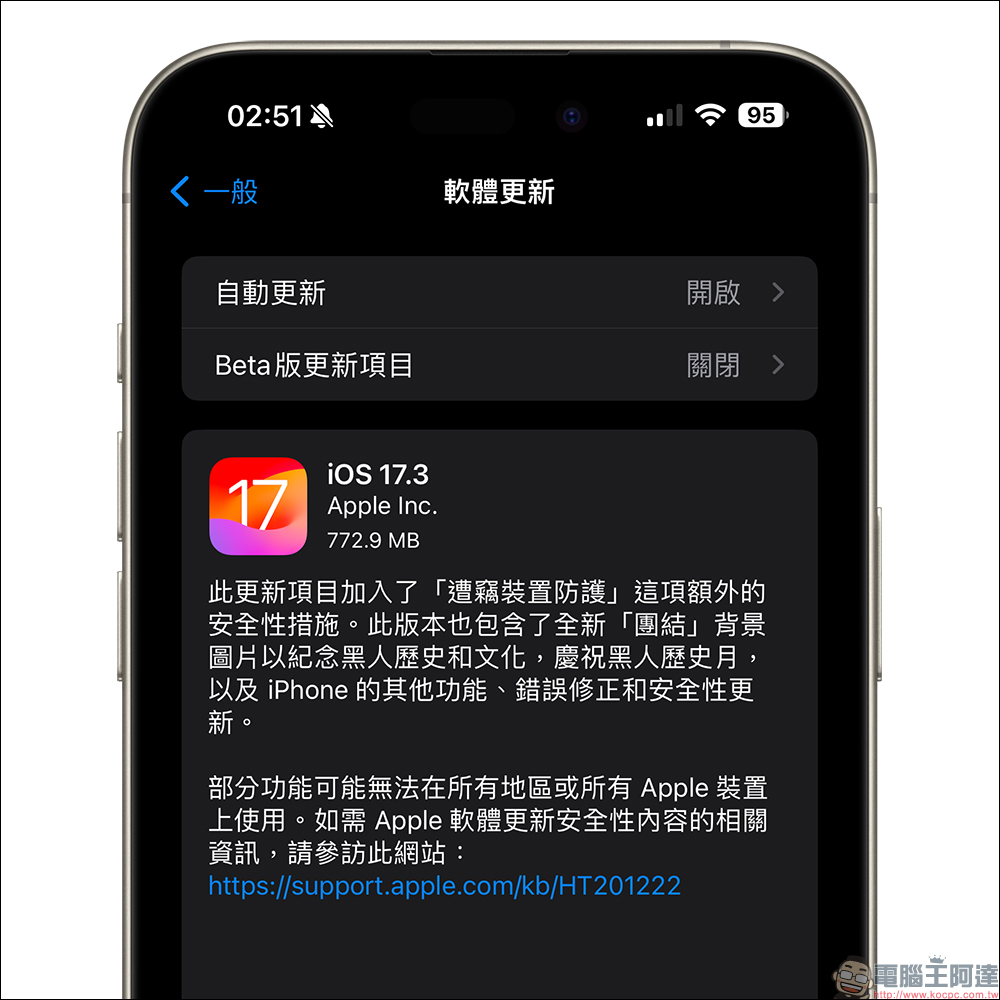
Stolen device protection
- Stolen Device Protection improves iPhone and Apple ID security by requiring the use of Face ID or Touch ID and not using a passcode as a fallback to perform certain actions.
- “Security Delay” requires using Face ID or Touch ID, waiting one hour, and then performing a successful biometric authentication before performing sensitive operations such as changing the device password or Apple ID password.
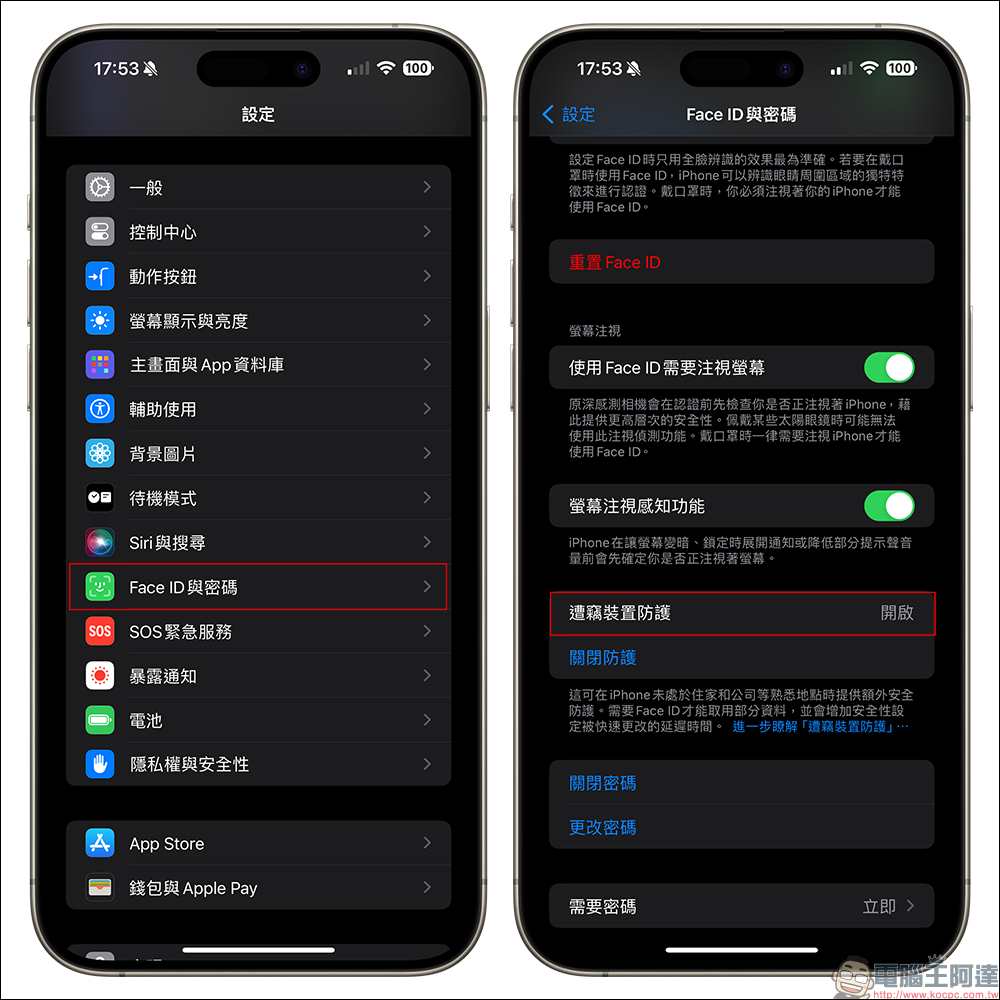
The first is the iPhone stolen device protection function. This function is mainly to prevent thieves from using the victim’s password to steal before starting the theft, thereby causing theft and misappropriation of the password information stored in the iCloud keychain and Chinese Medicine Bank account. If you turn on the “Stolen Device Protection” feature, you will be forced to use Face ID (or Touch ID) for verification before you can read the password of the iCloud keychain, turn off Lost Mode, or even purchase any product through the Safari browser.
The setting process is also very simple. Taking the iPhone 15 Pro Max that uses Face ID as an example, you only need to update to iOS 17.3, select “Face ID and Password” in “Settings”, and you can turn on the “Stolen Device Protection” function on the street. If the user wants to turn off this feature, they also need to successfully verify it through Face ID to turn it off.
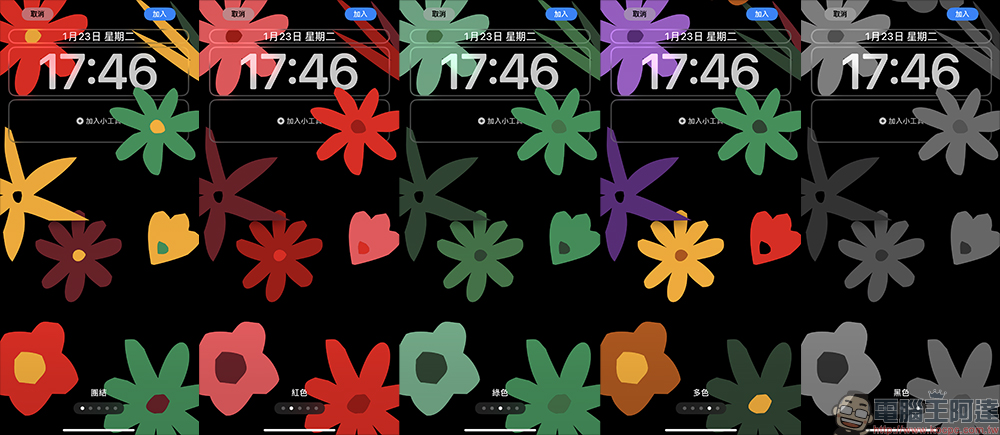
lock screen
- The new “Unity” background image honors Black history and culture and celebrates Black History Month.
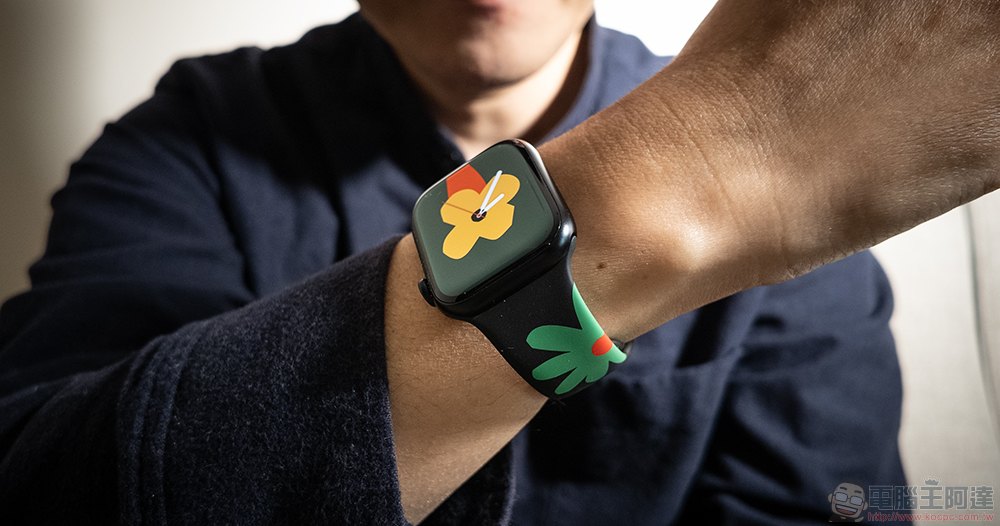
Starting in 2023, Apple will launch a series of celebrations for Black History Month, and in 2024 it will also launch new Black Unity sports bands and surfaces. There are also new Black History Month wallpapers in iOS 17.3 and iPadOS 17.3.
In addition to iPhone background images, if you have an Apple Watch, you may also want to update it to watchOS 10.3 and download this new watch for free! Apple has also officially started selling this Black Unity watch strap, which is designed with a theme that symbolizes the beauty of unity. You can click here for more hands-on experience.Picture below (or click me)Watch the full unboxing!
music
- Collaborating on a playlist lets you invite friends to your playlist and lets everyone add, rearrange, and remove songs
- Emoji reactions can be added to any track in a collaborative playlist
Starting from the official version of iOS 17.3, Apple Music also supports the new “Shared Edit Playlist” feature. Users can invite any user with a link to edit and rearrange the playlist or playlist, and also allow users to respond to the playlist with likes or emoticons.
This update project also includes the following improvements:
- AirPlay hotel support lets you stream content to your room TV in select hotels:
Apple is working with hotel chains and TV manufacturers to launch TV AirPlay support and functionality in iOS 17.3, allowing guests to use their iPhone camera to scan home TVs connected to their rooms with AirPlay, and AirPlay videos, photos and music directly to the TV. It is currently confirmed that IHG Hotels and Resorts, a subsidiary of InterContinental Hotels Group, will be the first operator to have AirPlay. As for the actual launch time, we are waiting for the official announcement. - Crash detection optimization (all iPhone 14 and iPhone 15 models):
For the iPhone 14 series and iPhone 15 series models that support the car accident detection function, the car accident detection function has been optimized starting from iOS 17.3, which will prevent the iPhone from accidentally touching the “SOS Emergency Service”, causing automatic distress calls and burdening users and medical staff. - “AppleCare & Warranty” in “Settings” will display the warranty coverage of all devices logged in with your Apple ID:
Starting from iOS 17.3, users can quickly view the current AppleCare warranty coverage information of all devices bound to their Apple ID account through “AppleCare and Warranty” in iOS settings. - Some features may not be available in all regions or on Apple devices. For information about the security content of Apple software updates, please visit this website:
https://support.apple.com/kb/HT201222
Further reading:
The iPhone 16 Pro series is rumored to have a “shoot button” that supports focus and zoom functions, with a maximum storage capacity of 2TB
Source: KOCPC Chinese