


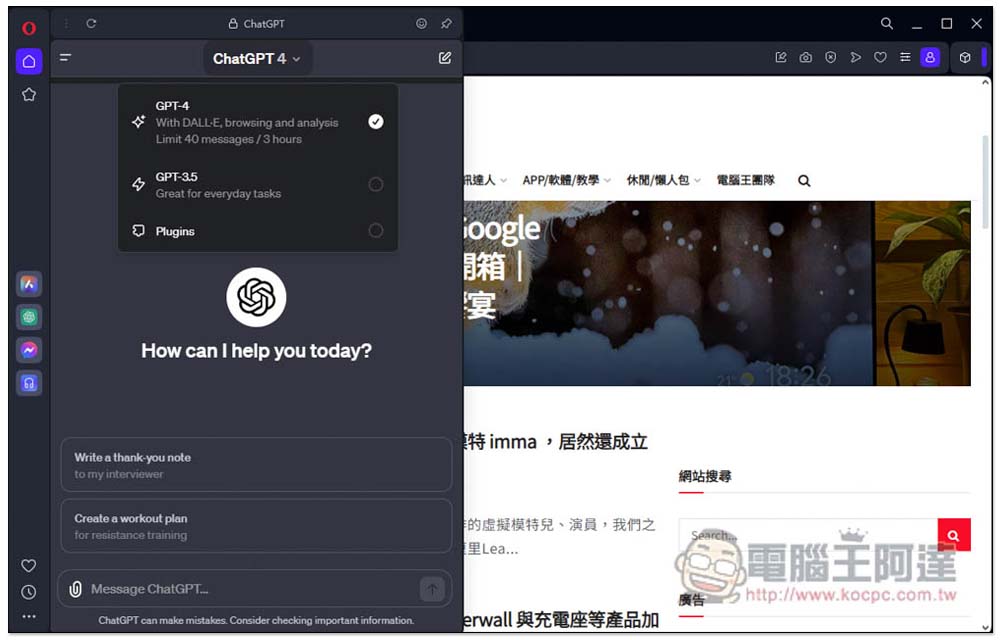
For those who often use ChatGPT, you will definitely want to know if there is any way to directly ask ChatGPT your current question on the side of any page in the browser, especially when you want to translate web page kerning. Although there are some extensions that can be used to “use ChatGPT on the side of pagination”, there are some limitations, such as being limited to GPT 3.5 and not being able to use GPT4. If you are worried about this, the Opera browser will be a better choice. Opera can be said to be the most AI-friendly browser at present. It not only has its own Aria AI, but also perfectly integrates ChatGPT, allowing you to use the full functionality of ChatGPT directly on the side of the pagination window without any API Key.
1. Install Opera
Opera is a free browser that supports most operating systems, including Windows, Mac, etc.Click me to download from the official websiteOnce you have the latest version, you are ready to start using it.
2. Enable ChatGPT function
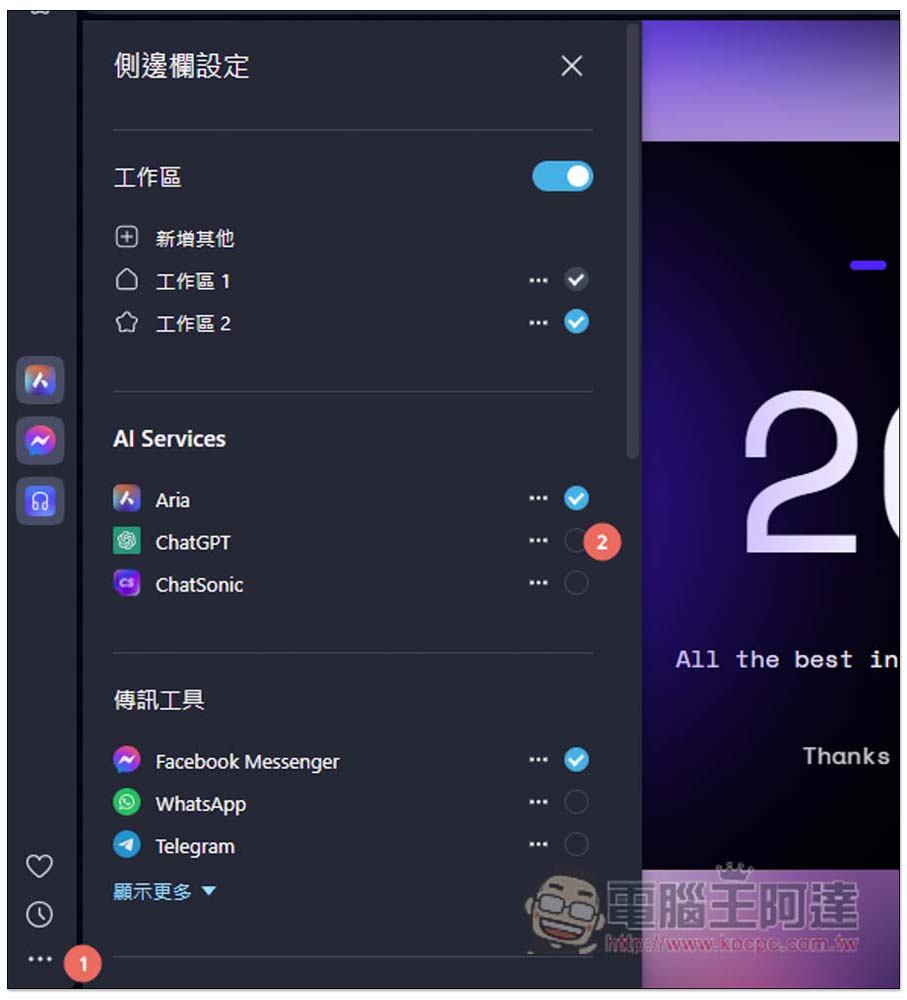
After opening the… menu function in the lower left corner, you can enable the sidebar settings, and AI Services is the currently supported AI chatbot. By default, Opera’s own Aria has been turned on. If you don’t want to use it, you can turn it off from here. The second one is ChatGPT, check the circle next to it, and it is enabled.
3. Log in to your ChatGPT account
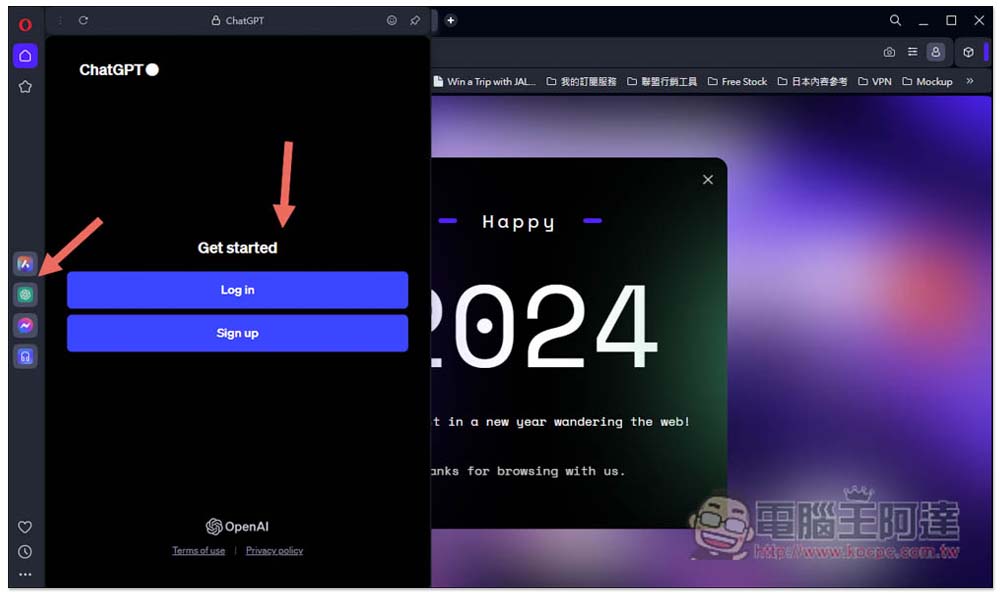
After enabling it, you will see a small ChatGPT icon appear in the left sidebar. In the future, you can click this small icon to open the ChatGPT side window on any web page. Click Log in to log in. If you have already logged in to the web version, you will be logged in automatically without having to do it again.
4. Start chatting
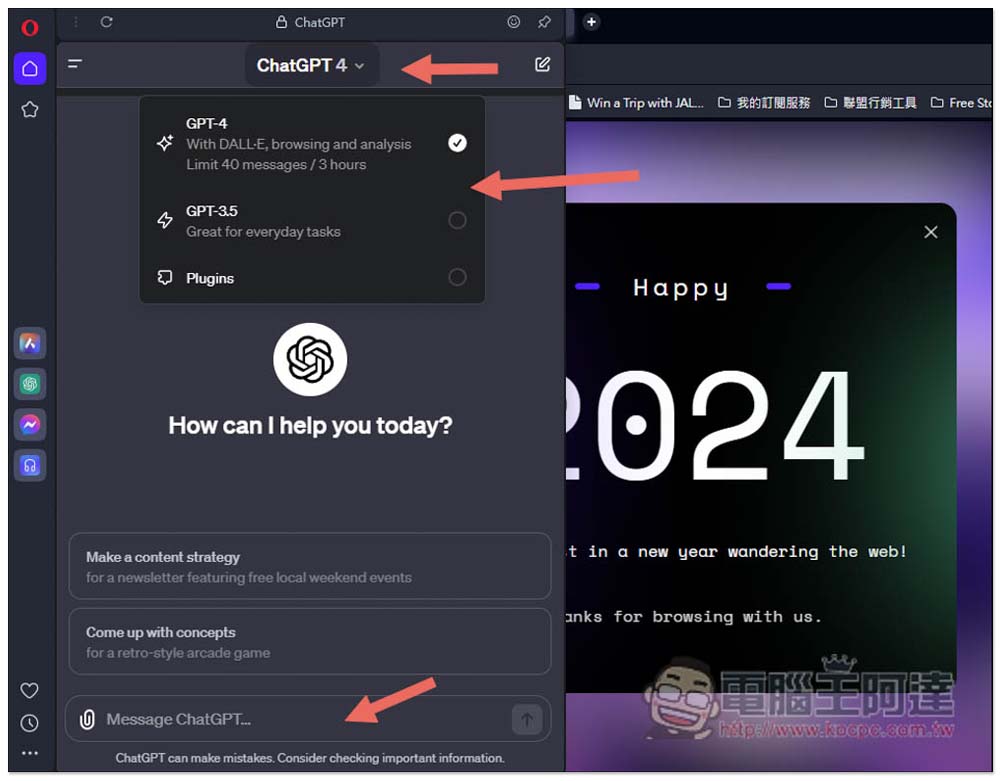
This side window feels a bit like the mobile version of ChatGPT. At the top, you can switch the model you want to use, such as GPT-4, GPT-3.5, and whether to enable Plugins. Just enter the question below, and the small icon in the upper right corner is the new topic:
5. Access your chat history and GPTs bot
Opera’s ChatGPT side window is truly a complete ChatGPT function. After opening the three current menus in the upper left corner of ChatGPT, you can find your historical chat records and pinned GPTs robots. Of course, you can also click Explore below to discover more GPTs robots.
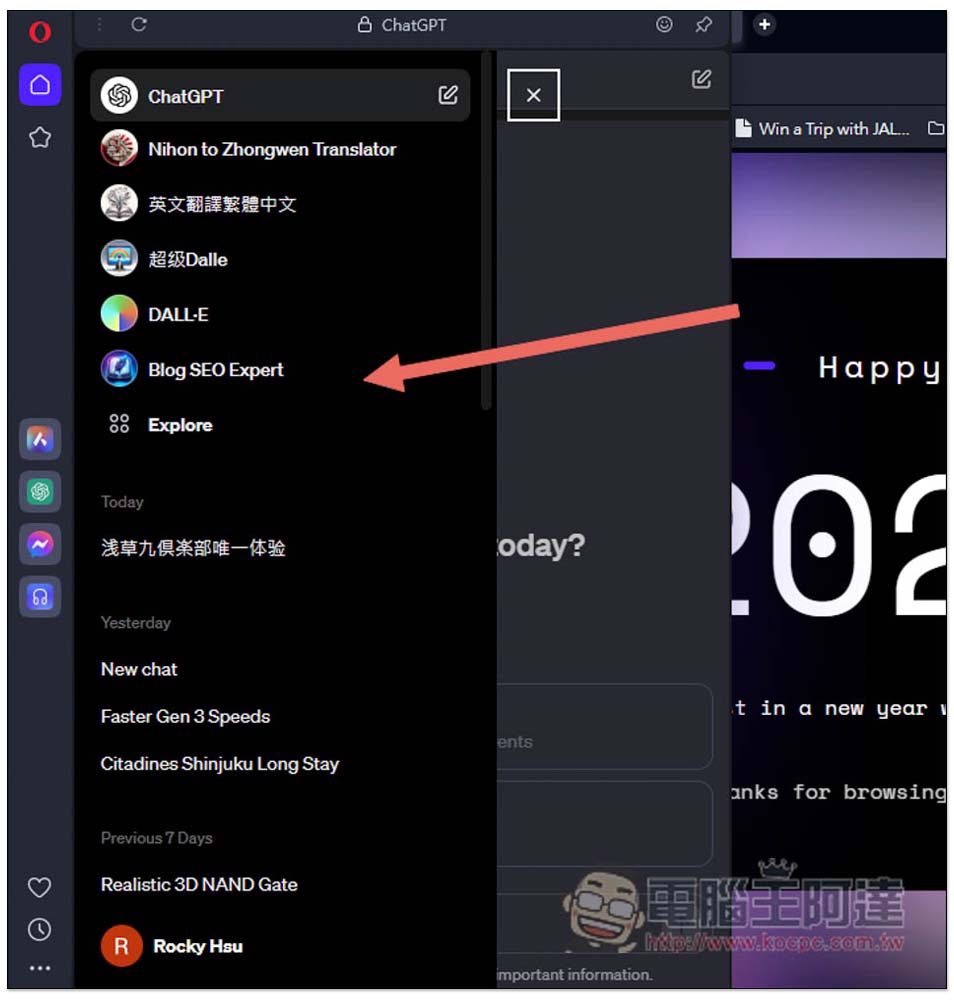
6. Pin the ChatGPT window
If you want ChatGPT to not block the content of the web page and continue to display it, Opera also provides a pin selection function. Just click on the pin above and you will see the browser display two web pages at the same time. This mode is quite easy to use. For example, I sometimes do this when I need to translate web content and summarize it. I can easily copy the web content to ChatGPT and paste it.
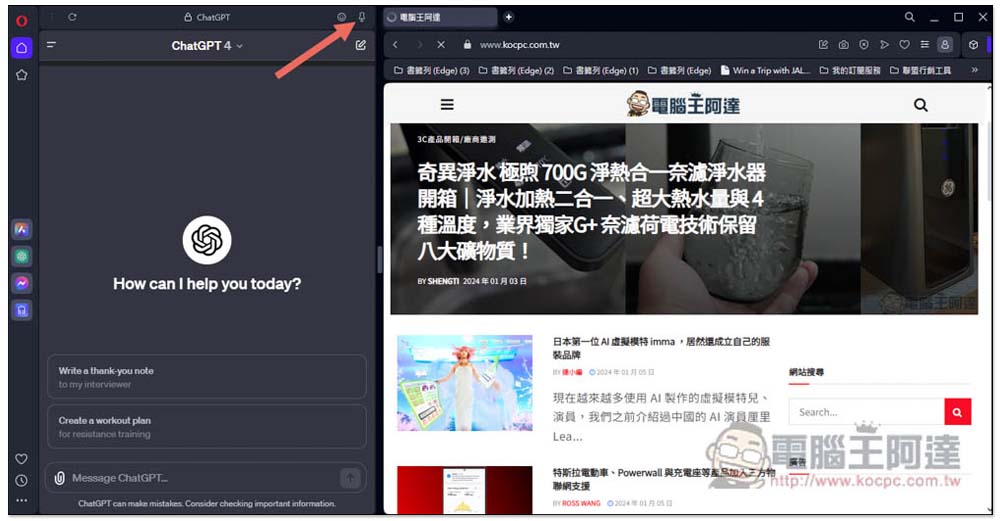
Therefore, for those who frequently use ChatGPT, it is highly recommended to give Opera a try. You can use the complete ChatGPT function directly on the side. It is really much easier than switching pagination all the time there. Moreover, Opera also has its own AI chat robot. When ChatGPT cannot give you a satisfactory answer, you might as well try Aria.
It would be even better if popular AI chatbots such as Google Bard and Copilot can be integrated in the future.
Source: KOCPC Chinese