


For a long time, notifications were treated the same on iPhone and iPad, and you could turn them off all together or do it on an app-by-app basis. Some notifications now appear as “time-sensitive notifications” to give you more control. But what is a timely notice? What can you do with it?
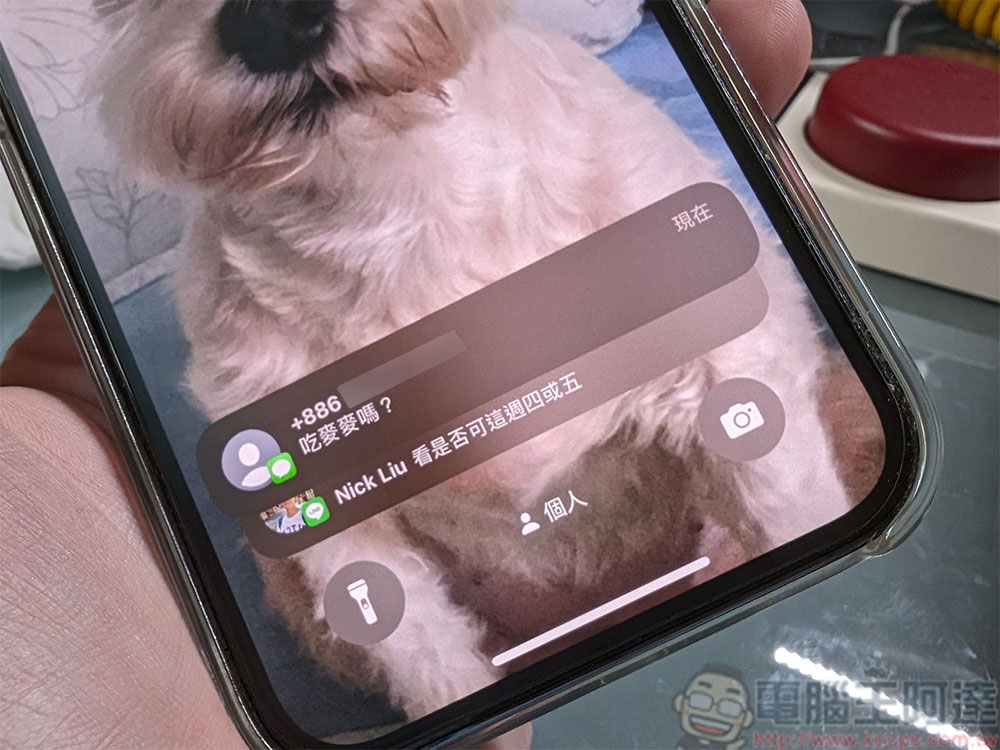
What exactly are “time-sensitive notifications” on iPhone? How to turn it off?
What is a “timeliness” notice?
Time-sensitive notifications were introduced with iOS 15 and “Focus Mode” and are special notifications that have a higher priority than other notifications. Because these notifications have higher priority, you can allow them to appear during times you set to block other notifications. They also stay on your lock screen for an hour, roughly saying, “I don’t want to be distracted by notifications right now, but I don’t want to miss anything important.”
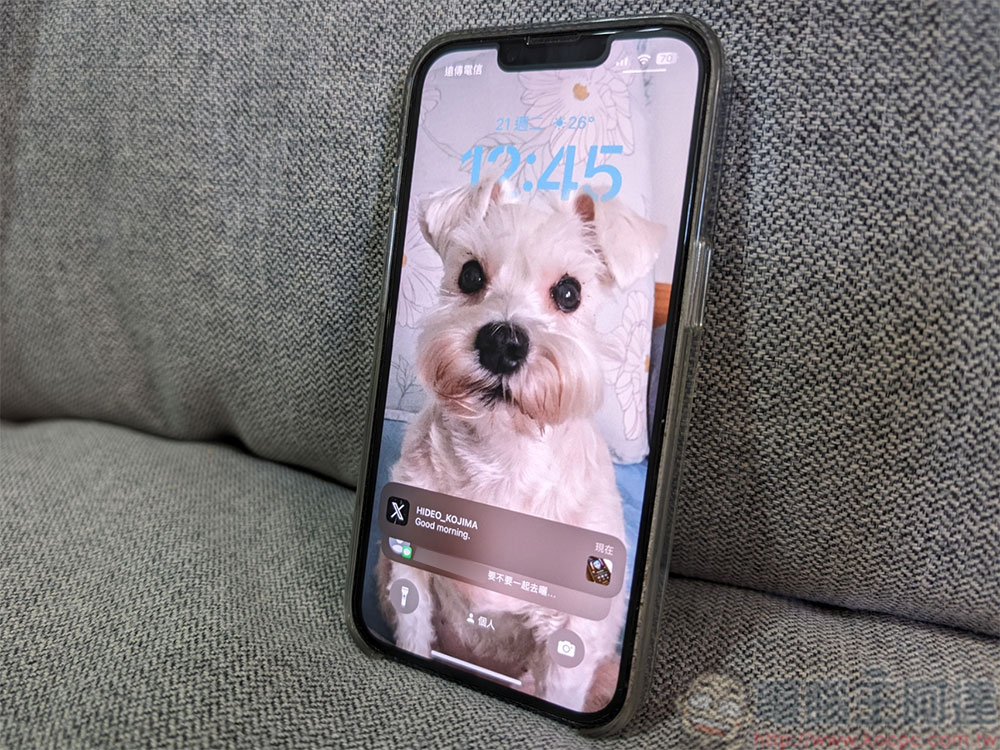
Focus Mode allows you to create customized Do Not Disturb modes for various specific situations. This is where time-sensitive notifications really shine. You can block any number of apps without worrying about missing urgent content. Unfortunately, you don’t get to decide what qualifies as a time-sensitive event; it’s up to the app developer, and apps can abuse this feature. All you can do is decide whether to allow your app to use time-sensitive notifications.
How to allow timely notifications?
The place where timely notifications play their biggest role is in Do Not Disturb mode and Focus mode. During the setup process, you can choose whether to allow certain notifications to appear while blocking other notifications from the app.
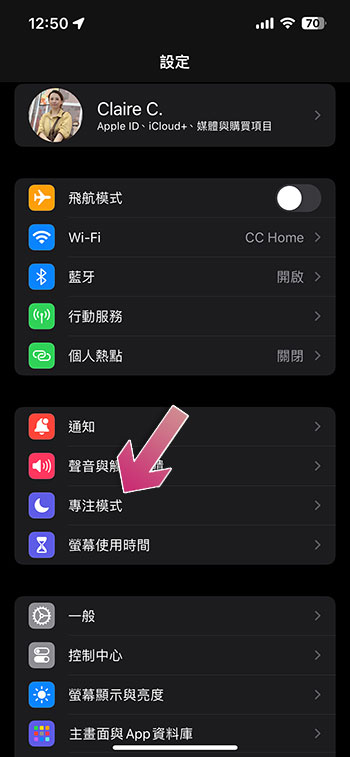
- First, open the Settings app and select “Focus Mode”.
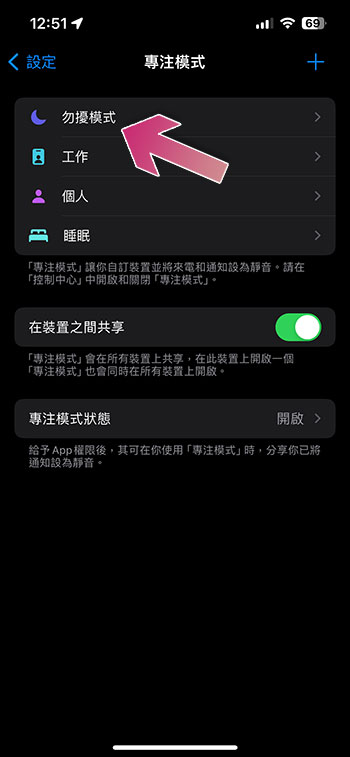
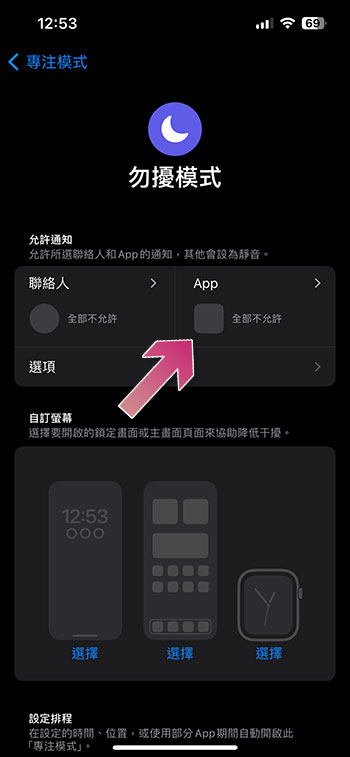
- Here we will use Do Not Disturb mode as an example to demonstrate the operation. Click “Do Not Disturb Mode”. In focus mode, you can customize exceptions for each focus mode. For example, you can allow time-sensitive notifications to appear in “Do Not Disturb Mode” but not in “Sleep”.
- After entering Do Not Disturb mode, click “App”.
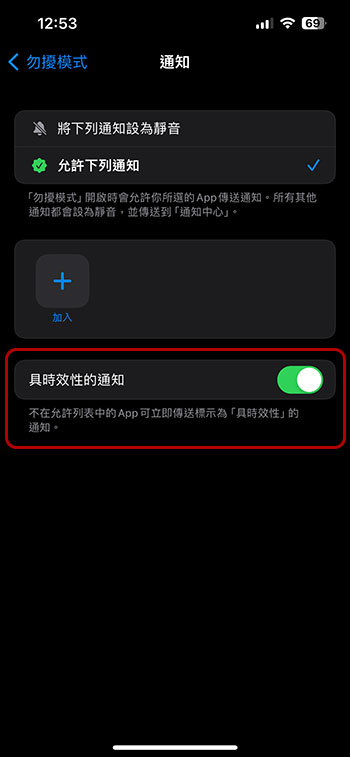
- Turn on the “Time-sensitive notifications” switch to allow notifications listed as time-sensitive to be displayed.
How to turn off time-sensitive notifications?
What if an app marks notifications as “time-sensitive” and you don’t want to agree? Or maybe an app is abusing priority and pushing annoying notifications in front of you. You can turn off “time-sensitive notifications” for any app. One thing you can do is evaluate whether the message is actually timely when it is pushed. Sometimes, “timely notifications” will ask you if you want to keep it on or turn it off.
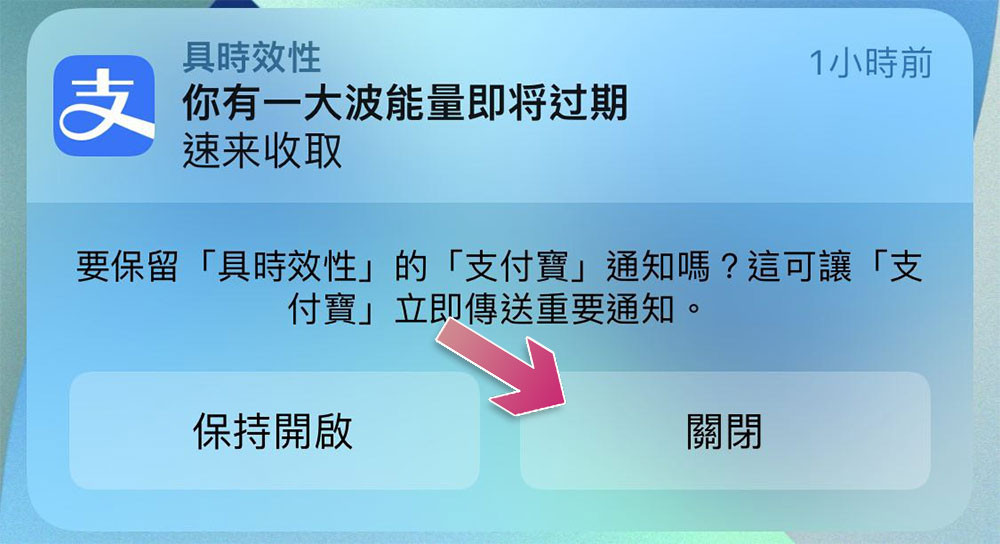
If you don’t want to wait for the notification to appear before you can close it, you can also manually close it in the Settings app:
- Open the Settings app and go to “Notifications”.
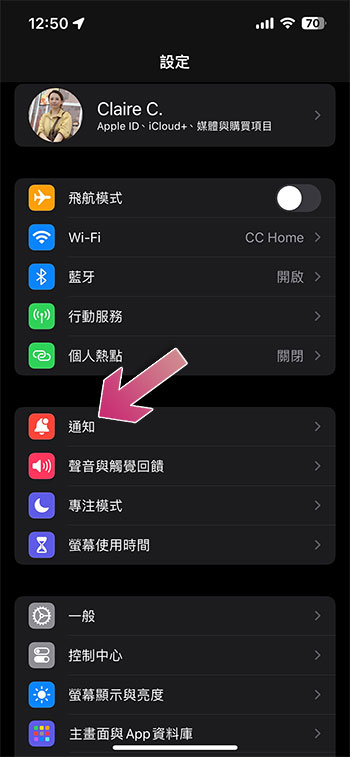
- Find the app for which you want to turn off time-based notifications.
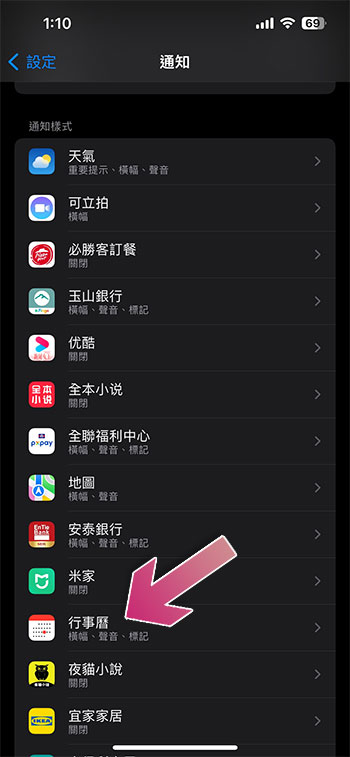
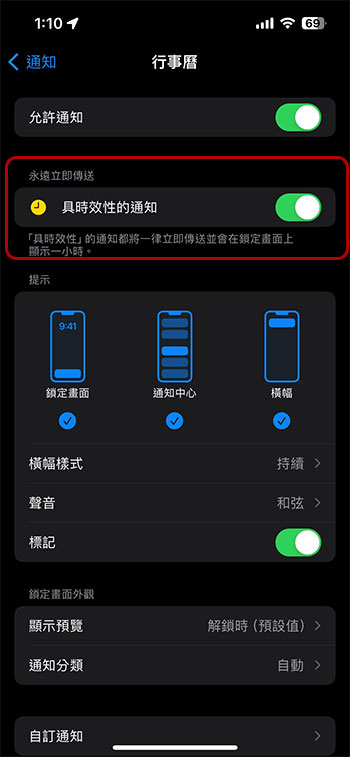
- Click to enter and turn off the “Time-sensitive notifications” switch. Note that not every app has this option, only those whose developers have configured it with this feature will see it.
Time-sensitive notifications can be very useful if your application uses them correctly. You may find that they are extremely helpful for some apps and annoying for others, so you should take the time to fine-tune which apps have permission to use them to improve your experience.
Source: KOCPC Chinese