


Before every trip abroad, in addition to planning the itinerary, you can make the trip more beautiful. However, when people plan to travel abroad, they often book air tickets early, but often spend time reviewing their e-tickets to check flight information before traveling. Today I’m going to share a tip for checking flights on iPhone, so that you don’t need to download another app. You can use these 3 tips to easily check all flight information, including departure and destination airports, terminal flight times, and flight status. You can check it directly.
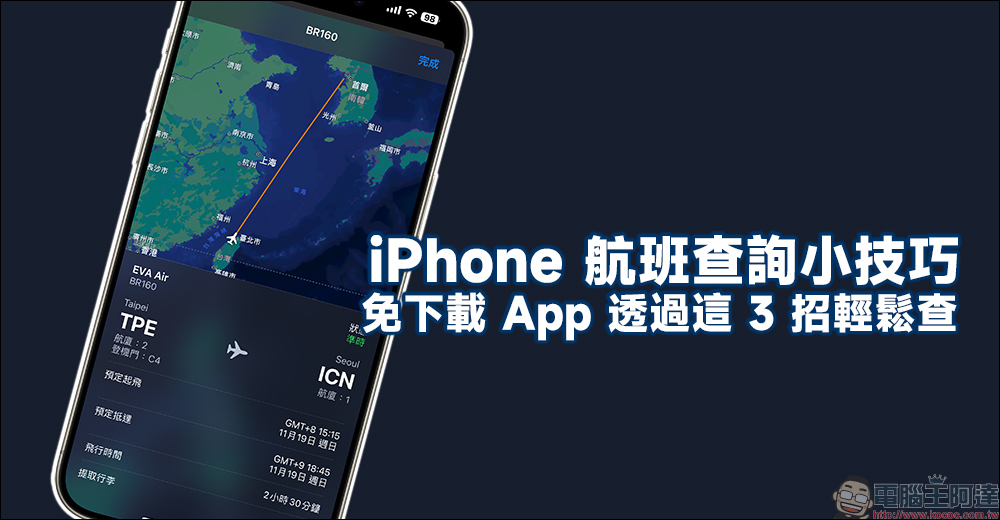
Tips for checking flights on iPhone, no need to download the app, check them easily with these 3 tips
For all of you who fly abroad, do you keep your flight information firmly in mind? For people who frequently travel or work abroad, they may frequently depart from different airports, arrive at different destinations, and choose different airlines and flights. The biggest worry is that they misremember the airport and flight time. In addition to going to the e-mail to browse electronic tickets, iPhone users can actually check flight status directly without downloading an additional app!
Spotlight easy query is so simple
First of all, the first method is to query directly through the Spotlight function. Spotlight not only supports search, calculation, and exchange rate conversion functions, but you can also check the latest updates of that flight number by simply entering the “flight number”! Take the StarLux Airlines flight from Taipei to Tokyo as an example. Just enter the flight number JX802 to check the flight status of that day (most recently). Flight status will be updated in real time, and you can also check the location of the terminal and boarding gate, as well as the scheduled departure time, scheduled arrival date, flight time, etc. The departure and flight times are also directly displayed in the local time zone.
As for your flight number, it is recorded on the electronic ticket!
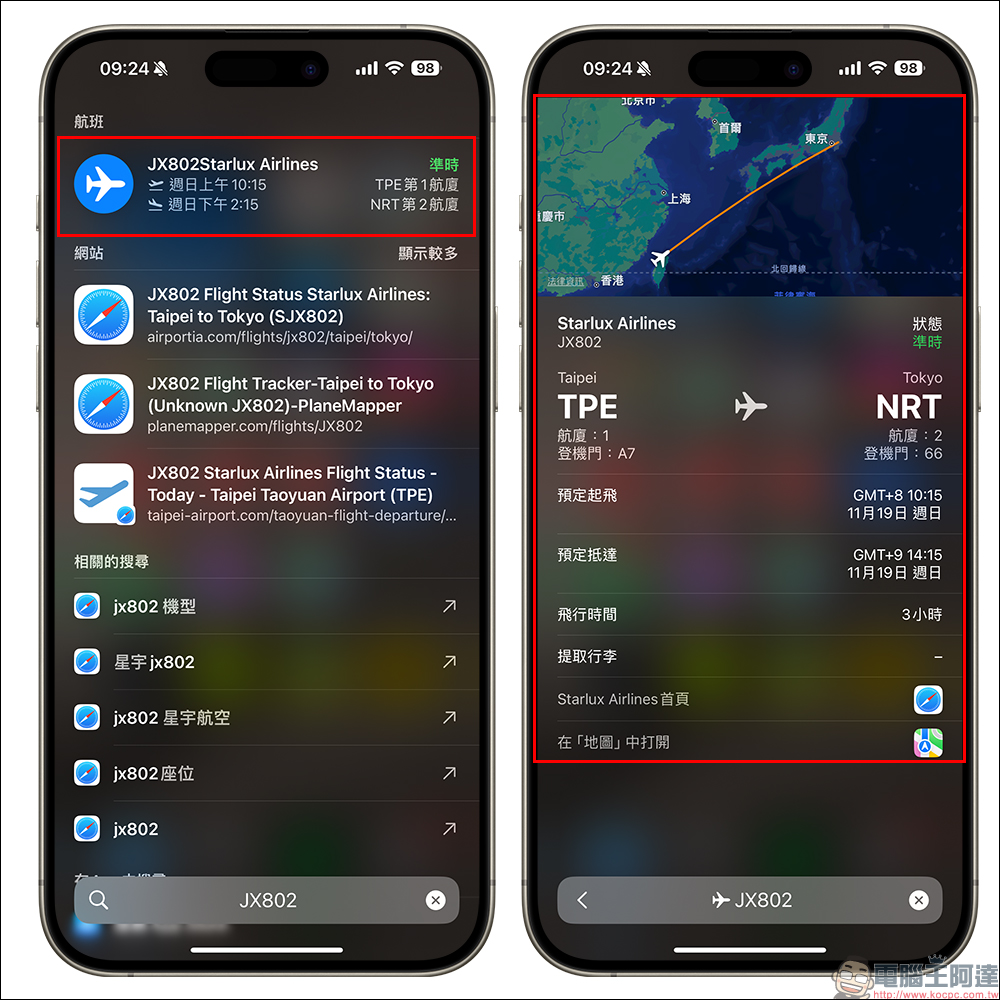
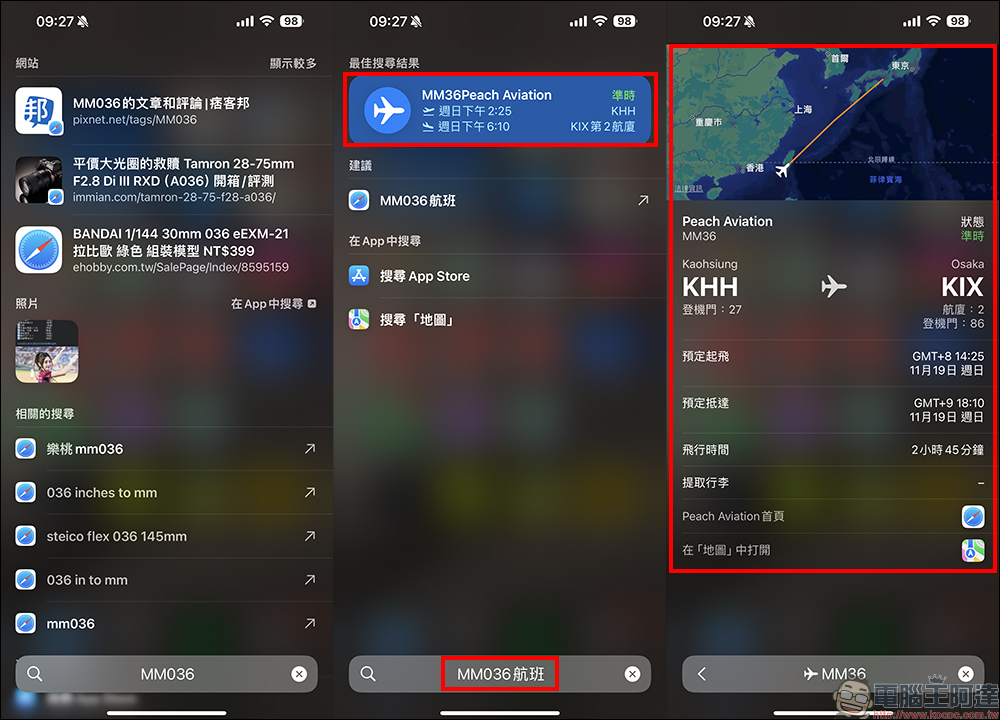
People who want to save money or travel easily sometimes choose low-cost airlines to start their journey. However, the flight numbers of some low-cost airlines may not directly display the search results when entering them in Spotlight. In this case, as long as you add the word “flight” after the flight number, the latest updates of the flight will still be displayed.
Intelligent identification through “original text”
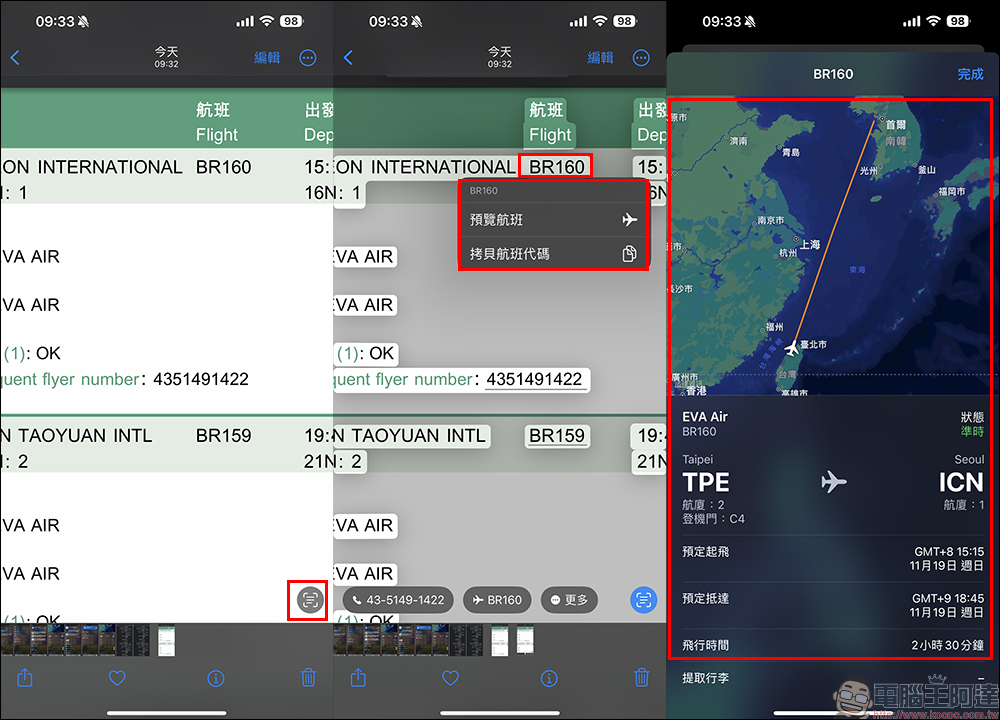
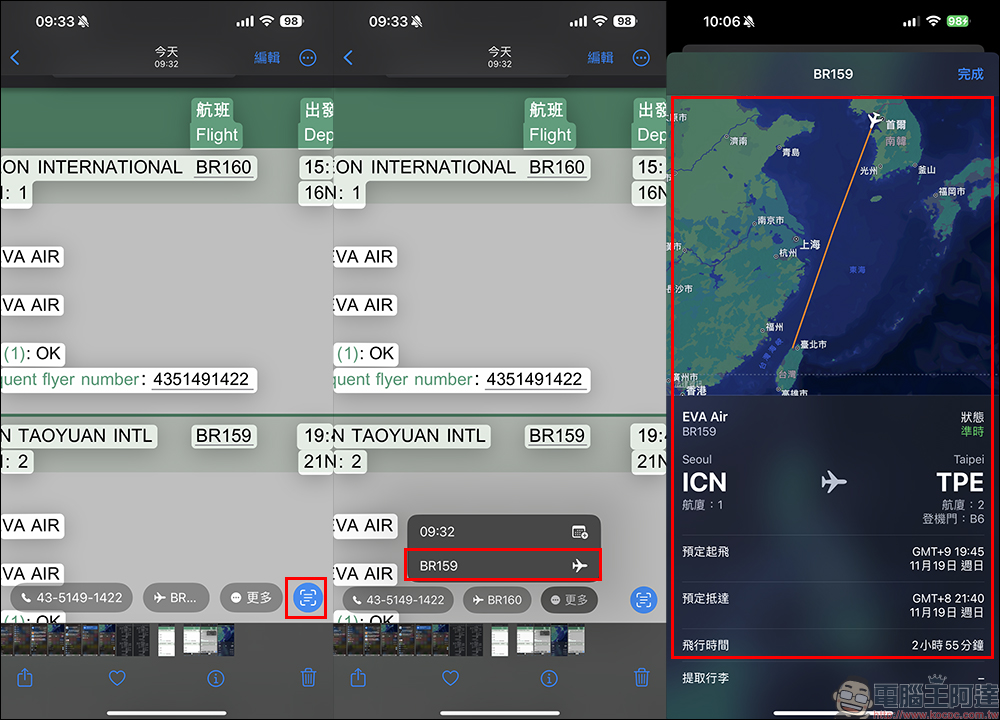
The original text is very easy to use, and I believe that users of iPhone, iPad and even Mac have become familiar with it. Users can use “original text“The function intelligently identifies, translates and queries relevant information of the content. In addition to using this function to translate incomprehensible foreign languages while traveling, you can also make good use of this function to check flight status. Just take a screenshot of the part of the e-ticket that contains the flight number, and then use this function to check flight status.
Share flight numbers in “Messages” and keep track of flight status at any time
Flight status can also be displayed and checked in the “Messages” app. When we use “Messages” to chat with family and friends, as long as the flight number is mentioned in the text, both parties can click on the flight number link to quickly check the flight status.
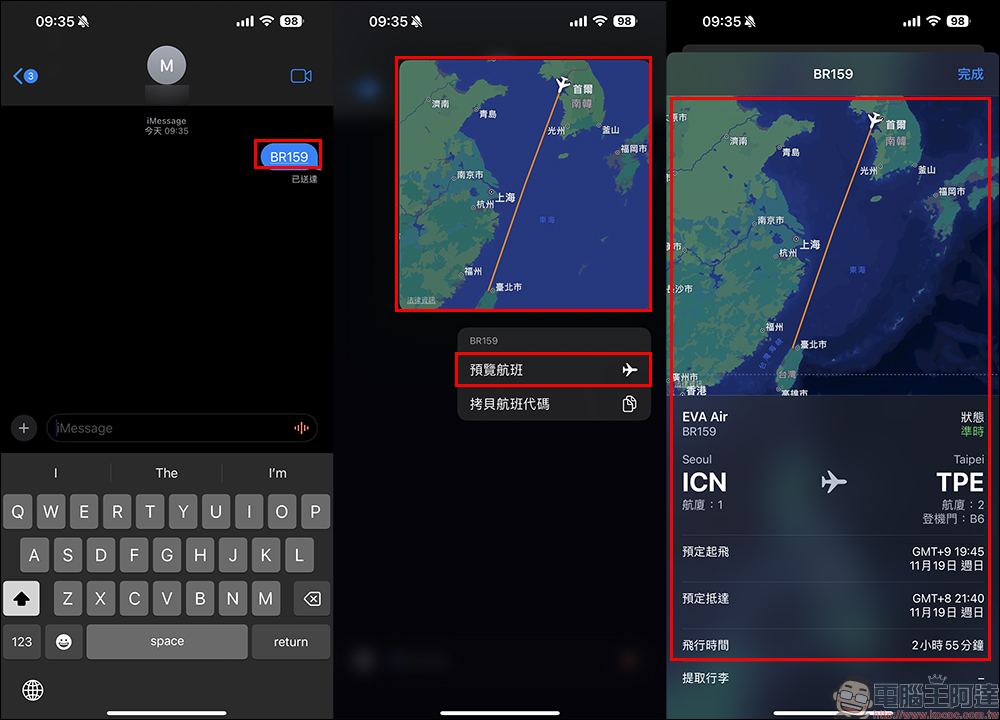
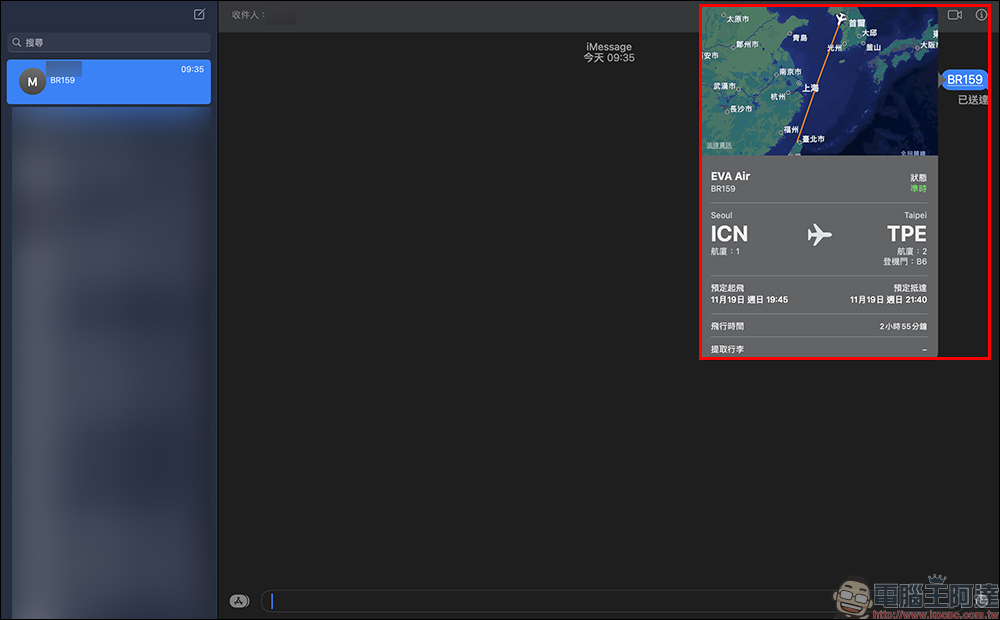
This function can only be said to be super convenient, because not only can both parties use their iPhones to click on the link to check the flight status, but also because the “Messages” App can synchronize information updates across devices, allowing both parties to use the convenient device at hand to check the status of the flight. You can check flight status in the messaging app just like using iPad or Mac.
If you are using an Android phone, how can you quickly check flights?
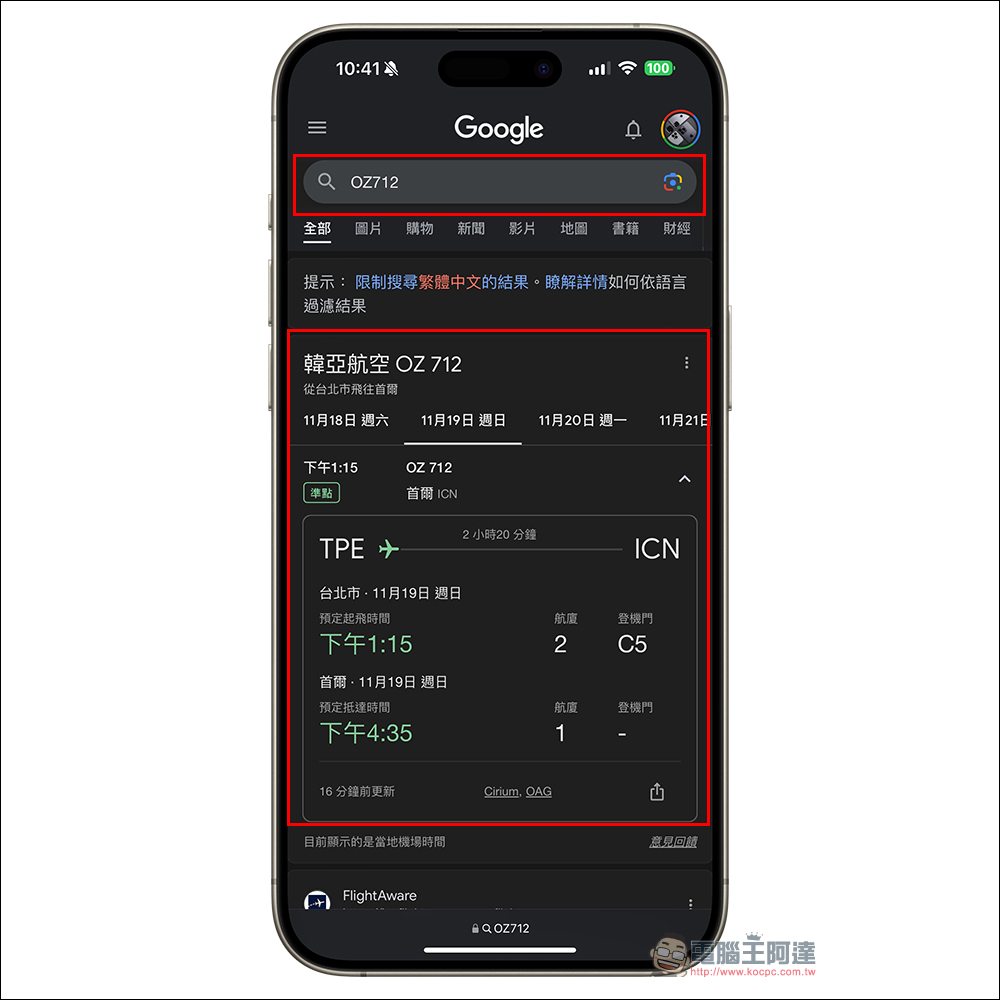
In fact, in addition to iPhone users, there is a way for both iOS and Android users to easily check flights, and that is to use Google! You can also check flight status by searching for flight numbers on Google.
Further reading:
iPhone SE 4 latest renderings exposed! 6.1-inch small notch screen, 48-megapixel main camera, USB-C port, action button

Source: KOCPC Chinese